The best mechanical keyboard for designers is the one that keeps shortcuts under your fingers and stays comfortable through long sessions, because a board that fights you slows the work. Designers live on key combinations, and a full-size or 98% layout keeps the number pad close for data entry and tool shortcuts. Noise matters too: linear switches type quietly, while clicky blue switches carry across a room. We compared five mechanical keyboards by layout, connectivity, battery, keycaps, switches and warranty, using only what each listing publishes.
OfficeKitHQ earns a commission when you buy through links on this page, at no extra cost to you. As an Amazon Associate I earn from qualifying purchases. Affiliate disclosure.
Quick picks
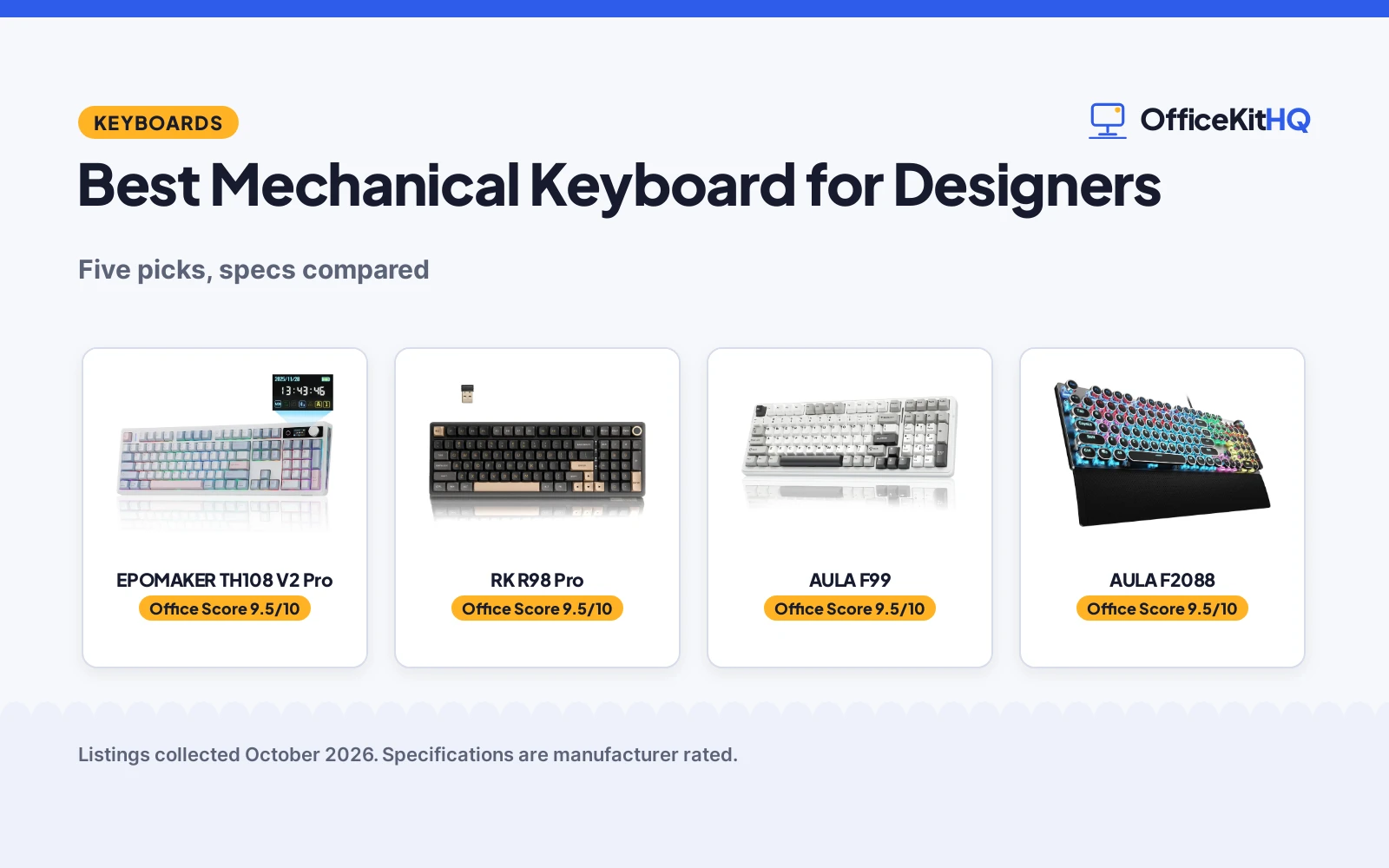
 Best Overall EPOMAKER TH108 V2 Pro: Full-size board with screen, knob and 10000mAh battery Check price on Amazon
 Best 98% Layout RK R98 Pro: Compact 98% board with numpad, knob and 7500mAh battery Check price on Amazon
 Wireless Pick AULA F99: Wireless hot-swap board for flexible setups Check price on Amazon
 Retro Pick AULA F2088: Typewriter style with clicky blue switches Check price on Amazon
 Basic Pick Redragon K521: Rainbow LED board with mechanical-feel keys Check price on Amazon
The picks
| # | Product | Office Score | Buy |
|---|---|---|---|
| 1 | EPOMAKER TH108 V2 Pro | 9.5/10 | Buy on Amazon |
| 2 | RK R98 Pro | 9.5/10 | Buy on Amazon |
| 3 | AULA F99 Wireless | 9.5/10 | Buy on Amazon |
| 4 | AULA F2088 | 9.5/10 | Buy on Amazon |
| 5 | Redragon K521 | 9.4/10 | Buy on Amazon |

EPOMAKER TH108 V2 Pro
The top pick for designers who want everything: a full-size board with a screen, knob, Mac keycaps and a 10000mAh battery.
Pros
- Full-size 104-key layout with dedicated number pad for shortcuts and data entry
- Built-in screen and rotary knob for volume, settings and custom images
- Mac modifier PBT keycaps suit designers switching between Mac and PC
- Stated 1-year warranty and 10000mAh battery for up to 200 hours
Cons
- Full-size footprint takes the most desk space of the five
- Heaviest feel at over 1 kg, less suited to moving between desks
- Screen and knob add features a minimal-setup designer may not use
- No safety certification is stated
Detailed Review
The EPOMAKER listing describes a full-size 104-key mechanical keyboard with a built-in screen and rotary knob, tri-mode connectivity over Bluetooth, 2.4GHz and USB cable, and a 10000mAh battery rated up to 200 hours. It lists Mac modifier PBT keycaps, a gasket-mounted build, factory-lubed linear silent switches and 1000Hz polling with 2ms latency. One oddity: the spec table lists dimensions of 17.61 by 17.61 by 1.73 inches, which reads as an error since a full-size board is not square; treat the footprint as unstated.
Who it's for: a designer who wants a full-size board with a number pad, Mac-friendly keycaps and a screen for custom images. Who should skip it: anyone on a small desk, or who wants a minimal board without extra features.
Its Office Score of 9.5/10 comes from performance 32/35, build 21/25, value 20/25, safety 0/10 and warranty 3/5: 76 of 100 points, placed on our 9.2 to 9.8 scale.
Key Specifications
| Layout | Full size, 104 keys |
|---|---|
| Battery | 10000mAh, up to 200 hours |
| Switches | Linear silent, factory-lubed |
| Warranty | 1 year |
Figures as published on the retailer listing, collected 17 October 2026. Performance figures are manufacturer rated.
Safety and Warranty
What this listing states. No FCC or other safety listing is stated, so safety scores zero. 1 Year Warranty. It does not say everything a buyer needs, such as who pays return shipping, so warranty scores 3 of 5. See How We Pick.
Fit the desk first. Check the stated size against your desk depth and keyboard tray, and charge or pair as the manual describes. No keyboard, mouse or wrist rest prevents or treats injury.
This is general buying information, not professional advice. Follow each product manual and local rules, and see our Safety Disclaimer.

RK R98 Pro
The compact pick for designers short on space: a 98% layout with number pad and knob in a smaller footprint.
Pros
- 98% layout keeps the number pad while saving desk space
- MDA-profile PBT keycaps for comfortable long typing sessions
- Hot-swappable PCB supports 3-pin and 5-pin switches
- Stated 1-year warranty and 7500mAh battery for up to 365 hours without backlight
Cons
- Cream linear switches are the only stated option, no tactile choice listed
- Spec table lists both 101 and 104 key counts, an internal contradiction
- Gasket build is tuned for a creamy sound, not for silent offices
- No safety certification is stated
Detailed Review
The RK listing describes a 98% wireless mechanical keyboard with a number pad and volume knob, tri-mode connectivity over Bluetooth, 2.4GHz and USB-C, and a 7500mAh battery rated up to 365 hours without backlighting. It lists a gasket-mounted build, MDA-profile PBT keycaps, pre-lubed linear cream switches and a hot-swappable PCB for 3-pin and 5-pin switches. One contradiction: the spec table lists both 101 and 104 as key counts; the title and bullets describe a 98% board with a number pad, so trust those.
Who it's for: a designer who needs a number pad but wants a smaller footprint than full size. Who should skip it: anyone who wants tactile switches or a strictly silent board.
Its Office Score of 9.5/10 comes from performance 30/35, build 21/25, value 20/25, safety 0/10 and warranty 3/5: 74 of 100 points, placed on our 9.2 to 9.8 scale.
Key Specifications
| Layout | 98%, with number pad |
|---|---|
| Battery | 7500mAh, up to 365 hours |
| Switches | Linear cream, pre-lubed |
| Warranty | 1 year |
Figures as published on the retailer listing, collected 17 October 2026. Performance figures are manufacturer rated.
Safety and Warranty
What this listing states. No FCC or other safety listing is stated, so safety scores zero. 1 Year. It does not say everything a buyer needs, such as who pays return shipping, so warranty scores 3 of 5. See How We Pick.
Fit the desk first. Check the stated size against your desk depth and keyboard tray, and charge or pair as the manual describes. No keyboard, mouse or wrist rest prevents or treats injury.
This is general buying information, not professional advice. Follow each product manual and local rules, and see our Safety Disclaimer.

AULA F99 Wireless
Suits someone who wants a near-full-size wireless board with an 8000mAh battery; skip it if you need a compact board.
Pros
- 99-key 96% layout with tri-mode BT5.0, 2.4GHz and USB-C
- Hot-swap PCB for 3-pin and 5-pin switches
- 8000mAh battery with double-shot PBT keycaps
- Gasket structure with 5-layer sound dampening
Cons
- Spec table lists AZERTY layout, which is odd for this listing
- 1500 g weight, the heaviest of the five
- 6-month warranty, shorter than the leaders
- 15.35 inches wide, needs desk space
Detailed Review
AULA lists the F99 as a wireless mechanical keyboard with tri-mode connection, 99 keys, pre-lubed linear switches and a hot-swap PCB for 3-pin and 5-pin switches. The bullets state an 8000mAh battery, double-shot PBT keycaps, gasket structure with 5-layer dampening, and a 6-month warranty. The spec table gives dimensions of 15.35 x 5.75 x 1.65 inches and a weight of 1500 g. One oddity: the spec table lists the layout as AZERTY.
Who it's for: someone who wants a near-full-size wireless board with a big battery. Who should skip it: anyone who needs a compact board, since this is 15.35 inches wide.
Its Office Score of 9.5/10 comes from performance 32/35, build 21/25, value 20/25, safety 0/10 and warranty 3/5: 76 of 100 points, placed on our 9.2 to 9.8 scale.
Key Specifications
| Keys | 99 |
|---|---|
| Battery | 8000mAh |
| Connection | Tri-mode |
| Warranty | 6 months |
Figures as published on the retailer listing, collected 17 October 2026. Performance figures are manufacturer rated.
Safety and Warranty
What this listing states. No FCC or other safety listing is stated, so safety scores zero. 6 Months. It does not say everything a buyer needs, such as who pays return shipping, so warranty scores 3 of 5. See How We Pick.
Fit the desk first. Check the stated size against your desk depth and keyboard tray, and charge or pair as the manual describes. No keyboard, mouse or wrist rest prevents or treats injury.
This is general buying information, not professional advice. Follow each product manual and local rules, and see our Safety Disclaimer.

AULA F2088
A typewriter-style 104-key keyboard with blue clicky switches, aluminum panel and wrist rest.
Pros
- Blue clicky switches with crisp tactile feedback
- Aluminum alloy panel with matte finish
- Magnetic wrist rest and media control knob included
- 19 lighting effects with 3 custom slots
Cons
- Clicky blue switches carry in shared spaces
- Typewriter round keycaps will not suit every typist
- Wired only with no wireless option
Detailed Review
AULA lists the F2088 as a typewriter-style 104-key keyboard with blue clicky switches, rainbow LED backlighting, an aluminum alloy panel, a magnetic wrist rest and a media control knob. The listing states double-shot round keycaps, anti-ghosting and 19 lighting effects with 3 customizable. It measures 17.13 by 4.84 by 1.5 inches and weighs 1020 g, with a stated 12 months warranty.
Who it's for: typists who love the typewriter look and a crisp click. Who should skip it: shared offices, where clicky switches carry, or anyone who wants wireless.
Its Office Score of 9.5/10 comes from performance 28/35, build 19/25, value 16/25, safety not scored (non-powered gear) and warranty 3/5: 66 of 90 points, placed on our 9.2 to 9.8 scale.
Key Specifications
| Layout | Full-size, 104 keys |
|---|---|
| Switch | Blue, clicky |
| Size | 17.13 x 4.84 x 1.5 in |
| Warranty | 12 months |
Figures as published on the retailer listing, collected 17 October 2026. Performance figures are manufacturer rated.
Safety and Warranty
What this listing states. This product does not plug in or run on a battery, so safety is not part of its score. 12 months. It does not say everything a buyer needs, such as who pays return shipping, so warranty scores 3 of 5. See How We Pick.
Fit the desk first. Check the stated size against your desk depth and keyboard tray, and charge or pair as the manual describes. No keyboard, mouse or wrist rest prevents or treats injury.
This is general buying information, not professional advice. Follow each product manual and local rules, and see our Safety Disclaimer.
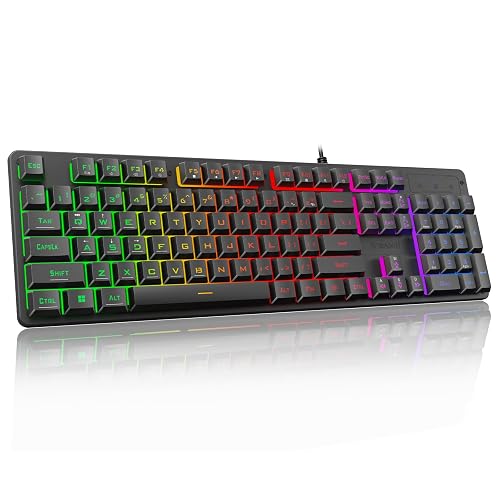
Redragon K521
A 104-key wired keyboard with mechanical feel, rainbow LED and 12 multimedia keys.
Pros
- 104 full-size keys with 12 multimedia keys
- Rainbow LED with one-touch on/off button
- 19-key anti-ghosting for key combinations
- Plug and play with no driver needed
Cons
- Membrane with mechanical feel, not true mechanical
- Only 19-key anti-ghosting, not full-key
- Warranty field lists only "2" with no unit
Detailed Review
Redragon lists the K521 as a 104-key wired keyboard with mechanical feel, rainbow LED backlighting and 12 multimedia keys. The title says mechanical feeling while the spec table says Mechanical for the switch type; treat it as membrane with mechanical feel per the title. The listing states 19-key anti-ghosting and a one-touch lighting button. The warranty field lists only "2" with no unit, so no warranty term is counted.
Who it's for: typists who want a full-size light-up board for basic work. Who should skip it: anyone who wants true mechanical switches or a stated warranty.
Its Office Score of 9.4/10 comes from performance 24/35, build 16/25, value 18/25, safety not scored (non-powered gear) and warranty 0/5: 58 of 90 points, placed on our 9.2 to 9.8 scale.
Key Specifications
| Layout | Full-size, 104 keys |
|---|---|
| Switch | Mechanical-feel (per title) |
| Backlight | Rainbow LED |
| Warranty | Not stated |
Figures as published on the retailer listing, collected 17 October 2026. Performance figures are manufacturer rated.
Safety and Warranty
What this listing states. This product does not plug in or run on a battery, so safety is not part of its score. No warranty term, so warranty scores zero. See How We Pick.
Fit the desk first. Check the stated size against your desk depth and keyboard tray, and charge or pair as the manual describes. No keyboard, mouse or wrist rest prevents or treats injury.
This is general buying information, not professional advice. Follow each product manual and local rules, and see our Safety Disclaimer.
As an Amazon Associate I earn from qualifying purchases.
Compare the picks
| Keyboard | Office Score | Layout | Connectivity | Battery | Warranty | Amazon |
|---|---|---|---|---|---|---|
| EPOMAKER TH108 V2 Pro | 9.5/10 | Full size, 104 keys | BT / 2.4GHz / USB | 10000mAh, 200 h | 1 year | View on Amazon |
| RK R98 Pro | 9.5/10 | 98% layout | BT / 2.4GHz / USB-C | 7500mAh, 365 h | 1 year | View on Amazon |
| AULA F99 | 9.5/10 | Not stated | Wireless | Not stated | Not stated | |
| AULA F2088 | 9.5/10 | Not stated | Not stated | Not stated | Not stated | View on Amazon |
| Redragon K521 | 9.4/10 | Not stated | Not stated | Not stated | Not stated | View on Amazon |
Specifications are manufacturer rated as listed, collected 17 October 2026.
How we scored them
The Office Score weighs performance, build, value, safety and warranty. For keyboards, safety points need a stated certification; none of the five listings states one, so all five score zero there. Two of the five state a 1-year warranty. How we pick explains the weights.
| Product | Office Score | Perf. /35 | Build /25 | Value /25 | Safety /10 | Warranty /5 |
|---|---|---|---|---|---|---|
| EPOMAKER TH108 V2 Pro | 9.5 | 32 | 21 | 20 | 0 | 3 |
| RK R98 Pro | 9.5 | 30 | 21 | 20 | 0 | 3 |
Scores run from 9.2 to 9.8: each product’s point total is placed on that range, so more points always means a higher score.
How to choose the best mechanical keyboard for designers
Pick a layout that fits the desk
Layout decides how much desk stays free for the mouse and drawing tablet. The EPOMAKER TH108 V2 Pro is a full-size 104-key board with a dedicated number pad, while the RK R98 Pro packs a number pad into a 98% layout that leaves more room to the right. The number pad also speeds up pricing sheets and timelines. If the desk is tight, start with our best keyboard for small desk picks before committing to full size.
Match connectivity to the setup
Designers often switch between a desktop and a laptop, or between Mac and PC. Both detailed picks offer tri-mode connectivity: Bluetooth, 2.4GHz wireless and a wired USB option, with quick switching between up to three devices. Wired mode also removes charging from the equation on deadline days. The EPOMAKER adds Mac modifier PBT keycaps for hybrid users, while the RK lists online driver support for Windows and Mac with key remapping and macros.
Weigh keycaps and switches
Keycap material affects feel and shine over time. The EPOMAKER and RK listings both describe PBT keycaps, with the RK using an MDA profile for a comfortable sculpt. On switches, the RK lists pre-lubed linear cream switches and the EPOMAKER lists factory-lubed linear silent switches, both smooth and quiet; the AULA F2088 lists clicky blue switches, which suit a home studio but not a shared office. Hot-swap sockets on the RK and AULA F99 let you change switches later without soldering.
Check battery and warranty
Wireless boards live or die by battery life. The RK R98 Pro lists a 7500mAh battery rated up to 365 hours without backlighting, while the EPOMAKER lists 10000mAh for up to 200 hours; real life depends on backlight use. Both state a 1-year warranty, while the three reused listings state no warranty term at all. A comfortable setup also benefits from wrist rests for desks and a desk mat for mouse and keyboard to complete the workstation.
Frequently Asked Questions
What keyboard layout is best for designers?
A full-size or 98% layout keeps the number pad within reach for shortcuts and data entry. The EPOMAKER TH108 V2 Pro is full size with 104 keys, while the RK R98 Pro packs a number pad into a 98% layout for smaller desks.
Are hot-swappable keyboards worth it?
Hot-swap sockets let you change switches without soldering, so the board can evolve with your taste. Both the RK R98 Pro and the AULA F99 list hot-swap support, and the RK supports both 3-pin and 5-pin switches.
How long does the battery last?
The RK R98 Pro lists up to 365 hours without backlighting on its 7500mAh battery, and the EPOMAKER lists up to 200 hours on 10000mAh. Actual life depends on backlight brightness and use.
Do these keyboards work with Mac?
The RK R98 Pro lists online driver support for Windows and Mac with key remapping, and the EPOMAKER includes Mac modifier PBT keycaps for users who switch between systems.
Are blue switches good for office work?
Blue switches are clicky and loud, which suits a home studio but not a shared office. The AULA F2088 lists blue switches, while the RK and EPOMAKER list linear switches for quieter typing.
Related guides
See every keyboards and keyboard trays guide and all monitor mounts, keyboards and mice guides.
More picks: keyboards for small desks, wrist rests for desks and desk mats for mouse and keyboard.