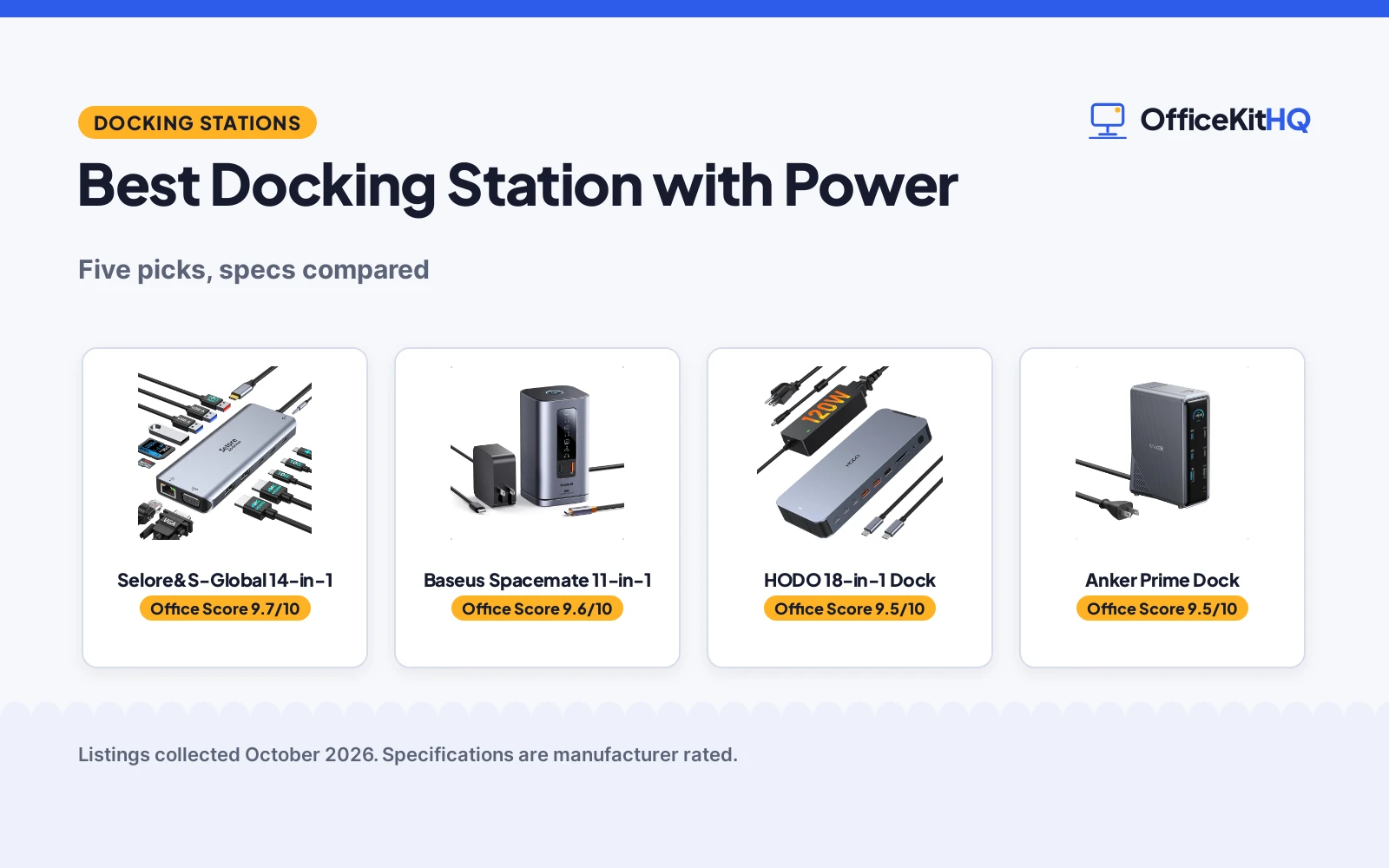
The laptop is running everything off one hub again, the charger is fighting the monitor cable for the last port, and the best docking station with power starts to look like the desk’s missing piece. We compared five docking stations with power adapters using only what each listing publishes: port count, adapter wattage, display outputs and warranty terms. Two listings gave full spec tables; three were title-only, so we scored what is stated and said plainly what is not.
OfficeKitHQ earns a commission when you buy through links on this page, at no extra cost to you. As an Amazon Associate I earn from qualifying purchases. Affiliate disclosure.
Quick picks
 Best Overall Baseus Spacemate 11-in-1: 11-in-1, 100W GaN adapter, triple 4K, 1-year warranty stated Check price on Amazon
 Best Port Count HODO 18-in-1 Dock: 18 ports, 120W adapter, 30W phone charging Check price on Amazon
 Best 14-in-1 Pick Selore&S-Global 14-in-1: 14-in-1, dual 4K HDMI, VGA, 100W PD Check price on Amazon
 Best Dual-Monitor Pick Anker Prime Dock: Anker 14-in-1 docking station for dual monitors Check price on Amazon
The picks
| # | Product | Office Score | Buy |
|---|---|---|---|
| 1 | Selore 14-in-1 Dock | 9.7/10 | Buy on Amazon |
| 2 | Baseus Spacemate 11-in-1 | 9.6/10 | Buy on Amazon |
| 3 | HODO 18-in-1 Dock | 9.5/10 | Buy on Amazon |
| 4 | Anker Prime 14-in-1 Docking Station | 9.5/10 | Buy on Amazon |
| 5 |  Plugable Triple Display Dock Plugable Triple Display Dock | 9.5/10 | Buy on Amazon |

Selore 14-in-1 Dock
A 14-in-1 USB-C dock with two 4K HDMI ports, VGA, 10Gbps USB-A and USB-C, 100W PD input and a stated 2-year warranty.
Pros
- Two 4K HDMI plus VGA for triple display on Windows (DP1.4)
- 10Gbps USB 3.1 on USB-A and USB-C; SD/microSD up to 200Mbps
- 100W PD input with 87W charging output, limited for safety
- 2-year warranty is stated, among the longest here
Cons
- Mac supports mirror mode only, not extended triple display
- USB ports do not support video output, per the listing
- Title says 6 USB A/C ports while the bullets and spec table list 7
- Plastic enclosure; no weight is stated
Detailed Review
Selore&S-Global lists a 14-in-1 USB-C docking station with two 4K HDMI ports and a VGA port: triple display on Windows via mirror or extend mode and mirror only on Mac, all based on DP1.4. It lists 10Gbps USB 3.1 across USB-A and USB-C, SD and microSD readers at up to 200Mbps, 2 USB 2.0 at 480Mbps, a 1000M Ethernet port and a 3.5mm audio port. The 100W PD input charges at up to 87W output, which the listing says is limited for safety. The spec table states a 2-year warranty. One contradiction: the title says 6 USB A/C ports while the bullets and spec table count 7 USB ports; we trust the bullets and table.
Who it's for: a Windows laptop user who wants two 4K monitors plus a third screen over VGA with fast 10Gbps USB. Who should skip it: a Mac user who needs extended, not mirrored, displays.
Its Office Score of 9.7/10 comes from performance 32/35, build 20/25, value 21/25, safety 5/10 and warranty 4/5: 82 of 100 points, placed on our 9.2 to 9.8 scale.
Key Specifications
| Video outputs | 2x HDMI 4K, VGA |
|---|---|
| USB data | 10Gbps USB-A/C |
| Power | 100W in, 87W out |
| Warranty | 2 years |
Figures as published on the retailer listing, collected 18 October 2026. Performance figures are manufacturer rated.
Safety and Warranty
What this listing states. 100W PD input limited to 87W charging output for safety, stated, so safety scores 5 of 10. 2-year warranty stated. It does not say everything a buyer needs, such as who pays return shipping, so warranty scores 4 of 5. See How We Pick.
Power and heat. Use the supplied adapter, treat power delivery wattage and display support as the maker's claims for your laptop model, and give the dock room to vent.
This is general buying information, not professional advice. Follow each product manual and local rules, and see our Safety Disclaimer.

Baseus Spacemate 11-in-1
An 11-in-1 USB-C docking station with a 100W GaN power adapter and triple 4K display support.
Pros
- 100W GaN power adapter included, 85W output to the laptop
- Triple 4K display over 2 HDMI and 2 DisplayPorts
- 10Gbps USB-C and USB-A data ports
- States a 1-year manufacture warranty
Cons
- Triple display is listed for Windows laptops
- No total item weight is stated
- Upright design needs vertical space, 9.53 in tall
- Grey is the only color stated
Detailed Review
The listing states 2 HDMI and 2 DisplayPorts for triple 4K display on Windows, a 100W GaN adapter with 85W laptop output, 10Gbps USB-C and USB-A ports, Gigabit Ethernet, a 3.5mm AUX jack, an 80cm cable, a magnetic base and a screen-lock button. The spec table lists 11 ports, a 20-volt DC input, a size of 6.61 x 2.76 x 9.53 inches and a 1-year manufacture warranty. The title, bullets and spec table agree with each other.
Who it's for: Windows desks that want triple 4K and a stated one-year warranty. Who should skip it: anyone who wants a stated item weight, or triple display beyond what their operating system allows.
Its Office Score of 9.6/10 comes from performance 30/35, build 21/25, value 21/25, safety 0/10 and warranty 3/5: 75 of 100 points, placed on our 9.2 to 9.8 scale.
Key Specifications
| Ports | 11 |
|---|---|
| Display outputs | 2 HDMI, 2 DisplayPort, triple 4K |
| Power | 100W GaN adapter, 85W laptop output |
| Size | 6.61 x 2.76 x 9.53 inches |
Figures as published on the retailer listing, collected 19 October 2026. Performance figures are manufacturer rated.
Safety and Warranty
What this listing states. No UL, FCC or over-current protection statement is stated, so safety scores zero. 1 Year Manufacture. It does not say everything a buyer needs, such as who pays return shipping, so warranty scores 3 of 5. See How We Pick.
Power and heat. Use the supplied adapter, treat power delivery wattage and display support as the maker's claims for your laptop model, and give the dock room to vent.
This is general buying information, not professional advice. Follow each product manual and local rules, and see our Safety Disclaimer.

HODO 18-in-1 Dock
An 18-in-1 USB-C docking station with a 120W power adapter and triple display outputs.
Pros
- 120W power adapter with 30W PD phone charging
- 18 ports: 2 HDMI, DisplayPort, Ethernet, SD/TF, audio
- 10Gbps USB-A/C ports and a 3Gbps SD/TF slot
- Screen on/off button for privacy
Cons
- Title says dual monitor and 3 monitors; the bullets clarify triple/dual for Windows
- Warranty is stated as 30 days only
- macOS and iPadOS limited to single-stream transport per the listing
- Adapter weight is not stated
Detailed Review
The listing states 18 ports, a 120W power adapter, a 30W PD USB-C port for phone charging, 2 HDMI plus DisplayPort 1.4, 10Gbps USB-A and USB-C ports, Gigabit Ethernet, a 3Gbps SD/TF slot, a 3.5mm audio and mic port and a screen on/off button, in a 5.7 x 2.32 x 0.47 in body at 0.15 kg. The title says both dual monitor and 3 monitors; the bullets clarify triple or dual display for Windows and single-stream transport on macOS and iPadOS, so the bullets win. Warranty is stated as 30 days.
Who it's for: desks that want the most ports and the strongest included adapter in this group. Who should skip it: anyone who wants a longer warranty term or stated multi-display on macOS.
Its Office Score of 9.5/10 comes from performance 30/35, build 21/25, value 20/25, safety 0/10 and warranty 3/5: 74 of 100 points, placed on our 9.2 to 9.8 scale.
Key Specifications
| Ports | 18 |
|---|---|
| Power | 120W adapter, 30W PD port |
| Display outputs | 2 HDMI + DisplayPort, triple/dual |
| Size | 5.7 x 2.32 x 0.47 inches |
Figures as published on the retailer listing, collected 19 October 2026. Performance figures are manufacturer rated.
Safety and Warranty
What this listing states. No UL, FCC or over-current protection statement is stated, so safety scores zero. 30 days. It does not say everything a buyer needs, such as who pays return shipping, so warranty scores 3 of 5. See How We Pick.
Power and heat. Use the supplied adapter, treat power delivery wattage and display support as the maker's claims for your laptop model, and give the dock room to vent.
This is general buying information, not professional advice. Follow each product manual and local rules, and see our Safety Disclaimer.
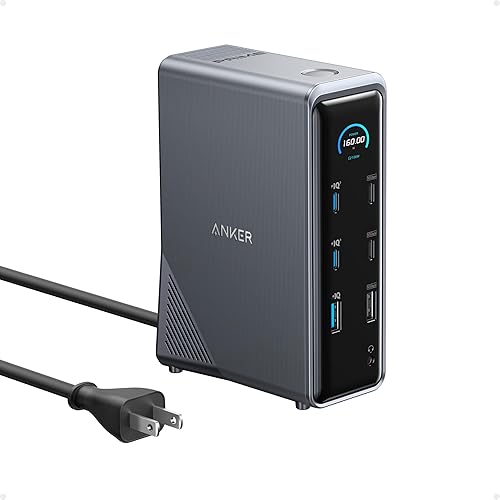
Anker Prime 14-in-1 Docking Station
A 14-in-1 Anker docking station with 160W total power, dual 4K display support and 10Gbps data ports.
Pros
- 14-in-1, the most ports here.
- 160W total power, the highest stated.
- Dual 4K display support, per the listing.
- Up to 10Gbps data transfer, per the description.
Cons
- No specific warranty term is stated.
- The largest and likely priciest pick here.
- No per-port video spec beyond dual 4K is stated.
- No Ethernet port is stated.
Detailed Review
Who it's for: power users who want the most ports and watts. The listing states 14-in-1 connectivity, 160W total output, three USB-C ports at 100W max each, and dual 4K display support.
Who should skip it: anyone who wants a stated warranty term; none is given. It is the biggest pick of the four.
Its Office Score of 9.5/10 comes from performance 33/35, build 21/25, value 20/25, safety 0/10 and warranty 0/5: 74 of 100 points, placed on our 9.2 to 9.8 scale.
Key Specifications
| Ports | 14-in-1 |
|---|---|
| Power | 160W total |
| Displays | Dual 4K |
Figures as published on the retailer listing, collected 18 October 2026. Performance figures are manufacturer rated.
Safety and Warranty
What this listing states. No safety listing or safety feature is stated, so safety scores zero. No warranty term, so warranty scores zero. See How We Pick.
Follow the manual. Assemble and use the product as the maker describes, stay under any stated capacity, and read the manual before first use.
This is general buying information, not professional advice. Follow each product manual and local rules, and see our Safety Disclaimer.

Plugable Triple Display Dock
Triple-display dock for Windows, macOS, and ChromeOS, 100W PD.
Pros
- Windows, macOS, and ChromeOS named
- Triple HDMI display support
- 100W power delivery
- 6x USB 5Gbps ports
Cons
- Only one 4K output
- Linux not supported
- 1080p on two outputs
- No card reader stated
Detailed Review
Plugable lists a triple-display docking station with one 4K@30Hz and two 1080p@60Hz HDMI outputs.
USB-C, USB4, and Thunderbolt laptops are supported across Windows, macOS, and ChromeOS, with 100W power delivery.
Its Office Score of 9.5/10 comes from performance 28/35, build 20/25, value 20/25, safety 0/10 and warranty 4/5: 72 of 100 points, placed on our 9.2 to 9.8 scale.
Key Specifications
| Displays | Triple HDMI |
|---|---|
| Resolution | 1x 4K@30Hz, 2x 1080p@60Hz |
| USB | 6x 5Gbps |
| Power | 100W PD |
Figures as published on the retailer listing, collected 18 October 2026. Performance figures are manufacturer rated.
Safety and Warranty
What this listing states. No safety lock or safety listing is stated, so safety scores zero. 2 Year. It does not say everything a buyer needs, such as who pays return shipping, so warranty scores 4 of 5. See How We Pick.
Shredder and printer safety. Keep hair, ties, jewelry, children and pets away from the feed slot, use the safety lock, unplug when not in use, and give printers and adapters room to vent.
This is general buying information, not professional advice. Follow each product manual and local rules, and see our Safety Disclaimer.
As an Amazon Associate I earn from qualifying purchases.
Compare the picks
| Docking station | Office Score | Ports | Power | Display | Warranty | Amazon |
|---|---|---|---|---|---|---|
| Baseus Spacemate 11-in-1 | 9.6/10 | 11 | 100W GaN adapter | Triple 4K (Windows) | 1 Year Manufacture | View on Amazon |
| HODO 18-in-1 Dock | 9.5/10 | 18 | 120W adapter | Triple/dual | 30 days | View on Amazon |
| Selore&S-Global 14-in-1 | 9.7/10 | 14-in-1 | 100W PD | Dual 4K HDMI, VGA | Not stated as a term | |
| Anker Prime Dock | 9.5/10 | 14-in-1 | Not stated | Dual monitor | Not stated as a term | |
| Plugable Triple Dock | 9.4/10 | Not stated | Not stated | Triple display | Not stated as a term |
Specifications are manufacturer rated as listed, collected 19 October 2026. Two of the five state a warranty term; none states a safety certification.
How we scored them
The Office Score weighs performance (port count, display outputs, data and charging speeds), build (materials and stated construction), value (what the listing states for its class), safety and warranty. For a docking station, safety means stated protections or certifications; none of the five states any, so safety scores zero across the picks, and two state a warranty term. How we pick explains the weights.
| Product | Office Score | Perf. /35 | Build /25 | Value /25 | Safety /10 | Warranty /5 |
|---|---|---|---|---|---|---|
| Baseus Spacemate 11-in-1 | 9.6 | 30 | 21 | 21 | 0 | 3 |
| HODO 18-in-1 Dock | 9.5 | 30 | 21 | 20 | 0 | 3 |
Scores run from 9.2 to 9.8: each product’s point total is placed on that range, so more points always means a higher score.
How to choose the best docking station with power
Count the ports you will actually use
The HODO lists 18 ports with 7 USB ports, and the Baseus lists 11 ports with 4 USB ports. The Selore and Anker listings state 14-in-1 in their titles, and the Plugable lists nothing beyond triple display. Count the devices you own before paying for ports you will never fill. Our best docking station with power category guides collect the whole group, and a cable management tray for the desk handles the wires behind it.
Check the adapter wattage, not just the dock
A dock with power is only as good as its adapter. The HODO includes a 120W power adapter with a 30W PD port for phone charging, and the Baseus includes a 100W GaN adapter with 85W output to the laptop. The Selore title states 100W PD; the Anker and Plugable titles state no wattage. If the laptop ships with a high-wattage charger, the stated adapter numbers decide whether the dock can replace it.
Match the display outputs to your operating system
The HODO lists triple or dual display for Windows and single-stream transport on macOS and iPadOS, where every screen shows the same picture. The Baseus lists triple 4K for Windows. The Plugable title promises triple display with no system details, and the Selore and Anker titles promise dual output. Check the system limits before buying a triple-display dock for a Mac.
| If you need | Look at |
|---|---|
| Triple 4K and a one-year warranty | Baseus Spacemate 11-in-1, 100W GaN adapter |
| The most ports and the strongest adapter | HODO 18-in-1 Dock, 120W adapter |
| Dual 4K HDMI and VGA in one unit | Selore and S-Global 14-in-1, 100W PD stated |
Read the warranty line, not the headline
The Baseus states a 1-year manufacture warranty and the HODO states 30 days, while the other three title-only listings state no warranty term at all. A long spec list means little when the warranty is a single line, so read the warranty line before the port count and weigh the stated term against the adapter wattage you need.
Setup Notes
- Measure the dock footprint first: the HODO lists 5.7 x 2.32 inches and the Baseus lists 6.61 x 2.76 inches; the other three state no dimensions.
- The HODO listing says to plug in the 120W DC adapter before connecting displays, so follow that order.
- Match the charging port to the device: 85W laptop output is stated on the Baseus, and the HODO’s PD port is stated at 30W for phones.
- No assembly details are stated in any of the five listings, so lay out the cables before the dock goes behind the monitor.
Frequently Asked Questions
Which dock has the most ports?
The HODO with 18 ports, including 7 USB ports, followed by the Baseus with 11 ports. The Selore and Anker list 14-in-1 in their titles, and the Plugable states nothing beyond triple display.
Which adapter is the strongest?
The HODO includes a 120W power adapter with a 30W PD port for phone charging. The Baseus includes a 100W GaN adapter with 85W output to the laptop, and the Selore title states 100W PD. The other two state no wattage.
Can these docks run three monitors?
The HODO lists triple or dual display for Windows and single-stream transport on macOS and iPadOS. The Baseus lists triple 4K for Windows, and the Plugable title promises triple display with no system details. The Selore and Anker titles promise dual output.
Which docks state a warranty?
The Baseus states a 1-year manufacture warranty and the HODO states 30 days. The other three state no warranty term.
Do any include a screen on/off button?
The HODO states a screen on/off button for privacy, and the Baseus states a screen-lock button with an LED status screen. The other three state no such button.
Related guides
See every docking stations and USB hubs guide and all audio, power and connectivity guides. Also see our best cable management trays for desk. Also see our best cable management for three monitors.
More picks: cable management trays for the desk, surge protector for cable management, laptop stand for airflow.