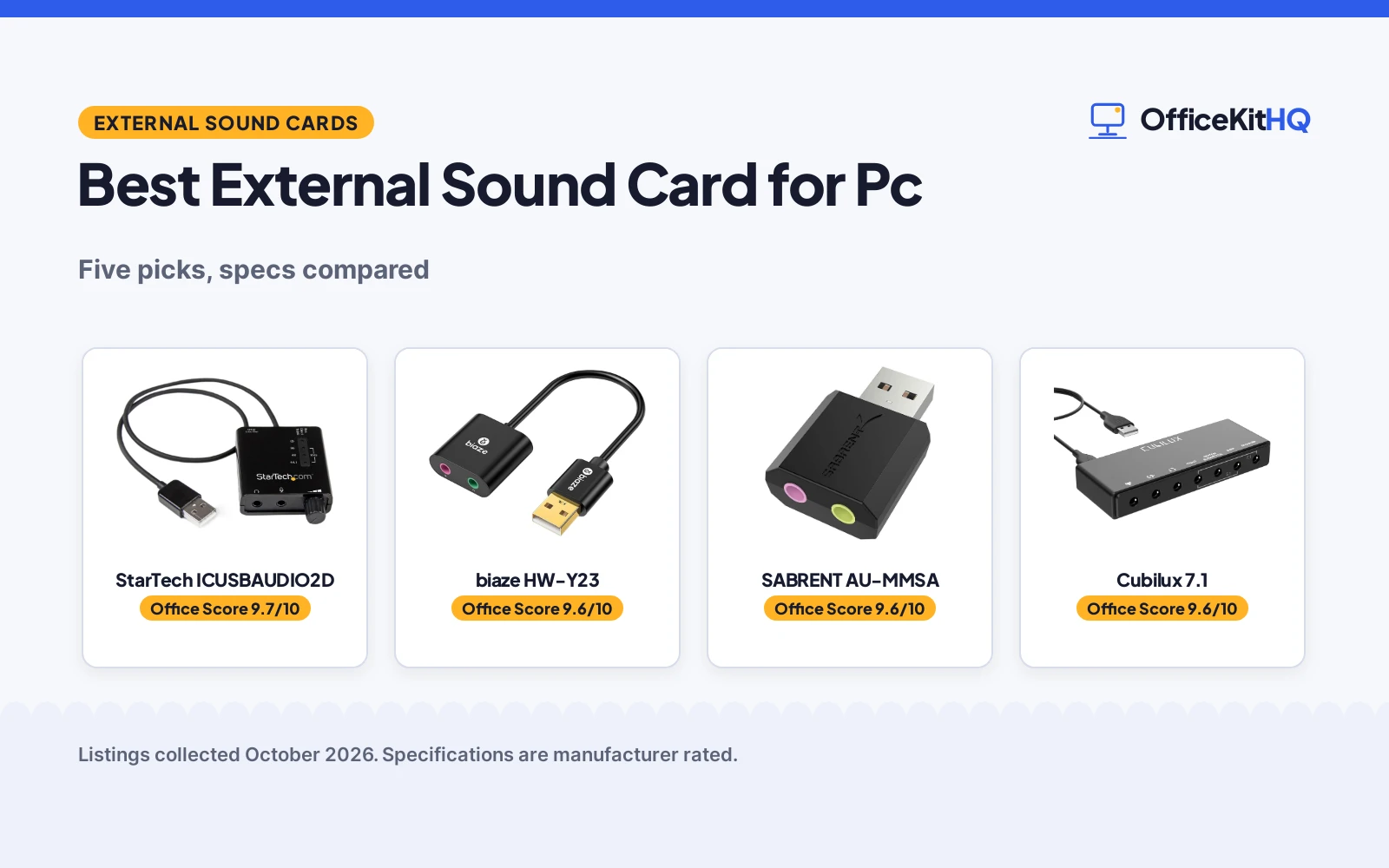
A PC with a dead headphone jack or no mic port at all is a familiar desk problem, and a small USB adapter can bring audio back without opening the case. The best external sound card for pc use is the adapter whose outputs, sample rate and controls match the headphones, speakers or headset already on the desk. We compared external sound cards by output type, sample rate, controls, compatibility and stated warranty term, using only what each listing publishes.
OfficeKitHQ earns a commission when you buy through links on this page, at no extra cost to you. As an Amazon Associate I earn from qualifying purchases. Affiliate disclosure.
Quick picks
 Best Overall StarTech ICUSBAUDIO2D: SPDIF output with volume and EQ controls, 2 year warranty Check price on Amazon
 Best Compatibility biaze HW-Y23: PC, Mac, PS5, Chromebook, Raspberry Pi support Check price on Amazon
 Simplest Pick SABRENT AU-MMSA: Driverless stereo adapter, 1 year limited warranty Check price on Amazon
 Best Surround Cubilux 7.1: 7.1 surround, 384 kHz hi-res, aluminum case Check price on Amazon
 Best Volume Control VENTION USB: Volume knob with mic and sound switch buttons Check price on Amazon
The picks
| # | Product | Office Score | Buy |
|---|---|---|---|
| 1 | StarTech ICUSBAUDIO2D | 9.7/10 | Buy on Amazon |
| 2 | biaze HW-Y23 | 9.6/10 | Buy on Amazon |
| 3 | SABRENT AU-MMSA | 9.6/10 | Buy on Amazon |
| 4 | Cubilux 7.1 | 9.6/10 | Buy on Amazon |
| 5 | VENTION USB | 9.5/10 | Buy on Amazon |

StarTech ICUSBAUDIO2D
A USB sound card with SPDIF digital output, AC3 and DTS pass-through, external volume and EQ controls, and a 2 year warranty.
Pros
- SPDIF digital output with AC3 and DTS pass-through
- External volume and EQ controls on the adapter
- Replaces an internal sound card on laptop or PC
- 2 year warranty stated
Cons
- No item weight beyond 0.03 kg is stated in a familiar unit
- Spec lists 2.1 output mode against a 5.1 surround configuration
- No line-in input is stated
- No driverless claim beyond the adapter description
Detailed Review
StarTech lists the ICUSBAUDIO2D as a USB sound card with SPDIF digital output, AC3 and DTS pass-through support, external volume and EQ controls, and a compact device for replacing an internal sound card on a laptop or PC. The spec table lists a 96 KHz maximum sample rate, a 91 db signal-to-noise ratio, a 5.1 surround sound channel configuration and dimensions of 1.9 by 1.8 by 0.6 in. One note: the spec table lists a 2.1 audio output mode against the 5.1 surround configuration, so treat the surround figure as the SPDIF pass-through claim. The listing states a 2 year warranty.
Who it's for: someone who wants SPDIF output and onboard controls for a home-theater or PC setup. Who should skip it: anyone who needs a line-in input or a lighter adapter.
Its Office Score of 9.7/10 comes from performance 32/35, build 21/25, value 21/25, safety not scored (non-powered gear) and warranty 4/5: 78 of 90 points, placed on our 9.2 to 9.8 scale.
Key Specifications
| Output | SPDIF, stereo |
|---|---|
| Sample rate | 96 KHz |
| SNR | 91 db |
| Warranty | 2 Years |
Figures as published on the retailer listing, collected 24 October 2026. Performance figures are manufacturer rated.
Safety and Warranty
What this listing states. This product does not plug in or run on a battery, so safety is not part of its score. 2 Years. It does not say everything a buyer needs, such as who pays return shipping, so warranty scores 4 of 5. See How We Pick.
Protect your hearing. Keep volume moderate during long calls, take breaks, and treat noise cancelling and battery figures as the maker's claims.
This is general buying information, not professional advice. Follow each product manual and local rules, and see our Safety Disclaimer.

biaze HW-Y23
A USB audio adapter with a built-in DAC chip, 16-bit 48 kHz output, 2 ports and an 18 month warranty, for PC, Mac, PS5 and more.
Pros
- Built-in DAC chip with 16-bit 48 kHz output
- 2 ports for headphones, mic and other devices
- Wide compatibility: PC, Mac, PS5, Chromebook and more
- 18 month warranty stated
Cons
- Only stereo output, no surround or SPDIF
- No onboard volume or EQ controls are stated
- ABS construction rather than metal
- No sample rate beyond 48 KHz is stated
Detailed Review
biaze lists the HW-Y23 USB audio adapter with a built-in DAC chip, 16-bit 48 kHz output, noise reduction, and 2 ports for headphones, microphones and other devices. The bullets describe plug-and-play setup with no drivers or external power, support for Windows, Mac, Linux, Chromebook, Surface, Raspberry Pi and PS5, and an ABS construction. Item weight is 30 g. The listing states an 18 month warranty.
Who it's for: someone who wants a simple stereo adapter with a DAC and wide device support. Who should skip it: anyone who needs surround output or onboard controls.
Its Office Score of 9.6/10 comes from performance 29/35, build 19/25, value 21/25, safety not scored (non-powered gear) and warranty 4/5: 73 of 90 points, placed on our 9.2 to 9.8 scale.
Key Specifications
| Output | Stereo |
|---|---|
| Sample rate | 48 KHz |
| Ports | 2 |
| Warranty | 18 months |
Figures as published on the retailer listing, collected 24 October 2026. Performance figures are manufacturer rated.
Safety and Warranty
What this listing states. This product does not plug in or run on a battery, so safety is not part of its score. 18 months. It does not say everything a buyer needs, such as who pays return shipping, so warranty scores 4 of 5. See How We Pick.
Protect your hearing. Keep volume moderate during long calls, take breaks, and treat noise cancelling and battery figures as the maker's claims.
This is general buying information, not professional advice. Follow each product manual and local rules, and see our Safety Disclaimer.

SABRENT AU-MMSA
A driverless USB stereo sound card adapter with a 3.5mm headphone output and a mono mic input, for Windows, Mac and Linux.
Pros
- Driverless on Windows, Mac and Linux with no software
- Separate 3.5mm stereo headphone and mono mic jacks
- USB bus-powered with no external power needed
- 1 year limited warranty stated, extendable on registration
Cons
- Stereo only: does not add surround sound
- Does not support 4-pole headsets on a single combo plug
- Does not power passive speakers
- Spec lists a 2 1 surround configuration against stereo-only bullets
Detailed Review
SABRENT lists the AU-MMSA as a USB external stereo sound card adapter with a USB Type-A connector, a 3.5mm stereo headphone output and a separate 3.5mm mono microphone input, with no drivers, software or external power. The spec table lists a 48 KHz maximum sample rate, a 98 db signal-to-noise ratio and dimensions of 1.5 by 0.4 by 0.9 in. The bullets are explicit about limits: it does not support 4-pole headsets on a single combo plug, does not power passive speakers, and does not add surround sound. One note: the spec table lists a 2 1 surround configuration while the bullets say stereo only. The listing states a 1 year limited warranty, extended to 2 years when registered within 90 days.
Who it's for: someone who needs a basic stereo adapter for a failed audio port. Who should skip it: anyone who needs surround sound, a combo headset jack or speaker power.
Its Office Score of 9.6/10 comes from performance 28/35, build 20/25, value 21/25, safety not scored (non-powered gear) and warranty 3/5: 72 of 90 points, placed on our 9.2 to 9.8 scale.
Key Specifications
| Output | Stereo |
|---|---|
| Sample rate | 48 KHz |
| SNR | 98 db |
| Dimensions | 1.5 by 0.4 by 0.9 in |
Figures as published on the retailer listing, collected 24 October 2026. Performance figures are manufacturer rated.
Safety and Warranty
What this listing states. This product does not plug in or run on a battery, so safety is not part of its score. 1 year limited. It does not say everything a buyer needs, such as who pays return shipping, so warranty scores 3 of 5. See How We Pick.
Protect your hearing. Keep volume moderate during long calls, take breaks, and treat noise cancelling and battery figures as the maker's claims.
This is general buying information, not professional advice. Follow each product manual and local rules, and see our Safety Disclaimer.

Cubilux 7.1
A 7.1 USB surround sound card in a full aluminum alloy case, with line-in and stereo mic inputs and up to 384 kHz headphone output.
Pros
- 7.1 and 5.1 surround output for gaming, movies and music
- Headphone output from 44.1Khz/16-bit to 384Khz/24-bit
- Line-in and stereo mic inputs plus 4 3.5mm audio interfaces
- Full aluminum alloy case for interference isolation
Cons
- No warranty term is stated
- Does not support Windows XP, Windows 7 or Windows 8
- No item weight or dimensions are stated
- No onboard volume or EQ controls are stated
Detailed Review
Cubilux lists the 7.1 USB surround sound card with 7.1 and 5.1 surround output, a headphone output supporting 44.1Khz/16-bit to 384Khz/24-bit, surround audio up to 48KHz, line-in and stereo mic inputs, and 4 3.5mm audio interfaces. The full aluminum alloy case is described as isolating electronic interference for no-loss transmission. The listing describes plug-and-play setup with no external power for PCs and MacBooks lacking a built-in 7.1 sound card. One limit: the product does not support Windows XP, Windows 7 or Windows 8. No warranty term, item weight or dimensions are stated.
Who it's for: someone who wants surround sound and hi-res headphone output on a PC or MacBook. Who should skip it: anyone on an older Windows version or who wants a stated warranty.
Its Office Score of 9.6/10 comes from performance 32/35, build 22/25, value 22/25, safety not scored (non-powered gear) and warranty 0/5: 76 of 90 points, placed on our 9.2 to 9.8 scale.
Key Specifications
| Output | 7.1 surround |
|---|---|
| Sample rate | 384 KHz |
| Inputs | Line-in, stereo mic in |
| Case | Aluminum alloy |
Figures as published on the retailer listing, collected 24 October 2026. Performance figures are manufacturer rated.
Safety and Warranty
What this listing states. This product does not plug in or run on a battery, so safety is not part of its score. No warranty term, so warranty scores zero. See How We Pick.
Protect your hearing. Keep volume moderate during long calls, take breaks, and treat noise cancelling and battery figures as the maker's claims.
This is general buying information, not professional advice. Follow each product manual and local rules, and see our Safety Disclaimer.

VENTION USB
A USB stereo sound card with a volume control knob, mic and sound switch buttons, for Windows, Mac, PC, laptop, desktop and Switch.
Pros
- Volume control knob with mic and sound switch buttons
- Plug-and-play setup with no drivers needed
- Wide compatibility: Windows, Mac, Android, Chromebook, Switch
- Compact and portable for everyday use
Cons
- No warranty term is stated
- No item weight or dimensions are stated
- Stereo only, no surround or SPDIF output
- No sample rate beyond 48 KHz is stated
Detailed Review
VENTION lists the USB sound card with a 3.5mm headphone jack adapter, support for stereo, earphones, headphones, headsets and microphones with a 3.5mm jack, and a volume control knob with mic and sound switch buttons. The spec table lists a 48 KHz maximum sample rate and a stereo output mode. Compatibility covers Win11, Win10, Win8.1, Win8, Win7, Win XP, Mac OS, Android, Chromebook and Switch. No warranty term, item weight or dimensions are stated.
Who it's for: someone who wants simple volume and mute controls on a stereo adapter. Who should skip it: anyone who needs surround output, SPDIF or a stated warranty.
Its Office Score of 9.5/10 comes from performance 27/35, build 20/25, value 20/25, safety not scored (non-powered gear) and warranty 0/5: 67 of 90 points, placed on our 9.2 to 9.8 scale.
Key Specifications
| Output | Stereo |
|---|---|
| Sample rate | 48 KHz |
| Controls | Volume knob, mic and sound switches |
| Warranty | Not stated |
Figures as published on the retailer listing, collected 24 October 2026. Performance figures are manufacturer rated.
Safety and Warranty
What this listing states. This product does not plug in or run on a battery, so safety is not part of its score. No warranty term, so warranty scores zero. See How We Pick.
Protect your hearing. Keep volume moderate during long calls, take breaks, and treat noise cancelling and battery figures as the maker's claims.
This is general buying information, not professional advice. Follow each product manual and local rules, and see our Safety Disclaimer.
As an Amazon Associate I earn from qualifying purchases.
Compare the picks
| Sound card | Office Score | Output | Sample rate | Warranty | Amazon |
|---|---|---|---|---|---|
| StarTech ICUSBAUDIO2D | 9.7/10 | SPDIF, stereo | 96 KHz | 2 Years | View on Amazon |
| biaze HW-Y23 | 9.6/10 | Stereo | 48 KHz | 18 months | View on Amazon |
| SABRENT AU-MMSA | 9.6/10 | Stereo | 48 KHz | 1 year limited | View on Amazon |
| Cubilux 7.1 | 9.6/10 | 7.1 surround | 384 KHz | Not stated | View on Amazon |
| VENTION USB | 9.5/10 | Stereo | 48 KHz | Not stated | View on Amazon |
Specifications are manufacturer rated as listed, collected 24 October 2026. Three of the five state a warranty term; none state a safety certification.
How we scored them
The Office Score weighs performance (output type, sample rate and inputs), build (case, controls and weight), value for the stated specs, safety and warranty. For a sound card, safety means a stated safety certification or protective feature on the listing; none of the five state one, so safety scores zero across this group. Three listings state a warranty term: the StarTech with 2 Years, the biaze with 18 months and the SABRENT with a 1 year limited warranty. How we pick explains the weights.
| Product | Office Score | Perf. /35 | Build /25 | Value /25 | Safety /10 | Warranty /5 |
|---|---|---|---|---|---|---|
| StarTech ICUSBAUDIO2D | 9.7 | 32 | 21 | 21 | n/a | 4 |
| biaze HW-Y23 | 9.6 | 29 | 19 | 21 | n/a | 4 |
| SABRENT AU-MMSA | 9.6 | 28 | 20 | 21 | n/a | 3 |
| Cubilux 7.1 | 9.6 | 32 | 22 | 22 | n/a | 0 |
| VENTION USB | 9.5 | 27 | 20 | 20 | n/a | 0 |
Scores run from 9.2 to 9.8: each product’s point total is placed on that range, so more points always means a higher score. Safety counts only for powered gear or where the listing states safety features; where it does not apply, the score is taken over the remaining 90 points.
How to choose the best external sound card for pc
Start with the output type
Output type decides what the adapter can feed. The StarTech lists a SPDIF digital output with AC3 and DTS pass-through for home-theater use, the Cubilux lists 7.1 and 5.1 surround output with line-in and stereo mic inputs, and the SABRENT, biaze and VENTION list stereo output with a 3.5mm headphone jack and a mic jack. If the setup is headphones or powered speakers, stereo is enough; if it is a surround system, only the StarTech and Cubilux list surround output. See our computer speakers guides for speaker pairings.
Sample rate and controls
Sample rate runs from 48 KHz on the SABRENT, biaze and VENTION to 96 KHz on the StarTech and 384 KHz on the Cubilux, whose headphone output supports 44.1Khz/16-bit to 384Khz/24-bit. Controls differ too: the StarTech lists external volume and EQ controls, the VENTION lists a volume knob with mic and sound switch buttons, and the SABRENT and biaze list no onboard controls. A higher sample rate matters for hi-res music; for calls and video, controls matter more.
| Sound card | Output | Sample rate | Controls | Warranty |
|---|---|---|---|---|
| StarTech ICUSBAUDIO2D | SPDIF, stereo | 96 KHz | Volume and EQ | 2 Years |
| biaze HW-Y23 | Stereo | 48 KHz | Not stated | 18 months |
| SABRENT AU-MMSA | Stereo | 48 KHz | Not stated | 1 year limited |
| Cubilux 7.1 | 7.1 surround | 384 KHz | Not stated | Not stated |
| VENTION USB | Stereo | 48 KHz | Volume knob, switches | Not stated |
Figures as stated in each listing. The Cubilux sample rate figure is its maximum; its surround output supports up to 48KHz.
Compatibility and driverless setup
Every adapter here lists plug-and-play setup with no drivers needed, and the SABRENT and biaze list Windows, Mac and Linux compatibility. Limits to check: the Cubilux does not support Windows XP, Windows 7 or Windows 8, and the SABRENT notes that managed work computers can block new USB audio devices by policy. The VENTION lists the widest device range, including Switch and Chromebook, while the StarTech lists personal computer, laptop, Mac, headphone, speaker and amplifier use. See our headsets guides for headset pairings.
Read the warranty line, not the headline
Three listings state a warranty term. The StarTech states 2 Years, the biaze states 18 months, and the SABRENT states a 1 year limited warranty, extended to 2 years when registered within 90 days. The Cubilux and VENTION state no warranty term at all, so their warranty scores are zero.
Setup Notes
- Check the output the setup needs: SPDIF on the StarTech, 7.1 surround on the Cubilux, stereo on the SABRENT, biaze and VENTION.
- Confirm a mic input if calls matter: the SABRENT lists a mono mic input, the Cubilux lists a stereo mic input, and the biaze lists a mono mic input.
- Check the system first: the Cubilux does not support Windows XP, Windows 7 or Windows 8, and managed work computers can block USB audio devices.
- Plan the desk space: the StarTech measures 1.9 by 1.8 by 0.6 in and the SABRENT measures 1.5 by 0.4 by 0.9 in.
- Confirm the warranty term before ordering: 2 Years for the StarTech, 18 months for the biaze, 1 year limited for the SABRENT.
Frequently Asked Questions
What is a USB sound card?
It is a small adapter that adds headphone and microphone ports to a PC through a USB port, without opening the case. The SABRENT and biaze listings describe it as a replacement for a faulty sound card or audio port.
How do external sound cards work?
The adapter is USB bus-powered and recognized as a standard USB audio device, per the SABRENT listing. Select it as the sound output and input device after plugging it in, and it handles the audio instead of the onboard sound.
How do I use an external sound card?
Plug it into a USB port, connect headphones or speakers to the headphone jack and a mic to the mic jack, then select it as the output and input device. The listings describe plug-and-play setup with no drivers needed and no external power.
Can an external sound card replace a failed internal one?
Yes. The StarTech listing describes replacing an internal sound card on a laptop or PC with a small external device, and the biaze listing describes replacing a faulty sound card or audio port. It adds ports rather than repairing the onboard hardware.
Related guides
See every headset guide and all audio, power and connectivity guides.
More picks: computer speakers, docking stations and USB hubs, surge protectors and cable management.