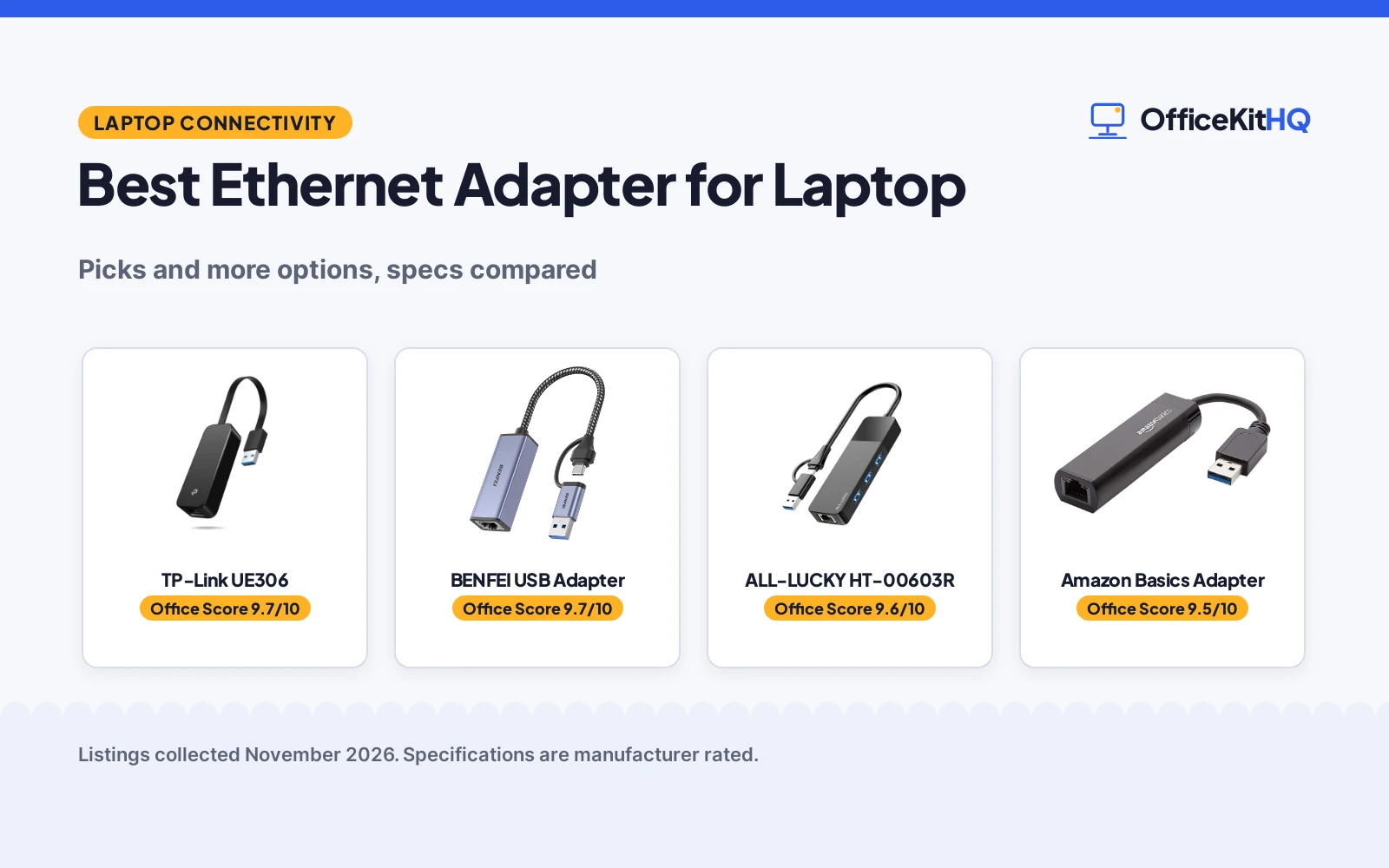
A laptop that drops a video call halfway through a meeting is a familiar home-office frustration, and a wired connection is the usual fix. The best ethernet adapter for laptop use matches its connector, speed and extra ports to the laptop in front of you. We compared the adapters by connector type, Ethernet speed, extra ports and warranty term, using only what each listing publishes.
OfficeKitHQ earns a commission when you buy through links on this page, at no extra cost to you. As an Amazon Associate I earn from qualifying purchases. Affiliate disclosure.
Quick picks
 Best Overall TP-Link UE306: Gigabit Ethernet in a foldable 2.8 x 1.0 x 0.6 inch body Check price on Amazon
 Best Hub ALL-LUCKY HT-00603R: Three USB 3.0 ports plus Gigabit Ethernet from one convertible hub Check price on Amazon
 Also Listed Amazon Basics Adapter: USB 3.0 to Gigabit Ethernet for Windows and macOS Check price on Amazon
 Title-Only Pick BENFEI USB Adapter: USB-A/C Ethernet adapter with aluminium shell and nylon cable Check price on Amazon
Our desk picks
| # | Product | Office Score | Buy |
|---|---|---|---|
| 1 | TP-Link UE306 | 9.7/10 | Buy on Amazon |
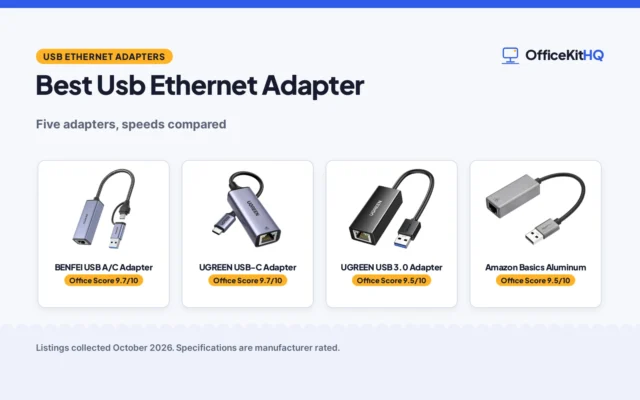
| 2 | BENFEI USB A/C Adapter | 9.7/10 | Buy on Amazon |
| 3 | ALL-LUCKY HT-00603R | 9.6/10 | Buy on Amazon |
| 4 | Amazon Basics USB 3.0 | 9.5/10 | Buy on Amazon |

TP-Link UE306
A compact USB-A adapter that adds a Gigabit Ethernet port to a laptop without a built-in RJ45 port.
Pros
- 10/100/1000 Mbps Ethernet covers slower networks as well as Gigabit speed
- Foldable USB connector and a 2.8 x 1.0 x 0.6 inch body suit a laptop bag
- No driver required for Windows 11/10/8.1/8, Linux and Nintendo Switch, per the listing
- Manufacturer's 2-year warranty stated in the listing
Cons
- USB-A connector only, so it does not fit a USB-C-only laptop port
- No extra USB ports are stated; the adapter serves Ethernet only
- No cable length is stated in the listing
Detailed Review
The listing states a USB 3.0 Type-A to RJ45 adapter with 10/100/1000 Mbps Ethernet, backward compatible with USB 2.0/1.1, a foldable connector, and a manufacturer's 2-year warranty. The bullets give the body as 2.8 x 1.0 x 0.6 inches while the spec table gives 2.8 x 1.02 x 0.64 inches; the bullet figure is the one used here.
Who it's for: a laptop owner who wants a compact wired port for travel or as a replacement for a broken port. Who should skip it: a laptop owner who needs extra USB ports or a USB-C connector.
Its Office Score of 9.7/10 comes from performance 30/35, build 21/25, value 21/25, safety not scored (non-powered gear) and warranty 3/5: 75 of 90 points, placed on our 9.2 to 9.8 scale.
Key Specifications
| Connector | USB 3.0 Type-A, foldable |
|---|---|
| Ethernet | 10/100/1000 Mbps |
| Dimensions | 2.8 x 1.0 x 0.6 inches |
| Warranty | Manufacturer's 2-year Warranty |
Figures as published on the retailer listing, collected 2 November 2026. Performance figures are manufacturer rated.
Safety and Warranty
What this listing states. This product does not plug in or run on a battery, so safety is not part of its score. Manufacturer's 2-year Warranty. It does not say everything a buyer needs, such as who pays return shipping, so warranty scores 3 of 5. See How We Pick.
Power and heat. Use the supplied adapter, treat power delivery wattage and display support as the maker's claims for your laptop model, and give the dock room to vent.
This is general buying information, not professional advice. Follow each product manual and local rules, and see our Safety Disclaimer.

BENFEI USB A/C Adapter
A dual-connector adapter with an aluminium shell and nylon cable, gigabit speed over a 5Gbps bus, link and activity LEDs, and an 18-month warranty.
Pros
- Both USB-A and USB-C connectors on one adapter, so it fits either port
- Aluminium shell with a nylon cable, plus link and activity LEDs
- Wake-on-LAN, full and half duplex, crossover detection and Auto MDIX stated
- 18-month warranty stated in the listing
Cons
- Not compatible with Nintendo Switch, per the listing
- Windows RT is not supported
- Reaching 1Gbps needs CAT6 or above Ethernet cables, per the listing
Detailed Review
BENFEI lists this compact USB A/C to Ethernet adapter as adding a standard RJ45 port to an Ultrabook, notebook or MacBook Air for file transfers, video calls, gaming and streaming. A built-in IC chip bridges the RJ45 cable and the USB A/C device, with driver-free installation on Chrome, Mac and Windows. It supports 10/100/1000Mbps over USB A/C's 5Gbps bus, with Wake-on-LAN, duplex Ethernet, crossover detection, backpressure routing, Auto MDIX and LEDs. USB powered with no external power required, backward compatible with USB 2.0/1.1. Compatibility covers Windows 11/10/8.1/8/7/Vista/XP, Mac OSX 10.6/10.7/10.8/10.9/10.10/10.11/10.12, Linux kernel 3.x/2.6, Android and Chrome OS, with IEEE 802.3, 802.3u, 802.3ab and 802.3az Energy Efficient Ethernet. The listing states an 18-month warranty. One oddity: the spec table lists 0.39 in for length, width and height alike and a 1 g item weight, figures that read like placeholders, so judge size from the compact design instead.
Who it's for: someone with both USB-A and USB-C devices who wants one adapter for a desk and a bag. Who should skip it: anyone who needs Nintendo Switch support, or anyone on Windows RT.
Its Office Score of 9.7/10 comes from performance 32/35, build 21/25, value 21/25, safety 7/10 and warranty 4/5: 85 of 100 points, placed on our 9.2 to 9.8 scale.
Key Specifications
| Speed | 1000Mbps |
|---|---|
| Connector | USB-A and USB-C |
| Features | Wake-on-LAN, Auto MDIX |
| Warranty | 18 months |
Figures as published on the retailer listing, collected 24 October 2026. Performance figures are manufacturer rated.
Safety and Warranty
What this listing states. IEEE 802.3, IEEE 802.3u, IEEE 802.3ab and IEEE 802.3az stated, so safety scores 7 of 10. 18-month warranty. It does not say everything a buyer needs, such as who pays return shipping, so warranty scores 4 of 5. See How We Pick.
Power and heat. Use the supplied adapter, treat power delivery wattage and display support as the maker's claims for your laptop model, and give the dock room to vent.
This is general buying information, not professional advice. Follow each product manual and local rules, and see our Safety Disclaimer.

ALL-LUCKY HT-00603R
A convertible USB-A/C hub that adds three USB 3.0 ports and a Gigabit Ethernet port to a laptop.
Pros
- Three USB 3.0 ports plus a Gigabit Ethernet port in a 4-in-1 hub
- Convertible connector switches between USB-A and USB-C
- Ethernet up to 1000Mbps with 10/100Mbps compatibility; CAT6 or above cable needed for 1Gbps
- 1 year manufacturer warranty stated in the listing
Cons
- Maximum output current of 900mA and no charging support for devices
- Driver required on Windows 7, despite plug-and-play on newer systems
- USB 2.0 figure of 480Gbps conflicts with the USB 3.0 figure of 5Gbps
- Reaching 1Gbps needs a CAT6 or above Ethernet cable, per the listing note
Detailed Review
The listing states a 4-in-1 hub with three USB 3.0 ports and one Gigabit Ethernet port, a convertible USB-A/C connector, and data transfer up to 5Gbps over USB 3.0. The same bullets state USB 2.0 at 480Gbps, which does not sit with the 5Gbps USB 3.0 figure; the USB 3.0 figure is the one used here. The listing also notes a driver is required on Windows 7 and a maximum output current of 900mA with no charging support.
Who it's for: a laptop owner who wants extra USB ports plus wired networking from one hub. Who should skip it: a laptop owner who needs to charge devices from the hub, since charging is not supported.
Its Office Score of 9.6/10 comes from performance 29/35, build 20/25, value 21/25, safety not scored (non-powered gear) and warranty 2/5: 72 of 90 points, placed on our 9.2 to 9.8 scale.
Key Specifications
| Ports | 3 USB 3.0 plus 1 Gigabit Ethernet |
|---|---|
| Connector | Convertible USB-A/C |
| Ethernet | Up to 1000Mbps, 10/100Mbps compatible |
| Data transfer | Up to 5Gbps over USB 3.0 |
Figures as published on the retailer listing, collected 2 November 2026. Performance figures are manufacturer rated.
Safety and Warranty
What this listing states. This product does not plug in or run on a battery, so safety is not part of its score. 1 year manufacturer. It does not say everything a buyer needs, such as who pays return shipping, so warranty scores 2 of 5. See How We Pick.
Power and heat. Use the supplied adapter, treat power delivery wattage and display support as the maker's claims for your laptop model, and give the dock room to vent.
This is general buying information, not professional advice. Follow each product manual and local rules, and see our Safety Disclaimer.

Amazon Basics USB 3.0
A USB 3.0 gigabit adapter with Wake-on-LAN, Green Ethernet and checksum offload, for Windows and macOS computers.
Pros
- 1000Mbps gigabit speed stated
- Wake-on-LAN and IEEE 802.3az Green Ethernet stated
- IPv4/IPv6 checksum offload to reduce CPU loading, per the listing
- 33 g item weight, light for travel
Cons
- No warranty term is stated
- Does not support Smart TV or gaming consoles, including Nintendo Switch
- Compatible devices are listed as computers and laptops only
- No LED status indicator is stated
Detailed Review
Amazon Basics lists this adapter as connecting a USB 3.0 device to a router, modem or network switch to deliver gigabit Ethernet, with Wake-on-LAN, Green Ethernet and IEEE 802.3az-2010 Energy Efficient Ethernet, plus IPv4/IPv6 packet checksum offload. Compatibility covers Windows 8.1 or higher and Mac OS. Spec table: 1000 megabits per second, Ethernet and USB interface, 7.24 x 0.94 x 0.64 in, 33 g, black. The listing is explicit about what it does not do: it does not support Smart TV or gaming consoles such as Nintendo Switch. No warranty term appears, so warranty scores zero.
Who it's for: a Windows or macOS computer user who wants Wake-on-LAN and a light adapter for travel. Who should skip it: anyone who needs Switch support, a warranty term, or a stated tablet compatibility line.
Its Office Score of 9.5/10 comes from performance 29/35, build 20/25, value 20/25, safety 5/10 and warranty 0/5: 74 of 100 points, placed on our 9.2 to 9.8 scale.
Key Specifications
| Speed | 1000Mbps |
|---|---|
| Connector | USB 3.0 |
| Features | Wake-on-LAN, IEEE 802.3az |
| Weight | 33 g |
Figures as published on the retailer listing, collected 24 October 2026. Performance figures are manufacturer rated.
Safety and Warranty
What this listing states. IEEE 802.3az Energy Efficient Ethernet stated, so safety scores 5 of 10. No warranty term, so warranty scores zero. See How We Pick.
Power and heat. Use the supplied adapter, treat power delivery wattage and display support as the maker's claims for your laptop model, and give the dock room to vent.
This is general buying information, not professional advice. Follow each product manual and local rules, and see our Safety Disclaimer.
As an Amazon Associate I earn from qualifying purchases.
More picks to compare
 ALL-LUCKY USB HubFor laptop owners wanting extra USB ports alongside a wired network portCheck on Amazon
Specs compared
| Adapter | Office Score | Connector | Ethernet speed | Extra ports | Warranty | Amazon |
|---|---|---|---|---|---|---|
| TP-Link UE306 | 9.7/10 | USB-A 3.0 | 10/100/1000 Mbps | Not stated | Manufacturer’s 2-year Warranty | View on Amazon |
| ALL-LUCKY HT-00603R | 9.6/10 | USB-A/C convertible | Up to 1000 Mbps | 3 USB-A 3.0 | 1 year manufacturer | View on Amazon |
| Amazon Basics Adapter | 9.5/10 | USB 3.0 | Gigabit | Not stated | Not stated | |
| BENFEI USB Adapter | 9.7/10 | USB-A/C | Not stated | Not stated | Not stated |
Specs reflect manufacturer claims on each product listing (as of 2 November 2026).
How to choose the best ethernet adapter for laptop
Match the connector to the laptop port
The connector decides whether the adapter fits at all. The TP-Link adapter uses a USB-A connector with a foldable tip, so it suits a laptop with a USB-A port and folds away for travel. The ALL-LUCKY hub uses a convertible connector that switches between USB-A and USB-C, so it suits a laptop with either port type without a separate adapter. The BENFEI adapter states USB-A/C in its title, which covers both port types as well. Check the laptop port before buying, because a USB-A-only adapter does not fit a laptop with only USB-C ports. For larger port expanders, see docking stations and USB hubs.
Check the Ethernet speed and the cable note
Speed figures look similar until the cable note is read. The TP-Link adapter states 10/100/1000 Mbps Ethernet, which covers slower networks as well as Gigabit speed. The ALL-LUCKY hub states Ethernet up to 1000Mbps with 10/100Mbps compatibility, and its listing note says a CAT6 or above cable is needed to reach 1Gbps. A buyer who already owns an older cable should check the cable type before expecting the top speed, and keep the run tidy with surge protectors and cable management. The limited-data picks state Gigabit Ethernet in the Amazon Basics title and no speed rating in the BENFEI title, so their speed claims rest on the title alone.
Count the extra ports before you buy
An adapter and a hub solve different desk problems. The ALL-LUCKY hub adds three USB 3.0 ports alongside its Gigabit Ethernet port, so a mouse, keyboard and USB fan can stay connected while the laptop runs on a wired network. The TP-Link adapter states no extra USB ports, so it serves Ethernet only and leaves the laptop ports free for other gear. A buyer who needs ports for peripherals should weigh the hub shape against the compact single-purpose adapter, because the hub takes up more room in a bag even though its dimensions are small. The hub shape also suits a desk setup where peripherals stay plugged in, while the compact adapter suits a bag that moves between rooms.
Read the driver and power notes
Setup differs by listing, so the driver and power notes deserve a read. The TP-Link adapter needs no driver for Nintendo Switch, Windows 11/10/8.1/8 and Linux, per its listing. The ALL-LUCKY hub is plug and play on newer systems but needs a driver on Windows 7, and its maximum output current is 900mA with no charging support for devices. A buyer who plans to charge a phone from the hub should plan a separate charger, because the hub serves data devices only.
Read the warranty line, not the headline
Warranty terms separate the full-data picks from the rest. The TP-Link adapter states a manufacturer’s 2-year warranty, and the ALL-LUCKY hub states a 1 year manufacturer warranty. The two limited-data picks state no warranty term at all, so a buyer who values warranty cover should weigh that gap before choosing on title alone. Warranty length says nothing about speed or ports, but it does say how long the maker backs the adapter.
Setup Notes
- Check the laptop port first: the TP-Link adapter uses USB-A, while the ALL-LUCKY hub uses a convertible USB-A/C connector.
- Plan the cable: the ALL-LUCKY hub needs a CAT6 or above cable to reach 1Gbps.
- Plan power separately: the ALL-LUCKY hub provides a maximum output current of 900mA and does not support charging devices.
- Check driver needs: the ALL-LUCKY hub needs a driver on Windows 7, while the TP-Link adapter needs no driver for Windows 11/10/8.1/8, Linux and Nintendo Switch.
FAQ
Does a laptop need a built-in Ethernet port to use these adapters?
No. The TP-Link listing describes its adapter as a solution for laptops or tablets without a built-in RJ45 port, adding a wired network port over USB. Any laptop with a spare USB port can use one of these adapters, since the wired port comes from the adapter rather than the laptop.
Which adapter adds extra USB ports?
The ALL-LUCKY hub adds three USB 3.0 ports alongside its Gigabit Ethernet port. The TP-Link adapter states no extra USB ports, so it leaves the laptop ports free for other gear while it handles networking alone.
What cable is needed for 1Gbps on the ALL-LUCKY hub?
A CAT6 or above Ethernet cable, per the listing note. Without that cable type, the top speed is not reached.
Do these adapters need a driver?
The TP-Link adapter needs no driver for Nintendo Switch, Windows 11/10/8.1/8 and Linux, per its listing. The ALL-LUCKY hub is plug and play on newer systems but needs a driver on Windows 7.
Can the ALL-LUCKY hub charge a phone?
No. The listing states a maximum output current of 900mA and that the hub does not support charging devices.
Which adapter suits a laptop without a USB-A port?
The ALL-LUCKY hub suits that laptop, since its convertible connector switches between USB-A and USB-C. The BENFEI adapter also states USB-A/C in its title, while the TP-Link adapter uses USB-A only.
Score breakdown
The Office Score weighs performance, build, value, safety and warranty. Safety here means stated electrical limits and usage notes, such as the hub note that charging is not supported; no listing states a safety certification, so safety is not scored for these picks. 2 picks state a warranty term. How we pick explains the weights.
| Product | Office Score | Perf. /35 | Build /25 | Value /25 | Safety /10 | Warranty /5 |
|---|---|---|---|---|---|---|
| TP-Link UE306 | 9.7 | 30 | 21 | 21 | n/a | 3 |
| ALL-LUCKY HT-00603R | 9.6 | 29 | 20 | 21 | n/a | 2 |
The scale opens at 9.2 and closes at 9.8; between those marks, weighted points translate linearly into the score you see. No plug, no battery and no listed safety features: the safety column is set to n/a and the score is based on 90 points.
More for your workspace
See every Audio, Power and Connectivity guide.
More picks: docking stations and USB hubs, surge protectors and cable management and computer speakers.