At a home desk, a mouse that drifts, clicks late or drops its connection turns a competitive match into a scramble, and the best gaming mouse for competitive fps is a mouse whose sensor, polling rate, weight, buttons and connection fit the way you play. The comparison covers mice with stated DPI ceilings, polling rates, button counts, connection modes and warranty terms. Read the sensor and polling figures, match weight and shape to your grip, then check how each mouse connects and charges.
OfficeKitHQ earns a commission when you buy through links on this page, at no extra cost to you. As an Amazon Associate I earn from qualifying purchases. Affiliate disclosure.
Quick picks
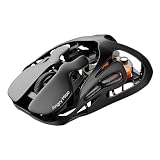 Best Overall AM Infinity: PAW3950 sensor, 30K DPI, 8K polling, 49g magnesium frame Check price on Amazon
 Best Wired Pick CORSAIR M75: 26,000 DPI, 650 IPS, 50G acceleration, 74g, optical switches Check price on Amazon
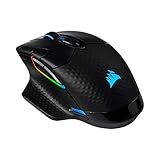 Best Wireless Charging CORSAIR Dark Core RGB Pro SE: 18,000 DPI, up to 2,000Hz polling, USB-C and Qi charging Check price on Amazon
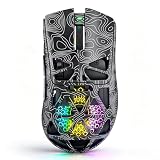 Best Tri-Mode NSYCA G11: 22,000 DPI, tri-mode BT5.1, 2.4GHz and USB-C, 1,000Hz polling Check price on Amazon
 Best Classic Sensor Logitech G Pro: PMW3366 sensor, 200 to 12,000 DPI, 6 programmable buttons Check price on Amazon
Our desk picks
| # | Product | Office Score | Buy |
|---|---|---|---|
| 1 | AM Infinity | 9.7/10 | Buy on Amazon |
| 2 | CORSAIR M75 | 9.6/10 | Buy on Amazon |
| 3 | CORSAIR Dark Core RGB Pro SE | 9.5/10 | Buy on Amazon |
| 4 | NSYCA G11 | 9.5/10 | Buy on Amazon |
| 5 | Logitech G Pro | 9.5/10 | Buy on Amazon |

AM Infinity
A 49g magnesium alloy wireless mouse with a PAW3950 sensor, 30K DPI, 8K polling and a magnetic hot-swap battery system.
Pros
- PAW3950 sensor with up to 30K DPI and 8K polling in wired and wireless modes
- 49g CNC-machined magnesium alloy frame with a hollow-out design
- TTC Optical-Micro Switches rated for 100 million clicks
- Hot-swap magnetic battery system that swaps in 1.2 seconds; receiver doubles as a charging hub
Cons
- Described for fingertip and claw grips, so it may not suit a palm grip
- 7 programmable buttons, fewer than the 8 on the Dark Core RGB Pro SE
- 1-year warranty is shorter than the 2-year Corsair terms
- DPI, lift-off distance and debounce time are set through a web configurator
Detailed Review
Angry Miao lists the AM Infinity with a PAW3950 sensor, up to 30K DPI, 8K polling in wired and wireless modes, and TTC Optical-Micro Switches rated for 100 million clicks. The maker states a 49g magnesium alloy frame with a hollow-out design, PTFE skates, 7 programmable buttons, tri-mode connection over 2.4GHz wireless, Bluetooth and wired, and a magnetic hot-swap battery system that swaps in 1.2 seconds, with the receiver doubling as a charging hub. DPI, lift-off distance and debounce time are set through a web configurator.
Who it's for: a player who wants the highest stated DPI and polling rate here, a 49g frame and a hot-swap battery system. Who should skip it: anyone who wants a palm-grip shape, more than 7 buttons or a 2-year warranty term.
Its Office Score of 9.7/10 comes from performance 34/35, build 24/25, value 22/25, safety 0/10 and warranty 2/5: 82 of 100 points, placed on our 9.2 to 9.8 scale.
Key Specifications
| Sensor | PAW3950, up to 30K DPI |
|---|---|
| Polling rate | 8K, wired and wireless |
| Item weight | 49 g |
| Buttons | 7 programmable |
These specs mirror the retailer listing as of 18 November 2026; performance figures are stated by the brand.
Safety and Warranty
What this listing states. No FCC or other safety listing is stated, so safety scores zero. 1-year warranty. It does not say everything a buyer needs, such as who pays return shipping, so warranty scores 2 of 5. See How We Pick.
Fit the desk first. Check the stated size against your desk depth and keyboard tray, and charge or pair as the manual describes. No keyboard, mouse or wrist rest prevents or treats injury.
This is general buying information, not professional advice. Follow each product manual and local rules, and see our Safety Disclaimer.

CORSAIR M75
A 74g wired mouse with a 26,000 DPI MARKSMAN sensor, 650 IPS tracking, 50G acceleration and optical switches rated for 100 million clicks.
Pros
- 26,000 DPI sensor with 650 IPS tracking and 50G acceleration
- 74g frame for light, fast movement
- CORSAIR QUICKSTRIKE buttons with zero delay between click and switch
- Ambidextrous shape with swappable side buttons for right- and left-hand players
Cons
- Wired only, so it needs a cable at all times
- 74g is heavier than the 49g AM Infinity
- 26,000 DPI ceiling is below the 30K DPI ceiling of the AM Infinity
- Ambidextrous shape may not suit a player who wants a right-hand shape
Detailed Review
Corsair lists the M75 with a MARKSMAN optical sensor at 26,000 DPI, 650 IPS tracking and 50G acceleration, plus CORSAIR QUICKSTRIKE buttons and optical switches rated for 100 million clicks. The maker states a 74g frame, an ambidextrous shape with swappable side buttons, and a 2-year manufacturer warranty.
Who it's for: a player who wants a light wired mouse with a high DPI ceiling, fast tracking figures and a 2-year warranty. Who should skip it: anyone who wants a wireless mouse, a palm-only shape or the 30K DPI ceiling of the AM Infinity.
Its Office Score of 9.6/10 comes from performance 32/35, build 22/25, value 20/25, safety 0/10 and warranty 3/5: 77 of 100 points, placed on our 9.2 to 9.8 scale.
Key Specifications
| Sensor | MARKSMAN, 26,000 DPI |
|---|---|
| Tracking | 650 IPS, 50G acceleration |
| Item weight | 74 g |
| Switches | Optical, 100 million clicks |
These specs mirror the retailer listing as of 18 November 2026; performance figures are stated by the brand.
Safety and Warranty
What this listing states. This product does not plug in or run on a battery, so safety is not part of its score. 2-year manufacturer warranty. It does not say everything a buyer needs, such as who pays return shipping, so warranty scores 3 of 5. See How We Pick.
Fit the desk first. Check the stated size against your desk depth and keyboard tray, and charge or pair as the manual describes. No keyboard, mouse or wrist rest prevents or treats injury.
This is general buying information, not professional advice. Follow each product manual and local rules, and see our Safety Disclaimer.
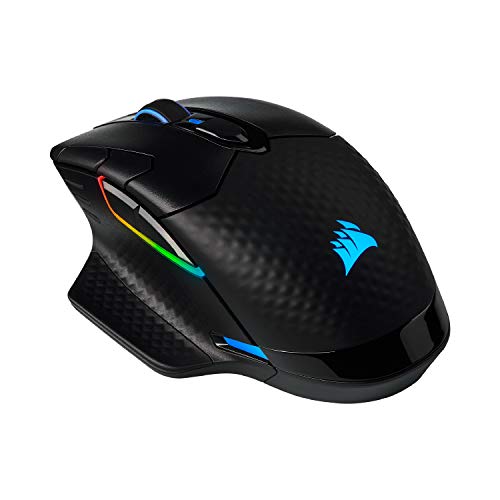
CORSAIR Dark Core RGB Pro SE
A wireless mouse with an 18,000 DPI PAW3392 sensor, up to 2,000Hz polling, 8 programmable buttons and USB-C and Qi wireless charging.
Pros
- 18,000 DPI PAW3392 sensor, customisable in 1 DPI resolution steps
- Hyper-polling up to 2,000Hz with sub-1ms SLIPSTREAM WIRELESS
- USB-C and Qi wireless charging; CORSAIR MM1000 mouse pad named as a charging device
- 8 programmable buttons with custom macros and button remaps
Cons
- 18,000 DPI ceiling is below the M75 at 26,000 DPI and the AM Infinity at 30K DPI
- Up to 2,000Hz polling is below the AM Infinity at 8K
- Wireless play needs USB-C or Qi charging, while the wired M75 needs no charging
- A Qi-compatible charging device is needed; the maker names the CORSAIR MM1000 mouse pad as one
Detailed Review
Corsair lists the Dark Core RGB Pro SE with a custom PAW3392 optical sensor at 18,000 DPI, customisable in 1 DPI resolution steps, sub-1ms SLIPSTREAM WIRELESS, low-latency Bluetooth and USB wired connection, and hyper-polling up to 2,000Hz. The maker states 8 programmable buttons, USB-C and Qi wireless charging, and a 2-year warranty. The mouse is listed for PC, Mac, PS5, PS4 and Xbox.
Who it's for: a player who wants three connection modes, Qi charging and 8 buttons. Who should skip it: anyone who wants a DPI ceiling above 18,000, 8K polling or a wired-only mouse.
Its Office Score of 9.5/10 comes from performance 30/35, build 21/25, value 20/25, safety 0/10 and warranty 3/5: 74 of 100 points, placed on our 9.2 to 9.8 scale.
Key Specifications
| Sensor | PAW3392, 18,000 DPI |
|---|---|
| Polling rate | Up to 2,000Hz |
| Buttons | 8 programmable |
| Charging | USB-C and Qi wireless |
These specs mirror the retailer listing as of 18 November 2026; performance figures are stated by the brand.
Safety and Warranty
What this listing states. No FCC or other safety listing is stated, so safety scores zero. 2-year warranty. It does not say everything a buyer needs, such as who pays return shipping, so warranty scores 3 of 5. See How We Pick.
Fit the desk first. Check the stated size against your desk depth and keyboard tray, and charge or pair as the manual describes. No keyboard, mouse or wrist rest prevents or treats injury.
This is general buying information, not professional advice. Follow each product manual and local rules, and see our Safety Disclaimer.
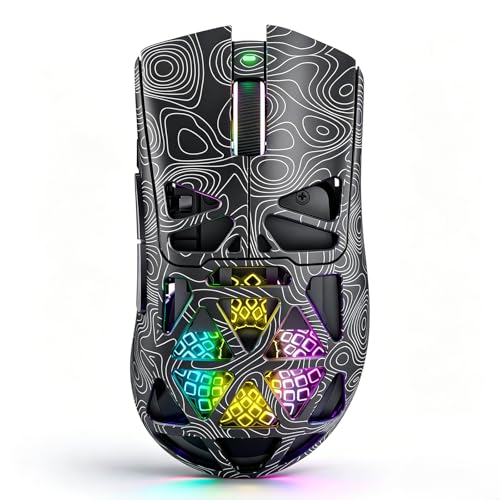
NSYCA G11
A tri-mode wireless mouse with a PAW3311 sensor, up to 22,000 DPI, up to 1,000Hz polling, 6 programmable buttons and a 500mAh rechargeable battery.
Pros
- PAW3311 sensor with adjustable DPI up to 22,000
- Tri-mode connection over BT5.1, 2.4GHz wireless and USB-C wired, with play while charging
- Dedicated Fast Trigger Button for rapid clicking in FPS games
- 3 side buttons and 6 programmable buttons, with macro support through driver software
Cons
- Up to 1,000Hz polling is below the AM Infinity at 8K and the Dark Core RGB Pro SE at up to 2,000Hz
- 22,000 DPI ceiling is below the M75 at 26,000 DPI and the AM Infinity at 30K DPI
- 500mAh battery charges by USB-C only
- 1-year warranty is shorter than the 2-year Corsair terms
Detailed Review
NSYCA lists the G11 with a PAW3311 optical sensor, adjustable DPI up to 22,000, tri-mode connection over BT5.1, 2.4GHz wireless and USB-C wired, and polling up to 1,000Hz. The maker states 6 programmable buttons, 3 side buttons, a dedicated Fast Trigger Button, RGB lighting, a honeycomb shell, a 500mAh rechargeable battery with USB-C charging and play while charging, and a 1-year warranty. The mouse is listed for Windows and macOS.
Who it's for: a player who wants tri-mode connection, a Fast Trigger Button and macro support at a 22,000 DPI ceiling. Who should skip it: anyone who wants 8K polling, a 2-year warranty or more than 6 buttons.
Its Office Score of 9.5/10 comes from performance 29/35, build 20/25, value 21/25, safety 0/10 and warranty 2/5: 72 of 100 points, placed on our 9.2 to 9.8 scale.
Key Specifications
| Sensor | PAW3311, up to 22,000 DPI |
|---|---|
| Polling rate | Up to 1,000Hz |
| Buttons | 6 programmable, 3 side buttons |
| Battery | 500mAh rechargeable |
These specs mirror the retailer listing as of 18 November 2026; performance figures are stated by the brand.
Safety and Warranty
What this listing states. No FCC or other safety listing is stated, so safety scores zero. 1-year warranty. It does not say everything a buyer needs, such as who pays return shipping, so warranty scores 2 of 5. See How We Pick.
Fit the desk first. Check the stated size against your desk depth and keyboard tray, and charge or pair as the manual describes. No keyboard, mouse or wrist rest prevents or treats injury.
This is general buying information, not professional advice. Follow each product manual and local rules, and see our Safety Disclaimer.

Logitech G Pro
A gaming mouse with a PMW3366 sensor, a 200 to 12,000 DPI range, 6 programmable buttons, onboard memory and 16.8 million RGB lighting colors.
Pros
- PMW3366 sensor with a 200 to 12,000 DPI range for pixel precise targeting
- Metal Spring Button Tensioning System for consistent click performance
- 6 programmable buttons with onboard memory for one-trigger custom commands
- 16.8 million RGB lighting colors, with sync to other Logitech G gaming gear
Cons
- 12,000 DPI ceiling is the lowest stated here
- 6 buttons, fewer than the 8 on the Dark Core RGB Pro SE and the 7 on the AM Infinity
- 1-year limited warranty is shorter than the 2-year Corsair terms
- No Fast Trigger Button or hot-swap battery system is stated, unlike the NSYCA G11 and AM Infinity
Detailed Review
Logitech G lists the G Pro with a PMW3366 optical sensor across a 200 to 12,000 DPI range, a Metal Spring Button Tensioning System and 6 programmable buttons with onboard memory. The maker states 16.8 million RGB lighting colors, sync with other Logitech G gaming gear, a size of 116.6 by 62.15 by 38.2 mm and a 1-year limited warranty. The maker states it was created with competitive esports professionals.
Who it's for: a player who wants a PMW3366 sensor, a compact stated size and onboard memory for custom commands. Who should skip it: anyone who wants a DPI ceiling above 12,000, a wireless mode or a 2-year warranty term.
Its Office Score of 9.5/10 comes from performance 28/35, build 20/25, value 20/25, safety 0/10 and warranty 2/5: 70 of 100 points, placed on our 9.2 to 9.8 scale.
Key Specifications
| Sensor | PMW3366, 200 to 12,000 DPI |
|---|---|
| Buttons | 6 programmable |
| Lighting | 16.8 million RGB colors |
| Size | 116.6 by 62.15 by 38.2 mm |
These specs mirror the retailer listing as of 18 November 2026; performance figures are stated by the brand.
Safety and Warranty
What this listing states. This product does not plug in or run on a battery, so safety is not part of its score. 1-year limited warranty. It does not say everything a buyer needs, such as who pays return shipping, so warranty scores 2 of 5. See How We Pick.
Fit the desk first. Check the stated size against your desk depth and keyboard tray, and charge or pair as the manual describes. No keyboard, mouse or wrist rest prevents or treats injury.
This is general buying information, not professional advice. Follow each product manual and local rules, and see our Safety Disclaimer.
As an Amazon Associate I earn from qualifying purchases.
More picks to compare
 CORSAIR Sabre v2 Pro Wireless33,000 DPI sensor, 8,000Hz polling and up to 120-hour battery life.Check on Amazon
 Sony INZONE Mouse-A48.4g frame, 30,000 DPI sensor, 8,000Hz polling and 90-hour battery life.Check on Amazon
 RAGNOK FireGrip Gun MousePistol-grip design, 16,000 DPI sensor and vibration feedback for shooter games.Check on Amazon
 RAGNOK ErgoStrike726K DPI sensor, 65-degree vertical grip and up to 70 hours with recoil off.Check on Amazon
 ATK Blazing Sky X1 V255g, 50,000 DPI sensor, 8K polling and up to 265 hours at 1,000Hz.Check on Amazon
Specs compared
| Mouse | Office Score | Sensor DPI | Polling rate | Buttons | Warranty | Amazon |
|---|---|---|---|---|---|---|
| AM Infinity | 9.7/10 | 30K | 8K | 7 programmable | 1 year | View on Amazon |
| CORSAIR M75 | 9.6/10 | 26,000 | Not stated | Swappable side buttons | 2 years | View on Amazon |
| CORSAIR Dark Core RGB Pro SE | 9.5/10 | 18,000 | Up to 2,000Hz | 8 programmable | 2 years | View on Amazon |
| NSYCA G11 | 9.5/10 | 22,000 | Up to 1,000Hz | 6 programmable | 1 year | View on Amazon |
| Logitech G Pro | 9.5/10 | 12,000 | Not stated | 6 programmable | 1 year limited | View on Amazon |
We quote these figures from each listing as the brand rates them; captured 18 November 2026.
How to choose the best gaming mouse for competitive fps
Start with sensor DPI and polling rate
DPI ceilings run from 12,000 on the Logitech G Pro to 30K on the AM Infinity, with the NSYCA G11 at 22,000, the CORSAIR M75 at 26,000 and the Dark Core RGB Pro SE at 18,000. Polling rates are stated for three of the five: the AM Infinity at 8K wired and wireless, the Dark Core RGB Pro SE at up to 2,000Hz and the NSYCA G11 at up to 1,000Hz. The M75 and the Logitech G Pro state no polling rate.
| Mouse | Sensor | DPI ceiling | Warranty |
|---|---|---|---|
| AM Infinity | PAW3950 | 30K | 1 year |
| CORSAIR M75 | MARKSMAN | 26,000 | 2 years |
| CORSAIR Dark Core RGB Pro SE | PAW3392 | 18,000 | 2 years |
| NSYCA G11 | PAW3311 | 22,000 | 1 year |
| Logitech G Pro | PMW3366 | 12,000 | 1 year limited |
Match weight and shape to grip
Weight is stated in grams for two of the five: the AM Infinity at 49g and the CORSAIR M75 at 74g. The AM Infinity is described for fingertip and claw grips, with a hollow-out design in a magnesium alloy frame, while the M75 is ambidextrous with swappable side buttons. The NSYCA G11 has a honeycomb shell, and the Logitech G Pro states a size of 116.6 by 62.15 by 38.2 mm, so check that size against the desk and your grip. A mouse pad for FPS gaming gives the mouse a steady surface.
Check connection modes and charging
Three of the five offer tri-mode connection: the NSYCA G11 over BT5.1, 2.4GHz wireless and USB-C wired, the AM Infinity over 2.4GHz wireless, Bluetooth and wired, and the Dark Core RGB Pro SE over sub-1ms SLIPSTREAM WIRELESS, low-latency Bluetooth and USB wired. The M75 is wired, so it needs a cable at all times and needs no charging. Charging differs: the Dark Core RGB Pro SE charges by USB-C and Qi wireless charging, the NSYCA G11 charges by USB-C with play while charging, and the AM Infinity uses a 2.4GHz receiver that doubles as a charging hub with a magnetic hot-swap battery system.
Count buttons and check software
Button counts run from 6 programmable buttons on the NSYCA G11 and the Logitech G Pro to 7 on the AM Infinity and 8 on the Dark Core RGB Pro SE, while the M75 states swappable side buttons without a total count. The NSYCA G11 adds a dedicated Fast Trigger Button and 3 side buttons, with macros, button assignments, DPI levels, polling rates and RGB lighting set through driver software. The AM Infinity sets DPI, lift-off distance and debounce time through a web configurator, the Dark Core RGB Pro SE is iCUE compatible, and the Logitech G Pro stores custom commands in onboard memory. A keyboard for competitive gaming pairs with any of these mice.
Read the warranty line
The two Corsair mice state the longest terms here: the M75 states a 2-year manufacturer warranty and the Dark Core RGB Pro SE a 2-year warranty. The AM Infinity, the NSYCA G11 and the Logitech G Pro state 1-year terms, with the Logitech term a 1-year limited warranty. The AM Infinity and the NSYCA G11 also state lifetime technical support.
Setup Notes
- Check the stated size of the Logitech G Pro, 116.6 by 62.15 by 38.2 mm, against the desk space, and leave room for the mouse to move across a mouse pad.
- Plan a USB-C cable route for wired play and charging.
- Keep a Qi-compatible charging device nearby if the Dark Core RGB Pro SE is to charge wirelessly; the maker names the CORSAIR MM1000 mouse pad as one such device.
- Set DPI, polling rate and button assignments through the stated software for each mouse, and keep the 2.4GHz receiver in a USB port for wireless play.
FAQ
Which mouse here has the highest stated DPI ceiling?
The AM Infinity states 30K DPI, ahead of the CORSAIR M75 at 26,000 DPI.
Which mouse has the lowest stated weight in grams?
The AM Infinity is listed at 49g and the CORSAIR M75 at 74g.
Do any of these mice charge wirelessly?
The Corsair Dark Core RGB Pro SE states USB-C and Qi charging, and the NSYCA G11 states USB-C charging.
Which mice here use Bluetooth?
The NSYCA G11 states BT5.1, the AM Infinity states Bluetooth as part of tri-mode connection, and the Dark Core RGB Pro SE states low-latency Bluetooth.
What warranty terms are stated for these mice?
The CORSAIR M75 and the Dark Core RGB Pro SE state 2-year terms. The AM Infinity, the NSYCA G11 and the Logitech G Pro state 1-year terms, with the Logitech term a 1-year limited warranty.
Score breakdown
The Office Score weighs performance (sensor DPI, polling rate, tracking figures and button count), build (frame material, stated weight and shape), value, safety and warranty. Safety means a stated safety certification or feature; none of the five state one, so safety scores zero for each mouse. All five state a warranty term: the two Corsair mice state 2-year terms and the other three state 1-year terms. How we pick explains the weights.
| Product | Office Score | Perf. /35 | Build /25 | Value /25 | Safety /10 | Warranty /5 |
|---|---|---|---|---|---|---|
| AM Infinity | 9.7 | 34 | 24 | 22 | 0 | 2 |
| CORSAIR M75 | 9.6 | 32 | 22 | 20 | 0 | 3 |
| CORSAIR Dark Core RGB Pro SE | 9.5 | 30 | 21 | 20 | 0 | 3 |
| NSYCA G11 | 9.5 | 29 | 20 | 21 | 0 | 2 |
| Logitech G Pro | 9.5 | 28 | 20 | 20 | 0 | 2 |
Score placement follows the weighted total: the lowest totals read 9.2, the highest 9.8, and everything between keeps its order.
More for your workspace
See every mice and mouse pads guide and all monitor mounts, keyboards and mice guides.
More picks: gaming mouse for esports, gaming mouse for claw grip, mouse pad for FPS.