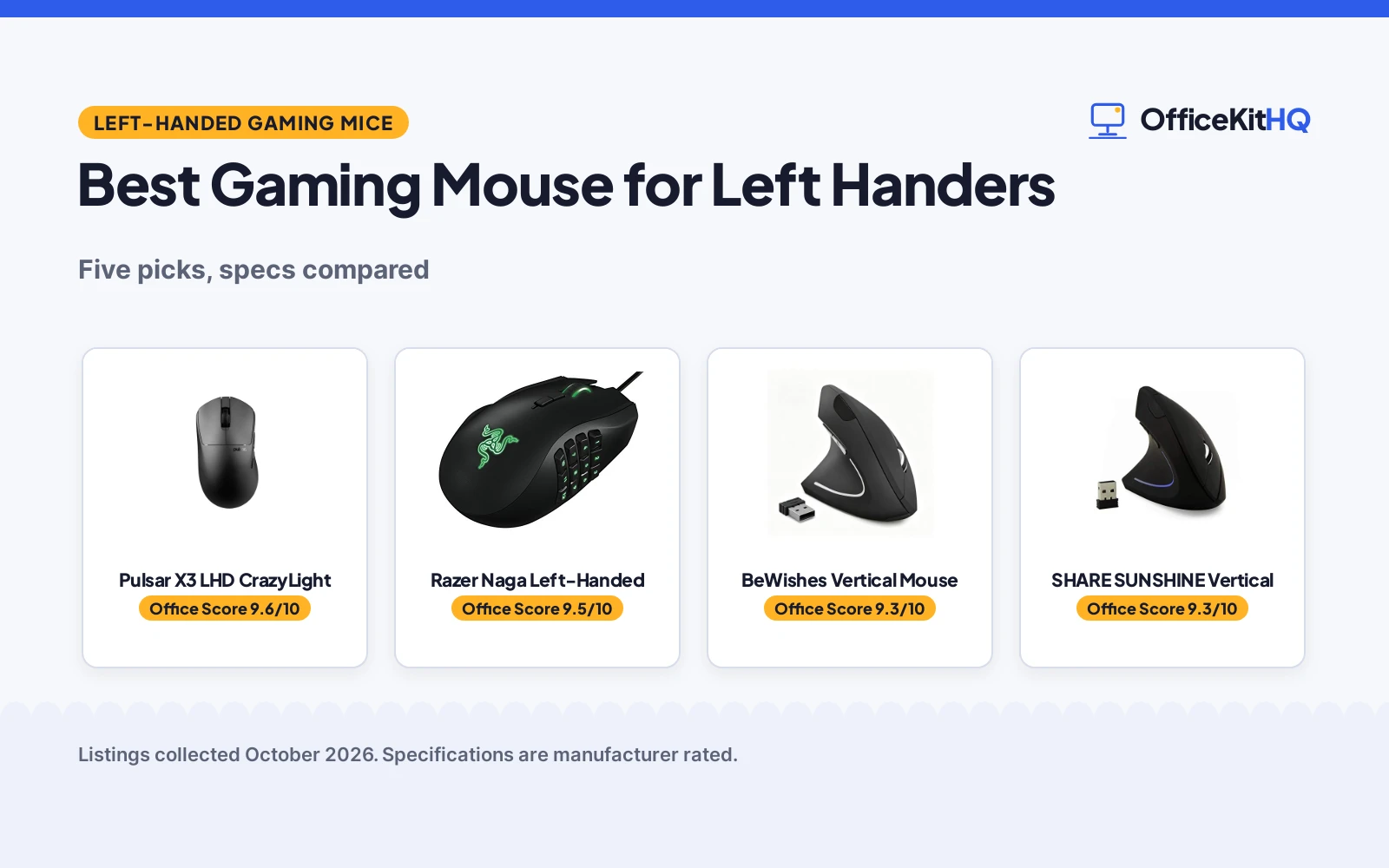
The best gaming mouse for left handers puts the thumb buttons where the left thumb rests, with a shape made for the left hand rather than a mirrored right-handed shell. A left-handed player needs the same sensor, buttons and polling as any gaming mouse, only arranged for the other hand. This guide compares left-handed mice by sensor, buttons, weight, shape and warranty, using only what each listing publishes.
OfficeKitHQ earns a commission when you buy through links on this page, at no extra cost to you. As an Amazon Associate I earn from qualifying purchases. Affiliate disclosure.
Quick picks
 Best Overall Pulsar X3 LHD CrazyLight: 43 g, 32,000 DPI, 8,000 Hz polling, 100M-click switches Check price on Amazon
 Best for MMO Razer Naga Left-Handed: 12 programmable thumb buttons, 8,200 DPI laser sensor Check price on Amazon
 Best Vertical SHARE SUNSHINE Vertical: Vertical left-handed shape, 1,600 DPI, one-year warranty Check price on Amazon
 Best Plug and Play BeWishes Vertical Mouse: Plug and play with 2.4G receiver, 6-month warranty stated Check price on Amazon
 Best for Browsing Generic Vertical Mouse: Page back and forward buttons, three DPI levels, 2.4GHz Check price on Amazon
Our desk picks
| # | Product | Office Score | Buy |
|---|---|---|---|
| 1 | Pulsar X3 LHD CrazyLight | 9.6/10 | Buy on Amazon |
| 2 | Razer Naga Left-Handed | 9.5/10 | Buy on Amazon |
| 3 | BeWishes Vertical Mouse | 9.3/10 | Buy on Amazon |
| 4 | SHARE SUNSHINE Vertical | 9.3/10 | Buy on Amazon |
| 5 | Generic Vertical Mouse | 9.3/10 | Buy on Amazon |

Pulsar X3 LHD CrazyLight
A 43 g mini wireless mouse with a left-handed shape, a sensor rated to 32,000 DPI and 8,000 Hz wireless polling.
Pros
- Sensor rated to 32,000 DPI with 750 IPS tracking
- 8,000 Hz wireless polling with the included 8K dongle
- Optical switches rated for 100 million presses
- 43 g weight with Dot Skates for fast tracking
Cons
- Mini size may not suit larger hands
- 8K polling works best with a recent CPU and a USB 3.0 port
- 43 g ultralight weight may feel too light for players who prefer a heavier mouse
- Jet Black is the only color stated
Detailed Review
Pulsar lists the X3 LHD CrazyLight as a mini wireless mouse at 43 g with a hybrid ergonomic left-handed shape for palm and relaxed-claw grips. The XS-1 sensor tracks up to 32,000 DPI and 750 IPS, with fine DPI adjustment and a Turbo Mode that holds a fixed 20,000 FPS for low-DPI players. Wireless polling runs up to 8,000 Hz with the included 8K dongle, and the optical switches are rated for 100 million presses. The mouse is plug-and-play on Windows and Mac, with Pulsar software optional, and the maker states a 2 Year Limited Manufacturer Warranty.
Who it's for: a left-handed player who wants the lowest-weight mouse here, the highest stated DPI and the highest stated polling rate. Who should skip it: anyone with larger hands who needs a full-size mouse, or anyone whose computer lacks a USB 3.0 port for the 8K dongle.
Its Office Score of 9.6/10 comes from performance 33/35, build 22/25, value 21/25, safety 0/10 and warranty 3/5: 79 of 100 points, placed on our 9.2 to 9.8 scale.
Key Specifications
| Weight | 43 g |
|---|---|
| Max DPI | 32,000 DPI |
| Polling rate | 8,000 Hz |
| Switch rating | 100 million presses |
These specs mirror the retailer listing as of 18 November 2026; performance figures are stated by the brand.
Safety and Warranty
What this listing states. No FCC or other safety listing is stated, so safety scores zero. 2 Year Limited Manufacturer Warranty. It does not say everything a buyer needs, such as who pays return shipping, so warranty scores 3 of 5. See How We Pick.
Fit the desk first. Check the stated size against your desk depth and keyboard tray, and charge or pair as the manual describes. No keyboard, mouse or wrist rest prevents or treats injury.
This is general buying information, not professional advice. Follow each product manual and local rules, and see our Safety Disclaimer.
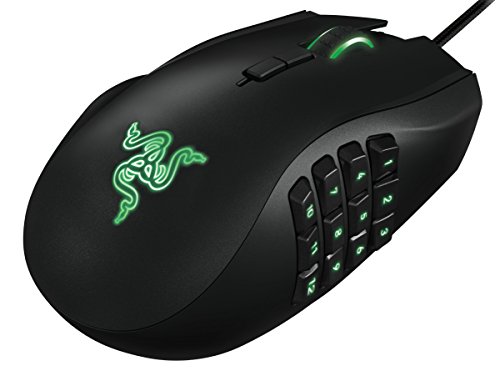
Razer Naga Left-Handed
A left-handed ergonomic MMO mouse with 12 programmable thumb buttons and an 8,200 DPI laser sensor.
Pros
- 12 programmable thumb buttons for MMO skills, macros and hotkeys
- 8,200 DPI 4G laser sensor for precision tracking
- 32-bit ARM processor onboard
- Scroll wheel moves left, right, up, down and in for extra buttons
Cons
- No warranty term is stated
- One-size-fits-all shape may not suit every hand size
- 8,200 DPI is the lowest top DPI among the gaming picks here
- 0.3 lb weight is the heaviest stated here
Detailed Review
Razer lists the Naga Left-Handed as an ergonomic MMO gaming mouse with 12 programmable thumb buttons and an 8,200 DPI 4G laser sensor. The scroll wheel moves left and right as well as up, down and in, adding buttons for games or long forum pages. The maker fits a 32-bit ARM processor onboard and describes a one-size-fits-all ergonomic form factor. It measures 4.87 by 2.94 by 1.69 in and weighs 0.3 lb. No warranty term is stated, so warranty scores zero.
Who it's for: a left-handed MMO player who wants a full set of thumb buttons under the left thumb. Who should skip it: anyone who wants a stated warranty term or a lighter mouse.
Its Office Score of 9.5/10 comes from performance 33/35, build 22/25, value 19/25, safety 0/10 and warranty 0/5: 74 of 100 points, placed on our 9.2 to 9.8 scale.
Key Specifications
| Thumb buttons | 12 programmable |
|---|---|
| Max DPI | 8,200 DPI |
| Dimensions | 4.87 x 2.94 x 1.69 in |
| Item weight | 0.3 lb |
These specs mirror the retailer listing as of 18 November 2026; performance figures are stated by the brand.
Safety and Warranty
What this listing states. No FCC or other safety listing is stated, so safety scores zero. No warranty term, so warranty scores zero. See How We Pick.
Fit the desk first. Check the stated size against your desk depth and keyboard tray, and charge or pair as the manual describes. No keyboard, mouse or wrist rest prevents or treats injury.
This is general buying information, not professional advice. Follow each product manual and local rules, and see our Safety Disclaimer.

BeWishes Vertical Mouse
A vertical left-handed wireless mouse with three DPI levels, a 2.4G receiver and a 6-month warranty.
Pros
- Vertical shape made for left-handers
- Three DPI levels: 800, 1,200 and 1,600 DPI
- Plug and play with a 2.4GHz wireless connection
- On/off switch and sleep after 8 minutes idle save battery power
Cons
- 1,600 DPI top level is far below the gaming picks here
- Not compatible with Mac OS, per the listing
- Needs 2 AAA batteries, not included
- 6-month warranty is the briefest term stated here
Detailed Review
BeWishes lists this vertical mouse as made for left-handers, with a 2.4GHz wireless connection and a USB receiver that sits in a small transparent bag inside the box. It has three DPI levels at 800, 1,200 and 1,600 DPI, an on/off switch on the bottom, and a sleep mode after 8 minutes idle that wakes with a button press. The listing gives dimensions of 5.0 by 3.0 by 2.5 in, states that 2 AAA batteries are needed and not included, and states a 6-month product warranty with lifetime technical support. It is not compatible with Mac OS.
Who it's for: a left-handed Windows or Linux user who wants a vertical mouse with plug-and-play setup. Who should skip it: anyone on a Mac, or anyone who wants a higher DPI for gaming.
Its Office Score of 9.3/10 comes from performance 23/35, build 19/25, value 20/25, safety 0/10 and warranty 1/5: 63 of 100 points, placed on our 9.2 to 9.8 scale.
Key Specifications
| Dimensions | 5.0 x 3.0 x 2.5 in |
|---|---|
| DPI levels | 800, 1,200, 1,600 DPI |
| Connection | 2.4GHz wireless |
| Warranty | 6 months |
These specs mirror the retailer listing as of 18 November 2026; performance figures are stated by the brand.
Safety and Warranty
What this listing states. No FCC or other safety listing is stated, so safety scores zero. 6-month product warranty. It does not say everything a buyer needs, such as who pays return shipping, so warranty scores 1 of 5. See How We Pick.
Fit the desk first. Check the stated size against your desk depth and keyboard tray, and charge or pair as the manual describes. No keyboard, mouse or wrist rest prevents or treats injury.
This is general buying information, not professional advice. Follow each product manual and local rules, and see our Safety Disclaimer.

SHARE SUNSHINE Vertical
A vertical left-handed mouse with six buttons, three DPI levels and a one-year warranty.
Pros
- Vertical shape made for the left hand
- Three DPI levels: 800, 1,200 and 1,600 DPI
- Forward and backward thumb buttons for web browsing
- One-year warranty is stated
Cons
- 1,600 DPI top level is far below the gaming picks here
- Only six buttons, against 12 on the Razer Naga
- 3.2 in height makes it the tallest mouse here
- Aimed at general computing and casual gaming rather than competitive play
Detailed Review
SHARE SUNSHINE lists this vertical mouse as made for left-handers, with a shape that fits the contour of the palm. It has six buttons, including forward and backward thumb buttons for web browsing, and three DPI levels at 800, 1,200 and 1,600 DPI. It measures 4.8 by 2.5 by 3.2 in and weighs 0.24 lb, and the listing states a one year warranty. The listing describes it as a low-cost solution for office work, browsing and casual gaming.
Who it's for: a left-handed desk worker who wants a vertical shape, simple controls and a stated warranty. Who should skip it: anyone who plays fast games that need a higher DPI or more buttons.
Its Office Score of 9.3/10 comes from performance 23/35, build 19/25, value 21/25, safety 0/10 and warranty 0/5: 63 of 100 points, placed on our 9.2 to 9.8 scale.
Key Specifications
| DPI levels | 800, 1,200, 1,600 DPI |
|---|---|
| Buttons | 6 |
| Dimensions | 4.8 x 2.5 x 3.2 in |
| Item weight | 0.24 lb |
These specs mirror the retailer listing as of 18 November 2026; performance figures are stated by the brand.
Safety and Warranty
What this listing states. This product does not plug in or run on a battery, so safety is not part of its score. No warranty term, so warranty scores zero. See How We Pick.
Fit the desk first. Check the stated size against your desk depth and keyboard tray, and charge or pair as the manual describes. No keyboard, mouse or wrist rest prevents or treats injury.
This is general buying information, not professional advice. Follow each product manual and local rules, and see our Safety Disclaimer.

Generic Vertical Mouse
A vertical left-handed wireless mouse with six buttons, page back and forward controls and three DPI levels.
Pros
- Vertical shape made for left-handed users
- Page back and forward buttons for web browsing
- 2.4GHz wireless connection with a 10-meter range
- On/off switch and sleep after 8 minutes idle
Cons
- No warranty term is stated
- 1,600 DPI top level is far below the gaming picks here
- Needs 2 AAA batteries, not included
- 0.25 lb, the second heaviest mouse here
Detailed Review
This generic vertical mouse is made for left-handed users, with six buttons including page back and page forward for web browsing. The maker gives two DPI sets, 800/1000/1600 and 800/1200/1600; check before ordering. It connects over 2.4GHz wireless with a 10-meter range, has an on/off switch on the bottom and sleeps after 8 minutes idle, and runs on 2 AAA batteries that are not included. It weighs 0.25 lb. No warranty term is stated, so warranty scores zero.
Who it's for: a left-handed user who wants a basic vertical mouse for browsing and office work. Who should skip it: anyone who needs a stated warranty or a higher DPI.
Its Office Score of 9.3/10 comes from performance 22/35, build 18/25, value 20/25, safety 0/10 and warranty 0/5: 60 of 100 points, placed on our 9.2 to 9.8 scale.
Key Specifications
| DPI range | 800 to 1,600 DPI |
|---|---|
| Buttons | 6 |
| Connection | 2.4GHz wireless |
| Item weight | 0.25 lb |
These specs mirror the retailer listing as of 18 November 2026; performance figures are stated by the brand.
Safety and Warranty
What this listing states. No FCC or other safety listing is stated, so safety scores zero. No warranty term, so warranty scores zero. See How We Pick.
Fit the desk first. Check the stated size against your desk depth and keyboard tray, and charge or pair as the manual describes. No keyboard, mouse or wrist rest prevents or treats injury.
This is general buying information, not professional advice. Follow each product manual and local rules, and see our Safety Disclaimer.
As an Amazon Associate I earn from qualifying purchases.
Specs compared
| Mouse | Office Score | Max DPI | Buttons | Weight | Warranty | Amazon |
|---|---|---|---|---|---|---|
| Pulsar X3 LHD CrazyLight | 9.6/10 | 32,000 DPI | Not stated | 43 g | 2 years | View on Amazon |
| Razer Naga Left-Handed | 9.5/10 | 8,200 DPI | 12 thumb buttons | 0.3 lb | Not stated | View on Amazon |
| SHARE SUNSHINE Vertical | 9.3/10 | 1,600 DPI | 6 buttons | 0.24 lb | One year | View on Amazon |
| BeWishes Vertical Mouse | 9.3/10 | 1,600 DPI | Not stated | Not stated | 6 months | View on Amazon |
| Generic Vertical Mouse | 9.3/10 | 1,600 DPI | 6 buttons | 0.25 lb | Not stated | View on Amazon |
All numbers are the manufacturer’s stated specs, not measured in an office, pulled on 18 November 2026. Three of the five state a warranty term; none state a safety certification.
How to choose the best gaming mouse for left handers
Start with the sensor and polling rate
The sensor decides how precisely the cursor tracks, and the polling rate decides how often the mouse reports its position. The Pulsar X3 LHD CrazyLight lists a sensor rated to 32,000 DPI with 750 IPS tracking and wireless polling up to 8,000 Hz, the highest figures here by a wide margin. The Razer Naga Left-Handed lists an 8,200 DPI 4G laser sensor, while the three vertical mice each top out at 1,600 DPI. A higher DPI ceiling gives more room to tune sensitivity, and a higher polling rate suits fast games where the cursor moves constantly.
Count the buttons for your games
Thumb buttons decide how many skills, macros or shortcuts sit under the thumb. The Razer Naga Left-Handed carries 12 programmable thumb buttons, plus a scroll wheel that moves left, right, up, down and in for more inputs. The SHARE SUNSHINE and the generic vertical mouse each list six buttons, including forward and backward thumb buttons for web browsing. The Pulsar and BeWishes listings state no button count, so compare them on sensor and shape instead. Pick the button count for the games you play most, not for the games you might play one day.
Match the shape and weight to your hand
Shape and weight decide how the mouse feels across a long session. The Pulsar is a mini mouse at 43 g with a hybrid ergonomic left-handed shape for palm and relaxed-claw grips. The Razer measures 4.87 by 2.94 by 1.69 in at 0.3 lb, with a one-size-fits-all ergonomic form. The three vertical mice stand taller: the SHARE SUNSHINE at 4.8 by 2.5 by 3.2 in, the BeWishes at 5.0 by 3.0 by 2.5 in, and the generic mouse at 0.25 lb. A mini shape suits smaller hands, while a vertical shape changes the angle of the hand entirely, so check the stated dimensions against your own hand before ordering.
| Mouse | Max DPI | Buttons | Weight |
|---|---|---|---|
| Pulsar X3 LHD CrazyLight | 32,000 DPI | Not stated | 43 g |
| Razer Naga Left-Handed | 8,200 DPI | 12 thumb buttons | 0.3 lb |
| SHARE SUNSHINE Vertical | 1,600 DPI | 6 buttons | 0.24 lb |
| BeWishes Vertical Mouse | 1,600 DPI | Not stated | Not stated |
| Generic Vertical Mouse | 1,600 DPI | 6 buttons | 0.25 lb |
Figures as stated in each listing. DPI is the sensor’s stated sensitivity ceiling; a higher ceiling gives more room to tune, not a better mouse on its own.
Check the connection and the power
Every mouse here is wireless, but the details differ. The Pulsar ships with an 8K dongle, and 8K polling works best with a recent CPU and a USB 3.0 port. The BeWishes and the generic mouse connect over 2.4GHz wireless with a USB receiver, and each needs 2 AAA batteries that are not included. The Pulsar is plug-and-play on Windows and Mac, the SHARE SUNSHINE lists Windows, Mac OS and Linux support, and the BeWishes listing states it is not compatible with Mac OS. If you play on a Mac, check the compatibility line first. For photo work, see the best wireless mouse for Lightroom, and pair any of these mice with a mouse pad for cubicle desks.
Read the warranty line
Only three listings state a warranty term. The Pulsar states a 2 Year Limited Manufacturer Warranty, the SHARE SUNSHINE states a one year warranty, and the BeWishes states a 6-month product warranty with lifetime technical support. The Razer and the generic mouse state no warranty term, so their warranty scores are zero. A stated term is the only warranty figure you can compare, so read that line before ordering.
Setup Notes
- Measure the desk space against the stated footprints: the Razer at 4.87 by 2.94 in, the SHARE SUNSHINE at 4.8 by 2.5 in and the BeWishes at 5.0 by 3.0 in.
- Keep a free USB port for the receiver or dongle; the Pulsar 8K dongle works best with a USB 3.0 port.
- Buy 2 AAA batteries for the BeWishes and the generic mouse; they are not included.
- Check the operating system line: the Pulsar is plug-and-play on Windows and Mac, while the BeWishes listing states it is not compatible with Mac OS.
FAQ
What makes a mouse left-handed?
The shape and the thumb buttons are arranged for the left hand. The Razer Naga Left-Handed puts 12 programmable thumb buttons under the left thumb, the Pulsar X3 LHD CrazyLight uses a hybrid ergonomic left-handed shape, and the three vertical mice are shaped for the left hand.
Which left-handed mouse here has the highest stated DPI?
The Pulsar X3 LHD CrazyLight, at 32,000 DPI with 750 IPS tracking. The Razer Naga Left-Handed lists 8,200 DPI, and the three vertical mice each top out at 1,600 DPI.
Do these mice work with Mac?
The Pulsar is plug-and-play on Windows and Mac, and the SHARE SUNSHINE lists Mac OS support. The BeWishes listing states it is not compatible with Mac OS, and the generic listing names Windows and Linux.
Are vertical left-handed mice good for gaming?
The three vertical mice here top out at 1,600 DPI, and their listings describe office work, browsing and casual gaming. For fast games, the Pulsar at 32,000 DPI and the Razer at 8,200 DPI with 12 thumb buttons carry the higher stated specs.
How long do the warranties last?
The Pulsar states a 2 Year Limited Manufacturer Warranty, the SHARE SUNSHINE states a one year warranty, and the BeWishes states a 6-month product warranty. The Razer and the generic mouse state no warranty term.
Score breakdown
The Office Score weighs performance (sensor, buttons and polling), build (shape, weight and stated materials), value for the stated specs, safety and warranty. For a mouse, safety means a stated safety certification or safety-relevant feature on the listing; none of the five state one, so safety scores zero across the group. Three listings state a warranty term: Pulsar at 2 years, SHARE SUNSHINE at one year and BeWishes at 6 months. How we pick explains the weights.
| Product | Office Score | Perf. /35 | Build /25 | Value /25 | Safety /10 | Warranty /5 |
|---|---|---|---|---|---|---|
| Pulsar X3 LHD CrazyLight | 9.6 | 33 | 22 | 21 | 0 | 3 |
| Razer Naga Left-Handed | 9.5 | 33 | 22 | 19 | 0 | 0 |
| BeWishes Vertical Mouse | 9.3 | 23 | 19 | 20 | 0 | 1 |
| SHARE SUNSHINE Vertical | 9.3 | 23 | 19 | 21 | 0 | 0 |
| Generic Vertical Mouse | 9.3 | 22 | 18 | 20 | 0 | 0 |
We fit point totals onto a 9.2 low and 9.8 high in a straight line. One item can outscore another only by earning more points.
More for your workspace
See every Mice and Mouse Pads guide and all Monitor Mounts, Keyboards and Mice guides. Also see our best wireless mouse for Lightroom. Also see our best mouse pad for cubicle. Also see our best mechanical keyboard TKL. Also see our best headset stand for gaming desk. Also see our best gaming desk for small room.
More picks: mice and mouse pads, keyboards, monitor arms and stands.