The morning call is about to start, the laptop sits on a kitchen table, and the only spare monitor in the house still has a VGA port, which is exactly where the best hdmi adapter with vga support earns its place. A small piece of hardware lets a modern HDMI source talk to an older VGA display. We compared adapters by direction, outputs, audio handling, power needs and warranty term, using only what each listing publishes.
OfficeKitHQ earns a commission when you buy through links on this page, at no extra cost to you. As an Amazon Associate I earn from qualifying purchases. Affiliate disclosure.
Quick picks
 Best Overall SWITCHFLUX HDMI-VGA Cable: 6-foot cable, 1920×1080 at 60Hz, no power supply needed Check price on Amazon
 Best Multi-Monitor ConnBull HDMI 4-in-1 Adapter: Laptop plus three externals, HDMI to VGA, DVI and HDMI Check price on Amazon
 Best Multi-Output CABLEDECONN 4-in-1 Adapter: HDMI, DVI and VGA outputs with audio, copper enclosure Check price on Amazon
 Best for Old Monitors DTECH HDMI-VGA Adapter: HDMI to VGA with 3.5mm audio and screw-lock VGA end Check price on Amazon
 Best VGA-to-HDMI FOINNEX VGA-HDMI Adapter: VGA source to HDMI display, audio cable included Check price on Amazon
The picks
| # | Product | Office Score | Buy |
|---|---|---|---|
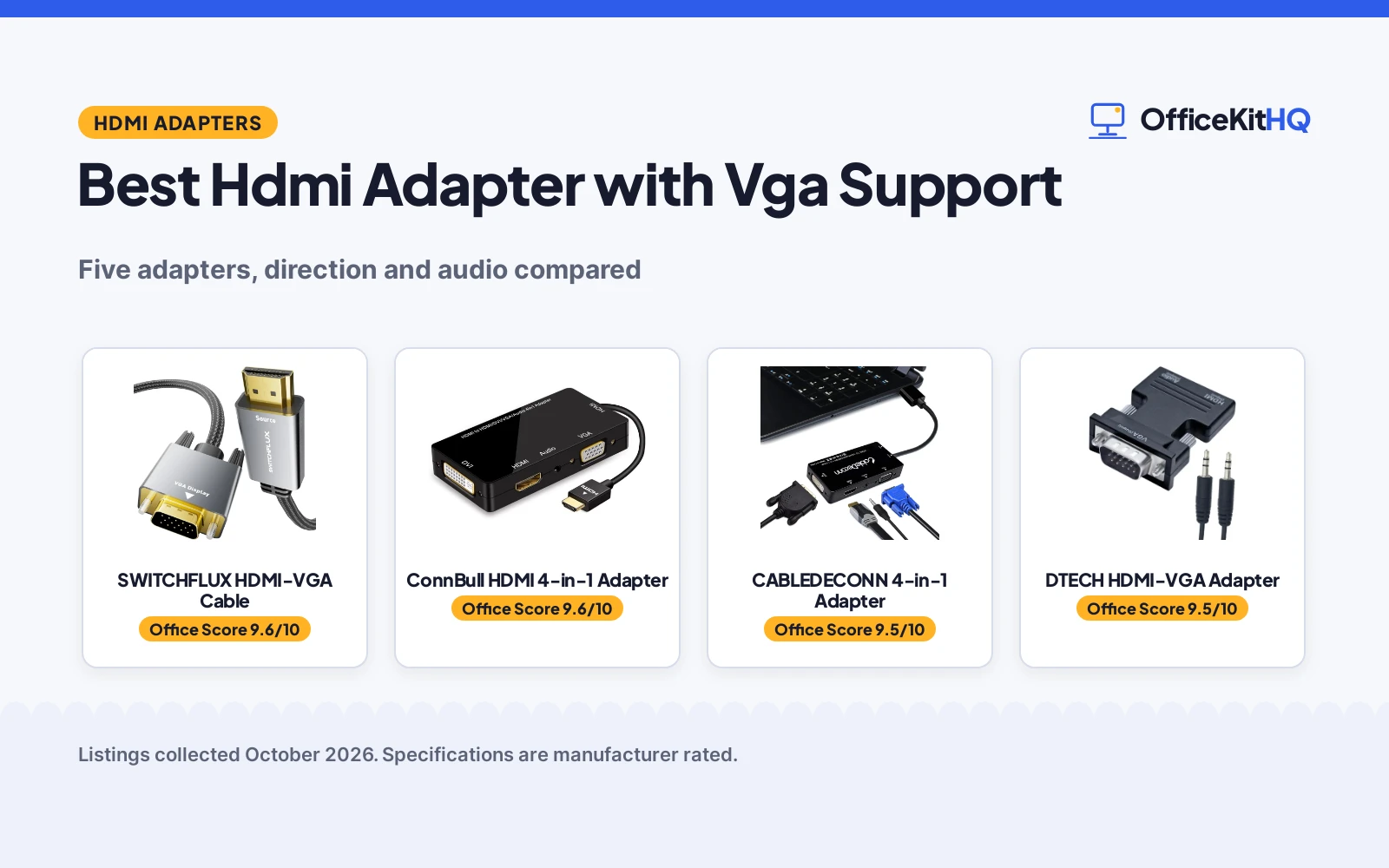
| 1 | SWITCHFLUX HDMI-VGA Cable | 9.6/10 | Buy on Amazon |
| 2 | ConnBull HDMI 4-in-1 Adapter | 9.6/10 | Buy on Amazon |
| 3 | CABLEDECONN 4-in-1 Adapter | 9.5/10 | Buy on Amazon |
| 4 | DTECH HDMI-VGA Adapter | 9.5/10 | Buy on Amazon |
| 5 | FOINNEX VGA-HDMI Adapter | 9.3/10 | Buy on Amazon |

SWITCHFLUX HDMI-VGA Cable
A 6-foot HDMI to VGA cable that converts digital HDMI to analog VGA at up to 1920x1080 at 60Hz, with no power supply needed.
Pros
- 6-foot cable reaches from a laptop to a monitor without a separate adapter box
- Supports up to 1920x1080 at 60Hz, backward compatible with 720p, 1600x1200 and 1280x1024
- Needs no driver installation and no power supply, per the listing
- Metal case with nylon braided cable and gold-plated, corrosion-resistant connectors
Cons
- Carries no audio: the listing states the cable has no audio transmission
- Uni-directional only: HDMI to VGA, not the reverse
- Not compatible with Blu-ray players and low-power HDMI ports, including MacBook Pro with Retina Display, Mac mini, PS5/S and Apple TV, per the listing
- The 6-foot length is fixed: no shorter or longer option is stated
Detailed Review
The SWITCHFLUX listing states a 6-foot HDMI to VGA cable with a metal case and nylon braided cord, supporting up to 1920x1080 at 60Hz with a built-in IC chip, plug and play with no driver installation and no power supply. The title says 6FT while the spec table lists dimensions of 78.7 x 0.78 x 0.39 inches; the title and unit count agree on 6 feet, so the title figure is used here. The listing states the cable has no audio transmission and is uni-directional, HDMI to VGA only, and it is not compatible with Blu-ray players or low-power HDMI ports such as MacBook Pro with Retina Display, Mac mini, PS5/S and Apple TV.
Who it's for: someone connecting one HDMI laptop to one VGA monitor with a single cable and no extra power. Who should skip it: anyone who needs sound through the adapter, a reverse VGA to HDMI direction, or a low-power HDMI source device.
Its Office Score of 9.6/10 comes from performance 30/35, build 21/25, value 21/25, safety 0/10 and warranty 4/5: 76 of 100 points, placed on our 9.2 to 9.8 scale.
Key Specifications
| Resolution | Up to 1920x1080 at 60Hz |
|---|---|
| Cable length | 6 feet |
| Connectors | HDMI male to VGA male |
| Power | No power supply needed |
Figures as published on the retailer listing, collected 25 October 2026. Performance figures are manufacturer rated.
Safety and Warranty
What this listing states. This product does not plug in or run on a battery, so safety is not part of its score. 2 year. It does not say everything a buyer needs, such as who pays return shipping, so warranty scores 4 of 5. See How We Pick.
Power and heat. Use the supplied adapter, treat power delivery wattage and display support as the maker's claims for your laptop model, and give the dock room to vent.
This is general buying information, not professional advice. Follow each product manual and local rules, and see our Safety Disclaimer.

ConnBull HDMI 4-in-1 Adapter
A 4-in-1 adapter that turns one HDMI signal into VGA, DVI or HDMI outputs at 1080P, with audio output, for a laptop plus up to three external monitors.
Pros
- Drives a laptop plus three external monitors from one HDMI output
- Audio output included alongside video
- Compatible with MacBook Pro Retina and the ThinkPad, Dell and Asus series named in the listing
- Corrosion resistant shell, and an external power source is supported
Cons
- The three external monitors show the same picture as a whole: only the laptop screen can differ
- Output cables are not stated as included in What You Get
- 5 volt input at 15 watts nominal needs a USB power source
- The adapter body measures 7.87 x 5.91 x 0.79 inches, so check desk space before buying
Detailed Review
The ConnBull listing states a 4-in-1 HDMI to VGA, DVI and HDMI adapter at 1080P with audio output, plug and play with no driver needed, a corrosion resistant shell, 5 volt input at 15 watts nominal, and an 18-month warranty. The title and bullets describe VGA and DVI outputs, while the spec table lists the connector type only as HDMI; the title and bullets are used here. The listing notes the laptop screen and the three external monitors cannot all show different pictures: the externals as a whole show the same picture.
Who it's for: someone running a laptop plus up to three external monitors that mirror each other. Who should skip it: anyone who needs each external monitor to show a different picture, or a single-cable adapter with no power needs.
Its Office Score of 9.6/10 comes from performance 30/35, build 21/25, value 21/25, safety 0/10 and warranty 3/5: 75 of 100 points, placed on our 9.2 to 9.8 scale.
Key Specifications
| Outputs | VGA, DVI, HDMI |
|---|---|
| Resolution | 1080P |
| Power | 5 volts, 15 watts |
| Warranty | 18 months |
Figures as published on the retailer listing, collected 25 October 2026. Performance figures are manufacturer rated.
Safety and Warranty
What this listing states. No UL, FCC or over-current protection statement is stated, so safety scores zero. 18-month warranty. It does not say everything a buyer needs, such as who pays return shipping, so warranty scores 3 of 5. See How We Pick.
Power and heat. Use the supplied adapter, treat power delivery wattage and display support as the maker's claims for your laptop model, and give the dock room to vent.
This is general buying information, not professional advice. Follow each product manual and local rules, and see our Safety Disclaimer.

CABLEDECONN 4-in-1 Adapter
A 4-in-1 adapter cable that splits one HDMI source to HDMI, DVI or VGA output at up to 1920x1080, with audio output.
Pros
- HDMI, DVI and VGA outputs from one adapter
- Audio pass-through via HDMI, plus a 3.5mm audio jack for VGA connections
- Copper enclosure, with external power via Micro USB when needed
- 4-inch cable keeps the adapter close to the source device
Cons
- Only one monitor at a time, per the listing
- A separate HDMI, DVI or VGA cable is required
- For VGA sound, a 3.5mm cable to external speakers is required
- For DVI sound, audio must come from the input device's own audio port
Detailed Review
The CABLEDECONN listing states a multiport 4-in-1 adapter cable with HDMI, DVI and VGA outputs, video up to 1920x1080 with audio output, a copper enclosure, a 4-inch cable, 75 g weight, and an 18-month warranty. The spec table lists 4 USB ports, but the bullets describe one Micro USB power port plus four output options; the bullets are used here. The listing states only one monitor can be connected at a time, and a separate HDMI, DVI or VGA cable is required.
Who it's for: someone who wants one adapter for HDMI, DVI and VGA displays, one at a time, with audio. Who should skip it: anyone who needs two or more monitors at once, or a cable set included in the box.
Its Office Score of 9.5/10 comes from performance 29/35, build 20/25, value 20/25, safety 0/10 and warranty 3/5: 72 of 100 points, placed on our 9.2 to 9.8 scale.
Key Specifications
| Outputs | HDMI, DVI, VGA |
|---|---|
| Resolution | Up to 1920x1080 |
| Cable length | 4 inches |
| Enclosure | Copper |
Figures as published on the retailer listing, collected 25 October 2026. Performance figures are manufacturer rated.
Safety and Warranty
What this listing states. This product does not plug in or run on a battery, so safety is not part of its score. 18 months. It does not say everything a buyer needs, such as who pays return shipping, so warranty scores 3 of 5. See How We Pick.
Power and heat. Use the supplied adapter, treat power delivery wattage and display support as the maker's claims for your laptop model, and give the dock room to vent.
This is general buying information, not professional advice. Follow each product manual and local rules, and see our Safety Disclaimer.

DTECH HDMI-VGA Adapter
A directional HDMI to VGA adapter with a 3.5mm audio port that connects an HDMI source to a VGA monitor at up to 1080p.
Pros
- Female HDMI in and male VGA out fit older monitors directly
- 3.5mm audio jack sends sound to external speakers, with a 1.5ft audio cable included
- Screws hold a solid connection to the VGA display
- Supports 1080p, 720p and 3D per the listing
Cons
- HDMI to VGA only: no VGA to HDMI connection, per the listing
- No ARC support, per the listing
- Warranty term of 180 days from purchase date
- The VGA input must be selected on the television and audio directed to external speakers
Detailed Review
The DTECH listing states a directional HDMI to VGA adapter with a 3.5mm audio port, female HDMI in and male VGA out, up to 1080p full HD, a 1.5ft audio cable with a 3.5mm TRS 1/8 inch connector, screws for a solid connection, and a 180-day warranty from the purchase date. The listing states the adapter is not bi-directional and does not support ARC, and the VGA input must be selected on the television with audio directed to external speakers.
Who it's for: someone connecting an HDMI laptop to an older VGA monitor who also needs sound to external speakers. Who should skip it: anyone who needs a reverse VGA to HDMI direction, ARC support, or a longer warranty term.
Its Office Score of 9.5/10 comes from performance 29/35, build 20/25, value 20/25, safety 0/10 and warranty 2/5: 71 of 100 points, placed on our 9.2 to 9.8 scale.
Key Specifications
| Direction | HDMI to VGA |
|---|---|
| Resolution | Up to 1080p |
| Audio | 3.5mm port, 1.5ft cable |
| Warranty | 180 days |
Figures as published on the retailer listing, collected 25 October 2026. Performance figures are manufacturer rated.
Safety and Warranty
What this listing states. This product does not plug in or run on a battery, so safety is not part of its score. 180 days from purchase date. It does not say everything a buyer needs, such as who pays return shipping, so warranty scores 2 of 5. See How We Pick.
Power and heat. Use the supplied adapter, treat power delivery wattage and display support as the maker's claims for your laptop model, and give the dock room to vent.
This is general buying information, not professional advice. Follow each product manual and local rules, and see our Safety Disclaimer.

FOINNEX VGA-HDMI Adapter
A reverse-direction adapter that converts VGA source video to HDMI output at 1080P, with a 3.5mm audio cable included.
Pros
- Connects older VGA computers to HDMI televisions, monitors and projectors
- 3.5mm aux audio cable and Micro USB cable included
- Gold-plated connector and copper wire for signal transmission, per the listing
- Compatible with Windows 7, 8, 10 and Linux OS, per the listing
Cons
- VGA to HDMI only: cannot be used as an HDMI to VGA adapter
- USB connector must be connected for power: a 5V 2A port or a 5V 1A adapter
- An HDMI cable is required and sold separately
- Warranty is stated as limited, with no term stated
Detailed Review
The FOINNEX listing states a VGA to HDMI adapter with audio, converting VGA source video to HDMI output at 1080P, with a 3.5mm aux audio cable and a Micro USB cable in the box. The USB connector must be connected for power, to a 5V 2A computer USB port or a 5V 1A power adapter, and an HDMI cable is required and sold separately. The listing states the adapter is not bi-directional and cannot be used as an HDMI to VGA adapter.
Who it's for: someone connecting an older VGA computer to an HDMI television, monitor or projector. Who should skip it: anyone who needs HDMI to VGA direction, a power-free adapter, or a stated warranty term.
Its Office Score of 9.3/10 comes from performance 26/35, build 19/25, value 19/25, safety 0/10 and warranty 0/5: 64 of 100 points, placed on our 9.2 to 9.8 scale.
Key Specifications
| Direction | VGA to HDMI |
|---|---|
| Resolution | 1080P |
| Audio | 3.5mm aux cable included |
| Power | USB, 5V 2A or 5V 1A |
Figures as published on the retailer listing, collected 25 October 2026. Performance figures are manufacturer rated.
Safety and Warranty
What this listing states. No UL, FCC or over-current protection statement is stated, so safety scores zero. No warranty term, so warranty scores zero. See How We Pick.
Power and heat. Use the supplied adapter, treat power delivery wattage and display support as the maker's claims for your laptop model, and give the dock room to vent.
This is general buying information, not professional advice. Follow each product manual and local rules, and see our Safety Disclaimer.
As an Amazon Associate I earn from qualifying purchases.
More picks to compare
 AKWOR Dual Monitor AdapterFor two-monitor setups from one HDMI port, with VGA and HDMI outputs.Check on Amazon
Compare the picks
| Adapter | Office Score | Direction | Video outputs | Audio | Warranty | Amazon |
|---|---|---|---|---|---|---|
| SWITCHFLUX HDMI-VGA Cable | 9.6/10 | HDMI to VGA | VGA | No audio | 2 year | View on Amazon |
| ConnBull HDMI 4-in-1 Adapter | 9.6/10 | HDMI to VGA/DVI | VGA, DVI, HDMI | Audio output | 18 months | View on Amazon |
| CABLEDECONN 4-in-1 Adapter | 9.5/10 | HDMI to HDMI/DVI/VGA | HDMI, DVI, VGA | Audio output | 18 months | View on Amazon |
| DTECH HDMI-VGA Adapter | 9.5/10 | HDMI to VGA | VGA | 3.5mm audio | 180 days | View on Amazon |
| FOINNEX VGA-HDMI Adapter | 9.3/10 | VGA to HDMI | HDMI | 3.5mm audio | Limited, no term | View on Amazon |
Specifications are manufacturer rated as listed, collected 25 October 2026. Four of the five state a warranty term; the FOINNEX states a limited warranty with no term.
How we scored them
The Office Score weighs performance, build, value, safety and warranty. For an adapter, safety means a stated certification or safety-relevant construction on the listing; none of these listings states a certification, so safety scores zero across the group. Four listings state a warranty term: SWITCHFLUX at 2 years, CABLEDECONN and ConnBull at 18 months, and DTECH at 180 days. How we pick explains the weights.
| Product | Office Score | Perf. /35 | Build /25 | Value /25 | Safety /10 | Warranty /5 |
|---|---|---|---|---|---|---|
| SWITCHFLUX HDMI-VGA Cable | 9.6 | 30 | 21 | 21 | 0 | 4 |
| ConnBull HDMI 4-in-1 Adapter | 9.6 | 30 | 21 | 21 | 0 | 3 |
| CABLEDECONN 4-in-1 Adapter | 9.5 | 29 | 20 | 20 | 0 | 3 |
| DTECH HDMI-VGA Adapter | 9.5 | 29 | 20 | 20 | 0 | 2 |
| FOINNEX VGA-HDMI Adapter | 9.3 | 26 | 19 | 19 | 0 | 0 |
Scores run from 9.2 to 9.8: each product’s point total is placed on that range, so more points always means a higher score.
How to choose the best hdmi adapter with vga support
Check the direction first
Direction is the first thing to get right, because every adapter here works one way only. The SWITCHFLUX, ConnBull, CABLEDECONN and DTECH adapters convert HDMI to VGA: the HDMI end goes to the source and the VGA end goes to the display. The FOINNEX runs the other way, from a VGA source to an HDMI display, and the listing states it cannot be used as an HDMI to VGA adapter. If the source is a laptop and the display is an older monitor, pick from the HDMI to VGA group; if the source is an older VGA computer and the display is an HDMI television, the FOINNEX is the only pick here that fits.
Count the outputs and the monitors
Most adapters here drive one display, but two picks cover more. The ConnBull turns one HDMI signal into VGA, DVI or HDMI outputs and supports a laptop plus three external monitors, with one limit: the three external monitors show the same picture as a whole, while only the laptop screen can differ. The CABLEDECONN covers HDMI, DVI and VGA outputs too, but the listing states only one monitor can be connected at a time. The SWITCHFLUX and DTECH are single-display adapters, so they suit a desk with one spare monitor.
| Adapter | Direction | Outputs | Audio |
|---|---|---|---|
| SWITCHFLUX HDMI-VGA Cable | HDMI to VGA | VGA | No audio |
| ConnBull HDMI 4-in-1 Adapter | HDMI to VGA/DVI | VGA, DVI, HDMI | Audio output |
| CABLEDECONN 4-in-1 Adapter | HDMI to HDMI/DVI/VGA | HDMI, DVI, VGA | Audio output |
| DTECH HDMI-VGA Adapter | HDMI to VGA | VGA | 3.5mm audio |
| FOINNEX VGA-HDMI Adapter | VGA to HDMI | HDMI | 3.5mm audio |
Plan audio and power together
Audio and power decide whether the setup works on the first try. The SWITCHFLUX cable carries no audio at all, so sound needs a separate route from the source. The DTECH, ConnBull and CABLEDECONN adapters include audio output, and the DTECH adds a 1.5ft audio cable while the FOINNEX includes a 3.5mm aux audio cable. On power, the SWITCHFLUX needs no power supply, but the FOINNEX needs its USB connector attached to a 5V 2A port or a 5V 1A adapter, and the CABLEDECONN supports external power via Micro USB when the source runs low. For sound on the desk, computer speakers pair with the 3.5mm outputs here, and surge protectors and cable management keep the extra power cables tidy.
Match the warranty term to the setup
Warranty terms here run from 180 days to 2 years, and the spread is worth reading before buying. The SWITCHFLUX states a 2 year term, the longest in the group. The CABLEDECONN and ConnBull each state 18 months. The DTECH states 180 days from the purchase date. The FOINNEX states a limited warranty with no term given, so there is no written term to compare. A longer term matters more on an adapter that moves between desks, while a fixed desk setup leans less on it.
Setup Notes
- Check the direction on the listing before ordering: HDMI to VGA and VGA to HDMI are different products.
- Measure the run: the SWITCHFLUX cable is 6 feet, the CABLEDECONN cable is 4 inches, and the DTECH audio cable is 1.5ft.
- Plan power where it is required: the FOINNEX needs a USB connection for its chipset, and the CABLEDECONN takes Micro USB power when the source runs low.
- On a television, select the VGA input and direct audio output to the external speakers, as the DTECH listing instructs.
- Use the DTECH screws for a solid VGA connection where the display moves or the cable gets bumped.
Frequently Asked Questions
What is an HDMI VGA adapter?
An HDMI VGA adapter converts a digital HDMI signal to an analog VGA signal, or the reverse for the FOINNEX, so a newer source can drive an older display or an older source can drive a newer display.
How do I use an HDMI adapter on a Chromebook?
The SWITCHFLUX cable lists Chromebook among its compatible devices. Connect the HDMI end to the Chromebook and the VGA end to the display, with no driver installation and no power supply needed.
Does an HDMI to VGA adapter carry sound?
It depends on the pick. The SWITCHFLUX cable carries no audio, while the DTECH, ConnBull and CABLEDECONN adapters include audio output and the FOINNEX includes a 3.5mm audio cable.
Can one adapter run three external monitors?
The ConnBull drives a laptop plus three external monitors, but the three externals show the same picture as a whole, while only the laptop screen can differ.
Do these adapters need power?
The SWITCHFLUX needs no power supply. The FOINNEX needs its USB connector attached for power, and the CABLEDECONN supports external power via Micro USB when the source runs low.
Related guides
See every docking stations and usb hubs guide and all audio, power and connectivity guides.
More picks: computer speakers, headsets, surge protectors and cable management.