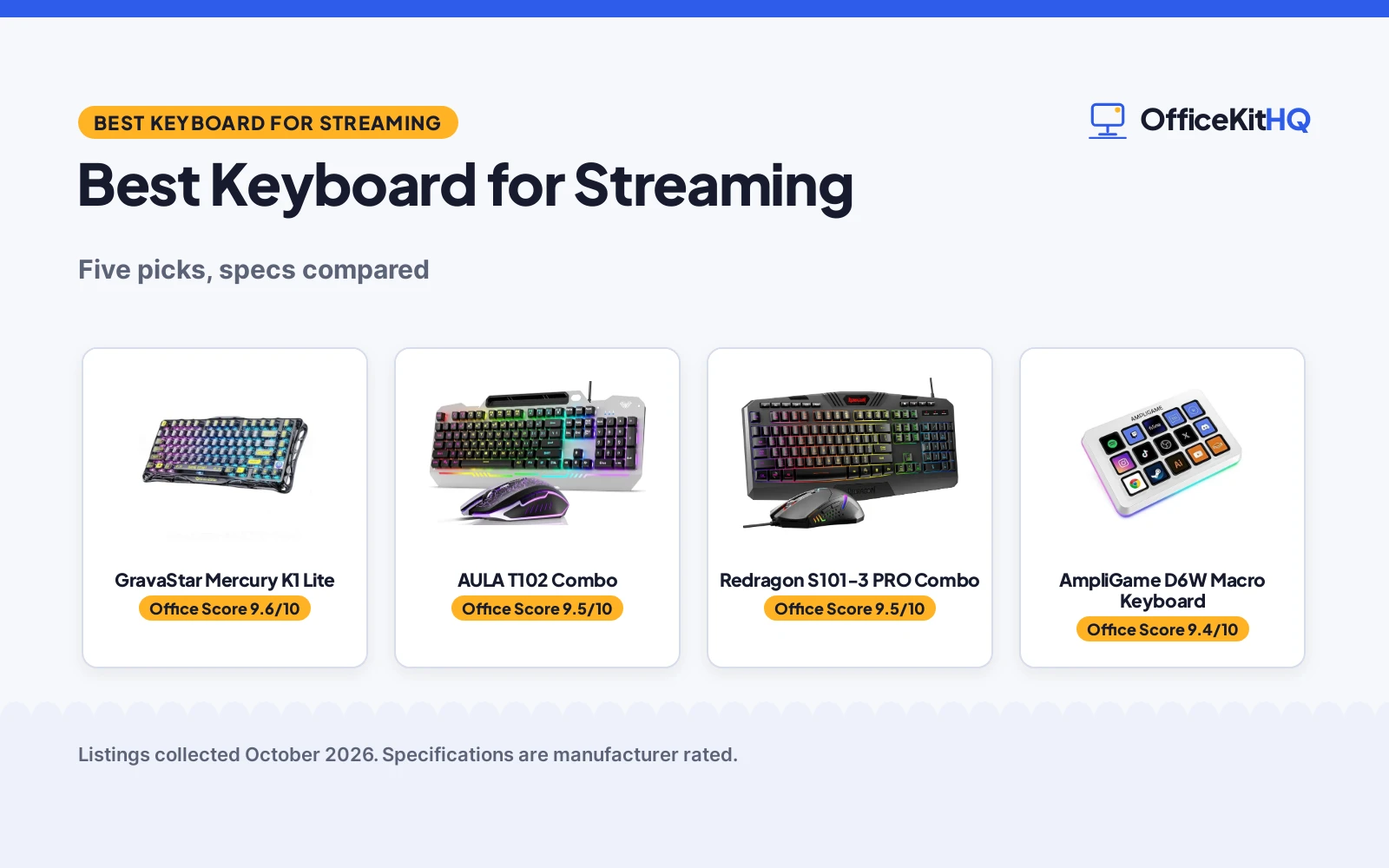
The stream goes live from a desk in the corner of the room, chat scrolling on another screen, and the best keyboard for streaming is the one that keeps scene switches and typing within reach without breaking the broadcast. This guide compares five keyboards and combos: a wireless mechanical board, a macro controller for stream commands, a full-size keyboard and mouse combo, and two title-only combos. Each pick is judged on layout, connection, lighting, battery and warranty as the listings state them. The right pick depends on whether the desk needs a typing board, a scene controller, or both.
OfficeKitHQ earns a commission when you buy through links on this page, at no extra cost to you. As an Amazon Associate I earn from qualifying purchases. Affiliate disclosure.
Quick picks
 Best Overall GravaStar Mercury K1 Lite: 75% wireless mechanical board, 4000mAh battery, 13 RGB modes Check price on Amazon
 Best Combo AULA T102 Combo: 104-key board plus mouse, metal panel, 12 multimedia keys Check price on Amazon
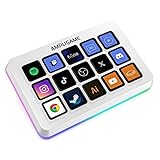 Best for Stream Control AmpliGame D6W Macro Keyboard: 15 display macro buttons for scenes, chat and highlights Check price on Amazon
 Combo Pick Redragon S101-3 PRO Combo: Keyboard and mouse combo for a stream desk Check price on Amazon
 RGB Combo Pick MageGee K1 RGB Combo: 104-key RGB keyboard and mouse combo for a stream desk Check price on Amazon
Our desk picks
| # | Product | Office Score | Buy |
|---|---|---|---|
| 1 | GravaStar Mercury K1 Lite | 9.6/10 | Buy on Amazon |
| 2 | AULA T102 Combo | 9.5/10 | Buy on Amazon |
| 3 | Redragon S101-3 | 9.5/10 | Buy on Amazon |
| 4 | AmpliGame D6W Macro Keyboard | 9.4/10 | Buy on Amazon |
| 5 | MageGee K1 Combo | 9.4/10 | Buy on Amazon |

GravaStar Mercury K1 Lite
A 75% wireless mechanical keyboard with 80 keys, hot-swappable linear switches, a gasket mount, 13 RGB modes and a 4000mAh battery.
Pros
- Hot-swappable linear switches with 40gf actuation, 2mm pre-travel and 3.6mm total travel
- Tri-mode connection across wired, Bluetooth and 2.4GHz wireless
- Gasket mount with 5-layer foam dampening for controlled feel
- 4000mAh rechargeable battery with Type-C charging
Cons
- 75% layout with 80 keys has no number pad
- Battery life in hours is not stated, only the 4000mAh figure
- No mouse is included, unlike the combo picks
- Linear switches only, for buyers who want a tactile switch
Detailed Review
The listing states a 75% wireless mechanical keyboard with 80 keys, custom linear switches at 40gf actuation, 2mm pre-travel and 3.6mm total travel, hot-swappable switches, a gasket mount with 5-layer foam dampening, 13 RGB modes, tri-mode connection across wired, Bluetooth and 2.4GHz wireless, and a 4000mAh rechargeable battery with Type-C charging. It measures 13.50 x 6.14 inches and weighs 1.87 lb, and it works with Windows and macOS.
Who it's for: streamers who want a compact mechanical board with wireless options and RGB modes for a stream desk. Who should skip it: anyone who needs a number pad or a bundled mouse.
Its Office Score of 9.6/10 comes from performance 32/35, build 22/25, value 21/25, safety 0/10 and warranty 3/5: 78 of 100 points, placed on our 9.2 to 9.8 scale.
Key Specifications
| Layout | 75%, 80 keys |
|---|---|
| Switches | Linear, 40gf, 2mm pre-travel |
| Battery | 4000mAh |
| Connection | Wired, Bluetooth, 2.4GHz |
Figures as published on the retailer listing, collected 30 October 2026. Performance figures are manufacturer rated.
Safety and Warranty
What this listing states. No FCC or other safety listing is stated, so safety scores zero. 1 Year warranty stated. It does not say everything a buyer needs, such as who pays return shipping, so warranty scores 3 of 5. See How We Pick.
Fit the desk first. Check the stated size against your desk depth and keyboard tray, and charge or pair as the manual describes. No keyboard, mouse or wrist rest prevents or treats injury.
This is general buying information, not professional advice. Follow each product manual and local rules, and see our Safety Disclaimer.

AULA T102 Combo
A wired 104-key keyboard and mouse combo with a metal panel, RGB backlighting, 12 multimedia keys and anti-ghosting for up to 26 keys at once.
Pros
- 104-key full-size layout with a number pad and a bundled mouse
- Aluminum alloy brushed panel, ergonomic design with a 7° angle
- RGB backlight with 3 illumination modes and 3 brightness levels
- 12 multimedia keys, WIN key lock and a mouse with 4 DPI settings
Cons
- Membrane keyboard, not a mechanical switch board
- Wired connection only
- 17.5-inch width needs more desk depth than a compact board
- Enters sleep mode after 5 minutes of inactivity
Detailed Review
The listing states a wired 104-key keyboard and mouse combo with an aluminum alloy brushed panel, a 7° angle, a 2.0mm keystroke, a phone and pen bracket, floating keycaps with a keycap puller, RGB backlighting with 3 illumination modes and 3 brightness levels, 12 multimedia keys, anti-ghosting for 26 keys at once, a WIN key lock and a mouse with 4 DPI settings from 1200 to 7200. It measures 17.5 x 7.48 x 1.38 inches and it lists compatibility with Windows 2000, XP, 7, 8 and 10.
Who it's for: streamers who want a full-size board, a number pad and a mouse in one wired set. Who should skip it: anyone who wants a mechanical switch board or a wireless connection.
Its Office Score of 9.5/10 comes from performance 28/35, build 21/25, value 21/25, safety 0/10 and warranty 3/5: 73 of 100 points, placed on our 9.2 to 9.8 scale.
Key Specifications
| Layout | 104 keys plus mouse |
|---|---|
| Panel | Aluminum alloy, brushed |
| Backlight | RGB, 3 modes, 3 brightness |
| Mouse | 4 DPI settings, 1200 to 7200 |
Figures as published on the retailer listing, collected 30 October 2026. Performance figures are manufacturer rated.
Safety and Warranty
What this listing states. This product does not plug in or run on a battery, so safety is not part of its score. 1 Year Manufacturer warranty stated. It does not say everything a buyer needs, such as who pays return shipping, so warranty scores 3 of 5. See How We Pick.
Fit the desk first. Check the stated size against your desk depth and keyboard tray, and charge or pair as the manual describes. No keyboard, mouse or wrist rest prevents or treats injury.
This is general buying information, not professional advice. Follow each product manual and local rules, and see our Safety Disclaimer.

Redragon S101-3
A full-size RGB keyboard and mouse combo with 5 macro keys and a wrist rest.
Pros
- Keyboard and mouse set in one box
- 114 keys with 5 dedicated macro keys
- 6 backlight modes and quiet membrane keys
- Wrist rest included for long sessions
Cons
- Warranty description states NO
- Wired, not wireless
- Membrane keys, not mechanical
- Gaming-styled, not editing-specific
Detailed Review
Redragon lists the S101-3 PRO as a wired keyboard and mouse combo with RGB backlighting, 6 backlight modes, 5 dedicated macro keys, 114 keys, quiet soft-touch membrane keys, anti-ghosting and an ergonomic wrist rest. The mouse adjusts from 800 to 7200 DPI on the fly. It is plug-and-play on Windows 10/11 with settings saved to the hardware. The warranty description states NO.
Who it's for: a budget setup that needs a full keyboard and mouse together. Who should skip it: anyone who needs wireless, a warranty term, or editing-specific keys.
Its Office Score of 9.5/10 comes from performance 29/35, build 20/25, value 21/25, safety 0/10 and warranty 0/5: 70 of 100 points, placed on our 9.2 to 9.8 scale.
Key Specifications
| Keys | 114 + 5 macro keys |
|---|---|
| Mouse | 800-7200 DPI |
| Backlight | RGB, 6 modes |
| Connection | Wired |
Figures as published on the retailer listing, collected 18 October 2026. Performance figures are manufacturer rated.
Safety and Warranty
What this listing states. This product does not plug in or run on a battery, so safety is not part of its score. No warranty term, so warranty scores zero. See How We Pick.
Fit the desk first. Check the stated size against your desk depth and keyboard tray, and charge or pair as the manual describes. No keyboard, mouse or wrist rest prevents or treats injury.
This is general buying information, not professional advice. Follow each product manual and local rules, and see our Safety Disclaimer.

AmpliGame D6W Macro Keyboard
A 15-button macro keyboard with display buttons, built-in software and plugins for scene switching, chat and highlights on OBS, Twitch and Streamlabs.
Pros
- 15 customizable macro keys with display buttons for scenes and chat
- Built-in software with plugins for OBS, Twitch and Streamlabs
- Multi-scene switching for gaming, office work and live streams
- Controllable RGB lighting to match a stream theme
Cons
- No warranty term is stated
- 15 buttons only, so it does not replace a typing keyboard
- Listing recommends a USB 3.0 interface for optimal performance
- No dimensions or weight are stated
Detailed Review
The listing states a macro keyboard with 15 customizable display buttons for scenes, chat responses and highlights, built-in software with plugins, controllable RGB lighting and multi-scene switching across gaming, office work and live streams. It connects over USB and works with PC and Mac, and its buttons suit OBS, Twitch, Streamlabs and YouTube Live. No dimensions, weight or warranty term are stated.
Who it's for: streamers who want one-touch scene switching, chat replies and highlights without leaving the game. Who should skip it: anyone who needs a full typing keyboard or a stated warranty term.
Its Office Score of 9.4/10 comes from performance 30/35, build 19/25, value 20/25, safety 0/10 and warranty 0/5: 69 of 100 points, placed on our 9.2 to 9.8 scale.
Key Specifications
| Buttons | 15 display macro buttons |
|---|---|
| Software | Built-in, with plugins |
| Platforms | OBS, Twitch, Streamlabs |
| Connection | USB |
Figures as published on the retailer listing, collected 30 October 2026. Performance figures are manufacturer rated.
Safety and Warranty
What this listing states. No FCC or other safety listing is stated, so safety scores zero. No warranty term, so warranty scores zero. See How We Pick.
Fit the desk first. Check the stated size against your desk depth and keyboard tray, and charge or pair as the manual describes. No keyboard, mouse or wrist rest prevents or treats injury.
This is general buying information, not professional advice. Follow each product manual and local rules, and see our Safety Disclaimer.

MageGee K1 Combo
A wired 104-key combo with blue switches, RGB backlighting and a 6-level DPI mouse.
Pros
- Blue switches stated in the spec table
- RGB with 8 colors and 5 modes
- Mouse with 6 DPI levels (600/800/1200/1600/2400/3200)
- Plug and play with no driver needed
Cons
- No warranty term stated
- Wired only
- No safety certification stated
Detailed Review
The MageGee K1 is a wired 104-key combo with blue switches, RGB backlighting with 8 colors and 5 modes, and a mouse with 6 levels (600/800/1200/1600/2400/3200). The keyboard needs no drivers and works across Windows, Mac and Linux per the listing. Note the backlight mismatch: the spec table says White LED while the bullets and title describe RGB; we trust the bullets.
Who it's for: gamers who want clicky blue switches and a driver-free wired set. Who should skip it: anyone who wants wireless or a stated warranty.
Its Office Score of 9.4/10 comes from performance 26/35, build 19/25, value 20/25, safety 0/10 and warranty 0/5: 65 of 100 points, placed on our 9.2 to 9.8 scale.
Key Specifications
| Keys | 104, blue switch |
|---|---|
| Mouse DPI | 3200 max, 6 levels |
| Backlight | RGB, 8 colors, 5 modes |
| Connection | Wired |
Figures as published on the retailer listing, collected 23 October 2026. Performance figures are manufacturer rated.
Safety and Warranty
What this listing states. This product does not plug in or run on a battery, so safety is not part of its score. No warranty term, so warranty scores zero. See How We Pick.
Fit the desk first. Check the stated size against your desk depth and keyboard tray, and charge or pair as the manual describes. No keyboard, mouse or wrist rest prevents or treats injury.
This is general buying information, not professional advice. Follow each product manual and local rules, and see our Safety Disclaimer.
As an Amazon Associate I earn from qualifying purchases.
Specs compared
| Keyboard | Office Score | Layout | Connection | Lighting | Power | Warranty | Amazon |
|---|---|---|---|---|---|---|---|
| GravaStar Mercury K1 Lite | 9.6/10 | 75%, 80 keys | Wired, Bluetooth, 2.4GHz | 13 RGB modes | 4000mAh | 1 Year | View on Amazon |
| AULA T102 Combo | 9.5/10 | 104 keys plus mouse | Wired | RGB, 3 modes | Wired | 1 Year Manufacturer | View on Amazon |
| AmpliGame D6W Macro Keyboard | 9.4/10 | 15 macro keys | USB | Controllable RGB | USB | Not stated | View on Amazon |
| Redragon S101-3 PRO Combo | 9.5/10 | Not stated | Not stated | Not stated | Not stated | Not stated | |
| MageGee K1 RGB Combo | 9.4/10 | 104 keys | Not stated | RGB | Not stated | Not stated |
Dimensions, weight limits and ranges are the maker’s ratings as each listing gives them, collected 30 October 2026. Two of the five state a warranty term.
How to choose the best keyboard for streaming
Start with layout and desk space
Layout decides how much desk the board takes and whether a number pad stays within reach. The GravaStar board is a 75% layout with 80 keys at 13.50 x 6.14 inches, which frees desk space beside the mouse for wider movement. The AULA combo is a 104-key full-size set at 17.5 x 7.48 inches, with a number pad and a mouse in the same set, so it suits a desk with room for a full-width board. The AmpliGame controller is not a typing board at all: it adds 15 macro buttons beside a typing keyboard, so it suits a desk that already has a board for typing. For a smaller mechanical layout, see the best mechanical keyboard tkl guide.
Match the connection to the rig
Connection decides whether the board ties up a port or moves between machines. The GravaStar board connects over wired, Bluetooth or 2.4GHz wireless and works with Windows and macOS, so it moves between a gaming desktop, a laptop and a secondary device without constant re-pairing. The AULA combo is wired, and the AmpliGame controller connects over USB, with a USB 3.0 interface recommended for best performance. A wired set suits a fixed stream desk, while tri-mode suits a desk shared between machines.
Use macro keys for stream commands
Macro keys turn repeated stream actions into one press. The AmpliGame controller gives 15 display buttons with built-in software and plugins for OBS, Twitch and Streamlabs, plus multi-scene switching for gaming, office work and live streams. A streamer who wants one-touch scene control pairs the controller with a typing board, keeping scene switches, chat replies and highlights on dedicated buttons instead of keyboard shortcuts.
| If you need | Look at |
|---|---|
| One-touch scene control | AmpliGame D6W Macro Keyboard, 15 display buttons |
| Typing plus a mouse | AULA T102 Combo, 104 keys plus mouse |
| Wireless mechanical typing | GravaStar Mercury K1 Lite, tri-mode, 80 keys |
Set lighting for the camera
Lighting shapes how the desk looks on camera and how keys read in a dim room. The GravaStar board offers 13 customizable lighting modes, and its transparent keycaps amplify illumination across the desk. The AULA combo offers RGB backlighting with 3 illumination modes and 3 brightness levels, adjusted with the Fn key combinations the listing states. The AmpliGame controller offers controllable RGB lighting to match a stream theme. Brightness control matters more than mode count when the room light changes during a stream.
Read the warranty line before choosing
Two of the five listings state a warranty term: GravaStar at 1 Year and AULA at 1 Year Manufacturer. The AmpliGame, Redragon and MageGee listings state no warranty term, so warranty cannot decide those picks. The Redragon and MageGee listings give a title only, so they sit below the full-data picks on stated specs. For wrist support during long sessions, see the best ergonomic wrist rest for keyboard and mouse guide.
FAQ
Which keyboard here is best for switching stream scenes?
The AmpliGame D6W Macro Keyboard, with 15 display macro buttons and built-in software for OBS, Twitch and Streamlabs. Its multi-scene switching covers gaming, office work and live streams from dedicated buttons.
Do any of these keyboards work wirelessly?
The GravaStar Mercury K1 Lite states wired, Bluetooth and 2.4GHz wireless connection. The AULA combo is wired, and the AmpliGame controller connects over USB.
Which keyboards here state a warranty term?
Two state a warranty term: GravaStar at 1 Year and AULA at 1 Year Manufacturer. Warranty terms for the other picks are not stated in their listings.
What layout sizes do these keyboards come in?
The GravaStar board is a 75% layout with 80 keys, the AULA combo is a 104-key full-size set, and the MageGee combo states 104 keys. The AmpliGame controller has 15 macro buttons instead of a typing layout.
Can a macro controller replace a typing keyboard?
No. The AmpliGame controller has 15 macro buttons and no typing layout stated, so it pairs with a typing keyboard rather than replacing one. It covers scenes, chat and highlights while the typing board covers text.
Score breakdown
The Office Score weighs performance (layout, switches, macro control and stated battery), build (panel, chassis and dampening), value for the stated specs, safety and warranty. For keyboards, safety means stated certifications or safety features; none of these listings state one. Two listings state a warranty term: GravaStar at 1 Year and AULA at 1 Year Manufacturer. How we pick explains the weights.
| Product | Office Score | Perf. /35 | Build /25 | Value /25 | Safety /10 | Warranty /5 |
|---|---|---|---|---|---|---|
| GravaStar Mercury K1 Lite | 9.6 | 32 | 22 | 21 | 0 | 3 |
| AULA T102 Combo | 9.5 | 28 | 21 | 21 | 0 | 3 |
| AmpliGame D6W Macro Keyboard | 9.4 | 30 | 19 | 20 | 0 | 0 |
Office Scores run on a short 9.2 to 9.8 scale. We place each item’s weighted point total on it in proportion, so a larger total is always shown as a larger score.
More for your workspace
See every keyboard guide and all computer peripherals guides. Also see best mechanical keyboard tkl and best ergonomic wrist rest for keyboard and mouse.
More picks: keyboards, mice and mouse pads, computer peripherals.