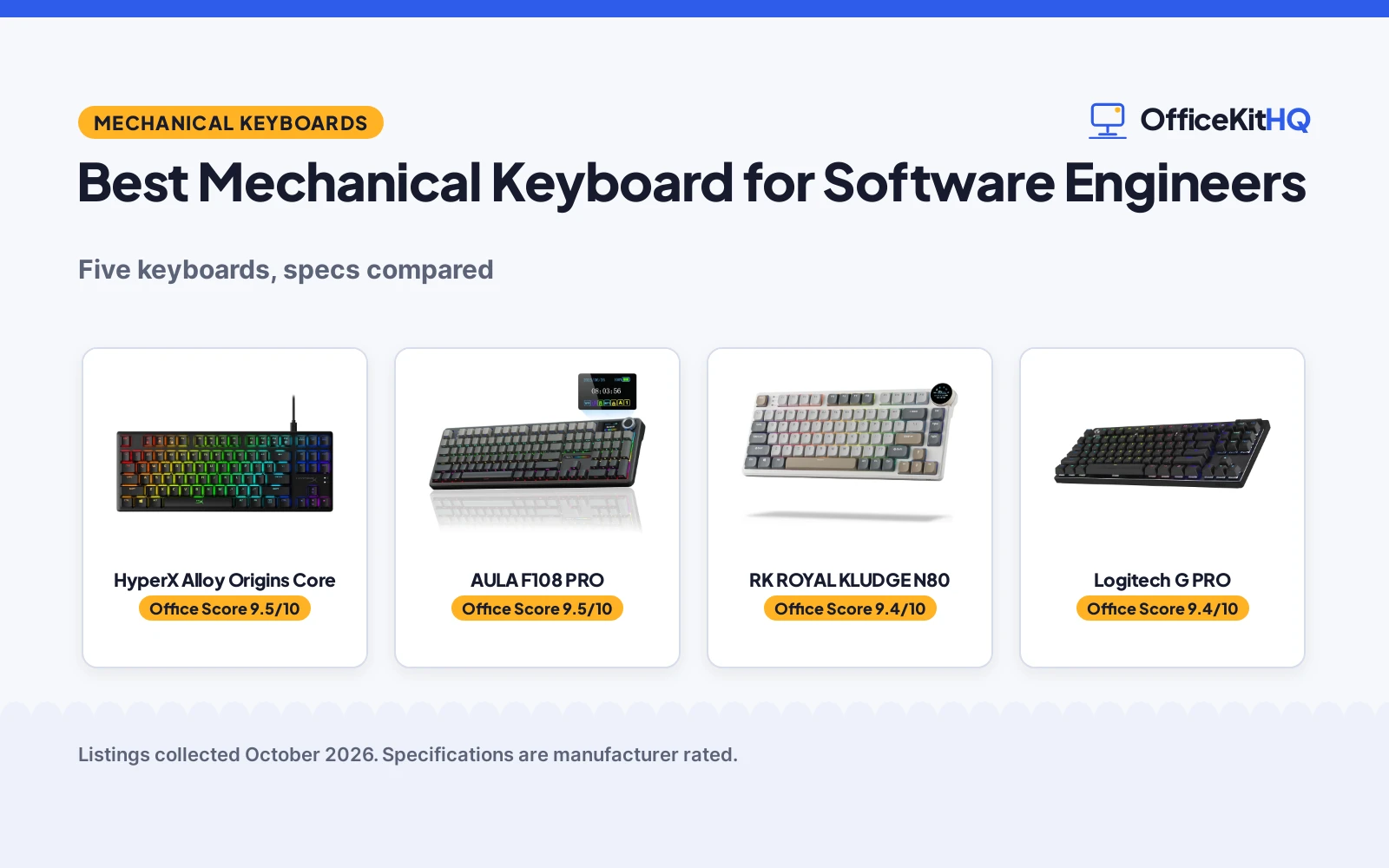
It is 9 a.m., the standup call is starting, and the best mechanical keyboard for software engineers is the one that keeps up with a full day of typing without hogging the desk. We compared five keyboards by switch type, layout, connectivity and stated warranty, using only what each listing publishes. The lineup covers full-size, 75 percent and tenkeyless boards across linear, tactile, clicky and hybrid switch feels.
OfficeKitHQ earns a commission when you buy through links on this page, at no extra cost to you. As an Amazon Associate I earn from qualifying purchases. Affiliate disclosure.
Quick picks
 Best Overall HyperX Alloy Origins Core: Aluminum body, 87 keys, 80M keystroke rating, 2-year warranty Check price on Amazon
 Best Full-Size Wireless AULA F108 PRO: Tri-mode, 8000mAh battery, hot-swap switches, screen and knob Check price on Amazon
 Best 75 Percent RK ROYAL KLUDGE N80: Low-profile 75% board, tri-mode, smart screen and knob Check price on Amazon
 Best Clicky TKL Logitech G PRO: GX Blue clicky switches, Lightsync RGB, 2-year warranty Check price on Amazon
 Best Hybrid SteelSeries Apex 5: Hybrid tactile-clicky switches, OLED display, aluminum frame Check price on Amazon
The picks
| # | Product | Office Score | Buy |
|---|---|---|---|
| 1 | HyperX Alloy Origins Core | 9.5/10 | Buy on Amazon |
| 2 | AULA F108 PRO | 9.5/10 | Buy on Amazon |
| 3 | RK ROYAL KLUDGE N80 | 9.4/10 | Buy on Amazon |
| 4 | Logitech G PRO | 9.4/10 | Buy on Amazon |
| 5 | SteelSeries Apex 5 | 9.3/10 | Buy on Amazon |

HyperX Alloy Origins Core
A tenkeyless aluminum keyboard with linear HyperX Red switches rated for 80 million keystrokes.
Pros
- Full aircraft-grade aluminum body
- HyperX Red linear switches rated for 80 million keystrokes
- Detachable cable and compact tenkeyless form
- RGB backlighting with Ngenuity software customization
Cons
- Tenkeyless layout has no number pad
- Wired only, no wireless option
- Gaming branding may not suit every office
- 900 g, heavier than many tenkeyless boards
Detailed Review
HyperX lists the Alloy Origins Core as a tenkeyless keyboard with 87 keys, linear HyperX Red switches rated for 80 million keystrokes and a full aircraft-grade aluminum body. The listing states RGB backlighting with dynamic effects, a detachable cable and customization through HyperX Ngenuity software. It measures 15.4 by 6.8 by 1.8 inches, weighs 900 g and carries a stated 2 Years warranty.
Who it's for: engineers who want a compact aluminum board with a long switch rating. Who should skip it: anyone who needs a number pad or wireless connectivity.
Its Office Score of 9.5/10 comes from performance 29/35, build 21/25, value 19/25, safety 0/10 and warranty 3/5: 72 of 100 points, placed on our 9.2 to 9.8 scale.
Key Specifications
| Layout | Tenkeyless, 87 keys |
|---|---|
| Switch | HyperX Red, linear |
| Size | 15.4 x 6.8 x 1.8 in |
| Warranty | 2 Years |
Figures as published on the retailer listing, collected 17 October 2026. Performance figures are manufacturer rated.
Safety and Warranty
What this listing states. This product does not plug in or run on a battery, so safety is not part of its score. 2 Years. It does not say everything a buyer needs, such as who pays return shipping, so warranty scores 3 of 5. See How We Pick.
Fit the desk first. Check the stated size against your desk depth and keyboard tray, and charge or pair as the manual describes. No keyboard, mouse or wrist rest prevents or treats injury.
This is general buying information, not professional advice. Follow each product manual and local rules, and see our Safety Disclaimer.

AULA F108 PRO
A full-size tri-mode keyboard with 8000mAh battery, TFT screen, knob and hot-swappable switches.
Pros
- Tri-mode: BT5.0, 2.4GHz and USB-C with 1000Hz polling
- 8000mAh battery for long wireless stretches
- Hot-swappable with pre-lubed switches and stabilizers
- TFT screen and knob for volume, GIFs and modes
Cons
- Screen setup needs the Windows driver in wired mode
- 2.7 pounds, heavy for a wireless board
- Only a 6 Months stated warranty
- F-zone function may behave abnormally on Linux, per the listing
Detailed Review
AULA lists the F108 PRO as a full-size 108-key keyboard with tri-mode connectivity: BT5.0, 2.4GHz wireless and USB-C wired, with a 1000Hz polling rate on 2.4GHz and wired. The listing states an 8000mAh battery, a TFT color display screen, a multi-function knob, hot-swappable switches, pre-lubed switches and stabilizers, and side-printed PBT keycaps. The screen image setup needs the Windows driver in wired mode, per the listing.
Who it's for: engineers who want full-size, wireless and deep customization in one board. Who should skip it: anyone on Linux, where the listing notes F-zone function may behave abnormally.
Its Office Score of 9.5/10 comes from performance 30/35, build 20/25, value 20/25, safety 0/10 and warranty 2/5: 72 of 100 points, placed on our 9.2 to 9.8 scale.
Key Specifications
| Layout | Full-size, 108 keys |
|---|---|
| Connectivity | BT5.0, 2.4GHz, USB-C |
| Battery | 8000mAh (stated) |
| Warranty | 6 Months |
Figures as published on the retailer listing, collected 17 October 2026. Performance figures are manufacturer rated.
Safety and Warranty
What this listing states. No FCC or other safety listing is stated, so safety scores zero. 6 Months. It does not say everything a buyer needs, such as who pays return shipping, so warranty scores 2 of 5. See How We Pick.
Fit the desk first. Check the stated size against your desk depth and keyboard tray, and charge or pair as the manual describes. No keyboard, mouse or wrist rest prevents or treats injury.
This is general buying information, not professional advice. Follow each product manual and local rules, and see our Safety Disclaimer.

RK ROYAL KLUDGE N80
A 75 percent low-profile tri-mode keyboard with a smart screen, knob and 80 keys.
Pros
- Low-profile switches with shorter actuation, per the listing
- Tri-mode Bluetooth 5.0, 2.4GHz and USB-C
- Smart display screen and knob for volume and modes
- Triple sound-absorbing layers for quieter typing
Cons
- Battery capacity is not stated, only called massive
- No number pad on the 75 percent layout
- ABS-heavy enclosure materials per the spec table
- 2.3 pounds for a 75 percent board
Detailed Review
RK ROYAL KLUDGE lists the N80 as a 75 percent low-profile keyboard with 80 keys, tri-mode Bluetooth 5.0, 2.4GHz and USB-C connectivity, a smart display screen and a knob. The listing states low-profile tactile switches, a top-mounted structure and triple sound-absorbing layers, at 12.68 by 5.31 by 0.99 inches and 2.3 pounds. Battery capacity is not stated; the title only says massive battery.
Who it's for: engineers short on desk space who want low-profile keys and a screen. Who should skip it: anyone who needs a stated battery capacity or a number pad.
Its Office Score of 9.4/10 comes from performance 28/35, build 19/25, value 20/25, safety 0/10 and warranty 3/5: 70 of 100 points, placed on our 9.2 to 9.8 scale.
Key Specifications
| Layout | 75%, 80 keys |
|---|---|
| Switch | Low-profile tactile |
| Connectivity | Bluetooth 5.0, 2.4GHz, USB-C |
| Warranty | 1 Year Warranty |
Figures as published on the retailer listing, collected 17 October 2026. Performance figures are manufacturer rated.
Safety and Warranty
What this listing states. This product does not plug in or run on a battery, so safety is not part of its score. 1 Year Warranty. It does not say everything a buyer needs, such as who pays return shipping, so warranty scores 3 of 5. See How We Pick.
Fit the desk first. Check the stated size against your desk depth and keyboard tray, and charge or pair as the manual describes. No keyboard, mouse or wrist rest prevents or treats injury.
This is general buying information, not professional advice. Follow each product manual and local rules, and see our Safety Disclaimer.

Logitech G PRO
A tenkeyless keyboard with GX Blue clicky switches, Lightsync RGB and a detachable cable.
Pros
- GX Blue clicky switches with audible tactile feedback
- 16.8 million color Lightsync per-key backlighting
- Onboard memory stores lighting without software
- 3-step angle adjustment with rubber feet
Cons
- Spec table lists 90 keys on a tenkeyless board
- Clicky switches carry in shared spaces
- Micro USB rather than USB-C detachable cable
- Key and lighting programming requires Logitech G HUB software
Detailed Review
Logitech G lists the PRO as a tenkeyless keyboard with GX Blue clicky switches, 16.8 million color Lightsync backlighting and a detachable Micro USB cable. The spec table lists 90 keys for a tenkeyless board, more than the usual 87, so confirm the layout if key count matters. The listing states a 3-step angle adjustment, onboard memory for lighting patterns and a 2 year Manufacturer warranty.
Who it's for: engineers who like an audible click and per-key lighting control. Who should skip it: open-plan offices, where clicky switches carry.
Its Office Score of 9.4/10 comes from performance 28/35, build 19/25, value 16/25, safety 0/10 and warranty 3/5: 66 of 100 points, placed on our 9.2 to 9.8 scale.
Key Specifications
| Layout | Tenkeyless |
|---|---|
| Switch | GX Blue, clicky |
| Backlight | 16.8M color Lightsync |
| Warranty | 2 year Manufacturer |
Figures as published on the retailer listing, collected 17 October 2026. Performance figures are manufacturer rated.
Safety and Warranty
What this listing states. This product does not plug in or run on a battery, so safety is not part of its score. 2 year Manufacturer. It does not say everything a buyer needs, such as who pays return shipping, so warranty scores 3 of 5. See How We Pick.
Fit the desk first. Check the stated size against your desk depth and keyboard tray, and charge or pair as the manual describes. No keyboard, mouse or wrist rest prevents or treats injury.
This is general buying information, not professional advice. Follow each product manual and local rules, and see our Safety Disclaimer.

SteelSeries Apex 5
A hybrid keyboard with an OLED smart display, per-key RGB and a magnetic wrist rest.
Pros
- OLED smart display for GIFs and notifications
- Per-key RGB illumination with reactive effects
- Magnetic wrist rest included in the box
- Aircraft-grade aluminum alloy frame
Cons
- Hybrid switch, not a true mechanical switch
- Bullets mix millimeters and inches on dimensions
- Spec table lists an AZERTY layout
- USB wired only, no wireless option
Detailed Review
SteelSeries lists the Apex 5 as a hybrid keyboard pairing a tactile blue click with a smooth membrane, plus an OLED smart display, per-key RGB and a magnetic wrist rest. The bullets list 900 x 300 x 4 millimeter alongside 35.43 x 11.81 inches, a unit mismatch, and the spec table lists an AZERTY layout, so US buyers should confirm the layout. The listing states an aircraft-grade aluminum alloy frame and a 1 Year Warranty.
Who it's for: engineers who want the OLED display and a wrist rest in the box. Who should skip it: anyone who wants true mechanical switches, since this one is hybrid.
Its Office Score of 9.3/10 comes from performance 26/35, build 19/25, value 16/25, safety 0/10 and warranty 3/5: 64 of 100 points, placed on our 9.2 to 9.8 scale.
Key Specifications
| Switch | Hybrid blue, tactile plus membrane |
|---|---|
| Display | OLED smart display |
| Extras | Magnetic wrist rest |
| Warranty | 1 Year Warranty |
Figures as published on the retailer listing, collected 17 October 2026. Performance figures are manufacturer rated.
Safety and Warranty
What this listing states. This product does not plug in or run on a battery, so safety is not part of its score. 1 Year Warranty. It does not say everything a buyer needs, such as who pays return shipping, so warranty scores 3 of 5. See How We Pick.
Fit the desk first. Check the stated size against your desk depth and keyboard tray, and charge or pair as the manual describes. No keyboard, mouse or wrist rest prevents or treats injury.
This is general buying information, not professional advice. Follow each product manual and local rules, and see our Safety Disclaimer.
As an Amazon Associate I earn from qualifying purchases.
More picks to compare
 Redragon Mechanical Gaming Keyboard WiredCheck on Amazon
 Logitech MX Mechanical WirelessCheck on Amazon
 Logitech G413 SE Full-Size MechanicalCheck on Amazon
 RK ROYAL KLUDGE R98 Pro Wired MechanicalCheck on Amazon
 Meidosa AK96 Mechanical Keyboard SmartCheck on Amazon
Compare the picks
| Keyboard | Office Score | Layout | Switch | Connectivity | Warranty | Amazon |
|---|---|---|---|---|---|---|
| HyperX Alloy Origins Core | 9.5/10 | Tenkeyless, 87 keys | Linear | USB wired | 2 Years | View on Amazon |
| AULA F108 PRO | 9.5/10 | Full-size, 108 keys | Linear | BT5.0, 2.4GHz, USB-C | 6 Months | View on Amazon |
| RK ROYAL KLUDGE N80 | 9.4/10 | 75%, 80 keys | Tactile low-profile | Bluetooth 5.0, 2.4GHz, USB-C | 1 Year | View on Amazon |
| Logitech G PRO | 9.4/10 | Tenkeyless | Clicky | USB wired | 2 Years | View on Amazon |
| SteelSeries Apex 5 | 9.3/10 | Full-size | Hybrid | USB wired | 1 Year | View on Amazon |
Specifications are manufacturer rated as listed, collected 17 October 2026.
How we scored them
The Office Score weighs performance, build, value, safety and warranty. For keyboards, safety means stated safety-relevant features or certifications; none of the five listings state any, so safety scores are zero across the board. All five state a warranty term, from 6 months to 2 years. How we pick explains the weights.
| Product | Office Score | Perf. /35 | Build /25 | Value /25 | Safety /10 | Warranty /5 |
|---|---|---|---|---|---|---|
| HyperX Alloy Origins Core | 9.5 | 29 | 21 | 19 | 0 | 3 |
| AULA F108 PRO | 9.5 | 30 | 20 | 20 | 0 | 2 |
| RK ROYAL KLUDGE N80 | 9.4 | 28 | 19 | 20 | 0 | 3 |
| Logitech G PRO | 9.4 | 28 | 19 | 16 | 0 | 3 |
| SteelSeries Apex 5 | 9.3 | 26 | 19 | 16 | 0 | 3 |
Scores run from 9.2 to 9.8: each product’s point total is placed on that range, so more points always means a higher score.
How to choose the best mechanical keyboard for software engineers
Switch feel: linear, tactile or clicky
The listings here cover four switch feels. Linear switches (HyperX Red, AULA) press straight down with no bump. Tactile switches (N80) add a bump you feel. Clicky switches (G PRO GX Blue) add an audible click. The Apex 5 is hybrid, pairing a tactile click with a membrane. There is no coding advantage stated for any of them; pick the feel you like typing on all day, and note that clicky boards carry in shared spaces.
Size: full, 96 percent, 75 percent or tenkeyless
Full-size boards (AULA F108 PRO, Apex 5) keep the number pad, which helps if you type a lot of numbers. The N80 is 75 percent with no pad, and the HyperX and G PRO are tenkeyless. Measure your desk against the listed footprints before you buy. Browse the full keyboards category for more sizes.
Wired or wireless
The AULA F108 PRO and RK N80 offer tri-mode or multi-device wireless: Bluetooth 5.0 plus 2.4GHz and wired. The AULA lists a 1000Hz polling rate on 2.4GHz and wired, and an 8000mAh battery. The rest are wired USB, which removes charging and pairing from the equation entirely. A matching mouse and pad and a desk mat finish the typing setup.
| Keyboard | Switch | Layout | Connectivity |
|---|---|---|---|
| HyperX Alloy Origins Core | Linear | Tenkeyless, 87 keys | USB wired |
| AULA F108 PRO | Linear | Full-size, 108 keys | BT5.0, 2.4GHz, USB-C |
| RK ROYAL KLUDGE N80 | Tactile low-profile | 75%, 80 keys | Bluetooth 5.0, 2.4GHz, USB-C |
| Logitech G PRO | Clicky | Tenkeyless, 90 keys | USB wired |
| SteelSeries Apex 5 | Hybrid | Full-size, 104 keys | USB wired |
Setup Notes
- Measure desk depth against the listed footprint before ordering.
- The Logitech G PRO lists a 1.8 m detachable cable; keep a free USB port within reach for wired boards.
- Wireless boards need charging: the AULA lists an 8000mAh battery.
- Screen and knob setup on the AULA needs the Windows driver in wired mode, per its listing.
Frequently Asked Questions
What switch type is best for coding?
The listings here cover linear (HyperX Red, AULA), tactile (N80), clicky (G PRO GX Blue) and hybrid (Apex 5). Linear presses straight down, tactile adds a bump, clicky adds sound. No listing states a coding advantage for any feel, so pick the one you like typing on.
Do software engineers need a full-size keyboard?
Not necessarily. The AULA F108 PRO and Apex 5 are full-size with number pads, the N80 is 75 percent, and the HyperX and G PRO are tenkeyless. Match the layout to how often you type numbers.
Are wireless keyboards good for programming?
The AULA F108 PRO and RK N80 offer Bluetooth and 2.4GHz wireless alongside wired mode. The AULA lists a 1000Hz polling rate on 2.4GHz and wired. If you want zero pairing or charging concerns, the wired boards remove both.
What does hot-swappable mean?
The AULA F108 PRO listing states hot-swappable switches, meaning the switches pull out and press in without soldering, with a puller included. None of the other four listings state hot-swap. That lets you change switch feel later without buying a new board.
How long are the warranties?
Stated terms run from 6 months on the AULA to 2 years on the HyperX and G PRO. The N80 and Apex 5 state 1 year.
Related guides
See every Monitor Mounts, Keyboards and Mice guide and all Office Guides.
More picks: office chair for working from home, mice and mouse pads and desk mats and pads.