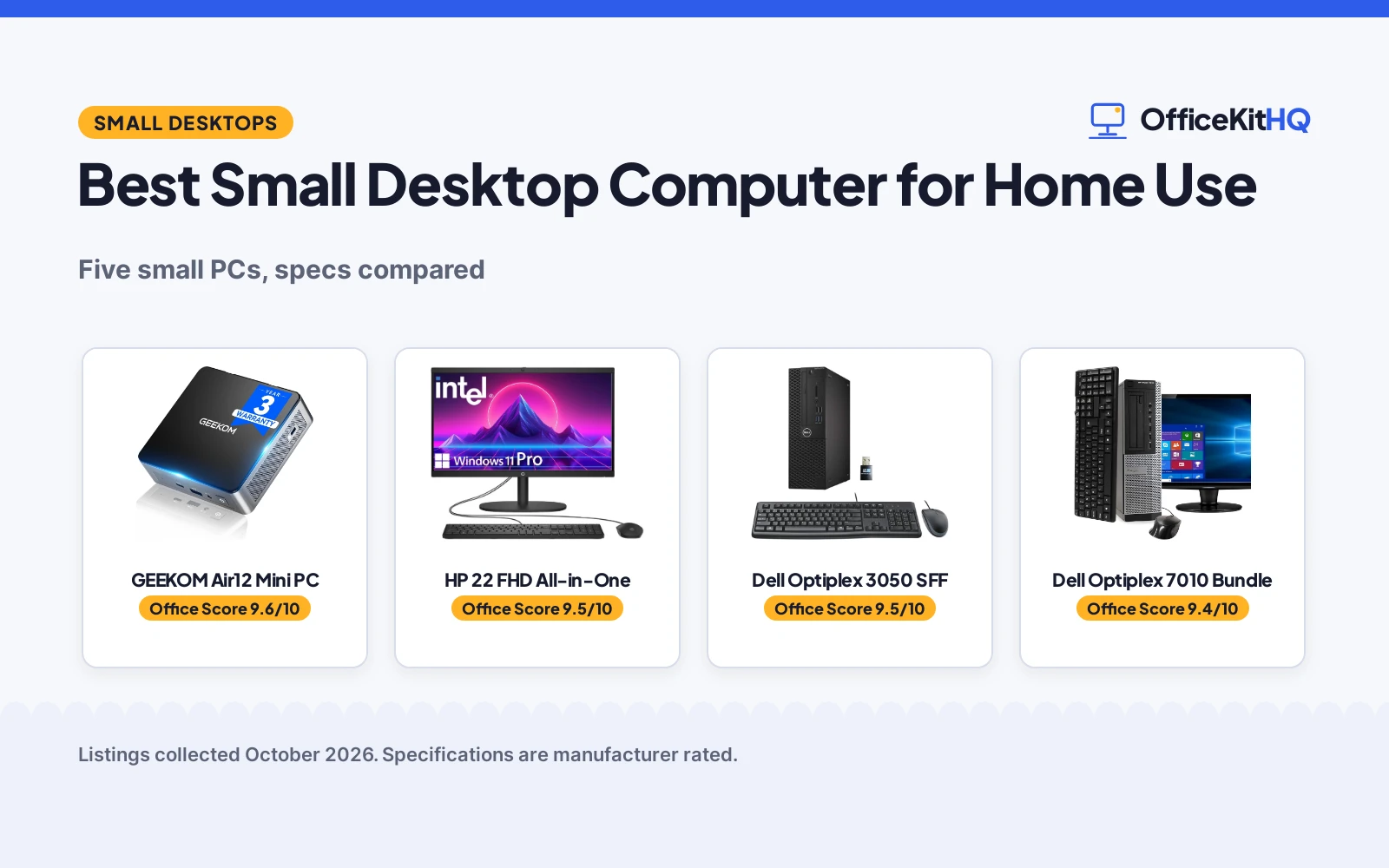
The best small desktop computer for home use started for me as a desk problem: a full tower eating a quarter of a small home office desk, with cables everywhere. A compact PC or an all-in-one puts the computer on the desk without swallowing it. We compared five small desktops by CPU, RAM, storage, display situation and warranty, using only what each listing publishes.
OfficeKitHQ earns a commission when you buy through links on this page, at no extra cost to you. As an Amazon Associate I earn from qualifying purchases. Affiliate disclosure.
Quick picks
 Best Overall GEEKOM Air12 Mini PC: 4.6 x 4.4 in mini PC, triple 4K, 3-year warranty Check price on Amazon
 Best All-in-One HP 22 FHD All-in-One: 22 in FHD display, webcam with privacy shutter Check price on Amazon
 Best Refurbished Dell Optiplex 3050 SFF: i5-6500, 16GB DDR4, 256GB SSD in SFF case Check price on Amazon
 Best Bundle Dell Optiplex 7010 Bundle: Full bundle with 19 in LCD, keyboard and mouse Check price on Amazon
 Best Storage Lenovo IdeaCentre AIO: 512GB SSD with 24 in FHD anti-glare display Check price on Amazon
The picks
| # | Product | Office Score | Buy |
|---|---|---|---|
| 1 | GEEKOM Air12 Mini PC | 9.6/10 | Buy on Amazon |
| 2 | HP 22 FHD All-in-One | 9.5/10 | Buy on Amazon |
| 3 | Dell Optiplex 3050 SFF | 9.5/10 | Buy on Amazon |
| 4 | Dell Optiplex 7010 Bundle | 9.4/10 | Buy on Amazon |
| 5 | Lenovo IdeaCentre AIO | 9.4/10 | Buy on Amazon |

GEEKOM Air12 Mini PC
A mini PC measuring 4.6 x 4.4 x 1.9 in with triple 4K display support and a 3-year warranty.
Pros
- 4.6 x 4.4 x 1.9 in, the smallest here
- Triple 4K display support via HDMI 2.0, Mini DP and USB-C
- 3-year limited warranty, the longest here
- 15W power consumption and quiet cooling stated
Cons
- Pentium Gold 7505 is dual-core; the least CPU here
- Keyboard and mouse not included
- No monitor included
- Memory rows disagree: DDR5 technology vs DDR4 type
Detailed Review
GEEKOM lists the Air12 mini PC with an Intel Pentium Gold 7505, 8GB DDR4 and a 256GB SSD, triple 4K display support and WiFi 6. The 4.6 x 4.4 x 1.9 in chassis draws a stated 15W, uses IceBlast quiet cooling and carries a 3-year limited warranty. One wrinkle: the spec table lists RAM memory technology as DDR5 but RAM type as DDR4 SDRAM, so the memory generation is unclear.
Who it's for: a home office desk with no room for a tower, paired with a monitor you already own. Who should skip it: anyone needing a bundled keyboard, mouse or display.
Its Office Score of 9.6/10 comes from performance 27/35, build 21/25, value 21/25, safety 7/10 and warranty 4/5: 80 of 100 points, placed on our 9.2 to 9.8 scale.
Key Specifications
| CPU | Pentium Gold 7505 |
|---|---|
| Size | 4.6 x 4.4 x 1.9 in |
| Displays | Triple 4K |
| Warranty | 3 years |
Figures as published on the retailer listing, collected 19 October 2026. Performance figures are manufacturer rated.
Safety and Warranty
What this listing states. FCC, UL, Energy Star, CE and RoHS are stated, so safety scores 7 of 10. 3 Years Warranty. It does not say everything a buyer needs, such as who pays return shipping, so warranty scores 4 of 5. See How We Pick.
Shredder and printer safety. Keep hair, ties, jewelry, children and pets away from the feed slot, use the safety lock, unplug when not in use, and give printers and adapters room to vent.
This is general buying information, not professional advice. Follow each product manual and local rules, and see our Safety Disclaimer.

HP 22 FHD All-in-One
An all-in-one with a 21.5 in FHD display, Intel N100 and a webcam with privacy shutter.
Pros
- 21.5 in FHD anti-glare display built in
- 8GB DDR5 RAM
- HD webcam with privacy shutter and dual speakers
- Windows 11 Pro pre-installed
Cons
- 128GB SSD is the least storage here
- Title says 22 in while bullets and spec table say 21.5 in
- 11 lb, the heaviest unit here
- No safety certifications stated
Detailed Review
HP lists a 2025 all-in-one with an Intel N100 processor, 8GB DDR5 and a 128GB SSD, with a 21.5 in Full HD anti-glare display per the bullets and spec table. A built-in HD webcam with privacy shutter and dual stereo speakers cover video calls, and Windows 11 Pro is pre-installed. Conflict: the title says 22 in; we trust the bullets and spec table at 21.5 in. The spec table states a 1 year manufacturer warranty.
Who it's for: a desk with no monitor, where the all-in-one replaces two boxes. Who should skip it: anyone needing more than 128GB of local storage.
Its Office Score of 9.5/10 comes from performance 28/35, build 20/25, value 21/25, safety 0/10 and warranty 3/5: 72 of 100 points, placed on our 9.2 to 9.8 scale.
Key Specifications
| CPU | Intel N100 |
|---|---|
| Display | 21.5 in FHD |
| Storage | 128GB SSD |
| Warranty | 1 year |
Figures as published on the retailer listing, collected 19 October 2026. Performance figures are manufacturer rated.
Safety and Warranty
What this listing states. This product does not plug in or run on a battery, so safety is not part of its score. 1 Year Manufacturer. It does not say everything a buyer needs, such as who pays return shipping, so warranty scores 3 of 5. See How We Pick.
Shredder and printer safety. Keep hair, ties, jewelry, children and pets away from the feed slot, use the safety lock, unplug when not in use, and give printers and adapters room to vent.
This is general buying information, not professional advice. Follow each product manual and local rules, and see our Safety Disclaimer.

Dell Optiplex 3050 SFF
A renewed small-form-factor tower with i5-6500, 16GB DDR4 and a 256GB SSD.
Pros
- 16GB DDR4, the most RAM among the towers here
- 256GB SSD for fast boot times
- 11.2 x 3.75 x 11.5 in small form factor case
- 4K dual display support via DP and HDMI
Cons
- Renewed unit; may arrive in a generic box
- 2015 model year
- Only a minimum 90-day warranty
- No monitor included
Detailed Review
The renewed Dell Optiplex 3050 SFF lists an Intel i5-6500 up to 3.6GHz, 16GB DDR4 and a 256GB SSD in an 11.2 x 3.75 x 11.5 in case, with Windows 11 Pro and a USB keyboard, mouse and WiFi adapter. The listing states 4K dual display support and a minimum 90-day warranty. Oddity: the spec table lists DVD-RW as the optical device while the model number reads NO DVD, so the drive situation is unclear.
Who it's for: a home office that needs 16GB of RAM on a small budget, with your own monitor. Who should skip it: anyone wanting a new unit or a longer warranty.
Its Office Score of 9.5/10 comes from performance 29/35, build 20/25, value 20/25, safety 0/10 and warranty 2/5: 71 of 100 points, placed on our 9.2 to 9.8 scale.
Key Specifications
| CPU | i5-6500 up to 3.6GHz |
|---|---|
| RAM | 16GB DDR4 |
| Storage | 256GB SSD |
| Size | 11.2 x 3.75 x 11.5 in |
Figures as published on the retailer listing, collected 19 October 2026. Performance figures are manufacturer rated.
Safety and Warranty
What this listing states. This product does not plug in or run on a battery, so safety is not part of its score. minimum 90-day warranty. It does not say everything a buyer needs, such as who pays return shipping, so warranty scores 2 of 5. See How We Pick.
Shredder and printer safety. Keep hair, ties, jewelry, children and pets away from the feed slot, use the safety lock, unplug when not in use, and give printers and adapters room to vent.
This is general buying information, not professional advice. Follow each product manual and local rules, and see our Safety Disclaimer.

Dell Optiplex 7010 Bundle
A renewed tower bundle with i5 3.2GHz, 8GB RAM, 500GB HDD and a 19 in LCD.
Pros
- Full bundle: 19 in LCD, keyboard and mouse included
- 500GB HDD, the most storage capacity here
- Windows 11 Pro installed
- WiFi adapter included
Cons
- 2012 model year, the oldest here
- 500GB HDD, not an SSD
- 8GB DDR3, the oldest memory type here
- 16 x 4 x 14.2 in tower is the largest footprint here
Detailed Review
The renewed Dell Optiplex 7010 bundle lists an Intel i5 at 3.2GHz, 8GB of RAM and a 500GB HDD with a 19 in LCD, keyboard, mouse and WiFi adapter, running Windows 11 Pro. The 16 x 4 x 14.2 in tower is the largest footprint here, and the spec table states a 90 day warranty description. Contradiction: the hard disk description says HDD while the hard disk interface says Solid State; we trust the description at HDD.
Who it's for: a first home PC where the bundle covers everything at once. Who should skip it: anyone wanting an SSD or a smaller case.
Its Office Score of 9.4/10 comes from performance 26/35, build 19/25, value 20/25, safety 0/10 and warranty 2/5: 67 of 100 points, placed on our 9.2 to 9.8 scale.
Key Specifications
| CPU | i5 3.2GHz |
|---|---|
| RAM | 8GB |
| Storage | 500GB HDD |
| Bundle | 19 in LCD, keyboard, mouse |
Figures as published on the retailer listing, collected 19 October 2026. Performance figures are manufacturer rated.
Safety and Warranty
What this listing states. This product does not plug in or run on a battery, so safety is not part of its score. 90 Days. It does not say everything a buyer needs, such as who pays return shipping, so warranty scores 2 of 5. See How We Pick.
Shredder and printer safety. Keep hair, ties, jewelry, children and pets away from the feed slot, use the safety lock, unplug when not in use, and give printers and adapters room to vent.
This is general buying information, not professional advice. Follow each product manual and local rules, and see our Safety Disclaimer.

Lenovo IdeaCentre AIO
An all-in-one with a 23.8 in FHD anti-glare display, Intel N100 and 512GB SSD.
Pros
- 512GB SSD, the most solid-state storage here
- 23.8 in FHD IPS anti-glare display with 99% sRGB
- WiFi 6 and Bluetooth 5.2
- Kensington Security Slot and TPM 2.0 stated
Cons
- Warranty description reads only 1 with no term
- Title says 24 in while the spec table says 23.8 in
- 8GB DDR4
- Windows 11 Home, not Pro
Detailed Review
Lenovo lists the IdeaCentre all-in-one with an Intel N100, 8GB DDR4 and a 512GB SSD behind a 23.8 in Full HD IPS anti-glare display with 99% sRGB, plus WiFi 6 and a USB Calliope keyboard. Two gaps: the title says 24 in while the spec table says 23.8 in, and the warranty description reads only 1 with no term, so no warranty term is stated.
Who it's for: a home desk wanting the biggest display and the most SSD storage here. Who should skip it: anyone wanting a stated warranty term or Windows 11 Pro.
Its Office Score of 9.4/10 comes from performance 29/35, build 20/25, value 21/25, safety 0/10 and warranty 0/5: 70 of 100 points, placed on our 9.2 to 9.8 scale.
Key Specifications
| CPU | Intel N100 |
|---|---|
| Display | 23.8 in FHD |
| Storage | 512GB SSD |
| RAM | 8GB DDR4 |
Figures as published on the retailer listing, collected 19 October 2026. Performance figures are manufacturer rated.
Safety and Warranty
What this listing states. This product does not plug in or run on a battery, so safety is not part of its score. No warranty term, so warranty scores zero. See How We Pick.
Shredder and printer safety. Keep hair, ties, jewelry, children and pets away from the feed slot, use the safety lock, unplug when not in use, and give printers and adapters room to vent.
This is general buying information, not professional advice. Follow each product manual and local rules, and see our Safety Disclaimer.
As an Amazon Associate I earn from qualifying purchases.
Compare the picks
| Desktop | Office Score | CPU | RAM | Storage | Display | Warranty | Amazon |
|---|---|---|---|---|---|---|---|
| GEEKOM Air12 Mini PC | 9.6/10 | Pentium Gold 7505 | 8GB DDR4 | 256GB SSD | Triple 4K support | 3 years | View on Amazon |
| HP 22 FHD All-in-One | 9.5/10 | Intel N100 | 8GB DDR5 | 128GB SSD | 21.5 in FHD | 1 year | View on Amazon |
| Dell Optiplex 3050 SFF | 9.5/10 | i5-6500 up to 3.6GHz | 16GB DDR4 | 256GB SSD | 4K dual display support | 90 days | View on Amazon |
| Dell Optiplex 7010 Bundle | 9.4/10 | i5 3.2GHz | 8GB | 500GB HDD | 19 in LCD included | 90 days | View on Amazon |
| Lenovo IdeaCentre AIO | 9.4/10 | Intel N100 | 8GB DDR4 | 512GB SSD | 23.8 in FHD | Not stated | View on Amazon |
Specifications are manufacturer rated as listed, collected 19 October 2026.
How we scored them
The Office Score weighs performance, build, value, safety and warranty. For desktop computers, safety means stated certifications such as FCC or UL; only the GEEKOM states any, so the others score zero there. Three listings state a concrete warranty term, from 90 days to 3 years. How we pick explains the weights.
| Product | Office Score | Perf. /35 | Build /25 | Value /25 | Safety /10 | Warranty /5 |
|---|---|---|---|---|---|---|
| GEEKOM Air12 Mini PC | 9.6 | 27 | 21 | 21 | 7 | 4 |
| HP 22 FHD All-in-One | 9.5 | 28 | 20 | 21 | 0 | 3 |
| Dell Optiplex 3050 SFF | 9.5 | 29 | 20 | 20 | 0 | 2 |
| Dell Optiplex 7010 Bundle | 9.4 | 26 | 19 | 20 | 0 | 2 |
| Lenovo IdeaCentre AIO | 9.4 | 29 | 20 | 21 | 0 | 0 |
Scores run from 9.2 to 9.8: each product’s point total is placed on that range, so more points always means a higher score.
How to choose the best small desktop computer for home use
Mini PC, tower or all-in-one
The GEEKOM Air12 is the only true mini PC at 4.6 x 4.4 x 1.9 in and 15W; the two Dells are towers, one small form factor and one full size. The HP and Lenovo are all-in-ones with the display built in, which suits a desk that has no room for a separate monitor. If you already own a monitor, the GEEKOM or a Dell tower makes more sense; if not, the HP and Lenovo include the screen. Our computer desks guides cover the desks these machines sit on.
CPU and RAM for home tasks
Home use means browsing, documents, video calls and streaming. The Dell 3050 SFF pairs an i5-6500 with 16GB DDR4, the most RAM here; the Dell 7010 has 8GB of older DDR3. The two all-in-ones and the GEEKOM carry 8GB with newer chips: the Intel N100 on the HP and Lenovo, the Pentium Gold 7505 on the GEEKOM. None of these claims gaming power; match the machine to multitasking, not frame rates.
| Desktop | CPU | RAM | Storage |
|---|---|---|---|
| GEEKOM Air12 Mini PC | Pentium Gold 7505 | 8GB DDR4 | 256GB SSD |
| HP 22 FHD All-in-One | Intel N100 | 8GB DDR5 | 128GB SSD |
| Dell Optiplex 3050 SFF | i5-6500 | 16GB DDR4 | 256GB SSD |
| Dell Optiplex 7010 Bundle | i5 3.2GHz | 8GB DDR3 | 500GB HDD |
| Lenovo IdeaCentre AIO | Intel N100 | 8GB DDR4 | 512GB SSD |
Storage: SSD speed versus HDD capacity
The Dell 7010 is the only one with a spinning hard drive: 500GB of HDD against SSDs everywhere else. SSDs boot faster, and the Lenovo’s 512GB is the most solid-state storage here; the HP’s 128GB is the least and fills up fast. If your files live in the cloud, 128GB works; if they live on the machine, weight capacity over speed.
Renewed versus new, and the warranty
The two Dells are Amazon Renewed units with 90-day warranties and may arrive in a generic box. The GEEKOM states a 3-year limited warranty, the HP states 1 year, and the Lenovo’s warranty field reads only 1 with no term. Renewed saves money but shortens the safety net; decide which matters more before you click.
Setup Notes
- Measure the desk before choosing: the Dell 7010 tower runs 16 x 4 x 14.2 in, the GEEKOM 4.6 x 4.4 x 1.9 in.
- The Dell 7010 and 3050 bundles include a keyboard and mouse; the GEEKOM includes an HDMI cable and VESA mount.
- All five run Windows 11; the HP and both Dells list Pro, the Lenovo lists Home.
- The GEEKOM’s 15W power draw is the only consumption figure stated.
Frequently Asked Questions
Which small desktop has the most RAM?
The Dell Optiplex 3050 SFF with 16GB DDR4. The other four list 8GB.
Which has the longest warranty?
The GEEKOM Air12 with a stated 3-year limited warranty. The HP states 1 year, the two Dells state 90 days, and the Lenovo’s warranty field reads only 1.
Do any include a monitor?
The Dell 7010 bundle includes a 19 in LCD, and the HP and Lenovo are all-in-ones with built-in displays. The GEEKOM and Dell 3050 SFF need a separate monitor.
Which is the smallest?
The GEEKOM Air12 at 4.6 x 4.4 x 1.9 in. The largest is the Dell 7010 tower at 16 x 4 x 14.2 in.
Are the Dell computers new?
No. Both are Amazon Renewed listings, and the 3050 may arrive in a generic box.
Related guides
See every computer desks guide and all desks guides. Also see our docking stations and USB hubs. Also see our keyboards and keyboard trays.
More picks: USB hubs for extra ports, keyboards, computer peripherals.