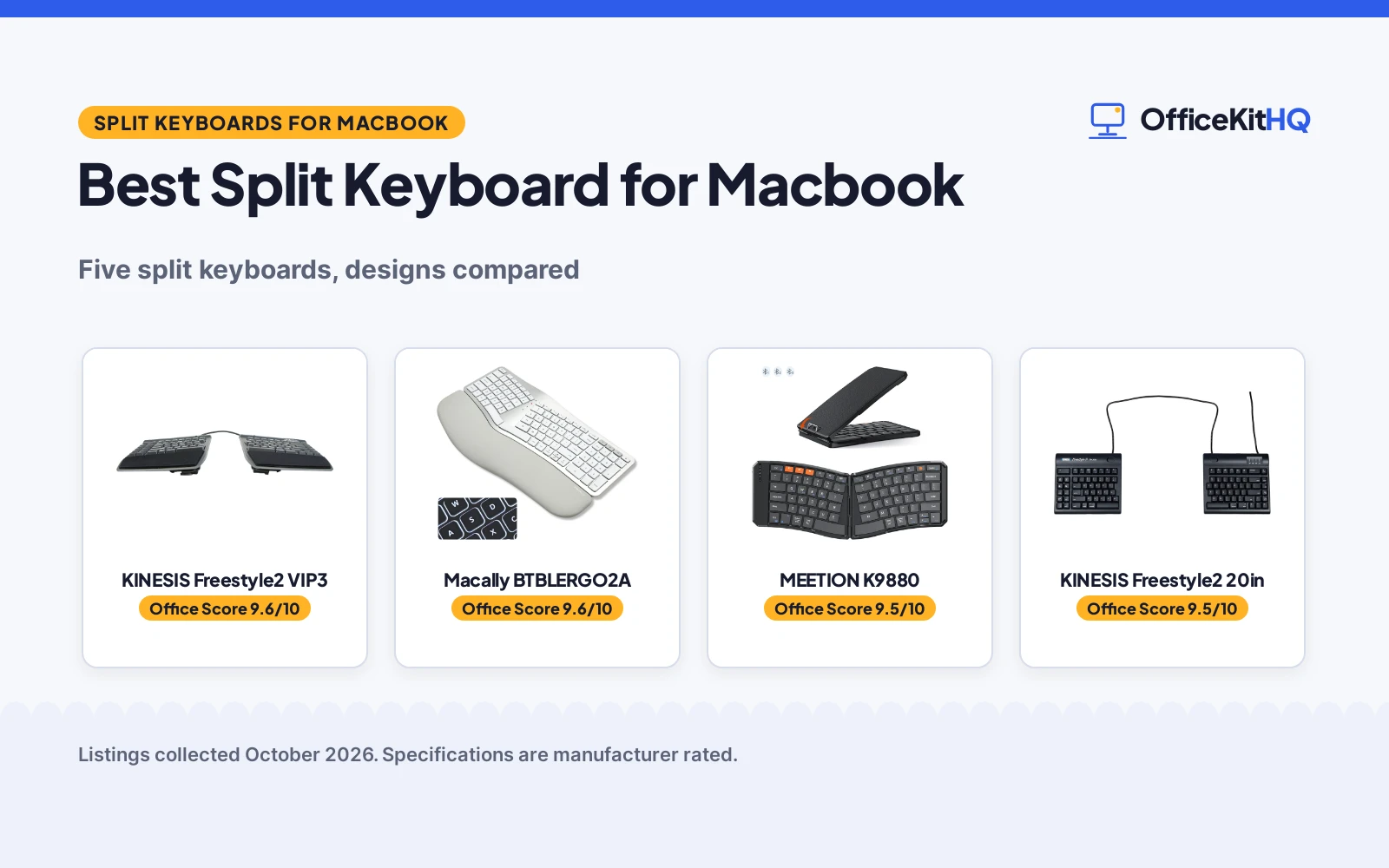
A MacBook keyboard keeps both hands in one narrow row, and the best split keyboard for macbook is the board that lets each hand sit where it rests naturally. The shoulders stop hunching inward, the wrists stop bending sideways, and the keyboard stops dictating the posture. We compared five split keyboards for MacBook use by split design, keys, connection, battery and warranty term, using only what each listing publishes.
OfficeKitHQ earns a commission when you buy through links on this page, at no extra cost to you. As an Amazon Associate I earn from qualifying purchases. Affiliate disclosure.
Quick picks
 Best Overall KINESIS Freestyle2 VIP3: 9in separation, VIP3 tenting, 1-year warranty Check price on Amazon
 Best Backlit Macally BTBLERGO2A: Backlit keys, 4 kickstands, 2-year warranty Check price on Amazon
 Best Foldable MEETION K9880: 166 degree split, magnetic clasp, 60-hour standby Check price on Amazon
 Widest Separation KINESIS Freestyle2 20in: 20in separation, Mac layout, 94 keys Check price on Amazon
 Best Travel MoKo Foldable: Folds to 7.09 by 4.92 in, Bluetooth and 2.4G Check price on Amazon
The picks
| # | Product | Office Score | Buy |
|---|---|---|---|
| 1 | KINESIS Freestyle2 VIP3 | 9.6/10 | Buy on Amazon |
| 2 | Macally BTBLERGO2A | 9.6/10 | Buy on Amazon |
| 3 | MEETION K9880 | 9.5/10 | Buy on Amazon |
| 4 | KINESIS Freestyle2 20in | 9.5/10 | Buy on Amazon |
| 5 | MoKo Foldable | 9.5/10 | Buy on Amazon |

KINESIS Freestyle2 VIP3
A Mac-layout split keyboard with modules that separate up to 9 in, VIP3 tenting lifters and cushioned palm supports.
Pros
- Key modules separate up to 9 in for natural hand positions
- VIP3 tenting at 5, 10 or 15 degrees with cushioned palm supports
- Standard Mac layout with hotkeys and a 2-port hub
- Low-force membrane switches with tactile feedback
Cons
- USB wired only, no Bluetooth option stated
- 2.1 lb item weight, heavier than the folding boards
- No battery, draws power over USB
- No backlighting details beyond single color support
Detailed Review
KINESIS lists the Freestyle2 for Mac as a split keyboard whose key modules rotate and separate up to 9 in, with the VIP3 tenting accessory pre-assembled for 5, 10 or 15 degrees of tenting and integrated cushioned palm supports. The standard Mac layout includes hotkeys such as Cut, Copy and Paste, multimedia keys and a 2-port hub, with no software or drivers required. The custom membrane switches use a low-activation force with tactile feedback. The box includes the keyboard with VIP3 lifters and palm supports pre-installed, adhesive cushioned palm pads, a detachable pivot tether and a Quick Start Guide. The spec table lists 94 keys, a USB connection, a 15.4 by 7.1 by 0.9 in size, a 2.1 lb weight and a 1 Year Limited Warranty. No contradiction appears between the title, bullets and spec table.
Who it's for: a Mac user who wants an adjustable split with tenting and a wired connection. Who should skip it: anyone who needs Bluetooth or a lighter travel board.
Its Office Score of 9.6/10 comes from performance 32/35, build 22/25, value 21/25, safety 0/10 and warranty 4/5: 79 of 100 points, placed on our 9.2 to 9.8 scale.
Key Specifications
| Split | Up to 9 in |
|---|---|
| Tenting | 5, 10, 15 degrees |
| Keys | 94 |
| Connection | USB |
| Warranty | 1 year |
Figures as published on the retailer listing, collected 24 October 2026. Performance figures are manufacturer rated.
Safety and Warranty
What this listing states. This product does not plug in or run on a battery, so safety is not part of its score. 1 Year Limited Warranty. It does not say everything a buyer needs, such as who pays return shipping, so warranty scores 4 of 5. See How We Pick.
Fit the desk first. Check the stated size against your desk depth and keyboard tray, and charge or pair as the manual describes. No keyboard, mouse or wrist rest prevents or treats injury.
This is general buying information, not professional advice. Follow each product manual and local rules, and see our Safety Disclaimer.

Macally BTBLERGO2A
A wireless split keyboard for Mac with backlit keys, padded wrist support, 4 kickstands and a 100-key Mac layout.
Pros
- Split design with padded wrist support and 4 adjustable kickstands
- Backlit keys for use in any lighting
- 100-key Mac layout with 13 shortcuts
- Bluetooth switching between 3 Apple devices
Cons
- Bullets say 3 brightness settings but list Off, Low, Mid and High
- No USB wired mode stated, Bluetooth only
- No weight stated in the listing
- Fixed split shape, halves do not separate like the KINESIS boards
Detailed Review
Macally lists this split keyboard as a posture-friendly board with a split design, padded wrist support and 4 adjustable kickstands for various angles. The backlit keys use LED lighting, and the 100-key Mac layout includes 13 shortcuts to ease the transition for Mac users. Bluetooth pairs and switches between 3 Apple devices such as a MacBook, iPad, iMac or iPhone, and the rechargeable battery is a large 2000 mAh unit with a USB-C charging cable included. The spec table lists scissor switches, a QWERTY layout, a silver color and a 2 years of warranty term. One small difference to note: the bullets say 3 brightness settings but then list Off, Low, Mid and High, which is four levels; the listing does not resolve the count, so treat the backlight as multi-level. No weight appears in the listing.
Who it's for: a Mac user who wants a backlit wireless split board with wrist support. Who should skip it: anyone who needs a separable split or a wired mode.
Its Office Score of 9.6/10 comes from performance 30/35, build 21/25, value 21/25, safety 0/10 and warranty 4/5: 76 of 100 points, placed on our 9.2 to 9.8 scale.
Key Specifications
| Split | Fixed split |
|---|---|
| Keys | 100 |
| Connection | Bluetooth, 3 devices |
| Battery | 2000 mAh |
| Warranty | 2 years |
Figures as published on the retailer listing, collected 24 October 2026. Performance figures are manufacturer rated.
Safety and Warranty
What this listing states. No FCC or other safety listing is stated, so safety scores zero. 2 years of warranty. It does not say everything a buyer needs, such as who pays return shipping, so warranty scores 4 of 5. See How We Pick.
Fit the desk first. Check the stated size against your desk depth and keyboard tray, and charge or pair as the manual describes. No keyboard, mouse or wrist rest prevents or treats injury.
This is general buying information, not professional advice. Follow each product manual and local rules, and see our Safety Disclaimer.

MEETION K9880
A foldable split keyboard with a V-shaped 166 degree split, Bluetooth multi-device pairing and a metal kickstand.
Pros
- V-shaped 166 degree split for natural hand posture
- Bluetooth pairing and switching between 3 devices
- Magnetic clasp and metal kickstand for lap use
- 140 mAh battery with up to 60 hours of standby
Cons
- 60 keys, fewest here, so some keys may be missing
- Spec table lists a QZERTY layout, which the bullets do not explain
- Not water resistant, per the spec table
- No key count beyond 60 stated, and no weight stated
Detailed Review
MEETION lists this foldable keyboard as a split ergonomic board with a V-shaped 166 degree split design that aligns with hand posture, low-profile scissor-switch keys with laptop-grade feedback, and a magnetic clasp that prevents unintended openings. Bluetooth pairs and switches between 3 devices across iOS, Android, Windows and macOS, and the PU leather wrap protects the board while the metal kickstand supports typing on a lap or uneven surfaces. The battery is a 140 mAh rechargeable unit with up to 60 hours of standby, a 20-minute auto-sleep mode, a 6-row layout and hotkeys for app switching, volume and emojis. The spec table lists 60 keys, a black color and a 1 Year manufacturer warranty. One note: the spec table lists the layout as QZERTY, which the bullets never mention, so treat the layout letters as unclear and judge the board on its 6-row layout instead.
Who it's for: a traveler who wants a folding split board with a kickstand and long standby. Who should skip it: anyone who needs a full key count or a wired connection.
Its Office Score of 9.5/10 comes from performance 29/35, build 20/25, value 20/25, safety 0/10 and warranty 3/5: 72 of 100 points, placed on our 9.2 to 9.8 scale.
Key Specifications
| Split | 166 degrees |
|---|---|
| Keys | 60 |
| Connection | Bluetooth, 3 devices |
| Battery | 140 mAh, 60 h standby |
| Warranty | 1 year |
Figures as published on the retailer listing, collected 24 October 2026. Performance figures are manufacturer rated.
Safety and Warranty
What this listing states. No FCC or other safety listing is stated, so safety scores zero. 1 Year manufacturer. It does not say everything a buyer needs, such as who pays return shipping, so warranty scores 3 of 5. See How We Pick.
Fit the desk first. Check the stated size against your desk depth and keyboard tray, and charge or pair as the manual describes. No keyboard, mouse or wrist rest prevents or treats injury.
This is general buying information, not professional advice. Follow each product manual and local rules, and see our Safety Disclaimer.

KINESIS Freestyle2 20in
A Mac-layout split keyboard with modules that separate up to 20 in, a 20 in linking cable and a detachable pivot tether.
Pros
- Key modules separate up to 20 in, widest here
- Standard Mac layout with hotkeys and multimedia keys
- Low-force membrane switches with tactile feedback
- No software or drivers required, plug and play
Cons
- No warranty term is stated
- No tenting accessory included, unlike the VIP3 model
- USB wired only, no Bluetooth option stated
- Button quantity of 19 in the spec table conflicts with 94 keys
Detailed Review
KINESIS lists this Freestyle2 for Mac as a split keyboard whose key modules rotate and separate up to 20 in for natural hand, wrist and forearm positions. The standard Mac layout includes Mac-specific hotkeys, shortcuts and multimedia keys, with no software or drivers required, and the low-force membrane switches give tactile feedback. The box includes the keyboard with a 20 in linking cable, a detachable pivot tether for adjustable splay and a Quick Start Guide. The spec table lists 94 keys, a USB connection, a 15.35 by 7.28 by 0.71 in size and a 1 kg weight. One oddity: the spec table lists a button quantity of 19 against 94 keys; the bullets and key count agree on 94, so we trust 94. No warranty term appears in the listing, so warranty scores zero.
Who it's for: a Mac user who wants the widest separation between halves. Who should skip it: anyone who needs tenting lifters, Bluetooth or a stated warranty term.
Its Office Score of 9.5/10 comes from performance 30/35, build 21/25, value 20/25, safety 0/10 and warranty 0/5: 71 of 100 points, placed on our 9.2 to 9.8 scale.
Key Specifications
| Split | Up to 20 in |
|---|---|
| Keys | 94 |
| Connection | USB |
| Weight | 1 kg |
Figures as published on the retailer listing, collected 24 October 2026. Performance figures are manufacturer rated.
Safety and Warranty
What this listing states. This product does not plug in or run on a battery, so safety is not part of its score. No warranty term, so warranty scores zero. See How We Pick.
Fit the desk first. Check the stated size against your desk depth and keyboard tray, and charge or pair as the manual describes. No keyboard, mouse or wrist rest prevents or treats injury.
This is general buying information, not professional advice. Follow each product manual and local rules, and see our Safety Disclaimer.

MoKo Foldable
A foldable split keyboard with a curved layout, Bluetooth and 2.4G connections, 3-device switching and a locking clasp.
Pros
- Foldable design that fits a backpack or tablet sleeve
- Bluetooth plus 2.4G wireless with a USB receiver included
- Connects 3 Bluetooth devices with easy switching
- Locking clasp and PU leather non-slip pad for lap use
Cons
- Warranty description reads only Limited, with no term stated
- 80 keys, fewer than the KINESIS boards and the Macally
- Membrane switches, not scissor switches, per the spec table
- Folded thickness of 1.5 in, thicker than the expanded 0.75 in depth
Detailed Review
MoKo lists this foldable keyboard as a curved split board that changes a rectangular arrangement to a curved one so hands rest naturally on the keys. Bluetooth and 2.4G wireless connections are supported, with a USB receiver included, a 10 to 15 m connection distance, and 3 Bluetooth devices connected at once. The built-in 140 mAh battery charges by USB-C in about 2 hours and works for 25 to 30 hours, with auto sleep after 10 minutes of inactivity. A locking clasp on the back keeps the board open on a lap, the base uses a PU leather non-slip pad, and the keys use a scissor mechanism for noiseless typing. Folded size is 7.09 by 4.92 by 1.5 in and expanded size is 14.09 by 4.92 by 0.75 in. The spec table lists 80 keys, a membrane switch type and a warranty description of Limited with no term, so warranty scores zero. One note: the bullets say scissor mechanism keys while the spec table says membrane switches; the bullets are more specific about typing feel, but the switch type stays unclear.
Who it's for: a traveler who wants a folding board with both Bluetooth and 2.4G. Who should skip it: anyone who needs a stated warranty term or a full-size key count.
Its Office Score of 9.5/10 comes from performance 29/35, build 20/25, value 21/25, safety 0/10 and warranty 0/5: 70 of 100 points, placed on our 9.2 to 9.8 scale.
Key Specifications
| Split | Folding, curved |
|---|---|
| Keys | 80 |
| Connection | Bluetooth, 2.4G |
| Battery | 140 mAh, 25-30 h |
| Size folded | 7.09 x 4.92 x 1.5 in |
Figures as published on the retailer listing, collected 24 October 2026. Performance figures are manufacturer rated.
Safety and Warranty
What this listing states. No FCC or other safety listing is stated, so safety scores zero. No warranty term, so warranty scores zero. See How We Pick.
Fit the desk first. Check the stated size against your desk depth and keyboard tray, and charge or pair as the manual describes. No keyboard, mouse or wrist rest prevents or treats injury.
This is general buying information, not professional advice. Follow each product manual and local rules, and see our Safety Disclaimer.
As an Amazon Associate I earn from qualifying purchases.
More picks to compare
 Macally Dual Mode86-key split keyboard with wrist cushion and dual mode connectionCheck on Amazon
 Macally Wired HubWired split keyboard with USB hub and backlit keysCheck on Amazon
 Cloud Nine ErgoPROFull-size mechanical split ergonomic keyboard for MacCheck on Amazon
Compare the picks
| Keyboard | Office Score | Split | Keys | Connection | Warranty | Amazon |
|---|---|---|---|---|---|---|
| KINESIS Freestyle2 VIP3 | 9.6/10 | Up to 9 in | 94 | USB | 1 year | View on Amazon |
| Macally BTBLERGO2A | 9.6/10 | Fixed split | 100 | Bluetooth | 2 years | View on Amazon |
| MEETION K9880 | 9.5/10 | 166 degrees | 60 | Bluetooth | 1 year | View on Amazon |
| KINESIS Freestyle2 20in | 9.5/10 | Up to 20 in | 94 | USB | Not stated | View on Amazon |
| MoKo Foldable | 9.5/10 | Folding, curved | 80 | Bluetooth, 2.4G | Not stated | View on Amazon |
Specifications are manufacturer rated as listed, collected 24 October 2026. Three of the five state a warranty term; the other two do not.
How we scored them
The Office Score weighs performance (split design, keys, layout, connection), build (frame, key switches, weight), value for the stated specs, safety and warranty. No listing here states a safety certification, so safety scores zero across the group. Three listings state a warranty term: KINESIS VIP3 at 1 year, Macally at 2 years and MEETION at 1 year. How we pick explains the weights.
| Product | Office Score | Perf. /35 | Build /25 | Value /25 | Safety /10 | Warranty /5 |
|---|---|---|---|---|---|---|
| KINESIS Freestyle2 VIP3 | 9.6 | 32 | 22 | 21 | 0 | 4 |
| Macally BTBLERGO2A | 9.6 | 30 | 21 | 21 | 0 | 4 |
| MEETION K9880 | 9.5 | 29 | 20 | 20 | 0 | 3 |
| KINESIS Freestyle2 20in | 9.5 | 30 | 21 | 20 | 0 | 0 |
| MoKo Foldable | 9.5 | 29 | 20 | 21 | 0 | 0 |
Scores run from 9.2 to 9.8: each product’s point total is placed on that range, so more points always means a higher score.
How to choose the best split keyboard for macbook
Split design: fixed, adjustable or folding
Split designs differ in how far the halves move. The KINESIS Freestyle2 boards separate their key modules up to 9 in on the VIP3 model and up to 20 in on the extended model, with a detachable pivot tether for adjustable splay. The Macally and the two folding boards use a fixed split shape instead: the Macally has a posture-friendly split with padded wrist support, the MoKo changes a rectangular arrangement to a curved one, and the MEETION uses a V-shaped 166 degree split. A separable board suits a wide desk; a folding board suits a bag.
Mac layout, keys and shortcuts
Key counts run from 60 on the MEETION to 100 on the Macally, with 80 on the MoKo and 94 on both KINESIS boards. The KINESIS boards use a standard Mac layout with Mac hotkeys and multimedia keys and need no software or drivers. The Macally uses a 100-key Mac layout with 13 shortcuts, and the MEETION uses a 6-row layout with hotkeys for app switching, volume and emojis. Check the key count against the shortcuts used daily before choosing.
| Keyboard | Split | Keys | Connection |
|---|---|---|---|
| KINESIS Freestyle2 VIP3 | Up to 9 in | 94 | USB |
| Macally BTBLERGO2A | Fixed split | 100 | Bluetooth |
| MEETION K9880 | 166 degrees | 60 | Bluetooth |
| KINESIS Freestyle2 20in | Up to 20 in | 94 | USB |
| MoKo Foldable | Folding, curved | 80 | Bluetooth, 2.4G |
Figures as stated in each listing. Split figures describe how far the halves separate or the stated split angle.
Connection and battery
Connection splits the group cleanly. The KINESIS boards are USB wired with a 2-port hub on the VIP3 model, while the Macally, MEETION and MoKo are Bluetooth wireless. The MoKo adds a 2.4G wireless option with a USB receiver included, and connects 3 Bluetooth devices at once, as do the Macally and MEETION. Battery figures: the Macally states a 2000 mAh battery, the MoKo a 140 mAh battery with 25 to 30 hours of work after a 2 hour charge, and the MEETION a 140 mAh battery with up to 60 hours of standby.
Tenting, wrist support and warranty
Comfort hardware differs most between the fixed boards. The KINESIS VIP3 includes the VIP3 tenting accessory for 5, 10 or 15 degrees of tenting with cushioned palm supports, while the Macally offers 4 adjustable kickstands and padded wrist support. The MoKo adds a PU leather non-slip pad and a locking clasp, and the MEETION adds a magnetic clasp and a metal kickstand. Warranty terms: Macally at 2 years, KINESIS VIP3 and MEETION at 1 year, and no term stated on the KINESIS 20in or the MoKo.
Setup Notes
- Measure the desk first: separable KINESIS modules reach 9 in or 20 in apart, while folding boards pack down for travel.
- Check the connection: USB wired on the KINESIS boards, Bluetooth on the rest, plus 2.4G on the MoKo.
- Count the keys needed: 60 on the MEETION, 80 on the MoKo, 94 on the KINESIS boards, 100 on the Macally.
- Plan charging: the Macally, MoKo and MEETION are rechargeable, while the KINESIS boards draw power over USB.
- Confirm the warranty term before buying: 2 years on the Macally, 1 year on the KINESIS VIP3 and MEETION, none stated on the other two.
Frequently Asked Questions
Why has my keyboard split in half?
A split keyboard is built in two halves on purpose, so each hand rests in a natural position instead of bending toward the middle. The KINESIS boards separate up to 9 in or 20 in, and the folding boards hinge in the middle for travel, which can look like a break but is the design.
How do you put back a split keyboard?
On the KINESIS boards, the two modules join with a pivot tether and a linking cable, and the VIP3 model adds tenting lifters. On the folding boards, the halves fold flat together and lock with a clasp: a locking clasp on the MoKo and a magnetic clasp on the MEETION.
Do split keyboards work with a MacBook?
Yes, per these listings: the KINESIS boards use a standard Mac layout, the Macally uses a 100-key Mac layout, and the MoKo and MEETION list macOS among their compatible systems. The KINESIS boards need no software or drivers.
What is tenting on a split keyboard?
Tenting raises the inner edges of the halves so the forearms stay neutral. The KINESIS VIP3 accessory enables 5, 10 or 15 degrees of tenting with cushioned palm supports. The Macally instead offers 4 adjustable kickstands for various angles.
Related guides
See every keyboards and keyboard trays guide and all monitor mounts, keyboards and mice guides.
More picks: keyboards and keyboard trays, monitor mounts, keyboards and mice.