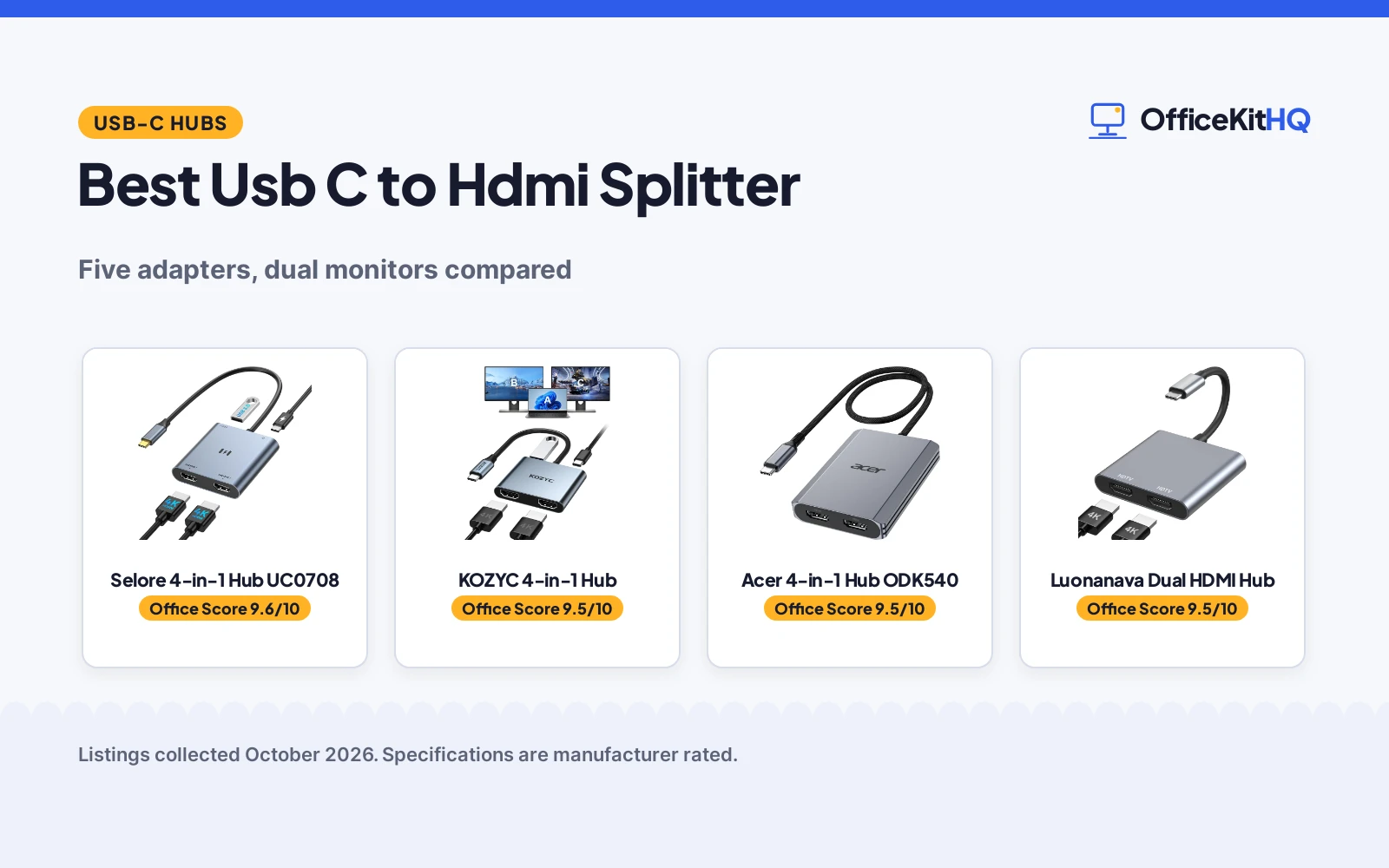
The morning video call starts on a laptop screen, and the best usb c to hdmi splitter turns that single port into external monitors for a wider desk. We compared USB-C adapters by HDMI output, USB-A data, PD charging, macOS behavior and warranty, so you can match the adapter to the laptop and the monitors on the desk. Every adapter here needs a USB-C port with video output, so check that before ordering.
OfficeKitHQ earns a commission when you buy through links on this page, at no extra cost to you. As an Amazon Associate I earn from qualifying purchases. Affiliate disclosure.
Quick picks
 Best Overall Selore 4-in-1 Hub UC0708: Dual 4K@60Hz, USB-A at 5Gbps and 100W PD in one hub Check price on Amazon
 Best Warranty KOZYC 4-in-1 Hub: 4K@30Hz dual output with a 2-year warranty Check price on Amazon
 Best for Dual Monitors Acer 4-in-1 Hub ODK540: Dual 4K@60Hz with 5Gbps USB-A and 100W PD Check price on Amazon
 Best Compact Luonanava Dual HDMI Hub: Single 4K@60Hz and dual 4K@30Hz in an aluminum body Check price on Amazon
 Best Simple Dual Selore Dual HDMI Adapter: Dual 4K HDMI with Windows SST and MST support Check price on Amazon
Our desk picks
| # | Product | Office Score | Buy |
|---|---|---|---|
| 1 | Selore 4-in-1 Hub UC0708 | 9.6/10 | Buy on Amazon |
| 2 | KOZYC 4-in-1 Hub | 9.5/10 | Buy on Amazon |
| 3 | Acer 4-in-1 Hub ODK540 | 9.5/10 | Buy on Amazon |
| 4 | Luonanava Dual HDMI Hub | 9.5/10 | Buy on Amazon |
| 5 | Selore Dual HDMI Adapter | 9.4/10 | Buy on Amazon |

Selore 4-in-1 Hub UC0708
A 4-in-1 USB-C hub with dual 4K@60Hz HDMI ports, a USB-A port at 5Gbps and a 100W PD charging port.
Pros
- Dual 4K@60Hz HDMI output on both ports
- USB-A port at 5Gbps for high-speed data transfer
- 100W PD port for charging while connected
- 2-year manufacturer warranty stated
Cons
- macOS supports mirror mode only, no dual-screen extension
- 100W PD port charges the laptop at 90W, not 100W
- No safety certification is stated
- Needs a full-featured USB-C, USB4 or Thunderbolt port
Detailed Review
The Selore 4-in-1 hub is the fullest package here: dual 4K@60Hz HDMI ports, a USB-A port at 5Gbps and a 100W PD fast-charging port in a compact design. Windows supports both SST and MST modes, while macOS supports mirror mode only, so two different screens are not available on macOS. One figure to read carefully: the PD port is rated at 100W, but the listing states the laptop charges at a stable 90W.
Who it is for: a Windows desk that needs dual 4K monitors plus data and charging from one adapter. Who should skip it: anyone on macOS who needs two different screens extended, since macOS gets mirror mode only.
Its Office Score of 9.6/10 comes from performance 32/35, build 21/25, value 21/25, safety 0/10 and warranty 3/5: 77 of 100 points, placed on our 9.2 to 9.8 scale.
Key Specifications
| HDMI output | Dual 4K@60Hz |
|---|---|
| USB-A data | 5Gbps |
| PD charging | 100W port, 90W charging |
| Warranty | 2 Year Manufacturer |
Figures as published on the retailer listing, collected 29 October 2026. Performance figures are manufacturer rated.
Safety and Warranty
What this listing states. No UL, FCC or over-current protection statement is stated, so safety scores zero. 2 Year Manufacturer. It does not say everything a buyer needs, such as who pays return shipping, so warranty scores 3 of 5. See How We Pick.
Power and heat. Use the supplied adapter, treat power delivery wattage and display support as the maker's claims for your laptop model, and give the dock room to vent.
This is general buying information, not professional advice. Follow each product manual and local rules, and see our Safety Disclaimer.

KOZYC 4-in-1 Hub
A 4-in-1 USB-C hub with dual HDMI, a USB 3.0 port and a 100W PD charging port, needing no external power.
Pros
- Two HDMI ports plus a USB 3.0 port and 100W PD charging
- 2K and 1080P output at 60Hz for lower resolutions
- No external power supply required, plug and play
- 2-year warranty stated with lifetime technical support
Cons
- Dual output tops out at 4K@30Hz, not 4K@60Hz
- macOS does not support MST ABC mode
- No safety certification is stated
- Needs a Thunderbolt 3 or DisplayPort Alt Mode port
Detailed Review
The KOZYC hub trades top-end dual resolution for a longer warranty: its dual HDMI output reaches up to 4K@30Hz, with 2K and 1080P at 60Hz, alongside a USB 3.0 port and a 100W PD charging port. Windows supports AAA, ABB, ABA and ABC modes, while macOS supports AAA and ABB modes but not MST ABC mode, and Android supports mirror mode only. No external power supply is required and no driver is needed.
Who it is for: a desk that values the 2-year warranty and the extra macOS ABB mode over dual 4K@60Hz. Who should skip it: anyone who needs dual 4K@60Hz on both monitors at once.
Its Office Score of 9.5/10 comes from performance 29/35, build 20/25, value 20/25, safety 0/10 and warranty 3/5: 72 of 100 points, placed on our 9.2 to 9.8 scale.
Key Specifications
| HDMI output | Up to 4K@30Hz |
|---|---|
| Lower resolutions | 2K and 1080P at 60Hz |
| PD charging | 100W |
| Warranty | 2 years warranty |
Figures as published on the retailer listing, collected 29 October 2026. Performance figures are manufacturer rated.
Safety and Warranty
What this listing states. No UL, FCC or over-current protection statement is stated, so safety scores zero. 2 years warranty. It does not say everything a buyer needs, such as who pays return shipping, so warranty scores 3 of 5. See How We Pick.
Power and heat. Use the supplied adapter, treat power delivery wattage and display support as the maker's claims for your laptop model, and give the dock room to vent.
This is general buying information, not professional advice. Follow each product manual and local rules, and see our Safety Disclaimer.

Acer 4-in-1 Hub ODK540
A 4-in-1 USB-C hub with dual 4K@60Hz HDMI ports, a USB-A port at 5Gbps and a 100W PD pass-through port.
Pros
- Dual 4K@60Hz output on both single and dual displays
- USB-A 3.0 port at 5Gbps for fast file transfers
- 100W PD pass-through charging port
- HDMI 2.0 output for smooth and vivid visuals
Cons
- macOS can only mirror the same content across monitors
- 100W PD port charges the host device at 90W, not 100W
- No safety certification is stated
- Needs a USB-C port with DisplayPort Alt Mode support
Detailed Review
The Acer hub matches the top resolution here: dual 4K@60Hz on both single and dual displays via HDMI 2.0, plus a USB-A port at 5Gbps and a 100W PD pass-through port. As with the Selore hub, the listing states the host device charges at a consistent 90W rather than the full 100W port rating. macOS users should note the listing states macOS can only mirror the same content across all external monitors.
Who it is for: a dual-monitor desk that wants dual 4K@60Hz with data and charging in one adapter. Who should skip it: anyone on macOS who needs extended displays, since macOS gets mirror mode only.
Its Office Score of 9.5/10 comes from performance 32/35, build 21/25, value 21/25, safety 0/10 and warranty 2/5: 76 of 100 points, placed on our 9.2 to 9.8 scale.
Key Specifications
| HDMI output | Dual 4K@60Hz |
|---|---|
| USB-A data | 5Gbps |
| PD charging | 100W port, 90W charging |
| Warranty | 1 Year Manufacturer |
Figures as published on the retailer listing, collected 29 October 2026. Performance figures are manufacturer rated.
Safety and Warranty
What this listing states. No UL, FCC or over-current protection statement is stated, so safety scores zero. 1 Year Manufacturer. It does not say everything a buyer needs, such as who pays return shipping, so warranty scores 2 of 5. See How We Pick.
Power and heat. Use the supplied adapter, treat power delivery wattage and display support as the maker's claims for your laptop model, and give the dock room to vent.
This is general buying information, not professional advice. Follow each product manual and local rules, and see our Safety Disclaimer.

Luonanava Dual HDMI Hub
A compact aluminum USB-C to dual HDMI adapter with single-port 4K@60Hz and dual-port 2x 4K@30Hz output.
Pros
- Single-port output up to 4K@60Hz
- Dual monitors at 2x 4K@30Hz
- Aluminum enclosure in a compact 2.28 by 2.05 by 0.4 inch body
- Plug and play with no driver stated as needed
Cons
- No USB-A data port or PD charging port is stated
- Dual monitors run at 4K@30Hz, not 4K@60Hz
- macOS and Android support mirror mode only
- No safety certification is stated
Detailed Review
The Luonanava adapter is the video-only pick: two HDMI ports with single-port 4K@60Hz and dual-port 2x 4K@30Hz, in an aluminum body measuring 2.28 by 2.05 by 0.4 inches. The spec table lists no USB-C PD input and no USB-A data port, so data and charging need separate cables. Windows supports mirror and extend modes, while macOS and Android support mirror mode only, and 4K output needs an HDMI 2.0 cable or better.
Who it is for: a compact dual-monitor setup where video is all the adapter must do. Who should skip it: anyone who wants USB-A data or laptop charging from the same adapter.
Its Office Score of 9.5/10 comes from performance 29/35, build 21/25, value 19/25, safety 0/10 and warranty 2/5: 71 of 100 points, placed on our 9.2 to 9.8 scale.
Key Specifications
| HDMI output | Single 4K@60Hz, dual 4K@30Hz |
|---|---|
| Enclosure | Aluminum |
| Dimensions | 2.28 by 2.05 by 0.4 inches |
| Warranty | 1 Year Warranty |
Figures as published on the retailer listing, collected 29 October 2026. Performance figures are manufacturer rated.
Safety and Warranty
What this listing states. This product does not plug in or run on a battery, so safety is not part of its score. 1 Year Warranty. It does not say everything a buyer needs, such as who pays return shipping, so warranty scores 2 of 5. See How We Pick.
Power and heat. Use the supplied adapter, treat power delivery wattage and display support as the maker's claims for your laptop model, and give the dock room to vent.
This is general buying information, not professional advice. Follow each product manual and local rules, and see our Safety Disclaimer.

Selore Dual HDMI Adapter
A USB-C to dual HDMI adapter for two external monitors with 4K HDMI output and Windows SST and MST support.
Pros
- Dual HDMI output for two external monitors
- Windows supports both SST and MST modes
- Compact body at 4 by 3.5 by 0.6 inches and 2.4 ounces
- 1-year refund or replacement term stated
Cons
- No USB-A data port or charging port is stated
- No dual-port resolution figure is stated beyond dual 4K
- Will not work with HP Pavilion or Lenovo IdeaPad series per the listing
- Warranty is a refund or replacement term, not a standard warranty
Detailed Review
The Selore dual adapter is the simplest pick here: one USB-C input to two HDMI monitors with 4K output, and Windows support for both SST and MST modes. The listing requires a Thunderbolt 3, 4 or 5 port, a full-featured USB-C port or a USB4 port, and states it will not work with HP Pavilion or Lenovo IdeaPad series laptops. macOS supports mirror mode only, so dual-screen extension with two different screens is not available on macOS.
Who it is for: a Windows desk that needs dual monitors and nothing else from the adapter. Who should skip it: anyone who needs USB-A data, charging, or extended displays on macOS.
Its Office Score of 9.4/10 comes from performance 28/35, build 20/25, value 19/25, safety 0/10 and warranty 2/5: 69 of 100 points, placed on our 9.2 to 9.8 scale.
Key Specifications
| HDMI output | Dual 4K |
|---|---|
| Input | USB-C with video output |
| Dimensions | 4 by 3.5 by 0.6 inches |
| Weight | 2.4 ounces |
Figures as published on the retailer listing, collected 29 October 2026. Performance figures are manufacturer rated.
Safety and Warranty
What this listing states. This product does not plug in or run on a battery, so safety is not part of its score. 1-year refund/replacement. It does not say everything a buyer needs, such as who pays return shipping, so warranty scores 2 of 5. See How We Pick.
Power and heat. Use the supplied adapter, treat power delivery wattage and display support as the maker's claims for your laptop model, and give the dock room to vent.
This is general buying information, not professional advice. Follow each product manual and local rules, and see our Safety Disclaimer.
As an Amazon Associate I earn from qualifying purchases.
More picks to compare
 Luonanava Dual HDMI HubFor dual monitors at 4K@30Hz with a USB-A port and 100W PD.Check on Amazon
 HCCBM Dual HDMI AdapterFor dual monitors with mirror mode only on macOS.Check on Amazon
 JCYMELE Triple HDMI SplitterFor three HDMI monitors from one USB-C source.Check on Amazon
 AKWOR Dual HDMI AdapterFor dual monitors with plug and play setup and no driver.Check on Amazon
 AYauGamA Dual HDMI AdapterFor dual monitors at 4K@30Hz with an aluminum body.Check on Amazon
Specs compared
| Splitter | Office Score | HDMI output | USB-A / PD | macOS mode | Warranty | Amazon |
|---|---|---|---|---|---|---|
| Selore 4-in-1 Hub UC0708 | 9.6/10 | Dual 4K@60Hz | 5Gbps / 100W PD | Mirror only | 2 Year Manufacturer | View on Amazon |
| KOZYC 4-in-1 Hub | 9.5/10 | 4K@30Hz | USB 3.0 / 100W PD | Mirror or ABB, no MST | 2 years warranty | View on Amazon |
| Acer 4-in-1 Hub ODK540 | 9.5/10 | Dual 4K@60Hz | 5Gbps / 100W PD | Mirror only | 1 Year Manufacturer | View on Amazon |
| Luonanava Dual HDMI Hub | 9.5/10 | Single 4K@60Hz, dual 4K@30Hz | Not stated | Mirror only | 1 Year Warranty | View on Amazon |
| Selore Dual HDMI Adapter | 9.4/10 | Dual 4K | Not stated | Mirror only | 1-year refund/replacement | View on Amazon |
Specs reflect manufacturer claims on each product listing (as of 29 October 2026).
How to choose the best usb c to hdmi splitter
Match the resolution to the monitors
Single-port and dual-port output are not the same figure, so read both. The Selore 4-in-1 hub and the Acer hub list dual 4K@60Hz, while the Luonanava adapter lists single-port 4K@60Hz and dual-port 2x 4K@30Hz, and the KOZYC adapter lists up to 4K@30Hz with 2K and 1080P at 60Hz. If both monitors must run at 4K@60Hz together, only the dual 4K@60Hz listings state that. If one monitor runs at 4K and the other at a lower resolution, the mixed figures matter less. For more desk gear, browse the docking stations and USB hubs guides.
Check macOS before buying
macOS behavior is the biggest trap in this category. The Selore 4-in-1 hub, the Acer hub, the Luonanava adapter and the Selore dual adapter all support mirror mode only on macOS, so two monitors show the same content. The KOZYC adapter goes further on macOS with AAA and ABB modes, but it still does not support MST ABC mode, so a true extended desktop across two different screens is not stated for any macOS listing here. Windows users have it easier: Windows supports both mirror and extend modes on these listings, including SST and MST on the Selore models. Buy for the operating system on the desk, not for the adapter with the longest spec sheet.
Count the extra ports
A dual HDMI adapter can be just video, or a small hub. The Selore 4-in-1 hub and the Acer hub add a USB-A port at 5Gbps for data and a 100W PD port for charging, so one adapter covers a drive and the laptop charger. The KOZYC adapter adds a USB 3.0 port and a 100W PD charging port with no external power supply required. The Luonanava adapter and the Selore dual adapter state no USB-A port and no charging port, so they suit a desk where data and power already have their own cables. Pay for extra ports only when the desk actually needs them.
Read the warranty
Warranty terms here run from one year to two years, and the wording matters. The Selore 4-in-1 hub and the KOZYC adapter state a 2-year warranty, while the Acer hub and the Luonanava adapter state a 1-year warranty. The Selore dual adapter states a 1-year refund or replacement term instead of a standard warranty, so read what it covers before treating it like the others. A longer term does not change the picture quality, but it changes who pays when the adapter fails. Pair the adapter with a solid stand from the monitor arms and stands guides once the screens are placed.
Setup Notes
- Confirm the laptop USB-C port supports video output, such as Thunderbolt 3 or 4 or DisplayPort Alt Mode, before ordering.
- For 4K output, use an HDMI 2.0 cable or better, as the listings state.
- Plan power separately: the 100W PD models charge the laptop at 90W, and the dual-only models state no charging.
- On macOS, expect mirror mode on most models here; only the KOZYC listing states ABB mode as well.
- Note the size: the Luonanava adapter measures 2.28 by 2.05 by 0.4 inches, and the Selore dual adapter measures 4 by 3.5 by 0.6 inches.
FAQ
What is an HDMI splitter?
An HDMI splitter sends one video source to more than one display. The adapters here take one USB-C source and split it to two HDMI monitors, so they are USB-C to dual HDMI adapters rather than one-input, two-output HDMI boxes.
How do you use an HDMI splitter on a laptop?
Plug the adapter into a USB-C port with video output, such as Thunderbolt 3 or 4 or DisplayPort Alt Mode, then connect each monitor with an HDMI cable. The listings state no driver is needed, and the adapters are plug and play.
Why will an HDMI splitter not work?
The usual cause is a USB-C port without video output, which the listings warn about. The Selore dual adapter listing also states it will not work with HP Pavilion or Lenovo IdeaPad series laptops, and 4K output needs an HDMI 2.0 cable or better plus a device that supports 4K.
How do you use an HDMI splitter for dual monitors?
Connect both monitors, then choose mirror or extend in the operating system. Windows supports mirror and extend modes on these listings, while macOS supports mirror only on most models here, so two monitors show the same content on a Mac.
Does a USB-C to HDMI splitter charge the laptop?
Only the models with a PD port. The Selore 4-in-1 hub, the Acer hub and the KOZYC adapter list a 100W PD charging port, and the Selore and Acer listings state charging at 90W. The Luonanava adapter and the Selore dual adapter state no charging port.
Score breakdown
The Office Score weighs performance, build, value, safety and warranty. For this product type, safety means stated safety certifications, and none of these listings states one, so all score zero on safety. Two listings state a 2-year warranty and two state a 1-year warranty, with one listing stating a 1-year refund or replacement term, so warranty is where the scores separate. How we pick explains the weights.
| Product | Office Score | Perf. /35 | Build /25 | Value /25 | Safety /10 | Warranty /5 |
|---|---|---|---|---|---|---|
| Selore 4-in-1 Hub UC0708 | 9.6 | 32 | 21 | 21 | 0 | 3 |
| KOZYC 4-in-1 Hub | 9.5 | 29 | 20 | 20 | 0 | 3 |
| Acer 4-in-1 Hub ODK540 | 9.5 | 32 | 21 | 21 | 0 | 2 |
| Luonanava Dual HDMI Hub | 9.5 | 29 | 21 | 19 | 0 | 2 |
| Selore Dual HDMI Adapter | 9.4 | 28 | 20 | 19 | 0 | 2 |
The scale opens at 9.2 and closes at 9.8; between those marks, weighted points translate linearly into the score you see.
More for your workspace
See every docking stations and USB hubs guide and all connectivity guides.
More picks: computer speakers, surge protectors and cable management and monitor arms and stands.