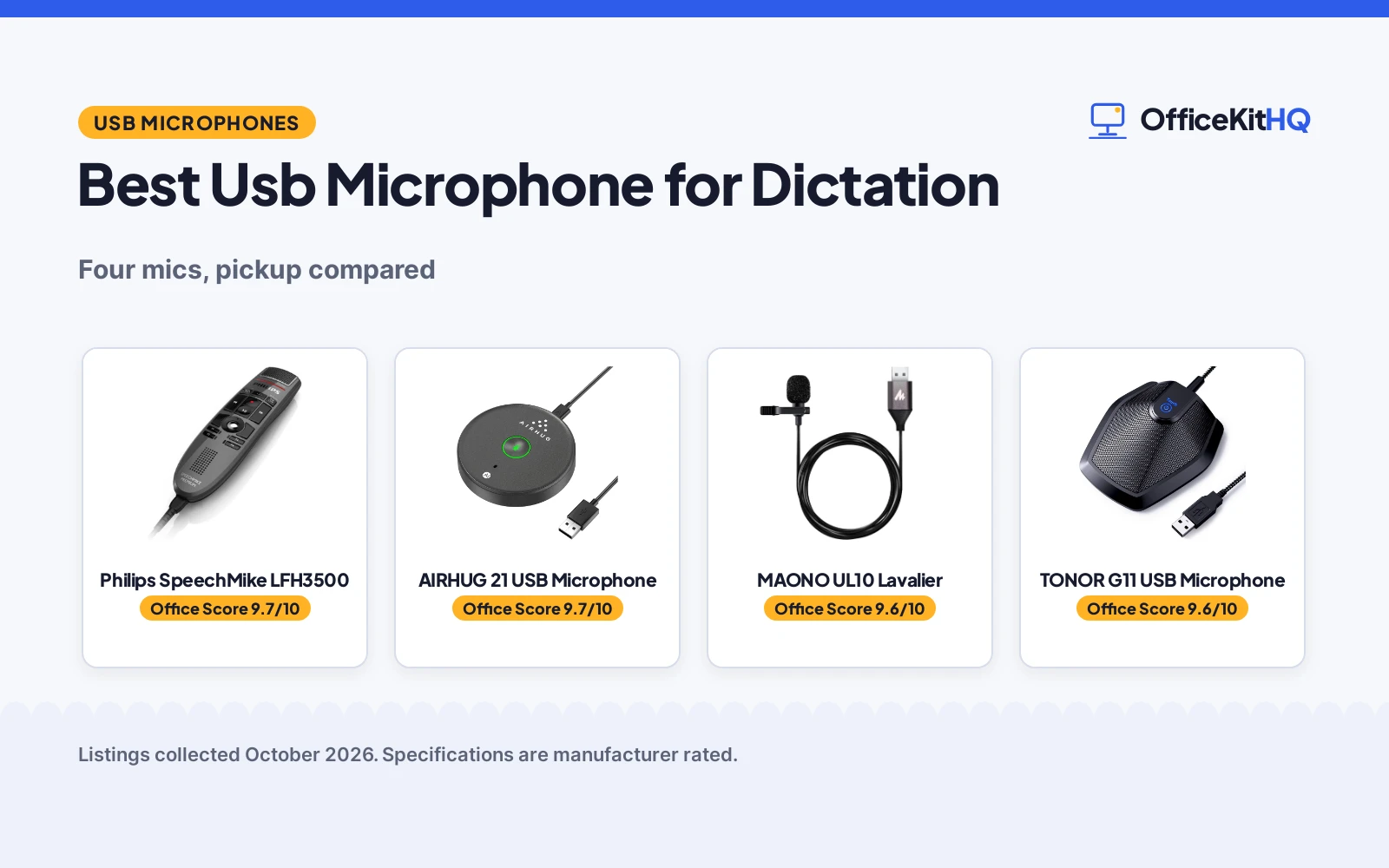
When notes pile up faster than your hands can type them, the best usb microphone for dictation turns speech into text without the stumbles. A dictation mic needs clear voice pickup, low background noise and a mute you can trust, because every missed word costs a rewind. We compared four USB microphones by pickup pattern, stated noise reduction, cable and controls, compatibility and warranty, using only what each listing publishes.
OfficeKitHQ earns a commission when you buy through links on this page, at no extra cost to you. As an Amazon Associate I earn from qualifying purchases. Affiliate disclosure.
Quick picks
 Best for Dictation Philips SpeechMike LFH3500: SpeechMike with pop filter, motion sensor, 2 year warranty Check price on Amazon
 Best Noise Reduction AIRHUG 21 USB Microphone: AI noise reduction, mute button with LED, 2 year warranty Check price on Amazon
 Lavalier Pick MAONO UL10 Lavalier: Omnidirectional lavalier at 192kHz/24bit for hands-free dictation Check price on Amazon
 Conference Pick TONOR G11 USB Microphone: USB conference mic with a 190 cm cable for PC and Mac Check price on Amazon
The picks
| # | Product | Office Score | Buy |
|---|---|---|---|
| 1 | Philips SpeechMike LFH3500 | 9.7/10 | Buy on Amazon |
| 2 | AIRHUG 21 USB Microphone | 9.7/10 | Buy on Amazon |
| 3 | MAONO UL10 | 9.6/10 | Buy on Amazon |
| 4 | TONOR G11 | 9.6/10 | Buy on Amazon |

Philips SpeechMike LFH3500
A purpose-built handheld USB dictation microphone with a pop filter, motion sensor and configurable function keys.
Pros
- Free-floating, decoupled microphone capsule for precise recordings
- Built-in pop filter and optimised grille for clear sound
- Motion sensor for gesture control plus configurable function keys
- 2 year warranty is stated
Cons
- Unidirectional pickup only; it will not cover a group
- 1 lithium ion battery is required in addition to USB power
- No mute button is stated
- Charcoal is the only color stated
Detailed Review
Philips lists the LFH3500 SpeechMike Premium as a USB dictation microphone with a free-floating, decoupled microphone capsule, a built-in pop filter, a motion sensor for gesture control and freely configurable function keys. The listing gives a unidirectional polar pattern, a 70 db signal-to-noise ratio, a 12 KHz frequency response and an antimicrobial housing, with a charcoal plastic body measuring 1.77 by 6.5 by 1.18 inches at 200 g. The grille uses an optimised structure and the motion sensor works by gestures. A 2 year warranty is stated.
Who it is for: professionals who dictate daily and want hardware built for the job. Who should skip it: anyone who needs an omnidirectional mic for group calls.
Its Office Score of 9.7/10 comes from performance 33/35, build 21/25, value 19/25, safety not scored (non-powered gear) and warranty 3/5: 76 of 90 points, placed on our 9.2 to 9.8 scale.
Key Specifications
| Pattern | Unidirectional |
|---|---|
| Frequency response | 12 KHz |
| SNR | 70 db |
| Warranty | 2 years |
Figures as published on the retailer listing, collected 22 October 2026. Performance figures are manufacturer rated.
Safety and Warranty
What this listing states. This product does not plug in or run on a battery, so safety is not part of its score. 2 Years. It does not say everything a buyer needs, such as who pays return shipping, so warranty scores 3 of 5. See How We Pick.
Protect your hearing. Keep volume moderate during long calls, take breaks, and treat noise cancelling and battery figures as the maker's claims.
This is general buying information, not professional advice. Follow each product manual and local rules, and see our Safety Disclaimer.

AIRHUG 21 USB Microphone
A mini desktop USB microphone with AI noise reduction, a mute button with LED indicator and a 6 ft pickup radius.
Pros
- AI noise reduction mode plus an original mode with green LED
- Mute button with LED: blue, green and red states
- 360 degree omnidirectional pickup within 6 ft
- 2 year manufacturer warranty is stated
Cons
- No echo cancellation is stated; the maker points to the AIRHUG 01 for that
- Plastic enclosure
- No dictation-specific controls are stated
- Only a USB A to C cable is listed
Detailed Review
AIRHUG lists the 21 as a mini USB conference microphone with a 360 degree omnidirectional capsule that picks up voice within 6 ft, a 48k hz sampling rate and AI noise reduction that filters fans, keyboard clicks and background noise. The mute button carries an LED indicator: blue for AI noise reduction, green for original mode, red for muted. The unit measures 3.38 inches in diameter and 0.53 inch thick, weighs 5.28 ounces and ships with a 6.5 ft (2 meter) USB C-A cable. The box holds 1 microphone, 1 USB C-A cable and 1 user guide, and the base has an anti-slip mat. The listing states a 2 year manufacturer warranty.
Who it is for: home workers who dictate and meet on the same mic. Who should skip it: anyone who needs echo cancellation, which this model does not state.
Its Office Score of 9.7/10 comes from performance 30/35, build 20/25, value 21/25, safety not scored (non-powered gear) and warranty 3/5: 74 of 90 points, placed on our 9.2 to 9.8 scale.
Key Specifications
| Pattern | Omnidirectional |
|---|---|
| Pickup | 6 ft radius |
| Cable | 6.5 ft USB C-A |
| Warranty | 2 year manufacturer |
Figures as published on the retailer listing, collected 22 October 2026. Performance figures are manufacturer rated.
Safety and Warranty
What this listing states. This product does not plug in or run on a battery, so safety is not part of its score. 2 year manufacturer. It does not say everything a buyer needs, such as who pays return shipping, so warranty scores 3 of 5. See How We Pick.
Protect your hearing. Keep volume moderate during long calls, take breaks, and treat noise cancelling and battery figures as the maker's claims.
This is general buying information, not professional advice. Follow each product manual and local rules, and see our Safety Disclaimer.

MAONO UL10
A clip-on USB lavalier mic with 192kHz/24bit recording, an omnidirectional head and a 78 inch cable.
Pros
- 192kHz/24bit sampling rate is stated
- Omnidirectional pickup head is stated
- 78 inch cable with metal clip and foam windscreen
- Compatible with Windows, Mac and USB 2.0 devices
Cons
- A lavalier clips to clothing, so it is a different form factor for podcasters
- No warranty term is stated
- Frequency response is stated as only 18 KHz
- Item dimensions of 78.74 x 0.75 x 0.39 inches read like the cable
Detailed Review
MAONO lists the UL10 as a USB lavalier microphone with 192kHz/24bit sampling, an omnidirectional pickup head, a metal clip, a foam windscreen and a 78 inch USB cable. The maker states compatibility with Windows PC, laptops, Macs and other USB 2.0 devices, and lists a 30 db audio sensitivity with a 78 db signal-to-noise ratio. The box includes the mic, an aluminum lapel clip and a foam windscreen. The spec table lists a warranty card among the included media but states no warranty term, so warranty scores zero.
Who it's for: someone who wants a clip-on mic for interviews or vlogging. Who should skip it: anyone who wants a desk mic for a home podcast setup.
Its Office Score of 9.6/10 comes from performance 28/35, build 20/25, value 21/25, safety not scored (non-powered gear) and warranty 0/5: 69 of 90 points, placed on our 9.2 to 9.8 scale.
Key Specifications
| Sampling | 192kHz/24bit |
|---|---|
| Pattern | Omnidirectional |
| Cable | 78 in |
| Weight | 80 g |
Figures as published on the retailer listing, collected 22 October 2026. Performance figures are manufacturer rated.
Safety and Warranty
What this listing states. This product does not plug in or run on a battery, so safety is not part of its score. No warranty term, so warranty scores zero. See How We Pick.
Protect your hearing. Keep volume moderate during long calls, take breaks, and treat noise cancelling and battery figures as the maker's claims.
This is general buying information, not professional advice. Follow each product manual and local rules, and see our Safety Disclaimer.

TONOR G11
A metal USB conference microphone with an 11.5 ft stated pickup distance, a 190 cm / 74 in cable and a mute button with a blue LED.
Pros
- 11.5 ft stated pickup distance suits a small meeting table
- Metal body with an anti-slip base keeps it steady on a desk
- Long 190 cm / 74 in cable reaches a PC under the desk
- Mute button with a blue indicator light, plug and play on Windows and macOS
Cons
- No warranty term is stated
- Title says a 190 cm cable while the bullets say a 1.8 m wire
- No noise reduction feature is stated
- Spec table lists a 7.87 x 11.81 x 1.97 in size that does not match the small-body description
Detailed Review
TONOR lists the G11 as an omnidirectional USB condenser conference microphone with a stated 11.5 ft pickup distance. It states a mute button with a blue indicator, plug-and-play on Windows and macOS, a metal body with an anti-slip mat, 135 g weight and 78 dB signal-to-noise ratio. The wrinkle: the title states a 190 cm / 74 in cable while the bullets describe a 1.8 m wire, and the spec table lists 7.87 x 11.81 x 1.97 in dimensions that clash with the small-body description. We take the title's 190 cm figure and the 135 g weight; no warranty term appears.
Who it's for: a small meeting room or a desk far from the PC, where the long cable and 11.5 ft pickup earn their keep. Who should skip it: anyone who wants a stated warranty or noise reduction.
Its Office Score of 9.6/10 comes from performance 29/35, build 21/25, value 21/25, safety not scored (non-powered gear) and warranty 0/5: 71 of 90 points, placed on our 9.2 to 9.8 scale.
Key Specifications
| Pickup distance | 11.5 ft |
|---|---|
| Cable | 190 cm / 74 in |
| Item weight | 135 g |
| Signal-to-noise ratio | 78 dB |
Figures as published on the retailer listing, collected 22 October 2026. Performance figures are manufacturer rated.
Safety and Warranty
What this listing states. This product does not plug in or run on a battery, so safety is not part of its score. No warranty term, so warranty scores zero. See How We Pick.
Protect your hearing. Keep volume moderate during long calls, take breaks, and treat noise cancelling and battery figures as the maker's claims.
This is general buying information, not professional advice. Follow each product manual and local rules, and see our Safety Disclaimer.
As an Amazon Associate I earn from qualifying purchases.
Compare the picks
| Microphone | Office Score | Type | Pickup | Warranty | Amazon |
|---|---|---|---|---|---|
| Philips SpeechMike LFH3500 | 9.7/10 | Handheld dictation | 12 KHz response | 2 years | View on Amazon |
| AIRHUG 21 USB Microphone | 9.7/10 | Desktop omni | 48kHz, 6 ft radius | 2 year | View on Amazon |
| MAONO UL10 Lavalier | 9.6/10 | Lavalier omni | 192kHz/24bit | Not stated | |
| TONOR G11 USB Microphone | 9.6/10 | Desktop conference | 190 cm cable | Not stated |
Specifications are manufacturer rated as listed, collected 22 October 2026.
How we scored them
The Office Score weighs performance (pickup pattern, noise reduction and dictation-focused controls), build (form factor, materials and stated specs), value for the stated specs, safety and warranty. For a microphone, safety would mean a stated hearing or health safeguard; none of these listings states one, so every product scores 0 on safety and carries no cert. Two of the four state a warranty term: the AIRHUG and the Philips, both 2 years. How we pick explains the weights.
| Product | Office Score | Perf. /35 | Build /25 | Value /25 | Safety /10 | Warranty /5 |
|---|---|---|---|---|---|---|
| Philips SpeechMike LFH3500 | 9.7 | 33 | 21 | 19 | n/a | 3 |
| AIRHUG 21 USB Microphone | 9.7 | 30 | 20 | 21 | n/a | 3 |
Scores run from 9.2 to 9.8: each product’s point total is placed on that range, so more points always means a higher score. Safety counts only for powered gear or where the listing states safety features; where it does not apply, the score is taken over the remaining 90 points.
How to choose the best usb microphone for dictation
Pickup pattern decides what the mic hears
Use a handheld or lavalier for one voice and an omnidirectional desktop for a small room. The Philips SpeechMike is unidirectional, built for one dictating voice with a pop filter and a free-floating capsule. The AIRHUG and MAONO are omnidirectional: the AIRHUG covers a 6 ft radius for 1 to 3 participants, while the MAONO lavalier clips on for hands-free dictation on the move. Omnidirectional mics hear the room too, which is where noise reduction earns its keep. See our best usb microphone for home office guide for more desk options.
Noise reduction and mute
Dictation software punishes background noise, so a mic that filters it saves editing later. The AIRHUG pairs AI noise reduction with an original mode, a mute button and an LED that shows blue for noise reduction, green for original and red for mute. The Philips takes the hardware route: a pop filter and a free-floating, decoupled microphone capsule that isolates handling noise. Whatever the tech, a physical mute control beats hunting for the on-screen button mid-sentence.
Cable, compatibility and controls
The AIRHUG ships a 6.5 ft (2 meter) USB C-A cable, the TONOR a 190 cm cable, and both plug in with no drivers on Windows or Mac. The Philips connects over USB Type-A with a cable attached to the device and adds configurable function keys and a motion sensor for gesture control. The MAONO lavalier needs no desk space at all. If you dictate on the move, a headset may suit you better: see our best headset for dictation picks.
| Mic | Pattern | Cable | Controls |
|---|---|---|---|
| Philips SpeechMike | Unidirectional | USB-A attached | Push button, motion sensor, function keys |
| AIRHUG 21 | Omnidirectional | 6.5 ft USB C-A | Mute button, LED |
| MAONO UL10 | Omnidirectional lavalier | USB | Not stated |
| TONOR G11 | Conference | 190 cm | Not stated |
Match the mic to your dictation software
All four connect over USB, so any dictation app that accepts a USB audio input will see them. The Philips goes further with configurable function keys and a motion sensor for gesture control, which suits a personalised workflow. The AIRHUG remembers your last sound mode across restarts, so every session starts the way you left it. The TONOR and MAONO listings state no controls, which keeps them simple but puts every adjustment in the software.
Warranty and build
Only two listings state a warranty: the AIRHUG and the Philips both list 2 years. The other two listings state no warranty term, which is common for listings with thin data. On build, the AIRHUG is a mini desktop unit at 5.28 ounces with an anti-slip mat, while the Philips is a handheld at 200 g with an antimicrobial housing. The DUNGZDUZ mini mic sits outside the ranked picks with a 12 month warranty, for anyone who wants a pocket-size plug-and-play option. Build quality here is about the form factor you will actually use daily, since none of these four states a safety certification.
Frequently Asked Questions
Which USB microphone is made for dictation?
The Philips LFH3500 SpeechMike Premium: unidirectional, pop filter, motion sensor, configurable function keys and a 2 year warranty.
Do I need noise reduction for dictation?
The AIRHUG lists AI noise reduction plus an original mode, and the listing recommends the original mode for a natural voice. The Philips uses a pop filter and a decoupled capsule instead.
Can I use these on a Mac and a PC?
The AIRHUG lists Windows 7, 8, 10, 11 and Mac OS. The Philips lists laptop and PC hardware platforms, and the TONOR lists PC and Mac meetings.
Which of these state a warranty?
The AIRHUG and the Philips both list 2 years. The MAONO and TONOR listings state no warranty term.
Do any include a mute button?
The AIRHUG lists a mute button with an LED indicator: blue for AI noise reduction, green for original mode and red for muted.
What comes in the box?
The AIRHUG ships 1 microphone, 1 USB C-A cable and 1 user guide. The Philips ships the microphone, a microphone holder, a quick start guide and a USB cable connected to the device. The TONOR and MAONO listings do not state box contents.
Related guides
See every headset guide and all audio, power and connectivity guides. Also see our Best USB Microphone for Zoom Meetings: 5 Picks Compared. Also see our Best USB Microphone for Podcasters (2026): 5 Picks Compared.
More picks: headsets, connectivity and headsets for dictation.