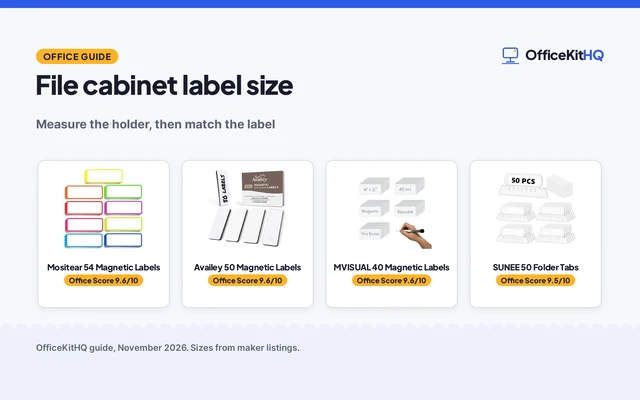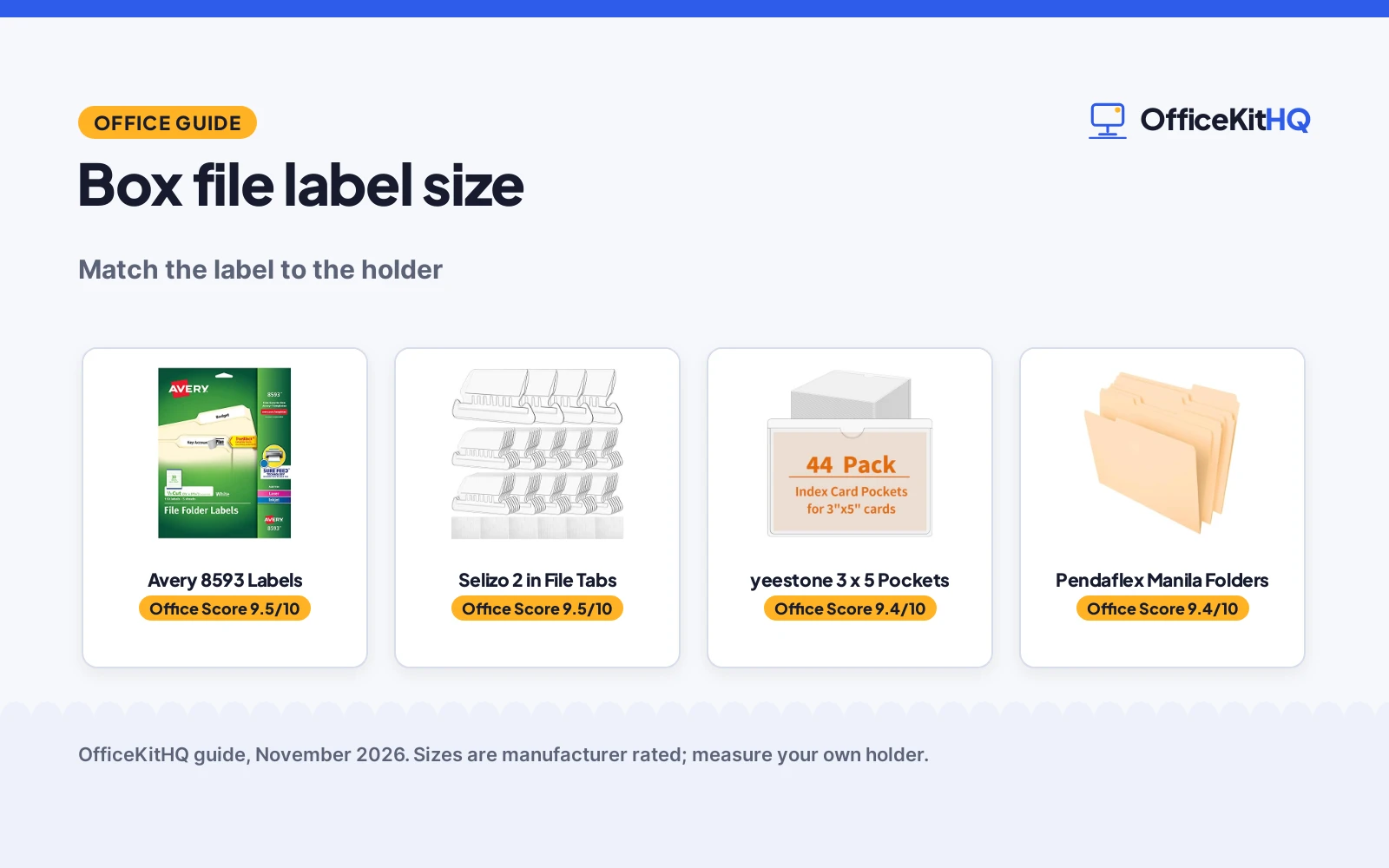
Box file label size is set by the holder on the front of the box file, not by the box itself. A label that is too wide curls at the edges, and a label that is too short leaves the holder half empty, so measure the holder first and match the label to it. The sections below show which size fits which holder, with one example of each in the gear section.
OfficeKitHQ earns a commission when you buy through links on this page, at no extra cost to you. As an Amazon Associate I earn from qualifying purchases. Affiliate disclosure.
The quick answer
Measure the label holder on the front of the box file first. The Avery example is a folder label at 2/3 by 3-7/16 in, the Selizo tabs (on Amazon) are 2 in wide, and the yeestone pockets (on Amazon) take 3 by 5 in cards. Pick the type that matches the holder: a folder label sticks to a folder tab, a hanging tab slides into a hanging file slot, and a card pocket sticks to the flat front of a bin or box.
Box file label size: match the label to the holder
3 label types cover most box files, and each one fits a different holder.
| Label type | Size | Holder | Amazon |
|---|---|---|---|
| Folder label | 2/3 by 3-7/16 in | Folder tab | |
| Hanging file tab | 2 in wide | Hanging file slot | |
| Card pocket | 3 by 5 in card | Flat front of a bin or box |
Read the size off the holder before you buy: a pocket that is 3.7 by 5.3 in outside needs a holder at least that big, and a 2 in tab needs a slot that takes a 2 in tab. The sizes below come from the listings in the gear section.
Step 1: Measure the holder
Hold a ruler against the label holder on the front of the box file and note the width and the height. A file box made for legal paper needs a wider holder than a box made for letter paper, so check the box size too: the file box legal size guide shows which dimensions fit legal paper. Write the holder size down before you shop, since a label bought from memory often comes back the wrong size.
Step 2: Pick the label type
Match the label to where it sits. Folder labels stick to the tab of a folder inside the box, hanging tabs slide into the slots of hanging files, and card pockets stick to the flat front of the box itself. The hanging file folders extra capacity guide shows how hanging files sit in a box. If the box front has no holder at all, a card pocket is the way to add one.
Step 3: Print or write, then stick
The Avery labels print on a laser or inkjet printer with Template 8593 and free templates from the Avery site, while the Selizo inserts and the yeestone cards take handwriting. Print a sheet first and hold it against the holder before you print the full pack. Stick the label flat, press the edges down, and check the text reads at a glance from the shelf.
The gear: labels, tabs and pockets for a box file
The holder you measured in Step 1 decides which of these to buy: a folder label for a folder tab, a hanging tab for a hanging file, a card pocket for the flat front of a box, or the folders themselves to fill the box.
| # | Product | Office Score | Buy |
|---|---|---|---|
| 1 |  Avery 8593 Labels | 9.5/10 | Buy on Amazon |
| 2 |  Selizo 2 in File Tabs | 9.5/10 | Buy on Amazon |
| 3 |  yeestone 3 x 5 Pockets | 9.4/10 | Buy on Amazon |
| 4 |  Pendaflex Manila Folders | 9.4/10 | Buy on Amazon |

Avery 8593 Labels
A pack of 150 white file folder labels at 2/3 by 3-7/16 in, printable on laser and inkjet printers with Template 8593, Sure Feed and TrueBlock.
Pros
- 150 labels in the pack
- Sized 2/3 by 3-7/16 in for file folder tabs
- Sure Feed technology for a more reliable feed through the printer
- TrueBlock technology covers what is underneath so folders can be reused
Cons
- No warranty term is stated
- Permanent adhesive, so a label cannot be lifted and moved
- White is the only color listed
- Sized for folder tabs, not for the front of a box file
Detailed Review
Avery lists 150 white file folder labels at 2/3 by 3-7/16 in, printable on laser and inkjet printers with Template 8593. The listing names Sure Feed technology for a more reliable feed and TrueBlock technology to cover what is underneath so folders can be reused. The adhesive is permanent and listed for paper, cardboard and envelopes. The spec table gives a warranty description of No, so no warranty term is stated.
Who it's for: anyone labeling a drawer of file folders with printed labels from a laser or inkjet printer. Who should skip it: anyone who needs a label for the flat front of a box file or wants to move labels around.
Its Office Score of 9.5/10 comes from performance 30/35, build 21/25, value 21/25, safety 0/10 and warranty 0/5: 72 of 100 points, placed on our 9.2 to 9.8 scale.
Key Specifications
| Label size | 2/3 by 3-7/16 in |
|---|---|
| Pack | 150 labels |
| Printing | Laser and inkjet, Template 8593 |
| Adhesive | Permanent |
These specs mirror the retailer listing as of 13 November 2026; performance figures are stated by the brand.
Safety and Warranty
What this listing states. No anti-tip hardware is stated, so safety scores zero. No warranty term, so warranty scores zero. See How We Pick.
Anchor it. Anchor tall bookshelves and file cabinets to the wall with the supplied hardware or an anti-tip kit, load the lowest shelves and drawers first, and open one drawer at a time.
This is general buying information, not professional advice. Follow each product manual and local rules, and see our Safety Disclaimer.
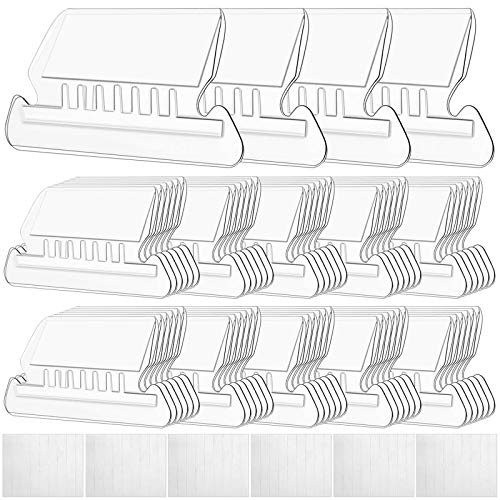
Selizo 2 in File Tabs
A pack of 100 sets of clear 2 in hanging file folder tabs with white blank paper inserts that slide into hanging files.
Pros
- 100 sets of tabs and inserts in the pack
- 2 in wide tabs are large enough to read at a glance
- Blank paper inserts slide into the tabs for custom labels
- Clear durable plastic tabs fit hanging folders
Cons
- No warranty term is stated
- Made for hanging files, not for a flat box front
- Blank paper inserts take handwriting; no printing template is named
- Insert size is not stated, only the 2 in tab width
Detailed Review
Selizo lists 100 sets of clear plastic hanging file folder tabs at 2 in wide, each with a white blank paper insert. The inserts slide into the vertical slots of the tabs, and the tabs slide into hanging files. The listing calls the tabs durable plastic, flexible but not too soft, and large enough to read at a glance. No warranty term is stated.
Who it's for: anyone labeling hanging files in a drawer or box with hand-written inserts. Who should skip it: anyone who needs a label for a flat box front or wants printed labels.
Its Office Score of 9.5/10 comes from performance 29/35, build 20/25, value 21/25, safety 0/10 and warranty 0/5: 70 of 100 points, placed on our 9.2 to 9.8 scale.
Key Specifications
| Tab width | 2 in |
|---|---|
| Pack | 100 sets with inserts |
| Material | Clear plastic |
| Inserts | White blank paper |
These specs mirror the retailer listing as of 13 November 2026; performance figures are stated by the brand.
Safety and Warranty
What this listing states. This product does not plug in or run on a battery, so safety is not part of its score. No warranty term, so warranty scores zero. See How We Pick.
Anchor it. Anchor tall bookshelves and file cabinets to the wall with the supplied hardware or an anti-tip kit, load the lowest shelves and drawers first, and open one drawer at a time.
This is general buying information, not professional advice. Follow each product manual and local rules, and see our Safety Disclaimer.

yeestone 3 x 5 Pockets
A pack of 44 clear adhesive pockets at 3.7 by 5.3 in that hold 3 by 5 in cards for bins, boxes, drawers and lockers.
Pros
- 44 adhesive pockets in the pack
- Pockets take 3 by 5 in cards
- Top-open design with a semicircle cutout for easy card swaps
- Clear pockets read through without opening the bin
Cons
- No warranty term is stated
- Outer size of 3.7 by 5.3 in runs larger than the 3 by 5 in card, so check the holder fits
- Needs a flat, clean surface to stick
- Smallest pack here at 44 pockets
Detailed Review
yeestone lists 44 clear adhesive pockets with an outer size of 3.7 by 5.3 in, made to hold 3 by 5 in cards. The pockets have a top-open design with a semicircle cutout, a sticky backing for flat, clean surfaces, and a clear face so the card reads through. The listing calls them dustproof and fingerprint-resistant. No warranty term is stated.
Who it's for: anyone labeling bins, boxes, drawers and lockers with a card in a pocket on the flat front. Who should skip it: anyone whose holder is smaller than 3.7 by 5.3 in or who needs a label for a folder tab.
Its Office Score of 9.4/10 comes from performance 28/35, build 20/25, value 20/25, safety 0/10 and warranty 0/5: 68 of 100 points, placed on our 9.2 to 9.8 scale.
Key Specifications
| Pocket size | 3.7 by 5.3 in outer |
|---|---|
| Card size | 3 by 5 in |
| Pack | 44 pockets |
| Backing | Adhesive, removable with no residue |
These specs mirror the retailer listing as of 13 November 2026; performance figures are stated by the brand.
Safety and Warranty
What this listing states. This product does not plug in or run on a battery, so safety is not part of its score. No warranty term, so warranty scores zero. See How We Pick.
Anchor it. Anchor tall bookshelves and file cabinets to the wall with the supplied hardware or an anti-tip kit, load the lowest shelves and drawers first, and open one drawer at a time.
This is general buying information, not professional advice. Follow each product manual and local rules, and see our Safety Disclaimer.

Pendaflex Manila Folders
A pack of 100 manila letter-size folders at 8.5 by 11 in with 1/3-cut tabs in 3 positions and scored bottoms that expand.
Pros
- 100 manila folders in the pack
- Letter size for 8.5 by 11 in documents
- 1/3-cut tabs in 3 positions for a staggered layout
- Scored bottoms expand for thick paperwork
Cons
- No warranty term is stated
- Folders, not labels: the tabs still need labels
- Manila is the only color listed
- Legal size is not stated; the folders are letter size
Detailed Review
Pendaflex lists 100 manila file folders in letter size for 8.5 by 11 in documents, with 1/3-cut tabs in 3 positions: left, center and right. The folders are scored at the bottom to expand for thick paperwork and fit hanging file folders, file drawers, desktop sorters or file boxes. The spec table gives dimensions of 12.0 by 9.88 by 2.38 in. No warranty term is stated.
Who it's for: anyone who needs the folders themselves to fill a box file before labeling the tabs. Who should skip it: anyone shopping for labels alone, since this pack holds folders.
Its Office Score of 9.4/10 comes from performance 27/35, build 20/25, value 20/25, safety 0/10 and warranty 0/5: 67 of 100 points, placed on our 9.2 to 9.8 scale.
Key Specifications
| Folder size | Letter, 8.5 by 11 in |
|---|---|
| Pack | 100 folders |
| Tabs | 1/3-cut, 3 positions |
| Dimensions | 12.0 by 9.88 by 2.38 in |
These specs mirror the retailer listing as of 13 November 2026; performance figures are stated by the brand.
Safety and Warranty
What this listing states. This product does not plug in or run on a battery, so safety is not part of its score. No warranty term, so warranty scores zero. See How We Pick.
Anchor it. Anchor tall bookshelves and file cabinets to the wall with the supplied hardware or an anti-tip kit, load the lowest shelves and drawers first, and open one drawer at a time.
This is general buying information, not professional advice. Follow each product manual and local rules, and see our Safety Disclaimer.
As an Amazon Associate I earn from qualifying purchases.
FAQ
What size label fits a box file?
It depends on the holder. The Avery folder labels are 2/3 by 3-7/16 in, the Selizo hanging tabs are 2 in wide, and the yeestone pockets take 3 by 5 in cards. Measure the holder on the front of the box file and pick the type that fits it.
Do Avery file folder labels work on a box file?
On the folders inside the box, yes. The Avery labels stick to folder tabs, so they label what is inside the box. For the front of the box itself, use a card pocket with a 3 by 5 in card, which sticks to the flat front.
What is the difference between a hanging file tab and a folder label?
A hanging file tab slides into the slot of a hanging file, while a folder label sticks to the tab of a folder. The Selizo tabs are 2 in wide with blank paper inserts, and the Avery labels are 2/3 by 3-7/16 in with permanent adhesive.
Is a label maker needed for box file labels?
No. The Avery labels print on a laser or inkjet printer with free templates, and the Selizo inserts and yeestone cards take handwriting.
How many labels come in a pack?
The Avery pack holds 150 labels, the Selizo pack holds 100 sets of tabs and inserts, the Pendaflex pack holds 100 folders, and the yeestone pack holds 44 pockets.
More for your workspace
See the office storage guides, the legal size accordion file folders guide, the lateral file cabinet sizes guide and the file cabinet drawer size guide.