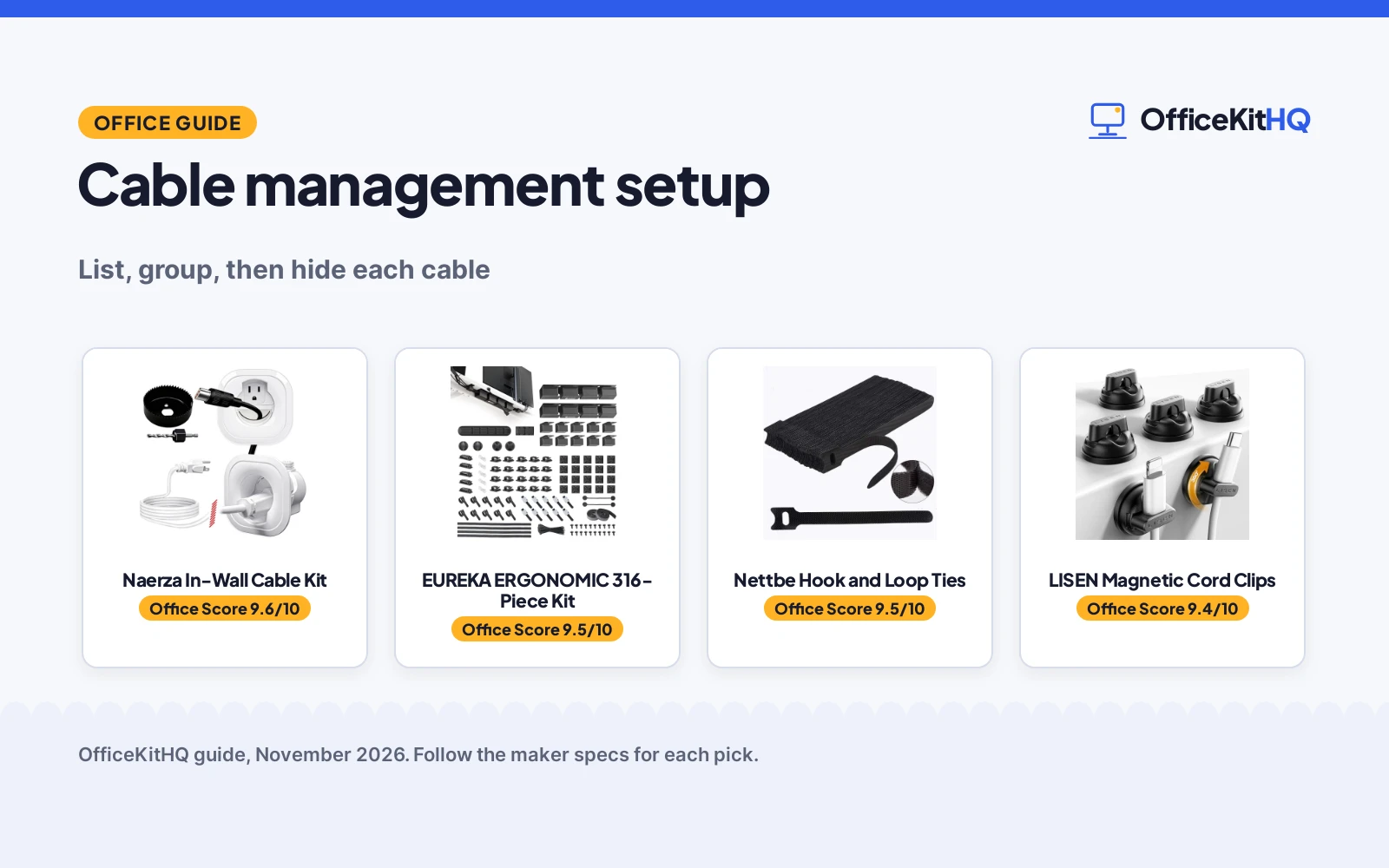
Piles of cable under a desk catch on chair legs, pull plugs loose and turn a clean desk into a knot. A cable management setup is the plan that keeps cords on their own paths from device to outlet, so the desk stays clear and the cables stay put. Start with a list of the cables at the desk, group them by run, and give each group a tray, a sleeve or a clip.
OfficeKitHQ earns a commission when you buy through links on this page, at no extra cost to you. As an Amazon Associate I earn from qualifying purchases. Affiliate disclosure.
The quick answer
A cable management setup starts at the desk: unplug the cables and note where each one runs from device to outlet. Group the cables by run, then route the desk cables under the desk, hold the cords you move a lot in clips on the desk edge, and hide the cables behind a wall-mounted screen inside the wall. The gear below covers each part of that job.
Step 1: List every cable at the desk
Pull each cable out from under the desk, lay it on the floor, and write down what it connects and where it runs. A monitor, a speaker and a phone cord can share one outlet, and the list shows which cables move with you and which stay put. Keep the list close by.
Step 2: Group cables by where they run
Sort the list into groups by run: cables that stay under the desk, cables that rise to the desk surface, and cables that run to the wall. Cables in the same group share a tray, a sleeve or a tie, so a group under the desk needs a tray with room for the thickest cable, and a group that rises to the surface needs a clip at the desk edge. Measure the longest cable in each group.
Step 3: Give each group a home
Mount a tray under the desk for the cables that stay there, slip the cables that run together into a sleeve, and press a clip on the desk edge for the cords you plug in and unplug a lot. Run the cables from the tray to the outlet with no sharp bends, and leave a little slack at each end. When the cables stay in their groups, the desk stays clear.
The gear
The steps above need a tray under the desk, a clip on the desk, a kit in the wall, and ties for the spares, and the gear below covers each part.
| # | Product | Office Score | Buy |
|---|---|---|---|
| 1 |  Naerza In-Wall Cable Kit | 9.6/10 | Buy on Amazon |
| 2 |  EUREKA ERGONOMIC 316-Piece Kit | 9.5/10 | Buy on Amazon |
| 3 |  Nettbe Hook Loop Ties | 9.5/10 | Buy on Amazon |
| 4 |  LISEN Magnetic Cord Clips | 9.4/10 | Buy on Amazon |

Naerza In-Wall Cable Kit
An in-wall kit that hides TV power and low-voltage cables inside the wall, with a 3-inch hole saw, a 6 ft bendable cable and a 6 ft extension cord.
Pros
- Hides power, HDMI, Ethernet and audio cables inside the wall
- 3-inch hole saw and drill bit included
- Fire-resistant materials and tamper-resistant design stated
- 6 ft bendable cable and 6 ft extension cord included
Cons
- No warranty term is stated
- Installation needs holes cut in the wall with a drill
- Needs a wall cavity of 3 in and a TV plug no wider than 1.125 in
- Suits a wall-mounted screen, not cables on a desk surface
Detailed Review
Naerza lists an in-wall kit with top and bottom power modules, low-voltage pass-through openings, a 6 ft bendable cable, a 6 ft extension power cord, a 3 in hole saw adapter, a drill bit and an instruction manual. The maker states the kit hides TV power cords, HDMI, Ethernet, speaker and audio cables inside the wall, with locking wings that grip behind drywall and a flush finish. The maker states fire-resistant materials, a tamper-resistant design, and installation in 30 minutes with a drill.
Who it's for: someone hiding TV and home theater cables inside the wall. Who should skip it: anyone setting up a desk, or whose wall cavity is under 3 in deep.
Its Office Score of 9.6/10 comes from performance 30/35, build 21/25, value 20/25, safety 7/10 and warranty 0/5: 78 of 100 points, placed on our 9.2 to 9.8 scale.
Key Specifications
| Hole saw | 3 in |
|---|---|
| Cables | 6 ft bendable, 6 ft extension |
| Install time | 30 minutes |
| Wall cavity | 3 in minimum |
These specs mirror the retailer listing as of 14 November 2026; performance figures are stated by the brand.
Safety and Warranty
What this listing states. Fire-resistant materials and tamper-resistant design stated, so safety scores 7 of 10. No warranty term, so warranty scores zero. See How We Pick.
Surge protector limits. Look for a UL 1449 listing, never plug one strip into another, keep the total load under the stated rating, and replace the unit after a major surge or when its indicator says protection has ended.
This is general buying information, not professional advice. Follow each product manual and local rules, and see our Safety Disclaimer.

EUREKA ERGONOMIC 316-Piece Kit
A 316-piece kit with metal cable raceways, 60 clips, 4 sleeves, 6 holders and 2 tie rolls for under-desk cable runs.
Pros
- 316 pieces in 17 varieties cover trays, sleeves, clips and ties
- Metal raceways with an open-top design for adding wires
- Screw-mount structure holds thick cables without sagging
- 60 clips in 4 sizes fit cables of various thicknesses
Cons
- Screw mounting needs holes in the desk
- 316 pieces is more kit than a small desk needs
- Magnetic clips need a steel surface to attach
- Open-top raceways leave cables open to view from above
Detailed Review
EUREKA ERGONOMIC lists a 316-piece kit in 17 varieties with 2 cable raceways, 60 cable clips, 4 cable sleeves, 6 cord holders, 2 rolls of self-adhesive wire ties and nylon wire ties. The raceways use an open-top design with a screw-mount structure and a split-channel layout, and the clips come in 4 sizes with removable adhesive. The sleeves snap shut, and the ties include reusable zip ties and cut-to-length roll ties. The maker gives two counts for the zip ties, 100 and 200; check before ordering.
Who it's for: someone running cables under a desk with trays, sleeves and clips in one kit. Who should skip it: anyone who wants a small kit for a few cables, or a desk with no place to screw-mount a raceway.
Its Office Score of 9.5/10 comes from performance 32/35, build 21/25, value 21/25, safety 0/10 and warranty 0/5: 74 of 100 points, placed on our 9.2 to 9.8 scale.
Key Specifications
| Pieces | 316 in 17 varieties |
|---|---|
| Raceways | 2 metal, open-top |
| Clips | 60 in 4 sizes |
| Sleeves | 4 |
These specs mirror the retailer listing as of 14 November 2026; performance figures are stated by the brand.
Safety and Warranty
What this listing states. This product does not plug in or run on a battery, so safety is not part of its score. No warranty term, so warranty scores zero. See How We Pick.
Surge protector limits. Look for a UL 1449 listing, never plug one strip into another, keep the total load under the stated rating, and replace the unit after a major surge or when its indicator says protection has ended.
This is general buying information, not professional advice. Follow each product manual and local rules, and see our Safety Disclaimer.

Nettbe Hook Loop Ties
A 60-pack of 6 in hook and loop nylon straps for wrapping loose cords at home, in an office or in a garage.
Pros
- Reusable hook and loop straps can be used multiple times, per the listing
- 60-piece pack covers many loose cords across a home, office or garage
- Straps can be easily used and removed or adjusted when needed, per the listing
- Nylon straps in a 6 in length with a maximum diameter of 40 mm suit everyday cord bundles
Cons
- No warranty term is stated
- Black is the only color stated
- 6 in length and 40 mm maximum diameter limit bundle size to the stated fit
- Single strap style, with no color or size variety stated in the listing
Detailed Review
Nettbe lists the straps as reusable cable ties made from nylon, in a 60-piece pack of 6 in hook and loop straps for wire wrap, cable management and cord organizing at home, in an office or in an entertainment center. The spec table gives an item weight of 43 g and a maximum diameter of 40 mm, and the listing states that the straps can be easily used and removed or adjusted when needed. No warranty term is stated, so warranty scores zero.
Who it's for: someone who wants a large pack of reusable straps for many loose cords that change often. Who should skip it: anyone who needs a color other than black, a bundle wider than 40 mm, or a stated warranty term.
Its Office Score of 9.5/10 comes from performance 29/35, build 21/25, value 20/25, safety 3/10 and warranty 0/5: 73 of 100 points, placed on our 9.2 to 9.8 scale.
Key Specifications
| Pack count | 60 |
|---|---|
| Length | 6 in |
| Material | Nylon |
| Maximum diameter | 40 mm |
Figures as published on the retailer listing, collected 28 October 2026. Performance figures are manufacturer rated.
Safety and Warranty
What this listing states. Hook and loop straps wrap loose cords and can be removed or adjusted when needed, so safety scores 3 of 10. No warranty term, so warranty scores zero. See How We Pick.
Surge protector limits. Look for a UL 1449 listing, never plug one strip into another, keep the total load under the stated rating, and replace the unit after a major surge or when its indicator says protection has ended.
This is general buying information, not professional advice. Follow each product manual and local rules, and see our Safety Disclaimer.

LISEN Magnetic Cord Clips
A 6-pack of magnetic cord clips with a 360-degree swivel base and a 0.28-inch slot for desk and nightstand cables.
Pros
- 360-degree swivel base rotates cords in any direction
- Magnetic opening lets you place or remove cables with one hand
- 0.28-inch slot holds Type-C, Lightning, HDMI, USB and network cables
- Adhesive leaves no residue and sticks to wood, glass and ceramic tile
Cons
- Adhesive needs a clean, dust-free surface and 12 to 24 hours to set
- No warranty term is stated
- Cables wider than the 0.28-inch slot do not fit the clip
- 6 clips suit a few cables, so a full desk needs more than one pack
Detailed Review
LISEN lists a 6-pack of magnetic cord clips with a 360-degree swivel base, a 60-degree rotating shaft and a magnetic opening that works with one hand. The slot is 0.28 in across and holds Type-C, Lightning, HDMI, USB, network cables and power wires. The clips measure 0.85 in by 0.85 in by 0.55 in, weigh 3g, and stick with acrylic adhesive that leaves no residue.
Who it's for: someone holding phone cords on a desk or nightstand with a clip that opens with one hand. Who should skip it: anyone with cables wider than the 0.28-inch slot, or a surface that is not smooth and dry.
Its Office Score of 9.4/10 comes from performance 28/35, build 20/25, value 20/25, safety 0/10 and warranty 0/5: 68 of 100 points, placed on our 9.2 to 9.8 scale.
Key Specifications
| Pack | 6 clips |
|---|---|
| Slot | 0.28 in |
| Size | 0.85 in by 0.85 in by 0.55 in |
| Weight | 3g |
These specs mirror the retailer listing as of 14 November 2026; performance figures are stated by the brand.
Safety and Warranty
What this listing states. This product does not plug in or run on a battery, so safety is not part of its score. No warranty term, so warranty scores zero. See How We Pick.
Surge protector limits. Look for a UL 1449 listing, never plug one strip into another, keep the total load under the stated rating, and replace the unit after a major surge or when its indicator says protection has ended.
This is general buying information, not professional advice. Follow each product manual and local rules, and see our Safety Disclaimer.
As an Amazon Associate I earn from qualifying purchases.
How to choose the best cable management setup
Match the kit to where the cables run
Start with the run, not the kit. Cables under the desk want a tray or a sleeve, cords that move a lot want a clip on the desk edge, and cables behind a wall-mounted screen want an in-wall kit. Check the run first and pick the gear that suits it. See the power strip types for the outlet side of the setup.
Check the fit before you buy
Measure the slot, the tray and the hole before you order. A clip with a 0.28-inch slot holds the cables the maker names and nothing wider, a raceway needs room under the desk for screws, and an in-wall kit needs a wall cavity of 3 in and a TV plug no wider than 1.125 in. Measure the desk and the wall first.
Pick a kit you can change later
Cables change when a monitor or a phone cord is added or moved, so pick gear that opens again. A tray with an open top lets you add a wire without taking the tray down, a sleeve that snaps shut lets you add a cable without cutting a tie, and reusable ties let you bundle a new cable without a new pack. A USB hub serves a lot of cables from one port. See the best way to hide cables on the floor when the run leaves the desk.
FAQ
How do I start a cable management setup?
List every cable at the desk, group the cables by run, and give each group a tray, a sleeve or a clip.
What size tray do I need under the desk?
Measure the thickest cable in the group and the longest cable in the run, then pick a tray with room for the group.
Can I hide cables in the wall?
Yes, with an in-wall kit that carries the cables inside the wall between two modules. The wall needs a cavity of 3 in, the holes need a 3 in saw, and the TV plug must fit a width of 1.125 in.
How do magnetic cord clips work?
A magnetic clip opens with one hand, takes a cable in a 0.28-inch slot, and holds it on a desk or nightstand with adhesive. Press the clip down for 30 seconds, then wait 12 to 24 hours before you load it with cables.
Are reusable cable ties worth it?
Reusable ties bundle cables that change often and come off without cutting. A 60 pack covers a desk, and a tray or a sleeve hides the bundle better than ties alone.
More for your workspace
See every connectivity guide.
More picks: standing desk types, do you need a docking station, USB-C cable specs and charging cable ends.