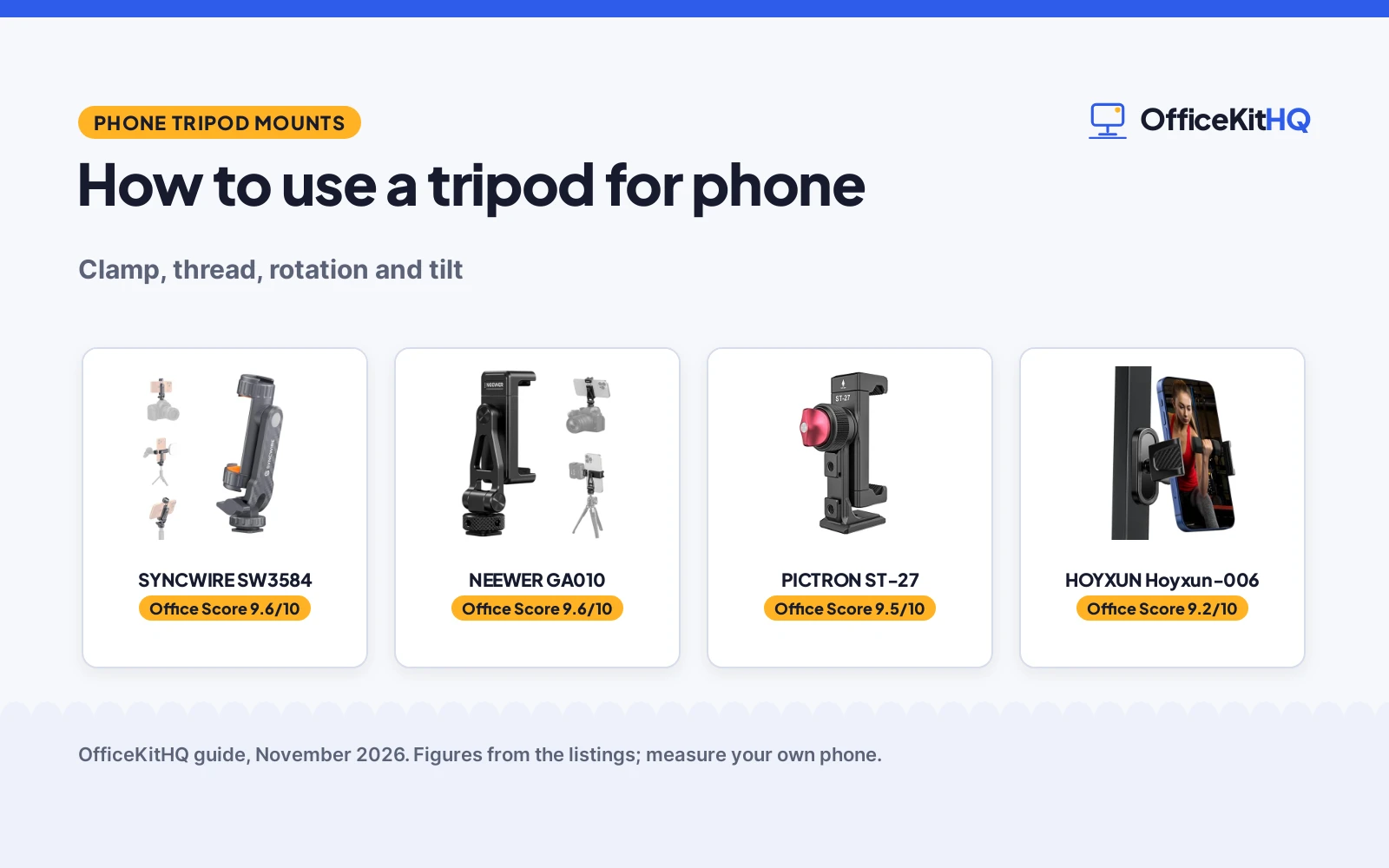
How to use a tripod for phone starts with the mount, not the tripod: the phone sits in a clamp that screws onto the tripod, and the clamp decides whether the phone stays put while you frame the shot. This guide walks through mounting the phone, screwing the mount onto the tripod, setting the legs, framing with rotation and tilt, and checking the fit before you shoot, using the phone mounts below as examples.
OfficeKitHQ earns a commission when you buy through links on this page, at no extra cost to you. As an Amazon Associate I earn from qualifying purchases. Affiliate disclosure.
How to use a tripod for phone, step by step
Step 1: Check the phone fits the clamp
Measure the phone width against the clamp range: the Syncwire fits phones 2.16 to 3.7 in wide (5.5 to 9.4 cm), and the NEEWER fits phones 2.6 to 3.5 in (65 to 90 mm) wide. Keep the clamp off the side buttons: Syncwire warns to avoid clamping directly over them, and to shift the clamp slightly higher or lower with thick cases or protruding buttons. The PICTRON states no clamp width, only a list of phone models.
Step 2: Screw the mount onto the tripod
The mount screws onto the tripod with a standard 1/4 in thread, which Syncwire, NEEWER and PICTRON all state at the bottom. Turn the mount until it sits tight, with the phone clamp facing you. The HOYXUN has no thread at all: it holds by magnets to metal gym equipment, so it cannot screw onto a tripod and does not belong in this step.
Step 3: Set the legs and level the phone
Spread the tripod legs and set the phone at the height you want before you frame the shot. A mount with tilt lets you set the angle without moving the legs: Syncwire and NEEWER both state 180° tilt, and PICTRON states 360° rotation with no tilt figure. Keep the setup where it cannot be knocked over.
Step 4: Frame with rotation and tilt
Turn the phone between portrait and landscape with the rotation the mount states: all three state 360° rotation. Tilt to eye level, overhead or a low angle with the 180° tilt both state. The cold shoes hold the extras: Syncwire has 2 rotatable cold shoes, NEEWER has a top and a bottom cold shoe, and PICTRON has 2 side cold shoes and 1 back cold shoe.
Step 5: Check the fit and shoot
Once the frame looks right, shoot. The non-slip pads on the Syncwire and NEEWER hold the phone in the clamp. Check the clamp is tight on the phone before you walk away, and keep the clamp off the side buttons, as Syncwire warns.
The gear: phone mounts for the steps above
Each mount below handles a step above: the clamp and thread for mounting, the rotation and tilt for framing, and the cold shoes for a light and a microphone.
| # | Product | Office Score | Buy |
|---|---|---|---|
| 1 |  SYNCWIRE SW3584 | 9.6/10 | Buy on Amazon |
| 2 |  NEEWER GA010 | 9.6/10 | Buy on Amazon |
| 3 |  PICTRON ST-27 | 9.5/10 | Buy on Amazon |
| 4 |  HOYXUN Hoyxun-006 | 9.2/10 | Buy on Amazon |

SYNCWIRE SW3584
A phone tripod mount with 2 cold shoes, 360° rotation and 180° tilt, fitting phones 2.16 to 3.7 in wide and weighing 54 g.
Pros
- 2 rotatable cold shoe mounts for a microphone and a light
- 360° rotation and 180° tilt switch portrait and landscape
- Fits phones 2.16 to 3.7 in wide, including thick cases
- 24-month warranty is the longest stated here
Cons
- ABS plastic body, not metal
- No Arca port is stated
- Clamp must avoid side buttons, per the listing
- No load capacity is stated
Detailed Review
Syncwire lists a phone tripod mount with 2 rotatable cold shoe mounts, a standard 1/4"-20 threaded mount, 360° rotation and 180° tilt, and a clamp that fits phones 2.16 to 3.7 in wide (5.5 to 9.4 cm). Thick, non-slip silicone pads hold the phone, and the mount weighs 54 g (1.9 oz) in an ABS plastic body. The listing warns to avoid clamping directly over side buttons. It states a 24-month warranty.
Who it's for: someone who mounts a phone on a tripod for photos, video calls or vlogging and wants a light and a microphone on the same mount. Who should skip it: anyone who wants a metal body or an Arca port.
Its Office Score of 9.6/10 comes from performance 30/35, build 20/25, value 21/25, safety 5/10 and warranty 4/5: 80 of 100 points, placed on our 9.2 to 9.8 scale.
Key Specifications
| Clamp width | 2.16 to 3.7 in (5.5 to 9.4 cm) |
|---|---|
| Rotation and tilt | 360° rotation, 180° tilt |
| Cold shoes | 2, rotatable |
| Item weight | 54 g (1.9 oz) |
These specs mirror the retailer listing as of 13 November 2026; performance figures are stated by the brand.
Safety and Warranty
What this listing states. Thick, non-slip silicone pads hold the phone in the clamp, per the listing, so safety scores 5 of 10. 24-month warranty. It does not say everything a buyer needs, such as who pays return shipping, so warranty scores 4 of 5. See How We Pick.
Light and privacy. Use the supplied adapter for ring lights, keep lights and cords away from drinks and paper, and cover or unplug a webcam when it is not in use.
This is general buying information, not professional advice. Follow each product manual and local rules, and see our Safety Disclaimer.

NEEWER GA010
An aluminum alloy phone clamp for phones 65 to 90 mm wide, with 360° swivel, 180° tilt and dual cold shoes.
Pros
- Aluminum alloy body with nonslip pads
- Dual cold shoes, one on top and one on the bottom
- 360° swivel and 180° tilt for portrait, landscape and low angles
- Bottom 1/4 in thread fits tripods, handgrips and selfie sticks
Cons
- No Arca port is stated
- Heavier than the 54 g Syncwire at 3.3 oz
- Clamp tops out at 90 mm, so wider phones do not fit
- No load capacity is stated
Detailed Review
NEEWER lists an aluminum alloy phone clamp that fits phones 2.6 to 3.5 in (65 to 90 mm) wide, with 360° swivel, 180° tilt and dual cold shoes. The top cold shoe mounts a light or microphone, and the bottom cold shoe adapter connects to cages, top handles and stabilizer handles. The bottom 1/4 in thread connects to tripods, handgrips, selfie sticks, sliders and camera dollies. It weighs 3.3 oz (92 g) and measures 4.4 by 1.1 by 1.8 in. It states a 1 Year Manufacturer warranty.
Who it's for: someone who builds a small rig with a light and a microphone and wants a metal clamp for a tripod and a handgrip. Who should skip it: anyone with a phone wider than 90 mm or anyone who wants an Arca port.
Its Office Score of 9.6/10 comes from performance 32/35, build 22/25, value 21/25, safety 5/10 and warranty 3/5: 83 of 100 points, placed on our 9.2 to 9.8 scale.
Key Specifications
| Clamp width | 2.6 to 3.5 in (65 to 90 mm) |
|---|---|
| Swivel and tilt | 360° swivel, 180° tilt |
| Cold shoes | 2, top and bottom |
| Item weight | 3.3 oz (92 g) |
These specs mirror the retailer listing as of 13 November 2026; performance figures are stated by the brand.
Safety and Warranty
What this listing states. Nonslip pads add grip, per the listing, so safety scores 5 of 10. 1 Year Manufacturer. It does not say everything a buyer needs, such as who pays return shipping, so warranty scores 3 of 5. See How We Pick.
Light and privacy. Use the supplied adapter for ring lights, keep lights and cords away from drinks and paper, and cover or unplug a webcam when it is not in use.
This is general buying information, not professional advice. Follow each product manual and local rules, and see our Safety Disclaimer.
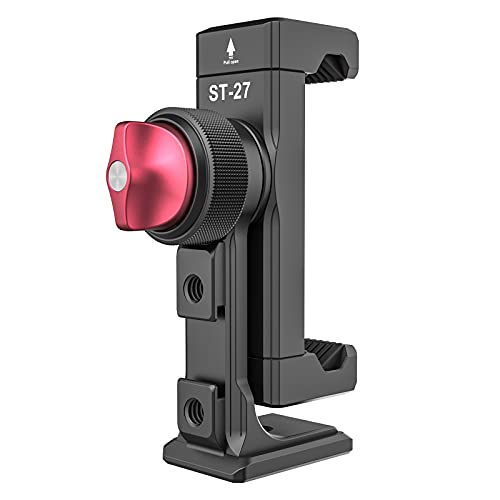
PICTRON ST-27
A metal phone tripod mount with 3 cold shoes, an Arca port and 360° rotation for vlogging and live streaming.
Pros
- 3 cold shoes, 2 on the side and 1 on the back
- Standard Arca mount on the bottom for quick release plates
- Two 1/4 in expand holes for more accessories
- All aluminum metal body
Cons
- Bullets name ULANZI models while the brand is PICTRON
- Spec table dimensions do not match a phone mount
- No clamp width is stated
- No tilt angle is stated
Detailed Review
PICTRON lists a metal phone tripod mount with 360° rotation, 2 side cold shoes, 1 back cold shoe and a standard Arca mount on the bottom, plus two 1/4 in expand holes and a 1/4 in screw port at the bottom. The body is all aluminum metal. The listing names ULANZI ST-27 and ULANZI Iron Man IV in its bullets while the brand is PICTRON, and the spec table states dimensions of 0.0023622 by 2.3622 by 0.00350393 in, which do not match a phone mount, so the listing leaves the size unclear. It states a 1 year warranty.
Who it's for: someone who wants three cold shoes and an Arca port on a metal mount for a vlogging rig. Who should skip it: anyone who needs a stated clamp width or a tilt figure.
Its Office Score of 9.5/10 comes from performance 28/35, build 21/25, value 19/25, safety 0/10 and warranty 3/5: 71 of 100 points, placed on our 9.2 to 9.8 scale.
Key Specifications
| Cold shoes | 3, 2 side and 1 back |
|---|---|
| Mount | Arca port, 1/4 in screw port |
| Rotation | 360° |
| Body | All aluminum metal |
These specs mirror the retailer listing as of 13 November 2026; performance figures are stated by the brand.
Safety and Warranty
What this listing states. This product does not plug in or run on a battery, so safety is not part of its score. 1 year warranty. It does not say everything a buyer needs, such as who pays return shipping, so warranty scores 3 of 5. See How We Pick.
Light and privacy. Use the supplied adapter for ring lights, keep lights and cords away from drinks and paper, and cover or unplug a webcam when it is not in use.
This is general buying information, not professional advice. Follow each product manual and local rules, and see our Safety Disclaimer.

HOYXUN Hoyxun-006
A magnetic phone holder with six N52 magnets and a 360° ball joint that sticks to metal gym equipment, not a tripod mount.
Pros
- Six built-in N52 magnets hold the phone to metal gym equipment
- 360° rotating ball joint adjusts the viewing angle
- No tools needed, with one-handed operation
- Fits phones 4.7 to 6.7 in, including with a case
Cons
- No 1/4 in thread, so it does not mount on a tripod
- Magnetic hold needs a metal surface, so it does not work on a tripod leg
- Warranty is stated only as 1, with no unit
- No clamp width is stated, only a phone size range
Detailed Review
HOYXUN lists a magnetic phone holder for the gym, not a tripod mount: six built-in N52 magnets and an anti-slip silicone base hold it to metal home gym equipment, and a 360° rotating ball joint sets the viewing angle. It fits phones 4.7 to 6.7 in and needs no tools. It states no 1/4 in thread and no clamp, so it cannot screw onto a tripod. The spec table states a warranty of 1 with no unit, so no warranty term is stated.
Who it's for: someone filming a workout on metal gym equipment who wants the phone held by magnets. Who should skip it: anyone who needs a phone on a tripod, since this holder has no tripod thread.
Its Office Score of 9.2/10 comes from performance 14/35, build 16/25, value 12/25, safety 5/10 and warranty 0/5: 47 of 100 points, placed on our 9.2 to 9.8 scale.
Key Specifications
| Hold | Six N52 magnets, silicone base |
|---|---|
| Adjustment | 360° ball joint |
| Phone size | 4.7 to 6.7 in |
| Size | 3.0 by 3.0 by 1.57 in |
These specs mirror the retailer listing as of 13 November 2026; performance figures are stated by the brand.
Safety and Warranty
What this listing states. Anti-slip silicone base and six N52 magnets hold the phone to metal gym equipment, per the listing, so safety scores 5 of 10. No warranty term, so warranty scores zero. See How We Pick.
Light and privacy. Use the supplied adapter for ring lights, keep lights and cords away from drinks and paper, and cover or unplug a webcam when it is not in use.
This is general buying information, not professional advice. Follow each product manual and local rules, and see our Safety Disclaimer.
As an Amazon Associate I earn from qualifying purchases.
What to check before you buy
Clamp width first
Measure the phone, case and all, against the clamp range: Syncwire fits 2.16 to 3.7 in, NEEWER fits 2.6 to 3.5 in, and PICTRON states no width, only phone models. A clamp that tops out below the phone width does not fit.
Thread and cold shoes next
A 1/4 in thread is what screws the mount onto a tripod: Syncwire, NEEWER and PICTRON all state one, while the HOYXUN states none. Count the cold shoes against the gear you run: Syncwire and NEEWER state 2 each, PICTRON states 3.
Metal or plastic, and the warranty
NEEWER and PICTRON state aluminum bodies; Syncwire states ABS plastic. Syncwire states a 24-month warranty, NEEWER and PICTRON state 1 year each, and the HOYXUN states only 1 with no unit, so no warranty term is stated for it. See our best professional phone tripod roundup and our best phone tripod for content creators roundup for full tripods to pair with these mounts.
FAQ
How do I mount my phone on a tripod?
Screw a phone mount onto the tripod with its 1/4 in thread, open the clamp, set the phone in clear of the side buttons, and let the clamp close. Syncwire, NEEWER and PICTRON all state a 1/4 in thread; the HOYXUN has none and mounts by magnets instead.
Can I use a phone tripod mount with a case on?
Yes, if the phone plus the case fits the clamp range: Syncwire fits phones 2.16 to 3.7 in wide and says its clamp accommodates many types of phone cases. Shift the clamp slightly higher or lower if the case has protruding buttons, as Syncwire advises.
How do I switch between portrait and landscape?
Rotate the mount: Syncwire, NEEWER and PICTRON all state 360° rotation, which switches the phone between portrait and landscape. Syncwire and NEEWER also state 180° tilt for eye level, overhead and low angle framing.
What is a cold shoe on a phone mount for?
It holds an accessory on the mount: Syncwire states 2 rotatable cold shoes for microphones and LED lights, NEEWER states a top cold shoe and a bottom cold shoe, and PICTRON states 2 side cold shoes and 1 back cold shoe.
Can I use a magnetic phone holder on a tripod?
Not the HOYXUN: it holds by six N52 magnets to metal gym equipment and states no 1/4 in thread, so it cannot screw onto a tripod. A mount for a tripod needs the 1/4 in thread the Syncwire, NEEWER and PICTRON state.
More for your workspace
See every computer peripherals guide and all webcams and ring lights guides.
More picks: our best phone stand for video calls, our best rotating phone stand, and our best webcam tripod stand.