Someone walks past the desk with a coffee, glances at the monitor and reads the spreadsheet before the call even starts. What is a privacy screen? It is a thin filter that sits on the monitor and narrows who can read it: clear from straight ahead, dark from the side. This guide explains how the filter works, what it costs you in screen brightness and color, and how to size and fit one.
OfficeKitHQ earns a commission when you buy through links on this page, at no extra cost to you. As an Amazon Associate I earn from qualifying purchases. Affiliate disclosure.
What is a privacy screen: the quick answer
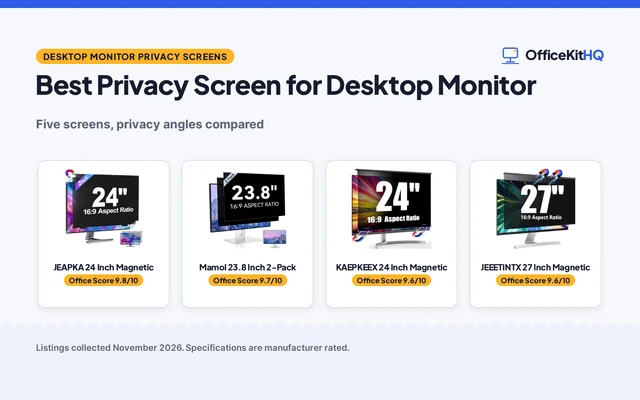
A privacy screen is a thin filter that sticks to the front of a monitor and limits the viewing angle. The listings describe microlouver or micro-blind technology: tiny louvers that let light through straight ahead and block it from the side. The person in front reads the screen as usual, while someone at the side sees a dark screen. If you are ready to compare models, see our best privacy screen for computer roundup or the best privacy screen for laptop roundup.
How the viewing angle works
The listings state the angle where the screen darkens, and the figures differ by model. Several listings, including Protescreen and Kensington, state a viewing angle of +/- 30 degrees. One 24 inch listing states the screen darkens beyond 25 degrees, and EZ-Pro states its 19.5 inch filter obscures the screen at around 30 degrees and blacks it out near 60 degrees. Read the angle the listing states for the model you buy, since the figures differ.
A privacy screen limits side viewing, not the view from behind. One listing states its filter only restricts side viewing, left and right, and does not block visibility from directly behind you, while another states its film blurs the screen from the side or back. The listings disagree, so if the desk faces a walkway with people passing behind the chair, check what the listing states for that model.
What a filter costs you: brightness and color
A filter is a layer between you and the panel, so expect a trade-off. The screen will look somewhat dimmer, and the picture can look slightly colder or less vivid than it did bare. Makers describe this loss differently: one listing says its filter does not significantly dim the display, and another says it minimises light loss and the impact on the original screen color and brightness. Treat those as the maker’s claims. Raising the monitor brightness a little is the usual way to make up for it.
The listings also state light-filtering figures. ZCAZY states its filter blocks 95% of reflected light, filters 65% of blue light and blocks 96% of UV rays. Kensington states blue light reduction of up to 22%. These figures differ widely, so compare the numbers each listing states rather than taking one figure as the standard.
Glossy side and matte side
Several listings, including Pandcliny, EZ-Pro, Protescreen, Peslv and Ceydebne, describe a film with a glossy side and a matte side. Those listings state that the glossy side suits privacy and a sharper picture, and that the matte side reduces glare and reflections. In a bright room or by a window, the matte side facing out is the one the listings point to for glare. Peslv gives figures: a privacy angle of 26 degrees on the glossy side and 30 degrees on the matte side.
How to size a privacy screen
Measure the visible screen area, width by height, and leave the outer frame out of the measurement. Many listings, including YAKAI, ZCAZY, Pandcliny and Peslv, warn against choosing by the diagonal size alone. Match the width and height you measure against the width and height the listing states. For example, the Peslv 21.5 inch listing states 18 3/4 in by 10 9/16 in, and the Ceydebne 20 inch listing states 17.36 in by 9.76 in. Sizes differ from model to model, so a 16:9 label is not enough on its own.
How a privacy screen fits on a monitor
Listings state adhesive tabs, slide mounts or a magnetic strip. EZ-Pro and Protescreen each state adhesive tabs and slide mounts. Kensington states a magnetic strip for quick attachment and removal on slim bezel monitors. Slide mounts fit monitors with a raised bezel, and the listings state that this removable method suits raised bezels only. Several listings state the filter is washable or reusable, so a quick clean with the cloth the listing includes is the usual care.
What to check before ordering
Three checks save most returns:
- Measure the visible width and height. Skip the frame, and compare your two numbers with the listing, not just the diagonal.
- Check the bezel type. Slide mounts need a raised bezel, while a flat or edge-to-edge screen needs adhesive tabs or a magnetic strip.
- Check the warranty. Listings differ: Pandcliny states 1 year, Protescreen states 2 year, Peslv states a 3-Year Store Warranty, Ceydebne states Lifetime and Kensington states a 2-year limited warranty. Some listings state no term at all.
FAQ
Does a privacy screen block the view from behind?
It depends on the listing. One listing states its filter only restricts side viewing, left and right, and does not block visibility from directly behind you. Another states its film blurs the screen from the side or back. Check what the listing states for the model you buy.
What viewing angle does a privacy screen block?
The listings state angles near 30 degrees. EZ-Pro states its filter obscures the screen at around 30 degrees and blacks it out near 60 degrees, and Protescreen and Kensington state +/- 30 degrees. One 24 inch listing states its filter darkens beyond 25 degrees.
Does a privacy screen make the monitor dimmer?
A filter adds a layer over the panel, so some dimming and a slightly colder look are normal to expect. Makers state their films minimise light loss, so compare the claims in each listing and adjust the monitor brightness to suit.
How do I know which size privacy screen to buy?
Measure the visible screen area, width by height, and leave the outer frame out. Do not choose by the diagonal size alone: several listings state this warning. Compare your width and height with the figures in the listing.
More for your workspace
See the best privacy screen for computer and best privacy screen for laptop roundups, or browse all computer peripherals guides.