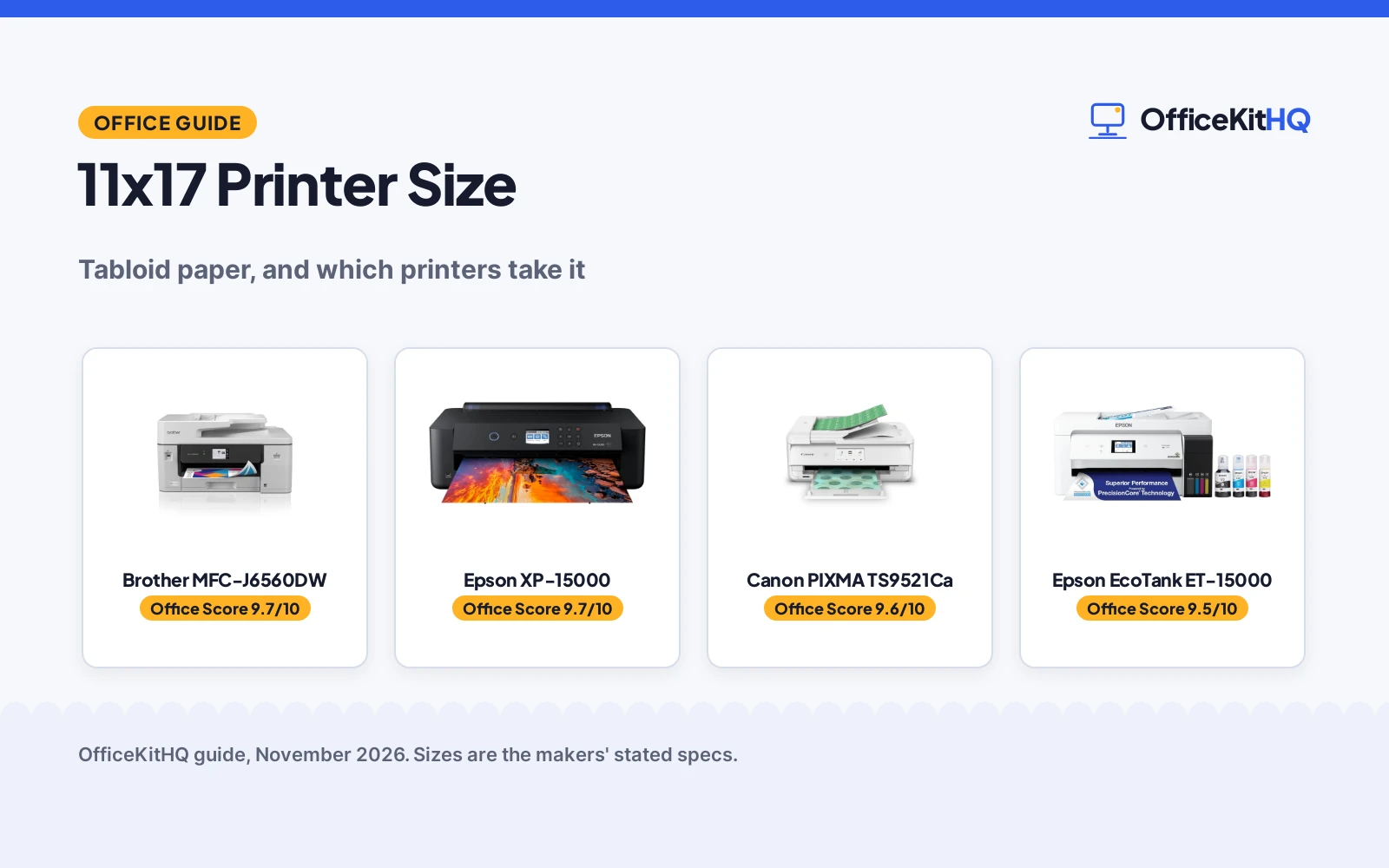
The spreadsheet will not fit on one sheet, and the poster for the school fair needs to print big, but the home printer keeps cutting everything down to letter size. 11×17 printer size means tabloid paper, and only some home printers take it: a printer that lists 11 by 17 inch media can print posters, calendars and spreadsheets at full size, while a printer without it cannot. This guide explains what 11×17 means, how to check a printer for it, and which models in the listings below handle it.
OfficeKitHQ earns a commission when you buy through links on this page, at no extra cost to you. As an Amazon Associate I earn from qualifying purchases. Affiliate disclosure.
The quick answer: 11×17 printer size
11×17 is tabloid paper: 11 inches wide by 17 inches long. A printer handles it only if the listing states 11 by 17 inch media, so check the title and bullets before buying. The Brother MFC-J6560DW (on Amazon) states media up to 11 by 17 inches, and the Canon PIXMA TS9521Ca (on Amazon) states printing up to 11 by 17 inches. The Epson titles state wide-format only, with no paper size stated.
What 11×17 means in a printer listing
Printer listings state the largest media a printer takes. The Brother states media up to 11 by 17 inches in both the title and the bullets, and the Canon states large documents from 12 by 12 inches up to 11 by 17 inches. Wide-format in a title is a hint, not a promise: the Epson titles say wide-format, but neither states a paper size, so neither counts as an 11×17 printer on the listing alone.
| Printer | 11×17 stated? | Top speed | Paper tray | Amazon |
|---|---|---|---|---|
| Brother MFC-J6560DW | Yes, up to 11×17 | 31 ppm black, 30 ppm color | 250-sheet tray | View on Amazon |
| Canon PIXMA TS9521Ca | Yes, up to 11×17 | 15 black / 10 color images per minute | 200-sheet capacity | View on Amazon |
| Epson EcoTank ET-15000 | Not stated | Not stated | Not stated | |
| Epson Expression Photo HD XP-15000 | Not stated | Not stated | Not stated |
Step 1: Check the media size in the listing
Look for 11 by 17 in the title or bullets. The Brother title states 11×17 capabilities, and the bullets state media-handling on paper up to 11 by 17 inches. The Canon bullets state printing up to 11 by 17 inches, plus 12 by 12 inch documents such as calendars, schedules and posters. If a listing says wide-format and nothing else, the size is not stated: both Epson listings here are title-only, so check the manual before buying for 11×17.
Step 2: Check the tray and the feed
A big sheet needs a tray that takes it. The Brother lists a 250-sheet paper tray and a 50-page single-sided ADF, with automatic duplex printing for 2-sided output. The Canon loads up to 200 sheets of plain paper, 100 sheets in the bottom cassette and 100 sheets in the rear tray, with a 20-sheet auto document feeder and auto 2-sided printing. Neither Epson listing states a tray or a feeder. For cables, see USB printer cable types.
Step 3: Check speed and ink
Speeds decide how long a big print run takes. The Brother lists print speeds of up to 31 pages per minute in black and up to 30 ppm in color, with a 1,800-page yield black ink cartridge and a 750-page yield cartridge for each color. The Canon lists approximately 15 images per minute in black and 10 in color, with a five individual ink system that lets only the empty color be replaced. Neither Epson listing states a speed or an ink system.
The printers that handle 11×17
The full-data printers below state 11×17 media outright, and the wide-format Epsons close the list with title-only listings.
| # | Product | Office Score | Buy |
|---|---|---|---|
| 1 |  Brother MFC-J6560DW | 9.7/10 | Buy on Amazon |
| 2 |  Epson XP-15000 Photo HD | 9.7/10 | Buy on Amazon |
| 3 |  Canon PIXMA TS9521Ca | 9.6/10 | Buy on Amazon |
| 4 |  Epson EcoTank | 9.5/10 | Buy on Amazon |

Brother MFC-J6560DW
An 11x17-capable all-in-one with print, copy, scan and fax, a 250-sheet tray, a 50-page ADF and speeds up to 31 ppm in black.
Pros
- States media up to 11x17 in the title and bullets
- 250-sheet tray plus a 50-page ADF and automatic duplex
- Up to 31 ppm in black and 30 ppm in color
- Print, copy, scan and fax with Wi-Fi, Ethernet and USB
Cons
- Heaviest printer here at 44.1 lb
- Refresh subscription is a trial only
- No stated copy or scan size for 11x17 originals
- Touchscreen is 2.7 in, smaller than the Canon 4.3 in screen
Detailed Review
Brother lists the MFC-J6560DW as a wireless color inkjet all-in-one with print, copy, scan and fax, a 2.7 in color touchscreen and media up to 11x17. The listing states a 250-sheet paper tray, a 50-page single-sided ADF, automatic duplex printing, speeds up to 31 ppm in black and 30 ppm in color, and a 1,800-page black cartridge with 750-page color cartridges. It connects by wireless network, Ethernet or USB, with Wi-Fi Direct and cloud apps from the touchscreen. The listing gives 18.8 x 22.7 x 12.0 in, 44.1 lb and a 2 year limited warranty.
Who it's for: a small business or home office that prints 11x17 and wants fax, a big tray and fast speeds. Who should skip it: anyone who wants a lighter printer or a bigger touchscreen.
Its Office Score of 9.7/10 comes from performance 32/35, build 21/25, value 21/25, safety not scored (non-powered gear) and warranty 3/5: 77 of 90 points, placed on our 9.2 to 9.8 scale.
Key Specifications
| Media | Up to 11x17 |
|---|---|
| Speed | 31 ppm black, 30 ppm color |
| Tray | 250-sheet |
| Size | 18.8 x 22.7 x 12.0 in |
These specs mirror the retailer listing as of 13 November 2026; performance figures are stated by the brand.
Safety and Warranty
What this listing states. This product does not plug in or run on a battery, so safety is not part of its score. 2 year limited. It does not say everything a buyer needs, such as who pays return shipping, so warranty scores 3 of 5. See How We Pick.
Shredder and printer safety. Keep hair, ties, jewelry, children and pets away from the feed slot, use the safety lock, unplug when not in use, and give printers and adapters room to vent.
This is general buying information, not professional advice. Follow each product manual and local rules, and see our Safety Disclaimer.

Epson XP-15000 Photo HD
Wireless wide-format 6-color inkjet photo printer with Claria Photo HD inks, 1440 dpi and 50-sheet rear tray and 200-sheet front tray.
Pros
- Claria Photo HD 6-color inks
- Wide format, 18.7 lbs
- 50-sheet rear tray and 200-sheet front tray stated
- 24W power draw
Cons
- No concrete warranty term
- No certification stated
- 2 ppm color is slow
- Cartridge system, not tank
Detailed Review
Epson lists the Expression Photo HD XP-15000 as a wireless wide-format inkjet photo printer with Claria Photo HD 6-color inks, 1440 dpi, 50-sheet rear tray and 200-sheet front tray and 24W draw at 18.7 lbs. The warranty text names only a limited warranty with no term. No certification is stated.
Who it's for: wide-format photos without the tank price. Who should skip it: anyone who wants the lowest per-print cost; the ET-8550 lists 4 cents per 4x6.
Its Office Score of 9.7/10 comes from performance 32/35, build 21/25, value 21/25, safety not scored (non-powered gear) and warranty 0/5: 74 of 90 points, placed on our 9.2 to 9.8 scale.
Key Specifications
| Ink | 6-color Claria Photo HD |
|---|---|
| DPI | 1440 |
| Weight | 18.7 lbs |
| Sheets | 50-sheet rear tray and 200-sheet front tray |
Figures as published on the retailer listing, collected 18 October 2026. Performance figures are manufacturer rated.
Safety and Warranty
What this listing states. This product does not plug in or run on a battery, so safety is not part of its score. No warranty term, so warranty scores zero. See How We Pick.
Shredder and printer safety. Keep hair, ties, jewelry, children and pets away from the feed slot, use the safety lock, unplug when not in use, and give printers and adapters room to vent.
This is general buying information, not professional advice. Follow each product manual and local rules, and see our Safety Disclaimer.

Canon PIXMA TS9521Ca
A home all-in-one that prints up to 11 by 17 inches, with a 4.3 in touch screen, a 200-sheet capacity and a 20-sheet ADF.
Pros
- States printing up to 11 by 17 inches, plus 12 by 12 inch media
- 4.3 in touch LCD screen, larger than the Brother 2.7 in screen
- 200-sheet paper capacity across a bottom cassette and a rear tray
- Five individual ink system, so only empty colors are replaced
Cons
- No fax function is stated
- 1 year warranty is shorter than the Brother 2 year term
- Speeds are stated as images per minute, not pages per minute
- No stated printer weight
Detailed Review
Canon lists the PIXMA TS9521Ca as a wireless home all-in-one inkjet printer with print, copy and scan, a 4.3 in touch LCD screen and a 1 year limited warranty. The listing states print speeds of approximately 15 images per minute in black and 10 in color, a 200-sheet paper capacity split as 100 sheets in the bottom cassette and 100 sheets in the rear tray, a 20-sheet auto document feeder and auto 2-sided printing. Media runs from envelopes and business cards to 12 by 12 inch and up to 11 by 17 inch documents. The listing gives 18.5 x 14.5 x 7.6 in and no weight.
Who it's for: a home office that prints posters, calendars and schedules up to 11 by 17 inches. Who should skip it: anyone who needs fax or a stated printer weight.
Its Office Score of 9.6/10 comes from performance 29/35, build 20/25, value 20/25, safety not scored (non-powered gear) and warranty 2/5: 71 of 90 points, placed on our 9.2 to 9.8 scale.
Key Specifications
| Media | Up to 11x17 |
|---|---|
| Speed | 15 black / 10 color ipm |
| Paper | 200-sheet capacity |
| Size | 18.5 x 14.5 x 7.6 in |
These specs mirror the retailer listing as of 13 November 2026; performance figures are stated by the brand.
Safety and Warranty
What this listing states. This product does not plug in or run on a battery, so safety is not part of its score. 1 year limited warranty. It does not say everything a buyer needs, such as who pays return shipping, so warranty scores 2 of 5. See How We Pick.
Shredder and printer safety. Keep hair, ties, jewelry, children and pets away from the feed slot, use the safety lock, unplug when not in use, and give printers and adapters room to vent.
This is general buying information, not professional advice. Follow each product manual and local rules, and see our Safety Disclaimer.

Epson EcoTank
A wide-format all-in-one inkjet with 13 x 19 in. printing, 4800 x 2400 dpi and a refillable ink tank.
Pros
- Wide format up to 13 x 19 in.
- 4800 x 2400 dpi print resolution
- Refillable ink tank, Energy Star
- Limited warranty type stated
Cons
- No envelope tray is stated
- Slowest stated speeds at 17 ppm black, 9 ppm color
- 26.5 pounds, heaviest here
- Ink bottles sold separately
Detailed Review
Epson lists the EcoTank ET-15000 as a wireless all-in-one wide-format inkjet with print, scan, copy and fax, up to 17 ppm black and 9 ppm color, 4800 x 2400 dpi, a 33,000-page monthly duty cycle, USB 2.0, LAN and Wi-Fi, auto document feeder, auto-duplex, Energy Star and a refillable ink tank. The spec table lists 2 trays, a limited warranty type and 26.5 pounds. No envelope tray is stated.
Who it's for: someone who wants wide-format printing with a stated warranty. Who should skip it: anyone who needs a stated envelope tray or the fastest speeds.
Its Office Score of 9.5/10 comes from performance 30/35, build 24/25, value 21/25, safety 0/10 and warranty 0/5: 75 of 100 points, placed on our 9.2 to 9.8 scale.
Key Specifications
| Format | 13 x 19 in. |
|---|---|
| Speed | 17 ppm black, 9 ppm color |
| Resolution | 4800 x 2400 dpi |
| Warranty | Limited warranty |
Figures as published on the retailer listing, collected 18 October 2026. Performance figures are manufacturer rated.
Safety and Warranty
What this listing states. This product does not plug in or run on a battery, so safety is not part of its score. No warranty term, so warranty scores zero. See How We Pick.
Shredder and printer safety. Keep hair, ties, jewelry, children and pets away from the feed slot, use the safety lock, unplug when not in use, and give printers and adapters room to vent.
This is general buying information, not professional advice. Follow each product manual and local rules, and see our Safety Disclaimer.
As an Amazon Associate I earn from qualifying purchases.
FAQ
Can a regular home printer print 11×17?
Only if the listing states 11 by 17 inch media. The Brother and Canon models here both state it, while the Epson titles state wide-format only, with no paper size stated.
What is tabloid paper?
Tabloid paper is 11 by 17 inches. It suits posters, calendars, schedules and spreadsheets that need more room than a standard sheet.
Do I need a special tray for 11×17?
Check the tray the listing states. The Brother lists a 250-sheet tray for media up to 11 by 17 inches, and the Canon loads up to 200 sheets across a bottom cassette and a rear tray. Neither Epson listing states a tray.
Can these printers copy and scan at 11×17?
The listings do not state a copy or scan size. The Brother lists print, copy, scan and fax, and the Canon lists print, copy and scan, but neither states the size for copying or scanning, so check the manual.
Which printer lists the higher speeds?
The Brother lists the higher speeds: up to 31 pages per minute in black and 30 ppm in color, against approximately 15 images per minute in black and 10 in color for the Canon. Neither Epson listing states a speed.
More for your workspace
See every home office printer guide and all office machines and storage guides. Also see what is the best wireless printer and best printers that support 11×17.
More picks: printers that support 11×17, best wireless printer, USB printer cables and home office printers.