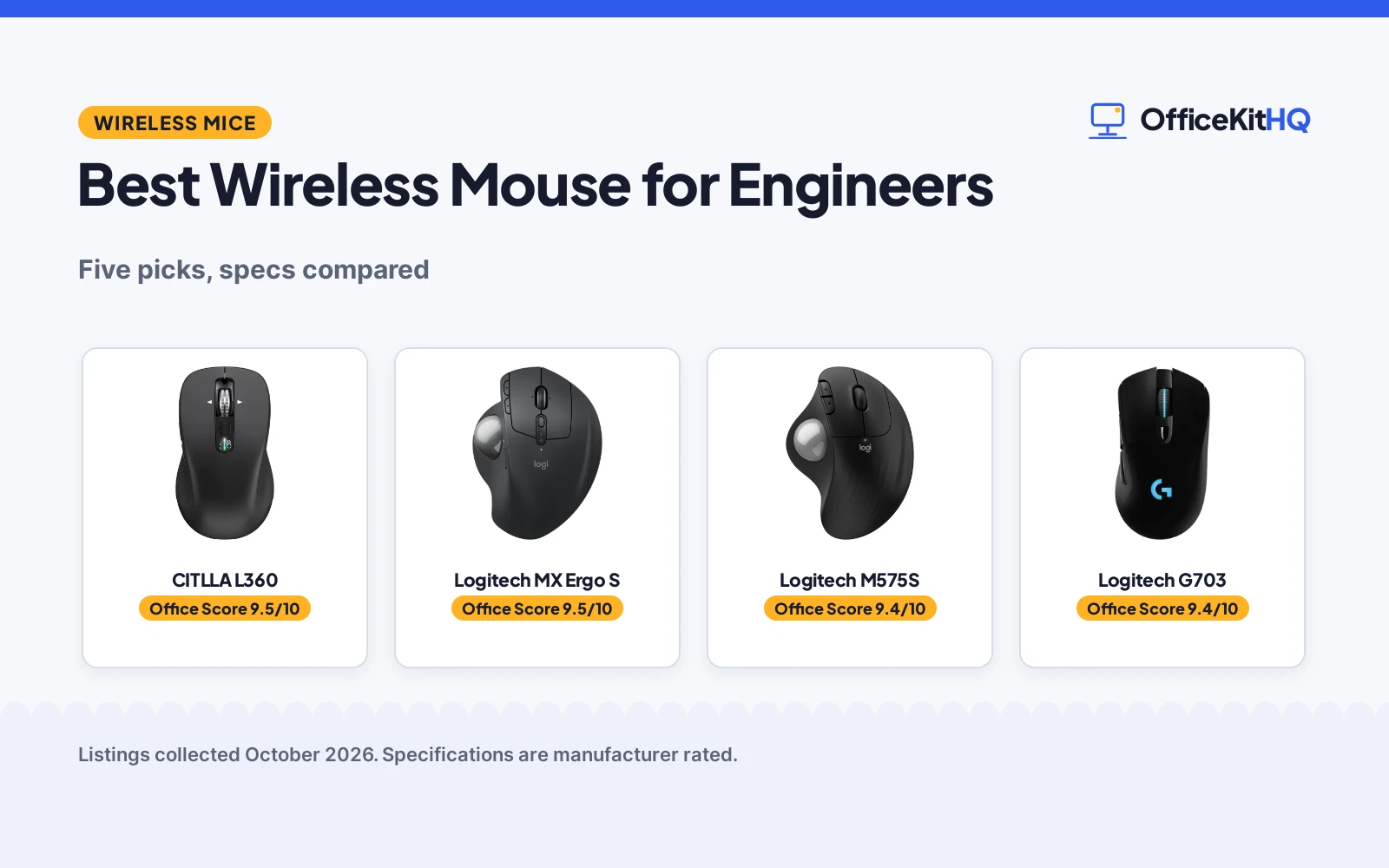
The best wireless mouse for engineers is the one that survives a 9 a.m. call, a full design session and a laptop that runs everything off one hub, because a cursor that lags or a battery that dies at 4 p.m. ruins the whole afternoon. We compared five wireless mice by stated DPI levels and steps, connectivity, battery life, button count, stated dimensions and warranty term, using only what each listing publishes.
OfficeKitHQ earns a commission when you buy through links on this page, at no extra cost to you. As an Amazon Associate I earn from qualifying purchases. Affiliate disclosure.
Quick picks
 Best Overall CITLLA L360: 3-device Bluetooth plus 2.4G, silent clicks, 2-year warranty stated. Check price on Amazon
 Best Trackball Logitech MX Ergo S: 20-degree tilt, 6 programmable buttons, 1-year warranty stated. Check price on Amazon
 Best Battery Logitech M575S: 18-month battery, thumb trackball, 1-year warranty stated. Check price on Amazon
 Best Precision Logitech G703: HERO 25K sensor, 100 to 25,600 DPI, LIGHTSPEED wireless. Check price on Amazon
 Best Travel TECKNET 2.4G Mouse: Compact 4.09 in body, 24-month battery claim, USB-A plug and play. Check price on Amazon
The picks
| # | Product | Office Score | Buy |
|---|---|---|---|
| 1 | CITLLA L360 | 9.5/10 | Buy on Amazon |
| 2 | Logitech MX Ergo S | 9.5/10 | Buy on Amazon |
| 3 | Logitech M575S | 9.4/10 | Buy on Amazon |
| 4 | Logitech G703 | 9.4/10 | Buy on Amazon |
| 5 | TECKNET 2.4G Mouse | 9.3/10 | Buy on Amazon |

CITLLA L360
A full-size silent mouse that pairs with three devices and states a 2-year warranty.
Pros
- Connects to three devices: 2.4G USB receiver plus two Bluetooth channels with a switch key
- 4-way metal scroll wheel handles horizontal scrolling in wide timelines and sheets
- Silent clicks suit shared offices and quiet rooms, per the listing
- 2 Year warranty is the longest stated term here
Cons
- 3000 DPI max is the lowest top sensitivity among the non-trackball picks
- 4.6 by 2.6 by 1.6 in body is the largest footprint here
- No item weight is stated to judge how it feels in the hand
- 10 buttons total but only 5 are programmable, per the listing
Detailed Review
CITLLA lists the L360 as a full-size wireless mouse with a 2.4G USB receiver and two Bluetooth channels, switched by a device key, with a 4-way metal scroll wheel and 5 programmable buttons. The listing states up to 3000 DPI, a 4.6 by 2.6 by 1.6 in body with a metal and plastic enclosure, a rubber side grip, silent clicks, up to 40 months of battery life with 2 AA batteries included, and a 2 Year warranty.
Who it's for: an engineer who works across a computer, laptop and tablet and wants one mouse with horizontal scrolling. Who should skip it: anyone who needs more than 3000 DPI or a gaming-grade sensor.
Its Office Score of 9.5/10 comes from performance 30/35, build 20/25, value 21/25, safety 0/10 and warranty 3/5: 74 of 100 points, placed on our 9.2 to 9.8 scale.
Key Specifications
| DPI | 3000 max |
|---|---|
| Connectivity | 2.4G USB, Bluetooth x2 |
| Battery | 40 months, 2 AA included |
| Scroll wheel | 4-way metal |
Figures as published on the retailer listing, collected 18 October 2026. Performance figures are manufacturer rated.
Safety and Warranty
What this listing states. No FCC or other safety listing is stated, so safety scores zero. 2 Year. It does not say everything a buyer needs, such as who pays return shipping, so warranty scores 3 of 5. See How We Pick.
Fit the desk first. Check the stated size against your desk depth and keyboard tray, and charge or pair as the manual describes. No keyboard, mouse or wrist rest prevents or treats injury.
This is general buying information, not professional advice. Follow each product manual and local rules, and see our Safety Disclaimer.

Logitech MX Ergo S
A 20-degree tilt trackball with USB-C quick charging and a stated 1-year warranty.
Pros
- 20-degree tilt and thumb trackball move the cursor without moving the hand
- 6 programmable buttons with Logi Options+ shortcuts and Smart Actions, per the listing
- USB-C quick charging: up to 24 hours of use from a 1-minute charge, up to 120 days full
- 1 Year limited Hardware Warranty is stated in writing
Cons
- Right-hand sculpted shape only; no left-hand option is listed
- No item weight or dimensions are stated to judge the desk footprint
- The USB-C charging cable is not included
- 2048 DPI max is lower than the G703's stated 25,600
Detailed Review
Logitech lists the MX Ergo S as an advanced wireless trackball with a 20-degree tilt, 2048 DPI max and a switch for speed or high-precision tracking. The listing states 6 programmable buttons, Bluetooth plus a Logi Bolt USB receiver, USB-C charging with up to 24 hours of use from a 1-minute charge and up to 120 days on a full charge, 20% certified post-consumer recycled plastic and a 1 Year limited Hardware Warranty. The spec table lists 8 buttons against the bullets' 6 programmable buttons; the bullets win here.
Who it's for: an engineer who wants cursor control without moving the hand and a tilt that changes the hand angle. Who should skip it: anyone who needs left-hand use or a traditional mouse shape.
Its Office Score of 9.5/10 comes from performance 29/35, build 21/25, value 20/25, safety 0/10 and warranty 2/5: 72 of 100 points, placed on our 9.2 to 9.8 scale.
Key Specifications
| Tilt | 20 degrees |
|---|---|
| Buttons | 6 programmable |
| Charging | USB-C, 120 days |
| Connectivity | Bluetooth, Logi Bolt |
Figures as published on the retailer listing, collected 18 October 2026. Performance figures are manufacturer rated.
Safety and Warranty
What this listing states. This product does not plug in or run on a battery, so safety is not part of its score. 1 Year limited Hardware Warranty. It does not say everything a buyer needs, such as who pays return shipping, so warranty scores 2 of 5. See How We Pick.
Fit the desk first. Check the stated size against your desk depth and keyboard tray, and charge or pair as the manual describes. No keyboard, mouse or wrist rest prevents or treats injury.
This is general buying information, not professional advice. Follow each product manual and local rules, and see our Safety Disclaimer.

Logitech M575S
A thumb trackball with 18-month battery life and a stated 1-year warranty.
Pros
- Thumb trackball needs no hand movement, suiting tight desk corners
- Bluetooth plus Logi Bolt USB receiver covers newer and older machines
- 18 months of battery life with the AA battery included
- 52% certified post-consumer recycled plastic in Graphite, per the listing
Cons
- Only 3 customizable buttons, the fewest here
- 2000 DPI max with no stated DPI steps
- No rechargeable option is listed; it runs on one AA battery
- The listing leans on strain and posture claims that cannot be checked from specs
Detailed Review
Logitech lists the Ergo M575S as a sculpted wireless trackball with thumb control, quiet clicks and 3 customizable buttons. The listing states Bluetooth plus a Logi Bolt USB receiver, up to 18 months of battery life with an AA battery included, 2000 DPI max, recycled plastic parts (52% in Graphite) and a 1 Year limited Hardware Warranty. The spec table lists 2 buttons against the bullets' 3 customizable buttons; the bullets win here.
Who it's for: an engineer short on desk space who wants a trackball that runs on Bluetooth. Who should skip it: anyone who needs more buttons or a rechargeable battery.
Its Office Score of 9.4/10 comes from performance 27/35, build 19/25, value 20/25, safety 0/10 and warranty 2/5: 68 of 100 points, placed on our 9.2 to 9.8 scale.
Key Specifications
| Battery | 18 months, 1 AA included |
|---|---|
| Buttons | 3 customizable |
| Connectivity | Bluetooth, Logi Bolt |
| Tracking | Trackball |
Figures as published on the retailer listing, collected 18 October 2026. Performance figures are manufacturer rated.
Safety and Warranty
What this listing states. No FCC or other safety listing is stated, so safety scores zero. 1 Year limited Hardware Warranty. It does not say everything a buyer needs, such as who pays return shipping, so warranty scores 2 of 5. See How We Pick.
Fit the desk first. Check the stated size against your desk depth and keyboard tray, and charge or pair as the manual describes. No keyboard, mouse or wrist rest prevents or treats injury.
This is general buying information, not professional advice. Follow each product manual and local rules, and see our Safety Disclaimer.

Logitech G703
A LIGHTSPEED gaming mouse with a 100 to 25,600 DPI sensor and 35-hour battery life.
Pros
- 100 to 25,600 DPI with 400+ IPS tracking, the widest stated range here
- Metal-spring button tensioning for consistent clicks, per the listing
- LIGHTSPEED wireless with a 10 g optional weight to tune the feel
- POWERPLAY charging compatibility works on a compatible pad, sold separately
Cons
- 35 hours of battery life is the lowest stated figure here
- No warranty term is stated; the listing only invites a request to customer service
- POWERPLAY charging system is sold separately, so the feature needs an extra purchase
- Title, model name and spec table disagree on the sensor generation and sensitivity
Detailed Review
Logitech G lists the G703 as a LIGHTSPEED wireless gaming mouse with the HERO 25K sensor, 100 to 25,600 DPI, 400+ IPS tracking and 6 programmable buttons with metal-spring button tensioning. The listing states a 95 g body, rubber side grips, a 10 g optional weight, LIGHTSYNC RGB with up to 35 hours of battery life, and POWERPLAY wireless charging compatibility with the system sold separately. The title says Hero 25K while the model name line says HERO 16K, and the spec table's 600 DPI max and 3.8 oz weight clash with the bullets' 100 to 25,600 DPI and 95 g; the bullets win. The warranty line asks buyers to request the manufacturer's warranty from customer service, which is not a term, so warranty scores zero.
Who it's for: an engineer who also games and wants the highest stated sensitivity here. Who should skip it: anyone who needs long battery life or a written warranty term.
Its Office Score of 9.4/10 comes from performance 32/35, build 20/25, value 16/25, safety 0/10 and warranty 0/5: 68 of 100 points, placed on our 9.2 to 9.8 scale.
Key Specifications
| DPI | 100 to 25,600 |
|---|---|
| Battery | 35 hours |
| Weight | 95 g |
| Buttons | 6 programmable |
Figures as published on the retailer listing, collected 18 October 2026. Performance figures are manufacturer rated.
Safety and Warranty
What this listing states. No FCC or other safety listing is stated, so safety scores zero. No warranty term, so warranty scores zero. See How We Pick.
Fit the desk first. Check the stated size against your desk depth and keyboard tray, and charge or pair as the manual describes. No keyboard, mouse or wrist rest prevents or treats injury.
This is general buying information, not professional advice. Follow each product manual and local rules, and see our Safety Disclaimer.

TECKNET 2.4G Mouse
A compact 2.4G mouse with 5 DPI levels and a claimed 24-month battery life.
Pros
- Five DPI levels up to 2600 cover office work and finer cursor control
- Compact 4.09 by 2.68 by 1.49 in body at 85 g travels well
- 49 ft wireless range is the longest stated here
- Works across Windows, Mac, Chrome OS and Linux with plug-and-play USB-A
Cons
- USB-A receiver only; no Bluetooth and no USB-C option is listed
- 2 AAA batteries are not included
- Bullets and spec table disagree on battery life (24 months vs 700 hours) and length
- The warranty description reads only '12' with no unit, so no warranty term is stated
Detailed Review
TECKNET lists a compact 2.4G wireless mouse with 5-level adjustable DPI up to 2600, rubber side grips, a contoured right-hand shape and 6 buttons. The listing states plug-and-play USB-A connectivity with up to 49 ft of range, a 4.09 by 2.68 by 1.49 in body at 85 g, compatibility with Windows, Mac, Chrome OS and Linux, and 2 AAA batteries that are not included. The bullets claim up to 24 months of battery life while the spec table lists 700 hours, and the bullets' 4.09 in length differs from the spec table's 4.17 in; the bullets win on both. The warranty description reads only '12' with no unit, which is not a concrete term, so warranty scores zero.
Who it's for: an engineer who wants a small travel mouse for a USB-A port and long stated battery life. Who should skip it: anyone on a USB-C-only laptop or who needs Bluetooth.
Its Office Score of 9.3/10 comes from performance 26/35, build 18/25, value 18/25, safety 0/10 and warranty 0/5: 62 of 100 points, placed on our 9.2 to 9.8 scale.
Key Specifications
| DPI | 2600 max |
|---|---|
| Range | 49 ft |
| Battery | 24 months |
| Size | 4.09 x 2.68 x 1.49 in |
Figures as published on the retailer listing, collected 18 October 2026. Performance figures are manufacturer rated.
Safety and Warranty
What this listing states. No FCC or other safety listing is stated, so safety scores zero. No warranty term, so warranty scores zero. See How We Pick.
Fit the desk first. Check the stated size against your desk depth and keyboard tray, and charge or pair as the manual describes. No keyboard, mouse or wrist rest prevents or treats injury.
This is general buying information, not professional advice. Follow each product manual and local rules, and see our Safety Disclaimer.
As an Amazon Associate I earn from qualifying purchases.
More picks to compare
 TECKNET Wireless MouseCheck on Amazon
 Logitech Lift Vertical Ergonomic WirelessCheck on Amazon
 Logitech G PRO X2 SUPERSTRIKE WirelessCheck on Amazon
 Logitech G PRO X3 SUPERSTRIKE Gaming MouseCheck on Amazon
Compare the picks
| Mouse | Office Score | DPI | Connectivity | Battery | Buttons | Warranty | Amazon |
|---|---|---|---|---|---|---|---|
| CITLLA L360 | 9.5/10 | 3000 max | 2.4G, BT x2 | 40 months | 5 programmable | 2 Year | View on Amazon |
| Logitech MX Ergo S | 9.5/10 | 2048 max | BT, Logi Bolt | 120 days | 6 programmable | 1 Year | View on Amazon |
| Logitech M575S | 9.4/10 | 2000 max | BT, Logi Bolt | 18 months | 3 customizable | 1 Year | View on Amazon |
| Logitech G703 | 9.4/10 | 100 to 25,600 | LIGHTSPEED | 35 hours | 6 programmable | Not stated | View on Amazon |
| TECKNET 2.4G Mouse | 9.3/10 | 2600 max | 2.4G USB-A | 24 months | 6 | Not stated | View on Amazon |
Specifications are manufacturer rated as listed, collected 18 October 2026. Three of the five state a warranty term; none states a safety certification.
How we scored them
The Office Score weighs performance (DPI range and steps, buttons and connectivity), build (materials, shape and stated dimensions), value for the stated specs, safety and warranty. For a mouse, safety means stated certifications or safety-relevant features on the listing; none of the five listings states any, so safety scores zero across the board. Three listings state a warranty term: the CITLLA at 2 Year and the two Logitech trackballs at 1 Year limited Hardware Warranty each. How we pick explains the weights.
| Product | Office Score | Perf. /35 | Build /25 | Value /25 | Safety /10 | Warranty /5 |
|---|---|---|---|---|---|---|
| CITLLA L360 | 9.5 | 30 | 20 | 21 | 0 | 3 |
| Logitech MX Ergo S | 9.5 | 29 | 21 | 20 | 0 | 2 |
| Logitech M575S | 9.4 | 27 | 19 | 20 | 0 | 2 |
| Logitech G703 | 9.4 | 32 | 20 | 16 | 0 | 0 |
| TECKNET 2.4G Mouse | 9.3 | 26 | 18 | 18 | 0 | 0 |
Scores run from 9.2 to 9.8: each product’s point total is placed on that range, so more points always means a higher score.
How to choose the best wireless mouse for engineers
Match the sensor to the work
Stated sensitivity runs from the M575S at 2000 DPI max to the G703 at 100 to 25,600 DPI, with the TECKNET offering five DPI levels up to 2600 and the CITLLA offering four levels up to 3000. The MX Ergo S lists 2048 DPI max with a switch for speed or high-precision tracking. More steps make it easier to tune the cursor to the screen; a single max figure gives you less to work with.
| Mouse | Max DPI | DPI steps | Buttons |
|---|---|---|---|
| CITLLA L360 | 3000 | 4 | 5 programmable |
| Logitech MX Ergo S | 2048 | Precision toggle | 6 programmable |
| Logitech M575S | 2000 | Not stated | 3 customizable |
| Logitech G703 | 25,600 | Not stated | 6 programmable |
| TECKNET 2.4G Mouse | 2600 | 5 | 6 |
Figures as stated in each listing.
Count the connections
The CITLLA pairs with three devices at once: a 2.4G USB receiver plus two Bluetooth channels on a switch key. The MX Ergo S and M575S each connect over Bluetooth or their Logi Bolt USB receiver. The G703 runs on LIGHTSPEED wireless only, and the TECKNET runs on a 2.4G USB-A receiver only, so a laptop with USB-C ports alone will need an adapter. Engineers running a full desk setup may also need docking stations for dual 4K monitors.
Check battery and charging
The CITLLA states up to 40 months on two included AA batteries, the longest stated here. The MX Ergo S charges over USB-C with up to 24 hours of use from a 1-minute charge and up to 120 days on a full charge, though the cable is not included. The M575S states 18 months on its included AA battery. The G703 states 35 hours, the lowest figure here, and the TECKNET claims 24 months in its bullets while its spec table lists 700 hours; its 2 AAA batteries are not included.
Read the warranty line, not the headline
Three of the five listings state a warranty term: the CITLLA at 2 Year and the M575S and MX Ergo S each at 1 Year limited Hardware Warranty. The G703 listing only invites buyers to request the manufacturer’s warranty from customer service, which is not a term. The TECKNET spec table reads only “12” with no unit, which is not a concrete term either. If grip shape matters more than connectivity, wireless mice for palm grip compare shapes.
Setup Notes
- Measure the mouse footprint against your desk and mouse pad: the CITLLA lists 4.6 by 2.6 by 1.6 in and the TECKNET 4.09 by 2.68 by 1.49 in; the other three state no dimensions.
- Plan the receiver: the TECKNET needs a USB-A port, while the Logitech picks pair over Bluetooth or their included Logi Bolt receivers.
- Power planning: the CITLLA and M575S run on included AA batteries, the TECKNET needs 2 AAA batteries that are not included, and the MX Ergo S charges over USB-C with a cable that is not included.
- The CITLLA’s device switch key moves between three paired devices; the MX Ergo S lists an Easy-Switch button for its two connections.
Frequently Asked Questions
Which of these mice connects to the most devices?
The CITLLA L360: a 2.4G USB receiver plus two Bluetooth channels, switched by a device key. The MX Ergo S and M575S each connect over Bluetooth or a Logi Bolt USB receiver, while the G703 and TECKNET each use a single wireless link.
Which has the longest stated battery life?
The CITLLA states up to 40 months on two AA batteries. The M575S states 18 months, the MX Ergo S up to 120 days on a full charge, and the G703 35 hours. The TECKNET bullets claim 24 months while its spec table lists 700 hours.
Do any of these mice state a warranty term?
Three do: the CITLLA at 2 Year and the M575S and MX Ergo S each at 1 Year limited Hardware Warranty. The G703 and TECKNET listings state no concrete term.
Which mouse suits a small desk?
The M575S: its thumb trackball moves the cursor without moving the hand, and the listing calls it ideal for small or space-saving setups. The MX Ergo S trackball works the same way.
What is the difference between the two Logitech trackballs?
The MX Ergo S lists a 20-degree tilt, 6 programmable buttons, USB-C charging and up to 120 days per charge. The M575S lists a sculpted shape, 3 customizable buttons, 18 months on one AA battery and a lower stated DPI max.
Related guides
See every mice and mouse pads guide and all computer peripherals guides.
More picks: wireless mice for palm grip, wrist rests, docking stations.