
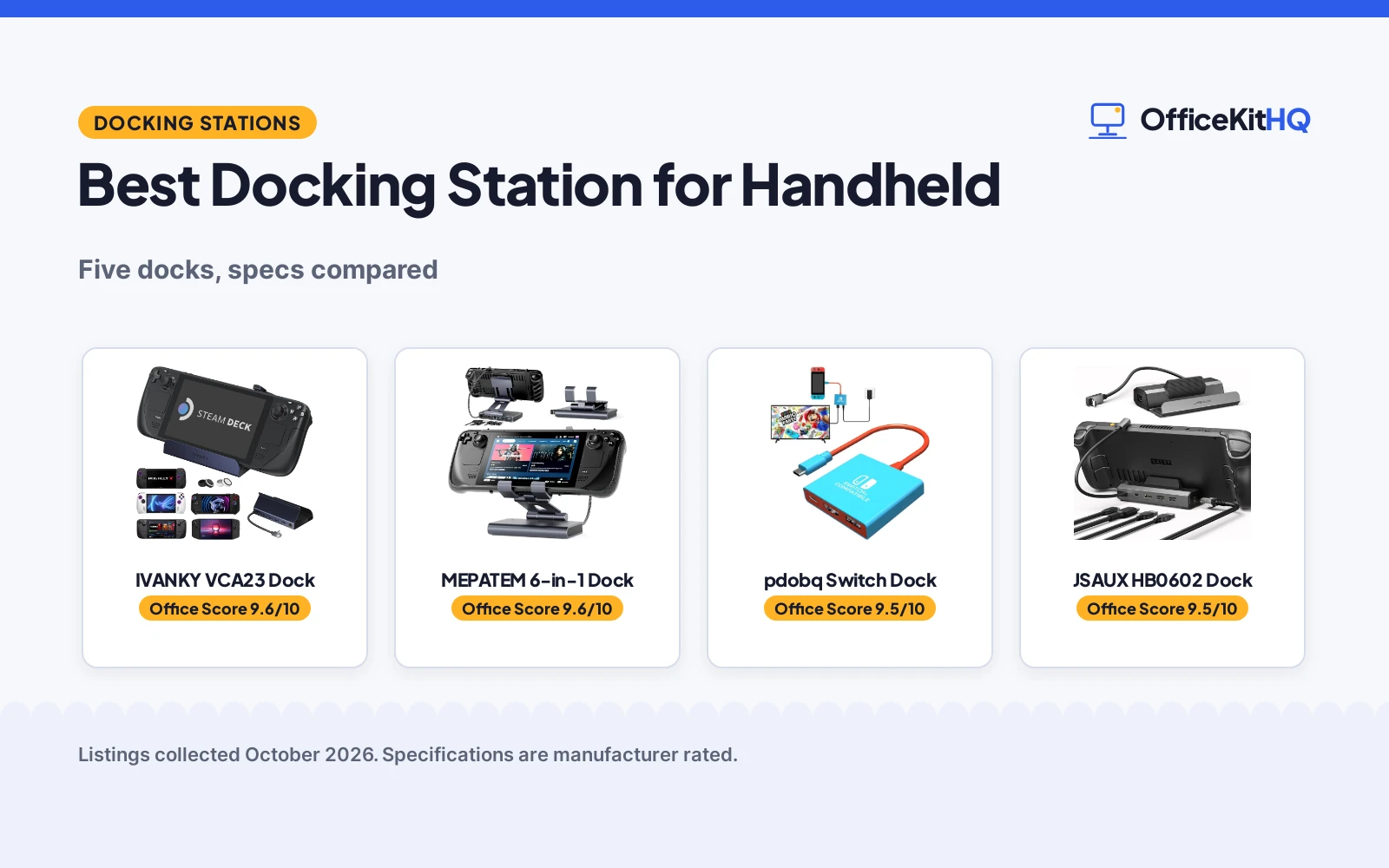
The morning call ends and the handheld comes out: the best docking station for handheld is the one that turns a Steam Deck, ROG Ally or Switch into a big-screen station. We compared five docks by stated HDMI output, Ethernet, USB ports, charging and warranty, and ranked them by how well each one serves handheld gaming at a desk or on the road. Two docks state Gigabit Ethernet, three state 100W charging, and one names the ROG Xbox Ally X; every figure below comes from the listings as stated.
OfficeKitHQ earns a commission when you buy through links on this page, at no extra cost to you. As an Amazon Associate I earn from qualifying purchases. Affiliate disclosure.
Quick picks
 Best Overall IVANKY VCA23 Dock: 4K@144Hz HDMI 2.1, 1Gbps Ethernet, 65W PSU included Check price on Amazon
 Best Stand MEPATEM 6-in-1 Dock: Aluminum stand, 4K@60Hz, Gigabit Ethernet, 2-year warranty Check price on Amazon
 Best Value JSAUX HB0602 Dock: 4K@120Hz, 100W PD, Ethernet, 18-month warranty Check price on Amazon
 Best Travel pdobq Switch Dock: Compact 3-port Switch dock with safety protection Check price on Amazon
 Best for Xbox Ally JSAUX HB0503 Dock: Raised base, 4K@60Hz, 100W PD, Xbox Ally support Check price on Amazon
The picks
| # | Product | Office Score | Buy |
|---|---|---|---|
| 1 | IVANKY VCA23 Dock | 9.6/10 | Buy on Amazon |
| 2 | MEPATEM 6-in-1 Dock | 9.6/10 | Buy on Amazon |
| 3 | pdobq Switch Dock | 9.5/10 | Buy on Amazon |
| 4 | JSAUX HB0602 Dock | 9.5/10 | Buy on Amazon |
| 5 | JSAUX HB0503 Dock | 9.4/10 | Buy on Amazon |

IVANKY VCA23 Dock
An 8-in-1 dock with 4K@144Hz HDMI 2.1, 1Gbps Ethernet and a 65W power supply.
Pros
- 4K@144Hz HDMI 2.1 stated, highest refresh here
- 1Gbps Ethernet stated
- Three 5Gbps USB-A 3.0 ports stated
- 65W power supply included stated
Cons
- Bullets state 18 months while the spec table lists 2 years
- Firmware update recommended for HDMI issues, per the listing
- BIOS 323 needed for ROG Ally X Turbo, per the listing
- Midnight Blue only in this listing
Detailed Review
The listing states an 8-in-1 dock with 4K@144Hz HDMI 2.1, 1Gbps Ethernet, three 5Gbps USB-A 3.0 ports, 100W power delivery, a rapid-charging USB-C port and two joystick caps. It states 30W Turbo Mode support for the ROG Ally X and includes a 65W power supply. The bullets state an 18-month worry-free warranty while the spec table lists 2 years; we report the bullets' 18 months.
Who it's for: a high-refresh gamer who wants the highest HDMI refresh here. Who should skip it: anyone who dislikes firmware chores; the listing recommends a dock firmware update.
Its Office Score of 9.6/10 comes from performance 32/35, build 20/25, value 22/25, safety 0/10 and warranty 4/5: 78 of 100 points, placed on our 9.2 to 9.8 scale.
Key Specifications
| HDMI | 4K@144Hz |
|---|---|
| Ethernet | 1Gbps |
| Power | 100W PD, 65W PSU included |
| Warranty | 18 months |
Figures as published on the retailer listing, collected 19 October 2026. Performance figures are manufacturer rated.
Safety and Warranty
What this listing states. No UL, FCC or over-current protection statement is stated, so safety scores zero. 18-month worry-free warranty. It does not say everything a buyer needs, such as who pays return shipping, so warranty scores 4 of 5. See How We Pick.
Power and heat. Use the supplied adapter, treat power delivery wattage and display support as the maker's claims for your laptop model, and give the dock room to vent.
This is general buying information, not professional advice. Follow each product manual and local rules, and see our Safety Disclaimer.

MEPATEM 6-in-1 Dock
A 6-in-1 aluminum dock with an adjustable stand, 4K@60Hz HDMI and Gigabit Ethernet.
Pros
- Aluminum alloy with weighted base stated
- Adjustable stand with rotating shafts stated
- Gigabit Ethernet stated
- 2 year warranty stated
Cons
- 4K@60Hz, lower than the 4K@120Hz and 4K@144Hz here
- Not for cases with a kickstand, per the listing
- No 100W charger included stated
- Midnight-black color only in this listing
Detailed Review
The listing states a 6-in-1 aluminum alloy dock with an adjustable stand, 4K@60Hz HDMI 2.0 output, Gigabit Ethernet, three USB-A 3.0 ports, PD 3.0 fast charging and a 100W rating. It states compatibility with Steam Deck and OLED, ROG Ally and Ally X, Legion Go, iPads and Android phones with USB-C, but not with protective cases with a kickstand. The listing states a 2 year warranty. No contradiction between the title, bullets and spec table.
Who it's for: a Steam Deck owner who wants a sturdy adjustable stand at the desk. Who should skip it: anyone chasing high refresh; it tops out at 4K@60Hz.
Its Office Score of 9.6/10 comes from performance 29/35, build 22/25, value 20/25, safety 0/10 and warranty 4/5: 75 of 100 points, placed on our 9.2 to 9.8 scale.
Key Specifications
| HDMI | 4K@60Hz |
|---|---|
| Ethernet | Gigabit |
| USB | 3x USB-A 3.0 |
| Warranty | 2 year |
Figures as published on the retailer listing, collected 19 October 2026. Performance figures are manufacturer rated.
Safety and Warranty
What this listing states. This product does not plug in or run on a battery, so safety is not part of its score. 2 year warranty. It does not say everything a buyer needs, such as who pays return shipping, so warranty scores 4 of 5. See How We Pick.
Power and heat. Use the supplied adapter, treat power delivery wattage and display support as the maker's claims for your laptop model, and give the dock room to vent.
This is general buying information, not professional advice. Follow each product manual and local rules, and see our Safety Disclaimer.

pdobq Switch Dock
A compact 3-port Switch dock with HDMI 2.0, USB 3.0 and PD charging.
Pros
- Compact travel size stated
- Voltage and current safety protection stated
- HDMI 2.0 and USB 3.0 stated
- 1 Year Quality Promise by Manufacturer stated
Cons
- Title states 4K/60Hz while the bullets state 1080P@60Hz
- No Ethernet port stated
- Not for Switch Lite, per the listing
- Only 3 ports stated
Detailed Review
The listing states a portable 3-port dock for Nintendo Switch 1, 2 and OLED (not Lite) with HDMI 2.0, USB 3.0 and a PD charging port, plus voltage and current safety protection. The title states 4K/60Hz TV mode while the bullets state 1080P@60Hz for Switch; we report both figures. The listing states a 1 Year Quality Promise by Manufacturer.
Who it's for: a Switch traveler who wants a pocketable TV adapter. Who should skip it: a desk gamer who needs Ethernet and more ports.
Its Office Score of 9.5/10 comes from performance 24/35, build 19/25, value 20/25, safety 5/10 and warranty 3/5: 71 of 100 points, placed on our 9.2 to 9.8 scale.
Key Specifications
| HDMI | 4K/60Hz title, 1080P@60Hz bullets |
|---|---|
| Ports | 3 |
| Safety | Voltage/current protection |
| Warranty | 1 year |
Figures as published on the retailer listing, collected 19 October 2026. Performance figures are manufacturer rated.
Safety and Warranty
What this listing states. Voltage and current safety protection stated, so safety scores 5 of 10. 1 Year Quality Promise by Manufacturer. It does not say everything a buyer needs, such as who pays return shipping, so warranty scores 3 of 5. See How We Pick.
Power and heat. Use the supplied adapter, treat power delivery wattage and display support as the maker's claims for your laptop model, and give the dock room to vent.
This is general buying information, not professional advice. Follow each product manual and local rules, and see our Safety Disclaimer.

Pros
- 4K@120Hz HDMI 2.1 stated
- 100W PD charging stated
- Ethernet port stated
- 18-Month Warranty stated
Cons
- Not for ROG XBOX Ally or XBOX Ally X, per the listing
- 100Mbps Ethernet, slower than the Gigabit here
- USB 2.0 ports only
- 141 g stated, no stand function
Detailed Review
The listing states a 5-in-1 dock with 4K@120Hz HDMI 2.1 output, 100W PD charging, two USB 2.0 ports and an Ethernet port. It states compatibility with Steam Deck LCD and OLED, ROG Ally and Ally X, Legion Go and Go S, and MSI Claw, but not with the ROG XBOX Ally or XBOX Ally X. The listing states an 18-Month Warranty. No contradiction between the title, bullets and spec table.
Who it's for: a Steam Deck or ROG Ally owner who wants 4K@120Hz with fewer ports. Who should skip it: an Xbox Ally owner; the listing excludes those models.
Its Office Score of 9.5/10 comes from performance 30/35, build 20/25, value 20/25, safety 0/10 and warranty 4/5: 74 of 100 points, placed on our 9.2 to 9.8 scale.
Key Specifications
| HDMI | 4K@120Hz |
|---|---|
| Ethernet | 100Mbps |
| Power | 100W PD |
| Warranty | 18 months |
Figures as published on the retailer listing, collected 19 October 2026. Performance figures are manufacturer rated.
Safety and Warranty
What this listing states. No UL, FCC or over-current protection statement is stated, so safety scores zero. 18-Month Warranty. It does not say everything a buyer needs, such as who pays return shipping, so warranty scores 4 of 5. See How We Pick.
Power and heat. Use the supplied adapter, treat power delivery wattage and display support as the maker's claims for your laptop model, and give the dock room to vent.
This is general buying information, not professional advice. Follow each product manual and local rules, and see our Safety Disclaimer.

Pros
- States ROG Xbox Ally and Xbox Ally X support, unique here
- 4K@60Hz plus 2K@120Hz output stated
- 100W PD charging stated
- Raised base for grippy handhelds stated
Cons
- No warranty term is stated
- No Ethernet port stated
- Not compatible with Nintendo Switch 2, per the listing
- USB 2.0 ports only
Detailed Review
The listing states a 4-in-1 dock with a widened, raised base, 4K@60Hz and 2K@120Hz HDMI output, 100W PD charging and two USB 2.0 ports. It is the only listing here that states support for the ROG Xbox Ally and Xbox Ally X, alongside Steam Deck, ROG Ally, Legion Go, MSI Claw and others; it is not compatible with Nintendo Switch 2. No warranty term is stated. No contradiction between the title, bullets and spec table.
Who it's for: an Xbox Ally owner, the only dock here that names that handheld. Who should skip it: anyone who wants Ethernet or a stated warranty.
Its Office Score of 9.4/10 comes from performance 29/35, build 20/25, value 20/25, safety 0/10 and warranty 0/5: 69 of 100 points, placed on our 9.2 to 9.8 scale.
Key Specifications
| HDMI | 4K@60Hz / 2K@120Hz |
|---|---|
| Power | 100W PD |
| USB | 2x USB 2.0 |
| Compatibility | ROG Xbox Ally X |
Figures as published on the retailer listing, collected 19 October 2026. Performance figures are manufacturer rated.
Safety and Warranty
What this listing states. No UL, FCC or over-current protection statement is stated, so safety scores zero. No warranty term, so warranty scores zero. See How We Pick.
Power and heat. Use the supplied adapter, treat power delivery wattage and display support as the maker's claims for your laptop model, and give the dock room to vent.
This is general buying information, not professional advice. Follow each product manual and local rules, and see our Safety Disclaimer.
As an Amazon Associate I earn from qualifying purchases.
Compare the picks
| Dock | Office Score | HDMI | Ethernet | USB Ports | Warranty | Amazon |
|---|---|---|---|---|---|---|
| IVANKY VCA23 Dock | 9.6/10 | 4K@144Hz | 1Gbps | 3x USB-A 3.0 | 18 months | View on Amazon |
| MEPATEM 6-in-1 Dock | 9.6/10 | 4K@60Hz | Gigabit | 3x USB-A 3.0 | 2 year | View on Amazon |
| pdobq Switch Dock | 9.5/10 | 4K/60Hz title, 1080P@60Hz bullets | Not stated | 1x USB 3.0 | 1 year | View on Amazon |
| JSAUX HB0602 Dock | 9.5/10 | 4K@120Hz | 100Mbps | 2x USB 2.0 | 18 months | View on Amazon |
| JSAUX HB0503 Dock | 9.4/10 | 4K@60Hz | Not stated | 2x USB 2.0 | Not stated | View on Amazon |
Specifications are manufacturer rated as listed, collected 19 October 2026.
How we scored them
The Office Score weighs performance, build, value, safety and warranty. For docks, performance means HDMI output, Ethernet speed, USB ports and charging power; safety covers stated electrical protections, and only the pdobq states one. Four of the five listings state a warranty term. How we pick explains the weights.
| Product | Office Score | Perf. /35 | Build /25 | Value /25 | Safety /10 | Warranty /5 |
|---|---|---|---|---|---|---|
| IVANKY VCA23 Dock | 9.6 | 32 | 20 | 22 | 0 | 4 |
| MEPATEM 6-in-1 Dock | 9.6 | 29 | 22 | 20 | 0 | 4 |
| pdobq Switch Dock | 9.5 | 24 | 19 | 20 | 5 | 3 |
| JSAUX HB0602 Dock | 9.5 | 30 | 20 | 20 | 0 | 4 |
| JSAUX HB0503 Dock | 9.4 | 29 | 20 | 20 | 0 | 0 |
Scores run from 9.2 to 9.8: each product’s point total is placed on that range, so more points always means a higher score.
How to choose the best docking station for handheld
Read the HDMI line
The IVANKY states 4K@144Hz over HDMI 2.1, the JSAUX HB0602 states 4K@120Hz, and the MEPATEM and JSAUX HB0503 state 4K@60Hz (the HB0503 also states 2K@120Hz). The pdobq is the messy one: its title states 4K/60Hz TV mode while its bullets state 1080P@60Hz for Switch, so we report both figures. For another handheld, see the docking station for Odin 2 Portal picks.
Ethernet or travel
The MEPATEM and IVANKY state Gigabit Ethernet, the JSAUX HB0602 states 100Mbps Ethernet, and the pdobq and JSAUX HB0503 state no Ethernet at all. If the setup never leaves the desk, Gigabit is worth having; if the dock lives in a backpack, the pdobq is the compact pick. See the docking station for remote work lists for desk setups.
Match the dock to the handheld
The JSAUX HB0503 is the only listing here that states support for the ROG Xbox Ally and Xbox Ally X. The IVANKY calls out 30W Turbo Mode for the ROG Ally X, the JSAUX HB0602 is not for the Xbox Ally models, the pdobq is built for Nintendo Switch 1, 2 and OLED (not Lite), and the MEPATEM also takes iPads and USB-C phones. Check the handheld first, then the dock. The docking station with power supply covers charging docks.
Check the warranty line
The MEPATEM states a 2 year warranty, the IVANKY states 18 months in its bullets, the JSAUX HB0602 states an 18-Month Warranty, and the pdobq states a 1 Year Quality Promise by Manufacturer. The JSAUX HB0503 states no warranty term. Browse every docking stations and USB hubs guide for the full category.
Count the ports
The IVANKY is the 8-in-1 pick with three USB-A 3.0 ports, the MEPATEM is 6-in-1 with three USB-A 3.0 ports, the JSAUX HB0602 is 5-in-1 with two USB 2.0 ports, the JSAUX HB0503 is 4-in-1 with two USB 2.0 ports, and the pdobq is a 3-port adapter. If the plan is a keyboard, a mouse and a controller at once, the 8-in-1 and 6-in-1 models leave headroom.
Setup Notes
- Update the dock firmware if HDMI misbehaves, per the IVANKY listing.
- Use a 100W charger for full Turbo Mode, per the JSAUX listings.
- The pdobq needs the official Nintendo Switch charger and an HDMI cable.
- The MEPATEM fits devices with cases up to 4 mm thick, but not kickstand cases.
- Check the groove: the MEPATEM hook width is 26 mm.
- Dock the handheld before plugging in peripherals, so the first connection the dock sees is the host.
Frequently Asked Questions
Which dock supports the ROG Xbox Ally X?
The JSAUX HB0503 is the only listing here that states support for the ROG Xbox Ally and Xbox Ally X.
Which dock has the highest-refresh HDMI output?
The IVANKY states 4K@144Hz over HDMI 2.1. The JSAUX HB0602 states 4K@120Hz.
Do these docks include a charger?
The IVANKY states a 65W power supply is included. The JSAUX listings recommend a 100W charger, sold separately.
Which dock is best for travel?
The pdobq is the compact 3-port pick for Nintendo Switch. The others are desk docks.
Do these docks have a warranty?
The MEPATEM states 2 years, the IVANKY states 18 months, the JSAUX HB0602 states 18 months, and the pdobq states 1 year. The JSAUX HB0503 states no warranty term.
Will these docks work with a case on the handheld?
The MEPATEM states its 26 mm groove fits devices with cases up to 4 mm thick, but not cases with a kickstand. The JSAUX HB0503 states a widened, raised base for handhelds with protruding grips. The other listings state no case fit.
Related guides
See every docking stations and USB hubs guide and all audio, power and connectivity guides. Also see our best docking station for Odin 2 Portal.
More picks: docking station for Odin 2 Portal, docking station for work from home and docking station for remote work.



