
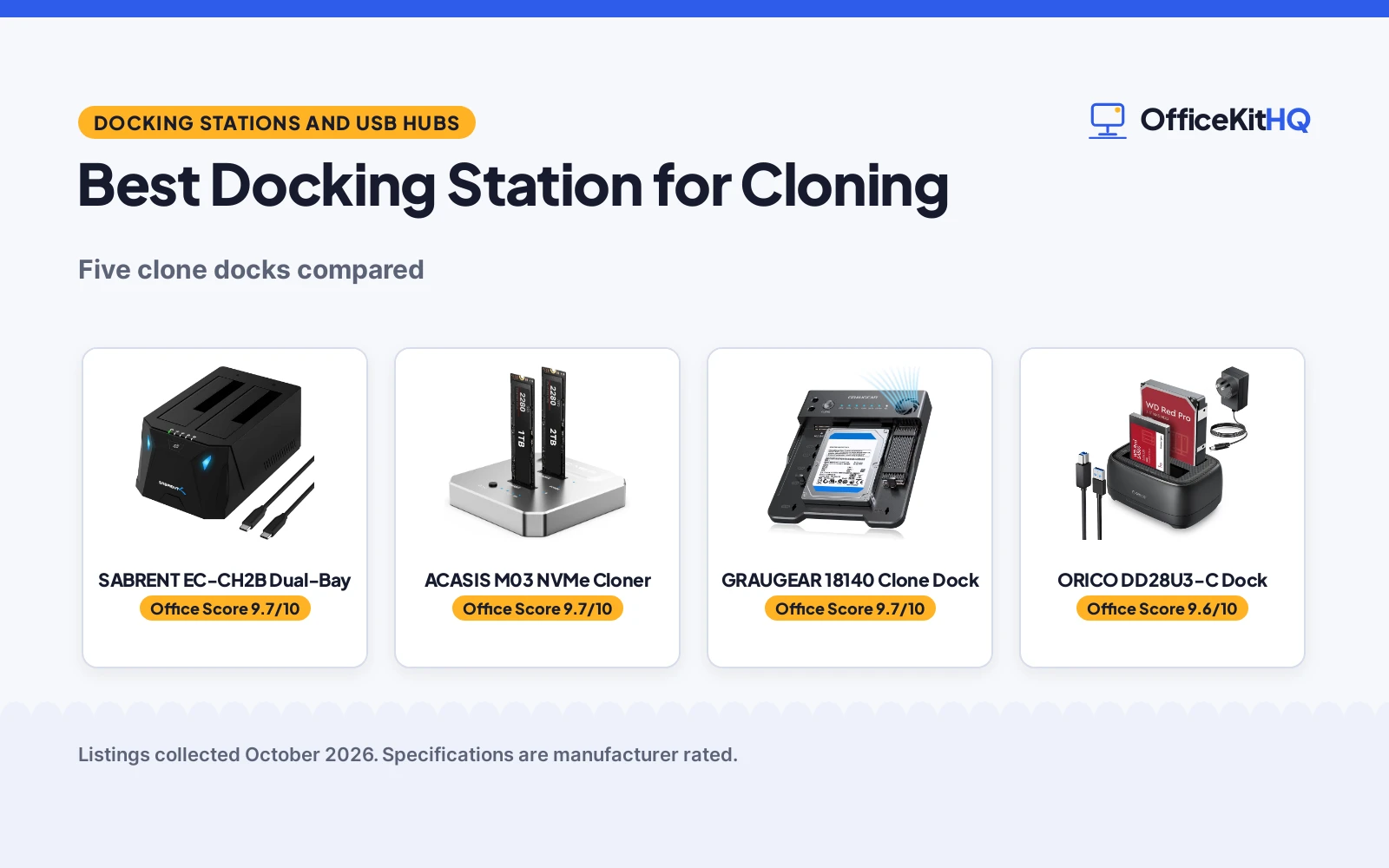
The best docking station for cloning is the one that matches your drive type: SATA docks clone SATA, NVMe docks clone NVMe, and only the crossover dock moves data between the two. All five docks here clone offline at the press of a button.
OfficeKitHQ earns a commission when you buy through links on this page, at no extra cost to you. Read our affiliate disclosure.
Quick picks
 Best Overall SABRENT EC-CH2B Dual-Bay: Dual-bay SATA with offline 1-to-1 cloning Check price on Amazon
 Best NVMe ACASIS M03 NVMe Cloner: Dual M.2 NVMe cloning at 20Gbps Check price on Amazon
 Best Crossover GRAUGEAR 18140 Clone Dock: SATA-to-NVMe offline cloning with fan Check price on Amazon
 Best Hub Combo MAIWO K3082H Dual-Bay: Clone dock plus 3-port USB hub Check price on Amazon
 Best Simple ORICO DD28U3-C Dock: Straightforward SATA duplication Check price on Amazon
Best docking station for cloning: side by side
| Dock | Office Score | Bays | Clone | Warranty | Amazon |
|---|---|---|---|---|---|
| SABRENT EC-CH2B Dual-Bay | 9.7/10 | Dual SATA | Offline 1-to-1 | 1-year | View on Amazon |
| ACASIS M03 NVMe Cloner | 9.7/10 | Dual NVMe | Offline NVMe | 1-year | View on Amazon |
| GRAUGEAR 18140 Clone Dock | 9.7/10 | NVMe + SATA | SATA-to-NVMe | 2-year | View on Amazon |
| MAIWO K3082H Dual-Bay | 9.6/10 | Dual SATA | Offline | 1-year | View on Amazon |
| ORICO DD28U3-C Dock | 9.6/10 | Dual SATA | Offline | 1-year | View on Amazon |
Specifications are manufacturer rated, as published on each listing and collected 19 October 2026.
SATA cloners: SABRENT, MAIWO and ORICO
Three docks take 2.5 and 3.5 in SATA drives only. The SABRENT EC-CH2B states offline 1-to-1 cloning at up to 60MBps over USB-C with hot-swap bays. The MAIWO K3082H states offline cloning with progress LEDs and adds a 3-port USB 3.0 hub with 48TB total capacity. The ORICO DD28U3-C states offline cloning with 44TB capacity and a dust-proof cover. All three state a 1-year warranty. Pick the SABRENT for the cleanest SATA story, the MAIWO for the hub, the ORICO for simplicity.
NVMe and crossover: ACASIS and GRAUGEAR
The ACASIS M03 states dual-bay M.2 NVMe offline cloning at 20Gbps with aluminum cooling, NVMe only up to 8TB. The GRAUGEAR 18140 states SATA-to-NVMe offline cloning with 10Gbps USB-C and a 3-speed fan, plus the longest stated warranty here at 2 years. For NVMe-to-NVMe, the ACASIS is the pick; for moving from SATA to NVMe, only the GRAUGEAR does it.
The five docks
| # | Product | Office Score | Buy |
|---|---|---|---|
| 1 | SABRENT EC-CH2B Dual-Bay | 9.7/10 | Buy on Amazon |
| 2 | ACASIS M03 NVMe Cloner | 9.7/10 | Buy on Amazon |
| 3 | GRAUGEAR 18140 Clone Dock | 9.7/10 | Buy on Amazon |
| 4 | ORICO DD28U3-C Dock | 9.6/10 | Buy on Amazon |
| 5 | MAIWO K3082H Dual-Bay | 9.6/10 | Buy on Amazon |

SABRENT EC-CH2B Dual-Bay
A dual-bay USB-C SATA docking station with offline 1-to-1 cloning up to 60MBps.
Pros
- Offline 1-to-1 clone stated, no PC needed
- 2.5 and 3.5 in SATA bays stated
- 5Gbps with UASP stated
- 1 Year limited warranty stated
Cons
- No IDE or NVMe support stated
- Offline clone capped at 60MBps
- USB-C on dock end only
- Target must match or exceed source stated
Detailed Review
The listing states the SABRENT EC-CH2B as a dual-bay USB-C docking station with offline 1-to-1 cloning at up to 60MBps, taking 2.5 and 3.5 in SATA drives up to 20TB, with hot-swap bays and a 1 Year limited warranty. Both bays mount as separate drives over USB.
Who it's for: SATA drive swaps and system migrations. Who should skip it: anyone cloning NVMe or M.2 drives.
Its Office Score of 9.7/10 comes from performance 33/35, build 22/25, value 21/25, safety not scored (non-powered gear) and warranty 2/5: 78 of 90 points, placed on our 9.2 to 9.8 scale.
Key Specifications
| Bays | Dual SATA 2.5/3.5 in |
|---|---|
| Clone | Offline 1-to-1, up to 60MBps |
| Speed | 5Gbps, UASP |
| Warranty | 1 Year limited |
Figures as published on the retailer listing, collected 19 October 2026. Performance figures are manufacturer rated.
Safety and Warranty
What this listing states. This product does not plug in or run on a battery, so safety is not part of its score. 1 Year limited warranty. It does not say everything a buyer needs, such as who pays return shipping, so warranty scores 2 of 5. See How We Pick.
Anchor it. Anchor tall bookshelves and file cabinets to the wall with the supplied hardware or an anti-tip kit, load the lowest shelves and drawers first, and open one drawer at a time.
This is general buying information, not professional advice. Follow each product manual and local rules, and see our Safety Disclaimer.

ACASIS M03 NVMe Cloner
A dual-bay M.2 NVMe cloner with 20Gbps USB and aluminum cooling, offline cloning.
Pros
- Offline NVMe cloning stated
- 20Gbps USB 3.2 Gen2x2 stated
- Aluminum cooling stated
- 1 year manufacturer warranty stated
Cons
- NVMe only, no SATA stated
- 8TB max per SSD stated
- Target must be larger than source stated
- 56 g, tiny bays to handle
Detailed Review
The listing states the ACASIS M03 as a dual-bay M.2 NVMe cloner with offline one-click cloning, 20Gbps on Gen2x2 and 10Gbps on TB3/USB4/USB-A, aluminum cooling and a 1 year manufacturer warranty, supporting NVMe SSDs up to 8TB.
Who it's for: NVMe SSD upgrades and fast duplications. Who should skip it: anyone with SATA drives.
Its Office Score of 9.7/10 comes from performance 32/35, build 21/25, value 21/25, safety not scored (non-powered gear) and warranty 2/5: 76 of 90 points, placed on our 9.2 to 9.8 scale.
Key Specifications
| Bays | Dual M.2 NVMe |
|---|---|
| Speed | 20Gbps Gen2x2 |
| Cooling | Aluminum body |
| Warranty | 1 year manufacturer |
Figures as published on the retailer listing, collected 19 October 2026. Performance figures are manufacturer rated.
Safety and Warranty
What this listing states. This product does not plug in or run on a battery, so safety is not part of its score. 1 year manufacturer warranty. It does not say everything a buyer needs, such as who pays return shipping, so warranty scores 2 of 5. See How We Pick.
Anchor it. Anchor tall bookshelves and file cabinets to the wall with the supplied hardware or an anti-tip kit, load the lowest shelves and drawers first, and open one drawer at a time.
This is general buying information, not professional advice. Follow each product manual and local rules, and see our Safety Disclaimer.

GRAUGEAR 18140 Clone Dock
A lay-flat clone dock for M.2 NVMe plus SATA, with SATA-to-NVMe offline cloning and a fan.
Pros
- SATA-to-NVMe offline cloning stated
- 10Gbps USB-C stated
- 3-speed cooling fan stated
- 2 Year Warranty stated
Cons
- 155 g, lay-flat takes desk space
- One M.2 slot only
- Clone button sequence to learn
- Dark gray only
Detailed Review
The listing states the GRAUGEAR 18140 as a lay-flat clone dock taking one M.2 NVMe SSD plus one SATA drive, with SATA-to-NVMe offline cloning, 10Gbps USB-C, a 3-speed cooling fan and a 2 Year Warranty.
Who it's for: migrating from SATA to NVMe without a PC. Who should skip it: anyone cloning two NVMe drives at once.
Its Office Score of 9.7/10 comes from performance 30/35, build 22/25, value 20/25, safety not scored (non-powered gear) and warranty 2/5: 74 of 90 points, placed on our 9.2 to 9.8 scale.
Key Specifications
| Bays | 1x M.2 NVMe + 1x SATA |
|---|---|
| Clone | SATA-to-NVMe offline |
| Speed | 10Gbps USB-C |
| Warranty | 2 Year Warranty |
Figures as published on the retailer listing, collected 19 October 2026. Performance figures are manufacturer rated.
Safety and Warranty
What this listing states. This product does not plug in or run on a battery, so safety is not part of its score. 2 Year Warranty. It does not say everything a buyer needs, such as who pays return shipping, so warranty scores 2 of 5. See How We Pick.
Anchor it. Anchor tall bookshelves and file cabinets to the wall with the supplied hardware or an anti-tip kit, load the lowest shelves and drawers first, and open one drawer at a time.
This is general buying information, not professional advice. Follow each product manual and local rules, and see our Safety Disclaimer.

ORICO DD28U3-C Dock
A dual-bay SATA docking station with offline clone, 44TB and UASP at 5Gbps.
Pros
- Offline clone stated
- 44TB capacity stated
- UASP with 5Gbps stated
- 1-Year warranty stated
Cons
- SATA only, no NVMe
- Won't power on empty stated
- USB-A cables, no USB-C
- Dust cover to open each time
Detailed Review
The listing states the ORICO DD28U3-C as a dual-bay SATA docking station with offline cloning, 44TB capacity, UASP at 5Gbps, a dust-proof cover and a 1-Year warranty.
Who it's for: straightforward SATA duplication on any platform. Who should skip it: anyone wanting USB-C.
Its Office Score of 9.6/10 comes from performance 29/35, build 21/25, value 20/25, safety not scored (non-powered gear) and warranty 2/5: 72 of 90 points, placed on our 9.2 to 9.8 scale.
Key Specifications
| Bays | Dual SATA 2.5/3.5 in |
|---|---|
| Capacity | 44TB |
| Speed | 5Gbps, UASP |
| Warranty | 1-Year |
Figures as published on the retailer listing, collected 19 October 2026. Performance figures are manufacturer rated.
Safety and Warranty
What this listing states. This product does not plug in or run on a battery, so safety is not part of its score. 1-Year warranty. It does not say everything a buyer needs, such as who pays return shipping, so warranty scores 2 of 5. See How We Pick.
Anchor it. Anchor tall bookshelves and file cabinets to the wall with the supplied hardware or an anti-tip kit, load the lowest shelves and drawers first, and open one drawer at a time.
This is general buying information, not professional advice. Follow each product manual and local rules, and see our Safety Disclaimer.

MAIWO K3082H Dual-Bay
A dual-bay SATA cloner with a 3-port USB 3.0 hub, 48TB total and clone progress LEDs.
Pros
- 48TB total capacity stated
- 3x USB 3.0 hub stated
- Clone progress LEDs stated
- One Year Manufacturer Warranty stated
Cons
- SATA only, no NVMe
- 1.6 lb, the heaviest here
- USB-B to USB-A cable
- Hub shares the 5Gbps link
Detailed Review
The listing states the MAIWO K3082H as a dual-bay SATA cloner with offline cloning, 48TB total capacity, a 3-port USB 3.0 hub with 2.4A charging on one port, clone progress LEDs and a One Year Manufacturer Warranty.
Who it's for: a desk that needs a dock plus extra USB ports. Who should skip it: an NVMe-only workflow.
Its Office Score of 9.6/10 comes from performance 30/35, build 21/25, value 20/25, safety not scored (non-powered gear) and warranty 0/5: 71 of 90 points, placed on our 9.2 to 9.8 scale.
Key Specifications
| Bays | Dual SATA 2.5/3.5 in |
|---|---|
| Capacity | 48TB total |
| Extras | 3x USB 3.0 hub |
| Warranty | One Year Manufacturer |
Figures as published on the retailer listing, collected 19 October 2026. Performance figures are manufacturer rated.
Safety and Warranty
What this listing states. This product does not plug in or run on a battery, so safety is not part of its score. No warranty term, so warranty scores zero. See How We Pick.
Anchor it. Anchor tall bookshelves and file cabinets to the wall with the supplied hardware or an anti-tip kit, load the lowest shelves and drawers first, and open one drawer at a time.
This is general buying information, not professional advice. Follow each product manual and local rules, and see our Safety Disclaimer.
As an Amazon Associate I earn from qualifying purchases.
Frequently Asked Questions
Do these clone without a computer?
Yes. All five state offline cloning at the press of a button, with the target drive needing to match or exceed the source.
Which clone NVMe drives?
The ACASIS M03 clones M.2 NVMe to M.2 NVMe. The GRAUGEAR 18140 clones SATA to NVMe. The other three are SATA only.
Which has the longest warranty?
The GRAUGEAR 18140 at 2 years. The other four state 1 year each.
Which adds USB ports?
The MAIWO K3082H with its 3-port USB 3.0 hub, one port with 2.4A charging.
Related: our docking stations and USB hubs hub, the best docking station for external hard drive and the best docking station for business.



