
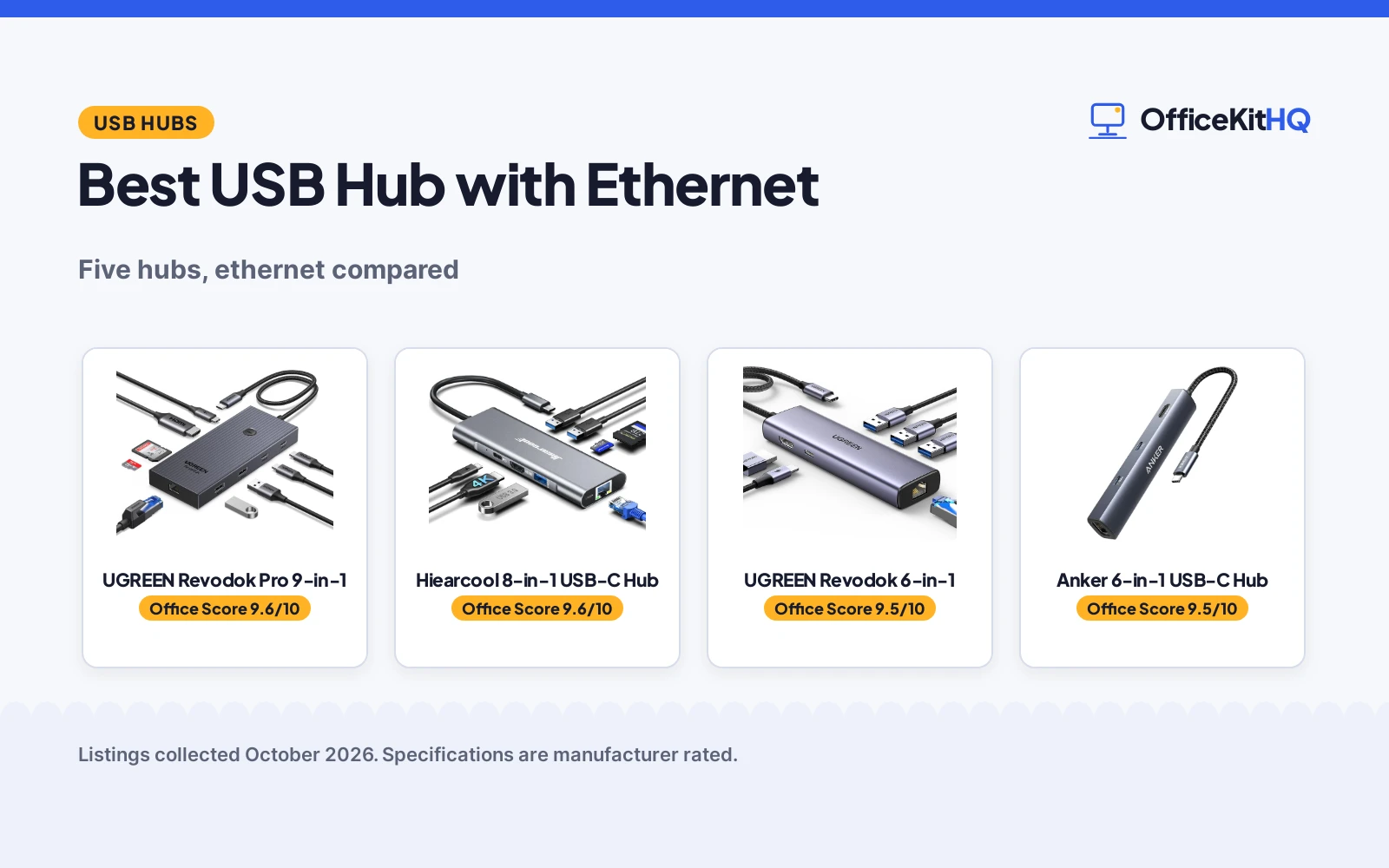
The Wi-Fi drops right as the client joins the call, and the laptop has exactly one USB-C port. The best usb hub with ethernet turns that single port into wired internet, an external monitor and a few USB ports in one plug. We compared five hubs on what their listings state: port count, ethernet speed, HDMI resolution, PD charging watts and stated warranty. All five include gigabit ethernet; four add HDMI.
OfficeKitHQ earns a commission when you buy through links on this page, at no extra cost to you. As an Amazon Associate I earn from qualifying purchases. Affiliate disclosure.
Quick picks
 Best Overall UGREEN Revodok Pro 9-in-1: 9 ports, 4K at 60Hz and 10Gbps data transfer Check price on Amazon
 Best 8-in-1 Hiearcool 8-in-1 USB-C Hub: 4K at 60Hz, 100W PD and card readers in aluminum Check price on Amazon
 Best 6-in-1 UGREEN Revodok 6-in-1: gigabit ethernet with 24-month warranty stated Check price on Amazon
 Best Compact Anker 6-in-1 USB-C Hub: 6 ports in a slim 0.72-inch aluminum body Check price on Amazon
 Simplest Amazon Basics 4-Port Hub: 3 USB ports plus gigabit ethernet, no video Check price on Amazon
The picks
| # | Product | Office Score | Buy |
|---|---|---|---|
| 1 | UGREEN Revodok Pro 9-in-1 | 9.6/10 | Buy on Amazon |
| 2 | Hiearcool 8-in-1 USB-C Hub | 9.6/10 | Buy on Amazon |
| 3 | UGREEN Revodok 6-in-1 | 9.5/10 | Buy on Amazon |
| 4 | Anker 6-in-1 USB-C Hub | 9.5/10 | Buy on Amazon |
| 5 | Amazon Basics 4-Port Hub | 9.4/10 | Buy on Amazon |

UGREEN Revodok Pro 9-in-1
A 9-in-1 USB-C hub with 4K at 60Hz HDMI, gigabit ethernet, 100W PD and 10Gbps data transfer.
Pros
- 9 ports with 4K@60Hz HDMI and gigabit ethernet
- 100W PD input with 85W pass-through stated
- 10Gbps data transfer, the fastest here
- SD and TF card readers included
Cons
- The USB-C port supports charging only, not data or video
- 15W is reserved for other operations, per the listing
- 20 grams stated weight seems light for an aluminum hub
- No safety certification is stated
Detailed Review
The listing states a 9-in-1 USB-C hub with 4K at 60Hz HDMI, gigabit ethernet at 1000Mbps, 100W PD input with 85W pass-through, SD and TF card readers, USB-A and USB-C data ports, 10Gbps data transfer and an aluminum body at 5.55 by 2.28 by 0.62 inches. The listing notes the USB-C port supports charging only and that 15W is reserved for other operations. A 2-year manufacturer warranty is stated.
Who it's for: desks that need the most ports and the fastest data here. Who should skip it: anyone who only needs ethernet and a couple of USB ports.
Its Office Score of 9.6/10 comes from performance 33/35, build 22/25, value 21/25, safety 0/10 and warranty 4/5: 80 of 100 points, placed on our 9.2 to 9.8 scale.
Key Specifications
| Ports | 9 |
|---|---|
| HDMI | 4K@60Hz |
| Data | 10Gbps |
| Warranty | 2 Year Manufacturer |
Figures as published on the retailer listing, collected 21 October 2026. Performance figures are manufacturer rated.
Safety and Warranty
What this listing states. No UL, FCC or over-current protection statement is stated, so safety scores zero. 2 Year Manufacturer warranty stated. It does not say everything a buyer needs, such as who pays return shipping, so warranty scores 4 of 5. See How We Pick.
Power and heat. Use the supplied adapter, treat power delivery wattage and display support as the maker's claims for your laptop model, and give the dock room to vent.
This is general buying information, not professional advice. Follow each product manual and local rules, and see our Safety Disclaimer.

Hiearcool 8-in-1 USB-C Hub
An 8-in-1 aluminum hub with 4K at 60Hz HDMI, 1Gbps ethernet, 100W PD and SD/TF slots.
Pros
- 4K@60Hz HDMI with 1Gbps ethernet
- 100W PD pass-through charging
- SD and TF card readers included
- Aluminum body at 2.97 ounces
Cons
- 4K@60Hz needs a display and cable that support it
- 2.97 ounces is light but the hub is 5.16 inches long
- No safety certification is stated
- SD and TF slots add bulk for non-photographers
Detailed Review
The listing states an 8-in-1 USB-C hub with 4K at 60Hz HDMI, 1Gbps ethernet, 100W PD pass-through, three USB-A 3.0 ports at 5Gbps, SD and TF card slots, plug-and-play use and an aluminum body at 5.16 by 1.77 by 0.55 inches and 2.97 ounces. A 2-year warranty is stated.
Who it's for: MacBook and USB-C laptop users who want 60Hz video plus wired internet. Who should skip it: anyone who needs more than 3 USB-A ports.
Its Office Score of 9.6/10 comes from performance 32/35, build 21/25, value 21/25, safety 0/10 and warranty 4/5: 78 of 100 points, placed on our 9.2 to 9.8 scale.
Key Specifications
| Ports | 8 |
|---|---|
| HDMI | 4K@60Hz |
| Ethernet | 1Gbps |
| Warranty | 2 years stated |
Figures as published on the retailer listing, collected 21 October 2026. Performance figures are manufacturer rated.
Safety and Warranty
What this listing states. No UL, FCC or over-current protection statement is stated, so safety scores zero. 2 years warranty stated. It does not say everything a buyer needs, such as who pays return shipping, so warranty scores 4 of 5. See How We Pick.
Power and heat. Use the supplied adapter, treat power delivery wattage and display support as the maker's claims for your laptop model, and give the dock room to vent.
This is general buying information, not professional advice. Follow each product manual and local rules, and see our Safety Disclaimer.

UGREEN Revodok 6-in-1
A 6-in-1 USB-C hub with gigabit ethernet, 4K at 30Hz HDMI and 100W PD charging.
Pros
- Gigabit ethernet at 1000Mbps stated
- 100W PD input with 85W pass-through
- 3 USB-A 3.0 ports at 5Gbps
- 24-month warranty stated
Cons
- HDMI is 4K at 30Hz, not 60Hz
- The USB-C port supports charging only
- No card readers are included
- No safety certification is stated
Detailed Review
The listing states a 6-in-1 USB-C hub with 4K at 30Hz HDMI, gigabit ethernet, 100W PD input with 85W pass-through, 3 USB-A 3.0 ports at 5Gbps and plug-and-play use. The listing notes the USB-C port supports charging only and does not support HDR or 3D. A 24-month warranty is stated.
Who it's for: a straightforward 6-port hub with strong warranty coverage. Who should skip it: 60Hz monitor users, since HDMI is 30Hz here.
Its Office Score of 9.5/10 comes from performance 28/35, build 20/25, value 21/25, safety 0/10 and warranty 4/5: 73 of 100 points, placed on our 9.2 to 9.8 scale.
Key Specifications
| Ports | 6 |
|---|---|
| HDMI | 4K@30Hz |
| Ethernet | Gigabit |
| Warranty | 24 months stated |
Figures as published on the retailer listing, collected 21 October 2026. Performance figures are manufacturer rated.
Safety and Warranty
What this listing states. No UL, FCC or over-current protection statement is stated, so safety scores zero. 24 months warranty stated. It does not say everything a buyer needs, such as who pays return shipping, so warranty scores 4 of 5. See How We Pick.
Power and heat. Use the supplied adapter, treat power delivery wattage and display support as the maker's claims for your laptop model, and give the dock room to vent.
This is general buying information, not professional advice. Follow each product manual and local rules, and see our Safety Disclaimer.

Anker 6-in-1 USB-C Hub
A slim 6-in-1 aluminum hub with gigabit ethernet, 4K at 30Hz HDMI and 65W max PD.
Pros
- Slim aluminum body at 0.72 inch thin
- Gigabit ethernet port stated
- USB-C plus 2 USB-A data ports
- 18-month warranty stated
Cons
- 65W max PD is the lowest here
- 4K at 30Hz, not 60Hz
- Only 2 USB-A data ports
- No safety certification is stated
Detailed Review
The listing states a 6-in-1 USB-C hub with a gigabit ethernet port, 4K at 30Hz HDMI, 65W max PD pass-through, a USB-C data port and 2 USB-A data ports, in an aluminum body at 5.2 by 0.9 by 0.72 inches and 82 grams. An 18-month warranty is stated.
Who it's for: travel bags where slim and light matter most. Who should skip it: anyone whose laptop needs more than 65W of charging.
Its Office Score of 9.5/10 comes from performance 27/35, build 20/25, value 20/25, safety 0/10 and warranty 3/5: 70 of 100 points, placed on our 9.2 to 9.8 scale.
Key Specifications
| Ports | 6 |
|---|---|
| HDMI | 4K@30Hz |
| PD | 65W max |
| Warranty | 18-month stated |
Figures as published on the retailer listing, collected 21 October 2026. Performance figures are manufacturer rated.
Safety and Warranty
What this listing states. No UL, FCC or over-current protection statement is stated, so safety scores zero. 18-month warranty stated. It does not say everything a buyer needs, such as who pays return shipping, so warranty scores 3 of 5. See How We Pick.
Power and heat. Use the supplied adapter, treat power delivery wattage and display support as the maker's claims for your laptop model, and give the dock room to vent.
This is general buying information, not professional advice. Follow each product manual and local rules, and see our Safety Disclaimer.

Amazon Basics 4-Port Hub
A 4-port hub with 3 USB-A 3.0 ports and 1 gigabit ethernet port, backed by a 1-year warranty.
Pros
- 3 USB 3.0 ports plus 1 gigabit ethernet port
- 10/100/1000 Mbps stated with 5Gbps USB
- Slim plastic case for travel
- 1-year limited warranty stated
Cons
- No HDMI or video output at all
- No PD charging
- Plastic body rather than aluminum
- Only 3 USB ports plus ethernet
Detailed Review
The listing states a 4-port hub with 3 USB-A 3.0 ports and 1 gigabit ethernet port, 5Gbps USB transfer, 10/100/1000 Mbps ethernet, backward compatibility with USB 2.0, 900mA maximum per port and a slim plastic case at 7.36 by 3.15 by 0.59 inches. It notes actual ethernet speed depends on cables, routers and the computer. A 1-year limited warranty is stated.
Who it's for: anyone who just needs wired internet and a few USB ports, nothing more. Who should skip it: monitor users, since there is no video output.
Its Office Score of 9.4/10 comes from performance 26/35, build 19/25, value 21/25, safety 0/10 and warranty 3/5: 69 of 100 points, placed on our 9.2 to 9.8 scale.
Key Specifications
| Ports | 4 |
|---|---|
| Ethernet | Gigabit, 10/100/1000 |
| USB | 3x USB-A 3.0, 5Gbps |
| Warranty | 1-year limited |
Figures as published on the retailer listing, collected 21 October 2026. Performance figures are manufacturer rated.
Safety and Warranty
What this listing states. This product does not plug in or run on a battery, so safety is not part of its score. 1-year limited warranty stated. It does not say everything a buyer needs, such as who pays return shipping, so warranty scores 3 of 5. See How We Pick.
Power and heat. Use the supplied adapter, treat power delivery wattage and display support as the maker's claims for your laptop model, and give the dock room to vent.
This is general buying information, not professional advice. Follow each product manual and local rules, and see our Safety Disclaimer.
As an Amazon Associate I earn from qualifying purchases.
More picks to compare
 Cable Matters 4-in-1 USB 3.0 HubCheck on Amazon
 acer 6 in 1 USBC Hub with EthernetCheck on Amazon
Compare the picks
| Hub | Office Score | Ports | Ethernet | HDMI | PD charging | Amazon |
|---|---|---|---|---|---|---|
| UGREEN Revodok Pro 9-in-1 | 9.6/10 | 9 | Gigabit | 4K@60Hz | 100W in, 85W out | View on Amazon |
| Hiearcool 8-in-1 USB-C Hub | 9.6/10 | 8 | 1Gbps | 4K@60Hz | 100W | View on Amazon |
| UGREEN Revodok 6-in-1 | 9.5/10 | 6 | Gigabit | 4K@30Hz | 100W in, 85W out | View on Amazon |
| Anker 6-in-1 USB-C Hub | 9.5/10 | 6 | Gigabit | 4K@30Hz | 65W max | View on Amazon |
| Amazon Basics 4-Port Hub | 9.4/10 | 4 | Gigabit | None | None | View on Amazon |
Specifications are manufacturer rated as listed, collected 21 October 2026.
How we scored them
The Office Score weighs performance, build, value, safety and warranty. For hubs, safety means stated certifications or surge and heat protections; none of the five states a certification, so safety scores stay at zero. All five state a warranty term. How we pick explains the weights.
| Product | Office Score | Perf. /35 | Build /25 | Value /25 | Safety /10 | Warranty /5 |
|---|---|---|---|---|---|---|
| UGREEN Revodok Pro 9-in-1 | 9.6 | 33 | 22 | 21 | 0 | 4 |
| Hiearcool 8-in-1 USB-C Hub | 9.6 | 32 | 21 | 21 | 0 | 4 |
| UGREEN Revodok 6-in-1 | 9.5 | 28 | 20 | 21 | 0 | 4 |
| Anker 6-in-1 USB-C Hub | 9.5 | 27 | 20 | 20 | 0 | 3 |
| Amazon Basics 4-Port Hub | 9.4 | 26 | 19 | 21 | 0 | 3 |
Scores run from 9.2 to 9.8: each product’s point total is placed on that range, so more points always means a higher score.
How to choose the best usb hub with ethernet
Check the HDMI resolution you need
The UGREEN Pro and the Hiearcool state 4K at 60Hz; the UGREEN 6-in-1 and the Anker state 4K at 30Hz. The Amazon Basics has no video output at all. For a single 4K monitor at full smoothness, 60Hz matters; for presentations, 30Hz is fine. See our best usb hub for external ssd for a data-focused comparison.
Read the PD watts against your charger
Pass-through charging here runs from 65W max (Anker) to 100W input with 85W output (both UGREENs and the Hiearcool). The USB-C port on the UGREEN hubs supports charging only, not data or video. Match the hub’s PD to the wattage your laptop’s charger supplies.
Count ports, not just totals
Totals run from 4 to 9, but the mix matters: the Amazon Basics gives 3 USB-A plus ethernet with no HDMI, while the UGREEN Pro gives 9 ports including SD and TF card readers and 10Gbps data transfer. Card readers suit photographers; extra USB-A suits dongle-heavy desks. For a bigger desk setup see our best docking station with vga.
| Hub | Ports | Ethernet | HDMI |
|---|---|---|---|
| UGREEN Revodok Pro 9-in-1 | 9 | Gigabit | 4K@60Hz |
| Hiearcool 8-in-1 USB-C Hub | 8 | 1Gbps | 4K@60Hz |
| UGREEN Revodok 6-in-1 | 6 | Gigabit | 4K@30Hz |
| Anker 6-in-1 USB-C Hub | 6 | Gigabit | 4K@30Hz |
| Amazon Basics 4-Port Hub | 4 | Gigabit | None |
Setup Notes
- Plug the hub directly into the laptop’s USB-C port; daisy-chaining hubs is not stated as supported.
- Use the PD input port for the charger and keep the laptop’s own charger wattage in mind: 65W to 100W across these hubs.
- Ethernet needs a cable and a live jack; the Amazon Basics notes actual speed depends on cables, routers and the computer.
- SD and TF slots are on the Hiearcool and the UGREEN Pro only.
Frequently Asked Questions
Which hub has the most ports?
The UGREEN Revodok Pro with 9 ports, followed by the Hiearcool with 8.
Which support 4K at 60Hz?
The UGREEN Revodok Pro and the Hiearcool. The UGREEN 6-in-1 and the Anker state 4K at 30Hz.
Which has the longest warranty?
The Hiearcool and the UGREEN Pro state 2 years (the UGREEN 6-in-1 states 24 months). The Anker states 18 months and the Amazon Basics states 1 year.
Which is the simplest?
The Amazon Basics: 3 USB-A ports and 1 gigabit ethernet port, with no HDMI and no PD charging.
Do these hubs need drivers?
The listings describe plug-and-play use; the Amazon Basics lists Windows and Mac OS X compatibility, and the Hiearcool lists MacBook, Dell, HP and Lenovo USB-C laptops.
Related guides
See every Docking Stations and USB Hubs guide and all Connectivity guides.
More picks: usb hub for external ssd, docking station with vga.



