
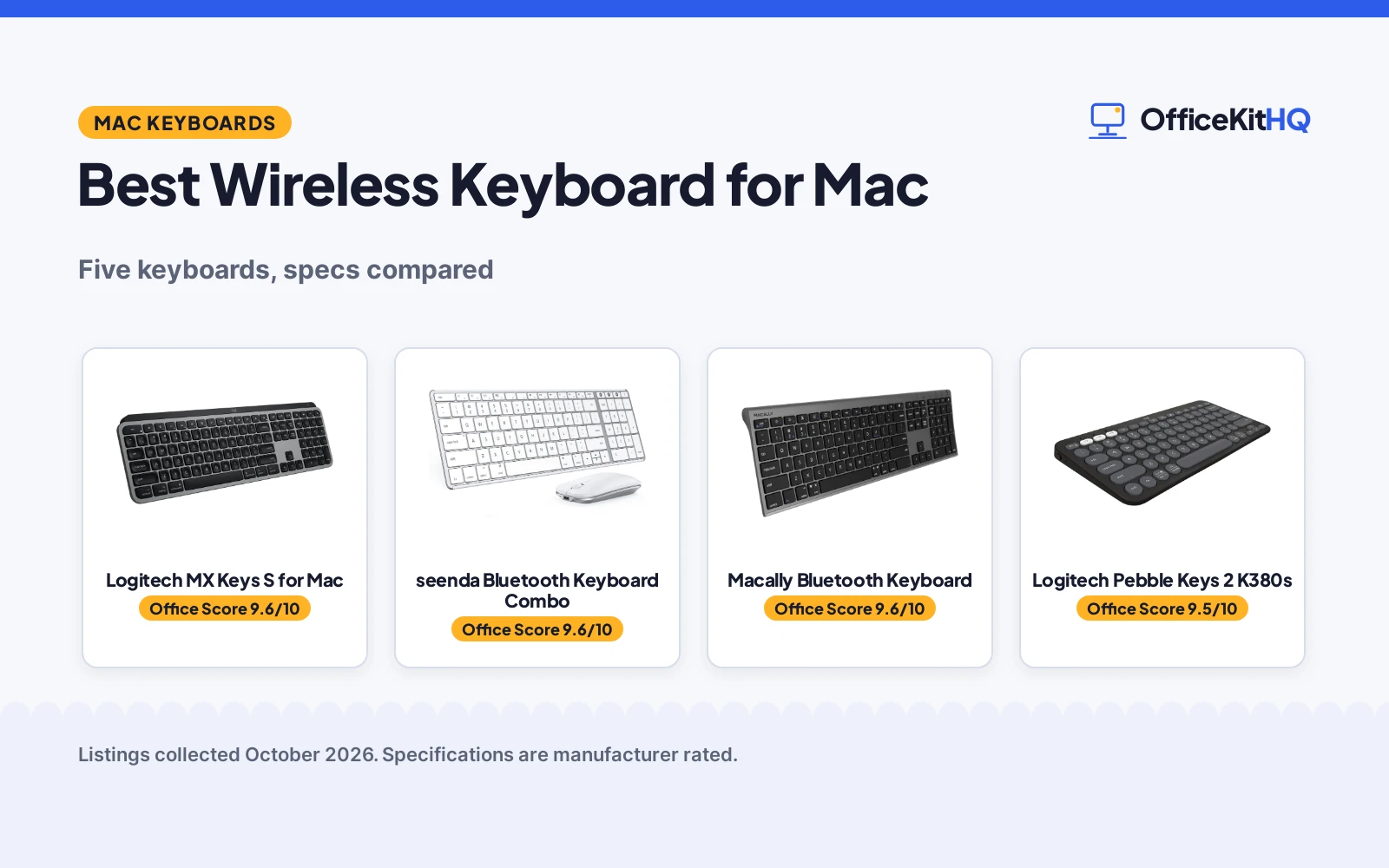
Mac users are picky about keyboards for good reason: the Command and Option keys have to sit where muscle memory expects them, the function row should speak macOS, and the whole thing should look right next to a MacBook. The best wireless keyboard for mac gets the layout, the shortcuts and the switching right. The five here cover the range: a Logitech MX Keys S for Mac with backlit keys and Smart Actions, a seenda Bluetooth keyboard and mouse combo, a Macally aluminum keyboard with a numeric keypad, a Logitech Pebble Keys 2 K380s with a 3-year battery, and a compact OMOTON built for macOS only. We compared what each listing states: Mac layout and shortcuts, multi-device switching, battery life, build and warranty terms. Every figure below comes from the listings, not from our own measurements.
OfficeKitHQ earns a commission when you buy through links on this page, at no extra cost to you. As an Amazon Associate I earn from qualifying purchases. Affiliate disclosure.
Quick picks
 Best Overall Logitech MX Keys S for Mac: Backlit Mac layout, Smart Actions and 3-device switching Check price on Amazon
 Best Combo seenda Bluetooth Keyboard Combo: Keyboard and mouse with 3 Bluetooth channels, 24-month warranty Check price on Amazon
 Best Full-Size Macally Bluetooth Keyboard: 110 keys, 20 macOS shortcuts and numpad in aluminum Check price on Amazon
 Best Battery Logitech Pebble Keys 2 K380s: 3-year battery, Easy-Switch and portable design Check price on Amazon
 Best Compact OMOTON Wireless Keyboard: Mac-only hotkeys in an 11.2 inch travel frame Check price on Amazon
The picks
| # | Product | Office Score | Buy |
|---|---|---|---|
| 1 | Logitech MX Keys S for Mac | 9.6/10 | Buy on Amazon |
| 2 | seenda Bluetooth Keyboard Combo | 9.6/10 | Buy on Amazon |
| 3 | Macally Bluetooth Keyboard | 9.6/10 | Buy on Amazon |
| 4 | Logitech Pebble Keys 2 K380s | 9.5/10 | Buy on Amazon |
| 5 | OMOTON Wireless Keyboard | 9.5/10 | Buy on Amazon |

Logitech MX Keys S for Mac
A Mac-layout wireless keyboard with backlit spherically dished keys, Smart Actions macros, 3-device switching and USB-C charging.
Pros
- Mac key layout with matching Apple finishes
- Backlit keys light as hands approach and adapt to light
- Smart Actions run multi-step shortcuts from one keystroke
- Switches between up to 3 devices
Cons
- Premium pick; no budget pricing stated
- Smart Actions need the Logi Options plus app
- No numeric keypad stated
- Heavier feature set than a basic typer needs
Detailed Review
The MX Keys S is the flagship Mac board here: a Mac key layout in Apple-matching finishes, spherically dished keys shaped for fingertips, and backlighting that lights the keys as hands approach and adapts to ambient light. Smart Actions in Logi Options plus turn repetitive sequences into single keystrokes, and the board switches between up to 3 devices across macOS and iPad.
The low-profile design with an angled wrist posture suits long workdays. The listing states a 1-year limited hardware warranty and USB-C charging. For a Mac user who wants the full feature set with the layout done right, it leads.
Its Office Score of 9.6/10 comes from performance 32/35, build 22/25, value 21/25, safety 0/10 and warranty 3/5: 78 of 100 points, placed on our 9.2 to 9.8 scale.
Key Specifications
| Layout | Mac key layout |
|---|---|
| Backlight | Auto-illumination |
| Devices | Up to 3 |
| Charging | USB-C |
Figures as published on the retailer listing, collected 21 October 2026. Performance figures are manufacturer rated.
Safety and Warranty
What this listing states. This product does not plug in or run on a battery, so safety is not part of its score. 1 Year Limited Hardware Warranty stated. It does not say everything a buyer needs, such as who pays return shipping, so warranty scores 3 of 5. See How We Pick.
Fit the desk first. Check the stated size against your desk depth and keyboard tray, and charge or pair as the manual describes. No keyboard, mouse or wrist rest prevents or treats injury.
This is general buying information, not professional advice. Follow each product manual and local rules, and see our Safety Disclaimer.

seenda Bluetooth Keyboard Combo
A Bluetooth keyboard and mouse combo for Mac with an Apple layout, three Bluetooth channels, Type-C recharging and a 24-month stated warranty.
Pros
- Keyboard and mouse in one box
- Three Bluetooth channels for Mac, MacBook and iPad
- Type-C rechargeable with 200 hours standby
- 24-month warranty stated, the longest here
Cons
- Not fully compatible with Windows systems
- Bluetooth 4.0 or above required
- No USB receiver included
- No backlighting stated
Detailed Review
The seenda is the two-for-one pick: a Bluetooth keyboard and mouse combo with a standard Apple layout, switching between three devices over BT1, BT2 and BT3 channels. It targets macOS 10.12 and later, iPadOS 13.0 and later and iOS 13.0 and later, and the whisper-quiet tactile keys suit shared rooms. Type-C recharging with 200 hours standby plus auto-sleep keeps it running.
The 24-month warranty is the longest stated here. The Windows caveat is explicit: not fully compatible with Windows systems, and no USB receiver is included. For an Apple-only desk needing both input devices, the combo is strong value.
Its Office Score of 9.6/10 comes from performance 29/35, build 20/25, value 22/25, safety 0/10 and warranty 4/5: 75 of 100 points, placed on our 9.2 to 9.8 scale.
Key Specifications
| Includes | Keyboard and mouse |
|---|---|
| Devices | 3 Bluetooth channels |
| Charging | Type-C, 200 hours standby |
| Compatibility | macOS 10.12 and later |
Figures as published on the retailer listing, collected 21 October 2026. Performance figures are manufacturer rated.
Safety and Warranty
What this listing states. This product does not plug in or run on a battery, so safety is not part of its score. 24 months stated. It does not say everything a buyer needs, such as who pays return shipping, so warranty scores 4 of 5. See How We Pick.
Fit the desk first. Check the stated size against your desk depth and keyboard tray, and charge or pair as the manual describes. No keyboard, mouse or wrist rest prevents or treats injury.
This is general buying information, not professional advice. Follow each product manual and local rules, and see our Safety Disclaimer.

Macally Bluetooth Keyboard
An aluminum Bluetooth keyboard for Mac with 110 scissor keys, 20 macOS shortcuts, a numeric keypad and 3-device multi-sync.
Pros
- 110 scissor keys with 20 macOS shortcuts and numpad
- Aluminum body matches Apple aesthetics
- Pairs up to 3 devices with multi-sync
- Rechargeable with 3 months between charges stated
Cons
- 3 months battery is shorter than the 3-year pick
- No backlighting stated
- Full-size with numpad needs desk width
- No mouse included
Detailed Review
The Macally is the full-size Mac board: 110 quiet scissor keys with 20 MacOSX shortcuts and a numeric keypad in an aluminum body the listing designs to match Apple aesthetics. Multi-sync pairs up to 3 Bluetooth devices across Mac, PC, iOS, Android and TVs, and the rechargeable battery lists 3 months between charges at 3 hours of daily use.
The listing states a 1-year warranty. For spreadsheet work and data entry on a Mac, the numpad plus Mac shortcuts is the practical combination.
Its Office Score of 9.6/10 comes from performance 30/35, build 21/25, value 21/25, safety 0/10 and warranty 3/5: 75 of 100 points, placed on our 9.2 to 9.8 scale.
Key Specifications
| Keys | 110 scissor keys |
|---|---|
| Shortcuts | 20 macOS shortcuts |
| Devices | Up to 3 |
| Battery | 3 months rechargeable |
Figures as published on the retailer listing, collected 21 October 2026. Performance figures are manufacturer rated.
Safety and Warranty
What this listing states. No FCC or other safety listing is stated, so safety scores zero. 1 Year Warranty stated. It does not say everything a buyer needs, such as who pays return shipping, so warranty scores 3 of 5. See How We Pick.
Fit the desk first. Check the stated size against your desk depth and keyboard tray, and charge or pair as the manual describes. No keyboard, mouse or wrist rest prevents or treats injury.
This is general buying information, not professional advice. Follow each product manual and local rules, and see our Safety Disclaimer.

Logitech Pebble Keys 2 K380s
A slim, compact Bluetooth keyboard with scooped round keys, 3-device Easy-Switch and a stated 3-year battery.
Pros
- 3-year battery stated with auto-sleep
- 3-device Easy-Switch across macOS, iPadOS, Windows, ChromeOS
- Slim, compact and portable
- 10 personalizable Fn keys via Logi Options plus
Cons
- No backlighting stated
- Compact layout drops the numpad
- Round keys divide opinion
- No Mac-specific shortcut row stated
Detailed Review
The K380s is the travel pick: slim, compact and portable with scooped round keys and a laptop-like feel, switching between up to 3 devices with one click of the Easy-Switch buttons. The 3-year battery with auto-sleep is the longest stated here by far, and 10 Fn keys personalize through the Logi Options plus app.
The listing states a 1-year limited hardware warranty and recycled plastic construction. For a Mac user who types across Mac, iPad and a work machine and wants to forget about charging, it is the low-maintenance choice.
Its Office Score of 9.5/10 comes from performance 28/35, build 20/25, value 21/25, safety 0/10 and warranty 3/5: 72 of 100 points, placed on our 9.2 to 9.8 scale.
Key Specifications
| Battery | 3 years stated |
|---|---|
| Devices | 3, Easy-Switch |
| Keys | Scooped round keys |
| Fn keys | 10 personalizable |
Figures as published on the retailer listing, collected 21 October 2026. Performance figures are manufacturer rated.
Safety and Warranty
What this listing states. No FCC or other safety listing is stated, so safety scores zero. 1 Year Limited Hardware Warranty stated. It does not say everything a buyer needs, such as who pays return shipping, so warranty scores 3 of 5. See How We Pick.
Fit the desk first. Check the stated size against your desk depth and keyboard tray, and charge or pair as the manual describes. No keyboard, mouse or wrist rest prevents or treats injury.
This is general buying information, not professional advice. Follow each product manual and local rules, and see our Safety Disclaimer.

OMOTON Wireless Keyboard
A compact Mac-only Bluetooth keyboard with macOS hotkeys, AAA batteries for up to 6 months and no numpad.
Pros
- Designed for macOS only, with full macOS hotkey row
- Compact 11.2 by 4.72 inches, travel size
- Up to 6 months on 2 AAA batteries
- 18-month warranty stated
Cons
- One Mac at a time; no multi-device switching
- Not compatible with Windows, Android or Chromebook
- AAA batteries not included
- No numpad
Detailed Review
The OMOTON is the purist pick: for Mac only, with a full row of macOS shortcut keys for brightness, volume and media, in a compact 11.2 by 4.72 inch frame with no numpad. It pairs over Bluetooth with no receiver or driver, and 2 AAA batteries, not included, power it for up to 6 months with auto-sleep. The listing is blunt that it will not work with Windows, Android, iPad, iPhone or Chromebook.
The single-device connection is the real limit: no switching between Mac and iPad. The listing states an 18-month warranty. For one Mac and a bag, especially travel, its size and battery simplicity win.
Its Office Score of 9.5/10 comes from performance 27/35, build 20/25, value 20/25, safety 0/10 and warranty 4/5: 71 of 100 points, placed on our 9.2 to 9.8 scale.
Key Specifications
| Compatibility | macOS 10.10 and later, Mac only |
|---|---|
| Size | 11.2 x 4.72 inches |
| Battery | 2 AAA, up to 6 months |
| Devices | 1, no switching |
Figures as published on the retailer listing, collected 21 October 2026. Performance figures are manufacturer rated.
Safety and Warranty
What this listing states. No FCC or other safety listing is stated, so safety scores zero. 18 month stated. It does not say everything a buyer needs, such as who pays return shipping, so warranty scores 4 of 5. See How We Pick.
Fit the desk first. Check the stated size against your desk depth and keyboard tray, and charge or pair as the manual describes. No keyboard, mouse or wrist rest prevents or treats injury.
This is general buying information, not professional advice. Follow each product manual and local rules, and see our Safety Disclaimer.
As an Amazon Associate I earn from qualifying purchases.
More picks to compare
 Macally Wireless Bluetooth KeyboardCheck on Amazon
 Logitech MX Keys MiniCheck on Amazon
 iClever BK10 SE Bluetooth Keyboard for MacCheck on Amazon
 OMOTON Ultra-Slim Wireless KeyboardCheck on Amazon
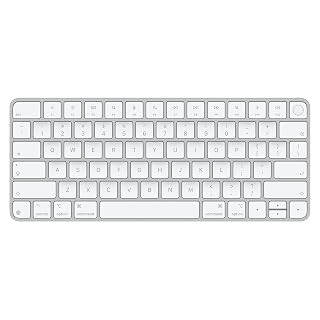 Apple Magic KeyboardCheck on Amazon
Compare the picks
| Keyboard | Office Score | Mac layout | Devices | Battery | Warranty | Amazon |
|---|---|---|---|---|---|---|
| Logitech MX Keys S for Mac | 9.6/10 | Mac layout, backlit | 3 | USB-C rechargeable | 1 year | View on Amazon |
| seenda Bluetooth Keyboard Combo | 9.6/10 | Apple layout | 3 | Type-C, 200h standby | 24 months | View on Amazon |
| Macally Bluetooth Keyboard | 9.6/10 | 110 keys, 20 shortcuts | 3 | 3 months rechargeable | 1 year | View on Amazon |
| Logitech Pebble Keys 2 K380s | 9.5/10 | Multi-OS | 3 | 3 years | 1 year | View on Amazon |
| OMOTON Wireless Keyboard | 9.5/10 | Mac-only hotkeys | 1 | AAA, 6 months | 18 months | View on Amazon |
Specifications are manufacturer rated as listed, collected 21 October 2026.
How we scored them
The Office Score weighs performance (Mac layout, shortcuts, multi-device switching and battery), build, value, safety and warranty. For a Mac keyboard, performance starts with the layout: a true Mac key arrangement with macOS shortcuts beats a generic board with Apple stickers. Every pick here states a warranty term, from 12 months to 24 months. How we pick explains the weights.
| Product | Office Score | Perf. /35 | Build /25 | Value /25 | Safety /10 | Warranty /5 |
|---|---|---|---|---|---|---|
| Logitech MX Keys S for Mac | 9.6 | 32 | 22 | 21 | 0 | 3 |
| seenda Bluetooth Keyboard Combo | 9.6 | 29 | 20 | 22 | 0 | 4 |
| Macally Bluetooth Keyboard | 9.6 | 30 | 21 | 21 | 0 | 3 |
| Logitech Pebble Keys 2 K380s | 9.5 | 28 | 20 | 21 | 0 | 3 |
| OMOTON Wireless Keyboard | 9.5 | 27 | 20 | 20 | 0 | 4 |
Scores run from 9.2 to 9.8: each product’s point total is placed on that range, so more points always means a higher score.
How to choose the best wireless keyboard for mac
Insist on a real Mac layout
The layout is the whole point. The MX Keys S lists a Mac key layout with matching Apple finishes and Logi Options plus functions for macOS. The Macally lists 110 scissor keys including 20 MacOSX shortcuts and a numeric keypad. The seenda lists a standard Apple layout with macOS 10.12 and later support. The OMOTON is Mac-only by design, listing macOS 10.10 and later with a full row of macOS shortcut keys, and warns it will not work with Windows at all. A Windows-layout board with remapped keys never feels quite right; start from a Mac layout.
Count the devices you switch between
Mac setups multiply: MacBook, iPad, sometimes a work machine. The MX Keys S, the seenda combo and the Macally each list pairing with up to 3 devices and switching between them, with the seenda using BT1, BT2 and BT3 channels and the MX Keys S switching with a key press. The Logitech K380s lists the same 3-device Easy-Switch across macOS, iPadOS, Windows and ChromeOS. The OMOTON is the outlier: it connects to one Mac at a time with no multi-device switching. If you live on two or three Apple devices, multi-device switching is close to mandatory.
Compare battery reality, not just claims
Listings state battery life in incompatible units, so read carefully. The Macally lists a rechargeable battery with 3 months between charges at 3 hours of use per day. The seenda lists Type-C recharging with up to 200 hours standby. The K380s lists a 3-year battery with auto-sleep power saving. The OMOTON takes 2 AAA batteries, not included, for up to 6 months with auto-sleep, and states plainly that it is not rechargeable. Rechargeable suits a desk that never moves; AAA suits travel, since spare batteries beat a dead USB-C cable.
Weigh the typing feel and extras
Beyond the layout, feel decides. The MX Keys S lists spherically dished keys shaped for fingertips, backlit keys that light as hands approach, and Smart Actions for one-keystroke macros through Logi Options plus. The K380s lists scooped round keys with a laptop-like feel and 10 personalizable Fn keys. The seenda lists whisper-quiet tactile keys, and the Macally lists quiet, smooth scissor keys. Backlighting matters in dim rooms; quiet keys matter in shared ones. The seenda combo adds a mouse in the box, which is real value if you need both.
Check the size against your desk
Full-size with a numpad versus compact is a desk decision. The Macally includes a numeric keypad in an aluminum body for spreadsheet work. The OMOTON skips the numpad deliberately: 11.2 by 4.72 inches, built for a backpack pocket, a coffee-shop table or an airplane tray. The K380s is slim, compact and portable. Measure your desk depth and your bag before choosing; a numpad you never use is just width you carry.
Frequently Asked Questions
Do these keyboards work with Windows too?
Most do: the Macally lists Mac, PC, iOS, Android and TV pairing, the seenda notes it is not fully compatible with Windows, and the K380s lists Windows and ChromeOS. The OMOTON is the exception: Mac only, and it will not work with Windows, Android or Chromebook.
Which keyboard has backlit keys?
The Logitech MX Keys S for Mac, with auto-illumination that lights the keys as hands approach and adapts to the environment, plus lighting customizations in Logi Options plus. None of the other four lists backlighting.
Which lasts longest on battery?
The K380s lists a 3-year battery with auto-sleep. The Macally lists 3 months of rechargeable use at 3 hours per day, the seenda lists 200 hours standby, and the OMOTON lists up to 6 months on 2 AAA batteries.
Can I switch one keyboard between Mac and iPad?
Yes on four of the five: the MX Keys S, seenda, Macally and K380s each list pairing with up to 3 devices including iPad or iPadOS. The OMOTON connects to one Mac at a time.
Which pick includes a mouse?
The seenda SKM64-2 is a Bluetooth keyboard and mouse combo for Mac, MacBook and iPad with three Bluetooth channels. The other four are keyboards only.
Related guides
See every keyboards and keyboard trays guide and all monitor mounts, keyboards and mice guides.



