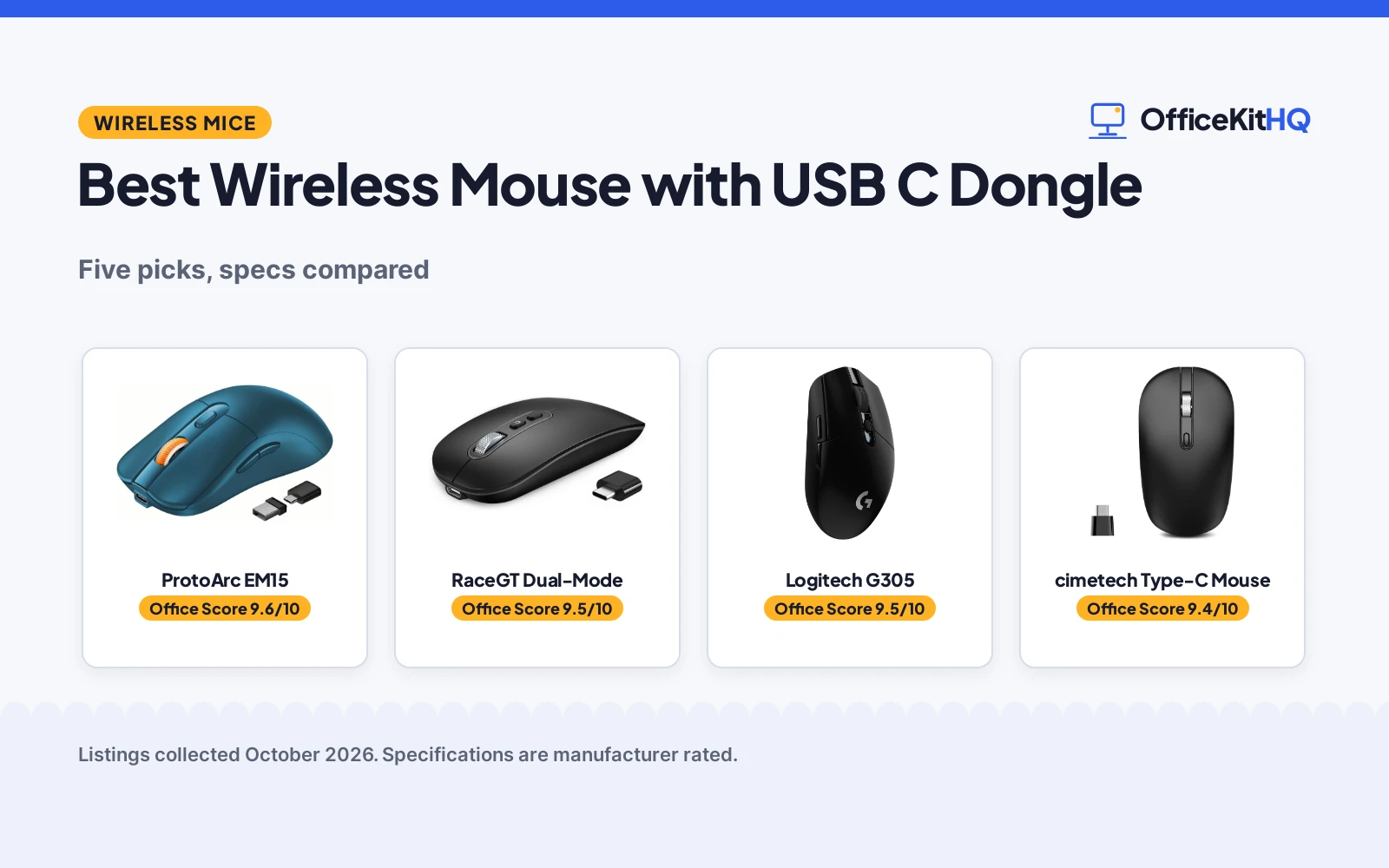
The best wireless mouse with usb c dongle is the one that plugs straight into a modern laptop without an adapter dangling off the side. Newer laptops ship with USB-C ports only, and a dongle that matches means no hub, no converter and one less thing to forget. This roundup compares five wireless mice that list a USB-C receiver on connection modes, DPI levels, battery setup, stated wireless range and warranty terms, using only what each listing publishes.
OfficeKitHQ earns a commission when you buy through links on this page, at no extra cost to you. As an Amazon Associate I earn from qualifying purchases. Affiliate disclosure.
Quick picks
 Best Overall ProtoArc EM15: Tri-mode with USB-C receiver, 68 g, 2-year warranty stated Check price on Amazon
 Best Battery RaceGT Dual-Mode: 500 mAh battery, 30-day runtime, 3-hour USB-C charge stated Check price on Amazon
 Best Range cimetech Type-C Mouse: 33-foot range, silent clicks, metal scroll wheel stated Check price on Amazon
 Gaming Pick Logitech G305: Wireless gaming mouse listed in the Logitech G line Check price on Amazon
 Slim Pick Uiosmuph G12: Slim rechargeable silent mouse, no further specs stated Check price on Amazon
The picks
| # | Product | Office Score | Buy |
|---|---|---|---|
| 1 | ProtoArc EM15 | 9.6/10 | Buy on Amazon |
| 2 | RaceGT Dual-Mode | 9.5/10 | Buy on Amazon |
| 3 | Logitech G305 Black Mouse | 9.5/10 | Buy on Amazon |
| 4 | cimetech Type-C Mouse | 9.4/10 | Buy on Amazon |
| 5 | Uiosmuph G12 Slim | 9.3/10 | Buy on Amazon |

ProtoArc EM15
A tri-mode wireless mouse with Bluetooth, USB and Type-C receivers, 68 g weight, DPI levels of 1000, 1600 and 2400 and a 2 Year warranty.
Pros
- USB-A and Type-C receivers store in a dedicated compartment on the back of the mouse
- One button toggles between three connected devices
- 68 g ultra-light shape the maker describes for medium to large hands
- DPI levels of 1000, 1600 and 2400 for different screens and tasks
Cons
- Middle scroll wheel is not quiet, per the listing note
- Right-hand shape only, not ambidextrous
- Plastic enclosure
- No DPI level above 2400 is stated
Detailed Review
ProtoArc lists the EM15 as a tri-mode mouse that switches between Bluetooth, USB and Type-C, with the USB-A and Type-C receivers stored in a compartment on the back of the mouse. The listing says one button toggles between three connected devices, and the mouse weighs 68 g with a 4.9 by 2.5 in full-size shape the maker describes for medium to large hands. DPI switches between 1000, 1600 and 2400 levels, the clicks are silent except for the scroll wheel, and backward and forward buttons are included. The built-in battery charges in 2 hours for 15 days of use and 200 days of standby, with a sleep mode after a few minutes of inactivity. A 10-meter range is stated, and a 2 Year warranty is stated.
Who it's for: someone who moves one mouse between a laptop, a tablet and a PC and wants both receiver types in the box. Who should skip it: anyone who needs a left-handed or ambidextrous shape, since the EM15 is right-handed.
Its Office Score of 9.6/10 comes from performance 30/35, build 21/25, value 21/25, safety 0/10 and warranty 4/5: 76 of 100 points, placed on our 9.2 to 9.8 scale.
Key Specifications
| Modes | Bluetooth, USB, Type-C |
|---|---|
| DPI | 1000, 1600, 2400 |
| Battery | Rechargeable, 2-hour charge |
| Warranty | 2 Year |
Figures as published on the retailer listing, collected 17 October 2026. Performance figures are manufacturer rated.
Safety and Warranty
What this listing states. No FCC or other safety listing is stated, so safety scores zero. 2 Year. It does not say everything a buyer needs, such as who pays return shipping, so warranty scores 4 of 5. See How We Pick.
Fit the desk first. Check the stated size against your desk depth and keyboard tray, and charge or pair as the manual describes. No keyboard, mouse or wrist rest prevents or treats injury.
This is general buying information, not professional advice. Follow each product manual and local rules, and see our Safety Disclaimer.

RaceGT Dual-Mode
A dual-mode wireless mouse with Bluetooth 5.1 and a USB-C receiver, silent clicks, a 6.5mm low-profile shape and a 500 mAh battery with a stated 30-day runtime.
Pros
- Bluetooth 5.1 and USB-C receiver dual-mode for laptops, tablets and smartphones
- 500 mAh battery with a 30-day runtime from a 3-hour USB-C charge
- 6.5mm low-profile shape at 0.1 kg that slides into any bag
- Silent clicks suited to offices and shared spaces
Cons
- Single 1200 DPI level, no adjustment levels stated
- 10-meter range is shorter than the cimetech's stated 33 feet
- Built-in battery cannot be swapped like a AA battery
- No pairing beyond the two modes is stated
Detailed Review
RaceGT lists a dual-mode mouse that switches between Bluetooth 5.1 and a USB-C receiver, compatible with Windows and macOS laptops, desktops, tablets and smartphones. The 6.5mm low-profile shape is ambidextrous with silent clicks, a 1200 DPI optical sensor and a stated 10-meter connection range. A 500 mAh rechargeable battery delivers a 30-day runtime from a 3-hour USB-C charge, and auto-sleep activates after 10 minutes of inactivity to save power. The USB-C charging cable and nano receiver store in the mouse compartment, and a 1 year warranty is stated.
Who it's for: a traveler who wants a slim dual-mode mouse with USB-C charging. Who should skip it: anyone who needs adjustable DPI levels above 1200.
Its Office Score of 9.5/10 comes from performance 29/35, build 20/25, value 21/25, safety 0/10 and warranty 3/5: 73 of 100 points, placed on our 9.2 to 9.8 scale.
Key Specifications
| Modes | Bluetooth 5.1, USB-C |
|---|---|
| DPI | 1200 |
| Battery | 500 mAh, 30-day runtime |
| Warranty | 1 year |
Figures as published on the retailer listing, collected 17 October 2026. Performance figures are manufacturer rated.
Safety and Warranty
What this listing states. No FCC or other safety listing is stated, so safety scores zero. 1 year. It does not say everything a buyer needs, such as who pays return shipping, so warranty scores 3 of 5. See How We Pick.
Fit the desk first. Check the stated size against your desk depth and keyboard tray, and charge or pair as the manual describes. No keyboard, mouse or wrist rest prevents or treats injury.
This is general buying information, not professional advice. Follow each product manual and local rules, and see our Safety Disclaimer.
Logitech G305 Black Mouse
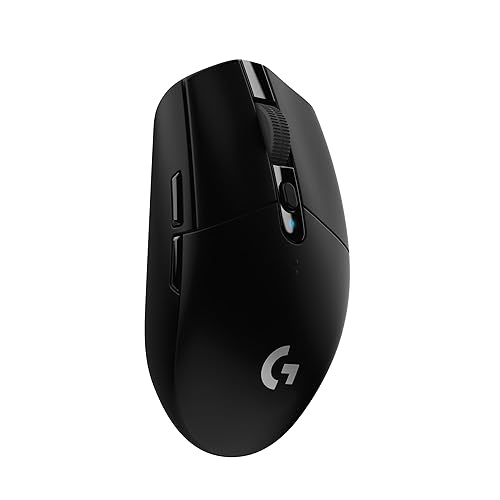
An ambidextrous wireless gaming mouse with 6 programmable buttons, 12000 DPI and a stated 250-hour battery.
Pros
- 6 programmable buttons with on-board memory
- 12000 DPI HERO optical sensor with 1 ms LIGHTSPEED wireless
- 250 hours stated, with a 9-month endurance mode
- 3.4 oz stated weight, light for the class
Cons
- No warranty term is stated
- AA battery means spares or rechargeables to manage
- No stated tilt scroll
- Glossy finish shows fingerprints per the finish listing
Detailed Review
Logitech lists the black G305 with a 12000 DPI HERO optical sensor, LIGHTSPEED wireless at a 1 ms report rate, 6 programmable buttons with on-board memory and an ambidextrous classic shape. The listing states 250 hours on 1 AA with an endurance mode up to 9 months via G HUB software, a 3.4 oz weight and built-in receiver storage. No warranty term is stated.
Who it's for: gamers and general users who want a light ambidextrous mouse with long battery life. Who should skip it: anyone who needs more than 6 programmable buttons.
Its Office Score of 9.5/10 comes from performance 30/35, build 21/25, value 21/25, safety 0/10 and warranty 0/5: 72 of 100 points, placed on our 9.2 to 9.8 scale.
Key Specifications
| Buttons | 6 programmable |
|---|---|
| DPI | 12000 max |
| Battery | 250 hours, 1 AA |
| Hand | Ambidextrous |
Figures as published on the retailer listing, collected 17 October 2026. Performance figures are manufacturer rated.
Safety and Warranty
What this listing states. No FCC or other safety listing is stated, so safety scores zero. No warranty term, so warranty scores zero. See How We Pick.
Fit the desk first. Check the stated size against your desk depth and keyboard tray, and charge or pair as the manual describes. No keyboard, mouse or wrist rest prevents or treats injury.
This is general buying information, not professional advice. Follow each product manual and local rules, and see our Safety Disclaimer.

cimetech Type-C Mouse
A 2.4GHz wireless mouse with a nano Type-C receiver, silent clicks, DPI levels of 1000, 1200 and 1600 and a stated 33-foot range.
Pros
- Wireless range stated as up to 33 feet
- Silent clicks with a mute button for quiet rooms
- DPI adjusts across 1000, 1200 and 1600 levels
- Precision metal scroll wheel and 0.05 kg light weight
Cons
- No Bluetooth mode is stated, Type-C receiver only
- Runs on 1 AA battery, not rechargeable
- No warranty term is stated
- Spec table lists the connectivity as just USB while the title and bullets describe a 2.4GHz Type-C receiver
Detailed Review
cimetech lists a 2.4GHz wireless mouse with a nano Type-C receiver that the listing says stores in the battery compartment. Transmission distance is stated as up to 33 feet, clicks are silent with a mute button, and DPI adjusts across 1000, 1200 and 1600 levels. The mouse uses 1 AA battery, lists a 0.05 kg item weight, an ambidextrous shape with a 30-degree ergonomic grip angle and a precision metal scroll wheel. One thing to note: the spec table lists the connectivity technology as just USB while the title and bullets describe a 2.4GHz Type-C wireless receiver; the bullets are more specific, so we trust them. No warranty term is stated.
Who it's for: a traveler who wants a light AA-powered mouse with a long stated range. Who should skip it: anyone who needs Bluetooth pairing or a stated warranty.
Its Office Score of 9.4/10 comes from performance 28/35, build 19/25, value 20/25, safety 0/10 and warranty 0/5: 67 of 100 points, placed on our 9.2 to 9.8 scale.
Key Specifications
| Modes | 2.4GHz Type-C receiver |
|---|---|
| DPI | 1000, 1200, 1600 |
| Battery | 1 AA |
| Range | 33 feet |
Figures as published on the retailer listing, collected 17 October 2026. Performance figures are manufacturer rated.
Safety and Warranty
What this listing states. No FCC or other safety listing is stated, so safety scores zero. No warranty term, so warranty scores zero. See How We Pick.
Fit the desk first. Check the stated size against your desk depth and keyboard tray, and charge or pair as the manual describes. No keyboard, mouse or wrist rest prevents or treats injury.
This is general buying information, not professional advice. Follow each product manual and local rules, and see our Safety Disclaimer.

Uiosmuph G12 Slim
A slim rechargeable silent wireless mouse with 800 DPI and 7-color lighting, for basic desk work.
Pros
- Rechargeable; no battery changes
- Silent left/right buttons
- Ambidextrous slim design; 2.4 oz
- 7-color lighting for atmosphere
Cons
- No warranty term is stated
- 800 DPI is the lowest here
- 4 buttons; fewer than the 6-button picks
- No Bluetooth is stated
Detailed Review
Uiosmuph lists a slim rechargeable silent wireless mouse with a soundless design for the left and right buttons. The listing states 800 DPI, 4 buttons, 7-color lighting and sleep mode after 8 minutes. The listing states no warranty term.
Who it's for: basic desk work where silence and rechargeability matter. Who should skip it: anyone who needs high DPI, more buttons or a warranty term.
Its Office Score of 9.3/10 comes from performance 24/35, build 18/25, value 20/25, safety 0/10 and warranty 0/5: 62 of 100 points, placed on our 9.2 to 9.8 scale.
Key Specifications
| DPI | 800 |
|---|---|
| Battery | Rechargeable |
| Buttons | 4 |
| Warranty | Not stated |
Figures as published on the retailer listing, collected 17 October 2026. Performance figures are manufacturer rated.
Safety and Warranty
What this listing states. No FCC or other safety listing is stated, so safety scores zero. No warranty term, so warranty scores zero. See How We Pick.
Fit the desk first. Check the stated size against your desk depth and keyboard tray, and charge or pair as the manual describes. No keyboard, mouse or wrist rest prevents or treats injury.
This is general buying information, not professional advice. Follow each product manual and local rules, and see our Safety Disclaimer.
As an Amazon Associate I earn from qualifying purchases.
More picks to compare
 Afaartcci Rechargeable Wireless MouseCheck on Amazon
 Logitech MX Master 4 Ergonomic WirelessCheck on Amazon
Compare the picks
| Mouse | Office Score | Dongle | DPI | Battery | Warranty | Amazon |
|---|---|---|---|---|---|---|
| ProtoArc EM15 | 9.6/10 | USB-C and USB-A receivers | 1000, 1600, 2400 | Rechargeable, 15-day use | 2 Year | View on Amazon |
| RaceGT Dual-Mode | 9.5/10 | USB-C nano receiver | 1200 | 500 mAh, 30-day runtime | 1 year | View on Amazon |
| cimetech Type-C Mouse | 9.4/10 | Type-C receiver | 1000, 1200, 1600 | 1 AA battery | Not stated | View on Amazon |
| Logitech G305 | 9.5/10 | Not stated | Not stated | Not stated | Not stated | |
| Uiosmuph G12 | 9.3/10 | Not stated | Not stated | Rechargeable | Not stated |
Specifications are manufacturer rated as listed, collected 17 October 2026. Two of the five state a warranty term; three state a USB-C receiver.
How we scored them
The Office Score weighs performance (connection modes, DPI levels and stated range), build (materials, shape and item weight), value for the stated specs, safety and warranty. For a mouse, safety means a stated certification or safety-relevant design feature; none of the listings state one. Two listings state a warranty term: the ProtoArc at 2 Year and the RaceGT at 1 year. How we pick explains the weights.
| Product | Office Score | Perf. /35 | Build /25 | Value /25 | Safety /10 | Warranty /5 |
|---|---|---|---|---|---|---|
| ProtoArc EM15 | 9.6 | 30 | 21 | 21 | 0 | 4 |
| RaceGT Dual-Mode | 9.5 | 29 | 20 | 21 | 0 | 3 |
| cimetech Type-C Mouse | 9.4 | 28 | 19 | 20 | 0 | 0 |
Scores run from 9.2 to 9.8: each product’s point total is placed on that range, so more points always means a higher score.
How to choose the best wireless mouse with usb c dongle
USB-C receiver first: check the port
Start with the dongle, because a USB-C receiver that does not fit your port is useless. The ProtoArc ships both a USB-A and a Type-C receiver stored in a compartment on the back of the mouse, the cimetech stores its nano Type-C receiver in the battery compartment, and the RaceGT stores its nano receiver in a mouse compartment. If your laptop still has USB-A ports, the ProtoArc covers both; if it is USB-C only, any of the three works. See the mice and mouse pads category for more input gear.
DPI levels: read what the listing states
DPI decides how far the cursor moves per inch of mouse travel. The ProtoArc lists three levels, 1000, 1600 and 2400, the cimetech lists 1000, 1200 and 1600, and the RaceGT lists a single 1200 DPI sensor. More levels help if you switch between a laptop screen and a large monitor; a fixed level is fine if you set it once and forget it. The two shorter cards state no DPI at all. A smooth surface matters as much as the sensor, so pair any of them with a desk mat for mouse and keyboard if your desk is rough or glossy.
Battery: rechargeable or AA
Power splits this group three ways. The ProtoArc has a built-in battery: a 2-hour charge gives 15 days of use and 200 days of standby, with a sleep mode after a few minutes of inactivity. The RaceGT also recharges: its 500 mAh battery delivers a 30-day runtime from a 3-hour USB-C charge, with auto-sleep after 10 minutes. The cimetech runs on 1 AA battery, which is easy to swap on the road but adds ongoing cost. Rechargeable suits a desk with a free USB-C port; a AA suits travel where outlets are scarce.
Size, weight and hand fit
The stated weights run from 0.05 kg on the cimetech to 68 g on the ProtoArc to 0.1 kg on the RaceGT, and the shapes differ: the ProtoArc is a right-handed 4.9 by 2.5 in full-size mouse for medium to large hands, while the cimetech and RaceGT state ambidextrous shapes, the cimetech with a 30-degree ergonomic grip angle and the RaceGT with a 6.5mm low profile.
| Mouse | Stated weight | Stated size | Hand orientation |
|---|---|---|---|
| ProtoArc EM15 | 68 g | 4.9 by 2.5 in | Right |
| RaceGT Dual-Mode | 0.1 kg | 6.5mm low profile | Ambidextrous |
| cimetech Type-C Mouse | 0.05 kg | Not stated | Ambidextrous |
| Logitech G305 | Not stated | Not stated | Not stated |
| Uiosmuph G12 | Not stated | Not stated | Not stated |
Figures as stated in each listing. For travel, the lightest stated weight and the slimmest stated profile win; see our best wireless mouse for travel for more portable picks.
Setup Notes
- Confirm your laptop has a free USB-C port for the dongle; the ProtoArc also includes a USB-A receiver for older ports.
- Check where the receiver stores before the first trip: back compartment on the ProtoArc, battery compartment on the cimetech, mouse compartment on the RaceGT.
- For rechargeable models, note the stated charge times: 2 hours for the ProtoArc and 3 hours for the RaceGT; the cimetech runs on 1 AA battery.
- Match hand fit to the stated shape: the ProtoArc is right-handed at 4.9 by 2.5 in, while the cimetech and RaceGT state ambidextrous shapes.
Frequently Asked Questions
What is a USB-C dongle mouse?
It is a wireless mouse whose receiver plugs into a USB-C port. The ProtoArc ships USB-A and Type-C receivers, the cimetech ships a nano Type-C receiver that stores in the battery compartment, and the RaceGT ships a nano receiver that stores in the mouse compartment.
How many devices can these mice pair with?
The ProtoArc toggles between three connected devices with one button across Bluetooth, USB and Type-C. The RaceGT switches between Bluetooth 5.1 and its USB-C receiver, two modes in total.
Which mouse has the longest stated battery life?
The ProtoArc states 15 days of use and 200 days of standby from a 2-hour charge. The RaceGT states a 30-day runtime from a 3-hour charge. The cimetech runs on 1 AA battery with no stated life.
Are these mice silent?
The ProtoArc lists silent clicks but notes the scroll wheel is not quiet. The cimetech lists silent clicks with a mute button, and the RaceGT lists whisper-quiet clicks for offices and shared spaces.
Which mice state a warranty?
Two of the five: the ProtoArc states 2 Year and the RaceGT states 1 year. The other three state no warranty term.
Related guides
See every mice and mouse pads guide and all computer peripherals guides.
More picks: wireless mouse for travel, desk mat for mouse and keyboard, mouse pad for your wrist, wireless mouse for CAD.