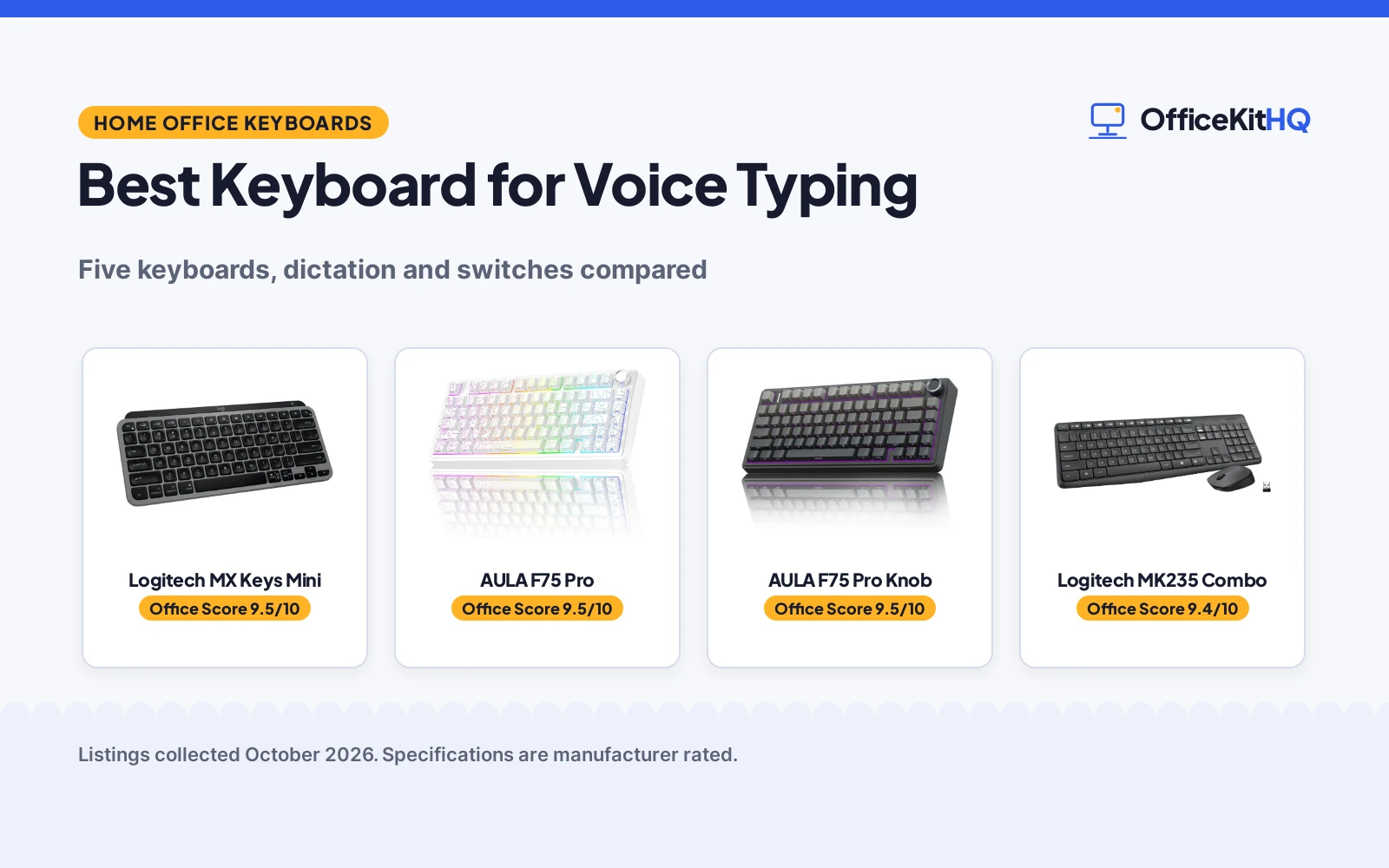
The best keyboard for voice typing starts with a simple reality of the modern workday: some thoughts come out faster spoken than typed, and the keyboard that keeps up is the one with a microphone key where your thumb already rests. Only one of the five keyboards here states a dedicated voice-to-text key, and the five are compared by dictation features, switch type, connectivity, battery and warranty, using only what each listing publishes.
OfficeKitHQ earns a commission when you buy through links on this page, at no extra cost to you. As an Amazon Associate I earn from qualifying purchases. Affiliate disclosure.
Quick picks
 Best for Voice Typing Logitech MX Keys Mini: Dedicated voice-to-text dictation key, pairs with 3 Apple devices Check price on Amazon
 Best Mechanical AULA F75 Pro: Tri-mode, hot-swap, 4000mAh, 1-year warranty Check price on Amazon
 Best Combo Logitech MK235 Combo: Keyboard and mouse, 104 keys, 3-year keyboard battery Check price on Amazon
 Best QMK Keychron V6 Max: Wireless QMK mechanical keyboard Check price on Amazon
 Best Knob AULA F75 Pro Knob: Wireless mechanical keyboard with knob Check price on Amazon
The picks
| # | Product | Office Score | Buy |
|---|---|---|---|
| 1 | Logitech MX Keys Mini | 9.5/10 | Buy on Amazon |
| 2 | AULA F75 Pro | 9.5/10 | Buy on Amazon |
| 3 | AULA F75 Pro Wireless | 9.5/10 | Buy on Amazon |
| 4 | Logitech MK235 Combo | 9.4/10 | Buy on Amazon |
| 5 | Keychron V6 Max | 9.4/10 | Buy on Amazon |

Logitech MX Keys Mini
A minimalist wireless keyboard for Mac with a dedicated voice-to-text Dictation key, mic mute keys, smart backlighting and a 1 Year Limited Hardware Warranty.
Pros
- Dedicated voice-to-text Dictation key stated
- Mic mute and unmute keys
- Smart backlit keys auto-adjust to lighting
- Pairs with up to 3 Apple devices over Bluetooth Low Energy
Cons
- Mac-focused layout, less suited to Windows
- 79 keys, no number pad stated
- 506.4 g item weight stated
- Membrane, not mechanical
Detailed Review
Logitech lists the MX Keys Mini for Mac as a minimalist wireless keyboard optimized for macOS, iPadOS and iOS, with Perfect Stroke keys including a voice-to-text Dictation key, mic mute and unmute keys, and emoji keys. The listing states smart backlit keys that light up as hands approach and auto-adjust, Bluetooth Low Energy pairing with up to 3 Apple devices, USB-C recharging with up to 10 days of power or 5 months with backlighting off, 79 keys at 506.4 g, and a 1 Year Limited Hardware Warranty. The spec table lists 78 buttons against 79 keys; the title and bullets take precedence.
Who it's for: anyone whose workflow runs on voice typing and dictation, especially on a Mac. Who should skip it: Windows-first users who want a number pad or mechanical switches.
Its Office Score of 9.5/10 comes from performance 32/35, build 21/25, value 20/25, safety 0/10 and warranty 3/5: 76 of 100 points, placed on our 9.2 to 9.8 scale.
Key Specifications
| Keys | 79 |
|---|---|
| Connectivity | Bluetooth Low Energy, 3 devices |
| Battery | 10 days backlit, 5 months off |
| Item weight | 506.4 g |
Figures as published on the retailer listing, collected 18 October 2026. Performance figures are manufacturer rated.
Safety and Warranty
What this listing states. No FCC or other safety listing is stated, so safety scores zero. 1 Year Limited Hardware Warranty. It does not say everything a buyer needs, such as who pays return shipping, so warranty scores 3 of 5. See How We Pick.
Fit the desk first. Check the stated size against your desk depth and keyboard tray, and charge or pair as the manual describes. No keyboard, mouse or wrist rest prevents or treats injury.
This is general buying information, not professional advice. Follow each product manual and local rules, and see our Safety Disclaimer.

AULA F75 Pro
A 75% wireless mechanical keyboard with tri-mode connection, hot-swappable switches, a control knob and a 1 Year warranty.
Pros
- Tri-mode: Bluetooth 5.0, 2.4GHz and USB, up to 5 devices
- Hot-swappable 3-pin and 5-pin switches
- 4000mAh battery stated
- Multi-function knob for volume, lighting and media
Cons
- Bullets state both 81-key and 80-key; spec table states 80
- No dictation key stated
- Plastic enclosure
- Line White color only stated
Detailed Review
AULA lists the F75 Pro as a 75% wireless mechanical keyboard with tri-mode connection over Bluetooth 5.0, 2.4GHz and USB to up to 5 devices, a hot-swappable base for 3-pin or 5-pin switches, pre-lubed stabilizers, a gasket structure with five layers of silencer, side-printed PBT keycaps, RGB backlighting and a multi-function knob. The listing states a 4000mAh battery, macro-programmable keys, N key rollover and a 1 Year warranty. The bullets state both 81-key and 80-key layouts while the spec table states 80 keys; the spec table takes precedence here since the bullets contradict themselves.
Who it's for: someone who wants a customizable mechanical keyboard with a knob and long battery. Who should skip it: anyone who needs a dedicated voice typing key; none is stated.
Its Office Score of 9.5/10 comes from performance 29/35, build 21/25, value 21/25, safety 0/10 and warranty 3/5: 74 of 100 points, placed on our 9.2 to 9.8 scale.
Key Specifications
| Keys | 80 |
|---|---|
| Connectivity | Bluetooth 5.0, 2.4GHz, USB-C |
| Battery | 4000mAh |
| Switches | Hot-swappable, 3-pin and 5-pin |
Figures as published on the retailer listing, collected 18 October 2026. Performance figures are manufacturer rated.
Safety and Warranty
What this listing states. No FCC or other safety listing is stated, so safety scores zero. 1 Year. It does not say everything a buyer needs, such as who pays return shipping, so warranty scores 3 of 5. See How We Pick.
Fit the desk first. Check the stated size against your desk depth and keyboard tray, and charge or pair as the manual describes. No keyboard, mouse or wrist rest prevents or treats injury.
This is general buying information, not professional advice. Follow each product manual and local rules, and see our Safety Disclaimer.

AULA F75 Pro Wireless
Suits a desk worker who wants a compact 75% wireless board with a knob; skip it if you need a full number pad.
Pros
- 81-key 75% layout with tri-mode connection
- Hot-swap base for 3-pin and 5-pin switches
- Multi-function knob for volume and lighting
- Side-printed PBT keycaps, 4000mAh battery
Cons
- Spec table lists QWERTZ layout
- 6-month warranty
- 4000mAh battery, smaller than the 8000mAh picks
- No number pad on the 75% layout
Detailed Review
AULA lists the F75 Pro as a 75% wireless mechanical keyboard with 81 keys, tri-mode connection, a multi-function knob and hot-swap support for 3-pin and 5-pin switches. The bullets state pre-lubed Reaper switches, side-printed PBT keycaps, a 4000mAh battery and a 6-month warranty. The spec table gives dimensions of 12.7 x 5.64 x 1.7 inches and a weight of 1.02 kg. One oddity: the spec table lists the layout as QWERTZ.
Who it's for: a desk worker who wants a compact 75% wireless board with a knob. Who should skip it: anyone who needs a full number pad.
Its Office Score of 9.5/10 comes from performance 30/35, build 20/25, value 20/25, safety 0/10 and warranty 3/5: 73 of 100 points, placed on our 9.2 to 9.8 scale.
Key Specifications
| Keys | 81 |
|---|---|
| Battery | 4000mAh |
| Connection | Tri-mode |
| Warranty | 6 months |
Figures as published on the retailer listing, collected 17 October 2026. Performance figures are manufacturer rated.
Safety and Warranty
What this listing states. No FCC or other safety listing is stated, so safety scores zero. 6 Months. It does not say everything a buyer needs, such as who pays return shipping, so warranty scores 3 of 5. See How We Pick.
Fit the desk first. Check the stated size against your desk depth and keyboard tray, and charge or pair as the manual describes. No keyboard, mouse or wrist rest prevents or treats injury.
This is general buying information, not professional advice. Follow each product manual and local rules, and see our Safety Disclaimer.

Logitech MK235 Combo
A full-size wireless keyboard and mouse combo with 104 keys, 15 shortcut keys, spill resistance and a 3-year keyboard battery.
Pros
- Keyboard and ambidextrous mouse in one box
- 104 keys with 15 shortcut keys
- Up to 3 years keyboard and 1 year mouse battery
- Spill-resistant design with sturdy tilt legs
Cons
- No dictation key stated
- No switch type stated
- 70.5 g item weight seems light for a full-size combo
- Warranty term not stated, only requestable
Detailed Review
Logitech lists the MK235 as a full-size wireless keyboard and mouse combo with 104 keys, 15 shortcut keys, a compact ambidextrous optical mouse, a USB receiver with up to 33 ft range, and a spill-resistant design with anti-fading treatment and tilt legs. The listing states up to 3 years of battery for the keyboard and 1 year for the mouse, 3 AAA batteries included, and a 70.5 g item weight. The warranty description states only that a manufacturer's warranty can be requested, with no term, so warranty scores zero.
Who it's for: a desk that needs a complete keyboard and mouse in one purchase with long battery life. Who should skip it: anyone who needs a dictation key or a stated warranty term.
Its Office Score of 9.4/10 comes from performance 28/35, build 20/25, value 21/25, safety 0/10 and warranty 0/5: 69 of 100 points, placed on our 9.2 to 9.8 scale.
Key Specifications
| Keys | 104 |
|---|---|
| Connectivity | USB receiver, 33 ft |
| Battery | 3 years keyboard, 1 year mouse |
| Layout | Full size with number pad |
Figures as published on the retailer listing, collected 18 October 2026. Performance figures are manufacturer rated.
Safety and Warranty
What this listing states. No FCC or other safety listing is stated, so safety scores zero. No warranty term, so warranty scores zero. See How We Pick.
Fit the desk first. Check the stated size against your desk depth and keyboard tray, and charge or pair as the manual describes. No keyboard, mouse or wrist rest prevents or treats injury.
This is general buying information, not professional advice. Follow each product manual and local rules, and see our Safety Disclaimer.

Keychron V6 Max
A 108-key QMK wireless keyboard with hot-swap, 1000Hz polling and gasket mount.
Pros
- QMK with web app remapping
- 2.4GHz 1000Hz plus Bluetooth 5.1
- Hot-swap Gateron brown switches
- Gasket mount, PBT keycaps
Cons
- No warranty term stated
- 108 keys needs full desk space
- Tactile brown, not linear speed
- Heavier than compact boards
Detailed Review
Keychron lists the V6 Max as a 108-key QMK mechanical keyboard with 2.4GHz and Bluetooth 5.1 wireless. The listing states 1000Hz polling, hot-swappable Gateron brown switches, a gasket mount, sound-absorbing foam and double-shot PBT keycaps. No warranty term is stated.
Who it's for: customizers who want QMK and wireless on full-size. Who should skip it: anyone who needs a stated warranty.
Its Office Score of 9.4/10 comes from performance 30/35, build 20/25, value 19/25, safety 0/10 and warranty 0/5: 69 of 100 points, placed on our 9.2 to 9.8 scale.
Key Specifications
| Polling | 1000Hz |
|---|---|
| Switches | Gateron brown |
| Keys | 108 |
| Warranty | Not stated |
Figures as published on the retailer listing, collected 17 October 2026. Performance figures are manufacturer rated.
Safety and Warranty
What this listing states. This product does not plug in or run on a battery, so safety is not part of its score. No warranty term, so warranty scores zero. See How We Pick.
Fit the desk first. Check the stated size against your desk depth and keyboard tray, and charge or pair as the manual describes. No keyboard, mouse or wrist rest prevents or treats injury.
This is general buying information, not professional advice. Follow each product manual and local rules, and see our Safety Disclaimer.
As an Amazon Associate I earn from qualifying purchases.
More picks to compare
 Logitech MX Keys Mini Minimalist WirelessCheck on Amazon
 Merdia 104 Keys Full Size Mechanical GamingCheck on Amazon
 Virtusx Phronesis Wireless AI KeyboardCheck on Amazon
 AULA F75 Pro Wireless Mechanical KeyboardCheck on Amazon
Compare the picks
| Keyboard | Office Score | Keys | Connectivity | Battery | Warranty | Amazon |
|---|---|---|---|---|---|---|
| Logitech MX Keys Mini | 9.5/10 | 79 | Bluetooth, 3 devices | 10 days backlit, 5 months off | 1 Year Limited Hardware Warranty | View on Amazon |
| AULA F75 Pro | 9.5/10 | 80 | Bluetooth 5.0, 2.4GHz, USB | 4000mAh | 1 Year | View on Amazon |
| Logitech MK235 Combo | 9.4/10 | 104 | USB receiver, 33 ft | 3 years keyboard, 1 year mouse | Not stated | View on Amazon |
| Keychron V6 Max | 9.4/10 | Not stated | Wireless | Not stated | Not stated | View on Amazon |
| AULA F75 Pro Knob | 9.5/10 | Not stated | Wireless | Not stated | Not stated |
Specifications are manufacturer rated as listed, collected 18 October 2026. Two of the five state a warranty term; the other three state none.
How we scored them
The Office Score weighs performance (dictation features, switch type and key count), build, value for the stated specs, safety and warranty. For a keyboard, safety would mean a stated certification or rated safety feature; none of these listings states one, so safety did not move the ranking. Two listings state a warranty term: the MX Keys Mini for Mac at 1 year and the AULA F75 Pro at 1 year. How we pick explains the weights.
| Product | Office Score | Perf. /35 | Build /25 | Value /25 | Safety /10 | Warranty /5 |
|---|---|---|---|---|---|---|
| Logitech MX Keys Mini | 9.5 | 32 | 21 | 20 | 0 | 3 |
| AULA F75 Pro | 9.5 | 29 | 21 | 21 | 0 | 3 |
| Logitech MK235 Combo | 9.4 | 28 | 20 | 21 | 0 | 0 |
Scores run from 9.2 to 9.8: each product’s point total is placed on that range, so more points always means a higher score.
How to choose the best keyboard for voice typing
A dedicated dictation key changes everything
The Logitech MX Keys Mini for Mac is the only listing here with a voice-to-text Dictation key, plus mic mute and unmute keys, so it is the only pick built for this keyword. The AULA F75 Pro counters with a multi-function knob and macro-programmable keys, and the MK235 counters with 15 shortcut keys, but neither states a dictation key. If voice typing is the job, the dictation key is the feature that matters. Our keyboards guides compare more picks.
Mechanical or membrane for long sessions
The AULA F75 Pro and the Keychron V6 Max are mechanical keyboards, with the AULA adding hot-swappable 3-pin and 5-pin switches, pre-lubed stabilizers and a gasket structure. The MX Keys Mini is a membrane keyboard with what the listing calls Perfect Stroke keys. The MK235 listing does not name a switch type, only smooth curved keys. See our best keyboard for heavy typing picks for more long-session options.
Battery and connectivity
The MK235 states up to 3 years of battery for the keyboard and 1 year for the mouse over a USB receiver with 33 ft range. The MX Keys Mini states up to 10 days with backlighting or 5 months without, recharged over USB-C, and pairs with up to 3 Apple devices over Bluetooth Low Energy. The AULA F75 Pro states a 4000mAh battery and tri-mode connection to up to 5 devices over Bluetooth 5.0, 2.4GHz and USB. A wrist rest for keyboard and mouse helps on the long days these batteries are built for.
Count the keys, then check the listing twice
The MK235 states 104 keys, the MX Keys Mini states 79, and the AULA F75 Pro states 80 in its spec table while its bullets say both 81-key and 80-key in different places. Trust the spec table: 80. Key count matters less than layout, but a listing that contradicts itself on something this basic deserves a careful read before you buy.
Frequently Asked Questions
Which keyboard has a voice typing key?
The Logitech MX Keys Mini for Mac, with a dedicated voice-to-text Dictation key plus mic mute and unmute keys. No other listing here states a dictation key.
Which keyboards state a warranty?
Two. The MX Keys Mini for Mac states a 1 Year Limited Hardware Warranty and the AULA F75 Pro states 1 Year. The MK235 states only that a manufacturer’s warranty can be requested, with no term, and the Keychron and second AULA state none.
How many devices can these pair with?
The AULA F75 Pro connects up to 5 devices at the same time, and the MX Keys Mini for Mac pairs with up to 3 Apple devices. The others state no multi-device pairing.
Which has the longest stated battery life?
The MK235, with up to 3 years for the keyboard and 1 year for the mouse. The MX Keys Mini states up to 10 days with backlighting or 5 months without, and the AULA F75 Pro states a 4000mAh battery with no day count.
Are any of these hot-swappable?
The AULA F75 Pro, with a hot-swappable base supporting 3-pin or 5-pin switch replacement without soldering. No other listing states hot-swap.
Related guides
See every keyboards guide and all monitor mounts, keyboards and mice guides. Also see our best keyboard for business.
More picks: keyboard for heavy typing, wrist rest for keyboard and mouse and keyboard for designers.