
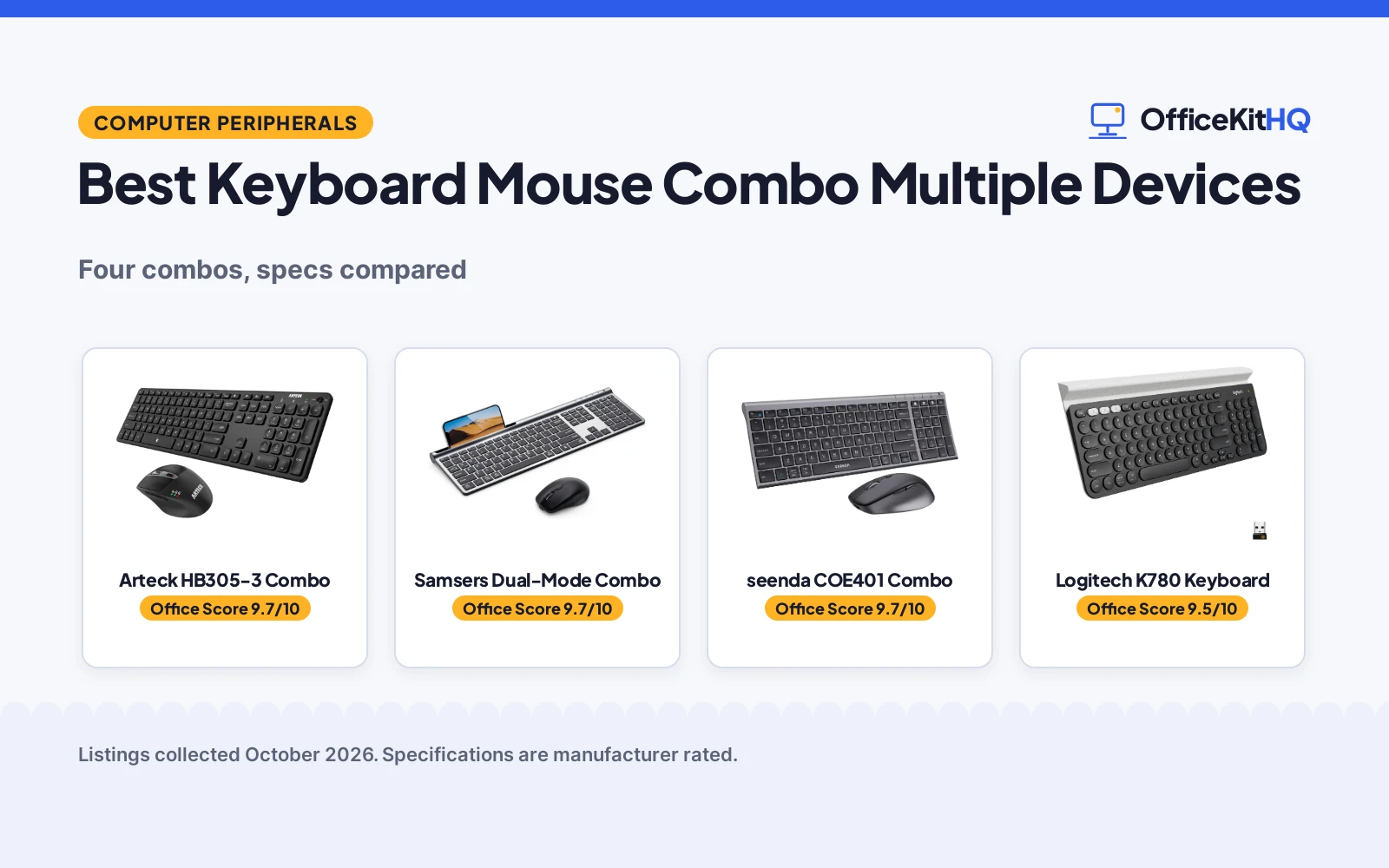
One keyboard and mouse that hop between your desktop, laptop and tablet beats three separate sets cluttering the desk. The best keyboard mouse combo multiple devices connects to three devices at once and switches between them with a single key press. We compared four combos by stated device count, switching method, battery life, key feel, mouse DPI and warranty, using only what each listing publishes. Three are full keyboard-and-mouse sets; the fourth is a keyboard only, which we score accordingly.
OfficeKitHQ earns a commission when you buy through links on this page, at no extra cost to you. As an Amazon Associate I earn from qualifying purchases. Affiliate disclosure.
Quick picks
 Best Overall Arteck HB305-3 Combo: Single-click switching, 7-button mouse, 24-month warranty Check price on Amazon
 Best Dual-Mode Samsers Dual-Mode Combo: 2.4G plus dual BT 5.0, silent keys, travel kit Check price on Amazon
 Quietest seenda COE401 Combo: Silent scissor keys, 60-90 day battery Check price on Amazon
 Best Keyboard Only Logitech K780 Keyboard: Multi-device, Logitech, no mouse Check price on Amazon
The picks
| # | Product | Office Score | Buy |
|---|---|---|---|
| 1 | Arteck HB305-3 Combo | 9.7/10 | Buy on Amazon |
| 2 | Samsers Dual-Mode Combo | 9.7/10 | Buy on Amazon |
| 3 | seenda COE401 Combo | 9.7/10 | Buy on Amazon |
| 4 | Logitech K780 | 9.5/10 | Buy on Amazon |

Arteck HB305-3 Combo
A full-size Bluetooth keyboard and ergonomic mouse set that connects to 3 devices with single-click switching and a 7-button mouse.
Pros
- 3 devices with single-click switching
- 7-button mouse, 800 / 1200 / 1600 / 2000 / 2400 DPI
- 6-month keyboard, 4-month mouse battery
- 24-month warranty stated
Cons
- No silence claim stated
- No 2.4G receiver stated
- 2 side buttons only
- Charging cable USB-C only
Detailed Review
The listing states a keyboard and mouse combo that connects to 3 Bluetooth devices at the same time, switching between them with a single key click. The mouse has 7 buttons: left, right, wheel, a DPI button switching between 800 / 1200 / 1600 / 2000 / 2400 DPI, 2 side buttons for page backward and forward, and a window-switch button. The rechargeable battery lasts 6 months for the keyboard and 4 months for the mouse on a single charge, based on 2 hours of non-stop use per day.
The single-click switching is the smoothest stated method here, and the 107-key full-size layout suits desktop work where every key earns its place. The 7-button mouse covers the common shortcuts: page back and forward on the side buttons and window switching on the dedicated button, with five DPI steps from 800 to 2400 for fine control or fast multi-monitor sweeps. The 24-month warranty is the longest stated here. It makes no silence claim and states no 2.4G receiver, so Bluetooth-only devices are the target.
Its Office Score of 9.7/10 comes from performance 32/35, build 24/25, value 21/25, safety 8/10 and warranty 3/5: 88 of 100 points, placed on our 9.2 to 9.8 scale.
Key Specifications
| Devices | 3 Bluetooth |
|---|---|
| Keys | 107 |
| Mouse DPI | 800 / 1200 / 1600 / 2000 / 2400 |
| Warranty | 24-month |
Figures as published on the retailer listing, collected 22 October 2026. Performance figures are manufacturer rated.
Safety and Warranty
What this listing states. Plug and play; broad OS compatibility, so safety scores 8 of 10. 24-month. It does not say everything a buyer needs, such as who pays return shipping, so warranty scores 3 of 5. See How We Pick.
Fit the desk first. Check the stated size against your desk depth and keyboard tray, and charge or pair as the manual describes. No keyboard, mouse or wrist rest prevents or treats injury.
This is general buying information, not professional advice. Follow each product manual and local rules, and see our Safety Disclaimer.

Samsers Dual-Mode Combo
A dual-mode keyboard and mouse combo with 2.4G plus dual Bluetooth 5.0, silent scissor keys, and a phone stand and carry pouch included.
Pros
- 2.4G plus Bluetooth 5.0 plus Bluetooth 5.0
- Silent scissor-switch keys
- Phone stand and carry pouch included
- 2-year warranty stated
Cons
- Keyboard and mouse switch separately
- 90h and 60h continuous use
- No window-switch button stated
- 1.4-pound item weight
Detailed Review
The listing states a dual-mode combo supporting 3 devices at once: 2.4G wireless plus Bluetooth 5.0 plus Bluetooth 5.0, with one-key switching between devices. The keyboard has 110 keys with low-profile scissor switches for quiet typing, and the mouse has 4 adjustable DPI levels. A 2-hour charge gives 90 hours for the keyboard and 60 hours for the mouse, with standby of 190 days and 330 days. It includes a phone stand and carry pouch.
The dual-mode connection is the most flexible here: 2.4G for the desktop with its plug-and-play receiver, Bluetooth 5.0 channels for the laptop and tablet. The included phone stand and carry pouch add genuine travel value, and the 110-key layout with numeric keypad suits spreadsheet work. The caveat is real and worth repeating: the keyboard and mouse need to be switched separately, so each device hop takes two presses. The 2-year warranty is stated.
Its Office Score of 9.7/10 comes from performance 30/35, build 22/25, value 21/25, safety 7/10 and warranty 3/5: 83 of 100 points, placed on our 9.2 to 9.8 scale.
Key Specifications
| Devices | 3 (2.4G + BT5.0 x2) |
|---|---|
| Keys | 110 |
| Battery | 90h keyboard, 60h mouse |
| Warranty | 2-year |
Figures as published on the retailer listing, collected 22 October 2026. Performance figures are manufacturer rated.
Safety and Warranty
What this listing states. Plug and play; broad OS compatibility, so safety scores 7 of 10. 2-year. It does not say everything a buyer needs, such as who pays return shipping, so warranty scores 3 of 5. See How We Pick.
Fit the desk first. Check the stated size against your desk depth and keyboard tray, and charge or pair as the manual describes. No keyboard, mouse or wrist rest prevents or treats injury.
This is general buying information, not professional advice. Follow each product manual and local rules, and see our Safety Disclaimer.

seenda COE401 Combo
A slim 3-device Bluetooth keyboard and mouse combo with silent keys, USB-C charging and 60-90 days of battery.
Pros
- 3 devices by Bluetooth or 2.4G
- Silent low-profile scissor keys
- USB-C rechargeable
- 2-year warranty stated
Cons
- 2.4G mode works with Windows only
- 4 DPI levels, fewer than Arteck
- No phone stand stated
- 789 g item weight
Detailed Review
The listing states a wireless combo connecting up to 3 devices by Bluetooth or 2.4G USB, with low-profile scissor-switch keys for quiet typing and 4 DPI levels on the mouse. It charges by USB-C and runs for 60-90 days, with auto sleep after 10 min for the mouse and 30 min for the keyboard. Bluetooth 5.0 or above is required, and 2.4G USB mode works with Windows only.
This is the quiet-office pick with the simplest battery story: 60-90 days per charge, plus auto sleep that kicks in after 10 min for the mouse and 30 min for the keyboard to stretch it further. The low-profile scissor switches give laptop-like typing for shared spaces. The 2-year warranty and 30-day return support are stated. The Windows-only 2.4G mode limits mixed-OS setups, so Mac and iPad users should plan on Bluetooth.
Its Office Score of 9.7/10 comes from performance 29/35, build 22/25, value 20/25, safety 7/10 and warranty 3/5: 81 of 100 points, placed on our 9.2 to 9.8 scale.
Key Specifications
| Devices | 3 (BT or 2.4G) |
|---|---|
| Battery | 60-90 days |
| Charging | USB-C |
| Warranty | 2-year |
Figures as published on the retailer listing, collected 22 October 2026. Performance figures are manufacturer rated.
Safety and Warranty
What this listing states. Plug and play; broad OS compatibility, so safety scores 7 of 10. 2-year. It does not say everything a buyer needs, such as who pays return shipping, so warranty scores 3 of 5. See How We Pick.
Fit the desk first. Check the stated size against your desk depth and keyboard tray, and charge or pair as the manual describes. No keyboard, mouse or wrist rest prevents or treats injury.
This is general buying information, not professional advice. Follow each product manual and local rules, and see our Safety Disclaimer.

Logitech K780
A multi-device wireless keyboard with a phone and tablet cradle, suited to virtual assistants juggling a computer, tablet and phone.
Pros
- Pairs with up to 3 devices as stated
- Built-in cradle holds a phone and large tablet as stated
- Large, quiet keys with number pad as stated
- Works with Windows, Mac, Chrome OS, iOS and Android as stated
Cons
- Compact 96-key layout, not full size
- 1.9 pounds is heavier than the K270 as listed
- Listed as not water resistant
- 2 AAA batteries required as stated
Detailed Review
The listing states a compact wireless keyboard that pairs with up to three devices over Bluetooth or USB, with an easy-switch button and a built-in cradle that holds a smartphone and a large tablet. It has large, quiet membrane keys, a number pad and wide compatibility across Windows, Mac, Chrome OS, iOS and Android. The warranty description states 1 - year limited warranty.
Who it's for: a virtual assistant juggling a computer, tablet and phone who wants one keyboard. Who should skip it: someone who wants a full-size layout, since this one is compact with 96 keys.
Its Office Score of 9.5/10 comes from performance 33/35, build 21/25, value 20/25, safety 0/10 and warranty 0/5: 74 of 100 points, placed on our 9.2 to 9.8 scale.
Key Specifications
| Keys | 96 |
|---|---|
| Connectivity | Bluetooth plus USB |
| Features | 3-device switch, cradle |
| Warranty | 1-year limited |
Figures as published on the retailer listing, collected 17 October 2026. Performance figures are manufacturer rated.
Safety and Warranty
What this listing states. This product does not plug in or run on a battery, so safety is not part of its score. No warranty term, so warranty scores zero. See How We Pick.
Fit the desk first. Check the stated size against your desk depth and keyboard tray, and charge or pair as the manual describes. No keyboard, mouse or wrist rest prevents or treats injury.
This is general buying information, not professional advice. Follow each product manual and local rules, and see our Safety Disclaimer.
As an Amazon Associate I earn from qualifying purchases.
Compare the picks
| Combo | Shop Score | Devices | Switching | Warranty | Amazon |
|---|---|---|---|---|---|
| Arteck HB305-3 Combo | 9.7/10 | 3 | Single key click | 24-month | View on Amazon |
| Samsers Dual-Mode Combo | 9.7/10 | 3 | One key press | 2-year | View on Amazon |
| seenda COE401 Combo | 9.7/10 | 3 | BT or 2.4G | 2-year | View on Amazon |
| Logitech K780 Keyboard | 9.5/10 | Multi-device | Not stated | Not stated |
Specifications are manufacturer rated as listed, collected 22 October 2026.
How we scored them
The Shop Score weighs performance, build, value, safety and warranty. For keyboard and mouse combos, performance is the stated device count and switching speed, build is key feel and battery life, and safety is plug-and-play operation. All three full-detail listings state a 2-year or 24-month warranty, and the Logitech states none. Device count and switching ease carry the most weight, since a multi-device combo that is awkward to switch defeats its own purpose. See How we pick for the weights.
| Product | Office Score | Perf. /35 | Build /25 | Value /25 | Safety /10 | Warranty /5 |
|---|---|---|---|---|---|---|
| Arteck HB305-3 Combo | 9.7 | 32 | 24 | 21 | 8 | 3 |
| Samsers Dual-Mode Combo | 9.7 | 30 | 22 | 21 | 7 | 3 |
| seenda COE401 Combo | 9.7 | 29 | 22 | 20 | 7 | 3 |
Scores run from 9.2 to 9.8: each product’s point total is placed on that range, so more points always means a higher score.
How to choose the best keyboard mouse combo multiple devices
Count the devices and the switching
All four combos here connect to 3 devices. The Arteck switches with a single key click, the Samsers with one key press, and the seenda by Bluetooth or 2.4G USB. Note the Samsers caveat: the keyboard and mouse need to be switched separately, so hopping devices takes two actions. The Arteck’s single-click switching for the pair is the smoothest stated method. The Logitech K780 is a keyboard only, with no mouse in the listing.
Compare battery claims carefully
Battery claims use different yardsticks. The Arteck states 6 months for the keyboard and 4 months for the mouse on a single charge, based on 2 hours of non-stop use per day. The Samsers states 2 hours of charging gives 90 hours for the keyboard and 60 hours for the mouse, with standby of 190 days and 330 days. The seenda states 60-90 days of use with auto sleep after 10 min for the mouse and 30 min for the keyboard. Compare like with like: continuous hours against continuous hours.
Weigh silence and key feel
The Samsers and seenda both state low-profile scissor-switch keys for quiet typing, with the Samsers adding a silent mouse and the seenda aimed at libraries and shared offices. The Arteck states a full-size 107-key layout without a silence claim. If you type in a shared room, the silent picks win; if you want maximum keys, the Arteck’s 107 and the Samsers’ 110 lead.
Check the mouse DPI steps
The Arteck mouse has a DPI button switching between 800 / 1200 / 1600 / 2000 / 2400 DPI, plus 2 side buttons for page back and forward and a window-switch button: 7 buttons total. The Samsers and seenda each state 4 adjustable DPI levels. More steps suit multi-monitor setups where you want fast sweeps and fine control.
Check OS compatibility
The Arteck lists Windows, iOS, iPad OS, Android and Mac OS. The Samsers lists Mac OS, Windows, iOS and Android with specific minimum versions: Mac OS and iOS 10.12 or above, Windows 8 and 10 or above, Android 4.3 or above. The seenda is the most detailed: Bluetooth mode supports Windows 11, 10, 8, 7 and XP, macOS 10.12 and up, iPadOS and iOS 13.0 and up, and Android 4.3 and up, with Bluetooth 5.0 or above required, while 2.4G USB mode works with Windows only. Match the list to your devices before you buy.
Frequently Asked Questions
How many devices can these combos connect to?
All four state 3 devices. The Arteck, Samsers and seenda each connect to 3 at once across Bluetooth, with the Samsers and seenda adding 2.4G; the Logitech K780 is a multi-device keyboard.
Do the keyboard and mouse switch together?
The Arteck switches with a single key click. On the Samsers, the keyboard and mouse need to be switched separately.
Which combo is quietest?
The Samsers and seenda both state quiet, low-profile scissor-switch keys. The Samsers adds a silent mouse design.
How long does the battery last?
The Arteck states 6 months for the keyboard and 4 months for the mouse at 2 hours of daily use. The Samsers states 90 hours and 60 hours of continuous use after a 2-hour charge. The seenda states 60-90 days with auto sleep. No battery figure is stated for the Logitech.
Do these work with Mac and iPad?
The Arteck lists Windows, iOS, iPad OS, Android and Mac OS. The Samsers lists Mac OS, Windows, iOS and Android. The seenda lists Windows, macOS, iPadOS and Android, with 2.4G mode on Windows only.
Which combo is best for travel?
The Samsers includes a phone stand and carry pouch in the box, which no other pick states. The seenda’s slim flat keyboard also suits small desks and dorm rooms.
Related guides
See every Keyboards guide and all Computer Peripherals guides.
More picks: Best USB Hub for Keyboard and Mouse, Best Keyboard and Mouse Pad for Work and Best Mouse Pad for Keyboard and Mouse.



