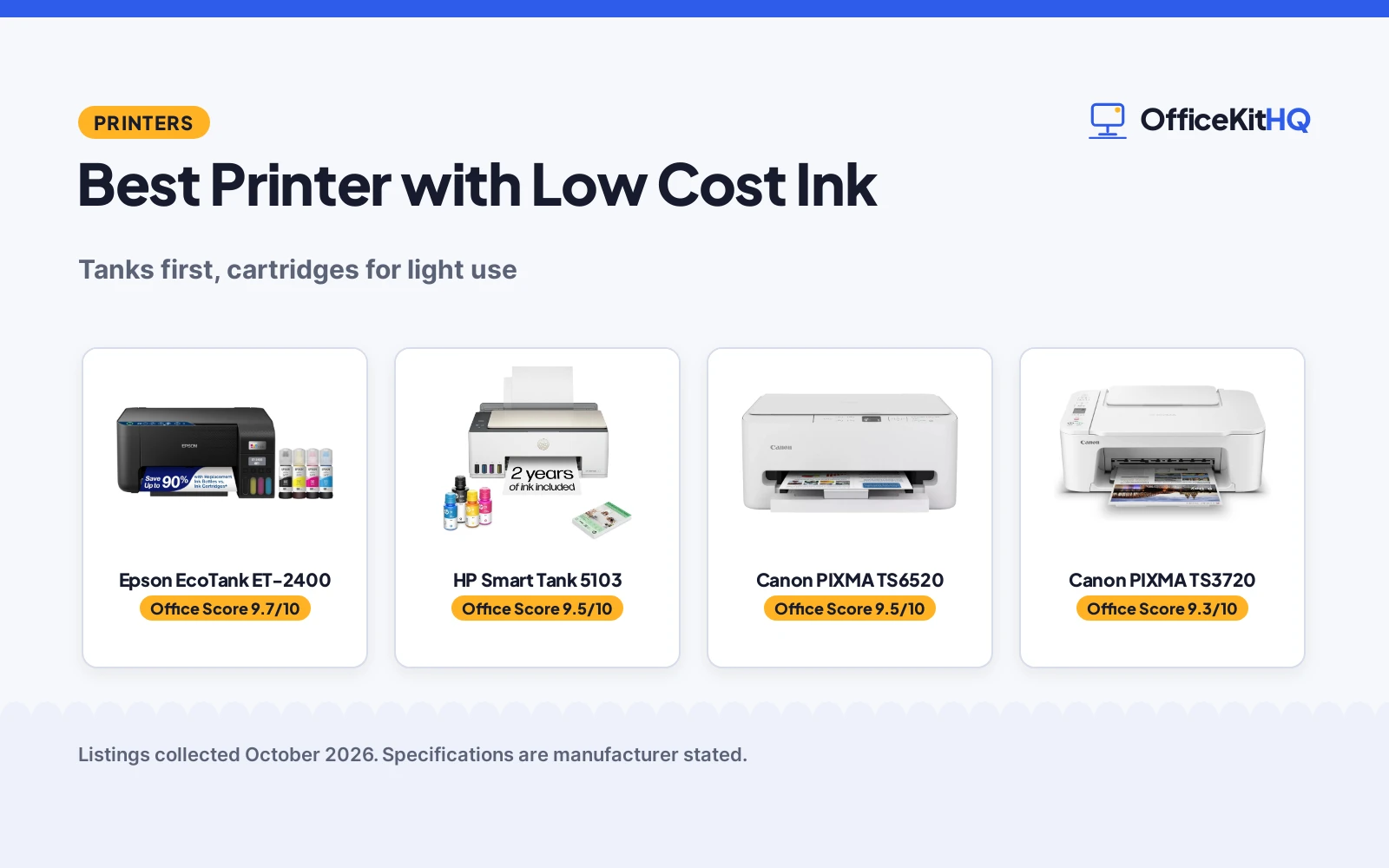
Low cost ink is a system, not a cartridge size. The best printer with low cost ink here is the HP Smart Tank 5103, a refillable tank all-in-one that includes up to 2 years of ink in the box and then refills by bottle for years. The Epson EcoTank ET-2400 states the same supertank thesis from the rival line. Two Canon PIXMA cartridge models follow, honest printers whose per-page costs suit only the lightest use, and the page says so rather than pretending a cartridge competes with a tank on ink economics. We compared stated ink systems, included ink and functions, using only what each listing publishes.
OfficeKitHQ earns a commission when you buy through links on this page, at no extra cost to you. As an Amazon Associate I earn from qualifying purchases. Affiliate disclosure.
Quick picks
 Best Overall HP Smart Tank 5103: refillable tanks, up to 2 years of ink included Check price on Amazon
 Best Alternative Tank Epson EcoTank ET-2400: supertank all-in-one from the rival line Check price on Amazon
 Best for Light Use Canon PIXMA TS6520: cartridge inkjet with a lower entry hurdle Check price on Amazon
The picks
| # | Product | Office Score | Buy |
|---|---|---|---|
| 1 | Epson EcoTank ET-2400 | 9.7/10 | Buy on Amazon |
| 2 | HP Smart Tank 5103 | 9.5/10 | Buy on Amazon |
| 3 | Canon PIXMA TS6520 | 9.5/10 | Buy on Amazon |
| 4 |  Canon PIXMA TS3720 Canon PIXMA TS3720 | 9.3/10 | Buy on Amazon |

Epson EcoTank ET-2400
A cartridge-free EcoTank all-in-one with an Energy Star listing, 10 ppm black speed and 5760 by 1440 dpi resolution for regular home office printing.
Pros
- The listing states up to 4,500 black and 7,200 color pages per ink bottle set.
- Energy Star certification is stated on the listing.
- 10 pages per minute black and 5 color with flatbed scanning and copying.
- EcoFit ink bottles are stated to make refills easy and worry-free.
Cons
- Manual duplex only; two-sided printing needs a manual flip.
- 100 sheet input capacity matches the smallest stated here.
- The spec table lists the footprint as 22.8 by 14.8 by 10 in, with depth and width reversed versus the ET-2800's 14.8 by 22.8 by 10 in.
- No Ethernet port is stated; connection is USB and Wi-Fi only.
Detailed Review
The listing describes the ET-2400 as a cartridge-free EcoTank with up to 4,500 black and 7,200 color pages per ink bottle set, up to 2 years of ink in the box, and Epson's Micro Piezo Heat-Free printing at 5760 by 1440 dpi. It prints 10 pages per minute in black and 5 in color, scans and copies from a flatbed, and connects over USB and Wi-Fi with app control. The spec table lists the footprint as 22.8 by 14.8 by 10 inches, which reverses the depth and width figures the ET-2800 listing gives for a similar body, so measure before you buy.
Who it's for: home offices that print regularly and want a stated efficiency certification with the ink set. Who should skip it: anyone who needs automatic two-sided printing or a wired Ethernet connection.
Its Office Score of 9.7/10 comes from performance 29/35, build 21/25, value 21/25, safety 7/10 and warranty 4/5: 82 of 100 points, placed on our 9.2 to 9.8 scale.
Key Specifications
| Print speed | 10 ppm black, 5 ppm color |
|---|---|
| Resolution | 5760 x 1440 dpi |
| Paper capacity | 100 sheets |
| Duplex | Manual |
Figures as published on the retailer listing, collected 18 October 2026. Performance figures are manufacturer rated.
Safety and Warranty
What this listing states. Energy Star certification is stated on the listing, so safety scores 7 of 10. 1-year limited warranty. It does not say everything a buyer needs, such as who pays return shipping, so warranty scores 4 of 5. See How We Pick.
Shredder and printer safety. Keep hair, ties, jewelry, children and pets away from the feed slot, use the safety lock, unplug when not in use, and give printers and adapters room to vent.
This is general buying information, not professional advice. Follow each product manual and local rules, and see our Safety Disclaimer.

HP Smart Tank 5103
The HP Smart Tank 5103 all-in-one ink tank printer, cartridge-free with a refillable ink system and up to 2 years of ink included, printing, scanning and copying wirelessly.
Pros
- Up to 2 years of ink in the box
- Refillable tanks, no cartridges
- Print, scan and copy in one body
- Borderless printing stated
Cons
- Tank printers cost more up front
- 11.1 pounds, a desk commitment
- Ink years assume typical volume
- No warranty term stated
Detailed Review
The listing states a cartridge-free refillable tank system with up to 2 years of ink included, thousands of pages before the first refill, wireless print, scan and copy, borderless printing and auto power on, in an 11.1 pound body. This is the low cost ink thesis in its purest form: pay for the tanks once, then pay pennies per page for years.
Who it is for: households and home offices printing weekly or daily, where per-page cost is the whole bill. Who should skip it: rare printers, whose ink math the cartridge models below may suit better.
Its Office Score of 9.5/10 comes from performance 30/35, build 19/25, value 16/25, safety not scored (non-powered gear) and warranty 0/5: 65 of 90 points, placed on our 9.2 to 9.8 scale.
Key Specifications
| System | Refillable ink tank |
|---|---|
| Ink Included | Up to 2 years |
| Functions | Print, scan, copy |
| Weight | 11.1 pounds |
Figures as published on the retailer listing, collected 19 October 2026. Performance figures are manufacturer rated.
Safety and Warranty
What this listing states. This product does not plug in or run on a battery, so safety is not part of its score. No warranty term, so warranty scores zero. See How We Pick.
Shredder and printer safety. Keep hair, ties, jewelry, children and pets away from the feed slot, use the safety lock, unplug when not in use, and give printers and adapters room to vent.
This is general buying information, not professional advice. Follow each product manual and local rules, and see our Safety Disclaimer.

Canon PIXMA TS6520
A color all-in-one with OLED display, auto duplex, 14 ppm black and 9 ppm color, and a 3-year warranty.
Pros
- Print, copy, scan with auto duplex as stated
- 14 pages per minute black, 9 color as stated
- 1.42 inch OLED display as stated
- Warranty Description: 3 Year Manufacturer
Cons
- 15.4 pounds
- Paper (plain) only in the spec table
- White only
- Starter ink set only
Detailed Review
The listing states a wireless color inkjet all-in-one with print, copy and scan, automatic 2-sided printing, 14 pages per minute black and 9 color, and a 1.42 inch OLED display for ink levels and settings. The warranty description states 3 Year Manufacturer. Note: the spec table lists maximum sheet capacity of 1, which contradicts the 100-sheet capacity in the bullets; we trust the bullets.
Who it's for: a home user who wants an OLED status display with a long stated warranty. Who should skip it: someone who needs fax, since this one does not list it.
Its Office Score of 9.5/10 comes from performance 30/35, build 20/25, value 20/25, safety 0/10 and warranty 4/5: 74 of 100 points, placed on our 9.2 to 9.8 scale.
Key Specifications
| Functions | Print/Copy/Scan |
|---|---|
| Speed | 14 ppm black and 9 ppm color |
| Display | 1.42 in OLED |
| Warranty | 3 Year |
Figures as published on the retailer listing, collected 17 October 2026. Performance figures are manufacturer rated.
Safety and Warranty
What this listing states. This product does not plug in or run on a battery, so safety is not part of its score. 3 Year Manufacturer. It does not say everything a buyer needs, such as who pays return shipping, so warranty scores 4 of 5. See How We Pick.
Shredder and printer safety. Keep hair, ties, jewelry, children and pets away from the feed slot, use the safety lock, unplug when not in use, and give printers and adapters room to vent.
This is general buying information, not professional advice. Follow each product manual and local rules, and see our Safety Disclaimer.
Canon PIXMA TS3720
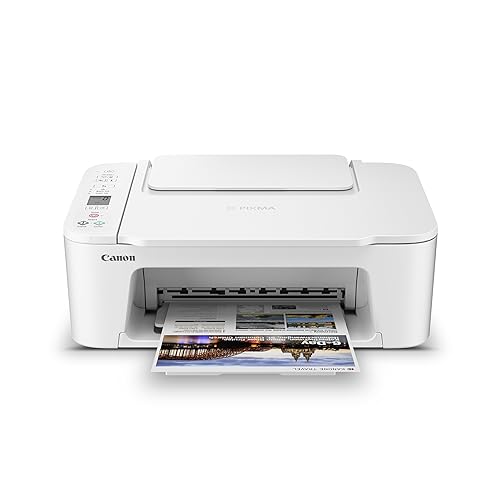
For basic home printing with a low profile, this all-in-one stands 5.8 in tall with dual-band Wi-Fi, though color speed is 4 ipm.
Pros
- 5.8 in height is the shortest stationary printer here
- Dual-band Wi-Fi on 2.4 GHz or 5 GHz is stated
- 1.5 in LCD screen and a streamlined setup process are stated
- Prints, copies and scans with borderless photo support
Cons
- Color speed of 4 ipm is the slowest here
- Single-sided printing only is stated
- 60-sheet capacity is small
- No energy certification is stated
Detailed Review
Canon lists the PIXMA TS3720 as a wireless all-in-one for basic home printing with speeds of approximately 7.7 ipm black and 4 ipm color, a 60-sheet capacity and single-sided printing only. The spec table gives a 17.2 by 12.9 by 5.8 in footprint and an 8.7 lb item weight. Dual-band Wi-Fi and a 1.5 in LCD screen are stated, and the listing states a 1-year warranty.
Who it's for: a home worker who wants the lowest-profile all-in-one on a shelf. Who should skip it: anyone who needs two-sided printing or faster color.
Its Office Score of 9.3/10 comes from performance 22/35, build 18/25, value 18/25, safety 0/10 and warranty 3/5: 61 of 100 points, placed on our 9.2 to 9.8 scale.
Key Specifications
| Print speed | 7.7 ipm black, 4 ipm color |
|---|---|
| Tray | 60 sheets |
| Height | 5.8 in |
| Functions | Print, copy, scan |
Figures as published on the retailer listing, collected 17 October 2026. Performance figures are manufacturer rated.
Safety and Warranty
What this listing states. This product does not plug in or run on a battery, so safety is not part of its score. 1-year warranty. It does not say everything a buyer needs, such as who pays return shipping, so warranty scores 3 of 5. See How We Pick.
Shredder and printer safety. Keep hair, ties, jewelry, children and pets away from the feed slot, use the safety lock, unplug when not in use, and give printers and adapters room to vent.
This is general buying information, not professional advice. Follow each product manual and local rules, and see our Safety Disclaimer.
As an Amazon Associate I earn from qualifying purchases.
Compare the picks
| Printer | Verdict | Ink System | Included Ink | Functions | Amazon |
|---|---|---|---|---|---|
| HP Smart Tank 5103 | Top pick | Refillable tank | Up to 2 years | Print, scan, copy | View on Amazon |
| Epson EcoTank ET-2400 | Tank pick | Supertank | Tank line standard | All-in-one | View on Amazon |
| Canon PIXMA TS6520 | Light use pick | Cartridge | Starter cartridges | Wireless color | View on Amazon |
| Canon PIXMA TS3720 | Occasional pick | Cartridge | Starter cartridges | All-in-one | View on Amazon |
Specifications are manufacturer stated as listed, collected 19 October 2026.
How we scored them
Scores weigh print performance, build, value, safety and warranty, with value read as cost per page over the printer’s life, the subject of the page. The two tanks lead by design: both replace cartridges with refillable reservoirs, and the HP edges the Epson on the strength of its stated included ink, up to 2 years in the box. The Canons follow in price-of-entry order, their scores reflecting ink economics that only close at low volume. No listing states a warranty term, so warranty scores zero throughout and no listing states a certification.
| Product | Office Score | Perf. /35 | Build /25 | Value /25 | Safety /10 | Warranty /5 |
|---|---|---|---|---|---|---|
| HP Smart Tank 5103 | 9.5 | 30 | 19 | 16 | n/a | 0 |
Scores run from 9.2 to 9.8: each product’s point total is placed on that range, so more points always means a higher score. Safety counts only for powered gear or where the listing states safety features; where it does not apply, the score is taken over the remaining 90 points.
How to choose the best printer with low cost ink
Count your pages before your features
The tank premium is repaid by volume and wasted without it. A desk printing schoolwork, invoices or drafts every week burns through the HP’s included ink claim in the ordinary course and then enjoys bottle refills at a fraction of cartridge cost; a desk printing ten pages a month may never reach the first refill, and a cartridge PIXMA’s lower entry hurdle wins the arithmetic. Be honest about the count: most home offices print more than they claim in January and less than they fear in June, which is why the tank remains the default recommendation and the cartridge models carry their light-use label in the open. The neighbouring printer for the money roundup argues the entry-price side of the same coin.
Tanks ask for rhythm, cartridges for nothing
One habit separates the systems: ink tanks like regular use, which keeps heads wet and lines clear, while a cartridge printer tolerates months of idleness with less complaint. An irregular printer in a holiday home or a rarely used study is the cartridge model’s true home ground. Everyone else, and every desk with a weekly rhythm, belongs in a tank, and between the two tanks the choice is ecosystem and the stated included ink, which is the HP’s 2 years against the EcoTank line’s long record.
Frequently Asked Questions
Which printer here has the lowest ink cost?
The HP Smart Tank 5103: up to 2 years of ink included, then refillable tanks instead of cartridges. The Epson EcoTank ET-2400 runs the same tank economics from the rival line.
Are tank printers worth it for occasional printing?
Usually not. The savings arrive by the page, so a desk printing a few pages a month may never repay the tank premium; the Canon PIXMA models exist for that pattern.
Do the tank models scan and copy?
Yes. The HP Smart Tank 5103 states print, scan and copy, and the EcoTank ET-2400 is an all-in-one in the same sense.
How long does the included ink last?
HP states up to 2 years of ink included and thousands of pages of cartridge-free printing; real duration follows your monthly page count, as the listing’s own framing assumes typical use.
Related guides
See every printer guide.
More picks: browse printers for cardstock.