
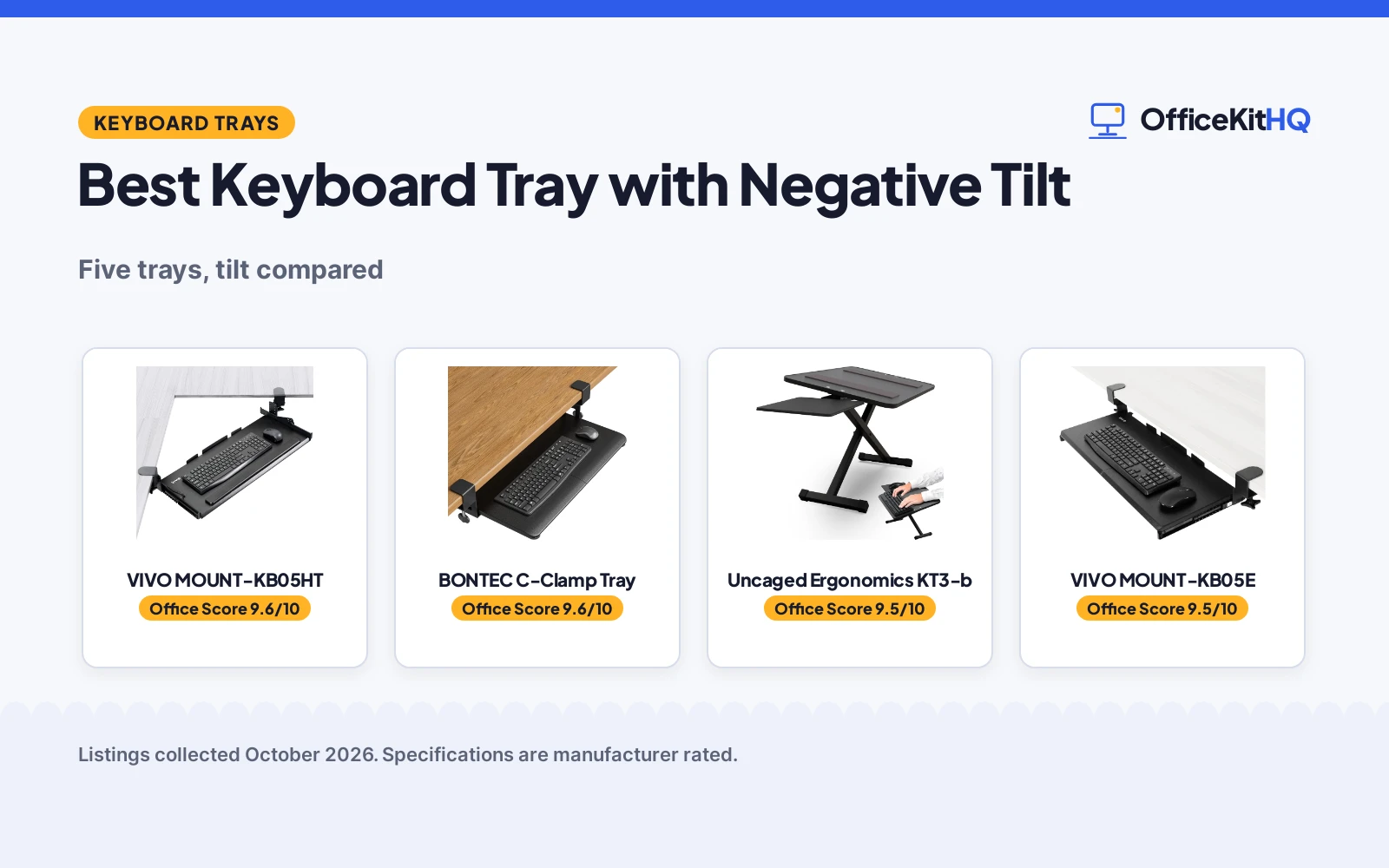
The best keyboard tray with negative tilt is the one that lets your wrists stay flat while you type: the front edge drops slightly below the back, so your hands rest in a neutral line with your forearms. Picture the end of a long workday, shoulders tight and wrists tired from a keyboard that sits too high and too flat. We compared five keyboard trays by stated tilt range, tray size, mounting style and weight capacity, using only what each listing publishes.
OfficeKitHQ earns a commission when you buy through links on this page, at no extra cost to you. As an Amazon Associate I earn from qualifying purchases. Affiliate disclosure.
Quick picks
 Best Overall VIVO MOUNT-KB05HT: 9 tilt settings down to -10 degrees, holds 11 lbs Check price on Amazon
 Best Desktop Riser Uncaged Ergonomics KT3-b: 2.5 to 12.5 in height, tilt to 24.5 degrees, no installation Check price on Amazon
 Best 27-Inch Clamp-On VIVO MOUNT-KB05E: 27 x 11 in clamp-on tray, per the title Check price on Amazon
 Best C-Clamp BONTEC C-Clamp Tray: 25.6 x 11.8 in C-clamp mount, per the title Check price on Amazon
 Best Simple Clamp-On AX WABER AX01WB01: Clamp-on tray, per the title Check price on Amazon
The picks
| # | Product | Office Score | Buy |
|---|---|---|---|
| 1 | VIVO MOUNT-KB05HT | 9.6/10 | Buy on Amazon |
| 2 | BONTEC Keyboard Tray | 9.6/10 | Buy on Amazon |
| 3 | Uncaged Ergonomics KT3-b | 9.5/10 | Buy on Amazon |
| 4 | VIVO MOUNT-KB05E | 9.5/10 | Buy on Amazon |
| 5 | AX WABER AX01WB01 | 9.3/10 | Buy on Amazon |

VIVO MOUNT-KB05HT
A clamp-on under-desk tray with 9 tilt settings down to -10 degrees and room for keyboard and mouse.
Pros
- 9 tilt settings from 10 to -10 degrees lock into place
- Holds up to 11 lbs on a 26.8 x 11 in tray
- Swivel C-clamps fit desks up to 3.4 in thick without damage
- Corner or standard desk mounting, per the listing
Cons
- Needs 34 in of clamp-to-clamp desk space
- Not compatible with beveled-edge desktops
- No warranty term is stated
- 13.8 lb item weight is the heaviest listed here
Detailed Review
VIVO lists the MOUNT-KB05HT as a clamp-on under-desk keyboard and mouse tray measuring 26.8 in by 11 in, or 34 in including the clamps. Nine tilt settings run from 10 degrees down to -10 degrees and lock into place, covering positive, neutral and negative tilt. It holds up to 11 lbs, and the swivel C-clamps rotate 90 degrees independently and fit desks up to 3.4 in thick without damaging the top. The tray sits 0.25 in to 7 in below the desk depending on table thickness. No warranty term is stated.
Who it's for: someone who wants fine tilt control including negative tilt on a clamp mount. Who should skip it: anyone with a beveled-edge desktop or less than 34 in of mounting space.
Its Office Score of 9.6/10 comes from performance 30/35, build 21/25, value 20/25, safety 7/10 and warranty 0/5: 78 of 100 points, placed on our 9.2 to 9.8 scale.
Key Specifications
| Tray size | 26.8 x 11 in |
|---|---|
| Tilt | 9 settings, 10 to -10 degrees |
| Capacity | 11 lbs |
| Mount | C-clamps, desks up to 3.4 in thick |
Figures as published on the retailer listing, collected 22 October 2026. Performance figures are manufacturer rated.
Safety and Warranty
What this listing states. Holds up to 11 lbs; C-clamps fit desks up to 3.4 in thick without damaging the top, so safety scores 7 of 10. No warranty term, so warranty scores zero. See How We Pick.
Fit the desk first. Check the stated size against your desk depth and keyboard tray, and charge or pair as the manual describes. No keyboard, mouse or wrist rest prevents or treats injury.
This is general buying information, not professional advice. Follow each product manual and local rules, and see our Safety Disclaimer.
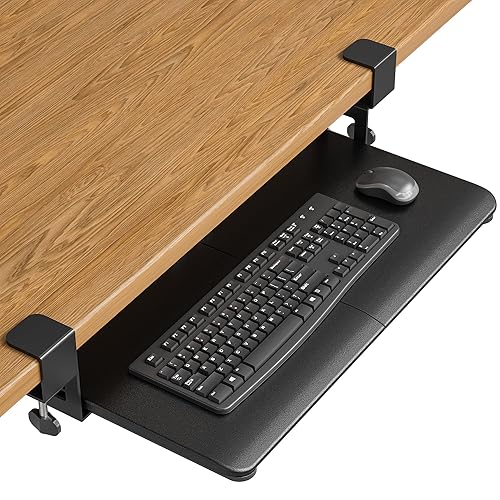
BONTEC Keyboard Tray
C-clamp under-desk keyboard tray, 25.6 by 11.8 inches, holding up to 11 pounds.
Pros
- 25.6 x 11.8 in tray, the largest here
- Holds up to 11 lb
- Clamps to desktops up to 1.97 in thick
- No-drill installation with protective pads
Cons
- No tilt or swivel adjustment
- Not for curved, beveled or rounded edges
- Needs 31.3 in of width under the desk
- No warranty term stated
Detailed Review
The listing describes the BONTEC tray as a 25.6 by 11.8 inch keyboard and mouse platform, 31.3 inches including clamps, holding up to 11 pounds. It clamps to desktops up to 1.97 inches thick with protective pads, and needs 31.3 inches of width and 11.8 inches of depth underneath the desk. It warns against curved, beveled or rounded edges and crossbars underneath.
Who it's for: users who want the largest tray with a no-drill install. Who should skip it: anyone who needs tilt or swivel, and desks with curved edges or crossbars.
Its Office Score of 9.6/10 comes from performance 29/35, build 20/25, value 20/25, safety not scored (non-powered gear) and warranty 0/5: 69 of 90 points, placed on our 9.2 to 9.8 scale.
Key Specifications
| Tray | 25.6 x 11.8 in |
|---|---|
| Capacity | 11 lb |
| Mount | C-clamp, up to 1.97 in |
| Weight | 9.83 pounds |
Figures as published on the retailer listing, collected 17 October 2026. Performance figures are manufacturer rated.
Safety and Warranty
What this listing states. This product does not plug in or run on a battery, so safety is not part of its score. No warranty term, so warranty scores zero. See How We Pick.
Moving desk, heavy load. Stay under the stated lift or weight capacity, leave slack in every cable, keep children, pets and fingers clear while the desk moves, and treat anti-collision as the maker's claim.
This is general buying information, not professional advice. Follow each product manual and local rules, and see our Safety Disclaimer.

Uncaged Ergonomics KT3-b
A desktop keyboard riser with 7 height levels and tilt from flat to 24.5 degrees, plus a mouse platform.
Pros
- Height adjusts from 2.5 to 12.5 in across 7 levels
- Tilt adjusts from flat to 24.5 degrees, including negative tilt
- Mouse platform included; no installation required
- Non-skid, non-marking rubber keeps the keyboard secure
Cons
- Sits on the desk rather than mounting under it
- 3.29 kg item weight adds heft to move around
- No warranty term is stated
- Takes up 18.5 x 11 in of desk space
Detailed Review
Uncaged Ergonomics lists the KT3-b as a desktop keyboard riser with a mouse platform, adjustable from 2.5 to 12.5 in high across 7 levels. The tilt adjusts from flat to 24.5 degrees for neutral or negative tilt typing, and the base combines alloy steel and MDF with non-skid, non-marking rubber. It needs no installation. The title promises optimized wrist support, but the listing names no wrist rest, so read that claim with care. No warranty term is stated.
Who it's for: someone who wants negative tilt without mounting anything under the desk. Who should skip it: anyone who needs an under-desk tray that frees desktop space.
Its Office Score of 9.5/10 comes from performance 28/35, build 20/25, value 19/25, safety 5/10 and warranty 0/5: 72 of 100 points, placed on our 9.2 to 9.8 scale.
Key Specifications
| Height | 2.5 to 12.5 in |
|---|---|
| Tilt | Flat to 24.5 degrees |
| Levels | 7 |
| Size | 18.5 x 11 in |
Figures as published on the retailer listing, collected 22 October 2026. Performance figures are manufacturer rated.
Safety and Warranty
What this listing states. Non-skid, non-marking rubber keeps the keyboard secure on the desk, so safety scores 5 of 10. No warranty term, so warranty scores zero. See How We Pick.
Fit the desk first. Check the stated size against your desk depth and keyboard tray, and charge or pair as the manual describes. No keyboard, mouse or wrist rest prevents or treats injury.
This is general buying information, not professional advice. Follow each product manual and local rules, and see our Safety Disclaimer.

VIVO MOUNT-KB05E
Clamp-on keyboard tray, 27 by 11 inches, holding up to 11 pounds.
Pros
- 27 x 11 in tray, 32.5 in with clamps
- Holds up to 11 lbs
- Extends 8.5 in from the desk edge
- Sturdy C-clamps, no desk damage
Cons
- No tilt or swivel adjustment
- Not for beveled desktop edges
- Needs 32.5 in of clamp-to-clamp space
- No warranty term stated
Detailed Review
The listing describes the VIVO MOUNT-KB05E as a 26.8 by 11 inch keyboard tray, 32.5 inches including clamps, holding up to 11 pounds and extending 8.5 inches from the desk edge. It clamps to desktops up to 1.25 inches thick with sturdy C-clamps and warns it is not compatible with beveled edges.
Who it's for: users who want a large clamp-on tray with a strong mount. Who should skip it: anyone who needs tilt or swivel, and desks with beveled edges.
Its Office Score of 9.5/10 comes from performance 29/35, build 20/25, value 19/25, safety not scored (non-powered gear) and warranty 0/5: 68 of 90 points, placed on our 9.2 to 9.8 scale.
Key Specifications
| Tray | 27 x 11 in |
|---|---|
| Capacity | 11 lbs |
| Extend | 8.5 in |
| Mount | C-clamp, up to 1.25 in |
Figures as published on the retailer listing, collected 17 October 2026. Performance figures are manufacturer rated.
Safety and Warranty
What this listing states. This product does not plug in or run on a battery, so safety is not part of its score. No warranty term, so warranty scores zero. See How We Pick.
Moving desk, heavy load. Stay under the stated lift or weight capacity, leave slack in every cable, keep children, pets and fingers clear while the desk moves, and treat anti-collision as the maker's claim.
This is general buying information, not professional advice. Follow each product manual and local rules, and see our Safety Disclaimer.

AX WABER AX01WB01
A clamp-on tray that fits desks up to 1.9 inches thick; skip it for beveled-edge desktops.
Pros
- Sturdy C-clamps with no desk damage, per the listing
- Fits desks up to 1.9 inches thick
- 11-lb weight capacity
- Friendly tech support offered
Cons
- Not compatible with beveled-edge desktops
- 5.7-inch extension, shorter than the VIVO's 8.5
- 32.5-inch clamp length needs measuring
- No warranty term stated
Detailed Review
The AX WABER AX01WB01 is the thick-desk clamp-on: it accepts desks up to 1.9 inches, the widest range of the three clamp-ons here, with a 27.3 x 11 inch platform rated to 11 lbs. Sturdy C-clamps tighten by hand and adjust for user convenience, per the listing.
The slide reaches only 5.7 inches, the shortest extension here, and beveled-edge desktops are out. Like the VIVO, the 32.5-inch clamp span needs measuring and the listing says nothing about crossbars. No warranty term is stated.
Its Office Score of 9.3/10 comes from performance 27/35, build 19/25, value 18/25, safety 0/10 and warranty 0/5: 64 of 100 points, placed on our 9.2 to 9.8 scale.
Key Specifications
| Tray size | 27.3 x 11 in |
|---|---|
| Clamp span | 32.5 in |
| Extension | Up to 5.7 in |
| Weight cap | 11 lb |
| Desk thickness | Up to 1.9 in |
| Weight | 8.8 pounds |
Figures as published on the retailer listing, collected 17 October 2026. Performance figures are manufacturer rated.
Safety and Warranty
What this listing states. This product does not plug in or run on a battery, so safety is not part of its score. No warranty term, so warranty scores zero. See How We Pick.
Fit the desk first. Check the stated size against your desk depth and keyboard tray, and charge or pair as the manual describes. No keyboard, mouse or wrist rest prevents or treats injury.
This is general buying information, not professional advice. Follow each product manual and local rules, and see our Safety Disclaimer.
As an Amazon Associate I earn from qualifying purchases.
More picks to compare
 Mount-It! Under Desk Keyboard TrayCheck on Amazon
 VIVO Black Pneumatic Arm 24 xCheck on Amazon
Compare the picks
| Keyboard tray | Office Score | Size | Tilt | Mount | Capacity | Amazon |
|---|---|---|---|---|---|---|
| VIVO MOUNT-KB05HT | 9.6/10 | 26.8 x 11 in | 9 settings, 10 to -10 deg | C-clamps, 3.4 in max | 11 lbs | View on Amazon |
| Uncaged Ergonomics KT3-b | 9.5/10 | 18.5 x 11 in | Flat to 24.5 deg | Desktop, no install | Not stated | View on Amazon |
| VIVO MOUNT-KB05E | 9.6/10 | 27 x 11 in | Not stated | Clamp-on | Not stated | View on Amazon |
| BONTEC C-Clamp Tray | 9.6/10 | 25.6 x 11.8 in | Not stated | C-clamp | Not stated | |
| AX WABER AX01WB01 | 9.3/10 | Not stated | Not stated | Clamp-on | Not stated | View on Amazon |
Specifications are manufacturer rated as listed, collected 22 October 2026. One of the five states a weight capacity; none state a warranty term.
How we scored them
The Office Score weighs performance (stated tilt range, tray size, mounting flexibility and weight capacity), build (materials, mounting hardware and item weight), value for the stated specs, safety and warranty. For a keyboard tray, safety means a stated weight capacity and a secure, well-specified mount: clamp thickness limits and non-slip surfaces on the listings. Two listings state safety-relevant mounting details; none state a warranty term. How we pick explains the weights.
| Product | Office Score | Perf. /35 | Build /25 | Value /25 | Safety /10 | Warranty /5 |
|---|---|---|---|---|---|---|
| VIVO MOUNT-KB05HT | 9.6 | 30 | 21 | 20 | 7 | 0 |
| Uncaged Ergonomics KT3-b | 9.5 | 28 | 20 | 19 | 5 | 0 |
Scores run from 9.2 to 9.8: each product’s point total is placed on that range, so more points always means a higher score.
How to choose the best keyboard tray with negative tilt
Look for a stated negative tilt range
Negative tilt is the whole point of this list, so check that the listing states it. The VIVO MOUNT-KB05HT lists 9 settings from 10 degrees down to -10 degrees that lock into place, and the Uncaged Ergonomics KT3-b tilts from flat to 24.5 degrees. Three more options outside the ranked five state their tilt too: the Mount-It! MI-7138 tilts 10 degrees up and 15 degrees down, the Mount-It! MI-7135 tilts up to 15 degrees in either direction, and the VIVO pole-mount arm offers +90 to -20 degrees of tilt with 180-degree swivel. The three reused picks state no tilt range, so confirm it on the listing before buying one of those.
Check the mount against your desk
Mounting is where trays fail, so match the hardware to your desktop. The VIVO MOUNT-KB05HT uses swivel C-clamps that rotate 90 degrees independently and fit desks up to 3.4 in thick, but the listing rules out beveled-edge desktops and asks for 34 in of clamp-to-clamp space. The Mount-It! trays bolt to the underside with included screws and need wood or MDF at least 0.6 in thick for the MI-7138 and 1 in thick for the MI-7135, never glass, metal or crossbar desks. The VIVO pole-mount arm clamps to poles 1 in to 3.6 in in diameter instead. The Uncaged KT3-b skips mounting entirely: it sits on the desktop with no installation. For more input gear, see our keyboards guides.
Size the tray and mind the capacity
Tray size decides whether your keyboard and mouse fit without crowding. The VIVO MOUNT-KB05HT measures 26.8 in by 11 in, or 34 in including the clamps, and holds up to 11 lbs. The Uncaged KT3-b is 18.5 in by 11 in, the VIVO MOUNT-KB05E is 27 in by 11 in, and the BONTEC is 25.6 in by 11.8 in. The Mount-It! options measure 26.38 by 10 in and 26.4 by 10 in with a 4.4 lb capacity each, while the VIVO pole-mount tray is 24 by 10 in and extends 39.25 in on its arm.
| If you need | Look at |
|---|---|
| Fine tilt control with negative tilt | VIVO MOUNT-KB05HT, 9 settings down to -10 degrees |
| A no-drill desktop option | Uncaged Ergonomics KT3-b, 2.5 to 12.5 in, no installation |
| A bolted mount with wrist rest | Mount-It! MI-7138, tilt +10/-15 degrees, gel wrist rest |
Weigh the extras: swivel, slide and wrist rest
Once tilt and mount check out, the extras decide daily comfort. Both Mount-It! trays include a gel wrist rest along the front edge; the MI-7138 swivels 90 degrees in either direction and the MI-7135 swivels 20 degrees from center and slides out 12.6 in on its track. The VIVO MOUNT-KB05HT’s clamps swivel 90 degrees independently for placement, and the VIVO pole-mount arm adds integrated cable management for power, video and data cords. None of the five ranked picks state a wrist rest, so if you want one, the Mount-It! options are the stated choice.
Setup Notes
- Measure your desk thickness: VIVO clamps fit up to 3.4 in, while the Mount-It! bolted mounts need wood or MDF at least 0.6 in or 1 in thick.
- Confirm 34 in of clamp-to-clamp space for the VIVO MOUNT-KB05HT, and skip beveled-edge desktops.
- Check tray size against your keyboard: 26.8 x 11 in on the VIVO, 18.5 x 11 in on the riser.
- For pole desks, the VIVO arm fits poles 1 in to 3.6 in in diameter.
Frequently Asked Questions
What is negative tilt on a keyboard tray?
Negative tilt drops the front edge of the tray below the back edge, so the keyboard slopes away from you. The VIVO MOUNT-KB05HT lists settings down to -10 degrees, and the Uncaged riser tilts from flat to 24.5 degrees.
How do I install a clamp-on keyboard tray?
The VIVO MOUNT-KB05HT uses swivel C-clamps for desks up to 3.4 in thick, with all hardware and instructions included. The Mount-It! trays bolt to wood or MDF desks at least 0.6 in or 1 in thick with included screws.
Will a keyboard tray fit my desk?
The VIVO needs 34 in of clamp-to-clamp space and does not fit beveled-edge desktops. The Mount-It! bolted trays need wood or MDF, never glass, metal or crossbar desks.
Do keyboard trays hold a mouse too?
The VIVO tray holds a keyboard, mouse and small accessories up to 11 lbs. The Uncaged riser includes a mouse platform, and the Mount-It! trays hold a full-size keyboard plus everyday mouse use.
What is the difference between a tray and a riser?
A tray mounts under the desk, like the clamp-on VIVO and Mount-It! models. A riser like the Uncaged KT3-b sits on the desktop and adjusts from 2.5 to 12.5 in with no installation.
Related guides
See every keyboards guide and all computer peripherals guides.
More picks: standing desks, mice and mouse pads, desk mats.



