
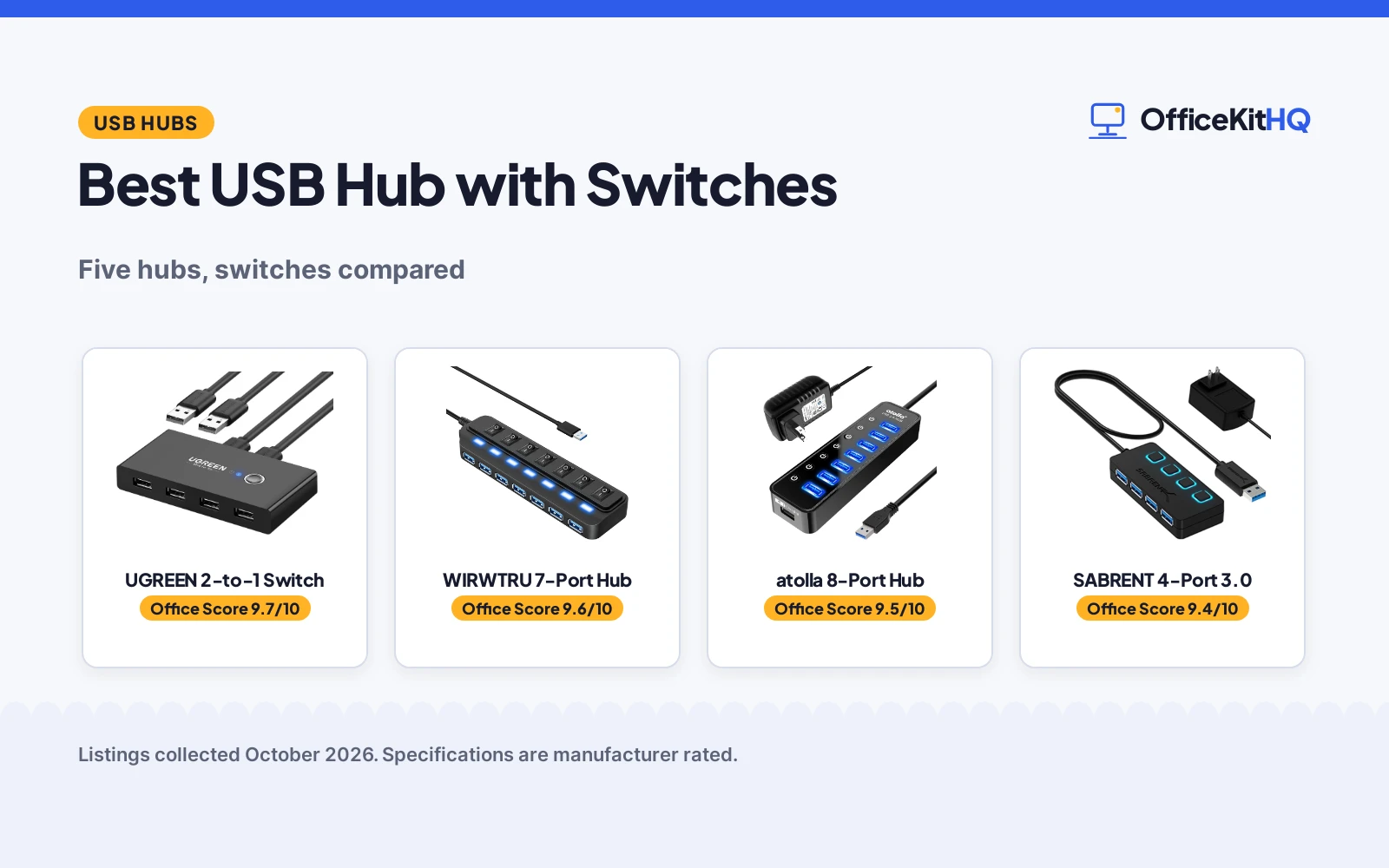
A desk with two computers and one set of peripherals is a daily cable shuffle. The best usb hub with switches ends it: one button or one switch per port decides which devices stay connected. We compared five hubs and switch boxes by port count, USB version, switch style and warranty, using only what each listing publishes, and ranked them by the Office Score. Whether you share peripherals between two PCs or want to silence idle devices with a switch, one of these five fits the desk.
OfficeKitHQ earns a commission when you buy through links on this page, at no extra cost to you. As an Amazon Associate I earn from qualifying purchases. Affiliate disclosure.
Quick picks
 Best Overall UGREEN 2-to-1 Switch: Shares 4 USB devices between 2 PCs, 24-month warranty Check price on Amazon
 Best 7-Port WIRWTRU 7-Port Hub: 7 USB 3.0 ports, individual switches, 5 Gbps Check price on Amazon
 Best Powered atolla 8-Port Hub: 8 powered USB 3.0 ports with smart charging Check price on Amazon
 Best 4-Port 3.0 SABRENT 4-Port 3.0: Powered 4-port USB 3.0 with LED switches Check price on Amazon
 Best 2.0 Pick SABRENT HB-UMLS: 4-port USB 2.0 hub with LED power switches Check price on Amazon
The picks
| # | Product | Office Score | Buy |
|---|---|---|---|
| 1 | UGREEN 2-to-1 Switch | 9.7/10 | Buy on Amazon |
| 2 | WIRWTRU 7-Port Hub | 9.6/10 | Buy on Amazon |
| 3 | atolla 8-Port | 9.5/10 | Buy on Amazon |
| 4 | SABRENT 4-Port | 9.4/10 | Buy on Amazon |
| 5 | SABRENT HB-UMLS USB 2.0 Hub | 9.3/10 | Buy on Amazon |

UGREEN 2-to-1 Switch
A 2-in-4-out USB 2.0 switch that shares 4 devices between 2 computers with one-button swapping and a 24-month warranty.
Pros
- Shares 4 USB 2.0 devices between 2 computers with one click
- LED indicator shows the active computer
- Driver-free on Windows, macOS, Linux and Chrome OS
- Micro USB port powers hard drives and SSDs
Cons
- USB 2.0 only; no USB 3.0 version here
- Power adapter not included
- Not a KVM: no monitor or video support
- USB-C PCs need an adapter, not a cable
Detailed Review
UGREEN lists the 30767 as a 2-in-4-out USB 2.0 sharing switch: one button swaps 4 peripheral devices between 2 computers, with an LED indicating the active machine. The listing names printers, scanners, mice, keyboards, card readers, flash drives, HDDs and SSDs as shareable devices. A separate micro USB female port accepts optional 5V power for high-draw devices, though the charger is not included. The box measures 4.13 by 2.09 by 0.63 inches and ships with two USB A to A cables and a manual.
The listing stresses driver-free plug-and-play on Windows, macOS, Linux and Chrome OS. It is not a KVM switch and does not carry video, and USB-C-only PCs need a USB-C to A adapter rather than a cable. The 24-month warranty service from UGREEN is the longest stated here, and the IP54/IP55 rating is the only ingress rating in this group.
On the desk, the 30767 replaces a daily cable shuffle: the two USB A to A cables run to each computer, and four peripherals stay plugged into the box permanently. The micro USB power port matters when a hard drive or scanner draws more than the bus provides; without it, disconnects are the symptom the listing warns about. The LED indicator removes the guesswork about which computer currently owns the peripherals.
Its Office Score of 9.7/10 comes from performance 30/35, build 21/25, value 21/25, safety 8/10 and warranty 4/5: 84 of 100 points, placed on our 9.2 to 9.8 scale.
Key Specifications
Figures as published on the retailer listing, collected 20 October 2026. Performance figures are manufacturer rated.
Safety and Warranty
What this listing states. IP54/IP55 rated, so safety scores 8 of 10. 24 Months Warranty Service by UGREEN. It does not say everything a buyer needs, such as who pays return shipping, so warranty scores 4 of 5. See How We Pick.
Power and heat. Use the supplied adapter, treat power delivery wattage and display support as the maker's claims for your laptop model, and give the dock room to vent.
This is general buying information, not professional advice. Follow each product manual and local rules, and see our Safety Disclaimer.

WIRWTRU 7-Port Hub
A 7-port USB 3.0 hub with individual on/off switches, 5 Gbps transfer and a 2-year warranty.
Pros
- 7 USB 3.0 ports with individual on/off switches
- 5 Gbps transfer, 10x faster than USB 2.0
- Blue LED per port shows working status
- Wide OS support with plug-and-play install
Cons
- Charging not supported on any port
- No stated wattage for powered devices
- Slim design may slide on a desk
- No IP rating stated
Detailed Review
WIRWTRU lists a 7-port USB 3.0 hub with an individual on/off switch and blue LED for every port, so each device can be powered down without unplugging. The listing claims up to 5 Gbps transfer, more than 10 times faster than USB 2.0, with backward compatibility for USB 2.0 devices. Compatibility spans Windows, macOS, UNIX and Linux with plug-and-play install, and the hub suits laptops, desktops, PS5 and Xbox.
The listing notes that charging is not supported on any port, so this is a data hub rather than a charger. The slim, light design suits travel, and the gift-box packaging is a nice touch. The 2-year warranty is the second-longest stated here.
In practice, the per-port switches are the feature: a webcam, a backup drive and a phone cable can each be cut off without reaching behind the desk. The blue LEDs make the state visible at a glance, which matters on a crowded desk where unplugging the wrong cable is easy. The slim profile suits a laptop bag, and the listed OS support covers Windows, macOS, UNIX and Linux.
Its Office Score of 9.6/10 comes from performance 32/35, build 21/25, value 21/25, safety 0/10 and warranty 4/5: 78 of 100 points, placed on our 9.2 to 9.8 scale.
Key Specifications
Figures as published on the retailer listing, collected 20 October 2026. Performance figures are manufacturer rated.
Safety and Warranty
What this listing states. This product does not plug in or run on a battery, so safety is not part of its score. 2 Year warranty. It does not say everything a buyer needs, such as who pays return shipping, so warranty scores 4 of 5. See How We Pick.
Power and heat. Use the supplied adapter, treat power delivery wattage and display support as the maker's claims for your laptop model, and give the dock room to vent.
This is general buying information, not professional advice. Follow each product manual and local rules, and see our Safety Disclaimer.

atolla 8-Port
An 8-port powered USB 3.0 hub with 7 data ports, a smart charging port and individual switches, for drive-heavy desks.
Pros
- 7 data ports plus 1 smart charging port
- 5V/4A power adapter for hungrier devices
- Individual on/off switches per port
- 18-month warranty stated
Cons
- Plastic housing, not aluminum
- No circuit protection statement
- Charging port does not carry data
- 100cm cord may be short for some desks
Detailed Review
atolla lists the 8-port hub as 7 USB 3.0 data ports plus a smart charging port, with speeds up to 5Gbps and a 5V/4A power adapter. The bullets describe individual on/off switches, plug and play with hot swapping, and an 18-month warranty.
Who it's for: someone running several external drives who wants a warranty in writing. Who should skip it: anyone who needs aluminum build or stated circuit protection.
Its Office Score of 9.5/10 comes from performance 29/35, build 21/25, value 21/25, safety 0/10 and warranty 3/5: 74 of 100 points, placed on our 9.2 to 9.8 scale.
Key Specifications
| Ports | 7 data + 1 charging |
|---|---|
| Speed | 5Gbps |
| Adapter | 5V/4A |
| Warranty | 18 months |
Figures as published on the retailer listing, collected 18 October 2026. Performance figures are manufacturer rated.
Safety and Warranty
What this listing states. No UL, FCC or over-current protection statement is stated, so safety scores zero. 18-month warranty. It does not say everything a buyer needs, such as who pays return shipping, so warranty scores 3 of 5. See How We Pick.
Power and heat. Use the supplied adapter, treat power delivery wattage and display support as the maker's claims for your laptop model, and give the dock room to vent.
This is general buying information, not professional advice. Follow each product manual and local rules, and see our Safety Disclaimer.

SABRENT 4-Port
A compact 4-port powered USB 3.0 hub with individual LED switches, for travel and light desk use.
Pros
- Thin, lightweight and portable at 1.5 oz
- Individual LED-lit power switches
- 5V/2.5A power adapter included
- Speeds up to 5Gbps
Cons
- No warranty term is stated
- Only 4 data ports, no charging port
- 2.5A adapter suits lighter loads
- No circuit protection statement
Detailed Review
SABRENT lists the 4-port hub as 4 USB 3.0 ports with individual LED-lit power switches and a 5V/2.5A power adapter, with speeds up to 5Gbps. The bullets describe a thin, lightweight plastic design for travel. No warranty term is stated.
Who it's for: travelers and light desk setups with few devices. Who should skip it: anyone running multiple external hard drives at once.
Its Office Score of 9.4/10 comes from performance 26/35, build 20/25, value 20/25, safety 0/10 and warranty 0/5: 66 of 100 points, placed on our 9.2 to 9.8 scale.
Key Specifications
| Ports | 4 data |
|---|---|
| Speed | 5Gbps |
| Adapter | 5V/2.5A |
| Warranty | Not stated |
Figures as published on the retailer listing, collected 18 October 2026. Performance figures are manufacturer rated.
Safety and Warranty
What this listing states. No UL, FCC or over-current protection statement is stated, so safety scores zero. No warranty term, so warranty scores zero. See How We Pick.
Power and heat. Use the supplied adapter, treat power delivery wattage and display support as the maker's claims for your laptop model, and give the dock room to vent.
This is general buying information, not professional advice. Follow each product manual and local rules, and see our Safety Disclaimer.

SABRENT HB-UMLS USB 2.0 Hub
A 4-port USB 2.0 hub with individual LED power switches and daisy-chain support.
Pros
- Individual LED-lit power switches for each port
- Daisy-chain capable up to 127 devices, per the listing
- Compact 3.5 by 1.5 by 0.5 in ABS body
- Plug and play with hot swap, per the listing
Cons
- USB 2.0 at 480 Mbps only
- Data only; charging not supported
- No warranty term is stated
- 1 ft cable is short for desk placement
Detailed Review
SABRENT lists the HB-UMLS as a 4-port USB 2.0 hub at 480 Mbps with individual LED-lit power switches, a 1 ft cable, dimensions of 3.5 by 1.5 by 0.5 in, a 2 oz weight and an ABS enclosure. The listing states data-only operation with no charging, plug-and-play hot swap, and daisy-chain capability up to 127 devices. One contradiction: the spec table lists speed as USB 3.0 while the title and bullets say USB 2.0; we trust the title and bullets. No warranty term is stated.
Who it's for: a desk user who wants per-port power switches and daisy-chain expansion on USB 2.0. Who should skip it: anyone who needs USB 3.0 speeds or charging.
Its Office Score of 9.3/10 comes from performance 23/35, build 19/25, value 19/25, safety 0/10 and warranty 0/5: 61 of 100 points, placed on our 9.2 to 9.8 scale.
Key Specifications
| Ports | 4 |
|---|---|
| Speed | 480 Mbps |
| Switches | Individual LED per port |
| Size | 3.5 x 1.5 x 0.5 in |
Figures as published on the retailer listing, collected 18 October 2026. Performance figures are manufacturer rated.
Safety and Warranty
What this listing states. This product does not plug in or run on a battery, so safety is not part of its score. No warranty term, so warranty scores zero. See How We Pick.
Power and heat. Use the supplied adapter, treat power delivery wattage and display support as the maker's claims for your laptop model, and give the dock room to vent.
This is general buying information, not professional advice. Follow each product manual and local rules, and see our Safety Disclaimer.
As an Amazon Associate I earn from qualifying purchases.
Compare the picks
| Hub | Office Score | Ports | USB version | Switches | Warranty | Amazon |
|---|---|---|---|---|---|---|
| UGREEN 2-to-1 Switch | 9.7/10 | 4 | USB 2.0 | One-button | 24 months | View on Amazon |
| WIRWTRU 7-Port Hub | 9.6/10 | 7 | USB 3.0, 5 Gbps | Per port | 2 years | View on Amazon |
| atolla 8-Port Hub | 9.5/10 | 8 | USB 3.0 | Smart charging | Not stated | |
| SABRENT 4-Port 3.0 | 9.4/10 | 4 | USB 3.0 | LED power | Not stated | |
| SABRENT HB-UMLS | 9.3/10 | 4 | USB 2.0 | LED power | Not stated |
Specifications are manufacturer rated as listed, collected 20 October 2026. A figure from one listing describes that listing only.
How we scored them
The Office Score weighs performance, build, value, safety and warranty. Performance favors more ports and faster USB versions: the WIRWTRU and atolla are USB 3.0, the UGREEN is a 2-computer switch. Safety credit goes to stated ratings: the UGREEN lists IP54/IP55. Warranty credit goes to stated terms: the UGREEN states 24 months and the WIRWTRU states 2 years; the other three state no term. How we pick explains the weights. Build credit favors USB 3.0 and powered designs; value credit favors higher port counts at the same capability level.
| Product | Office Score | Perf. /35 | Build /25 | Value /25 | Safety /10 | Warranty /5 |
|---|---|---|---|---|---|---|
| UGREEN 2-to-1 Switch | 9.7 | 30 | 21 | 21 | 8 | 4 |
| WIRWTRU 7-Port Hub | 9.6 | 32 | 21 | 21 | 0 | 4 |
Scores run from 9.2 to 9.8: each product’s point total is placed on that range, so more points always means a higher score.
How to choose the best usb hub with switches
Switch box or switched hub
The UGREEN is a switch box: 2 computers share 4 USB 2.0 devices, and one button flips between them. The WIRWTRU, atolla and both SABRENT picks are hubs: they expand one computer’s ports, with switches that turn individual ports on or off. Pick a switch box when two PCs share one desk; pick a switched hub when you want to power down idle devices without unplugging them. Our docking stations and USB hubs category covers both styles.
USB 2.0 or USB 3.0
The WIRWTRU, atolla and SABRENT 3.0 are USB 3.0; the WIRWTRU lists 5 Gbps, more than 10 times faster than USB 2.0 per the listing. The UGREEN and SABRENT HB-UMLS are USB 2.0, fine for keyboards, mice, printers and scanners. Match the version to the workload: drives and webcams want 3.0, office peripherals are happy on 2.0.
Power and switches
Powered hubs keep drives and cameras stable: the atolla and SABRENT 3.0 are powered, and the UGREEN has a separate micro USB port for optional power. The WIRWTRU runs per-port switches with blue LEDs so you can see each port’s state. Note the WIRWTRU states that charging is not supported, so pick a powered hub for high-draw devices.
Port count and cable clutter
Count the devices that never move: keyboard, mouse, webcam, printer, backup drive. The atolla offers 8 ports and the WIRWTRU offers 7, both enough for a full desk with room to grow. The UGREEN covers 4 devices across 2 computers instead, which suits a shared home office. Both SABRENT picks offer 4 ports for a modest setup. A powered hub keeps the count stable when every port is loaded, which is exactly when an unpowered hub starts dropping devices.
Frequently Asked Questions
What is a USB hub with switches for?
It expands one computer’s USB ports and lets you switch ports off individually, so idle devices can be powered down without unplugging. The WIRWTRU has a switch per port with a blue LED; the SABRENT picks use LED power switches. Switching a port off cuts its device without touching the cable, which keeps the desk tidy and saves the ports from wear.
Can one hub serve two computers?
Yes, with a switch box like the UGREEN: 2 computers share 4 USB 2.0 devices and one button swaps between them. It is not a KVM switch and does not support a monitor. For the monitor itself, use the display inputs on each computer or a separate KVM; the UGREEN handles only the USB peripherals.
Do USB 3.0 hubs work with USB 2.0 devices?
Yes. The WIRWTRU lists backward compatibility with USB 2.0, and the atolla and SABRENT 3.0 are USB 3.0 hubs that accept older devices. The devices run at their own speed; only the hub port sets the ceiling.
How many ports do I need?
Count your always-connected devices and add two for growth. The picks here range from 4 to 8 ports; the UGREEN trades port count for sharing 4 devices between 2 computers. A powered hub is the safer choice when most ports will be occupied at once.
Related guides
See all connectivity guides.
More picks: docking stations and USB hubs and our connectivity guides.



