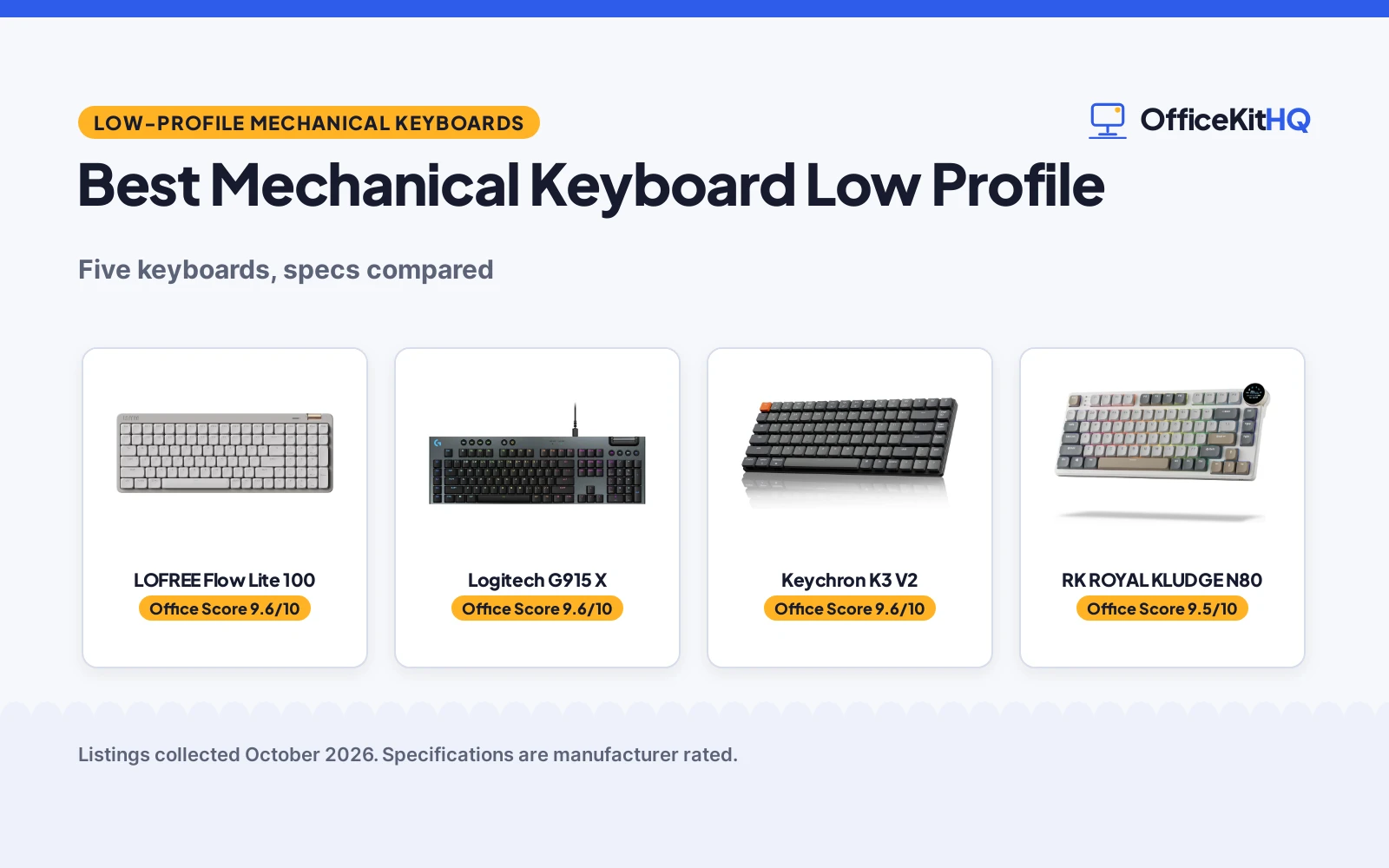
The best mechanical keyboard low profile is the one that keeps your wrists flat, your typing quiet enough for a 9 a.m. call and your desk free of cable clutter. A tall board that sits proud on a shallow keyboard tray is a board you stop using, so switch feel, height and connection options matter more than looks. This roundup compares five low-profile mechanical keyboards by switch actuation and travel, keycap material, connectivity modes, stated battery figures and warranty terms, using only what each listing publishes.
OfficeKitHQ earns a commission when you buy through links on this page, at no extra cost to you. As an Amazon Associate I earn from qualifying purchases. Affiliate disclosure.
Quick picks
 Best Overall LOFREE Flow Lite 100: 40gf POM switches, 100-hour battery, hot-swappable, double-shot PBT Check price on Amazon
 Best for Gaming Logitech G915 X: 1.3 mm actuation, aluminum plate, 16.8 million color LIGHTSYNC Check price on Amazon
 Best for Media Control RK ROYAL KLUDGE N80: Display screen and knob control, triple sound-absorbing layers Check price on Amazon
 Best for Multi-Device nuphy Node100: Gesture touch area, five-device switching, 1000Hz wired polling Check price on Amazon
The picks
| # | Product | Office Score | Buy |
|---|---|---|---|
| 1 | LOFREE Flow Lite 100 | 9.6/10 | Buy on Amazon |
| 2 | Logitech G915 X | 9.6/10 | Buy on Amazon |
| 3 |  Keychron K3 V2 Keychron K3 V2 | 9.6/10 | Buy on Amazon |
| 4 | RK ROYAL KLUDGE N80 | 9.5/10 | Buy on Amazon |
| 5 | nuphy Node100 | 9.5/10 | Buy on Amazon |

LOFREE Flow Lite 100
A tri-mode low-profile keyboard with 40gf POM linear switches, hot-swappable sockets, double-shot PBT keycaps and a 3000mAh battery rated for up to 100 hours with the lights off.
Pros
- 40gf operating force, down from 50gf per the listing, on Specter full-POM linear switches
- Hot-swappable switches plus gasket mount with an upgraded sound-dampening layer
- 3000mAh battery rated for up to 100 hours with all lights off, charges in about 3 hours over USB-C
- Tri-mode connection: 2.4GHz, Bluetooth and wired Type-C, with 1000Hz polling on 2.4GHz
Cons
- ABS body, since the maker moved away from aluminum to cut R&D costs
- Single-color backlight only, not RGB
- No stated safety certification; the spec table says not water resistant
- Front height is lower than the Flow, but no figure is stated for the Lite
Detailed Review
LOFREE lists the Flow Lite 100 as a 100-key low-profile mechanical keyboard with Specter full-POM linear switches at 40gf operating force, down from 50gf. The listing states double-shot PBT keycaps, with PC letter sections for backlight and PBT elsewhere, a gasket mount, hot-swappable switches, a built-in kickstand, an aluminum volume wheel and the Lofree Configurator key mapper. Connectivity is 2.4GHz wireless, Bluetooth and wired Type-C, with 1000Hz polling on 2.4GHz. The 3000mAh lithium battery is rated for up to 100 hours with all lights off and charges to full in about 3 hours over USB-C. Dimensions are 14.74 by 5.43 by 0.93 in, and the listing states a 1 Year Warranty. One wrinkle: the bullets call the wireless mode 2.4GHz WiFi, which reads as the 2.4GHz wireless link rather than a network connection.
Who it's for: someone who types all day and wants a softer switch, swappable switches and a long battery life on one board. Who should skip it: anyone who needs RGB lighting or a stated safety certification.
Its Office Score of 9.6/10 comes from performance 33/35, build 21/25, value 21/25, safety 0/10 and warranty 3/5: 78 of 100 points, placed on our 9.2 to 9.8 scale.
Key Specifications
| Switches | Specter POM linear, 40gf |
|---|---|
| Battery | 3000mAh, up to 100 hours lights off |
| Connectivity | 2.4GHz, Bluetooth, USB-C wired |
| Footprint | 14.74 by 5.43 by 0.93 in |
Figures as published on the retailer listing, collected 23 October 2026. Performance figures are manufacturer rated.
Safety and Warranty
What this listing states. No FCC or other safety listing is stated, so safety scores zero. 1 Year Warranty. It does not say everything a buyer needs, such as who pays return shipping, so warranty scores 3 of 5. See How We Pick.
Fit the desk first. Check the stated size against your desk depth and keyboard tray, and charge or pair as the manual describes. No keyboard, mouse or wrist rest prevents or treats injury.
This is general buying information, not professional advice. Follow each product manual and local rules, and see our Safety Disclaimer.

Logitech G915 X
A wired full-size gaming keyboard with low-profile GL linear switches, a 1.3 mm actuation point, a sand-blasted aluminum plate and LIGHTSYNC RGB with about 16.8 million colors.
Pros
- 1.3 mm actuation point with 3.2 mm total travel on low-profile GL linear switches
- KEYCONTROL: up to 15 functions per key, nine G keys, media controls and a volume roller
- Sand-blasted aluminum top plate with double-shot PBT keycaps
- Only 23 mm high, per the listing, with a full numpad
Cons
- Spec table lists both 104 buttons and 119 keys, so the key count is not consistent
- Wired USB-A only; no wireless mode is stated
- No hot-swappable switches are stated
- Gaming-first design may overshoot a desk used only for office work
Detailed Review
Logitech lists the G915 X as a wired full-size gaming keyboard with low-profile GL mechanical linear switches, a 1.3 mm actuation point and 3.2 mm total travel. The board carries double-shot PBT keycaps, a sand-blasted aluminum top plate, LIGHTSYNC RGB with about 16.8 million colors, KEYCONTROL with up to 15 functions per key, nine G keys, media controls, a volume roller and a numpad, all in a 23 mm high chassis. The spec table lists the item at 3.4 lb with a 1 Year Limited Hardware Warranty. One contradiction: the table gives Button Quantity 104 and Number of Keys 119, so the key count is not consistent; trust the full-size layout description over the table.
Who it's for: a gamer who wants the lowest stated actuation here and a full aluminum board for a fixed desk. Who should skip it: anyone who needs wireless or a consistent key count in the specs.
Its Office Score of 9.6/10 comes from performance 33/35, build 22/25, value 19/25, safety 0/10 and warranty 3/5: 77 of 100 points, placed on our 9.2 to 9.8 scale.
Key Specifications
| Actuation | 1.3 mm |
|---|---|
| Height | 23 mm |
| Lighting | LIGHTSYNC RGB, about 16.8 million colors |
| Item weight | 3.4 lb |
Figures as published on the retailer listing, collected 23 October 2026. Performance figures are manufacturer rated.
Safety and Warranty
What this listing states. This product does not plug in or run on a battery, so safety is not part of its score. 1 Year Limited Hardware Warranty. It does not say everything a buyer needs, such as who pays return shipping, so warranty scores 3 of 5. See How We Pick.
Fit the desk first. Check the stated size against your desk depth and keyboard tray, and charge or pair as the manual describes. No keyboard, mouse or wrist rest prevents or treats injury.
This is general buying information, not professional advice. Follow each product manual and local rules, and see our Safety Disclaimer.

Keychron K3 V2
Low-profile 75% wireless mechanical keyboard with Bluetooth 5.1 for 3 devices.
Pros
- Bluetooth 5.1 connects up to 3 devices
- Low-profile 75% layout, 84 keys
- Brown tactile switches
- QMK firmware with Keychron Launcher
Cons
- No number pad for heavy Excel work
- Single-color white backlight only
- Low-profile feel is not for everyone
- No hot-swap stated
Detailed Review
The listing describes the K3 V2 as an ultra-slim 75% wireless mechanical keyboard with 84 keys, Bluetooth 5.1 for 3 devices, USB-C wired mode, white LED backlight and brown tactile switches, with QMK firmware and the Keychron Launcher. It states a 1 year limited warranty and a weight of 500 g.
Who it's for: bankers who commute or travel and want a slim wireless board. Who should skip it: heavy Excel users who need a number pad, and anyone who wants full-height keycaps.
Its Office Score of 9.6/10 comes from performance 29/35, build 21/25, value 18/25, safety not scored (non-powered gear) and warranty 1/5: 69 of 90 points, placed on our 9.2 to 9.8 scale.
Key Specifications
| Layout | 75%, 84 keys |
|---|---|
| Connectivity | Bluetooth 5.1 / USB-C |
| Switch | Brown tactile |
| Weight | 500 g |
Figures as published on the retailer listing, collected 17 October 2026. Performance figures are manufacturer rated.
Safety and Warranty
What this listing states. This product does not plug in or run on a battery, so safety is not part of its score. Warranty Description: 1 year limited warranty. It does not say everything a buyer needs, such as who pays return shipping, so warranty scores 1 of 5. See How We Pick.
Fit the desk first. Check the stated size against your desk depth and keyboard tray, and charge or pair as the manual describes. No keyboard, mouse or wrist rest prevents or treats injury.
This is general buying information, not professional advice. Follow each product manual and local rules, and see our Safety Disclaimer.

RK ROYAL KLUDGE N80
A 75%, 80-key low-profile keyboard with a dynamic display screen, a control knob, triple sound-absorbing layers and tri-mode wireless on a 2.3 lb base.
Pros
- Dynamic display shows custom GIFs, dates, connection modes, layouts and battery status
- Knob controls volume, connection mode, backlight brightness and speed, and RGB modes
- Triple sound-absorbing layer: dual foam layers plus a silicone bottom dampening pad
- Heavy base at 2.3 lb that the maker says solves low-profile wobble
Cons
- Spec table lists Total USB 2.0 Ports 2 and Number of Batteries Required 2, which is odd for a keyboard
- Layout listed as QWERTZ while the title targets a standard 75% board
- Battery is called massive but no capacity figure is stated
- No polling rate figure is stated for any mode
Detailed Review
RK ROYAL KLUDGE lists the N80 as a 75%, 80-key low-profile mechanical keyboard with a top-mount structure, custom RK low-profile red linear switches and a dynamic display screen. The knob adjusts volume, connection modes, backlight brightness and speed, and RGB modes and colors. Tri-mode connectivity covers Bluetooth 5.0, 2.4GHz wireless and USB-C wired, and the sound stack is three layers: dual sound-absorbing foams plus a silicone bottom pad. The item weighs 2.3 lb and measures 13 by 5.31 by 0.75 in, and the box includes four replacement switches, a dust cover and a keycap puller. The listing states a 1 Year Warranty. Two oddities in the spec table: Total USB 2.0 Ports 2 and Number of Batteries Required 2 look like table noise rather than keyboard features, and the layout field reads QWERTZ while the title describes a standard 75% board.
Who it's for: someone who wants on-board media control and a screen without opening software. Who should skip it: anyone who wants a stated battery capacity or a polling rate figure.
Its Office Score of 9.5/10 comes from performance 30/35, build 20/25, value 21/25, safety 0/10 and warranty 3/5: 74 of 100 points, placed on our 9.2 to 9.8 scale.
Key Specifications
| Layout | 75%, 80 keys |
|---|---|
| Display | Dynamic screen with knob control |
| Item weight | 2.3 lb |
| Footprint | 13 by 5.31 by 0.75 in |
Figures as published on the retailer listing, collected 23 October 2026. Performance figures are manufacturer rated.
Safety and Warranty
What this listing states. This product does not plug in or run on a battery, so safety is not part of its score. 1 Year Warranty. It does not say everything a buyer needs, such as who pays return shipping, so warranty scores 3 of 5. See How We Pick.
Fit the desk first. Check the stated size against your desk depth and keyboard tray, and charge or pair as the manual describes. No keyboard, mouse or wrist rest prevents or treats injury.
This is general buying information, not professional advice. Follow each product manual and local rules, and see our Safety Disclaimer.

nuphy Node100
A 103-key low-profile keyboard with a gesture touch area, tri-mode connection for up to five devices, 1000Hz polling on 2.4GHz and wired, and hot-swappable switches.
Pros
- Gesture touch area replaces the knob: slide to change volume or brightness
- Connects to up to five devices at once over Bluetooth, 2.4GHz and USB-C
- 1000Hz polling rate in both 2.4GHz and wired modes
- Hot-swappable switches with a gasket mount for a quiet, cushioned feel
Cons
- No warranty term is stated
- No battery capacity is stated
- No dimensions are stated, so desk fit cannot be checked
- Gesture touch is configured through the NuPhyIO app, per the listing
Detailed Review
nuphy lists the Node100 as a 103-key low-profile mechanical keyboard with a touch area at the top that changes volume or brightness by sliding, configurable through NuPhyIO. Tri-mode connection covers Bluetooth, 2.4GHz and USB-C wired, with up to five devices connected at once and shortcut keys plus side buttons to switch. The gasket mount design is stated to reduce vibration and hollow echoes, the double-shot PBT keycaps resist fading, and 2.4GHz and wired modes run at 1000Hz polling. Switches are brown nano and hot-swappable, and the board supports Mac, Windows, Android and iOS. No warranty term, battery capacity or dimensions are stated.
Who it's for: someone juggling several devices who wants touch gestures instead of a knob. Who should skip it: anyone who needs a stated warranty or battery figure.
Its Office Score of 9.5/10 comes from performance 32/35, build 20/25, value 21/25, safety 0/10 and warranty 0/5: 73 of 100 points, placed on our 9.2 to 9.8 scale.
Key Specifications
| Keys | 103 |
|---|---|
| Polling | 1000Hz, 2.4GHz and wired |
| Devices | Up to five at once |
| Switches | Brown nano, hot-swappable |
Figures as published on the retailer listing, collected 23 October 2026. Performance figures are manufacturer rated.
Safety and Warranty
What this listing states. This product does not plug in or run on a battery, so safety is not part of its score. No warranty term, so warranty scores zero. See How We Pick.
Fit the desk first. Check the stated size against your desk depth and keyboard tray, and charge or pair as the manual describes. No keyboard, mouse or wrist rest prevents or treats injury.
This is general buying information, not professional advice. Follow each product manual and local rules, and see our Safety Disclaimer.
As an Amazon Associate I earn from qualifying purchases.
More picks to compare
 Akko Air 01For Mac-first desks: native Mac layout, aluminum case, hot-swappable switches.Check on Amazon
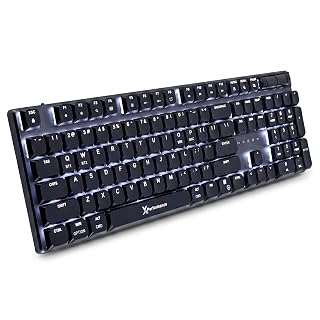 X9 SlimFor full-size wireless work: 107-key layout with number pad and triple-mode connection.Check on Amazon
Compare the picks
| Keyboard | Office Score | Switches | Connectivity | Keycaps | Warranty | Amazon |
|---|---|---|---|---|---|---|
| LOFREE Flow Lite 100 | 9.6/10 | 40gf POM linear | 2.4GHz, Bluetooth, USB-C | Double-shot PBT | 1 year | View on Amazon |
| Logitech G915 X | 9.6/10 | GL linear, 1.3 mm actuation | Wired USB-A | Double-shot PBT | 1 year limited | View on Amazon |
| RK ROYAL KLUDGE N80 | 9.5/10 | RK low-profile red linear | Bluetooth 5.0, 2.4GHz, USB-C | Not stated | 1 year | View on Amazon |
| nuphy Node100 | 9.5/10 | Brown nano | Bluetooth, 2.4GHz, USB-C | Double-shot PBT | Not stated | View on Amazon |
| Keychron K3 V2 | 9.6/10 | Not stated | Wireless | Not stated | Not stated | View on Amazon |
Specifications are manufacturer rated as listed, collected 23 October 2026. Three of the five state a warranty term; the nuphy and the Keychron do not. The Keychron listing carries title-only data.
How we scored them
The Office Score weighs performance (switch feel, actuation, polling, connectivity and extras), build (plate and case materials, keycaps, mount design), value for the stated specs, safety and warranty. For a keyboard, safety would mean a stated certification or a safety-relevant listing claim; none of these five states one, so every safety score here is zero. Three listings state a warranty term: the LOFREE and the RK ROYAL KLUDGE state a 1 Year Warranty and the Logitech states a 1 Year Limited Hardware Warranty. How we pick explains the weights.
| Product | Office Score | Perf. /35 | Build /25 | Value /25 | Safety /10 | Warranty /5 |
|---|---|---|---|---|---|---|
| LOFREE Flow Lite 100 | 9.6 | 33 | 21 | 21 | 0 | 3 |
| Logitech G915 X | 9.6 | 33 | 22 | 19 | 0 | 3 |
| RK ROYAL KLUDGE N80 | 9.5 | 30 | 20 | 21 | 0 | 3 |
| nuphy Node100 | 9.5 | 32 | 20 | 21 | 0 | 0 |
Scores run from 9.2 to 9.8: each product’s point total is placed on that range, so more points always means a higher score.
How to choose the best mechanical keyboard low profile
Match the switches to the work
Actuation decides how the board feels all day. The LOFREE lists a 40gf operating force, down from 50gf, on its Specter full-POM linear switches, and the listing says the drop to 40gf softens the touch. The Logitech lists the lowest stated actuation here, 1.3 mm with 3.2 mm of total travel, which suits fast input. The RK uses custom low-profile red linear switches and the nuphy uses brown nano switches; both are linear-feel boards with a low profile for a flatter wrist angle. If you split time between typing and games, a tactile mechanical keyboard roundup covers the clickier side of the market.
Connectivity: tri-mode or wired
Three of the five run tri-mode: the LOFREE, the RK and the nuphy each pair 2.4GHz wireless and Bluetooth with a wired USB-C mode. The nuphy goes furthest on devices, connecting to up to five at once with shortcut keys and side buttons to switch. The Logitech is wired USB-A only, so it never needs a charge but never leaves the desk either. If wireless matters most, the best wireless mechanical keyboard picks compare boards without a cable.
Keycaps, battery and the little extras
Double-shot PBT keycaps appear on three listings here: the LOFREE, the Logitech and the nuphy. The nuphy and the Logitech both state that the double-shot legends resist fading. Battery figures are thin: only the LOFREE states one, a 3000mAh cell rated for up to 100 hours with all lights off, charging in about 3 hours over USB-C. The extras are where the boards differ most: the RK has a dynamic display and a knob, the nuphy has a gesture touch area, the LOFREE has a built-in kickstand and an aluminum volume wheel, and the Logitech has nine G keys with KEYCONTROL for up to 15 functions per key. An aluminum mechanical keyboard roundup covers boards built around metal cases like the Logitech plate.
| Keyboard | Keys | Polling rate | Warranty |
|---|---|---|---|
| LOFREE Flow Lite 100 | 100 | 1000Hz | 1 year |
| Logitech G915 X | Not stated | Not stated | 1 year limited |
| RK ROYAL KLUDGE N80 | 80 | Not stated | 1 year |
| nuphy Node100 | 103 | 1000Hz | Not stated |
Figures as stated in each listing. The Logitech table lists both 104 buttons and 119 keys, so its count reads as not stated; polling is only stated for the LOFREE and the nuphy.
Check the fit on your desk
Low profile only helps if the board fits where it sits. The RK measures 13 by 5.31 by 0.75 in and the LOFREE 14.74 by 5.43 by 0.93 in, so both leave room on a shallow desk; the Logitech states a 23 mm chassis height and the nuphy states no dimensions at all. The LOFREE built-in kickstand adds typing angle without extra parts, and a wrist rest for designers can fill the gap if your desk edge sits high. Measure from desk edge to monitor stand before you assume any board tucks away.
Read the warranty line, not the headline
Three listings state a warranty term: the LOFREE and the RK state a 1 Year Warranty, and the Logitech states a 1 Year Limited Hardware Warranty. The nuphy and the Keychron state none. Switches and keycaps are the parts that wear first on a keyboard, so a written term covering the board matters more than a support promise.
Frequently Asked Questions
Is a mechanical keyboard worth it?
For a desk you type on all day, a low-profile mechanical board gives you switch choice, swappable parts and a flatter typing angle than a membrane board. The picks here back that up with stated specs: hot-swappable switches on the LOFREE and the nuphy, and PBT keycaps on three of the five.
Does a mechanical keyboard last longer?
None of these listings states a lifespan figure, so there is no rated answer. What the listings do state is build detail: double-shot PBT keycaps on the LOFREE, Logitech and nuphy, which the listings say keep legends sharp, and a 1 Year Warranty or 1 Year Limited Hardware Warranty on three of the five.
How do I clean a mechanical keyboard switch?
None of the five listings gives a cleaning routine. The RK N80 box includes a keycap puller and four replacement switches, so its keycaps can be lifted and its switches swapped; the other four listings state no cleaning accessories.
What are mechanical keyboards good for?
Low-profile boards suit shared desks and calls. The RK N80 lists a triple sound-absorbing layer for quiet typing, the nuphy Node100 lists a gasket mount that reduces vibration and hollow echoes, and the Logitech G915 X lists a 1.3 mm actuation point for quick response.
Are low-profile mechanical keyboards good for office work?
The listings say yes, with conditions. The LOFREE lists a 3000mAh battery rated for up to 100 hours with the lights off, the nuphy connects to up to five devices for a multi-machine desk, and the RK display shows connection modes and battery status without opening an app.
Related guides
See every keyboard guide and all monitor mounts, keyboards and mice guides. Also see our best wireless keyboard for travel. Also see our best retro mechanical keyboard.
More picks: low-profile wireless mice, typewriter-style mechanical keyboards.