
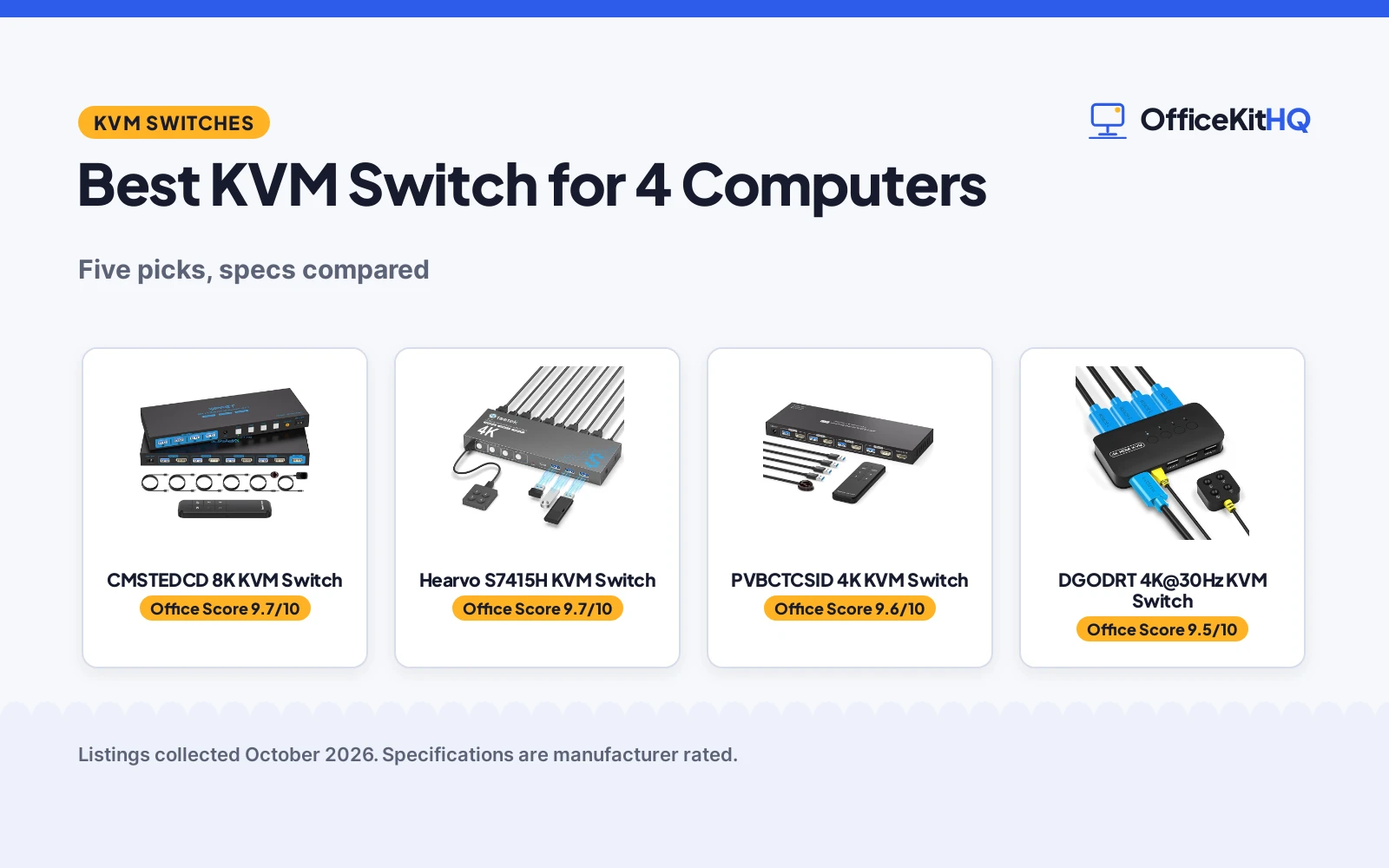
A home desk with several computers turns into a tangle of keyboards, mice and monitors fast, and the best kvm switch for 4 computers puts the same keyboard, mouse and monitor in charge of all of them. We compared five 4-port KVM switches by stated resolution, USB speed and port count, switching methods, housing and warranty, using only what each listing publishes. Every figure below comes from the Amazon listings, not from our own measurements.
OfficeKitHQ earns a commission when you buy through links on this page, at no extra cost to you. As an Amazon Associate I earn from qualifying purchases. Affiliate disclosure.
Quick picks
 Best Overall CMSTEDCD 8K KVM Switch: 8K@60Hz and 4K@120Hz on HDMI 2.1 with 4 USB 3.0 ports and a 2-year warranty Check price on Amazon
 Runner-Up Hearvo S7415H KVM Switch: 4K@60Hz, HDCP 2.2 and a USB-C port with a lifetime Protection Plan Check price on Amazon
 Best No-Power Pick DGODRT 4K@30Hz KVM Switch: 4K@30Hz with 4 KVM cables in the box and no external power needed Check price on Amazon
 Best Metal 4K@60Hz PVBCTCSID 4K KVM Switch: 4K@60Hz aluminum switch with remote, pushbutton and EDID Check price on Amazon
 Best VGA Pick DGODRT VGA KVM Switch: For VGA setups: 1920×1440 with 4 VGA cables and no power needed Check price on Amazon
The picks
| # | Product | Office Score | Buy |
|---|---|---|---|
| 1 | CMSTEDCD 8K KVM Switch | 9.7/10 | Buy on Amazon |
| 2 | Hearvo S7415H KVM Switch | 9.7/10 | Buy on Amazon |
| 3 | PVBCTCSID 4K KVM Switch | 9.6/10 | Buy on Amazon |
| 4 | DGODRT 4K@30Hz KVM Switch | 9.5/10 | Buy on Amazon |
| 5 | DGODRT VGA KVM Switch | 9.4/10 | Buy on Amazon |

CMSTEDCD 8K KVM Switch
An 8K@60Hz and 4K@120Hz HDMI 2.1 KVM for 4 computers and 1 monitor, with 4 USB 3.0 ports, EDID and a desktop controller.
Pros
- 8K@60Hz and 4K@120Hz support on HDMI 2.1
- 4 USB 3.0 ports with transfer speeds up to 5Gbps
- EDID function plus a desktop controller and IR extension receiver
- Metal housing with a 12V1A power supply and USB cables in the box
Cons
- Needs the 12V1A power supply; no bus-powered option
- All 4 computers and the monitor need HDMI ports, and conversion cables are not supported
- Computers, monitor and cables must all support 8K or 4K120Hz to reach it
- At 9.33 inches wide it takes more desk space than the smaller picks
Detailed Review
CMSTEDCD lists an 8K@60Hz and 4K@120Hz HDMI 2.1 switch for 4 computers sharing 1 monitor, with 4 USB 3.0 ports at up to 5Gbps, an EDID function, and a desktop controller with an IR extension receiver. The box holds a 12V1A power supply, the controller, an IR cable, a manual and an after-sales card, and the spec table states a 2 year warranty. The bullets name 4 USB 3.0 cables while the spec table's included components line says 2; the bullets win that count.
Who it's for: buyers running 4K120Hz or 8K displays who want the fastest USB sharing on this list. Who should skip it: anyone whose computers lack HDMI ports or who wants a bus-powered box.
Its Office Score of 9.7/10 comes from performance 32/35, build 22/25, value 20/25, safety not scored (non-powered gear) and warranty 3/5: 77 of 90 points, placed on our 9.2 to 9.8 scale.
Key Specifications
| Resolution | 8K@60Hz, 4K@120Hz |
|---|---|
| USB ports | 4 x USB 3.0, up to 5Gbps |
| Switching | Desktop controller, IR, push button |
| Warranty | 2 year |
Figures as published on the retailer listing, collected 23 October 2026. Performance figures are manufacturer rated.
Safety and Warranty
What this listing states. This product does not plug in or run on a battery, so safety is not part of its score. 2 year. It does not say everything a buyer needs, such as who pays return shipping, so warranty scores 3 of 5. See How We Pick.
Power and heat. Use the supplied adapter, treat power delivery wattage and display support as the maker's claims for your laptop model, and give the dock room to vent.
This is general buying information, not professional advice. Follow each product manual and local rules, and see our Safety Disclaimer.

Hearvo S7415H KVM Switch
A 4K@60Hz KVM with HDCP 2.2, adaptive EDID and 4 USB 3.0 ports including a USB-C port, in an aluminum housing.
Pros
- 4K@60Hz with HDCP 2.2 and adaptive EDID
- 4 USB 3.0 ports (3 USB-A and 1 USB-C) at up to 5Gbps
- Aluminum housing, and FCC is listed as the specification met
- Lifetime Protection Plan card included in the box
Cons
- No 8K support like the top pick
- Each computer needs a USB 3.0 cable to the switch
- Only 1 HDMI cable in the box for 4 computer inputs
- Ebon color only
Detailed Review
Hearvo lists a 4K@60Hz HDMI KVM for 4 computers and 1 monitor, with HDCP 2.2, adaptive EDID, and 4 USB 3.0 ports (3 USB-A and 1 USB-C) at up to 5Gbps. Switching runs through the panel button or the wired remote, and the box includes 4 USB 3.0 cables, 1 HDMI cable, the remote, rubber pads and a lifetime Protection Plan card. One bullet says the switch shares peripherals between two computers, but the listing is a 4-computer switch everywhere else.
Who it's for: buyers who want a USB-C port and the longest stated coverage on this list. Who should skip it: anyone who needs 8K or wants every cable in the box.
Its Office Score of 9.7/10 comes from performance 29/35, build 21/25, value 20/25, safety not scored (non-powered gear) and warranty 4/5: 74 of 90 points, placed on our 9.2 to 9.8 scale.
Key Specifications
| Resolution | 4K@60Hz, HDCP 2.2 |
|---|---|
| USB ports | 3 x USB-A + 1 x USB-C, up to 5Gbps |
| Switching | Panel button, wired remote |
| Warranty | Lifetime Protection Plan |
Figures as published on the retailer listing, collected 23 October 2026. Performance figures are manufacturer rated.
Safety and Warranty
What this listing states. This product does not plug in or run on a battery, so safety is not part of its score. lifetime Protection Plan. It does not say everything a buyer needs, such as who pays return shipping, so warranty scores 4 of 5. See How We Pick.
Power and heat. Use the supplied adapter, treat power delivery wattage and display support as the maker's claims for your laptop model, and give the dock room to vent.
This is general buying information, not professional advice. Follow each product manual and local rules, and see our Safety Disclaimer.

PVBCTCSID 4K KVM Switch
A 4K@60Hz aluminum KVM with EDID, 4 USB 3.0 ports and remote plus pushbutton switching.
Pros
- 4K@60Hz with EDID support
- 4 USB 3.0 ports at up to 5Gbps
- Aluminum housing with remote control and pushbutton switching
- Power adapter, 4 USB cables and IR extender in the box
Cons
- Hotkey switching is not supported
- No warranty term is stated
- Needs the external power adapter
- Purple Black color only
Detailed Review
PVBCTCSID lists a 4K@60Hz KVM for 4 computers and 1 monitor with EDID and 4 USB 3.0 ports at up to 5Gbps. It switches by remote control or the white PC1 to PC4 panel buttons, and the box includes a power adapter, 4 USB-A cables, a controller and an IR extender. The listing states hotkey switching is not supported, and no warranty term is stated.
Who it's for: buyers who want 4K@60Hz in a metal box with a remote. Who should skip it: anyone who switches by keyboard hotkey or wants a stated warranty.
Its Office Score of 9.6/10 comes from performance 28/35, build 20/25, value 20/25, safety not scored (non-powered gear) and warranty 0/5: 68 of 90 points, placed on our 9.2 to 9.8 scale.
Key Specifications
| Resolution | 4K@60Hz |
|---|---|
| USB ports | 4 x USB 3.0, up to 5Gbps |
| Size | 9.3 x 3.3 x 0.8 in |
| Warranty | Not stated |
Figures as published on the retailer listing, collected 23 October 2026. Performance figures are manufacturer rated.
Safety and Warranty
What this listing states. This product does not plug in or run on a battery, so safety is not part of its score. No warranty term, so warranty scores zero. See How We Pick.
Power and heat. Use the supplied adapter, treat power delivery wattage and display support as the maker's claims for your laptop model, and give the dock room to vent.
This is general buying information, not professional advice. Follow each product manual and local rules, and see our Safety Disclaimer.

DGODRT 4K@30Hz KVM Switch
A 4K@30Hz KVM with 4 2-in-1 KVM cables in the box and no external power supply required.
Pros
- 4 2-in-1 KVM cables included in the box
- No external power supply required
- Wired remote plus panel button switching with an LED indicator
- Backward compatible with 1080P and 720P
Cons
- 4K@30Hz only, with no 60Hz option at 4K
- 3 USB devices, one fewer than the 4-port picks
- ABS plastic housing
- No warranty term is stated
Detailed Review
DGODRT lists a 4-port HDMI KVM for 4 computers sharing a 4K@30Hz monitor and 3 USB devices, with 4 2-in-1 KVM cables in the box. It switches by panel button or wired remote with an LED for the active PC, needs no external power, and is driver-free for Windows, Mac OS, Unix and Dos. The spec table lists 5 watts and ABS plastic construction.
Who it's for: buyers who want the cables included and no power brick on the desk. Who should skip it: anyone running 4K at 60Hz or sharing more than 3 USB devices.
Its Office Score of 9.5/10 comes from performance 26/35, build 18/25, value 21/25, safety not scored (non-powered gear) and warranty 0/5: 65 of 90 points, placed on our 9.2 to 9.8 scale.
Key Specifications
| Resolution | 4K@30Hz |
|---|---|
| USB devices | 3 |
| Cables | 4 x 2-in-1 KVM cables |
| Power | None required |
Figures as published on the retailer listing, collected 23 October 2026. Performance figures are manufacturer rated.
Safety and Warranty
What this listing states. This product does not plug in or run on a battery, so safety is not part of its score. No warranty term, so warranty scores zero. See How We Pick.
Power and heat. Use the supplied adapter, treat power delivery wattage and display support as the maker's claims for your laptop model, and give the dock room to vent.
This is general buying information, not professional advice. Follow each product manual and local rules, and see our Safety Disclaimer.

DGODRT VGA KVM Switch
A VGA KVM for 4 computers with 1920x1440 resolution, 4 VGA 2-in-1 cables and no external power needed.
Pros
- 4 VGA 2-in-1 KVM cables included in the box
- No external power supply required
- Wired desktop controller plus panel button with LED indicator
- Supports DDC and high-quality auto-identification
Cons
- VGA only, with a maximum of 1920x1440
- USB 2.0 ports, not USB 3.0
- Not recommended for illuminated mechanical keyboards
- No warranty term is stated
Detailed Review
DGODRT lists a 4-port VGA KVM for 4 computers sharing 1 monitor and 3 USB 2.0 devices, with 4 VGA 2-in-1 KVM cables in the box. Resolution runs up to 1920x1440 with DDC support, and it switches by wired desktop controller or panel button with an LED for the active computer. The listing warns against illuminated mechanical keyboards because of power overload.
Who it's for: buyers keeping older VGA monitors and computers in service. Who should skip it: anyone on HDMI or anyone needing USB 3.0 speeds.
Its Office Score of 9.4/10 comes from performance 23/35, build 16/25, value 20/25, safety not scored (non-powered gear) and warranty 0/5: 59 of 90 points, placed on our 9.2 to 9.8 scale.
Key Specifications
| Resolution | 1920x1440 |
|---|---|
| USB devices | 3 x USB 2.0 |
| Cables | 4 x VGA 2-in-1 KVM cables |
| Power | None required |
Figures as published on the retailer listing, collected 23 October 2026. Performance figures are manufacturer rated.
Safety and Warranty
What this listing states. This product does not plug in or run on a battery, so safety is not part of its score. No warranty term, so warranty scores zero. See How We Pick.
Power and heat. Use the supplied adapter, treat power delivery wattage and display support as the maker's claims for your laptop model, and give the dock room to vent.
This is general buying information, not professional advice. Follow each product manual and local rules, and see our Safety Disclaimer.
As an Amazon Associate I earn from qualifying purchases.
More picks to compare
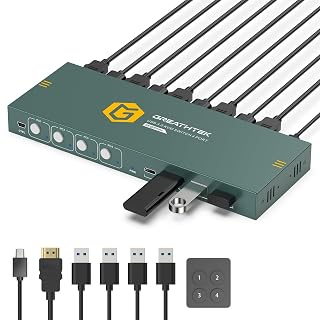 GREATHTEK 4K@60Hz KVM SwitchSuits buyers wanting 4K@60Hz with a USB-C port and under-desk mounting brackets.Check on Amazon
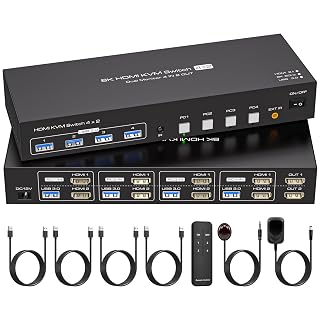 ATLAHET Dual Monitor 8K KVM SwitchSuits dual-monitor setups wanting 8K@60Hz with extend and duplicate modes.Check on Amazon
 ATLAHET HDMI+DP Dual KVM SwitchSuits dual-monitor setups with one DP and one HDMI monitor.Check on Amazon
 4K@60Hz KVM Switch 4-PortTitle names a 4K@60Hz 4-port KVM for 4 computers and 1 monitor.Check on Amazon
 4K@60Hz HDMI KVM Switch 4-PortTitle names a 4K@60Hz 4-port KVM with 4 KVM cables and remote control.Check on Amazon
Compare the picks
| KVM Switch | Office Score | Resolution | USB | Switching | Warranty | Amazon |
|---|---|---|---|---|---|---|
| CMSTEDCD 8K KVM Switch | 9.7/10 | 8K@60Hz, 4K@120Hz | 4 x USB 3.0 | Controller, IR, button | 2 year | View on Amazon |
| Hearvo S7415H KVM Switch | 9.7/10 | 4K@60Hz | 3 USB-A + 1 USB-C | Button, wired remote | Lifetime Protection Plan | View on Amazon |
| PVBCTCSID 4K KVM Switch | 9.6/10 | 4K@60Hz | 4 x USB 3.0 | Remote, pushbutton | Not stated | View on Amazon |
| DGODRT 4K@30Hz KVM Switch | 9.5/10 | 4K@30Hz | 3 USB devices | Remote, button, LED | Not stated | View on Amazon |
| DGODRT VGA KVM Switch | 9.4/10 | 1920×1440 | 3 x USB 2.0 | Controller, button, LED | Not stated | View on Amazon |
Specifications are manufacturer rated as listed, collected 23 October 2026. Two of the five state a warranty term.
How we scored them
The Office Score weighs performance (stated resolution, USB speed and port count, and switching options), build (housing material, size and included cables), value for the stated specs, safety and warranty. For a KVM switch, safety would mean stated overcurrent, ESD or surge protection on the listing; none of the five listings names any, so no safety points were given. Two listings state a warranty term: CMSTEDCD at 2 years and Hearvo with a lifetime Protection Plan. How we pick explains the weights.
| Product | Office Score | Perf. /35 | Build /25 | Value /25 | Safety /10 | Warranty /5 |
|---|---|---|---|---|---|---|
| CMSTEDCD 8K KVM Switch | 9.7 | 32 | 22 | 20 | n/a | 3 |
| Hearvo S7415H KVM Switch | 9.7 | 29 | 21 | 20 | n/a | 4 |
| PVBCTCSID 4K KVM Switch | 9.6 | 28 | 20 | 20 | n/a | 0 |
| DGODRT 4K@30Hz KVM Switch | 9.5 | 26 | 18 | 21 | n/a | 0 |
| DGODRT VGA KVM Switch | 9.4 | 23 | 16 | 20 | n/a | 0 |
Scores run from 9.2 to 9.8: each product’s point total is placed on that range, so more points always means a higher score. Safety counts only for powered gear or where the listing states safety features; where it does not apply, the score is taken over the remaining 90 points.
How to choose the best kvm switch for 4 computers
Start with the resolution you actually run
Match the switch to the monitor. The CMSTEDCD lists 8K@60Hz and 4K@120Hz on HDMI 2.1, the Hearvo and PVBCTCSID list 4K@60Hz, the DGODRT lists 4K@30Hz, and the VGA model tops out at 1920×1440. The CMSTEDCD notes that computers, monitor and cables must all support 8K or 4K120Hz to reach it. Check the monitor’s own spec first, then buy the switch that matches it. Dual-monitor desks should look at the More picks instead: both ATLAHET models run 4 computers to 2 monitors at up to 8K@60Hz with extend and duplicate modes.
Count the USB ports and their speed
Three of the five list 4 USB ports at up to 5Gbps: the CMSTEDCD, the Hearvo and the PVBCTCSID. The Hearvo splits its four into 3 USB-A and 1 USB-C, which suits a newer laptop dock setup. The two DGODRT models list 3 USB devices each, and the VGA one is USB 2.0. If the printer, webcam and headset all need a home, count devices before you buy, and pair the switch with the keyboards and mice and mouse pads guides.
| KVM Switch | Resolution | USB | Warranty |
|---|---|---|---|
| CMSTEDCD 8K KVM Switch | 8K@60Hz, 4K@120Hz | 4 x USB 3.0 | 2 year |
| Hearvo S7415H KVM Switch | 4K@60Hz | 3 USB-A + 1 USB-C | Lifetime Protection Plan |
| PVBCTCSID 4K KVM Switch | 4K@60Hz | 4 x USB 3.0 | Not stated |
| DGODRT 4K@30Hz KVM Switch | 4K@30Hz | 3 USB devices | Not stated |
| DGODRT VGA KVM Switch | 1920×1440 | 3 x USB 2.0 | Not stated |
Check what is in the box
Cables decide the real setup cost. The two DGODRT models include 4 2-in-1 KVM cables each, the Hearvo includes 4 USB cables and 1 HDMI cable, and the CMSTEDCD and PVBCTCSID include 4 USB cables each plus power adapters. The CMSTEDCD box also holds a 12V1A power supply and an after-sales card.
Switching style and desk placement
Every pick switches by panel button and ships with a remote or desktop controller, so the box can sit behind the monitors. The PVBCTCSID notes hotkey switching is not supported, so plan on the remote or the buttons. The CMSTEDCD, Hearvo and PVBCTCSID list EDID support to keep display settings stable when switching computers.
Read the warranty line
Two of the five state a warranty term: CMSTEDCD lists a 2-year term and Hearvo includes a lifetime Protection Plan card. The other three state no warranty term. A KVM switch is a box of ports and cables, so a stated term is worth more than a vague service promise.
Frequently Asked Questions
Do I need a KVM switch for 4 computers?
If one keyboard, mouse and monitor must serve four machines, yes. A 4-port KVM like these five switches the shared set between all four computers without replugging cables.
What resolution do I need on a KVM switch?
Match the monitor. These five span 1920×1440 on the VGA model to 8K@60Hz on the CMSTEDCD, with 4K@30Hz and 4K@60Hz in between.
Do KVM switches need external power?
Some do. The CMSTEDCD and PVBCTCSID include power adapters, while the two DGODRT models state no external power supply is required. The Hearvo listing names no power adapter.
Can I use a KVM switch with a laptop?
Yes. The DGODRT listings name laptops as compatible devices, and the CMSTEDCD notes all four computers need HDMI ports. Check the ports on each machine first.
What is EDID on a KVM switch?
EDID lets the switch report the monitor’s settings to each computer so windows do not rearrange when you switch. The CMSTEDCD, Hearvo and PVBCTCSID list EDID support.
Can a KVM switch run two monitors?
The five main picks are single-monitor switches. For two monitors, the More picks list two ATLAHET dual-monitor models with extend and duplicate modes.
Related guides
See every docking stations and USB hubs guide and all audio, power and connectivity guides.
More picks: docking stations and USB hubs, surge protectors and cable management and monitor arms and stands.



