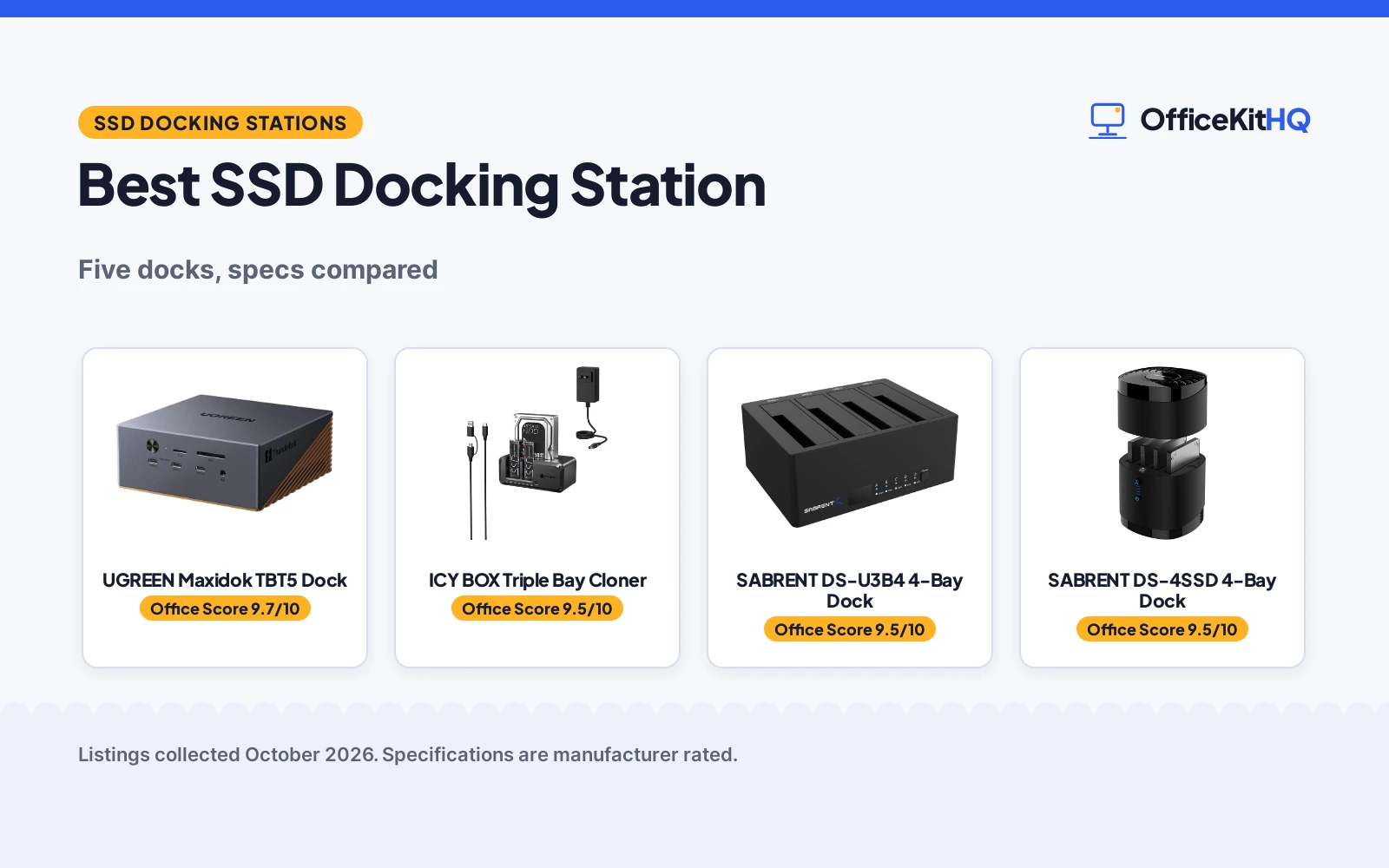
A 9 a.m. call with a laptop running everything off one hub is where the best ssd docking station earns its keep. We compared five SSD docks on bays, speed, cloning and warranty, using only what each listing publishes. The UGREEN Thunderbolt 5 dock leads for full workstations, while the ICY BOX triple-bay cloner suits drive jugglers.
OfficeKitHQ earns a commission when you buy through links on this page, at no extra cost to you. As an Amazon Associate I earn from qualifying purchases. Affiliate disclosure.
Quick picks
 Best Overall UGREEN Maxidok TBT5 Dock: Thunderbolt 5, 8TB NVMe slot and 17 ports Check price on Amazon
 Best NVMe Cloner ICY BOX Triple Bay Cloner: Triple bay with 10Gbps and offline cloning Check price on Amazon
 Best 4-Bay SATA SABRENT DS-U3B4 4-Bay Dock: Trayless 4-bay dock with offline clone Check price on Amazon
 Best with Fan SABRENT DS-4SSD 4-Bay Dock: 4-bay 2.5 inch dock with cooling fan Check price on Amazon
 Best Dual Bay BENFEI Dual Bay Dock: Two bays, offline clone, 18-month warranty Check price on Amazon
The picks
| # | Product | Office Score | Buy |
|---|---|---|---|
| 1 | UGREEN Maxidok TBT5 Dock | 9.7/10 | Buy on Amazon |
| 2 | ICY BOX Triple Bay Cloner | 9.5/10 | Buy on Amazon |
| 3 | SABRENT DS-U3B4 4-Bay Dock | 9.5/10 | Buy on Amazon |
| 4 | SABRENT DS-4SSD 4-Bay Dock | 9.5/10 | Buy on Amazon |
| 5 | BENFEI Dual Bay Dock | 9.5/10 | Buy on Amazon |

UGREEN Maxidok TBT5 Dock
A 17-in-1 Thunderbolt 5 dock with an 8TB M.2 NVMe slot, 120Gbps bandwidth and 140W charging for a full workstation.
Pros
- Intel-certified Thunderbolt 5 with 120Gbps bandwidth
- Built-in M.2 slot supports SSDs up to 8TB
- Dual or single 8K at 60Hz display output
- 2 year warranty stated
Cons
- DP port does not support DP++, needs an active adapter for HDMI
- Title says DP2.1 but bullets say DP1.4
- No offline clone function stated
- Bronze color only
Detailed Review
The UGREEN Maxidok is a 17-in-1 Thunderbolt 5 dock with 3 Thunderbolt 5 ports, 6 USB ports at 10Gbps, a 2.5GbE port and a built-in NVMe PCIe Gen4x4 M.2 slot for SSDs up to 8TB. It supports dual or single 8K at 60Hz on Windows and dual displays on Mac, with 140W charging and 60W PD-out. The title claims DP2.1 while the bullets describe a DP1.4 port, so compare on the bullets. The aluminum chassis has AI smart cooling with a fan rated below 30 dB.
Who it's for: laptop users who want one Thunderbolt 5 cable to drive displays, storage and charging. Who should skip it: anyone who needs offline drive cloning, which this dock does not state.
Its Office Score of 9.7/10 comes from performance 33/35, build 22/25, value 20/25, safety 8/10 and warranty 4/5: 87 of 100 points, placed on our 9.2 to 9.8 scale.
Key Specifications
| Bandwidth | 120Gbps Thunderbolt 5 |
|---|---|
| SSD slot | M.2 NVMe up to 8TB |
| Ports | 17-in-1 |
| Warranty | 2 year |
Figures as published on the retailer listing, collected 23 October 2026. Performance figures are manufacturer rated.
Safety and Warranty
What this listing states. Intel-certified Thunderbolt 5, so safety scores 8 of 10. 2 year. It does not say everything a buyer needs, such as who pays return shipping, so warranty scores 4 of 5. See How We Pick.
Power and heat. Use the supplied adapter, treat power delivery wattage and display support as the maker's claims for your laptop model, and give the dock room to vent.
This is general buying information, not professional advice. Follow each product manual and local rules, and see our Safety Disclaimer.

ICY BOX Triple Bay Cloner
A triple-bay dock for M.2 NVMe and 2.5/3.5 inch SATA drives with 10Gbps transfers and one-touch offline cloning.
Pros
- Three bays: M.2 NVMe plus 2.5 and 3.5 inch SATA
- 10Gbps USB 3.2 Gen 2 with UASP
- One-touch offline cloning between drive types
- 24-month warranty stated
Cons
- Plastic enclosure, not metal
- No stated cooling fan
- No Thunderbolt support
- Clone direction limited to listed pairs
Detailed Review
The ICY BOX triple-bay dock takes M.2 PCIe NVMe SSDs and 2.5 or 3.5 inch SATA SSDs and HDDs, with USB 3.2 Gen 2 speeds up to 10Gbps. One-touch offline cloning works between NVMe and NVMe or SATA to NVMe, per the listed clone directions. The box includes a USB-C to USB-C and USB-C to USB-A cable, a power adapter and a 24-month warranty.
Who it's for: users juggling NVMe and SATA drives who want fast clones without a PC. Who should skip it: anyone who needs a 4-bay SATA dock.
Its Office Score of 9.5/10 comes from performance 30/35, build 19/25, value 20/25, safety 0/10 and warranty 4/5: 73 of 100 points, placed on our 9.2 to 9.8 scale.
Key Specifications
| Bays | 3 |
|---|---|
| Speed | 10Gbps USB 3.2 Gen 2 |
| Clone | One-touch offline |
| Warranty | 24-month |
Figures as published on the retailer listing, collected 23 October 2026. Performance figures are manufacturer rated.
Safety and Warranty
What this listing states. This product does not plug in or run on a battery, so safety is not part of its score. 24-month warranty. It does not say everything a buyer needs, such as who pays return shipping, so warranty scores 4 of 5. See How We Pick.
Power and heat. Use the supplied adapter, treat power delivery wattage and display support as the maker's claims for your laptop model, and give the dock room to vent.
This is general buying information, not professional advice. Follow each product manual and local rules, and see our Safety Disclaimer.

SABRENT DS-U3B4 4-Bay Dock
A trayless 4-bay dock for 2.5 and 3.5 inch SATA drives with USB 3.0 and an offline clone function.
Pros
- Four trayless bays for 2.5 and 3.5 inch SATA drives
- Offline clone function with LED progress indicators
- Plug and play, no drivers needed
- 1 Year Limited warranty stated
Cons
- USB 3.0 at 5Gbps, not 10Gbps
- No cooling fan stated
- No M.2 NVMe support
- 16 ounces, heavier than the ICY BOX
Detailed Review
The SABRENT DS-U3B4 holds four 2.5 or 3.5 inch SATA HDDs and SSDs in trayless bays for tool-free swaps. The offline clone function copies drive to drive without a computer, with LED indicators showing progress. It connects over USB 3.0 at up to 5Gbps and runs on an external power adapter. It measures 6.3 by 4.72 by 2.76 inches.
Who it's for: users managing multiple SATA drives who want trayless swaps and cloning. Who should skip it: anyone who needs NVMe or 10Gbps speeds.
Its Office Score of 9.5/10 comes from performance 29/35, build 20/25, value 21/25, safety 0/10 and warranty 3/5: 73 of 100 points, placed on our 9.2 to 9.8 scale.
Key Specifications
| Bays | 4 |
|---|---|
| Speed | 5Gbps USB 3.0 |
| Clone | Offline with LED indicators |
| Warranty | 1 Year Limited |
Figures as published on the retailer listing, collected 23 October 2026. Performance figures are manufacturer rated.
Safety and Warranty
What this listing states. This product does not plug in or run on a battery, so safety is not part of its score. 1 Year Limited. It does not say everything a buyer needs, such as who pays return shipping, so warranty scores 3 of 5. See How We Pick.
Power and heat. Use the supplied adapter, treat power delivery wattage and display support as the maker's claims for your laptop model, and give the dock room to vent.
This is general buying information, not professional advice. Follow each product manual and local rules, and see our Safety Disclaimer.

SABRENT DS-4SSD 4-Bay Dock
A 4-bay dock for 2.5 inch SATA drives with a cooling fan, tool-free access and 5Gbps transfers.
Pros
- Built-in whisper-quiet fan for 24/7 operation
- Tool-free with magnetic cover for fast swaps
- Works with Windows, macOS and Linux
- 1 year limited warranty stated
Cons
- Title says up to 4x 20TB but bullets say 4x 16TB
- 2.5 inch drives only, no 3.5 inch
- No offline clone stated
- Plastic enclosure
Detailed Review
The SABRENT DS-4SSD takes four 2.5 inch SATA SSDs or HDDs up to 12.5mm thick, with a built-in fan for continuous operation. The title claims up to 4x 20TB while the bullets say 4x 16TB, so compare on the lower figure. USB 3.0 delivers up to 5Gbps, and the magnetic cover opens for tool-free swaps. It measures 4.4 by 4.4 by 6.3 inches.
Who it's for: users who run 2.5 inch drives around the clock and want cooling. Who should skip it: anyone with 3.5 inch drives or NVMe sticks.
Its Office Score of 9.5/10 comes from performance 29/35, build 20/25, value 20/25, safety 0/10 and warranty 3/5: 72 of 100 points, placed on our 9.2 to 9.8 scale.
Key Specifications
| Bays | 4 x 2.5 inch |
|---|---|
| Speed | 5Gbps USB 3.0 |
| Cooling | Built-in fan |
| Warranty | 1 year limited |
Figures as published on the retailer listing, collected 23 October 2026. Performance figures are manufacturer rated.
Safety and Warranty
What this listing states. This product does not plug in or run on a battery, so safety is not part of its score. 1 year limited. It does not say everything a buyer needs, such as who pays return shipping, so warranty scores 3 of 5. See How We Pick.
Power and heat. Use the supplied adapter, treat power delivery wattage and display support as the maker's claims for your laptop model, and give the dock room to vent.
This is general buying information, not professional advice. Follow each product manual and local rules, and see our Safety Disclaimer.

BENFEI Dual Bay Dock
A dual-bay dock for 2.5 and 3.5 inch drives with one-button offline cloning and UASP at 5Gbps.
Pros
- One-button offline clone, no PC required
- Dual bays for 2.5 and 3.5 inch drives
- 18-month warranty stated
- 12V/2.5A adapter for stable power
Cons
- USB 3.1 Gen 1 at 5Gbps, not 10Gbps
- Two bays only
- No cooling fan stated
- No M.2 NVMe support
Detailed Review
The BENFEI dual-bay dock reads, writes and clones two 2.5 or 3.5 inch HDDs and SSDs at once, with UASP support on USB 3.1 Gen 1 up to 5Gbps. Pressing the clone button for 3 seconds copies the source to the target without a computer, as long as the target is equal or larger. A 12V/2.5A power adapter feeds both bays, and the BENFEI Promise covers 18 months.
Who it's for: users who clone between two SATA drives and want one-button simplicity. Who should skip it: anyone who needs NVMe or more than two bays.
Its Office Score of 9.5/10 comes from performance 28/35, build 19/25, value 20/25, safety 0/10 and warranty 4/5: 71 of 100 points, placed on our 9.2 to 9.8 scale.
Key Specifications
| Bays | 2 |
|---|---|
| Speed | 5Gbps USB 3.1 Gen 1 |
| Clone | One-button offline |
| Warranty | 18-month |
Figures as published on the retailer listing, collected 23 October 2026. Performance figures are manufacturer rated.
Safety and Warranty
What this listing states. This product does not plug in or run on a battery, so safety is not part of its score. 18-month warranty. It does not say everything a buyer needs, such as who pays return shipping, so warranty scores 4 of 5. See How We Pick.
Power and heat. Use the supplied adapter, treat power delivery wattage and display support as the maker's claims for your laptop model, and give the dock room to vent.
This is general buying information, not professional advice. Follow each product manual and local rules, and see our Safety Disclaimer.
As an Amazon Associate I earn from qualifying purchases.
More picks to compare
 SABRENT EC-UBLB Single Bay DockSingle-bay SATA dock with UASP 5Gbps and auto-sleepCheck on Amazon
 ICY BOX M.2 NVMe/SATA DockM.2 and SATA dock with 10Gbps transfersCheck on Amazon
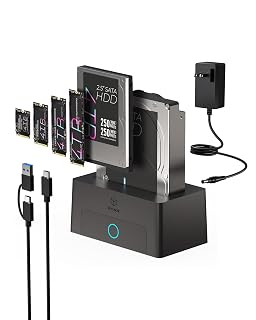 ICY BOX Single Bay M.2 DockSingle-bay M.2 NVMe dock with 10Gbps and tool-free designCheck on Amazon
Compare the picks
| Docking Station | Office Score | Bays | Speed | Clone | Warranty | Amazon |
|---|---|---|---|---|---|---|
| UGREEN Maxidok TBT5 Dock | 9.7/10 | 1 M.2 slot | 120Gbps | Not stated | 2 year | View on Amazon |
| ICY BOX Triple Bay Cloner | 9.5/10 | 3 | 10Gbps | Yes | 2 year | View on Amazon |
| SABRENT DS-U3B4 4-Bay Dock | 9.5/10 | 4 | 5Gbps | Yes | 1 Year Limited | View on Amazon |
| SABRENT DS-4SSD 4-Bay Dock | 9.5/10 | 4 | 5Gbps | Not stated | 1 year limited | View on Amazon |
| BENFEI Dual Bay Dock | 9.5/10 | 2 | 5Gbps | Yes | 18-month | View on Amazon |
Specifications are manufacturer rated as listed, collected 23 October 2026.
How we scored them
The Office Score weighs performance, build, value, safety and warranty. For docking stations, safety means a stated certification: the UGREEN is Intel-certified for Thunderbolt 5, and the other four listings state no safety certification. All five state a warranty, from 1 Year Limited on the SABRENT docks to 2 year terms on the UGREEN and ICY BOX. How we pick explains the weights.
| Product | Office Score | Perf. /35 | Build /25 | Value /25 | Safety /10 | Warranty /5 |
|---|---|---|---|---|---|---|
| UGREEN Maxidok TBT5 Dock | 9.7 | 33 | 22 | 20 | 8 | 4 |
| ICY BOX Triple Bay Cloner | 9.5 | 30 | 19 | 20 | 0 | 4 |
| SABRENT DS-U3B4 4-Bay Dock | 9.5 | 29 | 20 | 21 | 0 | 3 |
| SABRENT DS-4SSD 4-Bay Dock | 9.5 | 29 | 20 | 20 | 0 | 3 |
| BENFEI Dual Bay Dock | 9.5 | 28 | 19 | 20 | 0 | 4 |
Scores run from 9.2 to 9.8: each product’s point total is placed on that range, so more points always means a higher score.
How to choose the best ssd docking station
Count the bays and the drive types
Bays decide how many drives you touch at once. The SABRENT DS-U3B4 and DS-4SSD each hold four SATA drives, the ICY BOX holds three across NVMe and SATA, and the BENFEI holds two. Only the UGREEN and ICY BOX take M.2 NVMe; the others are SATA-only. Match the bays to the drives on your desk today, not the ones you might buy.
Decide if you need offline cloning
Cloning without a PC saves a whole workflow. The SABRENT DS-U3B4, BENFEI and ICY BOX all clone offline, the BENFEI with a one-button press and the ICY BOX with one touch. The UGREEN and the SABRENT DS-4SSD state no clone function. If you migrate systems often, pick a cloner; if not, skip the feature.
Check speed and power
Speed decides how long big copies take. The UGREEN runs Thunderbolt 5 at 120Gbps, the ICY BOX runs USB 3.2 Gen 2 at 10Gbps, and the other three run at 5Gbps. Power matters too: the UGREEN delivers 140W charging for the laptop, while the drive docks run on their own adapters. For a one-cable laptop desk, see our docking station for MacBook Pro guide and our USB hub with power delivery roundup.
| Dock | Speed | Clone | Warranty |
|---|---|---|---|
| UGREEN Maxidok | 120Gbps | Not stated | 2 year |
| ICY BOX Triple Bay | 10Gbps | One-touch | 24-month |
| SABRENT DS-U3B4 | 5Gbps | Offline | 1 Year Limited |
| SABRENT DS-4SSD | 5Gbps | Not stated | 1 year limited |
| BENFEI Dual Bay | 5Gbps | One-button | 18-month |
Setup Notes
- Measure the desk: the SABRENT DS-U3B4 is 6.3 by 4.72 inches, the ICY BOX 5.47 by 3.03 inches.
- The UGREEN needs a Thunderbolt 5 or 4 port on the laptop to reach full speed.
- The BENFEI and SABRENT docks run on their own power adapters, not USB bus power.
- The SABRENT DS-4SSD takes 2.5 inch drives up to 12.5mm thick only.
Frequently Asked Questions
How does a docking station work for a laptop?
It connects over USB or Thunderbolt and exposes its bays and ports to the computer. The UGREEN adds displays, network and charging over one Thunderbolt 5 cable.
Can these docks clone a drive without a PC?
Three can: the SABRENT DS-U3B4, the BENFEI with one button, and the ICY BOX with one touch. The UGREEN and DS-4SSD state no clone function.
Do these docks work with Mac?
The SABRENT DS-4SSD lists Windows, macOS and Linux. The UGREEN lists Windows and MacBooks, and the ICY BOX lists Windows and macOS.
What is the fastest dock here?
The UGREEN at 120Gbps over Thunderbolt 5, then the ICY BOX at 10Gbps. The other three run at 5Gbps.
Do I need to format a new drive first?
The SABRENT single-bay more pick notes that new drives need formatting in Disk Management or Disk Utility. Check the listing for your dock before first use.
Related guides
See every Audio, Power and Connectivity guide and all Docking Stations and USB Hubs guides.
More picks: docking station for MacBook Pro, USB hub with power delivery, powered USB hub charger.