The best wireless keyboard for ipad is the one that pairs without fuss, stays put on a small desk, and keeps its keys within reach while the tablet stands beside a notebook and a cup of coffee. A tablet keyboard that slides around, drops its connection, or hides its media keys behind awkward shortcuts turns a quick message into a chore. This roundup compares wireless keyboards for iPad by stated key count, backlight, battery life, size, compatibility and warranty term, using only what each listing publishes.
OfficeKitHQ earns a commission when you buy through links on this page, at no extra cost to you. As an Amazon Associate I earn from qualifying purchases. Affiliate disclosure.
Quick picks
 Best Overall ZAGG Rugged Book: Detachable backlit keyboard, case, 6.6 ft drop protection Check price on Amazon
 Backlit Combo Hamile Keyboard Mouse: 7-color backlight, mouse with 800 to 1600 DPI Check price on Amazon
 Slim Pick OMOTON KB066: 78 keys, 12 hotkeys, 400 hours on 2 AAA batteries Check price on Amazon
 Multi-System Pick NOOX Tablet Keyboard: 78 keys, iOS, Android and Windows, 10 meter range Check price on Amazon
 Full-Size Pick GOGARA Keyboard Mouse: 104 keys plus a mouse, 150 hours stated Check price on Amazon
The picks
| # | Product | Office Score | Buy |
|---|---|---|---|
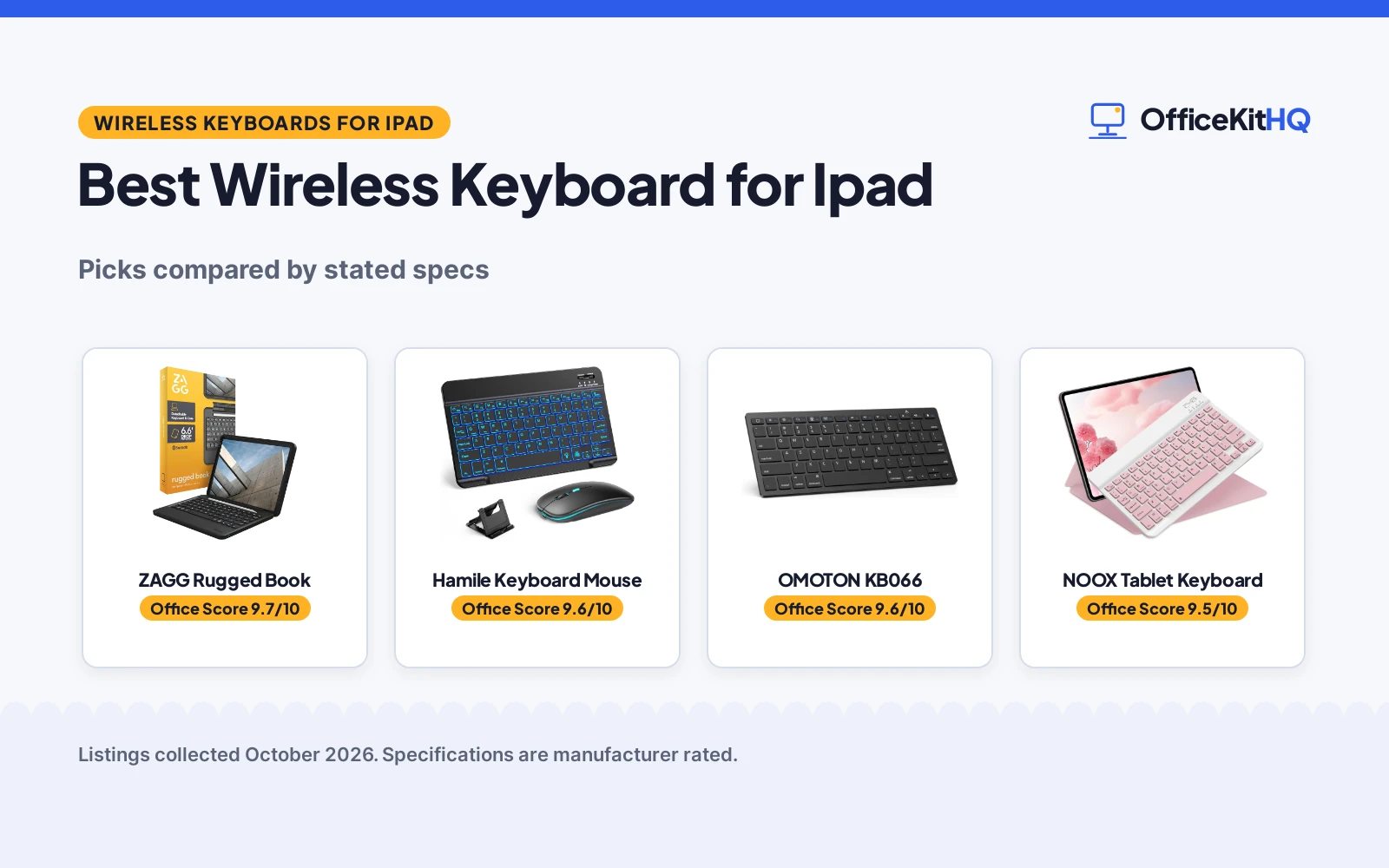
| 1 | ZAGG Rugged Book | 9.7/10 | Buy on Amazon |
| 2 | Hamile Keyboard Mouse | 9.6/10 | Buy on Amazon |
| 3 | OMOTON KB066 | 9.6/10 | Buy on Amazon |
| 4 | NOOX Tablet Keyboard | 9.5/10 | Buy on Amazon |
| 5 | GOGARA Keyboard Mouse | 9.5/10 | Buy on Amazon |

ZAGG Rugged Book
A keyboard case for iPad 11 (A16) and iPad 10.9 (Gen 10) with a detachable backlit keyboard, multi-device pairing and drop protection up to 6.6 feet stated.
Pros
- Detachable keyboard works on its own or with the case attached
- Seven backlit colors for typing in low light, per the listing
- Drop protection up to 6.6 feet stated for the case
- Multi-device pairing switches between the iPad and another device
Cons
- Fits only iPad 11 (A16) and iPad 10.9 (Gen 10), not the wider iPad range others cover
- Listing gives two key counts, 78 and 84, without reconciling them
- Item weight of 1.8 pounds adds bulk in a bag
- No battery life figure is stated, only that the keyboard is rechargeable
Detailed Review
ZAGG lists the Rugged Book as a keyboard case for iPad 11 (A16) and iPad 10.9 (Gen 10), with a detachable wireless keyboard, an Apple Pencil holder, a magnetic hinge for multiple viewing angles and seven backlit colors. The case materials are stated as tough polycarbonate and soft silicone, and drop protection up to 6.6 feet is stated. The listing contradicts itself on keys: the spec table lists a button quantity of 78 and a key count of 84, and it names a tablet model outside the iPad range in the title, so the title and bullets carry the compatibility claim here.
Who it's for: someone who wants a case and keyboard in one piece for a single iPad size, with backlighting for dim rooms. Who should skip it: anyone with a different iPad size, or anyone who wants a standalone keyboard without a case.
Its Office Score of 9.7/10 comes from performance 30/35, build 22/25, value 20/25, safety 8/10 and warranty 3/5: 83 of 100 points, placed on our 9.2 to 9.8 scale.
Key Specifications
| Compatibility | iPad 11 (A16), iPad 10.9 (Gen 10) |
|---|---|
| Drop protection | 6.6 feet |
| Backlight | Seven colors |
| Item weight | 1.8 pounds |
Figures as published on the retailer listing, collected 24 October 2026. Performance figures are manufacturer rated.
Safety and Warranty
What this listing states. Drop protection up to 6.6 feet stated, so safety scores 8 of 10. 1 year manufacturer. It does not say everything a buyer needs, such as who pays return shipping, so warranty scores 3 of 5. See How We Pick.
Fit the desk first. Check the stated size against your desk depth and keyboard tray, and charge or pair as the manual describes. No keyboard, mouse or wrist rest prevents or treats injury.
This is general buying information, not professional advice. Follow each product manual and local rules, and see our Safety Disclaimer.

Hamile Keyboard Mouse
A keyboard and mouse combo for iPad with a 7-color backlight, three mouse DPI levels and a rechargeable battery stated at 45 hours of continuous use with the backlight off.
Pros
- 7-color backlight with an automatic color-cycling mode
- Mouse offers 800, 1200 and 1600 DPI levels
- 45 hours of continuous use with backlight off, per the listing
- Silent mouse buttons suit quiet rooms, per the listing
Cons
- Mouse lighting cannot be turned off, per the listing
- No keyboard size or key count is stated
- Initial charge of 6 hours is recommended, longer than the 3 to 4 hour full charge stated
- Requires iPadOS/iOS 13 or above, per the listing note
Detailed Review
Hamile lists this combo for iPad 11th, 10th and 9th generation models and the Pro, Air and Mini series, plus iPhone 17, 16 and 15, with iOS, Windows and Android compatibility. The keyboard backlight cycles through 7 colors, the mouse offers 800, 1200 and 1600 DPI levels with silent buttons, per the listing, and the built-in 420mAh battery is stated at 90 days of standby and 45 hours of continuous use with the backlight off. The listing contradicts itself on backlighting: the bullets describe 7 colors while the spec table says single color, so the bullets carry the claim here. A full charge is stated at 3 to 4 hours, with a 6-hour initial charge recommended.
Who it's for: someone who wants a backlit keyboard plus a mouse for an iPad setup in dim rooms. Who should skip it: anyone who wants mouse lighting that switches off, or a keyboard-only purchase.
Its Office Score of 9.6/10 comes from performance 32/35, build 21/25, value 21/25, safety 0/10 and warranty 3/5: 77 of 100 points, placed on our 9.2 to 9.8 scale.
Key Specifications
| Backlight | 7 colors |
|---|---|
| Battery | 45 hours continuous, backlight off |
| Mouse DPI | 800, 1200, 1600 |
| Charging | 3 to 4 hours |
Figures as published on the retailer listing, collected 24 October 2026. Performance figures are manufacturer rated.
Safety and Warranty
What this listing states. No FCC or other safety listing is stated, so safety scores zero. 1 Year Warranty. It does not say everything a buyer needs, such as who pays return shipping, so warranty scores 3 of 5. See How We Pick.
Fit the desk first. Check the stated size against your desk depth and keyboard tray, and charge or pair as the manual describes. No keyboard, mouse or wrist rest prevents or treats injury.
This is general buying information, not professional advice. Follow each product manual and local rules, and see our Safety Disclaimer.

OMOTON KB066
An ultra-slim Bluetooth keyboard for iPad and iPhone with a 78-key layout, 12 multimedia hotkeys and battery life stated up to 400 hours on 2 AAA batteries.
Pros
- Battery life stated up to 400 hours
- 12 multimedia hotkeys for volume, brightness and music
- Slim 0.2-inch profile and 11.2 by 4.7 in footprint suit travel
- Broad iPad compatibility, from iPad mini 6 and 5 to iPad Pro 13 and 11 inch
Cons
- 2 AAA batteries are not included
- Function keys are not fully compatible with systems other than iPadOS/iOS, per the notice in the listing
- Listing rounds the size in bullets while the spec table gives 11.22 by 4.72 by 0.24 in
- No backlight is stated
Detailed Review
OMOTON lists the KB066 as an ultra-slim Bluetooth keyboard with a 78-key QWERTY layout, ABS material and 12 multimedia hotkeys for volume, brightness and music. Battery life is stated up to 400 hours on 2 AAA batteries, which are not included, with auto sleep after 10 minutes of inactivity and a note that 4 hours of daily use stretches a set of batteries to 100 days. The bullets round the size to 11.2 by 4.7 in with a 0.2 in profile, while the spec table gives 11.22 by 4.72 by 0.24 in; the bullets carry the size claim here.
Who it's for: someone who wants a slim iPad keyboard with long stated battery life and dedicated media hotkeys. Who should skip it: anyone who wants a backlit keyboard, or a rechargeable battery instead of AAA batteries.
Its Office Score of 9.6/10 comes from performance 30/35, build 21/25, value 21/25, safety 0/10 and warranty 3/5: 75 of 100 points, placed on our 9.2 to 9.8 scale.
Key Specifications
| Keys | 78 |
|---|---|
| Size | 11.2 x 4.7 in, 0.2 in thin |
| Battery | 400 hours |
| Hotkeys | 12 multimedia |
Figures as published on the retailer listing, collected 24 October 2026. Performance figures are manufacturer rated.
Safety and Warranty
What this listing states. No FCC or other safety listing is stated, so safety scores zero. 1 year. It does not say everything a buyer needs, such as who pays return shipping, so warranty scores 3 of 5. See How We Pick.
Fit the desk first. Check the stated size against your desk depth and keyboard tray, and charge or pair as the manual describes. No keyboard, mouse or wrist rest prevents or treats injury.
This is general buying information, not professional advice. Follow each product manual and local rules, and see our Safety Disclaimer.

NOOX Tablet Keyboard
A universal Bluetooth keyboard for iPad, iPhone, tablets and smartphones with a 78-key layout, a metal enclosure and battery life stated over 20 days at 2 hours of daily use.
Pros
- Works with iOS, Android and Windows, per the listing
- Bluetooth range stated up to 10 meters
- Aluminum alloy back and metal enclosure stated
- Sleep mode after 10 minutes of inactivity, with any key waking it
Cons
- No backlight is stated
- No mouse is included in this keyboard-only listing
- Pink is the color stated in the spec table, with no other color listed
- Stated battery life assumes 2 hours of daily use
Detailed Review
NOOX lists this keyboard for iPad 10 and 11th generation A16 models, iPad Pro 11 and 13 inch models, iPad Air and iPad mini, with iOS, Windows and Android compatibility. The layout is a 78-key US QWERTY layout with scissor-structure keys, a brushed front and an aluminum alloy back, in a 25 by 15 by 0.6 cm footprint at 180g. The rechargeable battery is stated over 20 days of use at 2 hours per day, with sleep after 10 minutes of inactivity and a Bluetooth range up to 10 meters.
Who it's for: someone who wants one keyboard across iPad, Android and Windows devices with a metal back. Who should skip it: anyone who wants a backlit keyboard or a mouse in the same purchase.
Its Office Score of 9.5/10 comes from performance 29/35, build 21/25, value 21/25, safety 0/10 and warranty 3/5: 74 of 100 points, placed on our 9.2 to 9.8 scale.
Key Specifications
| Size | 25 x 15 x 0.6 cm |
|---|---|
| Battery | Over 20 days at 2 hours per day |
| Range | 10 meters |
| Keys | 78 |
Figures as published on the retailer listing, collected 24 October 2026. Performance figures are manufacturer rated.
Safety and Warranty
What this listing states. No FCC or other safety listing is stated, so safety scores zero. 12 month warranty. It does not say everything a buyer needs, such as who pays return shipping, so warranty scores 3 of 5. See How We Pick.
Fit the desk first. Check the stated size against your desk depth and keyboard tray, and charge or pair as the manual describes. No keyboard, mouse or wrist rest prevents or treats injury.
This is general buying information, not professional advice. Follow each product manual and local rules, and see our Safety Disclaimer.

GOGARA Keyboard Mouse
A rechargeable Bluetooth keyboard and mouse combo with a 104-key layout, battery life stated up to 150 hours and a 9.84 by 5.9 by 0.24 in keyboard footprint.
Pros
- 104 keys, the highest key count stated here
- 150 hours of continuous keyboard use stated after a full charge
- Mouse click is stated silent, for quiet rooms
- Works with iOS, Android and Windows, per the listing
Cons
- Mouse needs a AAA battery, which is not included
- Warranty is given only as a bare figure, with no term stated, so warranty scores zero
- Keyboard weight is stated as 180g in the bullets and 0.31 kg in the spec table, without reconciling them
- No backlight is stated
Detailed Review
GOGARA lists this combo for iPhone, iPad, Android, Windows and Samsung tablets and smartphones, with a US QWERTY keyboard and a wireless mouse. The keyboard battery is stated up to 150 hours after a full charge, with a charging time of 2 to 3 hours and sleep after 10 minutes of inactivity, while the mouse runs on a AAA battery that is not included. The keyboard is stated at 25 by 15 by 0.6 cm and 9.84 by 5.9 by 0.24 in, but the weight contradicts itself: the bullets give 180g while the spec table gives 0.31 kg, so the bullets carry the weight claim here. The warranty line gives only a bare figure with no term, so warranty scores zero.
Who it's for: someone who wants a full 104-key layout plus a mouse for tablet typing. Who should skip it: anyone who wants a backlit keyboard or a warranty term in writing.
Its Office Score of 9.5/10 comes from performance 30/35, build 20/25, value 20/25, safety 0/10 and warranty 0/5: 70 of 100 points, placed on our 9.2 to 9.8 scale.
Key Specifications
| Keys | 104 |
|---|---|
| Battery | 150 hours |
| Charging | 2 to 3 hours |
| Size | 9.84 x 5.9 x 0.24 in |
Figures as published on the retailer listing, collected 24 October 2026. Performance figures are manufacturer rated.
Safety and Warranty
What this listing states. No FCC or other safety listing is stated, so safety scores zero. No warranty term, so warranty scores zero. See How We Pick.
Fit the desk first. Check the stated size against your desk depth and keyboard tray, and charge or pair as the manual describes. No keyboard, mouse or wrist rest prevents or treats injury.
This is general buying information, not professional advice. Follow each product manual and local rules, and see our Safety Disclaimer.
As an Amazon Associate I earn from qualifying purchases.
More picks to compare
 OMOTON KB066 PurpleSlim iPad keyboard in purple with 12 hotkeys and 400 hours stated.Check on Amazon
Compare the picks
| Keyboard | Office Score | Keys | Size | Backlight | Battery | Amazon |
|---|---|---|---|---|---|---|
| ZAGG Rugged Book | 9.7/10 | 84 | 11 x 9.5 x 10.94 in | Seven colors | Not stated | View on Amazon |
| Hamile Keyboard Mouse | 9.6/10 | Not stated | Not stated | 7 colors | 45 hours | View on Amazon |
| OMOTON KB066 | 9.6/10 | 78 | 11.2 x 4.7 in | Not stated | 400 hours | View on Amazon |
| NOOX Tablet Keyboard | 9.5/10 | 78 | 25 x 15 x 0.6 cm | Not stated | Over 20 days | View on Amazon |
| GOGARA Keyboard Mouse | 9.5/10 | 104 | 9.84 x 5.9 x 0.24 in | Not stated | 150 hours | View on Amazon |
Specifications are manufacturer rated as listed, collected 24 October 2026. Every keyboard here states a warranty term except the GOGARA, whose listing gives only a bare figure with no term.
How we scored them
The Office Score weighs performance, build, value, safety and warranty; for a keyboard, performance covers key count, compatibility, backlight and battery life, build covers stated materials and footprint, and safety covers stated protection features such as drop protection. The ZAGG states drop protection up to 6.6 feet, while the other listings state no safety feature of that kind. Warranty terms are stated for the ZAGG, Hamile, OMOTON and NOOX listings, and the GOGARA listing gives only a bare figure. How we pick explains the weights.
| Product | Office Score | Perf. /35 | Build /25 | Value /25 | Safety /10 | Warranty /5 |
|---|---|---|---|---|---|---|
| ZAGG Rugged Book | 9.7 | 30 | 22 | 20 | 8 | 3 |
| Hamile Keyboard Mouse | 9.6 | 32 | 21 | 21 | 0 | 3 |
| OMOTON KB066 | 9.6 | 30 | 21 | 21 | 0 | 3 |
| NOOX Tablet Keyboard | 9.5 | 29 | 21 | 21 | 0 | 3 |
| GOGARA Keyboard Mouse | 9.5 | 30 | 20 | 20 | 0 | 0 |
Scores run from 9.2 to 9.8: each product’s point total is placed on that range, so more points always means a higher score.
How to choose the best wireless keyboard for ipad
Start with the iPad model, not the keyboard
Compatibility is the first filter, because a keyboard that does not list an iPad model leaves the fit to guesswork. The ZAGG lists only iPad 11 (A16) and iPad 10.9 (Gen 10), while the OMOTON lists iPad A16 11th and 10th generation models, iPad Pro 13 and 11 inch models, iPad Air 13 and 11 inch models and iPad mini 6 and 5. The Hamile lists iPad 11th, 10th and 9th generation models plus the Pro, Air and Mini series, and the NOOX lists iPad 10 and 11th generation A16 models, iPad Pro 11 and 13 inch models, iPad Air and iPad mini. A different shape altogether is the split layout covered in our split keyboard for iPad guide, for readers who want the keys divided rather than joined.
Count the keys and the hotkeys
Key count decides how much of a full layout survives the move to a tablet size. The GOGARA lists 104 keys, the OMOTON and NOOX each list 78 keys, and the Hamile listing states no key count. The ZAGG listing gives two figures, a button quantity of 78 and a key count of 84, so its count is the least settled here. Hotkeys matter too: the OMOTON lists 12 multimedia hotkeys for volume, brightness and music, and the NOOX and GOGARA listings describe hotkeys for volume control, play and pause, and previous and next track.
| Keyboard | Keys | Backlight | Battery |
|---|---|---|---|
| ZAGG Rugged Book | 84 stated, 78 also listed | Seven colors | Not stated |
| Hamile Keyboard Mouse | Not stated | 7 colors | 45 hours |
| OMOTON KB066 | 78 | Not stated | 400 hours |
| NOOX Tablet Keyboard | 78 | Not stated | Over 20 days |
| GOGARA Keyboard Mouse | 104 | Not stated | 150 hours |
Backlight, mouse, or neither
Backlighting and a bundled mouse split this group cleanly. The ZAGG lists seven backlit colors on a detachable keyboard, and the Hamile lists a 7-color backlight with an automatic color-cycling mode plus a mouse with 800, 1200 and 1600 DPI levels. The GOGARA combo includes a mouse but states no backlight, and the OMOTON and NOOX listings describe a keyboard with no mouse and no backlight. Readers who want the mouse to carry equal weight can also look at our wireless mouse for multiple computers guide for a mouse-first view of the same desk.
Plan the battery and the charging
Battery plans divide into rechargeable packs and loose batteries. The OMOTON runs on 2 AAA batteries, which are not included, with battery life stated up to 400 hours and auto sleep after 10 minutes of inactivity. The NOOX, GOGARA and Hamile keyboards recharge: the NOOX is stated over 20 days of use at 2 hours per day, the GOGARA keyboard is stated up to 150 hours after a full charge of 2 to 3 hours, and the Hamile combo is stated at 45 hours of continuous use with the backlight off after a charge of 3 to 4 hours, with a 6-hour initial charge recommended. Watch the mouse batteries too: the GOGARA mouse needs a AAA battery that is not included, while the Hamile mouse recharges with the keyboard.
Setup Notes
- Measure the desk space against the stated footprint: OMOTON at 11.2 by 4.7 in, NOOX at 25 by 15 by 0.6 cm, GOGARA at 9.84 by 5.9 by 0.24 in, and the ZAGG case at 11 by 9.5 by 10.94 in.
- Check the iPad generation against the listing before ordering: the ZAGG fits only iPad 11 (A16) and iPad 10.9 (Gen 10), while the OMOTON, Hamile and NOOX listings name wider ranges.
- Plan power before the first charge: the OMOTON needs 2 AAA batteries that are not included, the GOGARA mouse needs a AAA battery that is not included, and the Hamile combo needs a 6-hour initial charge.
- Plan charging around the stated times: Hamile at 3 to 4 hours for a full charge and GOGARA at 2 to 3 hours for the keyboard.
Frequently Asked Questions
Which keyboard lists the highest key count?
The GOGARA lists 104 keys, above the 78 keys listed for the OMOTON and NOOX keyboards.
Does every keyboard here include a backlight?
No. The ZAGG lists seven backlit colors and the Hamile lists a 7-color backlight, while the OMOTON, NOOX and GOGARA listings state no backlight.
Which keyboards come with a mouse?
The Hamile and GOGARA combos include a mouse, while the other listings describe a keyboard, or a keyboard case, without a mouse.
How long does the OMOTON battery last?
The listing states up to 400 hours on 2 AAA batteries, which are not included, with auto sleep after 10 minutes of inactivity.
Can the ZAGG keyboard case fit any iPad?
No. The listing names iPad 11 (A16) and iPad 10.9 (Gen 10) only, so other iPad sizes fall outside the stated fit.
Related guides
See every Keyboards and Keyboard Trays guide and all Monitor Mounts, Keyboards and Mice guides.
More picks: split keyboard for iPad, stable mouse pad, wireless mouse for multiple computers.