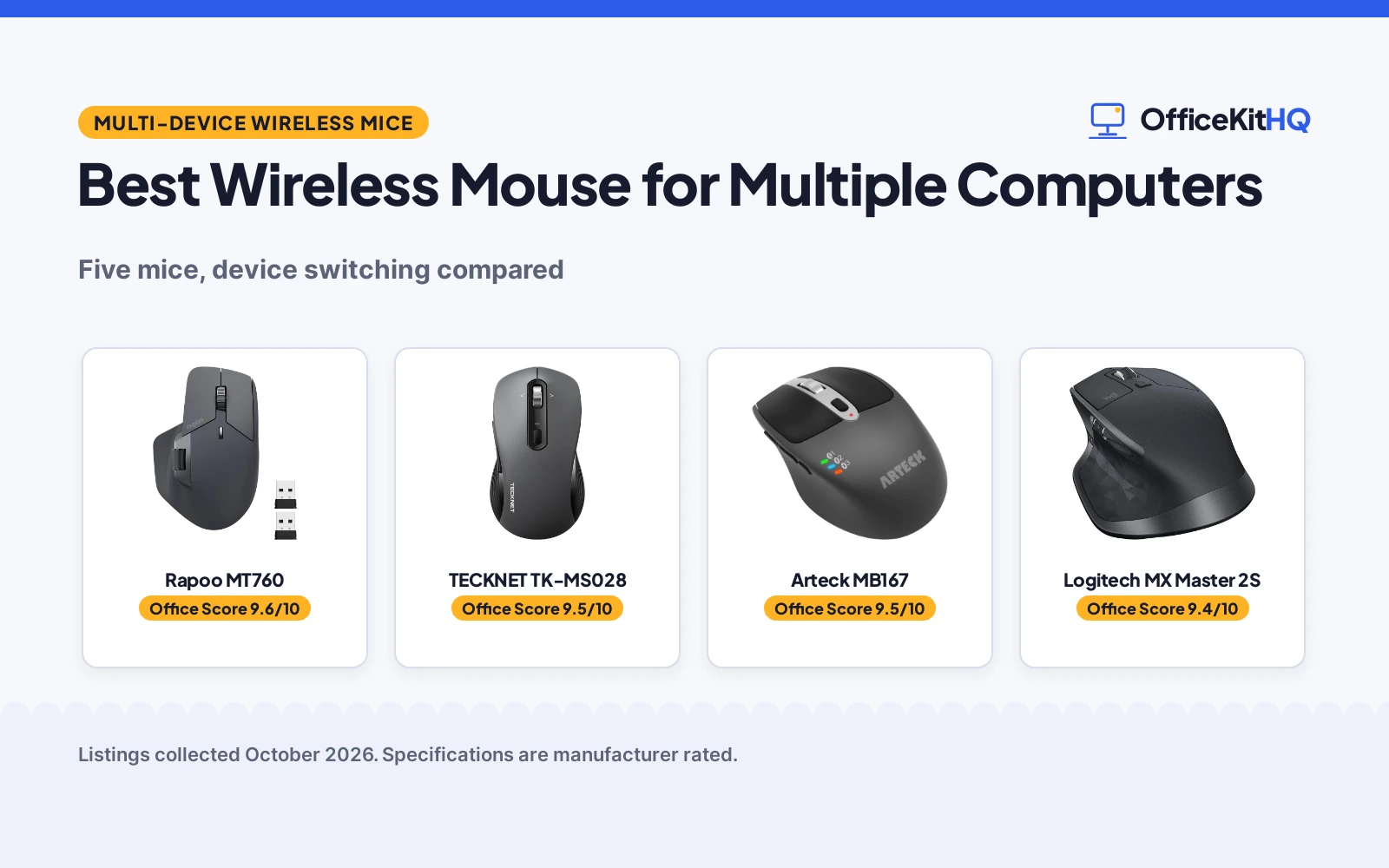
A work laptop, a home desktop and a tablet propped up for reference calls for a small pile of mice, each paired to one machine. Swapping among them breaks the rhythm of the workday. The best wireless mouse for multiple computers solves that pile with one mouse pairing to several machines and switching with a button press or a cursor movement. We compared 5 multi-device wireless mice by device count, switching, DPI, battery claims, buttons and warranty terms, using only what each listing publishes.
OfficeKitHQ earns a commission when you buy through links on this page, at no extra cost to you. As an Amazon Associate I earn from qualifying purchases. Affiliate disclosure.
Quick picks
 Best Overall Rapoo MT760: Pairs up to 4 devices, cursor-edge switching, 11 programmable buttons Check price on Amazon
 Best DPI Range TECKNET TK-MS028: 6 DPI levels to 4800 DPI, 4-way wheel, switches among 3 devices Check price on Amazon
 Best Rechargeable Arteck MB167: Rechargeable, 4 months per charge, switches among 3 Bluetooth devices Check price on Amazon
 Best Flow Pick Logitech MX Master 2S: Flow control with file sharing, 4000 DPI, 70-day battery Check price on Amazon
 Cross-Platform Pick HP 430: 1 AA battery, up to 24 months, works across Windows and macOS Check price on Amazon
The picks
| # | Product | Office Score | Buy |
|---|---|---|---|
| 1 | Rapoo MT760 | 9.6/10 | Buy on Amazon |
| 2 | TECKNET TK-MS028 | 9.5/10 | Buy on Amazon |
| 3 | Arteck MB167 | 9.5/10 | Buy on Amazon |
| 4 | Logitech MX Master 2S | 9.4/10 | Buy on Amazon |
| 5 | HP 430 | 9.4/10 | Buy on Amazon |

Rapoo MT760
A right-hand mouse pairing with up to 4 devices over Bluetooth 5.0 or 2.4G, with cursor-edge switching, 11 programmable buttons, 90-day battery.
Pros
- Pairs with up to 4 devices, the most here, over Bluetooth 5.0, 3.0 or 2.4G
- M+ control moves the cursor to the screen edge to switch screens
- 11 programmable buttons for shortcuts, media keys or macros
- 7 DPI levels 800 to 4000 DPI, plus Qi charging support with a separately sold module
Cons
- Cross-computer control needs the driver installed and all computers on the same Wi-Fi or Ethernet
- Wireless charging needs the P3 module, sold separately
- Right-hand shape only
- 90-day battery is shorter than the 24-month claims elsewhere here
Detailed Review
Rapoo lists the MT760 as a tri-mode mouse (Bluetooth 5.0, Bluetooth 3.0, 2.4G) pairing with up to 4 devices through Bluetooth or the included USB dongles. The M+ feature moves the cursor to the screen edge to control another computer, noting the driver must be installed and the computers on the same Wi-Fi or Ethernet. DPI runs 800, 1000, 1200, 1600, 2400 and 4000; the 800mAh li-po battery charges over USB-C with up to 90 days of life; the spec table lists a 10 meter range and a 110 g weight. One contradiction: bullets list 11 programmable buttons, spec table 9, so trust the bullets for the programmable set.
Who it's for: someone juggling a desktop, a laptop and a tablet who wants cursor-edge switching. Who should skip it: anyone who wants a left-hand shape or driver-free cross-computer control.
Its Office Score of 9.6/10 comes from performance 33/35, build 21/25, value 21/25, safety 0/10 and warranty 3/5: 78 of 100 points, placed on our 9.2 to 9.8 scale.
Key Specifications
| Devices | Up to 4 |
|---|---|
| DPI | 800 to 4000 DPI |
| Battery | Up to 90 days |
| Buttons | 11 programmable (bullets) |
Figures as published on the retailer listing, collected 24 October 2026. Performance figures are manufacturer rated.
Safety and Warranty
What this listing states. No FCC or other safety listing is stated, so safety scores zero. 1 year warranty. It does not say everything a buyer needs, such as who pays return shipping, so warranty scores 3 of 5. See How We Pick.
Fit the desk first. Check the stated size against your desk depth and keyboard tray, and charge or pair as the manual describes. No keyboard, mouse or wrist rest prevents or treats injury.
This is general buying information, not professional advice. Follow each product manual and local rules, and see our Safety Disclaimer.

TECKNET TK-MS028
An ambidextrous mouse connecting to 3 devices over Bluetooth 5.0, Bluetooth 3.0 or 2.4G, with 4-way wheel and 6 DPI levels to 4800 DPI.
Pros
- Connects to 3 devices at once over Bluetooth 5.0, 3.0 or the included 2.4G USB receiver
- 4-way scroll wheel tilts left and right for horizontal scrolling
- 6 DPI levels 800 to 4800 DPI, the highest top level here, with an indicator light
- 15 meter range, the longest stated here, and an ambidextrous shape
Cons
- Battery life contradicts itself: bullets claim up to 24 months, spec table lists 6 months
- Runs on 2 AAA batteries, not included, not a rechargeable cell
- Side buttons not supported on Mac systems, per the listing note
- Plastic enclosure, no programmable buttons stated
Detailed Review
TECKNET lists a tri-mode mouse pairing with up to 3 devices over Bluetooth 5.0, Bluetooth 3.0 or the included 2.4G USB receiver, switching with a button press, with a 15 meter range. The 4-way wheel scrolls vertically and tilts for horizontal movement; DPI steps through 800, 1200, 1600, 2400 and 4800 DPI with an indicator light; the mouse remembers the last DPI setting after shutdown. The shape is ambidextrous, the spec table lists 6 buttons, a 4.7 by 3 in footprint and a 3.84 ounce weight. One contradiction to note: bullets claim up to 24 months on 2 AAA batteries, spec table lists a battery average life of 6 months. We report the 24-month figure as the maker's claim and flag the mismatch.
Who it's for: someone who wants the widest DPI range here and horizontal scrolling across wide spreadsheets. Who should skip it: anyone who wants a rechargeable battery or Mac side-button support.
Its Office Score of 9.5/10 comes from performance 30/35, build 21/25, value 20/25, safety 0/10 and warranty 3/5: 74 of 100 points, placed on our 9.2 to 9.8 scale.
Key Specifications
| Devices | Up to 3 |
|---|---|
| DPI | 800 to 4800 DPI |
| Range | 15 meters |
| Battery | Up to 24 months (bullets) |
Figures as published on the retailer listing, collected 24 October 2026. Performance figures are manufacturer rated.
Safety and Warranty
What this listing states. No FCC or other safety listing is stated, so safety scores zero. 24 Months. It does not say everything a buyer needs, such as who pays return shipping, so warranty scores 3 of 5. See How We Pick.
Fit the desk first. Check the stated size against your desk depth and keyboard tray, and charge or pair as the manual describes. No keyboard, mouse or wrist rest prevents or treats injury.
This is general buying information, not professional advice. Follow each product manual and local rules, and see our Safety Disclaimer.

Arteck MB167
A right-hand Bluetooth mouse switching among 3 devices with a single button, DPI 800 to 2400, battery rated 4 months per charge.
Pros
- Switches among 3 Bluetooth devices with a single button press
- Rechargeable battery lasts 4 months per charge, based on 2 hours of use per day
- USB-C recharging, charging cable included
- 2 side buttons for page backward and forward, plus a DPI button, 800 to 2400 DPI
Cons
- No USB receiver or Bluetooth dongle included, so each device needs built-in Bluetooth
- 2400 DPI top level is the lowest maximum here
- Bullets describe 7 buttons, spec table lists 6
- Right-hand shape only
Detailed Review
Arteck lists the MB167 as a multi-device Bluetooth mouse connecting to 3 Bluetooth devices at once, switching with a single button. DPI steps through 800, 1200, 1600, 2000 and 2400 DPI; 2 side buttons handle page backward and forward; the rechargeable battery lasts 4 months on a single charge based on 2 hours of non-stop use per day. The spec table lists a 4.13 by 2.56 by 1.46 in size, a 3 ounce weight and a 10.0 meter range; the listing notes no USB receiver or Bluetooth dongle comes in the box. One contradiction: bullets describe 7 buttons in total, spec table 6, so the bullets are the more detailed count.
Who it's for: someone whose computers and tablets all have built-in Bluetooth and who wants a rechargeable mouse. Who should skip it: anyone who needs a USB receiver for a device without Bluetooth.
Its Office Score of 9.5/10 comes from performance 28/35, build 20/25, value 19/25, safety 0/10 and warranty 3/5: 70 of 100 points, placed on our 9.2 to 9.8 scale.
Key Specifications
| Devices | Up to 3 (Bluetooth only) |
|---|---|
| DPI | 800 to 2400 DPI |
| Battery | 4 months per charge |
| Size | 4.13 by 2.56 by 1.46 in |
Figures as published on the retailer listing, collected 24 October 2026. Performance figures are manufacturer rated.
Safety and Warranty
What this listing states. No FCC or other safety listing is stated, so safety scores zero. 2 years manufacturer. It does not say everything a buyer needs, such as who pays return shipping, so warranty scores 3 of 5. See How We Pick.
Fit the desk first. Check the stated size against your desk depth and keyboard tray, and charge or pair as the manual describes. No keyboard, mouse or wrist rest prevents or treats injury.
This is general buying information, not professional advice. Follow each product manual and local rules, and see our Safety Disclaimer.

Logitech MX Master 2S
A right-hand laser mouse with Flow cross-computer control and file sharing for PC and Mac, 4000 DPI, 70-day battery.
Pros
- Flow cross-computer control and file sharing for PC and Mac
- Laser movement detection, 4000 DPI maximum sensitivity
- 70-day battery, micro-USB cable included
- Unifying receiver included alongside Bluetooth connection
Cons
- No warranty term stated in the listing data
- No dimensions stated in the spec table
- 70-day battery is the lowest battery claim here
- Spec table lists 2 AAA batteries required alongside a micro-USB cable, unexplained
Detailed Review
Logitech lists the MX Master 2S as a wireless mouse with Flow cross-computer control and file sharing for PC and Mac, in graphite. The spec table lists laser movement detection, 4000 DPI maximum sensitivity, 7 buttons, a right-hand shape, a 10.0 meter range, a 145 g weight and a 70-day battery, with a Unifying receiver and a micro-USB cable in the box. Two gaps to note: no warranty term and no dimensions are stated, and the spec table pairs 2 AAA batteries required with a micro-USB cable for recharging without explaining how the two fit together.
Who it's for: someone who wants Flow file sharing between a PC and a Mac and a laser sensor. Who should skip it: anyone who wants a stated warranty term or a longer battery claim.
Its Office Score of 9.4/10 comes from performance 29/35, build 21/25, value 19/25, safety 0/10 and warranty 0/5: 69 of 100 points, placed on our 9.2 to 9.8 scale.
Key Specifications
| DPI | 4000 DPI |
|---|---|
| Sensor | Laser |
| Battery | 70 days |
| Weight | 145 g |
Figures as published on the retailer listing, collected 24 October 2026. Performance figures are manufacturer rated.
Safety and Warranty
What this listing states. No FCC or other safety listing is stated, so safety scores zero. No warranty term, so warranty scores zero. See How We Pick.
Fit the desk first. Check the stated size against your desk depth and keyboard tray, and charge or pair as the manual describes. No keyboard, mouse or wrist rest prevents or treats injury.
This is general buying information, not professional advice. Follow each product manual and local rules, and see our Safety Disclaimer.

HP 430
An ambidextrous mouse moving the cursor across devices between Windows and macOS over dongle or Bluetooth, 4 customizable buttons, single AA battery rated up to 24 months.
Pros
- Moves the cursor across multiple devices, even between Windows and macOS, over dongle or Bluetooth
- Single AA battery lasts up to 24 months with the smart power system
- 4 customizable buttons and an adjustable-speed scroll wheel
- Comfortable rubber grip, shape for left or right hands
Cons
- Only 4 customizable buttons, fewer than the programmable sets elsewhere
- No DPI step list beyond the 800 to 4000 DPI range and 1200 DPI nominal
- No recycled share stated for the recycled materials
- Listed 7 by 6 in footprint reads large for a mouse, unexplained
Detailed Review
HP lists the 430 as a multi-device wireless mouse moving the cursor across multiple devices, even between Windows and macOS, through a dongle or Bluetooth, with 4 customizable buttons, an adjustable-speed scroll wheel and cursor tracking. DPI runs 800 to 4000 with a nominal value of 1200 DPI; the mouse is sustainably made from recycled materials; a single AA battery lasts up to 24 months with the smart power system. The spec table lists a 2.72 ounce weight, an ambidextrous shape and a rubber enclosure; the listing states an HP standard one-year limited warranty. The listed 7 by 6 in footprint reads large for a mouse and is not explained, so check the size before ordering.
Who it's for: someone splitting time between Windows and macOS who wants long battery life without recharging. Who should skip it: anyone who wants many programmable buttons or a stated DPI step list.
Its Office Score of 9.4/10 comes from performance 28/35, build 20/25, value 20/25, safety 0/10 and warranty 0/5: 68 of 100 points, placed on our 9.2 to 9.8 scale.
Key Specifications
| Devices | Multiple, dongle or Bluetooth |
|---|---|
| DPI | 800 to 4000 DPI |
| Battery | Up to 24 months (1 AA) |
| Weight | 2.72 ounces |
Figures as published on the retailer listing, collected 24 October 2026. Performance figures are manufacturer rated.
Safety and Warranty
What this listing states. No FCC or other safety listing is stated, so safety scores zero. No warranty term, so warranty scores zero. See How We Pick.
Fit the desk first. Check the stated size against your desk depth and keyboard tray, and charge or pair as the manual describes. No keyboard, mouse or wrist rest prevents or treats injury.
This is general buying information, not professional advice. Follow each product manual and local rules, and see our Safety Disclaimer.
As an Amazon Associate I earn from qualifying purchases.
More picks to compare
 Logitech M720 TriathlonPairs up to 3 devices over Bluetooth or receiver, Flow switchingCheck on Amazon
 Lenovo 700Connects up to 3 devices, silent clicks, 36-month batteryCheck on Amazon
Compare the picks
| Mouse | Office Score | Devices | DPI | Battery | Warranty | Amazon |
|---|---|---|---|---|---|---|
| Rapoo MT760 | 9.6/10 | Up to 4 | 800 to 4000 DPI | Up to 90 days | 1 year | View on Amazon |
| TECKNET TK-MS028 | 9.5/10 | Up to 3 | 800 to 4800 DPI | Up to 24 months | 24 months | View on Amazon |
| Arteck MB167 | 9.5/10 | Up to 3 | 800 to 2400 DPI | 4 months per charge | 2 years | View on Amazon |
| Logitech MX Master 2S | 9.4/10 | Multiple | 4000 DPI | 70 days | Not stated | View on Amazon |
| HP 430 | 9.4/10 | Multiple | 800 to 4000 DPI | Up to 24 months | One year | View on Amazon |
Specifications are manufacturer rated as listed, collected 24 October 2026. Three of the 5 state a warranty term.
How we scored them
The Office Score weighs performance (device count, switching, DPI and battery claim), build (shape, materials and weight), value, safety and warranty. For a mouse, safety means a stated safety certification; none of the 5 states one, so safety scores zero across the group. Three state a warranty term: TECKNET 24 months, Arteck 2 years, Rapoo 1 year. How we pick explains the weights.
| Product | Office Score | Perf. /35 | Build /25 | Value /25 | Safety /10 | Warranty /5 |
|---|---|---|---|---|---|---|
| Rapoo MT760 | 9.6 | 33 | 21 | 21 | 0 | 3 |
| TECKNET TK-MS028 | 9.5 | 30 | 21 | 20 | 0 | 3 |
| Arteck MB167 | 9.5 | 28 | 20 | 19 | 0 | 3 |
| Logitech MX Master 2S | 9.4 | 29 | 21 | 19 | 0 | 0 |
| HP 430 | 9.4 | 28 | 20 | 20 | 0 | 0 |
Scores run from 9.2 to 9.8: each product’s point total is placed on that range, so more points always means a higher score.
How to choose the best wireless mouse for multiple computers
Count the devices before you count the buttons
Device count is the first filter. Rapoo MT760: up to 4 devices; TECKNET TK-MS028 and Arteck MB167: up to 3 each; HP 430 and Logitech MX Master 2S: multiple, no count stated. The TECKNET and Arteck switch with a button press, the Rapoo by cursor edge, the MX Master 2S by Flow. Note: Rapoo cross-computer control needs the driver installed and all computers on the same Wi-Fi or Ethernet. If the desk also needs a matching keyboard, see our keyboard and mouse combo for multiple devices guide.
DPI levels and the top level
DPI runs 800 at the low end on the Rapoo, TECKNET, HP and Arteck, topping at 4800 on the TECKNET, 4000 on the Rapoo, HP and MX Master 2S, and 2400 on the Arteck. A higher top level suits large layouts, while the low end suits precise work. The TECKNET adds an indicator light and remembers the last setting after shutdown.
| Mouse | Devices | DPI | Battery |
|---|---|---|---|
| Rapoo MT760 | Up to 4 | 800 to 4000 DPI | Up to 90 days |
| TECKNET TK-MS028 | Up to 3 | 800 to 4800 DPI | Up to 24 months |
| Arteck MB167 | Up to 3 | 800 to 2400 DPI | 4 months per charge |
| HP 430 | Multiple | 800 to 4000 DPI | Up to 24 months |
| Logitech MX Master 2S | Multiple | 4000 DPI | 70 days |
Battery claims: rechargeable, AA or AAA
Battery design splits the group three ways. The HP 430 runs up to 24 months on a single AA battery, and the TECKNET claims up to 24 months on 2 AAA batteries, though its spec table lists 6 months. The Rapoo MT760 and Arteck MB167 recharge over USB-C, with up to 90 days and 4 months per charge respectively; the MX Master 2S lists a 70-day battery with a micro-USB cable. A rechargeable mouse suits a desk with a free USB-C port. For a matching home office mouse shape, see our ergonomic mouse for home office guide.
Check the shape and the fine print
Shape splits the group: the TECKNET and HP are ambidextrous, the Rapoo, Arteck and MX Master 2S right-hand shapes. Check two fine-print items: the TECKNET side buttons are not supported on Mac systems, and the Arteck ships with no USB receiver, so every machine needs built-in Bluetooth. Warranty terms: 24 months on the TECKNET, 2 years on the Arteck, 1 year on the Rapoo and HP, none stated on the MX Master 2S. A low-profile shape helps on a shallow desk; see our low-profile wireless mouse guide.
Setup Notes
- Measure the desk space against the listed footprints: TECKNET 4.7 by 3 in, Rapoo 4.92 by 3.12 in, Arteck 4.13 by 2.56 by 1.46 in.
- Plan power before ordering: HP 1 AA battery, TECKNET 2 AAA batteries, Rapoo and Arteck recharge over USB-C, MX Master 2S micro-USB cable.
- Check Bluetooth on every machine before ordering the Arteck, since no USB receiver comes in its box; the Rapoo box includes 2 USB dongles, the TECKNET box a 2.4G USB receiver.
- Count USB ports for receivers: the Rapoo uses 2 dongles across devices, the TECKNET and HP each use a single receiver.
Frequently Asked Questions
How many devices can one of these mice pair with?
Rapoo MT760: up to 4 devices; TECKNET TK-MS028 and Arteck MB167: up to 3 each; HP 430 and Logitech MX Master 2S: multiple, no count stated.
Do any of these mice work without a USB receiver?
Arteck MB167 is Bluetooth only with no receiver or dongle in the box, so each device needs built-in Bluetooth. Rapoo box: 2 USB dongles; TECKNET box: 2.4G receiver; MX Master 2S box: Unifying receiver.
Which mouse has the longest battery claim?
HP 430: up to 24 months on one AA battery; TECKNET: up to 24 months on 2 AAA batteries, though its spec table lists 6 months; Arteck: 4 months per charge; Rapoo: up to 90 days; MX Master 2S: 70 days.
Can the cursor move from one computer to another without a button press?
Rapoo M+: cursor to the screen edge; MX Master 2S: Flow control; HP 430: cursor across devices via dongle or Bluetooth; TECKNET and Arteck: button press.
Related guides
See every mice and mouse pads guide and all monitor mounts, keyboards and mice guides. Also see our best keyboard mouse combo multiple devices. Also see our best ergonomic mouse for home office.
More picks: mice and mouse pads, keyboards, monitor arms and stands.