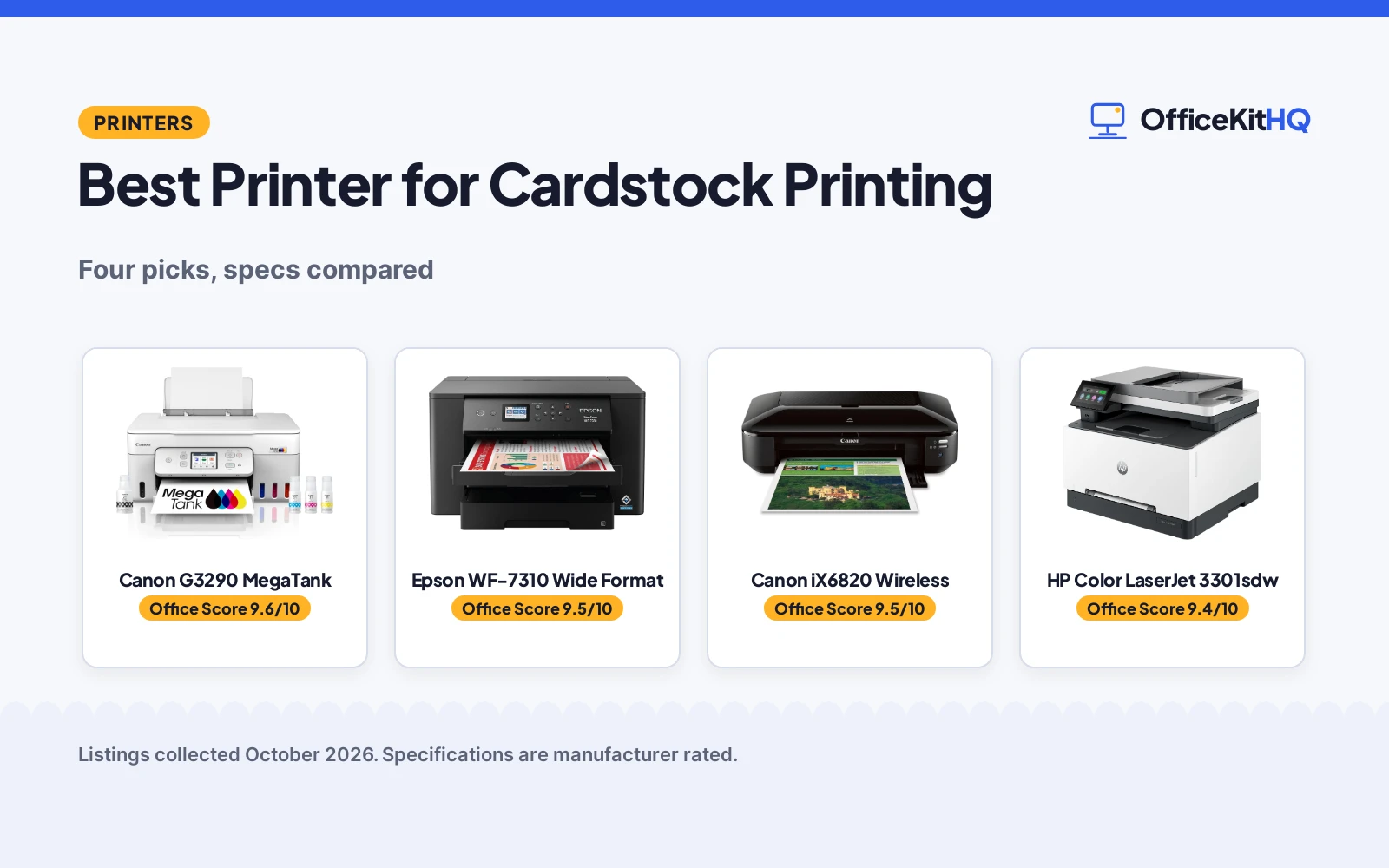
When the invitation cards or cover stock jam on the third sheet, the best printer for cardstock printing proves its worth. We compared four printers by media support, print size, resolution, duplex and warranty, using only what each listing publishes. Only one lists card stock outright, so read the media line before you buy.
OfficeKitHQ earns a commission when you buy through links on this page, at no extra cost to you. As an Amazon Associate I earn from qualifying purchases. Affiliate disclosure.
Quick picks
 Best Overall Canon G3290 MegaTank: Card stock listed, refillable tank, auto duplex, 2.7-inch LCD. Check price on Amazon
 Best Wide Format Epson WF-7310 Wide Format: 13 x 19 inch printing, 25 ppm, 500-sheet capacity, auto duplex. Check price on Amazon
 Best Resolution Canon iX6820 Wireless: 9600 x 2400 dpi, 13 x 19 inch, 5 individual ink tanks. Check price on Amazon
 Best Laser HP Color LaserJet 3301sdw: Color laser all-in-one, 26 ppm, auto duplex, 250-sheet tray. Check price on Amazon
The picks
| # | Product | Office Score | Buy |
|---|---|---|---|
| 1 | Canon G3290 MegaTank | 9.6/10 | Buy on Amazon |
| 2 | Epson WF-7310 Wide Format | 9.5/10 | Buy on Amazon |
| 3 | Canon iX6820 Wireless | 9.5/10 | Buy on Amazon |
| 4 | HP Color LaserJet 3301sdw | 9.4/10 | Buy on Amazon |

Canon G3290 MegaTank
A refillable-tank all-in-one that lists card stock in its print media, with auto duplex and a 2.7-inch LCD.
Pros
- Card stock listed in the print media
- Refillable tank with up to 2 years of ink included, per the listing
- Automatic duplex and 2.7-inch LCD touchscreen
- Banner printing up to 8.5 x 47.2 in
Cons
- 100-sheet tray, the smallest here
- 11 ppm black and 6 color, the slowest here
- No safety certification is stated
- 4800 x 1200 resolution trails the 9600 dpi pick
Detailed Review
Canon lists the MegaTank G3290 as an all-in-one wireless printer with a refillable tank system, and its print media list includes card stock, envelopes and glossy photo paper. The listing describes automatic duplex, a 2.7-inch LCD color touchscreen, maximum media of 8.5 x 47.2 in, up to 2 years of ink included, and a 1-year manufacturer warranty. Speeds are listed at 11 pages per minute black and 6 color.
Who it's for: craft and card projects where the media list matters most. Who should skip it: high-volume offices that need speed and a large tray.
Its Office Score of 9.6/10 comes from performance 32/35, build 20/25, value 21/25, safety 0/10 and warranty 3/5: 76 of 100 points, placed on our 9.2 to 9.8 scale.
Key Specifications
| Print media | Card stock listed |
|---|---|
| Max media | 8.5 x 47.2 in |
| Speed | 11 ppm black / 6 color |
| Duplex | Automatic |
Figures as published on the retailer listing, collected 18 October 2026. Performance figures are manufacturer rated.
Safety and Warranty
What this listing states. This product does not plug in or run on a battery, so safety is not part of its score. 1-year manufacturer warranty. It does not say everything a buyer needs, such as who pays return shipping, so warranty scores 3 of 5. See How We Pick.
Shredder and printer safety. Keep hair, ties, jewelry, children and pets away from the feed slot, use the safety lock, unplug when not in use, and give printers and adapters room to vent.
This is general buying information, not professional advice. Follow each product manual and local rules, and see our Safety Disclaimer.

Epson WF-7310 Wide Format
A wide-format all-in-one with 13 x 19 in printing, 25 ppm black and a 500-sheet capacity.
Pros
- Wide-format printing up to 13 x 19 in
- 500-sheet capacity across three trays
- 25 ppm black with automatic duplex
- Rear feed for specialty media
Cons
- Card stock is not listed in the print media
- 29.8-pound unit needs a sturdy desk
- No safety certification is stated
- 12 ppm color trails its black speed
Detailed Review
Epson lists the WorkForce Pro WF-7310 as a wide-format all-in-one with printing up to 13 x 19 in, 25 black and 12 color pages per minute, and a 500-sheet capacity across two 250-sheet trays plus a rear feed. The listing describes automatic duplex, a 2.4-inch color display, Wi-Fi 5 with Wi-Fi Direct, and a 1-year limited warranty. Its print media list covers envelopes, glossy photo paper and plain paper, without a card stock mention.
Who it's for: offices that want wide-format output and big trays. Who should skip it: anyone who needs card stock named in the media list.
Its Office Score of 9.5/10 comes from performance 29/35, build 21/25, value 20/25, safety 0/10 and warranty 3/5: 73 of 100 points, placed on our 9.2 to 9.8 scale.
Key Specifications
| Max media | 13 x 19 in |
|---|---|
| Speed | 25 ppm black / 12 color |
| Tray capacity | 500 sheets |
| Duplex | Automatic |
Figures as published on the retailer listing, collected 18 October 2026. Performance figures are manufacturer rated.
Safety and Warranty
What this listing states. This product does not plug in or run on a battery, so safety is not part of its score. 1-year limited warranty. It does not say everything a buyer needs, such as who pays return shipping, so warranty scores 3 of 5. See How We Pick.
Shredder and printer safety. Keep hair, ties, jewelry, children and pets away from the feed slot, use the safety lock, unplug when not in use, and give printers and adapters room to vent.
This is general buying information, not professional advice. Follow each product manual and local rules, and see our Safety Disclaimer.

Canon iX6820 Wireless
A wide-format inkjet with 9600 x 2400 dpi, 13 x 19 in printing and 5 individual ink tanks.
Pros
- 9600 x 2400 dpi, the highest resolution here
- Wide-format printing up to 13 x 19 in
- 5 individual ink tank system
- Wireless, Ethernet and USB connectivity
Cons
- No duplex listed
- Print media lists glossy photo paper, not card stock
- No safety certification is stated
- 150-sheet single tray
Detailed Review
Canon lists the PIXMA iX6820 as a wireless business printer with 9600 x 2400 dpi resolution, 13 x 19 in maximum media, and a 5 individual ink tank system. The listing describes a 150-sheet auto feeder, AirPrint support, Wireless, Ethernet and USB connectivity, and a 1-year limited warranty. Speeds are listed at 14.5 pages per minute black and 15 color, with no duplex.
Who it's for: wide-format photo and graphics printing at high resolution. Who should skip it: anyone who needs automatic two-sided printing.
Its Office Score of 9.5/10 comes from performance 30/35, build 20/25, value 19/25, safety 0/10 and warranty 3/5: 72 of 100 points, placed on our 9.2 to 9.8 scale.
Key Specifications
| Resolution | 9600 x 2400 dpi |
|---|---|
| Max media | 13 x 19 in |
| Speed | 14.5 ppm black / 15 color |
| Connectivity | Wireless, Ethernet, USB |
Figures as published on the retailer listing, collected 18 October 2026. Performance figures are manufacturer rated.
Safety and Warranty
What this listing states. This product does not plug in or run on a battery, so safety is not part of its score. 1-year limited warranty. It does not say everything a buyer needs, such as who pays return shipping, so warranty scores 3 of 5. See How We Pick.
Shredder and printer safety. Keep hair, ties, jewelry, children and pets away from the feed slot, use the safety lock, unplug when not in use, and give printers and adapters room to vent.
This is general buying information, not professional advice. Follow each product manual and local rules, and see our Safety Disclaimer.

HP Color LaserJet 3301sdw
A color laser all-in-one with 26 ppm black, automatic duplex and a 250-sheet tray.
Pros
- Color laser output for crisp text documents
- 26 pages per minute black with automatic duplex
- 250-sheet input tray with auto document feeder
- Scan, copy and print in one unit
Cons
- Print media lists plain paper, not card stock
- 8.5 x 14 in maximum media, the narrowest here
- No safety certification is stated
- 37.7 pounds, the heaviest here
Detailed Review
HP lists the Color LaserJet Pro MFP 3301sdw as a color laser all-in-one with print speeds up to 26 pages per minute black, automatic duplex, a 250-sheet input tray and an auto document feeder. The listing describes scan and copy functions, Wi-Fi and USB connectivity. Its print media is listed as plain paper at up to 8.5 x 14 in, and it works only with HP-chip cartridges, per the listing.
Who it's for: small teams printing color documents and reports. Who should skip it: cardstock crafters, since card stock is not in the media list.
Its Office Score of 9.4/10 comes from performance 27/35, build 20/25, value 19/25, safety 0/10 and warranty 0/5: 66 of 100 points, placed on our 9.2 to 9.8 scale.
Key Specifications
| Printer type | Color laser |
|---|---|
| Speed | 26 ppm black |
| Max media | 8.5 x 14 in |
| Duplex | Automatic |
Figures as published on the retailer listing, collected 18 October 2026. Performance figures are manufacturer rated.
Safety and Warranty
What this listing states. No safety lock or safety listing is stated, so safety scores zero. No warranty term, so warranty scores zero. See How We Pick.
Shredder and printer safety. Keep hair, ties, jewelry, children and pets away from the feed slot, use the safety lock, unplug when not in use, and give printers and adapters room to vent.
This is general buying information, not professional advice. Follow each product manual and local rules, and see our Safety Disclaimer.
As an Amazon Associate I earn from qualifying purchases.
Compare the picks
| Printer | Office Score | Max Media | Resolution | Duplex | Warranty | Amazon |
|---|---|---|---|---|---|---|
| Canon G3290 MegaTank | 9.6/10 | 8.5 x 47.2 in | 4800 x 1200 | Automatic | 1 year | View on Amazon |
| Epson WF-7310 Wide Format | 9.5/10 | 13 x 19 in | 4800 x 2400 | Automatic | 1 year | View on Amazon |
| Canon iX6820 Wireless | 9.5/10 | 13 x 19 in | 9600 x 2400 | No | 1 year | View on Amazon |
| HP Color LaserJet 3301sdw | 9.4/10 | 8.5 x 14 in | 1200 x 1200 | Automatic | 1 year | View on Amazon |
Specifications are manufacturer rated as listed, collected 18 October 2026.
How we scored them
The Office Score weighs performance, build, value, safety and warranty. No listing states a safety certification, so safety is 0 for all four; three of the four state a 1-year warranty term. How we pick explains the weights.
| Product | Office Score | Perf. /35 | Build /25 | Value /25 | Safety /10 | Warranty /5 |
|---|---|---|---|---|---|---|
| Canon G3290 MegaTank | 9.6 | 32 | 20 | 21 | 0 | 3 |
| Epson WF-7310 Wide Format | 9.5 | 29 | 21 | 20 | 0 | 3 |
| Canon iX6820 Wireless | 9.5 | 30 | 20 | 19 | 0 | 3 |
| HP Color LaserJet 3301sdw | 9.4 | 27 | 20 | 19 | 0 | 0 |
Scores run from 9.2 to 9.8: each product’s point total is placed on that range, so more points always means a higher score.
How to choose the best printer for cardstock printing
Start with the media list
Only the Canon G3290 lists card stock in its print media. The iX6820 and WF-7310 print up to 13 x 19 in, which suits card projects, while the HP lists plain paper at up to 8.5 x 14 in. Browse more printers if you need a stated cardstock rating.
Inkjet or laser
Three picks are inkjet and one, the HP, is laser. Inkjet suits photos and craft card; laser suits crisp text documents. The G3290 adds a refillable tank with up to 2 years of ink included, per the listing.
Check duplex and capacity
Automatic duplex is listed on the HP, G3290 and Epson; the iX6820 lists no duplex. Tray capacity runs from 100 sheets on the G3290 to 500 on the Epson. For craft work, see our printers for stickers and crafts.
| Printer | Max media | Resolution | Duplex | Warranty |
|---|---|---|---|---|
| Canon G3290 MegaTank | 8.5 x 47.2 in | 4800 x 1200 | Automatic | 1 year |
| Epson WF-7310 Wide Format | 13 x 19 in | 4800 x 2400 | Automatic | 1 year |
| Canon iX6820 Wireless | 13 x 19 in | 9600 x 2400 | No | 1 year |
| HP Color LaserJet 3301sdw | 8.5 x 14 in | 1200 x 1200 | Automatic | Not stated |
Figures as stated in each listing.
Setup Notes
- Measure your desk: the Epson is 20.3 x 28.6 x 17.6 in at 29.8 pounds; the HP is 16.46 x 13.44 x 16.5 in at 37.7 pounds.
- Load heavy stock through the rear feed where the listing provides one; the Epson lists a rear feed.
- Connection: all four support USB; the iX6820 adds Ethernet; all four list Wi-Fi.
- Power draw is stated at 18 watts for the G3290 and 26 watts for the Epson.
Frequently Asked Questions
Which of these lists card stock?
Only the Canon G3290 lists card stock in its print media. The iX6820 lists glossy photo paper and the HP lists plain paper.
Which prints the widest?
The Canon iX6820 and Epson WF-7310 print up to 13 x 19 in; the G3290 handles banners up to 8.5 x 47.2 in.
Which is the quickest?
The HP lists 26 pages per minute black; the Epson 25 black and 12 color; the iX6820 14.5 black and 15 color; the G3290 11 black and 6 color.
Do any print both sides automatically?
The HP, G3290 and Epson list automatic duplex; the iX6820 lists no duplex.
What warranty is stated?
Three state a 1-year limited or manufacturer warranty; the HP listing’s warranty wording is not counted as a specific term.
Related guides
See every printers guide and all office storage guides.
More picks: printers for real estate agents, printers for transparency paper and printers for graphics and photos.