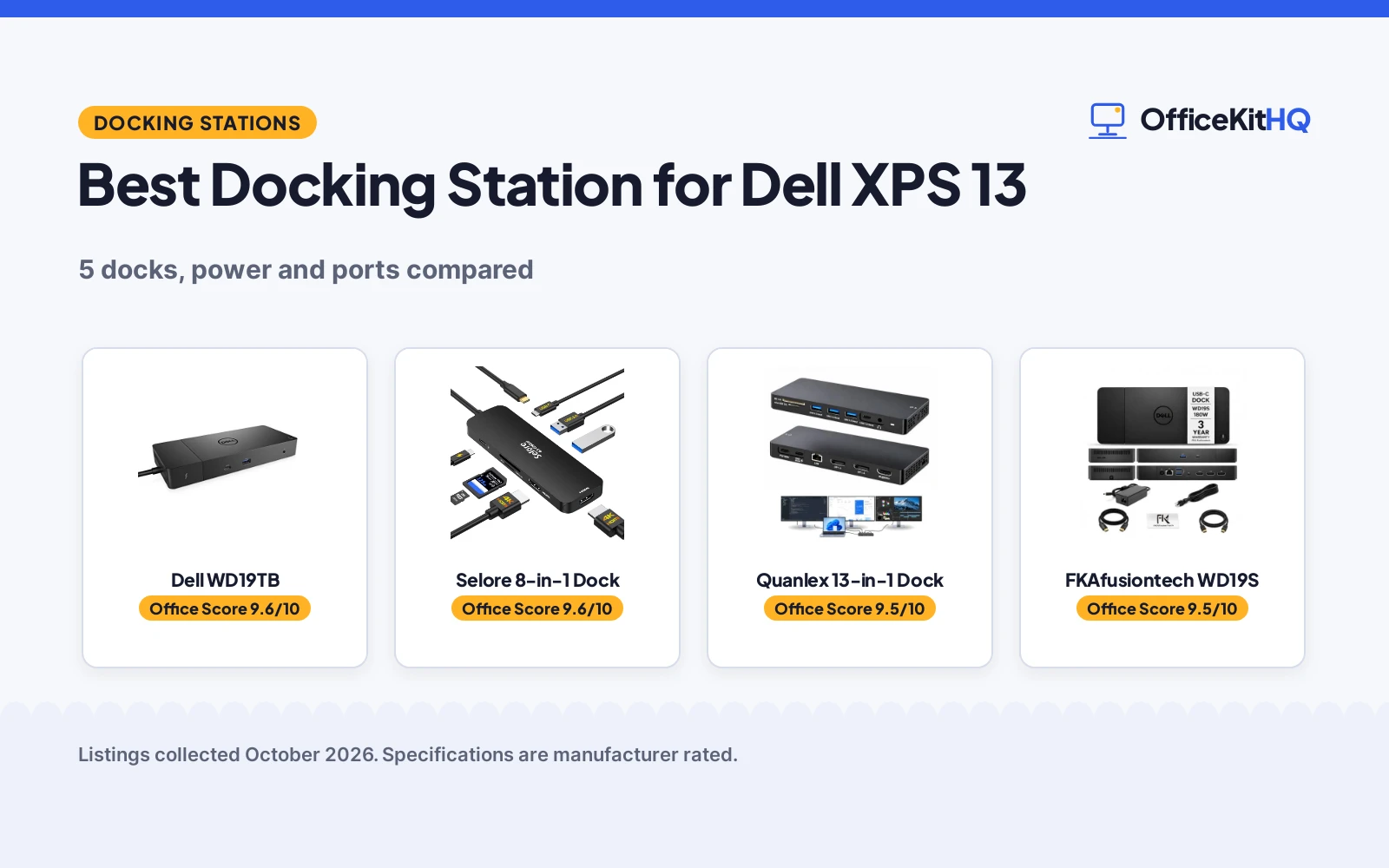
On a morning call, the laptop runs everything off one hub, the other monitor stays dark, and the best docking station for Dell XPS 13 is the one that powers the laptop, drives the monitors and leaves a USB port free for the rest of the desk. A dock replaces the pile of adapters with a single cable between the laptop and the desk. This guide compares docks by power delivery, video outputs, USB ports, Ethernet and warranty term, using only what each listing publishes.
OfficeKitHQ earns a commission when you buy through links on this page, at no extra cost to you. As an Amazon Associate I earn from qualifying purchases.
Quick picks
 Best Overall Dell WD19TB: 180W adapter, 130W delivery, 2x DisplayPort 1.4 and a 3-year warranty Check price on Amazon
 Best Triple Monitor Quanlex 13-in-1 Dock: Triple 4K at 60Hz, 13 ports and 100W pass-through charging Check price on Amazon
 Best With Cables FKAfusiontech WD19S: HDMI and DP cables included, 180W adapter and 130W delivery Check price on Amazon
 Best Dell Original Dell WD19S: Dell dock with 130W supply, HDMI, mini-DisplayPort, 1-year warranty Check price on Amazon
 Dual HDMI Pick Selore 8-in-1 Dock: Dual 4K HDMI and 100W PD in an 8-in-1 dock Check price on Amazon
Our desk picks
| # | Product | Office Score | Buy |
|---|---|---|---|
| 1 | Dell WD19TB | 9.6/10 | Buy on Amazon |
| 2 | Selore 8-in-1 | 9.6/10 | Buy on Amazon |
| 3 | Quanlex 13-in-1 Dock | 9.5/10 | Buy on Amazon |
| 4 | FKAfusiontech WD19S | 9.5/10 | Buy on Amazon |
| 5 | Dell WD19S | 9.5/10 | Buy on Amazon |

Dell WD19TB
A Thunderbolt 3 dock with a 180W adapter, 130W power delivery, 2x DisplayPort 1.4 and HDMI 2.0B for a dual-monitor desk.
Pros
- 180W adapter delivers 130W to the laptop while driving monitors
- 2x DisplayPort 1.4 and HDMI 2.0B for dual monitors
- Thunderbolt 3 port plus 2x USB-C and 3x USB-A ports
- 3-year manufacturer warranty is the longest term stated here
Cons
- 8.1 x 3.5 x 1.1 inch size needs desk space
- No SD card reader for camera cards
- 20.63 ounces, heavier than the 1.2 lb Quanlex
- Dual-monitor support only, while the Quanlex lists triple 4K
Detailed Review
Dell lists the WD19TB as a Thunderbolt docking station with a 180W AC power adapter and 130W power delivery. The port set covers 2x DisplayPort 1.4, 1x HDMI 2.0B, 1x Thunderbolt 3, 2x USB-C, 3x USB-A and 1x Gigabit Ethernet RJ45, plus combo audio and audio out. The maker lists dimensions of 8.1 x 3.5 x 1.1 inches and a weight of 20.63 ounces, and a 3-year manufacturer warranty.
Who it's for: a Dell laptop owner who wants a Thunderbolt dock with a strong adapter and dual monitors. Who should skip it: anyone who needs triple monitors or a card reader.
Its Office Score of 9.6/10 comes from performance 32/35, build 22/25, value 21/25, safety 0/10 and warranty 4/5: 79 of 100 points, placed on our 9.2 to 9.8 scale.
Key Specifications
| Power delivery | 130W |
|---|---|
| Video | 2x DisplayPort 1.4, HDMI 2.0B |
| Ports | 2x USB-C, 3x USB-A, Gigabit Ethernet |
| Warranty | 3 years |
These specs mirror the retailer listing as of 19 November 2026; performance figures are stated by the brand.
Safety and Warranty
What this listing states. No UL, FCC or over-current protection statement is stated, so safety scores zero. 3-year manufacturer warranty. It does not say everything a buyer needs, such as who pays return shipping, so warranty scores 4 of 5. See How We Pick.
Power and heat. Use the supplied adapter, treat power delivery wattage and display support as the maker's claims for your laptop model, and give the dock room to vent.
This is general buying information, not professional advice. Follow each product manual and local rules, and see our Safety Disclaimer.

Selore 8-in-1
An 8-port aluminum dock with dual 4K@60Hz HDMI and 100W PD input, for dual 4K on a mid-size dock.
Pros
- Dual 4K@60Hz HDMI ports
- 100W PD input with 85W output to the laptop
- Temperature control and stable performance are stated
- 1-year defective product refund/replacement is stated
Cons
- No Linux or Ubuntu support is stated on the listing
- Power charger and charging cable are not included
- USB-C data ports top out at 5Gbps, not 10Gbps
- The second USB-C port is data only, per the listing
Detailed Review
Selore&S-Global lists the 8-in-1 as a USB-C docking station with dual 4K@60Hz HDMI, a 100W PD charging port (85W output), a USB-C port up to 5Gbps, two USB 3.0 ports and a TF/SD card slot up to 104 Mbps. The bullets state temperature control and stable performance, and the listing states a 1-year defective product refund/replacement. It requires a Thunderbolt or full-featured USB-C port. The listing does not mention Linux or Ubuntu.
Who it's for: someone who wants dual 4K@60Hz with stated temperature control. Who should skip it: anyone who needs 10Gbps USB or confirmed Ubuntu support in writing.
Its Office Score of 9.6/10 comes from performance 28/35, build 21/25, value 20/25, safety 4/10 and warranty 3/5: 76 of 100 points, placed on our 9.2 to 9.8 scale.
Key Specifications
| Ports | 8 |
|---|---|
| Display | Dual 4K@60Hz |
| Power | 100W in, 85W out |
| USB speed | 5Gbps |
Figures as published on the retailer listing, collected 19 October 2026. Performance figures are manufacturer rated.
Safety and Warranty
What this listing states. Temperature control and stable performance stated, so safety scores 4 of 10. 1-year defective product refund/replacement. It does not say everything a buyer needs, such as who pays return shipping, so warranty scores 3 of 5. See How We Pick.
Power and heat. Use the supplied adapter, treat power delivery wattage and display support as the maker's claims for your laptop model, and give the dock room to vent.
This is general buying information, not professional advice. Follow each product manual and local rules, and see our Safety Disclaimer.

Quanlex 13-in-1 Dock
A 13-in-1 USB-C dock with triple 4K at 60Hz, 10Gbps USB ports, SD and microSD readers and 100W pass-through charging.
Pros
- Triple 4K at 60Hz across 2x DisplayPort 1.4 and HDMI 2.0
- 13 ports in one dock, including SD and microSD readers
- 10Gbps USB ports move a 10GB file in about 10 seconds, per the maker
- 100W pass-through charging runs dock and laptop from a single charger
Cons
- No power adapter is included; the dock needs an existing USB-C charger of 100W or above
- 24-month replacement warranty is shorter than the 3-year terms here
- Pass-through charging tops out at 100W, below the 130W delivery of the Dell docks
- Needs a USB-C or Thunderbolt port with video output on the laptop
Detailed Review
Quanlex lists this dock as a 13-in-1 USB-C dock for Dell XPS 13/14/15/16/17, Latitude, Precision and Vostro laptops, plus any USB-C or Thunderbolt PC with video output. It drives 3 external monitors at 4K and 60Hz through 2x DisplayPort 1.4 and 1x HDMI 2.0, and the port set adds 2x USB-C 3.2 at 10Gbps, 2x USB-A 3.2 at 10Gbps, 2x USB-A 2.0, SD and microSD readers at UHS-I speed, Gigabit RJ45 Ethernet and a 3.5mm audio jack. Power delivery input passes up to 100W through to the laptop, and no wall adapter is included. The maker covers the dock with a 24-month replacement warranty and lifetime technical support.
Who it's for: an XPS 13 owner who wants 3 monitors and a card reader without a power brick. Who should skip it: anyone without a USB-C charger of 100W or above.
Its Office Score of 9.5/10 comes from performance 30/35, build 21/25, value 20/25, safety 0/10 and warranty 3/5: 74 of 100 points, placed on our 9.2 to 9.8 scale.
Key Specifications
| Monitors | Triple 4K at 60Hz |
|---|---|
| Ports | 13-in-1 |
| Power | 100W pass-through |
| Warranty | 24 months |
These specs mirror the retailer listing as of 19 November 2026; performance figures are stated by the brand.
Safety and Warranty
What this listing states. No UL, FCC or over-current protection statement is stated, so safety scores zero. 24-month replacement warranty. It does not say everything a buyer needs, such as who pays return shipping, so warranty scores 3 of 5. See How We Pick.
Power and heat. Use the supplied adapter, treat power delivery wattage and display support as the maker's claims for your laptop model, and give the dock room to vent.
This is general buying information, not professional advice. Follow each product manual and local rules, and see our Safety Disclaimer.

FKAfusiontech WD19S
A WD19S dock bundle with a 180W adapter, 130W power delivery, dual and triple monitor support and HDMI and DP cables in the box.
Pros
- 180W adapter with 130W power delivery to the laptop
- Dual 4K at 60Hz and triple QHD at 60Hz monitor support
- HDMI and DP cables included in the box
- 2x DisplayPort, HDMI, 2x USB-C and 3x USB-A ports with Gigabit Ethernet
Cons
- Triple-monitor support tops out at QHD, not 4K
- No USB-C video cable is included, only HDMI and DP cables
- Needs a computer with USB-C, per the maker
- No card reader is stated for camera cards
Detailed Review
FKA lists this WD19S bundle with a 180W power adapter and 130W power delivery, plus HDMI and DP cables in the box. The port set covers 2x DisplayPort, 1x HDMI, 2x USB-C 3.2 Gen 2, 3x USB-A 3.2 Gen 1 and Gigabit Ethernet, and the maker states dual 4K at 60Hz and triple QHD at 60Hz. The dock lists compatibility with Dell Latitude, Precision, XPS and Venue series, and with HP and Lenovo laptops that support USB-C docking. The maker gives 2 warranty terms, 3 years and 1 year; check before ordering.
Who it's for: an XPS 13 owner who wants the cables in the box and a strong adapter. Who should skip it: anyone who needs triple 4K or a card reader.
Its Office Score of 9.5/10 comes from performance 28/35, build 20/25, value 20/25, safety 0/10 and warranty 4/5: 72 of 100 points, placed on our 9.2 to 9.8 scale.
Key Specifications
| Power | 130W delivery, 180W adapter |
|---|---|
| Monitors | Dual 4K 60Hz, triple QHD 60Hz |
| Ports | 2x USB-C, 3x USB-A, Gigabit Ethernet |
| Included | HDMI and DP cables |
These specs mirror the retailer listing as of 19 November 2026; performance figures are stated by the brand.
Safety and Warranty
What this listing states. No UL, FCC or over-current protection statement is stated, so safety scores zero. 3-year warranty. It does not say everything a buyer needs, such as who pays return shipping, so warranty scores 4 of 5. See How We Pick.
Power and heat. Use the supplied adapter, treat power delivery wattage and display support as the maker's claims for your laptop model, and give the dock room to vent.
This is general buying information, not professional advice. Follow each product manual and local rules, and see our Safety Disclaimer.

Dell WD19S
A Dell USB-C dock with a 130W supply, dual-monitor support, HDMI and mini-DisplayPort, 2x USB-C and 3x USB-A ports.
Pros
- 130W supply powers the laptop and the dock from one connection
- HDMI and mini-DisplayPort for dual monitors
- 2x USB-C and 3x USB-A 3.0 ports plus RJ-45 Ethernet
- Lists compatibility with Inspiron, Latitude, Precision, XPS and Venue series
Cons
- 2.5 lb weight is the heaviest dock here
- 7.0 x 6.5 x 1.0 inch size needs a wide spot on the desk
- 1-year warranty is the smallest term stated here
- Dual-monitor support only, while the Quanlex lists triple 4K
Detailed Review
Dell lists the WD19S as a USB-C docking station with a 130W supply and dual-monitor support. The port set covers HDMI, mini-DisplayPort, 2x USB-C, 3x USB-A 3.0 and RJ-45 Ethernet, and the dock works with laptops that support DisplayPort over USB-C or Thunderbolt 3. The maker lists compatibility with Inspiron, Latitude, Precision, XPS and Venue series. The dock weighs 2.5 lb, measures 7.0 x 6.5 x 1.0 inches, and carries a 1-year warranty.
Who it's for: a Dell laptop owner who wants a Dell dock with a 130W supply and dual monitors. Who should skip it: anyone who needs triple monitors or a longer warranty.
Its Office Score of 9.5/10 comes from performance 29/35, build 21/25, value 20/25, safety 0/10 and warranty 3/5: 73 of 100 points, placed on our 9.2 to 9.8 scale.
Key Specifications
| Power | 130W supply |
|---|---|
| Video | HDMI, mini-DisplayPort |
| Ports | 2x USB-C, 3x USB-A 3.0, RJ-45 |
| Warranty | 1 year |
These specs mirror the retailer listing as of 19 November 2026; performance figures are stated by the brand.
Safety and Warranty
What this listing states. No UL, FCC or over-current protection statement is stated, so safety scores zero. 1-year warranty. It does not say everything a buyer needs, such as who pays return shipping, so warranty scores 3 of 5. See How We Pick.
Power and heat. Use the supplied adapter, treat power delivery wattage and display support as the maker's claims for your laptop model, and give the dock room to vent.
This is general buying information, not professional advice. Follow each product manual and local rules, and see our Safety Disclaimer.
As an Amazon Associate I earn from qualifying purchases.
Specs compared
| Docking station | Office Score | Power delivery | Video outputs | USB ports | Warranty | Amazon |
|---|---|---|---|---|---|---|
| Dell WD19TB | 9.6/10 | 130W | 2x DisplayPort 1.4, HDMI 2.0B | 2x USB-C, 3x USB-A | 3 years | View on Amazon |
| Quanlex 13-in-1 Dock | 9.5/10 | 100W | 2x DisplayPort 1.4, HDMI 2.0 | 2x USB-C, 4x USB-A | 24 months | View on Amazon |
| FKAfusiontech WD19S | 9.5/10 | 130W | 2x DisplayPort, HDMI | 2x USB-C, 3x USB-A | 3 years | View on Amazon |
| Dell WD19S | 9.5/10 | 130W | HDMI, mini-DisplayPort | 2x USB-C, 3x USB-A | 1 year | View on Amazon |
| Selore 8-in-1 Dock | 9.6/10 | 100W | Dual HDMI | Not stated | Not stated |
We quote these figures from each listing as the brand rates them; captured 19 November 2026. 4 of the 5 docks state a warranty term; the Selore lists none. None of the 5 states a safety certification, so safety scores zero across the group.
How to choose the best docking station for Dell XPS 13
Start with power delivery
Power delivery decides whether the laptop charges while it drives monitors. The Dell WD19TB and the FKA dock each list a 180W adapter with 130W delivery, and the Dell WD19S lists a 130W supply. The Quanlex and the Selore list 100W, and the Quanlex passes that 100W through from a charger the owner already has. A dock with its own adapter, such as the WD19TB, works out of the box; a dock without one, such as the Quanlex, needs a USB-C charger of 100W or above. For charger options, see the USB-C charger cost guide.
Count the monitors first
Monitor count is the next number to check. The Quanlex drives 3 external monitors at 4K and 60Hz, the FKA drives 2 at 4K and 60Hz or 3 at QHD and 60Hz, and the Dell docks drive 2 monitors. Match the video ports to the monitors on the desk: the Quanlex lists 2x DisplayPort 1.4 and HDMI 2.0, the WD19TB lists 2x DisplayPort 1.4 and HDMI 2.0B, the Dell WD19S lists HDMI and mini-DisplayPort, and the Selore lists dual HDMI. For monitor placement, see the dual monitor arm setup guide.
| Dock | Monitors | Video outputs | Power delivery |
|---|---|---|---|
| Dell WD19TB | 2 | 2x DisplayPort 1.4, HDMI 2.0B | 130W |
| Quanlex 13-in-1 Dock | 3 | 2x DisplayPort 1.4, HDMI 2.0 | 100W |
| FKAfusiontech WD19S | 2 at 4K, 3 at QHD | 2x DisplayPort, HDMI | 130W |
| Dell WD19S | 2 | HDMI, mini-DisplayPort | 130W |
| Selore 8-in-1 Dock | 2 | Dual HDMI | 100W |
Figures as stated in each listing. A monitor count is only useful if the desk has the matching cable for each port.
Count USB ports, readers and Ethernet
USB ports decide how much of the desk stays plugged in. The Quanlex lists 13 ports: 2x USB-C 3.2, 4x USB-A, SD and microSD readers, Gigabit Ethernet and a 3.5mm audio jack. The WD19TB lists 2x USB-C, 3x USB-A and Gigabit Ethernet, and the FKA dock and the Dell WD19S each list 2x USB-C, 3x USB-A and Gigabit Ethernet. Only the Quanlex lists a card reader, so a photographer who moves SD cards should weigh that port alone. For cable choices, see the Thunderbolt cable types guide.
Read the warranty line
Warranty terms run from 1 year to 3 years here. The WD19TB states a 3-year manufacturer warranty and the FKA dock states a 3-year warranty, while the Quanlex states a 24-month replacement warranty and the Dell WD19S states 1 year. The Selore lists no warranty term. A longer term matters most on a dock that stays plugged in all day, because the adapter and the ports take the wear.
Setup Notes
- Measure the dock footprint first: the WD19S lists 7.0 x 6.5 x 1.0 inches, the Quanlex 5.9 x 5.5 x 1.5 inches and the WD19TB 8.1 x 3.5 x 1.1 inches.
- Plan power before the first plug-in: the Quanlex ships without a power adapter and needs a USB-C charger of 100W or above, while the WD19TB and the FKA dock include a 180W adapter.
- Match cables to ports: the FKA dock includes HDMI and DP cables, and the Quanlex lists 2x DisplayPort 1.4 and HDMI 2.0 for 3 monitors.
- Check the laptop port: the Dell WD19S works with laptops that support DisplayPort over USB-C or Thunderbolt 3, and the Quanlex works with any USB-C or Thunderbolt PC with video output.
FAQ
Which docking station works with a Dell XPS 13?
The WD19S, the FKA WD19S and the Quanlex list XPS laptops by name, and the Quanlex names XPS 13 models from 9315 to 9350. The WD19TB is a Dell Thunderbolt dock, and the Selore is a USB-C dock for a laptop with a USB-C port.
How much power delivery does an XPS 13 dock need?
The Dell docks here list 130W power delivery, while the Quanlex and the Selore list 100W. The Quanlex needs a charger of 100W or above, per the maker.
Can these docks run 3 monitors?
The Quanlex lists triple 4K at 60Hz and the FKA lists triple QHD at 60Hz. The Dell docks and the Selore list dual monitors.
Does the Quanlex dock include a power adapter?
No. The maker states that no wall adapter is included and that the dock works with an existing USB-C charger of 100W or above.
What warranty do these docks state?
The WD19TB states 3 years and the FKA dock states 3 years, the Quanlex states 24 months and the Dell WD19S states 1 year. The Selore lists no warranty term.
Score breakdown
The Office Score weighs performance (power delivery, video outputs, USB ports and Ethernet), build (size, weight and the adapter in the box), value for the stated specs, safety and warranty. For a docking station, safety means a stated safety certification or surge protection on the listing; none of the 5 states one, so every safety score is zero. 4 of the 5 state a warranty term: the WD19TB and the FKA dock at 3 years, the Quanlex at 24 months and the Dell WD19S at 1 year. How we pick explains the weights.
| Product | Office Score | Perf. /35 | Build /25 | Value /25 | Safety /10 | Warranty /5 |
|---|---|---|---|---|---|---|
| Dell WD19TB | 9.6 | 32 | 22 | 21 | 0 | 4 |
| Quanlex 13-in-1 Dock | 9.5 | 30 | 21 | 20 | 0 | 3 |
| FKAfusiontech WD19S | 9.5 | 28 | 20 | 20 | 0 | 4 |
| Dell WD19S | 9.5 | 29 | 21 | 20 | 0 | 3 |
Score placement follows the weighted total: the lowest totals read 9.2, the highest 9.8, and everything between keeps its order.
More for your workspace
See every docking station and USB hub guide and all audio, power and connectivity guides.
More picks: docking station for Dell, wireless mouse for Dell XPS 13, surge protectors and cable management, USB-C cable specs.