When one laptop has to drive three monitors, the best docking station for laptop and 3 monitors comes down to the display engine: native MST on Windows, or DisplayLink when Macs join the mix. We compared five triple-display docks by monitor support, resolution, power delivery, ports and warranty, using only what each listing publishes.
OfficeKitHQ earns a commission when you buy through links on this page, at no extra cost to you. As an Amazon Associate I earn from qualifying purchases. Affiliate disclosure.
Quick picks
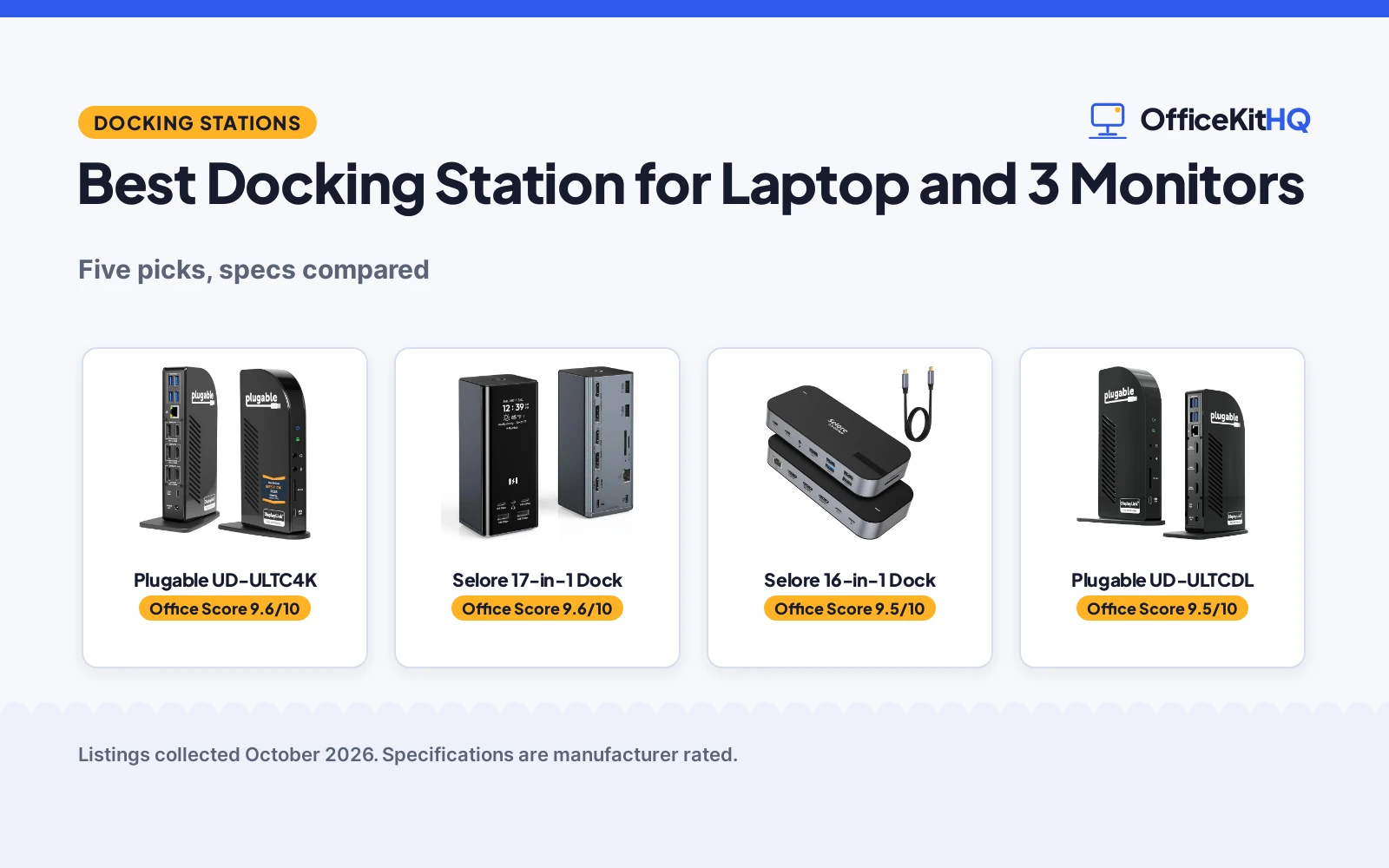
 Best Overall Plugable UD-ULTC4K: Triple 4K at 60Hz, 3 HDMI + 3 DisplayPort, 100W, lifetime support. Check price on Amazon
 Best Features Selore 17-in-1 Dock: Smart display with weather, triple 4K, 100W PD, 2-year warranty. Check price on Amazon
 Best Triple HDMI Selore 16-in-1 Dock: 3 HDMI ports, triple 4K, 10Gbps, 100W PD, 2-year warranty. Check price on Amazon
 Best for Mac Plugable UD-ULTCDL: DisplayLink triple monitors on Mac, 100W, TAA compliant. Check price on Amazon
 Best Compact Anker A8389 14-in-1: 14-in-1, dual 4K HDMI plus VGA, 80W PD, 18-month warranty. Check price on Amazon
The picks
| # | Product | Office Score | Buy |
|---|---|---|---|
| 1 | Plugable UD-ULTC4K | 9.6/10 | Buy on Amazon |
| 2 | Selore 17-in-1 Dock | 9.6/10 | Buy on Amazon |
| 3 | Selore 16-in-1 Dock | 9.5/10 | Buy on Amazon |
| 4 | Plugable UD-ULTCDL | 9.5/10 | Buy on Amazon |
| 5 | Anker A8389 14-in-1 | 9.5/10 | Buy on Amazon |

Plugable UD-ULTC4K
A 13-in-1 dock with triple 4K at 60Hz over 3 HDMI and 3 DisplayPort, 100W charging and lifetime support.
Pros
- Triple 4K monitors at 60Hz, the highest here
- 3 HDMI plus 3 DisplayPort outputs
- 100W power delivery, 96W certified
- Lifetime support stated with 2-year warranty
Cons
- DisplayLink driver required on macOS
- HDCP not supported, per the listing
- No safety certification is stated
- Power adapter details not fully stated
Detailed Review
Plugable lists the UD-ULTC4K as a 13-in-1 USB-C docking station driving up to three 4K 60Hz monitors through 3 HDMI and 3 DisplayPort outputs. The listing describes 100W laptop charging (96W certified), 20W accessory charging on the front USB-C, Gigabit Ethernet, SD card reader and a single 10Gbps USB-C host connection. The listing states it was named Best Docking Station 2025 by How-To Geek, a 2-year limited parts and labor warranty, and lifetime support from Plugable. DisplayLink drivers are required on macOS.
Who it's for: Windows users who want the full triple 4K at 60Hz. Who should skip it: anyone who needs HDCP streaming on the connected displays.
Its Office Score of 9.6/10 comes from performance 33/35, build 21/25, value 21/25, safety 0/10 and warranty 5/5: 80 of 100 points, placed on our 9.2 to 9.8 scale.
Key Specifications
| Monitors | 3x 4K@60Hz |
|---|---|
| Video outputs | 3 HDMI + 3 DisplayPort |
| Power delivery | 100W (96W certified) |
| Ports | 13 |
Figures as published on the retailer listing, collected 18 October 2026. Performance figures are manufacturer rated.
Safety and Warranty
What this listing states. No safety listing or safety feature is stated, so safety scores zero. 2-year limited parts and labor warranty, so warranty scores 5 of 5. See How We Pick.
Follow the manual. Assemble and use the product as the maker describes, stay under any stated capacity, and read the manual before first use.
This is general buying information, not professional advice. Follow each product manual and local rules, and see our Safety Disclaimer.

Selore 17-in-1 Dock
A 17-in-1 dock with triple 4K, a smart display with weather, 100W PD and 10Gbps USB.
Pros
- Smart display shows weather, date, time and charging status
- Triple 4K: two ports at 60Hz, third at 30Hz
- 17 ports including 10Gbps USB-A and USB-C
- 2-year manufacturer warranty
Cons
- Mirror mode only on Mac, per the listing
- Needs an 87W or higher charger, not included
- No safety certification is stated
- Third monitor limited to 4K at 30Hz
Detailed Review
Selore lists a 17-in-1 docking station with 3 HDMI at 4K, 2 DisplayPort at up to 8K at 30Hz, 10Gbps USB-A and USB-C ports, Gigabit Ethernet and SD/microSD 3.0. The listing describes a smart LCD display with weather, date and time, double-press privacy mode, 100W PD input with about 85W pass-through to the laptop, and a 2-year manufacturer warranty. Triple extended display works on Windows via MST; on Mac only mirror mode is supported, per the listing.
Who it's for: Windows users who want the most ports and a smart display. Who should skip it: Mac users who need three extended displays.
Its Office Score of 9.6/10 comes from performance 32/35, build 20/25, value 21/25, safety 0/10 and warranty 5/5: 78 of 100 points, placed on our 9.2 to 9.8 scale.
Key Specifications
| Monitors | 3 (2x 4K@60 + 1x 4K@30) |
|---|---|
| Power delivery | 100W in, 85W to laptop |
| Ports | 17 |
| USB speed | 10Gbps |
Figures as published on the retailer listing, collected 18 October 2026. Performance figures are manufacturer rated.
Safety and Warranty
What this listing states. No safety listing or safety feature is stated, so safety scores zero. 2-year manufacturer warranty, so warranty scores 5 of 5. See How We Pick.
Follow the manual. Assemble and use the product as the maker describes, stay under any stated capacity, and read the manual before first use.
This is general buying information, not professional advice. Follow each product manual and local rules, and see our Safety Disclaimer.
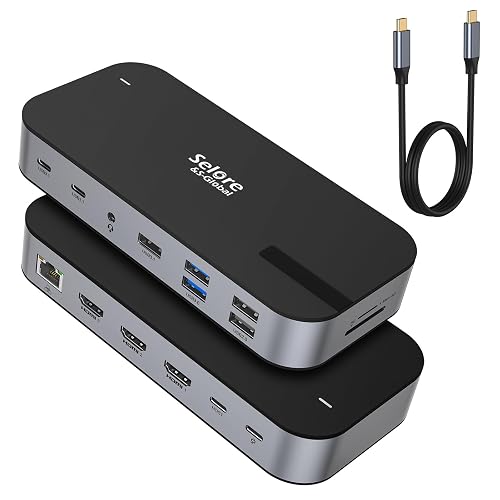
Selore 16-in-1 Dock
A 16-in-1 dock with triple HDMI 4K, 10Gbps transfer and 100W PD charging.
Pros
- Three HDMI ports for triple monitors
- Triple 4K at 30Hz, or single 4K at 60Hz
- 10Gbps USB-A and USB-C ports
- 2-year warranty stated
Cons
- Mirror mode only on Mac, per the listing
- Needs an 87W or higher charger, not included
- No safety certification is stated
- No DisplayPort outputs
Detailed Review
Selore lists a 16-in-1 docking station with 3 HDMI ports driving triple 4K at 30Hz, or a single 4K at 60Hz. The listing describes 10Gbps USB-A 3.1 and USB-C ports, 100W PD charging, Gigabit Ethernet, SD and microSD slots, and a 2-year warranty. Triple extended display works on Windows; on Mac only mirror mode is supported, per the listing.
Who it's for: Windows users who want three HDMI monitors on one dock. Who should skip it: anyone who needs DisplayPort outputs or Mac extended display.
Its Office Score of 9.5/10 comes from performance 30/35, build 20/25, value 20/25, safety 0/10 and warranty 5/5: 75 of 100 points, placed on our 9.2 to 9.8 scale.
Key Specifications
| Monitors | 3x HDMI, triple 4K@30Hz |
|---|---|
| Power delivery | 100W |
| Ports | 16 |
| USB speed | 10Gbps |
Figures as published on the retailer listing, collected 18 October 2026. Performance figures are manufacturer rated.
Safety and Warranty
What this listing states. No safety listing or safety feature is stated, so safety scores zero. 2-year warranty, so warranty scores 5 of 5. See How We Pick.
Follow the manual. Assemble and use the product as the maker describes, stay under any stated capacity, and read the manual before first use.
This is general buying information, not professional advice. Follow each product manual and local rules, and see our Safety Disclaimer.

Plugable UD-ULTCDL
A 13-in-1 DisplayLink dock that extends three monitors on Mac and Windows, with 100W charging.
Pros
- Extends three displays on Mac via DisplayLink
- TAA, NDAA and Section 889 compliant, per the listing
- 100W laptop charging plus 20W device charging
- Lifetime support stated with 2-year warranty
Cons
- Lower resolutions: 4K at 30Hz plus two at 1920x1200
- DisplayLink driver install required on Mac
- HDCP not supported, per the listing
- No safety certification is stated
Detailed Review
Plugable lists the UD-ULTCDL as a 13-in-1 USB-C docking station with triple monitor support via DisplayLink: up to 4K at 30Hz on HDMI 1 and 1920x1200 at 60Hz on HDMI 2 and 3. The listing describes 100W laptop charging, 20W device charging, Gigabit Ethernet, SD reader and audio in/out, and states TAA, NDAA and Section 889 compliance for government deployments. A 2-year limited parts and labor warranty and lifetime support are stated.
Who it's for: Mac users and IT fleets that need three extended displays. Who should skip it: anyone who needs triple 4K at 60Hz.
Its Office Score of 9.5/10 comes from performance 28/35, build 21/25, value 20/25, safety 0/10 and warranty 5/5: 74 of 100 points, placed on our 9.2 to 9.8 scale.
Key Specifications
| Monitors | 3 via DisplayLink |
|---|---|
| Resolution | 4K@30 + 2x 1920x1200 |
| Power delivery | 100W |
| Compliance | TAA, NDAA, Sec. 889 |
Figures as published on the retailer listing, collected 18 October 2026. Performance figures are manufacturer rated.
Safety and Warranty
What this listing states. No safety listing or safety feature is stated, so safety scores zero. 2-year limited parts and labor warranty, so warranty scores 5 of 5. See How We Pick.
Follow the manual. Assemble and use the product as the maker describes, stay under any stated capacity, and read the manual before first use.
This is general buying information, not professional advice. Follow each product manual and local rules, and see our Safety Disclaimer.

Anker A8389 14-in-1
A 14-in-1 hub with dual 4K HDMI plus 1080p VGA triple display and 80W pass-through charging.
Pros
- 14 connectivity options in one hub
- Triple display: dual 4K HDMI plus 1080p VGA
- 80W pass-through charging
- 18-month warranty stated
Cons
- External monitors show identical display on macOS
- 80W charging trails the 100W docks here
- 5Gbps data speed, not 10Gbps
- No safety certification is stated
Detailed Review
Anker lists the A8389 as a 14-in-1 USB-C hub with triple display across two 4K HDMI ports and a 1080p VGA port. The listing describes 5Gbps USB-A and USB-C data ports, a 100W USB-C PD-IN port with 80W pass-through charging, Gigabit Ethernet, SD/microSD and AUX. An 18-month warranty is stated. Note: on macOS the external monitors show an identical display, per the listing; the wall charger is not included.
Who it's for: Windows users who want a compact hub with triple display including VGA. Who should skip it: Mac users who need extended displays or anyone who needs 100W charging.
Its Office Score of 9.5/10 comes from performance 27/35, build 20/25, value 20/25, safety 0/10 and warranty 4/5: 71 of 100 points, placed on our 9.2 to 9.8 scale.
Key Specifications
| Monitors | 2x 4K HDMI + 1080p VGA |
|---|---|
| Power delivery | 80W pass-through |
| Ports | 14 |
| USB speed | 5Gbps |
Figures as published on the retailer listing, collected 18 October 2026. Performance figures are manufacturer rated.
Safety and Warranty
What this listing states. No safety listing or safety feature is stated, so safety scores zero. 18-month warranty. It does not say everything a buyer needs, such as who pays return shipping, so warranty scores 4 of 5. See How We Pick.
Follow the manual. Assemble and use the product as the maker describes, stay under any stated capacity, and read the manual before first use.
This is general buying information, not professional advice. Follow each product manual and local rules, and see our Safety Disclaimer.
As an Amazon Associate I earn from qualifying purchases.
More picks to compare
 Selore&S-Global Selore USB C Docking StationCheck on Amazon
 Plugable USB C Triple Display DockingCheck on Amazon
 TobenONE DisplayLink Docking StationCheck on Amazon
 WAVLINK Displaylink Docking StationCheck on Amazon
 Acer 13-in-1 Laptop Docking StationCheck on Amazon
Compare the picks
| Docking Station | Office Score | Monitors | Max Resolution | Power Delivery | Warranty | Amazon |
|---|---|---|---|---|---|---|
| Plugable UD-ULTC4K | 9.6/10 | 3 | Triple 4K@60Hz | 100W | 2 years | View on Amazon |
| Selore 17-in-1 Dock | 9.6/10 | 3 | Triple 4K (2×60+1×30) | 100W | 2 years | View on Amazon |
| Selore 16-in-1 Dock | 9.5/10 | 3 | Triple 4K@30Hz | 100W | 2 years | View on Amazon |
| Plugable UD-ULTCDL | 9.5/10 | 3 | 4K@30 + 2x 1200p | 100W | 2 years | View on Amazon |
| Anker A8389 14-in-1 | 9.5/10 | 3 | Dual 4K + 1080p | 80W | 18 months | View on Amazon |
Specifications are manufacturer rated as listed, collected 18 October 2026.
How we scored them
The Office Score weighs performance, build, value, safety and warranty. No listing states a safety certification, so safety is 0 for all five; four state a 2-year warranty term and one states 18 months. How we pick explains the weights.
| Product | Office Score | Perf. /35 | Build /25 | Value /25 | Safety /10 | Warranty /5 |
|---|---|---|---|---|---|---|
| Plugable UD-ULTC4K | 9.6 | 33 | 21 | 21 | 0 | 5 |
| Selore 17-in-1 Dock | 9.6 | 32 | 20 | 21 | 0 | 5 |
| Selore 16-in-1 Dock | 9.5 | 30 | 20 | 20 | 0 | 5 |
| Plugable UD-ULTCDL | 9.5 | 28 | 21 | 20 | 0 | 5 |
| Anker A8389 14-in-1 | 9.5 | 27 | 20 | 20 | 0 | 4 |
Scores run from 9.2 to 9.8: each product’s point total is placed on that range, so more points always means a higher score.
How to choose the best docking station for laptop and 3 monitors
Check the Mac question first
Triple extended display is a Windows MST story on the Selore docks; both state mirror mode only on Mac. The Plugable UD-ULTCDL uses DisplayLink to extend three displays on Macs, with a driver install. The Anker also mirrors on macOS. Browse more docking stations and USB hubs if your fleet is mixed.
Match the resolution to the work
The UD-ULTC4K drives three 4K monitors at 60Hz; the Selore 17-in-1 does two at 60Hz and the third at 30Hz; the 16-in-1 does triple 4K at 30Hz. The UD-ULTCDL tops out at 4K at 30Hz on one port and 1920×1200 on the other two, and the Anker pairs dual 4K HDMI with a 1080p VGA port. Spreadsheets forgive 30Hz; design work does not.
Count the power delivery
Four docks list 100W power delivery; the Anker lists 80W. The Selore 17-in-1 passes about 85W to the laptop and needs an 87W or higher charger, not included. The UD-ULTC4K is 96W certified. For simpler setups see our USB hubs for multiple external hard drives.
| Docking station | Monitors | Resolution | Power | Warranty |
|---|---|---|---|---|
| Plugable UD-ULTC4K | 3 | Triple 4K@60Hz | 100W | 2 years |
| Selore 17-in-1 Dock | 3 | 2x 4K@60 + 1x 4K@30 | 100W | 2 years |
| Selore 16-in-1 Dock | 3 | Triple 4K@30Hz | 100W | 2 years |
| Plugable UD-ULTCDL | 3 | 4K@30 + 2x 1200p | 100W | 2 years |
| Anker A8389 14-in-1 | 3 | Dual 4K + 1080p | 80W | 18 months |
Figures as stated in each listing.
Setup Notes
- Confirm your laptop’s USB-C port supports DisplayPort Alt Mode or Thunderbolt before buying any of these docks.
- DisplayLink models need a driver install on macOS, with screen recording permission for the driver.
- The Selore docks need an 87W or higher charger, not included; the UD-ULTCDL includes a power adapter.
- HDCP is not supported on the Plugable docks, so protected streaming may not play on connected displays.
Frequently Asked Questions
Which docks extend three displays on a Mac?
The Plugable UD-ULTCDL, via DisplayLink with a driver install. The Selore docks and the Anker state mirror mode only on macOS.
Which has the highest triple-monitor resolution?
The Plugable UD-ULTC4K at triple 4K and 60Hz. The Selore 17-in-1 does two at 60Hz and the third at 30Hz.
Do any include a power adapter?
The UD-ULTCDL includes a power adapter. The Selore docks and the Anker need a charger of 87W or higher, not included.
Which has the longest warranty?
Four docks state a 2-year warranty term; the Anker states 18 months. Both Plugable docks add lifetime support.
Do these work with ChromeOS?
The UD-ULTC4K, UD-ULTCDL and Selore 17-in-1 list ChromeOS compatibility; the Selore 16-in-1 and Anker do not name it.
Related guides
See every docking stations and USB hubs guide and all connectivity guides.
More picks: docking stations for two monitors and laptop, docking stations for dual monitors and laptop and USB hubs for multiple external hard drives.