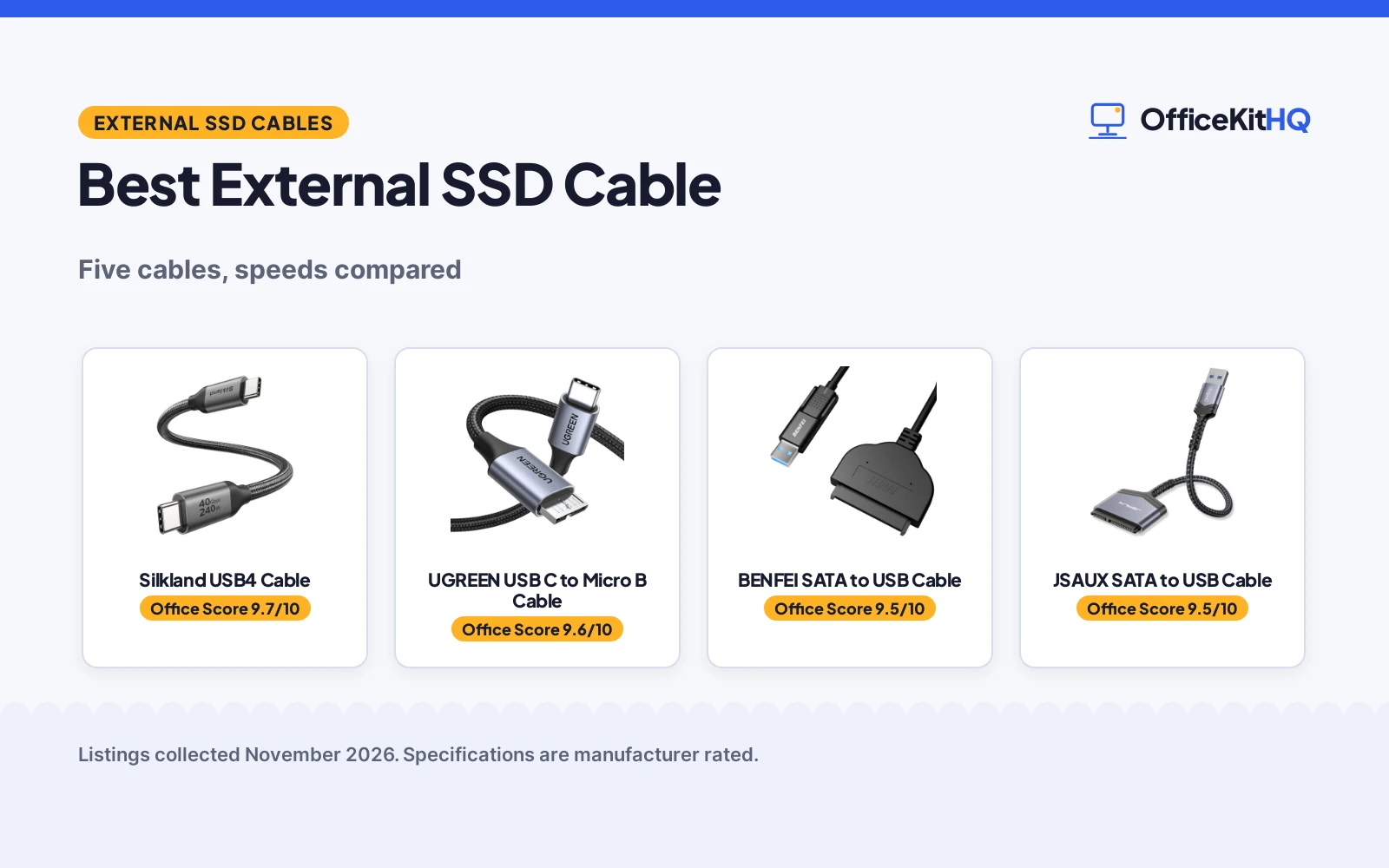
The best external ssd cable is the one that matches the drive in your hand to the port on your laptop, because a wrong plug turns a backup into a hunt through a drawer. A cable that ends in Micro-B cannot help a USB-C drive, and a SATA adapter cannot help a drive that never leaves its enclosure. Five cables and adapters are compared here by stated speed, connector type, length, stated power and warranty term, using only what each maker publishes.
OfficeKitHQ earns a commission when you buy through links on this page, at no extra cost to you. As an Amazon Associate I earn from qualifying purchases. Affiliate disclosure.
Quick picks
 Best Overall Silkland USB4 Cable: 40 Gbps, 240 W, 8K video, 1 ft braided cable Check price on Amazon
 Best Micro B Cable UGREEN USB C to Micro B Cable: 10 Gbps, 40,000+ bend cycles, 1.5 ft braided cable Check price on Amazon
 Best SATA Adapter BENFEI SATA to USB Cable: 6 Gbps for SSD, dual USB-C and USB-A, 18-month warranty Check price on Amazon
 Best Value JSAUX SATA to USB Cable: 5 Gbps with UASP, 10,000+ bend cycles, aluminum shell Check price on Amazon
 Best Long Micro B Cable ienza USB C to Micro B Cable: 3 ft length for Seagate, WD and Toshiba drives Check price on Amazon
Our desk picks
| # | Product | Office Score | Buy |
|---|---|---|---|
| 1 | Silkland USB4 Cable | 9.7/10 | Buy on Amazon |
| 2 | UGREEN USB C to Micro B Cable | 9.6/10 | Buy on Amazon |
| 3 | BENFEI SATA to USB Cable | 9.5/10 | Buy on Amazon |
| 4 | JSAUX SATA to USB Cable | 9.5/10 | Buy on Amazon |
| 5 | ienza USB C to Micro B Cable | 9.3/10 | Buy on Amazon |

Silkland USB4 Cable
A 1 ft USB4 cable rated at 40 Gbps and 240 W with 8K video support and a 48-strand braided jacket.
Pros
- 40 Gbps data rate, 4x faster than USB 3.2 per the maker
- 240 W charging with E-Marker chip and PD 3.1 support
- Single 8K at 60 Hz or dual 4K at 60 Hz display support
- 48-strand braided jacket with aluminum shell and stainless steel connectors
Cons
- 1 ft length is short for a desk run to a dock
- 240 W charging needs a compatible charger
- Full 40 Gbps needs a USB4 or Thunderbolt 4 port
- 8K and dual 4K output need a matching display and host
Detailed Review
Silkland rates this 1 ft USB4 cable at 40 Gbps with 240 W charging through an E-Marker chip, and it supports a single 8K display at 60 Hz or dual 4K displays at 60 Hz. The maker states Thunderbolt 4 support with backward compatibility to Thunderbolt 3 and USB 3.2, plus PD 3.1, QC 4.0, FCP and AFC charging. A 48-strand braided jacket, aluminum shell, EMI-resistant tinplate and stainless steel connectors are stated, and the maker lists 24-month customer care.
Who it's for: someone connecting a fast external SSD or a dock to a Thunderbolt 4 or USB4 port at close range. Who should skip it: anyone who needs a longer run across a desk or a cable for a USB-A only host.
Its Office Score of 9.7/10 comes from performance 33/35, build 22/25, value 21/25, safety 8/10 and warranty 0/5: 84 of 100 points, placed on our 9.2 to 9.8 scale.
Key Specifications
| Speed | 40 Gbps |
|---|---|
| Power | 240 W |
| Length | 1 ft |
| Video | 8K at 60 Hz |
These specs mirror the retailer listing as of 21 November 2026; performance figures are stated by the brand.
Safety and Warranty
What this listing states. E-Marker chip for safety, stability, and battery protection; aluminum shell for heat dissipation, so safety scores 8 of 10. No warranty term, so warranty scores zero. See How We Pick.
Surge protector limits. Look for a UL 1449 listing, never plug one strip into another, keep the total load under the stated rating, and replace the unit after a major surge or when its indicator says protection has ended.
This is general buying information, not professional advice. Follow each product manual and local rules, and see our Safety Disclaimer.

UGREEN USB C to Micro B Cable
A 1.5 ft USB-C to Micro-B cable rated at 10 Gbps with a braided shield and 40,000+ bend cycles.
Pros
- 10 Gbps transfer rate, 10x faster than USB 3.0 per the maker
- 40,000+ bend cycles with a braided shield and aluminum alloy shell
- Multiple layers of shielding to minimize interference
- Lists Seagate, Toshiba, WD My Passport and LaCie drives as compatible
Cons
- The Micro-B plug cannot connect a USB-C external drive
- 1.5 ft length is short for a drive kept away from the laptop
- 10 Gbps is lower than the 40 Gbps stated for the Silkland
- No charging wattage is stated
Detailed Review
UGREEN rates this 1.5 ft cable at 10 Gbps between a USB-C host and a Micro-B external drive, and the maker states a 10 GB file moves in 20 seconds. A braided shield, 40,000+ bend cycles and an aluminum alloy connector are stated, with multiple layers of shielding to minimize interference. The maker lists Micro-B compatibility with Toshiba Canvio, Seagate FreeAgent, WD My Passport and LaCie drives, and USB-C compatibility with MacBook Pro and Air, iMac, iPad Pro and Dell XPS.
Who it's for: someone connecting an older Micro-B external drive to a USB-C laptop. Who should skip it: anyone whose drive has a USB-C port or who needs a longer cable.
Its Office Score of 9.6/10 comes from performance 29/35, build 22/25, value 21/25, safety 5/10 and warranty 0/5: 77 of 100 points, placed on our 9.2 to 9.8 scale.
Key Specifications
| Speed | 10 Gbps |
|---|---|
| Length | 1.5 ft |
| Bend cycles | 40,000+ |
| Connector | USB-C to Micro-B |
These specs mirror the retailer listing as of 21 November 2026; performance figures are stated by the brand.
Safety and Warranty
What this listing states. Aluminum alloy shell and multiple layers of shielding; corrosion-resistant build, so safety scores 5 of 10. No warranty term, so warranty scores zero. See How We Pick.
Surge protector limits. Look for a UL 1449 listing, never plug one strip into another, keep the total load under the stated rating, and replace the unit after a major surge or when its indicator says protection has ended.
This is general buying information, not professional advice. Follow each product manual and local rules, and see our Safety Disclaimer.

BENFEI SATA to USB Cable
A 1 m 2-in-1 adapter that connects a 2.5 inch SATA SSD or HDD over USB-C or USB 3.0 at up to 6 Gbps.
Pros
- Up to 6 Gbps for SSDs, with UASP for faster reads and writes
- Two host plugs in one cable: USB-C and USB 3.0
- 18-month warranty is stated
- Plug-and-play with no drivers and no enclosure needed
Cons
- Works only with 2.5 inch SATA drives; 3.5 inch, 5.25 inch and M.2 drives are not supported
- 6 Gbps applies to SSDs only; the USB 3.0 rate is 5 Gbps
- The bare drive sits outside an enclosure, with no case for protection
- Actual speed depends on the capability of the connected device
Detailed Review
BENFEI rates this 1 m adapter at up to 6 Gbps for SSDs over USB 3.0, with UASP stated to give faster reads and faster writes than standard USB 3.0. It connects a 2.5 inch SATA SSD or HDD through a USB-C plug or a USB 3.0 plug, and it works without drivers and without an enclosure. The maker states an 18-month warranty. The adapter works only with 2.5 inch SATA drives; 3.5 inch, 5.25 inch and M.2 drives are not supported.
Who it's for: someone who swaps 2.5 inch SATA SSDs in and out for backups or disk images. Who should skip it: anyone with a 3.5 inch drive, an M.2 drive, or a drive that needs an enclosure.
Its Office Score of 9.5/10 comes from performance 28/35, build 20/25, value 21/25, safety 0/10 and warranty 3/5: 72 of 100 points, placed on our 9.2 to 9.8 scale.
Key Specifications
| Speed | Up to 6 Gbps |
|---|---|
| Length | 1 m |
| Drive fit | 2.5 in SATA |
| Warranty | 18 months |
These specs mirror the retailer listing as of 21 November 2026; performance figures are stated by the brand.
Safety and Warranty
What this listing states. No UL 1449 listing or joule rating is stated, so safety scores zero. 18-month warranty. It does not say everything a buyer needs, such as who pays return shipping, so warranty scores 3 of 5. See How We Pick.
Surge protector limits. Look for a UL 1449 listing, never plug one strip into another, keep the total load under the stated rating, and replace the unit after a major surge or when its indicator says protection has ended.
This is general buying information, not professional advice. Follow each product manual and local rules, and see our Safety Disclaimer.
JSAUX SATA to USB Cable
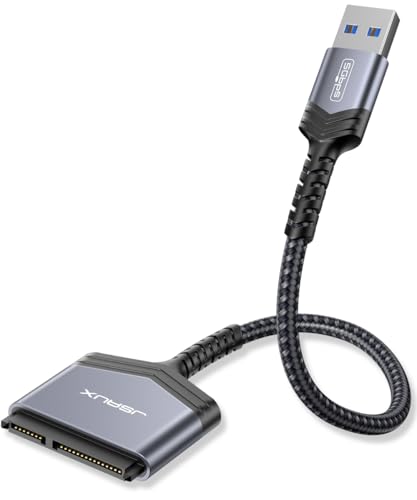
A USB 3.0 to SATA adapter for 2.5 inch SSDs and HDDs at up to 5 Gbps with UASP and an aluminum shell.
Pros
- Up to 5 Gbps with UASP, up to 70% faster than standard USB 3.0 per the maker
- Strain relief rated for 10,000+ bending and plug-in cycles
- Aluminum shell with a nylon cord
- No external power needed for 2.5 inch SSDs and HDDs
Cons
- Works only with 2.5 inch SATA drives; 3.5 inch, ATA, mSATA and M.2 are not supported
- No warranty term is stated
- The hard drive sits bare, with no enclosure included
- 5 Gbps is lower than the 6 Gbps the BENFEI states for SSDs
Detailed Review
JSAUX rates this adapter at up to 5 Gbps over USB 3.0 for a 2.5 inch SATA SSD or HDD, with UASP stated to run up to 70% faster than standard USB 3.0 on a UASP-capable host. The aluminum shell and nylon cord carry strain relief rated for 10,000+ bending and plug-in cycles, and the adapter needs no external power for 2.5 inch drives. It works without drivers and swaps drives without an enclosure. The adapter cannot be used for 3.5 inch hard drives and is not compatible with ATA, mSATA and M.2 interfaces.
Who it's for: someone who connects a spare 2.5 inch SATA SSD for backups or data recovery. Who should skip it: anyone with a 3.5 inch drive or an M.2 drive.
Its Office Score of 9.5/10 comes from performance 27/35, build 20/25, value 20/25, safety 5/10 and warranty 0/5: 72 of 100 points, placed on our 9.2 to 9.8 scale.
Key Specifications
| Speed | 5 Gbps |
|---|---|
| Drive fit | 2.5 in SATA |
| Bend cycles | 10,000+ |
| Power | No external power |
These specs mirror the retailer listing as of 21 November 2026; performance figures are stated by the brand.
Safety and Warranty
What this listing states. Strain relief rated for 10,000+ bending and plug-in cycles, so safety scores 5 of 10. No warranty term, so warranty scores zero. See How We Pick.
Surge protector limits. Look for a UL 1449 listing, never plug one strip into another, keep the total load under the stated rating, and replace the unit after a major surge or when its indicator says protection has ended.
This is general buying information, not professional advice. Follow each product manual and local rules, and see our Safety Disclaimer.

ienza USB C to Micro B Cable
A 3 ft USB-C to Micro-B cable for Seagate, WD My Passport, Toshiba Canvio, LaCie and Maxone external drives.
Pros
- 3 ft length reaches a drive kept off the laptop
- Lists Seagate, WD My Passport, Toshiba Canvio, LaCie and Maxone drives
- USB-C plug fits iPhone 15 and 16 Pro Max, PC, Mac, Samsung, LG, Moto and Pixel hosts
- Works with SSD and HDD devices that have a Micro-B port
Cons
- No data transfer speed is stated
- USB-C hosts only; it will not work with USB-A only ports
- Micro-B end fits older drives only, not USB-C drives
- No warranty term is stated
Detailed Review
ienza lists this 3 ft cable as a USB-C to Micro-B cord for external hard drives with a Micro-B port, naming Seagate, WD My Passport, Toshiba Canvio, LaCie and Maxone drives. The USB-C plug is stated to fit iPhone 15 and 16 Pro Max, PC, Mac, Samsung, LG, Moto and Pixel hosts, and the maker states it will not work with USB-A only ports. The maker states no data transfer speed for this cable.
Who it's for: someone with a Micro-B external drive and a USB-C laptop who wants a longer 3 ft reach. Who should skip it: anyone with a USB-A only host or a USB-C drive.
Its Office Score of 9.3/10 comes from performance 23/35, build 19/25, value 19/25, safety 0/10 and warranty 0/5: 61 of 100 points, placed on our 9.2 to 9.8 scale.
Key Specifications
| Length | 3 ft |
|---|---|
| Connector | USB-C to Micro-B |
| Drive fit | Micro-B drives |
| Weight | 0.0625 lb |
These specs mirror the retailer listing as of 21 November 2026; performance figures are stated by the brand.
Safety and Warranty
What this listing states. No UL 1449 listing or joule rating is stated, so safety scores zero. No warranty term, so warranty scores zero. See How We Pick.
Surge protector limits. Look for a UL 1449 listing, never plug one strip into another, keep the total load under the stated rating, and replace the unit after a major surge or when its indicator says protection has ended.
This is general buying information, not professional advice. Follow each product manual and local rules, and see our Safety Disclaimer.
As an Amazon Associate I earn from qualifying purchases.
More picks to compare
 Reallycare Micro B CableFor a WD or Seagate drive that needs a short 1 ft Micro-B cable.Check on Amazon
 CLAVOOP Micro B CableFor a Seagate or Toshiba drive that needs a 1.5 ft cable.Check on Amazon
 JSAUX Micro B CableFor a Micro-B drive that needs 20 Gbps and both USB-C and USB-A plugs.Check on Amazon
 SUNGUY Micro B CableFor a WD drive that needs a 1 ft cable at 10 Gbps.Check on Amazon
 ienza Micro B CableFor a WD My Passport drive that needs a 3 ft USB 3.0 cable.Check on Amazon
Specs compared
| Cable | Office Score | Speed | Power | Length | Connector | Warranty | Amazon |
|---|---|---|---|---|---|---|---|
| Silkland USB4 Cable | 9.7/10 | 40 Gbps | 240 W | 1 ft | USB-C to USB-C | Not stated | View on Amazon |
| UGREEN USB C to Micro B Cable | 9.6/10 | 10 Gbps | Not stated | 1.5 ft | USB-C to Micro-B | Not stated | View on Amazon |
| BENFEI SATA to USB Cable | 9.5/10 | Up to 6 Gbps | Not stated | 1 m | USB-C/USB-A to SATA | 18 months | View on Amazon |
| JSAUX SATA to USB Cable | 9.5/10 | 5 Gbps | Not stated | Not stated | USB-A to SATA | Not stated | View on Amazon |
| ienza USB C to Micro B Cable | 9.3/10 | Not stated | Not stated | 3 ft | USB-C to Micro-B | Not stated | View on Amazon |
All numbers are the manufacturer’s stated specs, not measured in an office, pulled on 21 November 2026. One of the five states a warranty term, and three state a protective feature.
How to choose the best external ssd cable
Match the connector to the drive first
Start with the plug on the drive, not the plug on the laptop. The UGREEN and the ienza end in Micro-B for older external drives from Seagate, WD, Toshiba, LaCie and Maxone, while the BENFEI and the JSAUX end in SATA for a bare 2.5 inch SSD or HDD. The Silkland ends in USB-C on both sides for a USB4 or Thunderbolt 4 port. A cable with the wrong end cannot connect at all, so check the drive port against the cable plug before checking speed. The USB-C cable specs guide lists the speeds, power, lengths and types in one place.
Read the speed figure for the drive you own
The highest stated speed here is 40 Gbps on the Silkland, then 10 Gbps on the UGREEN, up to 6 Gbps for SSDs on the BENFEI and up to 5 Gbps on the JSAUX. The ienza states no speed at all, so a buyer who needs a stated rate should pick one of the other four. Speed also depends on the drive and the host: the BENFEI states its 6 Gbps rate for SSDs only, and the JSAUX states its UASP gain on a host that supports UASP. Are all USB-C cables data cables explains how to tell a data cable from a charging-only cable.
| Cable | Speed | Length | Connector |
|---|---|---|---|
| Silkland USB4 Cable | 40 Gbps | 1 ft | USB-C to USB-C |
| UGREEN USB C to Micro B Cable | 10 Gbps | 1.5 ft | USB-C to Micro-B |
| BENFEI SATA to USB Cable | Up to 6 Gbps | 1 m | USB-C/USB-A to SATA |
| JSAUX SATA to USB Cable | 5 Gbps | Not stated | USB-A to SATA |
| ienza USB C to Micro B Cable | Not stated | 3 ft | USB-C to Micro-B |
Figures as stated in each listing. The BENFEI 6 Gbps figure applies to SSDs only.
Length, power and warranty
Length runs from 1 ft on the Silkland to 3 ft on the ienza, with the UGREEN at 1.5 ft and the BENFEI at 1 m; the JSAUX states no length. A short cable suits a drive that sits beside the laptop, while the 3 ft ienza reaches a drive kept further away. Power is stated on one cable only: the Silkland at 240 W with an E-Marker chip, and it needs a compatible charger. Warranty is stated on one cable only: the BENFEI at 18 months, while the Silkland lists 24-month customer care without calling it a warranty. The USB cable sizes guide explains types and lengths.
Setup Notes
- Measure the run from the laptop port to the drive before choosing between the 1 ft Silkland and the 3 ft ienza.
- Confirm the drive port: Micro-B on the UGREEN and ienza, SATA on the BENFEI and JSAUX, USB-C on the Silkland.
- Check the host port: the ienza works with USB-C hosts only and will not work with USB-A only ports.
- Plan power: the Silkland 240 W charging needs a compatible charger.
- Keep the 18-month BENFEI warranty and the 24-month Silkland customer care in view when comparing support.
FAQ
Which cable here has the highest speed for an external SSD?
The Silkland states the highest speed at 40 Gbps, then the UGREEN at 10 Gbps. The BENFEI states up to 6 Gbps for SSDs and the JSAUX states up to 5 Gbps, while the ienza states no speed.
What connector does my external drive need?
A Micro-B drive takes the UGREEN or the ienza cable. A bare 2.5 inch SATA SSD or HDD takes the BENFEI or the JSAUX adapter. A USB-C or Thunderbolt 4 drive takes the Silkland cable.
Can I charge a laptop through the highest-speed cable here?
The Silkland states up to 240 W charging with an E-Marker chip, when paired with a compatible charger. The other four cables state no charging wattage.
Which of these cables states a warranty?
The BENFEI states an 18-month warranty. The Silkland lists 24-month customer care without calling it a warranty, and the other three state no warranty term.
How long are the cables in this roundup?
The Silkland is 1 ft, the UGREEN is 1.5 ft, the BENFEI is 1 m and the ienza is 3 ft. The JSAUX states no cable length.
Score breakdown
The Office Score weighs performance (stated speed, power and video support), build (jacket, shell and connector materials and stated bend figures), value for the stated specs, safety and warranty. For a cable, safety means a stated E-Marker chip, strain relief rating or shielding that protects the connection; the Silkland, UGREEN and JSAUX state one, the other two do not. One listing states a warranty term: BENFEI at 18 months. How we pick explains the weights.
| Product | Office Score | Perf. /35 | Build /25 | Value /25 | Safety /10 | Warranty /5 |
|---|---|---|---|---|---|---|
| Silkland USB4 Cable | 9.7 | 33 | 22 | 21 | 8 | 0 |
| UGREEN USB C to Micro B Cable | 9.6 | 29 | 22 | 21 | 5 | 0 |
| BENFEI SATA to USB Cable | 9.5 | 28 | 20 | 21 | 0 | 3 |
| JSAUX SATA to USB Cable | 9.5 | 27 | 20 | 20 | 5 | 0 |
| ienza USB C to Micro B Cable | 9.3 | 23 | 19 | 19 | 0 | 0 |
We fit point totals onto a 9.2 low and 9.8 high in a straight line. One item can outscore another only by earning more points.
More for your workspace
See every storage and network guide and all office tech guides. Also see our best 1TB external SSD. Also see our best large external SSD.
More picks: docking stations and USB hubs, USB-C cable specs, best HDMI cable for laptop to monitor.