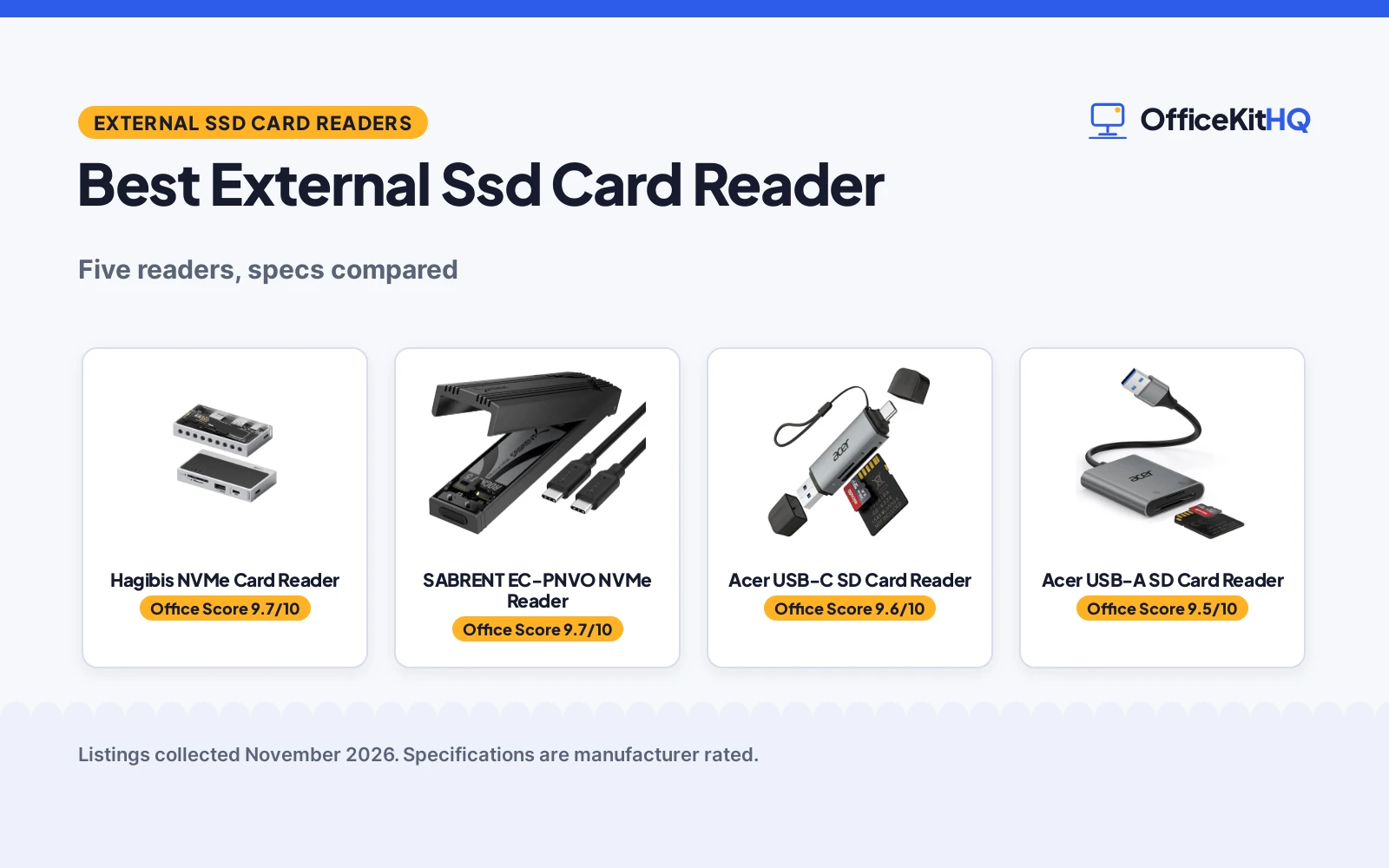
The search for the best external ssd card reader starts the morning the photo shoot fills the memory cards and the laptop has nowhere to read them. These readers plug in over USB and take SD and microSD cards, and the NVMe models also house an SSD for portable storage. We compared them by speed, card slots, SSD support, build and warranty term.
OfficeKitHQ earns a commission when you buy through links on this page, at no extra cost to you. As an Amazon Associate I earn from qualifying purchases. Affiliate disclosure.
Quick picks
 Best Overall Hagibis NVMe Card Reader: 10Gbps, NVMe plus SD4.0 and CFexpress, dual card reading Check price on Amazon
 Best NVMe Enclosure SABRENT EC-PNVO NVMe Reader: Tool-free NVMe enclosure, 10Gbps, fits 2230 to 2280, up to 8TB Check price on Amazon
 Best USB-C Reader Acer USB-C SD Card Reader: 5Gbps, dual SD and microSD slots, USB-A and USB-C headers Check price on Amazon
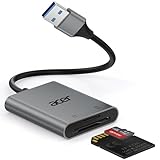 Best USB-A Reader Acer USB-A SD Card Reader: 5Gbps, dual SD and microSD slots, aluminum body, corded design Check price on Amazon
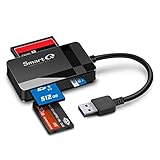 Most Card Types SmartQ C368 Card Reader: SD, Micro SD, MS and CF in one reader, 5GB per second stated Check price on Amazon
Our desk picks
| # | Product | Office Score | Buy |
|---|---|---|---|
| 1 | Hagibis NVMe Card Reader | 9.7/10 | Buy on Amazon |
| 2 | SABRENT EC-PNVO NVMe Reader | 9.7/10 | Buy on Amazon |
| 3 | Acer USB-C SD Card Reader | 9.6/10 | Buy on Amazon |
| 4 | Acer USB-A SD Card Reader | 9.5/10 | Buy on Amazon |
| 5 | SmartQ C368 Card Reader | 9.5/10 | Buy on Amazon |

Hagibis NVMe Card Reader
A 10Gbps USB-C reader with an M.2 NVMe enclosure, SD4.0 and Micro SD4.0 slots and a CFexpress Type B/A reader in an alloy body.
Pros
- M.2 NVMe enclosure plus SD4.0, Micro SD4.0 and CFexpress Type B/A in one reader
- Dual card simultaneous reading without repeated plugging
- 10Gbps on USB-A and USB 3.2 Gen2, with a USB-C 5V/2A power supply port
- Independent SSD switch with one-click power control
Cons
- SSD is purchased separately; enclosure arrives without one
- No stated maximum SSD size, unlike the 8TB figure on the SABRENT
- 3.5 in long body is larger than the 2.8 in Acer USB-C reader
- 1-year warranty, while the SABRENT offers 3 years with registration
Detailed Review
Hagibis lists the reader as a 10Gbps USB-C to PCI-E M.2 SSD case with SD4.0 and Micro SD4.0 slots and a CFexpress Type B/A reader. Dual card simultaneous reading covers M.2 NVMe, SD, Micro SD and USB, with an independent SSD switch for one-click power control. The USB-A port runs at 10Gbps, and the USB-C 5V/2A port works as a power supply port when many devices are attached. An alloy shell pairs with black leather, a GL security chip is stated, and it works with Windows, Linux, macOS, iOS and Android, no driver required. It measures 3.5 in by 2.0 in by 0.6 in, and the maker states a 1-year warranty.
Who it's for: someone who wants one reader for an NVMe SSD, SD4.0 cards and CFexpress cards with dual simultaneous reading. Who should skip it: anyone who wants a stated maximum SSD size or a reader under 3.5 in long.
Its Office Score of 9.7/10 comes from performance 33/35, build 22/25, value 22/25, safety 7/10 and warranty 2/5: 86 of 100 points, placed on our 9.2 to 9.8 scale.
Key Specifications
| Speed | 10Gbps |
|---|---|
| Card slots | SD4.0, Micro SD4.0, CFexpress Type B/A |
| SSD support | M.2 NVMe |
| Dimensions | 3.5 x 2.0 x 0.6 in |
These specs mirror the retailer listing as of 21 November 2026; performance figures are stated by the brand.
Safety and Warranty
What this listing states. Alloy shell for heat dissipation and GL security chip are stated, so safety scores 7 of 10. 1-year warranty. It does not say everything a buyer needs, such as who pays return shipping, so warranty scores 2 of 5. See How We Pick.
Follow the manual. Assemble and use the product as the maker describes, stay under any stated capacity, and read the manual before first use.
This is general buying information, not professional advice. Follow each product manual and local rules, and see our Safety Disclaimer.

SABRENT EC-PNVO NVMe Reader
A tool-free USB-C NVMe enclosure and reader at 10Gbps, taking M.2 NVMe SSDs from 2230 to 2280 up to 8TB.
Pros
- Tool-free flip-open design: no screws or tools required
- Supports M.2 NVMe SSDs from 2230 to 2280 up to at least 8TB
- Aluminum enclosure presses a thermal pad against the SSD for heat transfer
- USB 3.2 Gen 2 at up to 10Gbps, no drivers or external power needed
Cons
- NVMe only; not compatible with M.2 SATA SSDs
- No card slots, so SD and microSD cards need a separate reader
- Longest reader here at 4.59 in long
- 3-year warranty needs manufacturer registration
Detailed Review
SABRENT lists the EC-PNVO as a tool-free M.2 PCIe case for 2230 to 2280 NVMe SSDs up to at least 8TB, at USB 3.2 Gen 2 speeds to 10Gbps. The flip-open cover takes the SSD with no screws or tools, and the aluminum enclosure presses a thermal pad against the SSD for heat transfer. It connects over USB-C with no drivers or external power needed, for laptops, desktops and USB-C devices. The reinforced ABS frame with aluminum alloy top measures 4.59 in by 1.24 in by 0.6 in, and the maker states a 1-year limited warranty with 3 years on registration.
Who it's for: someone who wants a tool-free NVMe enclosure for 2230 to 2280 SSDs at 10Gbps. Who should skip it: anyone who needs card slots or a SATA SSD; this reader is NVMe only.
Its Office Score of 9.7/10 comes from performance 32/35, build 22/25, value 21/25, safety 7/10 and warranty 3/5: 85 of 100 points, placed on our 9.2 to 9.8 scale.
Key Specifications
| Speed | 10Gbps |
|---|---|
| SSD support | M.2 NVMe 2230 to 2280, up to 8TB |
| Dimensions | 4.59 x 1.24 x 0.6 in |
| Item weight | 0.16 lb |
These specs mirror the retailer listing as of 21 November 2026; performance figures are stated by the brand.
Safety and Warranty
What this listing states. Aluminum enclosure with thermal pad for heat transfer is stated, so safety scores 7 of 10. 1-year limited warranty, 3 years with manufacturer registration. It does not say everything a buyer needs, such as who pays return shipping, so warranty scores 3 of 5. See How We Pick.
Follow the manual. Assemble and use the product as the maker describes, stay under any stated capacity, and read the manual before first use.
This is general buying information, not professional advice. Follow each product manual and local rules, and see our Safety Disclaimer.

Acer USB-C SD Card Reader
A dual-slot SD and microSD reader at 5Gbps with USB-A and USB-C dual headers in a heat-resistant aluminum body.
Pros
- Dual slots read and write SD and microSD cards at the same time
- USB-A and USB-C dual header design for laptops, phones, tablets
- 5Gbps transfer with backward compatibility with USB 2.0
- Protective covers at both ends shield the ports from dust and liquid
Cons
- No NVMe SSD support, unlike the SABRENT and Hagibis readers
- Not compatible with Lightning port devices
- SD slot does not support CFexpress Type A, B or C cards
- Thick cases may prevent full insertion
Detailed Review
Acer lists the USB-C reader with dual slots for simultaneous reading and writing on microSD and SD cards at 5Gbps over USB 3.0, backward compatible with USB 2.0. The USB-A and USB-C dual header design works with laptops, phones and tablets with USB-C or USB-A ports, including MacBook Air and Pro, iPhone 15, iPad Pro and Galaxy S23. Protective covers at both ends shield the ports from dust and liquid, and the attached cord keeps the reader secure. It measures 2.8 in by 0.7 in by 0.4 in, is made from heat-resistant aluminum, and the maker states a 1-year manufacturer warranty.
Who it's for: someone who moves photos and video between SD and microSD cards on a USB-C or USB-A device. Who should skip it: anyone who needs an NVMe enclosure or CFexpress slot.
Its Office Score of 9.6/10 comes from performance 29/35, build 21/25, value 21/25, safety 6/10 and warranty 2/5: 79 of 100 points, placed on our 9.2 to 9.8 scale.
Key Specifications
| Speed | 5Gbps |
|---|---|
| Card slots | SD and microSD, simultaneous |
| Interface | USB-A and USB-C dual header |
| Dimensions | 2.8 x 0.7 x 0.4 in |
These specs mirror the retailer listing as of 21 November 2026; performance figures are stated by the brand.
Safety and Warranty
What this listing states. Heat-resistant aluminum and protective covers at both ends are stated, so safety scores 6 of 10. 1-year manufacturer warranty. It does not say everything a buyer needs, such as who pays return shipping, so warranty scores 2 of 5. See How We Pick.
Follow the manual. Assemble and use the product as the maker describes, stay under any stated capacity, and read the manual before first use.
This is general buying information, not professional advice. Follow each product manual and local rules, and see our Safety Disclaimer.

Acer USB-A SD Card Reader
A dual-slot SD and microSD reader at 5Gbps over USB-A 3.0 in a slim aluminum body with a corded design.
Pros
- Dual slots read and write SD and Micro SD cards at the same time
- USB-A 3.0 at 5Gbps, backward compatible with USB 2.0
- Slim aluminum body, corded design does not block other ports
- Works with SD, SDXC, SDHC, MMC and Micro SD card types
Cons
- No NVMe SSD support, unlike the SABRENT and Hagibis readers
- Not compatible with Lightning and USB-C port devices
- SD slot does not support CF, XQD, SDUC, UFS or Compact Flash cards
- Thick cases may prevent full insertion
Detailed Review
Acer lists the USB-A reader with dual slots for reading and writing on SD and Micro SD cards at the same time at 5Gbps over USB-A 3.0, backward compatible with USB 2.0. The slim aluminum body fits a pocket or camera bag, and the corded design does not block other ports. It works with Windows, macOS, Chrome OS and Linux with no drivers required, and with SD, SDXC, SDHC, MMC, Micro SDXC, Micro SD and Micro SDHC cards. It measures 1.97 in by 1.5 in by 0.35 in, and the maker states a 1-year manufacturer warranty.
Who it's for: someone who wants a dual-slot SD reader for a USB-A laptop or PC with no drivers to install. Who should skip it: anyone who needs USB-C, an NVMe enclosure or CFexpress slot.
Its Office Score of 9.5/10 comes from performance 29/35, build 21/25, value 21/25, safety 0/10 and warranty 2/5: 73 of 100 points, placed on our 9.2 to 9.8 scale.
Key Specifications
| Speed | 5Gbps |
|---|---|
| Card slots | SD and Micro SD, simultaneous |
| Interface | USB-A 3.0 |
| Dimensions | 1.97 x 1.5 x 0.35 in |
These specs mirror the retailer listing as of 21 November 2026; performance figures are stated by the brand.
Safety and Warranty
What this listing states. No safety listing or safety feature is stated, so safety scores zero. 1-year manufacturer warranty. It does not say everything a buyer needs, such as who pays return shipping, so warranty scores 2 of 5. See How We Pick.
Follow the manual. Assemble and use the product as the maker describes, stay under any stated capacity, and read the manual before first use.
This is general buying information, not professional advice. Follow each product manual and local rules, and see our Safety Disclaimer.

SmartQ C368 Card Reader
A four-in-one USB 3.0 reader for Micro SD, SD, MS and CF cards with independent reading and a blue LED indicator.
Pros
- Four-in-one design reads Micro SD, SD, MS and CF cards independently
- Maker states up to 5GB per second at USB 3.0 speed
- Works with Windows, Mac OS and Linux with no driver needed
- Blue LED indicator shows device status when powered on
Cons
- No NVMe SSD support, unlike the SABRENT and Hagibis readers
- Memory card is not included in the box
- Speed below the 10Gbps on the SABRENT and Hagibis readers
- 2.78 in long body is larger than the 1.97 in Acer USB-A reader
Detailed Review
SmartQ lists the C368 as a four-in-one USB 3.0 reader for Micro SD, SD, MS and CF cards, reading data independently from each card. The maker states data transfer speed up to 5GB per second at USB 3.0 speed, compatible with USB 3.0 and USB 2.0. It works with Windows, Mac OS and Linux with no driver needed, and a blue LED indicator lights when powered on. The box holds the reader, a cable organizer and a user manual; the memory card is not included. It measures 2.78 in by 1.67 in by 0.6 in, and the maker states a 1-year warranty.
Who it's for: someone who needs one reader for Micro SD, SD, MS and CF cards on the move. Who should skip it: anyone who needs an NVMe enclosure or USB-C port.
Its Office Score of 9.5/10 comes from performance 28/35, build 21/25, value 21/25, safety 0/10 and warranty 2/5: 72 of 100 points, placed on our 9.2 to 9.8 scale.
Key Specifications
| Speed | 5GB per second |
|---|---|
| Card slots | Micro SD, SD, MS, CF |
| Dimensions | 2.78 x 1.67 x 0.6 in |
| Item weight | 0.07 lb |
These specs mirror the retailer listing as of 21 November 2026; performance figures are stated by the brand.
Safety and Warranty
What this listing states. No safety listing or safety feature is stated, so safety scores zero. 1-year warranty. It does not say everything a buyer needs, such as who pays return shipping, so warranty scores 2 of 5. See How We Pick.
Follow the manual. Assemble and use the product as the maker describes, stay under any stated capacity, and read the manual before first use.
This is general buying information, not professional advice. Follow each product manual and local rules, and see our Safety Disclaimer.
As an Amazon Associate I earn from qualifying purchases.
Specs compared
| Reader | Office Score | Speed | Card slots | SSD support | Warranty | Amazon |
|---|---|---|---|---|---|---|
| Hagibis NVMe Card Reader | 9.7/10 | 10Gbps | SD, Micro SD, CFexpress B/A | M.2 NVMe | 1 year | View on Amazon |
| SABRENT EC-PNVO NVMe Reader | 9.7/10 | 10Gbps | NVMe only | M.2 NVMe to 8TB | 1 year, 3 with registration | View on Amazon |
| Acer USB-C SD Card Reader | 9.6/10 | 5Gbps | SD, Micro SD | No SSD slot | 1 year | View on Amazon |
| Acer USB-A SD Card Reader | 9.5/10 | 5Gbps | SD, Micro SD | No SSD slot | 1 year | View on Amazon |
| SmartQ C368 Card Reader | 9.5/10 | 5GB per second | SD, Micro SD, MS, CF | No SSD slot | 1 year | View on Amazon |
All numbers are the manufacturer’s stated specs, not measured in an office, pulled on 21 November 2026. Every reader here states a warranty term and works with no driver required.
How to choose the best external ssd card reader
Start with speed and the port
Speed runs from 5Gbps on the two Acer readers to 10Gbps on the SABRENT and Hagibis, with the SmartQ stating up to 5GB per second at USB 3.0 speed. The port matters as much as speed: the SABRENT connects over USB-C, the Acer USB-C reader carries USB-A and USB-C dual headers, the Hagibis gives a USB-A port at 10Gbps with a USB-C power supply port, and the Acer USB-A reader is USB-A only. Match the port to the device before checking speed, since a fast reader on the wrong port still needs an adapter. If the laptop is short on ports, a docking station or USB hub adds room.
Match the card slots to the cards
Card support runs from NVMe only on the SABRENT to SD and microSD on the two Acer readers, SD, Micro SD, MS and CF on the SmartQ, and SD4.0, Micro SD4.0 and CFexpress Type B/A on the Hagibis. The Hagibis and two Acer readers read two cards at the same time, and the SmartQ reads data independently from each card. Check the exact card types before ordering.
NVMe enclosure or card reader
Two readers house an SSD: the SABRENT takes M.2 NVMe SSDs from 2230 to 2280 up to at least 8TB, and the Hagibis takes an M.2 NVMe SSD with an independent switch for one-click power control. The SABRENT opens tool-free, with no screws or tools required, while the Hagibis adds SD4.0 and CFexpress slots beside the SSD bay. The SSD is purchased separately for the Hagibis, and the SABRENT takes your own NVMe SSD. For moving photos off SD cards only, the Acer and SmartQ readers cover it.
Size, build and travel
Size runs from 1.97 in long on the Acer USB-A reader to 4.59 in long on the SABRENT, with the SmartQ at 2.78 in, the Acer USB-C at 2.8 in and the Hagibis at 3.5 in. The SABRENT pairs a reinforced ABS frame with an aluminum alloy top, the Hagibis pairs an alloy shell with black leather, and the two Acer readers use aluminum bodies. The SmartQ states no body material. For travel, both Acer readers fit a camera bag.
Read the warranty line
Warranty terms run to 1 year on every reader here, with the SABRENT adding 3 years on manufacturer registration over a 1-year limited base term. The term alone does not say what is covered, so read the warranty line with the speed and slot figures. The SSD docking station guide covers larger desktop docks, while these readers stay portable.
Setup Notes
- Check the SSD size: the SABRENT takes 2230 to 2280 NVMe SSDs to 8TB.
- Check the port: USB-C on the SABRENT, dual USB-A and USB-C headers on the Acer USB-C reader, USB-A only on the Acer USB-A reader.
- Plan power: the Hagibis USB-C 5V/2A port supplements power when many devices are attached, and the SABRENT needs no external power.
- Cards are not included with the SmartQ, Acer USB-C or Acer USB-A readers, and the Hagibis SSD is purchased separately.
FAQ
What speed do these card readers reach?
The SABRENT and Hagibis readers reach 10Gbps, and the two Acer readers reach 5Gbps. The SmartQ states up to 5GB per second at USB 3.0 speed.
Which readers take an NVMe SSD?
The SABRENT and the Hagibis take an M.2 NVMe SSD. The SABRENT takes sizes from 2230 to 2280 up to at least 8TB, and the Hagibis gives the SSD an independent switch for one-click power control.
Do these readers work with both USB-C and USB-A?
The Acer USB-C reader carries USB-A and USB-C dual headers, and the Hagibis gives a USB-A port at 10Gbps with a USB-C power supply port. The SABRENT connects over USB-C, and the Acer USB-A reader is USB-A only, not compatible with USB-C port devices.
Which cards do these readers accept?
The Acer readers take SD and microSD cards, the SmartQ takes Micro SD, SD, MS and CF cards, and the Hagibis takes SD4.0, Micro SD4.0 and CFexpress Type B/A cards. The SABRENT takes no cards; it is NVMe only.
Do I need drivers for these readers?
No driver is needed for any reader here. All five state plug-and-play use with no drivers required.
Score breakdown
The Office Score weighs performance (speed, card slots, SSD support, simultaneous reading), build (materials, size, item weight), value, safety and warranty. For a card reader, safety means stated heat handling, protective covers or a security chip: the SABRENT states an aluminum enclosure with a thermal pad, the Hagibis an alloy shell and GL security chip, and the Acer USB-C reader heat-resistant aluminum with protective covers. Every reader states a warranty term: 1 year on four, and 1 year limited with 3 years on registration for the SABRENT. How we pick explains the weights.
| Product | Office Score | Perf. /35 | Build /25 | Value /25 | Safety /10 | Warranty /5 |
|---|---|---|---|---|---|---|
| Hagibis NVMe Card Reader | 9.7 | 33 | 22 | 22 | 7 | 2 |
| SABRENT EC-PNVO NVMe Reader | 9.7 | 32 | 22 | 21 | 7 | 3 |
| Acer USB-C SD Card Reader | 9.6 | 29 | 21 | 21 | 6 | 2 |
| Acer USB-A SD Card Reader | 9.5 | 29 | 21 | 21 | 0 | 2 |
| SmartQ C368 Card Reader | 9.5 | 28 | 21 | 21 | 0 | 2 |
We fit point totals onto a 9.2 low and 9.8 high in a straight line. One item can outscore another only by earning more points.
More for your workspace
See every Storage and Network guide and all Office Tech guides. Also see our best SSD docking station and our best USB-C hub for iPad.
More picks: docking station for tablet, docking stations and USB hubs, storage and network.