The game asks for number-key macros, the spreadsheet asks for fast data entry, and the best gaming keyboard with number pad answers both. A full-size board keeps the arrows and the number cluster beside the letters, so gaming and office work share a keyboard without a separate keypad on the desk. We compared gaming keyboards with number pads by key count, connection, battery, switches, macros and warranty, using only what each listing publishes.
OfficeKitHQ earns a commission when you buy through links on this page, at no extra cost to you. As an Amazon Associate I earn from qualifying purchases. Affiliate disclosure.
Quick picks
 Best Overall AULA F99 Pro: 99 keys, tri-mode, knob, 8000mAh battery, 6-month warranty Check price on Amazon
 Best Smart Display Typehaven L98: Smart display and knob, tri-mode, 8000mAh battery Check price on Amazon
 Best Macro Keys Redragon K580: 5 macro keys, 104 keys, Blue switches, 50 million keystrokes Check price on Amazon
 Hot-Swappable Pick Logitech G316 X 98: Hot-swappable linear switches and gasket design Check price on Amazon
 Combo Pick Redragon S107: Keyboard and mouse combo with RGB lighting Check price on Amazon
Our desk picks
| # | Product | Office Score | Buy |
|---|---|---|---|
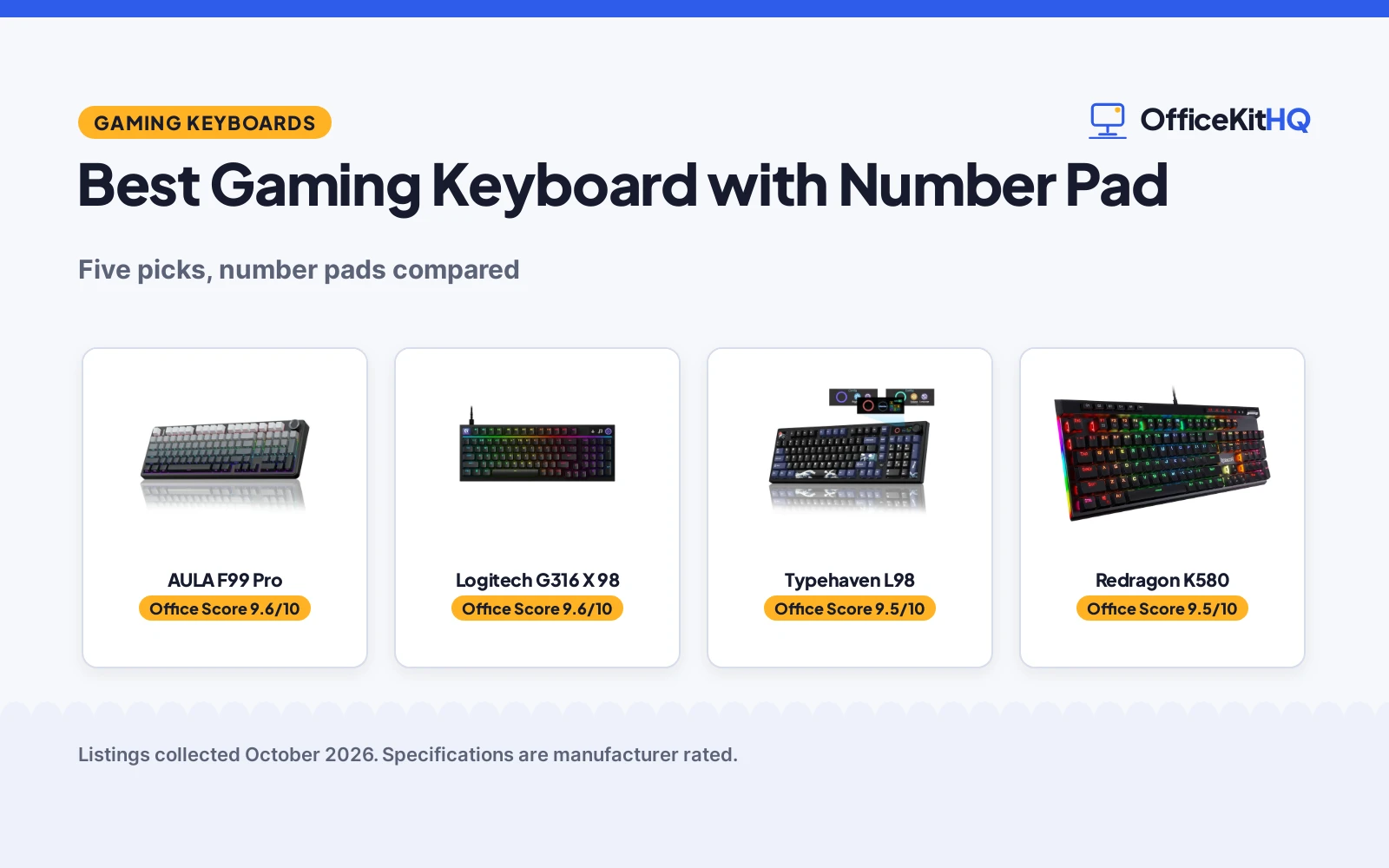
| 1 | AULA F99 Pro | 9.6/10 | Buy on Amazon |
| 2 | Logitech G316 X 98 | 9.6/10 | Buy on Amazon |
| 3 | Typehaven L98 | 9.5/10 | Buy on Amazon |
| 4 | Redragon K580 VATA | 9.5/10 | Buy on Amazon |
| 5 | Redragon S107 Combo | 9.5/10 | Buy on Amazon |

AULA F99 Pro
A 99-key wireless mechanical keyboard with a number pad, a control knob, hot-swappable switches and an 8000mAh battery, with a 6-month warranty stated.
Pros
- 99 keys in a 96% layout keep the number pad, arrow keys and shortcuts
- Tri-mode connection: BT 5.0, 2.4GHz and USB wired, for up to 5 devices
- Hot-swappable 3-pin and 5-pin switches with pre-lubed linear switches
- 8000mAh battery and double-shot PBT keycaps
Cons
- Warranty term is only 6 months
- Gradient Black is the only color stated
- No built-in display for battery level or connection mode, unlike the Typehaven L98
- Knob mode changes need a long press of about 5 seconds
Detailed Review
AULA lists the F99 Pro as a 99-key wireless mechanical keyboard in a 96% layout with a number pad, arrow keys and a control knob. It connects by BT 5.0, 2.4GHz wireless or USB wired to up to 5 devices, and the knob adjusts backlight brightness and lighting effects or volume and play and pause. The hot-swap PCB takes 3-pin and 5-pin switches without soldering, and the board ships with pre-lubed linear switches and a keycap and switch puller. A gasket structure with five layers of filling sits under double-shot PBT keycaps, and the 8000mAh battery powers 16 RGB lighting effects with 16.8 million colors, macro recording and N-key rollover. The maker states a 6-month warranty.
Who it's for: someone who wants a full number pad, a knob and wireless switching between work, gaming and study on one board. Who should skip it: anyone who wants a built-in display or a longer warranty term.
Its Office Score of 9.6/10 comes from performance 32/35, build 22/25, value 21/25, safety 0/10 and warranty 3/5: 78 of 100 points, placed on our 9.2 to 9.8 scale.
Key Specifications
| Keys | 99 |
|---|---|
| Connection | BT 5.0, 2.4GHz, USB |
| Battery | 8000mAh |
| Warranty | 6 months |
These specs mirror the retailer listing as of 19 November 2026; performance figures are stated by the brand.
Safety and Warranty
What this listing states. No FCC or other safety listing is stated, so safety scores zero. 6 months. It does not say everything a buyer needs, such as who pays return shipping, so warranty scores 3 of 5. See How We Pick.
Fit the desk first. Check the stated size against your desk depth and keyboard tray, and charge or pair as the manual describes. No keyboard, mouse or wrist rest prevents or treats injury.
This is general buying information, not professional advice. Follow each product manual and local rules, and see our Safety Disclaimer.

Logitech G316 X 98
A 98% mechanical keyboard with hot-swappable linear switches, gasket design with silicone and foam layers, an 8 kHz report rate and dot-matrix display.
Pros
- 8 kHz report rate for quick signal transmission
- Hot-swappable linear switches with double-shot PBT keycaps
- Gasket-mounted structure with sound-dampening silicone and foam layers
- Dot-matrix LED display and dial control report rate, volume, brightness and media
Cons
- No stated spill or dust resistance
- 8 kHz report rate needs G HUB software
- No wireless mode is stated
- No palm rest is stated
Detailed Review
Logitech lists the G316 X 98 as a 98% mechanical keyboard with hot-swappable linear switches, double-shot PBT keycaps and a gasket-mounted structure with silicone and foam layers. The listing states an 8 kHz report rate, a dot-matrix LED display and dial, LIGHTSYNC RGB with 30 light zones and per-key lighting, and USB-C with G HUB software. The title shows less than 8 kHz while the bullets state 8 kHz; the bullets and the G HUB note both say 8 kHz, so the review uses 8 kHz. The spec table gives 15.12 by 5.51 by 1.57 in and a 2-year limited hardware warranty.
Who it's for: a gamer who wants a quiet mechanical board with hot-swappable switches, an 8 kHz report rate and a display for volume and media. Who should skip it: anyone who wants wireless play or stated spill resistance.
Its Office Score of 9.6/10 comes from performance 33/35, build 22/25, value 21/25, safety 0/10 and warranty 3/5: 79 of 100 points, placed on our 9.2 to 9.8 scale.
Key Specifications
| Layout | 98% with numpad |
|---|---|
| Report rate | 8 kHz |
| Keycaps | Double-shot PBT |
| Size | 15.12 x 5.51 x 1.57 in |
Figures as published on the retailer listing, collected 12 November 2026. Performance figures are manufacturer rated.
Safety and Warranty
What this listing states. This product does not plug in or run on a battery, so safety is not part of its score. 2 Years Limited Hardware Warranty. It does not say everything a buyer needs, such as who pays return shipping, so warranty scores 3 of 5. See How We Pick.
Fit the desk first. Check the stated size against your desk depth and keyboard tray, and charge or pair as the manual describes. No keyboard, mouse or wrist rest prevents or treats injury.
This is general buying information, not professional advice. Follow each product manual and local rules, and see our Safety Disclaimer.

Typehaven L98
A 98% wireless mechanical keyboard with a number pad, a smart display and knob, hot-swappable switches and an 8000mAh battery.
Pros
- Smart display shows connection mode, battery level and system status
- Tri-mode connection: Bluetooth, 2.4GHz and USB-C wired
- 98% layout keeps the number pad and arrow keys in a smaller footprint
- Hot-swappable gasket-mount board takes most 3-pin and 5-pin switches
Cons
- 98% layout keeps fewer keys than the 104-key Redragon K580
- No dedicated macro keys, unlike the 5 on the Redragon K580
- Windows and Mac switching suits multi-system setups, not a single-system desk
- No 5-device switching count like the AULA F99 Pro at up to 5 devices
Detailed Review
Typehaven lists the L98 as a 98% wireless mechanical gaming keyboard with a number pad, arrow keys, a smart display and a multi-function knob. It connects by Bluetooth, 2.4GHz or USB-C wired, switches between laptop, desktop, tablet and Mac, and moves between Windows and Mac layouts with one Fn shortcut. The gasket-mount board takes most 3-pin and 5-pin switches without soldering. The listing gives 18 RGB effects with 16.8 million colors and music-reactive lighting, macro recording, custom functions and N-key rollover. The 8000mAh battery uses smart sleep and wake to cut charging frequency. No warranty term is stated.
Who it's for: someone who wants a display, a knob and tri-mode wireless on a compact board with a number pad. Who should skip it: anyone who wants a stated warranty term or 5 dedicated macro keys.
Its Office Score of 9.5/10 comes from performance 30/35, build 22/25, value 21/25, safety 0/10 and warranty 0/5: 73 of 100 points, placed on our 9.2 to 9.8 scale.
Key Specifications
| Layout | 98% |
|---|---|
| Connection | Bluetooth, 2.4GHz, USB-C |
| Battery | 8000mAh |
| RGB effects | 18 |
These specs mirror the retailer listing as of 19 November 2026; performance figures are stated by the brand.
Safety and Warranty
What this listing states. No FCC or other safety listing is stated, so safety scores zero. No warranty term, so warranty scores zero. See How We Pick.
Fit the desk first. Check the stated size against your desk depth and keyboard tray, and charge or pair as the manual describes. No keyboard, mouse or wrist rest prevents or treats injury.
This is general buying information, not professional advice. Follow each product manual and local rules, and see our Safety Disclaimer.

Redragon K580 VATA
A wired 104-key board with 5 macro keys, a media wheel and a hot-swap socket for shortcut-heavy workflows; skip it if you need wireless.
Pros
- Five dedicated macro keys (G1-G5) save combos with no software required
- Hot-swap socket accepts almost any switch, per the listing
- Dedicated media controls and a volume roller
- Double-shot keycaps rated for 50 million keystrokes
Cons
- Wired only; no wireless option
- Clicky Blue switches are loud for shared offices
- Weight contradiction: 0.97 kg in one field against 1200 g in another
- Gaming styling may not suit a formal office
Detailed Review
The Redragon K580 VATA is a gaming board that moonlights as a productivity tool: five on-board macro keys record shortcuts without software, the media wheel handles volume and playback, and the hot-swap socket lets you change switches without soldering. The aluminum plate and double-shot keycaps read as built for heavy daily use.
The trade-offs are noise and a cable. Outemu Blue clicky switches are satisfying alone and loud beside coworkers, and wired-only means no device hopping. The listing also contradicts its own weight, 0.97 kg in one field against 1200 g in another, so treat the listed weight as approximate.
Its Office Score of 9.5/10 comes from performance 26/35, build 20/25, value 20/25, safety 3/10 and warranty 1/5: 70 of 100 points, placed on our 9.2 to 9.8 scale.
Key Specifications
| Layout | Full-size, 104 keys |
|---|---|
| Switch | Outemu Blue, hot-swappable |
| Connection | Wired, USB-C |
| Macro keys | 5 (G1-G5) |
| Backlight | RGB |
| Keycaps | Double-shot, 50M keystrokes |
| Water resistance | Stated |
| Dimensions | 15.75 x 5.91 x 0.98 in |
| Warranty | 1 year |
Figures as published on the retailer listing, collected 17 October 2026. Performance figures are manufacturer rated.
Safety and Warranty
What this listing states. The listing states water resistance., so safety scores 3 of 10. 1 year. It does not say everything a buyer needs, such as who pays return shipping, so warranty scores 1 of 5. See How We Pick.
Fit the desk first. Check the stated size against your desk depth and keyboard tray, and charge or pair as the manual describes. No keyboard, mouse or wrist rest prevents or treats injury.
This is general buying information, not professional advice. Follow each product manual and local rules, and see our Safety Disclaimer.

Redragon S107 Combo
A wired 104-key RGB combo with 25-key anti-ghosting and a mouse reaching 10000 DPI via software, backed by a 36-month warranty.
Pros
- Mouse reaches 10000 DPI via software, 5000 on the DPI button
- 1000Hz polling rate adjustable in the Redragon software
- 25-key anti-ghosting on the keyboard
- 36-month warranty stated in the bullets, the longest here
Cons
- Wired only, no wireless option
- Software needed for the full DPI and macro features
- No safety certification stated
Detailed Review
The Redragon S107 pairs a 104-key RGB keyboard with 6 lighting modes and 25-key anti-ghosting with a mouse that adjusts to 5000 DPI on the button and up to 10000 DPI through the Redragon software, which also sets polling up to 1000Hz. The keyboard adds 12 multimedia keys, a foldable stand and floating keycaps. Note the warranty mismatch: the bullets promise a 36-month warranty while the spec table says 2; we trust the bullets.
Who it's for: gamers who want software control over DPI, polling and macros with the longest stated warranty here. Who should skip it: anyone who wants wireless, because this combo is wired only.
Its Office Score of 9.5/10 comes from performance 30/35, build 20/25, value 20/25, safety 0/10 and warranty 4/5: 74 of 100 points, placed on our 9.2 to 9.8 scale.
Key Specifications
| Keys | 104 |
|---|---|
| Mouse DPI | 5000 button, 10000 software |
| Polling | 1000Hz |
| Backlight | RGB, 6 modes |
Figures as published on the retailer listing, collected 23 October 2026. Performance figures are manufacturer rated.
Safety and Warranty
What this listing states. This product does not plug in or run on a battery, so safety is not part of its score. 36-month warranty. It does not say everything a buyer needs, such as who pays return shipping, so warranty scores 4 of 5. See How We Pick.
Fit the desk first. Check the stated size against your desk depth and keyboard tray, and charge or pair as the manual describes. No keyboard, mouse or wrist rest prevents or treats injury.
This is general buying information, not professional advice. Follow each product manual and local rules, and see our Safety Disclaimer.
As an Amazon Associate I earn from qualifying purchases.
Specs compared
| Keyboard | Office Score | Keys | Connection | Battery | Switches | Warranty | Amazon |
|---|---|---|---|---|---|---|---|
| AULA F99 Pro | 9.6/10 | 99 | BT 5.0, 2.4GHz, USB | 8000mAh | Linear, hot-swappable | 6 months | View on Amazon |
| Typehaven L98 | 9.5/10 | 98% layout | Bluetooth, 2.4GHz, USB-C | 8000mAh | Hot-swappable | Not stated | View on Amazon |
| Redragon K580 | 9.5/10 | 104 | Wired | Not stated | Blue, hot-swappable | Not stated | |
| Logitech G316 X 98 | 9.6/10 | Not stated | Not stated | Not stated | Linear, hot-swappable | Not stated | View on Amazon |
| Redragon S107 | 9.5/10 | Not stated | Not stated | Not stated | Not stated | Not stated |
Dimensions, weight limits and ranges are the maker’s ratings as each listing gives them, collected 19 November 2026. One of the five states a warranty term; none states a safety certification.
How to choose the best gaming keyboard with number pad
Count the keys first
The number pad is the point, so start with key count. The AULA F99 Pro lists 99 keys in a 96% layout, the Typehaven L98 uses a 98% layout, and the Redragon K580 lists 104 keys. All three keep the number pad, arrow keys and shortcuts on the board. A tenkeyless board drops the number cluster entirely, so compare with a best mechanical keyboard tkl only if you are sure you can live without it. The Logitech G316 X 98 and the Redragon S107 state no key count, so their layouts are unknown until the maker publishes more.
Wired, wireless, or both
Two boards here run three ways. The AULA F99 Pro connects by BT 5.0, 2.4GHz wireless or USB wired and switches between up to 5 devices. The Typehaven L98 connects by Bluetooth, 2.4GHz or USB-C wired and switches between laptop, desktop, tablet and Mac. Both list an 8000mAh battery. The Redragon K580 is wired only, which suits a fixed desk and removes charging from the routine. The Logitech G316 X 98 and the Redragon S107 state no connection type.
| Keyboard | Keys | Connection | Battery |
|---|---|---|---|
| AULA F99 Pro | 99 | BT 5.0, 2.4GHz, USB | 8000mAh |
| Typehaven L98 | 98% layout | Bluetooth, 2.4GHz, USB-C | 8000mAh |
| Redragon K580 | 104 | Wired | Not stated |
| Logitech G316 X 98 | Not stated | Not stated | Not stated |
| Redragon S107 | Not stated | Not stated | Not stated |
A tri-mode board suits a desk shared between a desktop and a laptop; a wired board suits a desk where the keyboard never moves.
Switches, hot-swap, and the knob
Hot-swappable boards let you change switches without soldering. The AULA F99 Pro takes 3-pin and 5-pin switches and ships with pre-lubed linear switches, the Typehaven L98 takes most 3-pin and 5-pin switches, and the K580 socket accepts almost any switch with stock Blue switches that give a tactile bump and audible click. The Logitech G316 X 98 also lists hot-swappable linear switches. A knob adds control without reaching for software: the AULA knob adjusts backlight brightness and lighting effects or volume and play and pause, while the Typehaven knob adjusts volume, RGB brightness and display settings. The Typehaven also puts connection mode, battery level and system status on a built-in smart display.
Macros and lighting
Macros turn repeated key sequences into a single press. The AULA F99 Pro supports macro recording and editing with 16 RGB lighting effects and 16.8 million colors, and the Typehaven L98 offers macro recording with 18 RGB effects, 16.8 million colors and music-reactive lighting. The Redragon K580 takes a different route with 5 dedicated macro keys, G1 to G5, that record combos with no software required, plus dedicated media controls. The Redragon S107 states RGB lighting with no effects count, and the Logitech G316 X 98 states no lighting.
Read the warranty line
Only the AULA F99 Pro states a warranty term, at 6 months. The other four state no warranty term, so read the return terms before ordering if warranty cover matters to you. A long typing session also calls for support beyond the board: a best ergonomic wrist rest for keyboard and mouse sits beside any of these picks. Check the desk depth too, since a full-size board with a number pad takes more room than a tenkeyless board, and keep a USB port free for the wired boards and for charging the two 8000mAh batteries.
Setup Notes
- Measure the desk before ordering: a 99-key or 104-key board with a number pad needs more width than a tenkeyless board.
- Keep a USB port free for the wired Redragon K580 and for charging the AULA F99 Pro and Typehaven L98.
- The AULA F99 Pro includes a keycap puller and a switch puller in the box for hot-swapping.
- Switch the AULA knob between backlit and multimedia modes with a long press of about 5 seconds.
- The Typehaven L98 switches Windows and Mac layouts with one Fn shortcut; check the layout before first use.
FAQ
Do I need a number pad on a gaming keyboard?
A number pad helps with data entry, macros and any game that maps keys to the number cluster. The AULA F99 Pro keeps the number area in a 99-key 96% layout, the Typehaven L98 keeps it in a 98% layout, and the Redragon K580 keeps it with 104 keys. If you never use the number keys, a tenkeyless board saves desk space.
What is the difference between the AULA F99 Pro and the Typehaven L98?
Both are tri-mode wireless boards with hot-swappable switches, a gasket structure, an 8000mAh battery and 16.8 million colors. The AULA adds a knob with backlit and multimedia modes, up to 5 connected devices and a 6-month warranty. The Typehaven adds a smart display, Windows and Mac switching with one Fn shortcut, and 18 RGB effects.
Are hot-swappable switches worth it?
They let you change switches without soldering. The AULA F99 Pro and Typehaven L98 take 3-pin and 5-pin switches, the K580 socket accepts almost any switch, and the Logitech G316 X 98 names hot-swappable linear switches. If you never change switches, the feature adds nothing to your typing.
How long does the battery last on a wireless gaming keyboard?
No battery life in hours is stated for either board. Both the AULA F99 Pro and the Typehaven L98 list an 8000mAh battery, and the Typehaven adds smart sleep and wake to cut charging frequency. Charge over USB when the board is not in use.
Which of these keyboards has a warranty?
Only the AULA F99 Pro states one, at 6 months. The Typehaven L98, Redragon K580, Logitech G316 X 98 and Redragon S107 state no warranty term.
Score breakdown
The Office Score weighs performance (key count, connection, switches, macros and lighting), build (layout, keycaps and structure), value for the stated specs, safety and warranty. For a keyboard, safety means stated spill resistance, a detachable cable or a safety certification; none of the five states any of those, so safety scores zero for every pick. One listing states a warranty term: the AULA F99 Pro at 6 months. How we pick explains the weights.
| Product | Office Score | Perf. /35 | Build /25 | Value /25 | Safety /10 | Warranty /5 |
|---|---|---|---|---|---|---|
| AULA F99 Pro | 9.6 | 32 | 22 | 21 | 0 | 3 |
| Typehaven L98 | 9.5 | 30 | 22 | 21 | 0 | 0 |
Office Scores run on a short 9.2 to 9.8 scale. We place each item’s weighted point total on it in proportion, so a larger total is always shown as a larger score.
More for your workspace
See every keyboards and keyboard trays guide and all monitor mounts, keyboards and mice guides. Also see our best mechanical keyboard tkl. Also see our best mechanical keyboard for software developers. Also see our best mechanical keyboard with hot swappable switches. Also see our best ergonomic wrist rest for keyboard and mouse.
More picks: keyboards, mechanical keyboard for software developers.