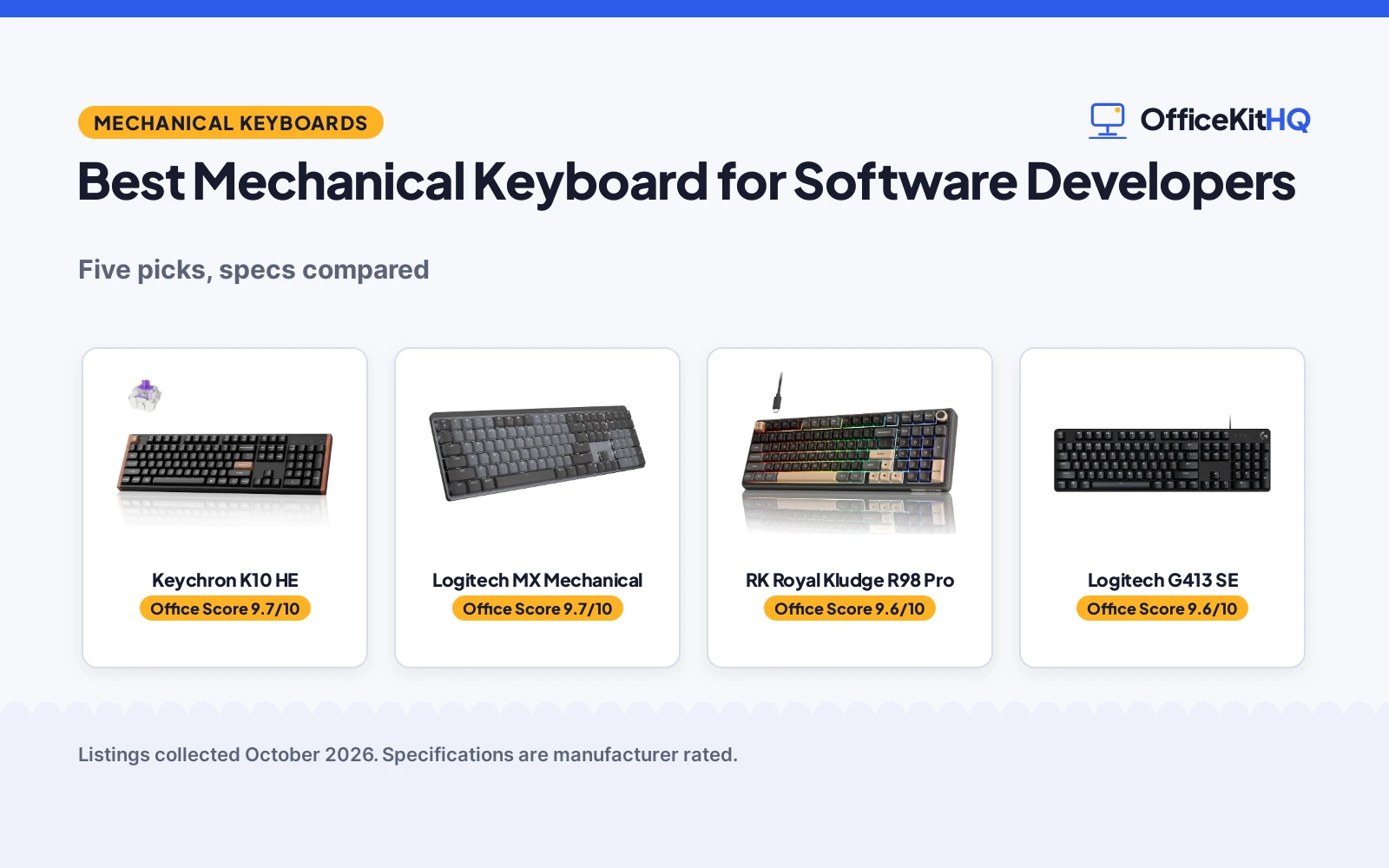
It is 9 a.m., the video call is starting, the laptop is running everything off one hub, and the keyboard on the desk is the one thing standing between you and a full day of code. The best mechanical keyboard for software developers is the one that matches how you type: low-profile and quiet for shared spaces, hot-swappable for tinkerers, or Hall effect for the fastest response. We compared five keyboards from their listings, scoring switches, build, value and warranty.
OfficeKitHQ earns a commission when you buy through links on this page, at no extra cost to you. As an Amazon Associate I earn from qualifying purchases. Affiliate disclosure.
Quick picks
 Best Hall Effect Keychron K10 HE: Magnetic switches, adjustable actuation, tri-mode Check price on Amazon
 Best Low-Profile Logitech MX Mechanical: Tactile Quiet switches, multi-device control Check price on Amazon
 Best Compact 98-Key RK Royal Kludge R98 Pro: Gasket mount with numpad, hot-swap, RGB modes Check price on Amazon
 Best Wired Full-Size Logitech G413 SE: PBT keycaps, tactile switches, aluminum top Check price on Amazon
 Best Wireless Value AULA F99: Tri-mode BT5.0/2.4GHz/USB-C, hot-swap, 99 keys Check price on Amazon
The picks
| # | Product | Office Score | Buy |
|---|---|---|---|
| 1 | Keychron K10 HE | 9.7/10 | Buy on Amazon |
| 2 | Logitech MX Mechanical | 9.7/10 | Buy on Amazon |
| 3 | RK Royal Kludge R98 Pro | 9.6/10 | Buy on Amazon |
| 4 | Logitech G413 SE | 9.6/10 | Buy on Amazon |
| 5 | AULA F99 | 9.6/10 | Buy on Amazon |

Keychron K10 HE
A full-size Hall effect wireless keyboard with magnetic switches, adjustable actuation and tri-mode connection.
Pros
- Hall effect magnetic switches with adjustable actuation
- Rapid trigger for fast response
- Tri-mode: Bluetooth 5.2, 2.4GHz and Type-C
- Full-size 104-key layout
Cons
- Heaviest wireless pick at 1000 g
- Hall effect is overkill for pure typing
- Rosewood accents may not suit every desk
- Web configurator needs cookies cleared first
Detailed Review
Keychron lists the K10 HE as a full-size 100% layout wireless keyboard with Hall effect magnetic switches, adjustable actuation points and rapid trigger, with rosewood accents. The listing describes tri-mode connection pairing up to three devices over Bluetooth 5.2 plus 2.4GHz and Type-C wired modes, QMK custom support and a 1000 g weight.
Who it's for: developers who want the most advanced switch tech and full size. Who should skip it: minimalists who want a smaller, lighter board.
Its Office Score of 9.7/10 comes from performance 33/35, build 21/25, value 19/25, safety not scored (non-powered gear) and warranty 3/5: 76 of 90 points, placed on our 9.2 to 9.8 scale.
Key Specifications
| Keys | 104 |
|---|---|
| Switches | Hall effect magnetic |
| Weight | 1000 g |
| Warranty | 1 Year |
Figures as published on the retailer listing, collected 17 October 2026. Performance figures are manufacturer rated.
Safety and Warranty
What this listing states. This product does not plug in or run on a battery, so safety is not part of its score. 1 Year. It does not say everything a buyer needs, such as who pays return shipping, so warranty scores 3 of 5. See How We Pick.
Fit the desk first. Check the stated size against your desk depth and keyboard tray, and charge or pair as the manual describes. No keyboard, mouse or wrist rest prevents or treats injury.
This is general buying information, not professional advice. Follow each product manual and local rules, and see our Safety Disclaimer.

Logitech MX Mechanical
A full-size low-profile wireless keyboard with Tactile Quiet switches and multi-device control.
Pros
- Low-profile Tactile Quiet switches, less noise
- Smart illumination that reacts to hands
- Flow cross-computer multi-device control
- 1 Year Limited Hard Warranty
Cons
- Low-profile feel differs from standard keys
- No hot-swap listed
- Tactile Quiet is one fixed feel
- Heavier than compact picks at 2.6 pounds
Detailed Review
Logitech lists the MX Mechanical as a full-size low-profile wireless keyboard with Tactile Quiet mechanical switches, backlit keys that light up as hands approach and auto-adjust, and Fn customization with Flow cross-computer multi-device control through Logi Options+. The listing gives 104 keys and a 2.6 pound weight.
Who it's for: developers in shared spaces who want quiet, low-profile typing. Who should skip it: tinkerers who want hot-swap switches.
Its Office Score of 9.7/10 comes from performance 30/35, build 21/25, value 20/25, safety not scored (non-powered gear) and warranty 3/5: 74 of 90 points, placed on our 9.2 to 9.8 scale.
Key Specifications
| Keys | 104 |
|---|---|
| Switches | Tactile Quiet, low-profile |
| Weight | 2.6 pounds |
| Warranty | 1 Year Limited Hard Warranty |
Figures as published on the retailer listing, collected 17 October 2026. Performance figures are manufacturer rated.
Safety and Warranty
What this listing states. This product does not plug in or run on a battery, so safety is not part of its score. 1 Year Limited Hard Warranty. It does not say everything a buyer needs, such as who pays return shipping, so warranty scores 3 of 5. See How We Pick.
Fit the desk first. Check the stated size against your desk depth and keyboard tray, and charge or pair as the manual describes. No keyboard, mouse or wrist rest prevents or treats injury.
This is general buying information, not professional advice. Follow each product manual and local rules, and see our Safety Disclaimer.

RK Royal Kludge R98 Pro
A wired 98-key gasket-mount keyboard with hot-swap cream switches and RGB.
Pros
- Gasket mount with 5-layer sound foam
- Hot-swappable 3/5-pin with pre-lubed cream switches
- 98-key layout keeps numpad in less space
- MDA profile PBT keycaps, 20+ RGB modes
Cons
- Wired only, no wireless option
- Cream switches are one fixed feel
- RGB may distract in an office
- 0.8 kg plus cable to route
Detailed Review
RK Royal Kludge lists the R98 Pro as a wired 98-key gasket-mount keyboard with numpad, five layers of sound-absorbing foam and hot-swappable 3/5-pin sockets with pre-lubed linear cream switches. The listing describes MDA profile PBT keycaps, more than 20 RGB modes, a 0.8 kg weight and a 1 Year warranty.
Who it's for: developers who want a creamy, quiet wired board with a numpad. Who should skip it: anyone who needs wireless.
Its Office Score of 9.6/10 comes from performance 29/35, build 21/25, value 20/25, safety not scored (non-powered gear) and warranty 3/5: 73 of 90 points, placed on our 9.2 to 9.8 scale.
Key Specifications
| Keys | 98 |
|---|---|
| Switches | Linear cream, hot-swappable |
| Weight | 0.8 kg |
| Warranty | 1 Year |
Figures as published on the retailer listing, collected 17 October 2026. Performance figures are manufacturer rated.
Safety and Warranty
What this listing states. This product does not plug in or run on a battery, so safety is not part of its score. 1 Year. It does not say everything a buyer needs, such as who pays return shipping, so warranty scores 3 of 5. See How We Pick.
Fit the desk first. Check the stated size against your desk depth and keyboard tray, and charge or pair as the manual describes. No keyboard, mouse or wrist rest prevents or treats injury.
This is general buying information, not professional advice. Follow each product manual and local rules, and see our Safety Disclaimer.

Logitech G413 SE
A full-size wired mechanical keyboard with PBT keycaps, tactile switches and an aluminum top case.
Pros
- PBT keycaps, heat and wear resistant
- Tactile mechanical switches
- Black-brushed aluminum top case
- 1 Year Limited Hardware Warranty
Cons
- Gaming-first design, less dev-focused
- Wired only, no wireless option
- White LED only, no RGB
- Heavier than compact picks at 780 g
Detailed Review
Logitech lists the G413 SE as a full-size wired mechanical keyboard with gaming-first features, PBT keycaps, tactile mechanical switches and a black-brushed aluminum top case with white LED lighting. The listing describes 6-key rollover anti-ghosting, 108 keys and a 780 g weight.
Who it's for: developers who want a sturdy full-size wired board with PBT keycaps. Who should skip it: anyone who needs wireless or a compact layout.
Its Office Score of 9.6/10 comes from performance 28/35, build 21/25, value 18/25, safety not scored (non-powered gear) and warranty 3/5: 70 of 90 points, placed on our 9.2 to 9.8 scale.
Key Specifications
| Keys | 108 |
|---|---|
| Switches | Tactile mechanical |
| Weight | 780 g |
| Warranty | 1 Year Limited Hardware Warranty |
Figures as published on the retailer listing, collected 17 October 2026. Performance figures are manufacturer rated.
Safety and Warranty
What this listing states. This product does not plug in or run on a battery, so safety is not part of its score. 1 Year Limited Hardware Warranty. It does not say everything a buyer needs, such as who pays return shipping, so warranty scores 3 of 5. See How We Pick.
Fit the desk first. Check the stated size against your desk depth and keyboard tray, and charge or pair as the manual describes. No keyboard, mouse or wrist rest prevents or treats injury.
This is general buying information, not professional advice. Follow each product manual and local rules, and see our Safety Disclaimer.

AULA F99
A tri-mode 99-key wireless keyboard with hot-swap PCB and pre-lubed linear switches.
Pros
- Tri-mode BT5.0, 2.4GHz and USB-C
- Connects to up to five devices
- Hot-swap PCB for 3/5-pin switches
- Keycap and switch puller included
Cons
- Only 6 months warranty, shortest stated
- Backlight details not stated
- 99-key layout still needs desk space
- Linear is the only switch feel listed
Detailed Review
AULA lists the F99 as a tri-mode wireless mechanical keyboard with BT5.0, 2.4GHz and USB-C wired modes, connecting to up to five devices with FN switching. The listing describes a hot-swap PCB for 3/5-pin switches without soldering, pre-lubed linear switches, 99 keys and an included keycap and switch puller.
Who it's for: developers juggling several devices on one desk. Who should skip it: anyone wanting a longer warranty term.
Its Office Score of 9.6/10 comes from performance 29/35, build 20/25, value 21/25, safety not scored (non-powered gear) and warranty 1/5: 71 of 90 points, placed on our 9.2 to 9.8 scale.
Key Specifications
| Keys | 99 |
|---|---|
| Switches | Linear, hot-swappable |
| Connection | BT5.0 / 2.4GHz / USB-C |
| Warranty | 6 Months |
Figures as published on the retailer listing, collected 17 October 2026. Performance figures are manufacturer rated.
Safety and Warranty
What this listing states. This product does not plug in or run on a battery, so safety is not part of its score. 6 Months. It does not say everything a buyer needs, such as who pays return shipping, so warranty scores 1 of 5. See How We Pick.
Fit the desk first. Check the stated size against your desk depth and keyboard tray, and charge or pair as the manual describes. No keyboard, mouse or wrist rest prevents or treats injury.
This is general buying information, not professional advice. Follow each product manual and local rules, and see our Safety Disclaimer.
As an Amazon Associate I earn from qualifying purchases.
More picks to compare
 Redragon Mechanical Gaming Keyboard WiredCheck on Amazon
 RedThunder 60% Wireless Gaming KeyboardCheck on Amazon
 Logitech Alto Keys K98M WirelessCheck on Amazon
 Meidosa AK96 Mechanical Keyboard SmartCheck on Amazon
 Meidosa AK96 Red Switch Mechanical KeyboardCheck on Amazon
Compare the picks
| Keyboard | Office Score | Layout | Switches | Connection | Warranty | Amazon |
|---|---|---|---|---|---|---|
| Keychron K10 HE | 9.7/10 | Full-size 104-key | Hall effect magnetic | Tri-mode | 1 year | View on Amazon |
| Logitech MX Mechanical | 9.7/10 | Full-size 104-key | Tactile Quiet low-profile | Wireless | 1 year | View on Amazon |
| RK Royal Kludge R98 Pro | 9.6/10 | 98-key compact | Linear cream, hot-swap | Wired | 1 year | View on Amazon |
| Logitech G413 SE | 9.6/10 | Full-size 108-key | Tactile mechanical | Wired | 1 year | View on Amazon |
| AULA F99 | 9.6/10 | 99-key compact | Linear, hot-swap | Tri-mode | 6 months | View on Amazon |
Specifications are manufacturer rated as listed, collected 17 October 2026. All five state a warranty, from 6 months to 1 year.
How we scored them
The Office Score weighs performance, build, value, safety and warranty. For keyboards, safety covers stated safety-relevant features, and none of these listings state any, so every pick scores zero there and carries no cert. All five state a warranty term, which is what separates the top of the ranking. How we pick explains the weights.
| Product | Office Score | Perf. /35 | Build /25 | Value /25 | Safety /10 | Warranty /5 |
|---|---|---|---|---|---|---|
| Keychron K10 HE | 9.7 | 33 | 21 | 19 | n/a | 3 |
| Logitech MX Mechanical | 9.7 | 30 | 21 | 20 | n/a | 3 |
| RK Royal Kludge R98 Pro | 9.6 | 29 | 21 | 20 | n/a | 3 |
| Logitech G413 SE | 9.6 | 28 | 21 | 18 | n/a | 3 |
| AULA F99 | 9.6 | 29 | 20 | 21 | n/a | 1 |
Scores run from 9.2 to 9.8: each product’s point total is placed on that range, so more points always means a higher score. Safety counts only for powered gear or where the listing states safety features; where it does not apply, the score is taken over the remaining 90 points.
How to choose the best mechanical keyboard for software developers
Pick the switch feel first
Switches are the typing experience. The Logitech MX Mechanical uses Tactile Quiet switches with a tactile bump and less noise, per the listing, which suits shared rooms and calls. The Redragon K671 and AULA F99 use linear switches, smooth with no bump. The Keychron K10 HE uses Hall effect magnetic switches with adjustable actuation points, the standout tech here. Hot-swappable boards, the F99, R98 Pro and K10 HE, let you change switches later without soldering, per their listings.
Size the layout to the desk
Full-size boards like the 104-key MX Mechanical and K10 HE keep a full numpad but need the most desk depth. The 98-key R98 Pro and K98M and the 99-key F99 keep the numpad in a compact 1800-style layout, saving space for the mouse. If the desk is a kitchen table, the compact picks win.
Wired or wireless
Tri-mode boards, the F99 with BT5.0, 2.4GHz and USB-C and the K10 HE with Bluetooth 5.2, 2.4GHz and Type-C, connect to several devices and switch between them, which suits a laptop plus desktop setup. Wired boards, the R98 Pro and K671, never need charging and never drop a connection. Either way, route the cable before the monitor goes on.
Backlight and extras
| Keyboard | Backlight | Extra |
|---|---|---|
| Keychron K10 HE | RGB | Rapid trigger, web configurator |
| Logitech MX Mechanical | Smart illumination | Flow cross-computer control |
| RK Royal Kludge R98 Pro | RGB, 20+ modes | 5-layer sound foam |
| AULA F99 | Not stated | Puller included |
| Logitech G413 SE | White LED | PBT keycaps, aluminum top |
Backlight matters for late sessions: the MX Mechanical lights up as hands approach, per the listing, while the G413 SE keeps it simple with white LED only. Pair the board with a good surface from our desk mats and pads guide and a pointer from mice and mouse pads. Browse every keyboards guide for more.
Setup Notes
- Measure the desk: the 104-key full-size picks need more depth than the 98-key and 99-key compact picks.
- Plan the cable: wired picks need a free USB port, and tri-mode picks need USB-C for charging and wired mode.
- Note the weights for moving the setup: the MX Mechanical is 2.6 pounds, the K10 HE is 1000 g and the G413 SE is 780 g.
- Hot-swap boards need no soldering to change switches, and the F99 includes the puller in the box.
Frequently Asked Questions
What does hot-swappable mean?
The switches pull out and press in without soldering, so you can change switch types later. The F99, R98 Pro and K10 HE all list hot-swap support.
Are low-profile keyboards good for coding?
The Logitech MX Mechanical is the low-profile pick here, with Tactile Quiet switches the maker describes as comfortable and precise. Low-profile means shorter key travel and a slimmer board.
Is wireless reliable enough for programming?
The tri-mode picks pair over Bluetooth, 2.4GHz or USB-C wired, so a wired fallback is always there. The F99 connects to up to five devices, the K10 HE to up to three over Bluetooth, per their listings.
Do these keyboards work with Mac?
The listings for the F99, K10 HE, K98M and others describe multi-device or multi-system use. Check the listing for Mac-specific keycaps before buying.
What is the difference between 98-key and full-size?
Full-size is 104 keys with a standard numpad. The 98-key and 99-key picks keep the numpad in a compact 1800-style layout that saves desk space.
Related guides
See every keyboards guide and all computer peripherals guides. Also see our best ergonomic wrist rest for keyboard and mouse. Also see our best mechanical keyboard for software engineers. Also see our best mechanical keyboard for typing under 2000. Also see our best ergonomic keyboard tray for standing desk. Also see our best mechanical keyboard for investment banking. Also see our best mechanical keyboard with silent switches. Also see our best wrist rest for kensington slimblade pro. Also see our best keyboard for sore wrists and thumbs. Also see our best mechanical keyboard for home office use. Also see our best mechanical keyboard for lots of typing. Also see our best mechanical keyboard for work from home. Also see our best mechanical keyboard with creamy sound. Also see our best mechanical keyboard for typing all day. Also see our best mechanical keyboard for video editing. Also see our best mechanical keyboard for custom keycaps. Also see our best mechanical keyboard for office typing. Also see our best mechanical keyboard with volume knob. Also see our best mechanical keyboard for less than 100. Also see our best studio quality ring light for content creators. Also see our best mechanical keyboard for customization. Also see our best mechanical keyboard for speed typing. Also see our best mechanical keyboard for productivity. Also see our best mechanical keyboard for everyday use. Also see our best wrist rest for low profile keyboard. Also see our best keyboard tray for desk with crossbar. Also see our best wrist rest for apple magic keyboard. Also see our best mechanical keyboard with wrist rest. Also see our best ring light for self tape auditions. Also see our best mechanical keyboard with macro keys. Also see our best ring light for people with glasses. Also see our best mechanical keyboard for programming. Also see our best mechanical keyboard for small hands. Also see our best webcam for vtubing face tracking. Also see our best webcam for professional meetings. Also see our best mechanical keyboard for large hands. Also see our best webcam for residency interviews. Also see our best keyboard tray under desk adjustable. Also see our best keyboard for typing with long nails. Also see our best mechanical keyboard for long nails. Also see our best ergonomic keyboard tray under desk. Also see our best wrist rest for full size keyboard. Also see our best mechanical keyboard for longevity. Also see our best mechanical keyboard for big hands. Also see our best mechanical keyboard for an office. Also see our best sliding keyboard tray under desk. Also see our best mechanical keyboard for accuracy. Also see our best type of wrist rest for keyboard. Also see our best keyboard tray for sit stand desk. Also see our best mechanical keyboard with screen. Also see our best mechanical keyboard with numpad. Also see our best mechanical keyboard for writers. Also see our best mechanical keyboard for newbies. Also see our best keyboard for investment banking. Also see our best keyboard for software engineers. Also see our best wrist rest for trackball mouse. Also see our best wireless mouse with onboard memory. Also see our best drawer slides for keyboard tray. Also see our best ergonomic wrist rest for laptop. Also see our best wireless mouse for stiff hands. Also see our best keyboard for financial modeling. Also see our best ring light for hair stylist. Also see our best keyboard for working from home. Also see our best keyboard for visually impaired. Also see our best keyboard for virtual assistant. Also see our best keyboard for one handed typing. Also see our best wrist rest for vertical mouse. Also see our best keyboard for stiff fingers. Also see our best wrist rest for magic trackpad. Also see our best wrist rest for nuphy keyboard. Also see our best wrist rest for apple trackpad. Also see our best wrist rest for nuphy air75 v3. Also see our best mechanical keyboard for price. Also see our best keyboard for ntpc typing test. Also see our best keyboard for live performance. Also see our best keyboard for desktop computer. Also see our best keyboard for beginners adults. Also see our best wrist rest for mx mechanical. Also see our best wrist rest for wooting 80he. Also see our best wrist rest for wooting 60he. Also see our best powered usb hub for external hard drives. Also see our best keyboard for steam machine. Also see our best keyboard for office typing. Also see our best keyboard for nvidia shield. Also see our best under table keyboard tray. Also see our best keyboard tray for sim rig. Also see our best keyboard for quiet typing. Also see our best wrist rest for keyboards. Also see our best keyboard with wrist rest. Also see our best keyboard with number pad. Also see our best keyboard for vibe coding. Also see our best keyboard for small hands. Also see our best keyboard for remote work. Also see our best keyboard for journalists. Also see our best wrist rest for trackpad. Also see our best wrist rest for rainy 75. Also see our best wrist rest for gmmk pro. Also see our best wrist rest for crush 80. Also see our best wrist rest for computer. Also see our best ring light for headshots. Also see our best wrist rest for aula f99. Also see our best wrist rest for aula f75. Also see our best keyboard with trackball. Also see our best keyboard tray for chair. Also see our best keyboard for your wrist. Also see our best keyboard for xim matrix. Also see our best keyboard for long nails. Also see our best keyboard for jelly star. Also see our best wrist rest for wooting. Also see our best wrist rest for mx keys. Also see our best keyboard with touchpad. Also see our best keyboard tray for desk. Also see our best keyboard for designers. Also see our best wrist rest for typing. Also see our best wrist rest for office. Also see our best wrist rest for laptop. Also see our best keyboard for japanese. Also see our best keyboard for deadlock. Also see our best keyboard for business. Also see our best wrist rest for mouse. Also see our best desk organizer for men. Also see our best keyboard for keycaps. Also see our best wrist rest for desk. Also see our best standing desk for under 500. Also see our best mouse pad for tracking. Also see our best webcam for klipper. Also see our best keyboard for tablet. Also see our best laptop stand for zwift. Also see our best keyboard for nails. Also see our best wrist rest for pc. Also see our best mechanical keyboard for designers. Also see our best monitor light bar for gaming. Also see our best monitor light bar for home office. Also see our best monitor riser for gaming. Also see our best monitor riser for laptop. Also see our best wireless mouse for travel. Also see our best wireless keyboard for mac. Also see our best keyboard tray for gaming. Also see our best keyboard tray for small desk. Also see our best mechanical keyboard for quiet typing. Also see our best keyboard for ulnar nerve entrapment. Also see our best mechanical keyboard for non gamers. Also see our best mechanical keyboard 10 keyless. Also see our best mechanical keyboard for macos. Also see our best mechanical keyboard for apple. Also see our best keyboard for voice typing. Also see our best wireless mouse for business. Also see our best keyboard for jam sessions. Also see our best keyboard for large hands. Also see our best keyboard for home studio. Also see our best keyboard for seniors. Also see our best monitor riser for macbook. Also see our best keyboard mouse combo multiple devices. Also see our best keyboard for laptop. Also see our best keyboard for excel. Also see our best keyboard for pc. Also see our best keyboard for accountants. Also see our best keyboard for writers. Also see our best keyboard for home office. Also see our best keyboard for cad. Also see our best keyboard for htpc. Also see our best gaming chair for streaming. Also see our best keyboard switches for thock. Also see our best wireless keyboard for home office. Also see our best keyboard tray for apartment. Also see our best keyboard for receptionists. Also see our best keyboard cover for macbook. Also see our best clamp on keyboard tray. Also see our best keyboard for wfh. Also see our best keyboard for zwift. Also see our best keyboard for revit. Also see our best keyboard with macros. Also see our best numeric keypad for macbook air. Also see our best multi monitor mount. Also see our best wireless keyboard for chromebook. Also see our keyboard tray with negative tilt. Also see our keyboard cover silicone. Also see our mechanical keyboard wireless. Also see our monitor privacy screen 24 inch. Also see our best keyboard for writers under 100. Also see our best wrist rest under 25. Also see our best gaming mouse for double clicking. Also see our best keyboard for hand health. Also see our best keyboard for normal use. Also see our best wrist rest for hhkb. Also see our best keyboard for dbd. Also see our best wireless keyboard for travel. Also see our best privacy screen for computer under 50. Also see our best keyboard cover under 10. Also see our best keyboard tray under 60. Also see our best monitor riser under 40. Also see our best monitor light bar under 50. Also see our mechanical keyboard rgb. Also see our best keyboard tray under 75. Also see our best keyboard tray under 40. Also see our height adjustable keyboard tray. Also see our best keyboard tray for ikea desk. Also see our best keyboard tray under 50. Also see our mechanical keyboard green. Also see our best wrist rest for designers. Also see our keyboard tray mount. Also see our mechanical keyboard typewriter. Also see our mechanical keyboard aluminum. Also see our mechanical keyboard retro. Also see our mechanical keyboard tactile. Also see our mechanical keyboard low profile. Also see our keyboard cover dust. Also see our mechanical keyboard caps. Also see our monitor mount ceiling. Also see our red switches keyboard. Also see our computer keyboard cleaning spray. Also see our wall mounted keyboard tray. Also see our mechanical keyboard mini. Also see our best keyboard for mac and windows. Also see our mechanical keyboard cute. Also see our best wireless keyboard under 50. Also see our keyboard cover chromebook. Also see our 27 monitor privacy screen. Also see our best ergonomic keyboard under 90. Also see our mechanical keyboard tkl. Also see our mechanical keyboard vintage. Also see our keyboard tray white. Also see our best keyboard for teachers. Also see our best wrist rest for programmers. Also see our split keyboard for macbook. Also see our best split ergo keyboard. Also see our split keyboard for ipad. Also see our best privacy screen for laptop. Also see our best keyboard switch lube. Also see our best keycap puller tool. Also see our best wireless keyboard for ipad. Also see our keyboard tray with storage. Also see our privacy screen for desktop.
More picks: keyboards, mice and mouse pads, desk mats and pads and computer peripherals.