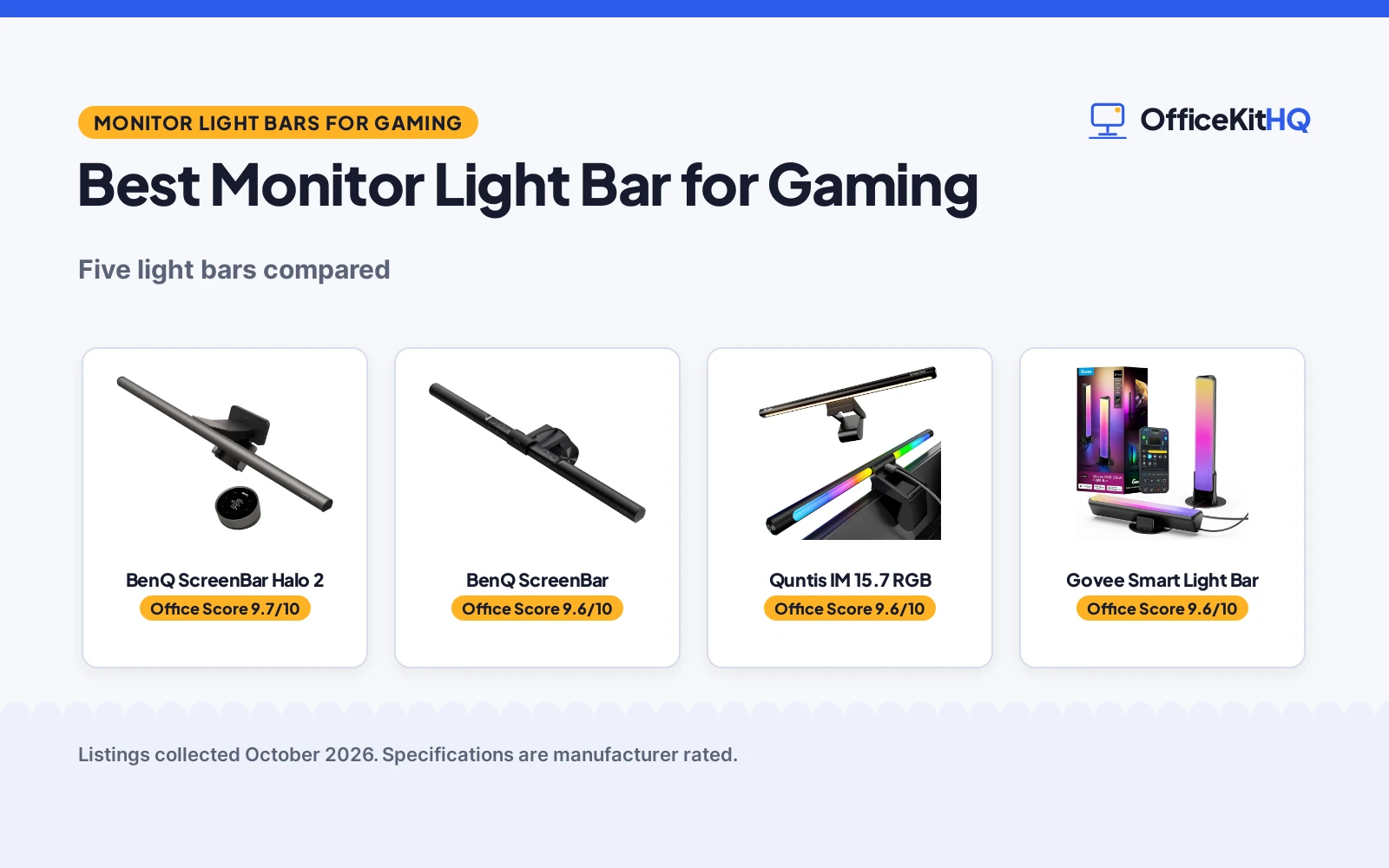
A dark room and a bright screen are a classic gaming combo, and the best monitor light bar for gaming fixes the mismatch without adding glare. We compared five light bars by gaming fit, features, value, eye-care claims and warranty, using only what each listing publishes. Two bars pair a front task light with an RGB backlight for the full battlestation look; three are front-light-only workhorses.
OfficeKitHQ earns a commission when you buy through links on this page, at no extra cost to you. As an Amazon Associate I earn from qualifying purchases. Affiliate disclosure.
Quick picks
 Top Pick BenQ ScreenBar Halo 2: backlight + front light, motion sensor, wireless dial Check price on Amazon
 Best Value BenQ ScreenBar: auto-dimming, 2700K-6500K, no glare Check price on Amazon
 Best Glow Quntis IM 15.7 RGB: 24 RGB modes, 900 lux, RG0 eye care Check price on Amazon
 Best RGB Govee Smart Light Bar: RGBICWW, music sync, Matter, 60+ scenes Check price on Amazon
 Strongest Front Quntis Focus 20.1: 1200+ lux, remote, fits 17-32 inch Check price on Amazon
The picks
| # | Product | Office Score | Buy |
|---|---|---|---|
| 1 | BenQ ScreenBar Halo 2 | 9.7/10 | Buy on Amazon |
| 2 | BenQ ScreenBar | 9.6/10 | Buy on Amazon |
| 3 | Quntis IM 15.7 RGB | 9.6/10 | Buy on Amazon |
| 4 | Govee Smart Light Bar | 9.6/10 | Buy on Amazon |
| 5 | Quntis Focus 20.1 | 9.6/10 | Buy on Amazon |

BenQ ScreenBar Halo 2
A monitor light bar pairing an 18-degree anti-glare front light with an adjustable ambient backlight, wireless dial and motion sensor.
Pros
- Front light plus adjustable ambient backlight
- Wireless dial with a built-in display
- Motion sensor with auto on/off
- CRI over 95 with 2700K-6500K range
Cons
- Dark grey only; no color options
- Needs desk space for the wireless dial
- Premium BenQ pricing tier
- No RGB color modes, only white backlight
Detailed Review
BenQ lists the ScreenBar Halo 2 with an 18-degree anti-glare front light and a wide adjustable ambient backlight that reduces contrast between the screen and dark surroundings. The listing describes a wireless dial with a built-in display, stepless brightness and 2700K-6500K color temperature, auto on/off with the monitor, a My Favorite mode, a motion sensor, over 50,000-hour LED lifespan and CRI over 95. It mounts on monitors 0.17 to 2.36 inches thick and 1000R to 1800R curved. The stated warranty is 1 year.
Who it is for: gamers who want front task light and ambient backlight in one bar with dial control. Who should skip it: anyone wanting RGB color modes or the lowest price.
Its Office Score of 9.7/10 comes from performance 33/35, build 22/25, value 21/25, safety 6/10 and warranty 3/5: 85 of 100 points, placed on our 9.2 to 9.8 scale.
Key Specifications
| Front light | 18° anti-glare |
|---|---|
| Backlight | Adjustable |
| Control | Wireless dial |
| Warranty | 1 year |
Figures as published on the retailer listing, collected 21 October 2026. Performance figures are manufacturer rated.
Safety and Warranty
What this listing states. Flicker-free and blue-light-hazard-free LEDs are stated, so safety scores 6 of 10. 1-year warranty is stated. It does not say everything a buyer needs, such as who pays return shipping, so warranty scores 3 of 5. See How We Pick.
Lamps near paper and water. Use the supplied adapter, keep the lamp head away from paper, curtains and drinks, and treat flicker-free and brightness figures as the maker's claims.
This is general buying information, not professional advice. Follow each product manual and local rules, and see our Safety Disclaimer.
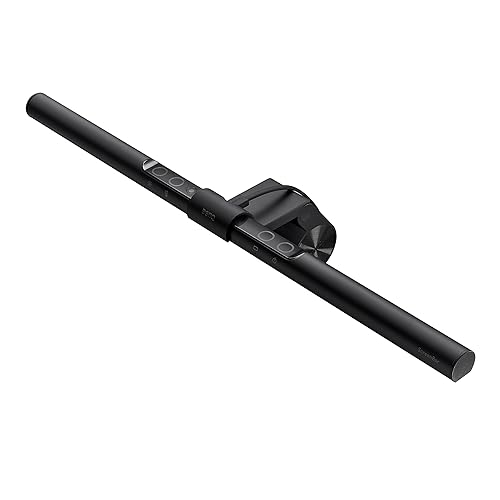
BenQ ScreenBar
A USB-powered monitor light bar with auto-dimming, 2700K-6500K range and no screen glare.
Pros
- Auto-dimming via built-in light sensor
- 2700K-6500K with touch controls
- ASYM-Light: no screen glare
- CRI over 95; 17-year LED lifespan claim
Cons
- Front light only; no backlight
- Touch controls on the bar itself
- Mounts 0.4-1.2 inch monitors only
- Special monitor backs may not fit
Detailed Review
BenQ lists the ScreenBar with flicker-free, anti-blue light hazard LEDs at CRI over 95 and a 17-year lifespan claim at 8 hours daily. The listing describes a patented counterweight clamp for monitors 0.4 to 1.2 inches thick, fit for ultrawide and 1500R+ curved monitors, ASYM-Light beams with no screen glare, 500lx over a 23.6 by 11.8 inch area, auto-dimming via a light sensor and touch controls for 2700K-6500K. USB-A powered at 5 watts. The stated warranty is 1 year.
Who it is for: gamers who want simple, reliable front light with auto-dimming. Who should skip it: anyone wanting a backlight or remote control.
Its Office Score of 9.6/10 comes from performance 30/35, build 21/25, value 21/25, safety 5/10 and warranty 3/5: 80 of 100 points, placed on our 9.2 to 9.8 scale.
Key Specifications
| Front light | 500lx, no glare |
|---|---|
| Range | 2700K-6500K |
| Power | USB-A, 5W |
| Warranty | 1 year |
Figures as published on the retailer listing, collected 21 October 2026. Performance figures are manufacturer rated.
Safety and Warranty
What this listing states. Flicker-free and anti-blue light hazard source is stated, so safety scores 5 of 10. 1-year warranty is stated. It does not say everything a buyer needs, such as who pays return shipping, so warranty scores 3 of 5. See How We Pick.
Lamps near paper and water. Use the supplied adapter, keep the lamp head away from paper, curtains and drinks, and treat flicker-free and brightness figures as the maker's claims.
This is general buying information, not professional advice. Follow each product manual and local rules, and see our Safety Disclaimer.

Quntis IM 15.7 RGB
A 15.7-inch monitor light bar with 900-lux front light and 24 RGB backlight modes.
Pros
- 900-lux glare-free front light
- 24 RGB backlight modes (9 static, 15 dynamic)
- Ra95 with RG0 blue-light-free claim
- Smart memory restores last settings
Cons
- No warranty term is stated
- Touch control only
- 15.7 inches; shorter than the 20-inch bars
- Gaming-first marketing; office buyers beware
Detailed Review
Quntis lists the IM 15.7 with an independent RGB backlight projecting onto the wall and a front light delivering up to 900 lux. The listing describes 24 RGB modes, 5 brightness levels, stepless 3000K-6500K, Ra95 color accuracy, RG0 blue-light-free and flicker-free per IEC/IEEE, a triangular counterweight clamp for 0.16 to 2.36 inch monitors with a notched front clip for webcams, and smart memory. USB powered at 5 watts. No warranty term is stated.
Who it is for: gamers who want RGB glow plus a bright front light at a mid price. Who should skip it: anyone who wants a stated warranty term.
Its Office Score of 9.6/10 comes from performance 33/35, build 22/25, value 21/25, safety 6/10 and warranty 0/5: 82 of 100 points, placed on our 9.2 to 9.8 scale.
Key Specifications
| Front light | 900 lux |
|---|---|
| Backlight | 24 RGB modes |
| Control | Touch |
| Warranty | Not stated |
Figures as published on the retailer listing, collected 21 October 2026. Performance figures are manufacturer rated.
Safety and Warranty
What this listing states. RG0 blue-light-free and flicker-free per IEC/IEEE are stated, so safety scores 6 of 10. No warranty term, so warranty scores zero. See How We Pick.
Lamps near paper and water. Use the supplied adapter, keep the lamp head away from paper, curtains and drinks, and treat flicker-free and brightness figures as the maker's claims.
This is general buying information, not professional advice. Follow each product manual and local rules, and see our Safety Disclaimer.

Govee Smart Light Bar
A 2-pack of RGBICWW smart light bars with music sync, 60+ scenes and Matter voice control.
Pros
- RGBICWW segmented color with tunable white
- Music sync via built-in mic
- Matter, Alexa and Google Home voice control
- 60+ scene modes with DIY and AI lighting
Cons
- Backlight only; no front task light
- 18W 12V adapter, not USB powered
- Recommended for monitors under 45 inches
- Plastic construction
Detailed Review
Govee lists a 2-pack of RGBICWW smart light bars with segmented dynamic color, tunable cool-to-warm white and vivid RGBIC colors. The listing describes music sync via a built-in mic, Matter support with Alexa and Google Home voice control, the Govee Home App with 60+ scene modes, DIY mode and an AI lighting bot, and versatile placement: lay flat, stand vertically or mount behind a monitor or TV. The set includes 2 bars, brackets and a 106-inch cord at 18 watts. The stated warranty is one year.
Who it is for: gamers who want ambient RGB glow, music sync and smart home integration. Who should skip it: anyone needing a front light for the keyboard.
Its Office Score of 9.6/10 comes from performance 32/35, build 22/25, value 21/25, safety 5/10 and warranty 0/5: 80 of 100 points, placed on our 9.2 to 9.8 scale.
Key Specifications
| Type | RGBICWW backlight |
|---|---|
| Control | App + voice |
| Power | 18W, 12V |
| Warranty | 1 year |
Figures as published on the retailer listing, collected 21 October 2026. Performance figures are manufacturer rated.
Safety and Warranty
What this listing states. FCC specification is stated, so safety scores 5 of 10. No warranty term, so warranty scores zero. See How We Pick.
Lamps near paper and water. Use the supplied adapter, keep the lamp head away from paper, curtains and drinks, and treat flicker-free and brightness figures as the maker's claims.
This is general buying information, not professional advice. Follow each product manual and local rules, and see our Safety Disclaimer.

Quntis Focus 20.1
A 20.1-inch monitor light bar with remote control, 1200+ lux and auto-dimming.
Pros
- Over 1200 lux illumination
- Sensitive remote with stepless dimming
- Fits 17-32 inch curved and irregular monitors
- Auto-dimming plus 2-hour rest timer
Cons
- No warranty term is stated
- Front light only; no backlight
- Remote needs line of sight to the sensor
- No RGB modes
Detailed Review
Quntis lists the Focus 20.1 with a patented triple-fold weighted clamp for 17 to 32 inch flat, curved and irregular monitors 0.12 to 3.94 inches thick. The listing describes a sensitive remote with stepless 3000K-6500K dimming at CRI95, 45-degree asymmetrical optics with no screen glare, over 1200 lux, auto-dimming via an ambient sensor, a 2-hour auto-off timer, and IEEE 1789 and IEC 62471 compliance. USB powered at 5 watts. No warranty term is stated.
Who it is for: gamers with large or curved monitors who want the strongest front light with a remote. Who should skip it: anyone wanting RGB backlight or a stated warranty.
Its Office Score of 9.6/10 comes from performance 30/35, build 21/25, value 21/25, safety 6/10 and warranty 0/5: 78 of 100 points, placed on our 9.2 to 9.8 scale.
Key Specifications
| Front light | 1200+ lux |
|---|---|
| Fit | 17-32 in |
| Control | Remote |
| Warranty | Not stated |
Figures as published on the retailer listing, collected 21 October 2026. Performance figures are manufacturer rated.
Safety and Warranty
What this listing states. IEEE 1789 and IEC 62471 standards are stated, so safety scores 6 of 10. No warranty term, so warranty scores zero. See How We Pick.
Lamps near paper and water. Use the supplied adapter, keep the lamp head away from paper, curtains and drinks, and treat flicker-free and brightness figures as the maker's claims.
This is general buying information, not professional advice. Follow each product manual and local rules, and see our Safety Disclaimer.
As an Amazon Associate I earn from qualifying purchases.
More picks to compare
 BenQ ScreenBar Pro LED Monitor Light BarCheck on Amazon
 Quntis RGB Monitor Light Bar with RemoteCheck on Amazon
 SAMPHON Monitor Light BarCheck on Amazon
 Eastfine RGB Light BarCheck on Amazon
Compare the picks
| Light Bar | Desk Score | Front light | Backlight | Control | Warranty | Amazon |
|---|---|---|---|---|---|---|
| BenQ ScreenBar Halo 2 | 9.7/10 | 18° anti-glare | Adjustable backlight | Wireless dial | 1 year | View on Amazon |
| BenQ ScreenBar | 9.6/10 | 500lx, 23.6×11.8 in | None | Touch | 1 year | View on Amazon |
| Quntis IM 15.7 RGB | 9.6/10 | 900 lux | 24 RGB modes | Touch | Not stated | View on Amazon |
| Govee Smart Light Bar | 9.6/10 | Not stated | RGBICWW | App + voice | Not stated | View on Amazon |
| Quntis Focus 20.1 | 9.6/10 | 1200+ lux | None | Remote | Not stated | View on Amazon |
Specifications are manufacturer rated as listed, collected 21 October 2026.
How we scored them
The Desk Score weighs fit for gaming setups, features, value, stated eye-care claims and warranty terms. Eye care here means the stated flicker-free, blue-light and glare claims, not medical advice. Two listings state a 1-year warranty; three state no warranty term. How we pick explains the weights.
| Product | Office Score | Perf. /35 | Build /25 | Value /25 | Safety /10 | Warranty /5 |
|---|---|---|---|---|---|---|
| BenQ ScreenBar Halo 2 | 9.7 | 33 | 22 | 21 | 6 | 3 |
| BenQ ScreenBar | 9.6 | 30 | 21 | 21 | 5 | 3 |
| Quntis IM 15.7 RGB | 9.6 | 33 | 22 | 21 | 6 | 0 |
| Govee Smart Light Bar | 9.6 | 32 | 22 | 21 | 5 | 0 |
| Quntis Focus 20.1 | 9.6 | 30 | 21 | 21 | 6 | 0 |
Scores run from 9.2 to 9.8: each product’s point total is placed on that range, so more points always means a higher score.
How to choose the best monitor light bar for gaming
Front light, backlight, or both
The BenQ ScreenBar Halo 2 and the Quntis IM 15.7 pair a glare-free front light with an adjustable RGB backlight that washes the wall behind the monitor. The backlight softens the contrast between a bright screen and a dark room, which both listings tie to late-night eye comfort. The Govee is backlight-only: two RGBICWW bars that sit behind the monitor or TV for ambient color, music sync and scenes, with no front task light at all. The BenQ ScreenBar and Quntis Focus are front-light-only: they put light on the desk and keyboard and nothing on the wall. If you game in the dark and want the glow, pick a combo bar; if you just want to see the keyboard, a front-light bar does it for less fuss.
Match the bar to your monitor
Clamp fit matters more than it looks. The BenQ ScreenBar mounts on monitors 0.4 to 1.2 inches thick and fits ultrawide and curved monitors of 1500R and above, while the Halo 2 fits 0.17 to 2.36 inches thick and 1000R to 1800R curved monitors. The Quntis Focus 20.1 uses a triple-fold weighted clamp for 17 to 32 inch flat, curved and irregular monitors 0.12 to 3.94 inches thick, and the Quntis IM 15.7 fits 0.16 to 2.36 inches thick with a notched front clip that leaves the webcam clear. The Govee is not a monitor bar at all: it lays flat, stands vertically or mounts behind a monitor or TV with included brackets, and the listing recommends it for monitors under 45 inches. Measure your monitor’s thickness and curve before you buy, and note the BenQ warning that special monitor back designs may affect compatibility.
Control: touch, remote, dial or app
Every bar here controls brightness and color temperature, but the interface differs. The BenQ ScreenBar uses touch controls on the bar itself; the Quntis IM 15.7 is also touch-controlled with a smart memory function that restores the last RGB mode, brightness and color temperature on power-on. The Quntis Focus ships with a sensitive remote: rotate for stepless dimming, double-click for auto-dimming, long-press for a 2-hour auto-off timer. The BenQ Halo 2 uses a wireless dial with a built-in display showing precise values, plus a My Favorite mode that remembers settings and automatic on/off with the monitor. The Govee goes furthest: the Govee Home App with 60+ scene modes, DIY lighting, an AI lighting bot, and voice control via Alexa and Google Home with Matter support. If the bar sits behind the monitor where you cannot reach it, a remote, dial or app is worth more than touch buttons. For a full gaming setup, see our gaming chairs guides.
Eye care and brightness
All five claim some form of eye care. The BenQ ScreenBar states flicker-free and anti-blue light hazard LEDs with CRI over 95 and 500lx across a 23.6 by 11.8 inch area. The Halo 2 states flicker-free and blue-light-hazard-free LEDs with CRI over 95 and an 18-degree anti-glare angle. The Quntis IM 15.7 states RG0 blue-light-free and flicker-free per IEC/IEEE with Ra95 and up to 900 lux on the desk. The Quntis Focus states IEEE 1789 and IEC 62471 compliance with over 1200 lux. The Govee states only an FCC specification with 192 light sources and 2200K color temperature. Color temperature ranges run 2700K to 6500K on the BenQ bars and 3000K to 6500K on the Quntis bars; the Govee lists 2200K. Brighter is not always better for gaming: the backlight bars trade raw lux for ambient glow.
Power and placement
Four of the five run on USB power at 5 watts: the BenQ ScreenBar via USB-A, the Halo 2 via USB cable, and both Quntis bars via USB. The Govee is the outlier at 18 watts on a 12V corded adapter with a 106-inch cord. USB power means one less wall outlet and easy connection to the PC, but the bar only lights when the port has power. The Halo 2 adds a motion sensor that lights up when you sit down and shuts off after 5 minutes of absence, plus auto on/off with the monitor. The Quntis Focus adds a 2-hour auto-off timer as a break reminder. The Govee’s 2-pack includes two bars, two screen brackets and two table brackets for flexible placement. All five are indoor use.
Setup Notes
- Measure monitor thickness: clamps fit 0.12 to 3.94 inches across the five bars.
- USB-powered bars need a live port; the Govee needs its 12V adapter.
- Keep the webcam clear: the Quntis IM 15.7 has a notched front clip for this.
- The Halo 2 remembers settings; the Quntis bars restore the last mode on power-on.
Frequently Asked Questions
Which monitor light bar has a backlight for gaming?
The BenQ ScreenBar Halo 2 and the Quntis IM 15.7 have RGB backlights; the Govee is backlight-only with RGBICWW bars.
Do these light bars cause screen glare?
All five claim no-glare designs: asymmetrical optics direct light onto the desk, not the screen. The BenQ bars state ASYM-Light technology.
Which bar fits curved monitors?
The BenQ ScreenBar fits 1500R and above, the Halo 2 fits 1000R to 1800R, and the Quntis Focus fits curved and irregular monitors 17 to 32 inches.
Which light bar has a remote?
The Quntis Focus includes a remote with dimming and a 2-hour timer; the Halo 2 uses a wireless dial; the Govee uses the app and voice.
How long do the LEDs last?
The BenQ Halo 2 states over 50,000 hours; the BenQ ScreenBar states 17 years at 8 hours of daily use.
Related guides
See every desk lamp and light bar guide and all desk guides.
More picks: mouse pad for high-sensitivity gaming and desk lamps and light bars.