
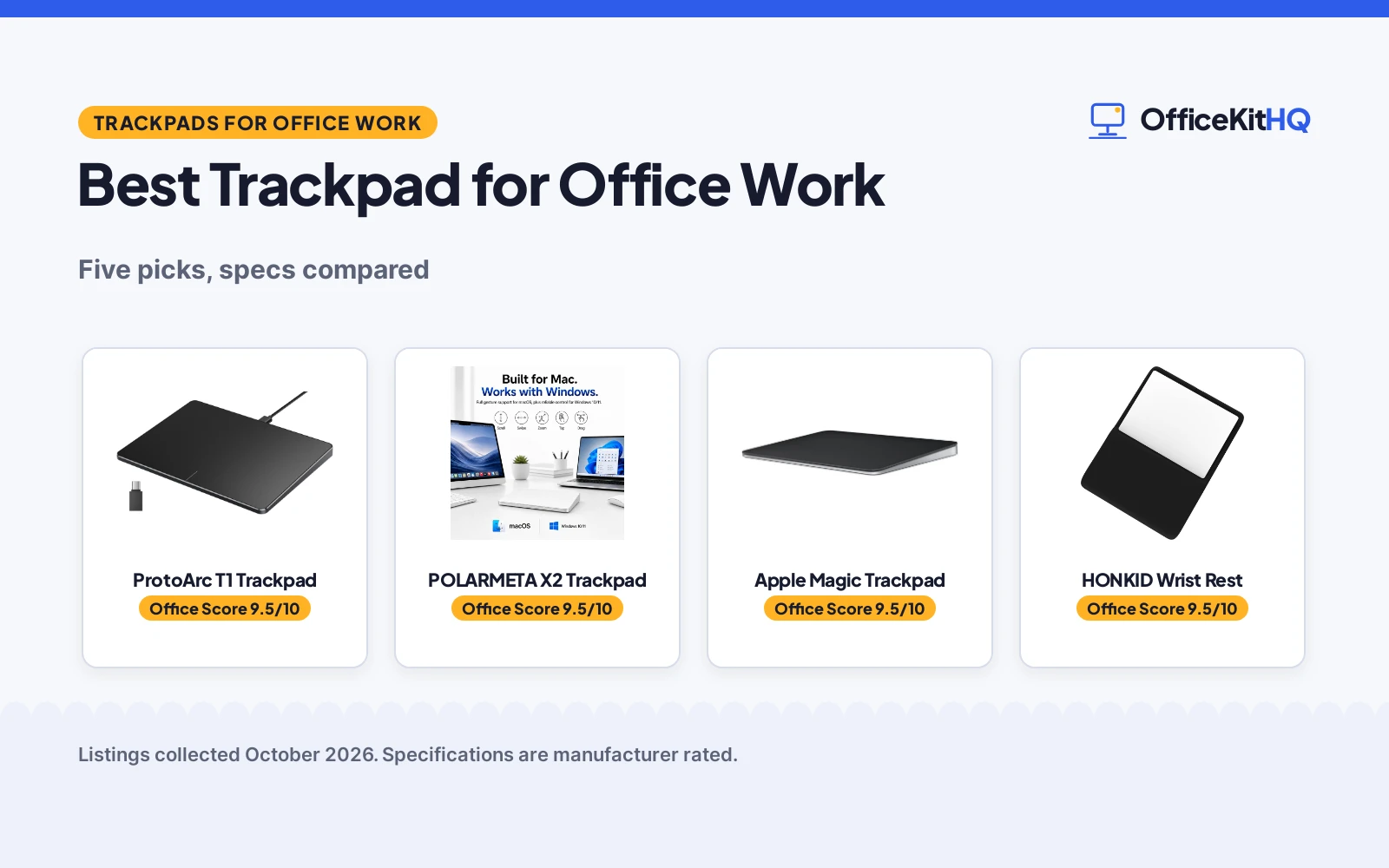
A desk where the mouse keeps sliding off the edge and the laptop trackpad feels cramped is where the best trackpad for office work earns its place. A larger surface, steady clicks and gestures that match the system make long days of documents, calls and spreadsheets smoother. We compared 4 trackpads and a wrist rest by surface size, connection type, system support, battery life and warranty term, using only what each listing publishes.
OfficeKitHQ earns a commission when you buy through links on this page, at no extra cost to you. As an Amazon Associate I earn from qualifying purchases. Affiliate disclosure.
Quick picks
 Top pick ProtoArc T1 Trackpad: Wired USB-C, 6.4 in metal surface and a 2 Year warranty. Check price on Amazon
 Dual-system pick POLARMETA X2 Trackpad: 7.5 in glass surface for Mac and Windows over 2.4G USB. Check price on Amazon
 Mac pick Apple Magic Trackpad: Edge-to-edge glass with Force Touch and auto-pairing for Mac. Check price on Amazon
 Windows pick Amazon Basics Trackpad: Dual device Bluetooth for Windows with four finger gestures. Check price on Amazon
The picks
| # | Product | Office Score | Buy |
|---|---|---|---|
| 1 | ProtoArc T1 Trackpad | 9.5/10 | Buy on Amazon |
| 2 | POLARMETA X2 Trackpad | 9.5/10 | Buy on Amazon |
| 3 | Apple Magic Trackpad | 9.5/10 | Buy on Amazon |
| 4 |  HONKID Magic Trackpad 2 Rest HONKID Magic Trackpad 2 Rest | 9.5/10 | Buy on Amazon |
| 5 | Amazon Basics Trackpad | 9.4/10 | Buy on Amazon |

ProtoArc T1 Trackpad
A wired USB trackpad for Windows 11 and Windows 10 with a 6.4 in metal surface, physical clicks and a 2 Year warranty.
Pros
- 6.4 in metal surface with room for four-finger gestures
- Wired USB-C connection with no drivers needed
- Physical left and right clicks plus full-area single-click
- 2 Year warranty stated by the maker
Cons
- Windows only, not compatible with Mac, Chrome OS or Linux
- Wired design needs a USB port near the desk
- No battery, so it cannot run wireless
- Listing notes some gestures or functions may be missing
Detailed Review
The ProtoArc T1 is the wired pick, with a large 6.4 in metal surface, an aluminum enclosure and a stable USB-C connection that needs no additional drivers. The listing states physical clicks for the left and right buttons at the bottom, full-area single-click for the left button, two-finger single-tap for right mouse clicks, and support for up to four-finger operation for scrolling, pinching and dragging. The listing does not agree with itself on size: the bullets state a size of 6.4 by 4.8 by 0.4 inches while the spec table lists 6.4 by 6.4 inches with a thickness range of 0.19 in to 0.39 in. This guide follows the bullets and the title, which state the 6.4 in surface.
Who it's for: Windows office workers who want a stable wired trackpad with a large surface. Who should skip it: Mac users and anyone who needs wireless use.
Its Office Score of 9.5/10 comes from performance 28/35, build 21/25, value 21/25, safety 0/10 and warranty 3/5: 73 of 100 points, placed on our 9.2 to 9.8 scale.
Key Specifications
| Surface | 6.4 in |
|---|---|
| Connection | Wired USB-C |
| Works with | Windows 11/10 |
| Warranty | 2 Year |
Figures as published on the retailer listing, collected 25 October 2026. Performance figures are manufacturer rated.
Safety and Warranty
What this listing states. This product does not plug in or run on a battery, so safety is not part of its score. 2 Year. It does not say everything a buyer needs, such as who pays return shipping, so warranty scores 3 of 5. See How We Pick.
Fit the desk first. Check the stated size against your desk depth and keyboard tray, and charge or pair as the manual describes. No keyboard, mouse or wrist rest prevents or treats injury.
This is general buying information, not professional advice. Follow each product manual and local rules, and see our Safety Disclaimer.

POLARMETA X2 Trackpad
A wireless trackpad with a 7.5 in glass surface, 2.4G USB connection, Mac and Windows support and a 1 year warranty.
Pros
- 7.5 in frosted glass surface for smooth finger glide
- Works on macOS and Windows 10/11 with full multi-gesture support
- 2.4G USB receiver with no drivers needed
- 900mAh battery with up to 7 days of use per charge
Cons
- No Bluetooth stated, only a 2.4G USB receiver
- Recharge takes about 2 hours
- 1 year warranty, shorter than the ProtoArc 2 Year term
- Battery life may vary with use, as the listing notes
Detailed Review
The POLARMETA pick is the dual-system pick, with a 7.5 in frosted glass surface, an aluminum body with an anti-slip rubber base, and a dedicated 2.4G USB receiver for a stable connection. The listing states two-finger scrolling, pinch-to-zoom, three-finger swipe, tapping and dragging on both Mac and Windows, plus a physical click mechanism and tap to click. The built-in 900mAh battery supports up to 7 days of use per charge under typical daily use and recharges in about 2 hours via USB-C, and the listing states the cable allows charging and use at the same time.
Who it's for: office workers on Mac and Windows who want a large glass surface with one receiver. Who should skip it: anyone whose desk has no free USB port for the receiver.
Its Office Score of 9.5/10 comes from performance 30/35, build 21/25, value 21/25, safety 0/10 and warranty 2/5: 74 of 100 points, placed on our 9.2 to 9.8 scale.
Key Specifications
| Surface | 7.5 in |
|---|---|
| Connection | 2.4G USB |
| Battery | 900mAh, up to 7 days |
| Charge time | About 2 hours |
Figures as published on the retailer listing, collected 25 October 2026. Performance figures are manufacturer rated.
Safety and Warranty
What this listing states. No FCC or other safety listing is stated, so safety scores zero. 1 year. It does not say everything a buyer needs, such as who pays return shipping, so warranty scores 2 of 5. See How We Pick.
Fit the desk first. Check the stated size against your desk depth and keyboard tray, and charge or pair as the manual describes. No keyboard, mouse or wrist rest prevents or treats injury.
This is general buying information, not professional advice. Follow each product manual and local rules, and see our Safety Disclaimer.

Apple Magic Trackpad
A wireless rechargeable trackpad with an edge-to-edge glass surface, Multi-Touch gestures and Force Touch for Mac.
Pros
- Large edge-to-edge glass surface for scrolling and swiping
- Multi-Touch gestures with Force Touch pressure sensing
- Pairs automatically with a Mac
- Rechargeable battery powers it for about a month or more between charges
Cons
- Mac pairing only stated, no Windows support stated
- No warranty term stated in the listing
- Battery life is stated as about a month or more, not an exact figure
- No surface size in inches stated, only product dimensions
Detailed Review
The Apple pick is the Mac pick, with a large edge-to-edge glass surface and sensors underneath the surface that detect subtle differences in pressure for Force Touch. The listing states the full range of Multi-Touch gestures, automatic pairing with a Mac, a USB-C port and a stated weight of 11.5 ounces with product dimensions of 6.89 by 5.1 by 0.98 inches. The rechargeable battery powers it for about a month or more between charges, which is the longest stated battery figure in this guide.
Who it's for: Mac office workers who want the largest stated battery figure and automatic pairing. Who should skip it: Windows users and anyone who needs a stated warranty term.
Its Office Score of 9.5/10 comes from performance 30/35, build 22/25, value 20/25, safety 0/10 and warranty 0/5: 72 of 100 points, placed on our 9.2 to 9.8 scale.
Key Specifications
| Surface | Edge-to-edge glass |
|---|---|
| Connection | Wireless, USB-C |
| Weight | 11.5 ounces |
| Dimensions | 6.89 by 5.1 by 0.98 inches |
Figures as published on the retailer listing, collected 25 October 2026. Performance figures are manufacturer rated.
Safety and Warranty
What this listing states. This product does not plug in or run on a battery, so safety is not part of its score. No warranty term, so warranty scores zero. See How We Pick.
Fit the desk first. Check the stated size against your desk depth and keyboard tray, and charge or pair as the manual describes. No keyboard, mouse or wrist rest prevents or treats injury.
This is general buying information, not professional advice. Follow each product manual and local rules, and see our Safety Disclaimer.

HONKID Magic Trackpad 2 Rest
A rest for Magic Trackpad 2 (A1535), cool gel and lycra, with a 2-year warranty.
Pros
- Designed for Magic Trackpad 2 (A1535) as stated
- Cool gel and breathable lycra fabric as stated
- Non-skid rubber base as stated
- 2-year warranty as stated
Cons
- 8.46 x 7.48 inches, the largest here
- 8.8 ounces
- Magic Trackpad 2 only
- No safety certification stated
Detailed Review
The listing states a wrist rest designed for the Magic Trackpad 2, models MJ2R2LL/A and A1535, made of cool gel with a super smooth breathable lycra fabric and a non-skid rubber base, at 8.46 x 7.48 inches. The bullets state a 2-year warranty.
Who it's for: a Magic Trackpad 2 user who wants a fitted gel rest. Who should skip it: someone with a different trackpad, since it is sized for the Magic Trackpad 2.
Its Office Score of 9.5/10 comes from performance 32/35, build 20/25, value 20/25, safety 0/10 and warranty 3/5: 75 of 100 points, placed on our 9.2 to 9.8 scale.
Key Specifications
| Fit | Magic Trackpad 2 (A1535) |
|---|---|
| Size | 8.46 x 7.48 in |
| Fill | Cool gel / lycra |
| Warranty | 2 Year |
Figures as published on the retailer listing, collected 17 October 2026. Performance figures are manufacturer rated.
Safety and Warranty
What this listing states. No FCC or other safety listing is stated, so safety scores zero. 2-year warranty. It does not say everything a buyer needs, such as who pays return shipping, so warranty scores 3 of 5. See How We Pick.
Fit the desk first. Check the stated size against your desk depth and keyboard tray, and charge or pair as the manual describes. No keyboard, mouse or wrist rest prevents or treats injury.
This is general buying information, not professional advice. Follow each product manual and local rules, and see our Safety Disclaimer.

Amazon Basics Trackpad
A wireless trackpad for Windows with dual device Bluetooth control, multi-touch gestures and a 6.4 in surface.
Pros
- Connects two devices at a time via Bluetooth
- Multi-touch control with up to four finger gestures
- Built-in left and right mouse buttons
- USB-C port for recharging the lithium battery
Cons
- Not compatible with macOS, Chrome OS or Linux
- No warranty term stated in the listing
- Sleep mode in Bluetooth mode after a period of inactivity
- Wired mode recommended for instant responsiveness for infrequent use
Detailed Review
The Amazon Basics pick is the dual-device pick, with a 6.4 in surface, Bluetooth control for two devices at a time and a mode switch button to jump between them. The listing states multi-touch gestures with up to four finger gestures, built-in left and right mouse buttons, colored indicator lights and a stated weight of 261.2 g with a USB Type C interface. The listing notes that in Bluetooth mode the trackpad enters sleep mode after a period of inactivity, and that switching to wired mode is recommended to minimize latency for infrequent use.
Who it's for: Windows workers who switch between two devices during the day. Who should skip it: Mac users and anyone who needs a stated warranty term.
Its Office Score of 9.4/10 comes from performance 27/35, build 19/25, value 21/25, safety 0/10 and warranty 0/5: 67 of 100 points, placed on our 9.2 to 9.8 scale.
Key Specifications
| Surface | 6.4 in |
|---|---|
| Connection | Bluetooth, USB-C |
| Devices | 2 via Bluetooth |
| Weight | 261.2 g |
Figures as published on the retailer listing, collected 25 October 2026. Performance figures are manufacturer rated.
Safety and Warranty
What this listing states. This product does not plug in or run on a battery, so safety is not part of its score. No warranty term, so warranty scores zero. See How We Pick.
Fit the desk first. Check the stated size against your desk depth and keyboard tray, and charge or pair as the manual describes. No keyboard, mouse or wrist rest prevents or treats injury.
This is general buying information, not professional advice. Follow each product manual and local rules, and see our Safety Disclaimer.
As an Amazon Associate I earn from qualifying purchases.
More picks to compare
 Homiguar TrackpadWindows 10 and 11 trackpad with 2.4G, Bluetooth and wired modes.Check on Amazon
Compare the picks
| Trackpad | Office Score | Surface | Connection | Works with | Warranty | Amazon |
|---|---|---|---|---|---|---|
| ProtoArc T1 Trackpad | 9.5/10 | 6.4 in | Wired USB-C | Windows 11/10 | 2 Year | View on Amazon |
| POLARMETA X2 Trackpad | 9.5/10 | 7.5 in | 2.4G USB | Mac and Windows | 1 year | View on Amazon |
| Apple Magic Trackpad | 9.5/10 | Edge-to-edge glass | Wireless, USB-C | Mac | Not stated | View on Amazon |
| Amazon Basics Trackpad | 9.4/10 | 6.4 in | Bluetooth, USB-C | Windows | Not stated | View on Amazon |
| HONKID Wrist Rest | 9.5/10 | Not stated | Not stated | Magic Trackpad 2 | Not stated |
Specifications are manufacturer rated as listed, collected 25 October 2026. Two of the five state a warranty term; none states a certification.
How we scored them
The Office Score weighs performance, build, value, safety and warranty. For a trackpad, safety means a stated certification or safety feature on the listing; none of the five listings states one, so every pick scores zero on safety. Two listings state a warranty term: ProtoArc at 2 Year and POLARMETA at 1 year. How we pick explains the weights.
| Product | Office Score | Perf. /35 | Build /25 | Value /25 | Safety /10 | Warranty /5 |
|---|---|---|---|---|---|---|
| ProtoArc T1 Trackpad | 9.5 | 28 | 21 | 21 | 0 | 3 |
| POLARMETA X2 Trackpad | 9.5 | 30 | 21 | 21 | 0 | 2 |
| Apple Magic Trackpad | 9.5 | 30 | 22 | 20 | 0 | 0 |
| Amazon Basics Trackpad | 9.4 | 27 | 19 | 21 | 0 | 0 |
Scores run from 9.2 to 9.8: each product’s point total is placed on that range, so more points always means a higher score.
How to choose the best trackpad for office work
Match the system first
System support decides the shortlist before anything else. The ProtoArc and Amazon Basics picks are Windows only and state no Mac support, the Apple pick pairs with a Mac, and only the POLARMETA pick states full support on both macOS and Windows 10/11. A mixed-device desk should start with the dual-system pick, while a single-system desk can weigh surface and connection instead.
Surface size and gestures
Surface size sets how far a finger travels for a gesture. The POLARMETA pick offers a 7.5 in glass surface, the ProtoArc and Amazon Basics picks offer a 6.4 in surface, and the Apple pick offers a large edge-to-edge glass surface without a stated size in inches. All four trackpads state multi-touch gestures, with the ProtoArc and Amazon Basics picks stating support for up to four finger gestures, so gesture depth is close across the group and size becomes the separator.
Connection: wired, Bluetooth or 2.4G
Connection type sets both stability and desk freedom. The ProtoArc pick uses a wired USB-C connection with no drivers needed, the Amazon Basics pick uses Bluetooth for two devices at a time, the POLARMETA pick uses a dedicated 2.4G USB receiver, and the Apple pick is wireless with a USB-C port. Wired suits a fixed desk, Bluetooth suits switching between two Windows devices, and a 2.4G receiver suits a desk that wants one stable link without pairing steps. For a mouse-first desk instead, see our ergonomic mouse for home office.
Battery and charging
Battery figures differ more than any other spec here. The Apple pick states about a month or more between charges, the POLARMETA pick states up to 7 days of use per charge with about 2 hours to recharge, the Amazon Basics pick states a rechargeable lithium battery over USB-C without a stated life figure, and the wired ProtoArc pick needs no battery at all. A desk that hates charging should weigh the Apple figure first, while a desk that already charges over USB-C will find the other picks easy to live with. Pair any pick with a extended mouse pad for work to protect the desk surface.
Setup Notes
- Measure the desk against the Apple dimensions of 6.89 by 5.1 by 0.98 inches and the ProtoArc surface of 6.4 inches before ordering.
- Keep a USB-C cable and a free USB port ready for the wired ProtoArc pick and for charging the wireless picks.
- Check the system first: Windows-only picks will not serve a Mac desk, and the Apple pick pairs with a Mac.
- For the POLARMETA pick, keep the 2.4G USB receiver plugged in, since no Bluetooth is stated.
- Assembly is plug-and-play where stated: the ProtoArc and POLARMETA picks state no drivers needed.
Frequently Asked Questions
Can one trackpad work on both Mac and Windows?
Yes, the POLARMETA pick states full multi-gesture support on both macOS and Windows 10/11. The other picks state one system only, so check the listing before ordering for a mixed desk.
Is a wired trackpad better than a wireless one for office work?
It depends on the desk. The wired ProtoArc pick offers a stable USB-C connection with no drivers needed, while the wireless picks offer freedom from a cable at the cost of charging. A fixed desk suits wired, and a shared or travelling desk suits wireless.
How long does the Apple Magic Trackpad battery last?
The listing states about a month or more between charges. No exact figure is stated, so treat it as a maker-stated range rather than a measured result.
Do these trackpads support multi-touch gestures?
Yes, all four trackpads state multi-touch gestures. The ProtoArc and Amazon Basics picks state support for up to four finger gestures, and the POLARMETA pick states two-finger scrolling, pinch-to-zoom and three-finger swipe.
What is the wrist rest in this guide?
The HONKID item is a wrist rest for Magic Trackpad 2, not a trackpad. Its listing gives only the title, so no further details are stated, and it sits last in this guide for that reason.
Related guides
See every Mice and Mouse Pads guide and all Monitor Mounts, Keyboards and Mice guides.
Also see our wrist rest for trackpad.
More picks: ergonomic mouse for home office, wrist rest for trackpad, extended mouse pad for work.


