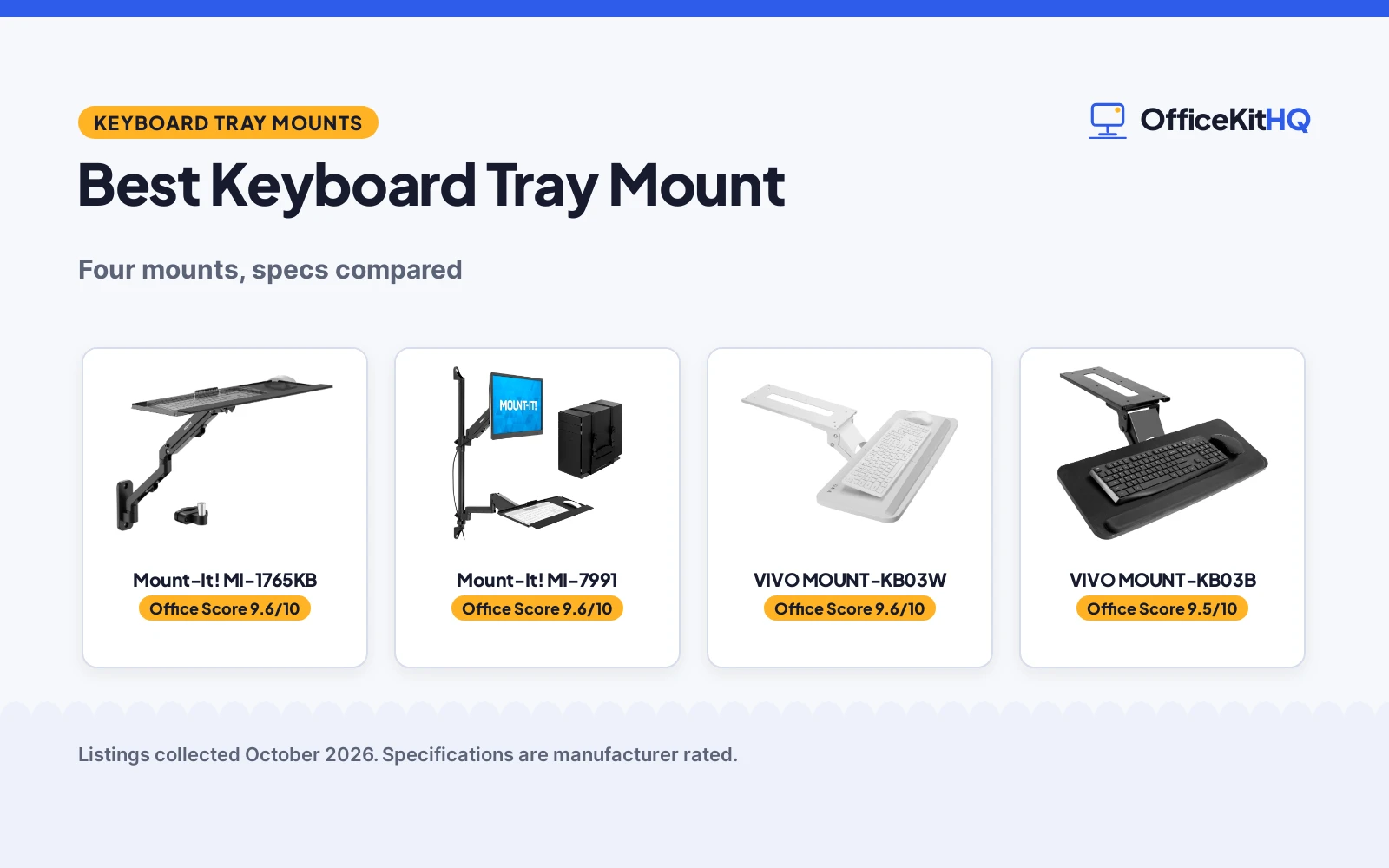
The best keyboard tray mount is the one that puts your keyboard where your hands already are, because a tray that sits too high or swings into your knees is one you stop using. This roundup compares four keyboard tray mounts using only what each listing publishes: tray size, tilt and swivel range, mounting style and stated extras. From wall and pole arms to plain under-desk trays, each pick is scored on performance, build, value, safety and warranty.
OfficeKitHQ earns a commission when you buy through links on this page, at no extra cost to you. As an Amazon Associate I earn from qualifying purchases. Affiliate disclosure.
Quick picks
 Best Overall Mount-It! MI-1765KB: Wall or pole mount with 85° tilt, 90° swivel and 21.8 in reach Check price on Amazon
 Best for shared desks Mount-It! MI-7991: Wall workstation: monitor arm, foldable 26 in tray, CPU holder Check price on Amazon
 White option VIVO MOUNT-KB03W: White under-desk tray, 25 by 10 in, full swivel Check price on Amazon
 Black option VIVO MOUNT-KB03B: Black under-desk tray, 25 by 10 in, full swivel Check price on Amazon
The picks
| # | Product | Office Score | Buy |
|---|---|---|---|
| 1 | Mount-It! MI-1765KB | 9.6/10 | Buy on Amazon |
| 2 | Mount-It! MI-7991 | 9.6/10 | Buy on Amazon |
| 3 | VIVO MOUNT-KB03W | 9.6/10 | Buy on Amazon |
| 4 | VIVO MOUNT-KB03B | 9.5/10 | Buy on Amazon |

Mount-It! MI-1765KB
A wall- or pole-mounted keyboard and mouse tray on a spring arm that tilts 85 degrees, swivels 90 degrees and extends 21.8 in, with a 25.74 by 7.48 in tray.
Pros
- Tilts 85 degrees, swivels 90 degrees and extends 21.8 in, the widest stated adjustment here
- Mounts to a wall or a round pole 1.1 to 2.4 in across
- 25.74 by 7.48 in tray fits a full-size keyboard and mouse side by side, per the listing
- Removable tray converts the arm to a VESA 75x75 or 100x100 monitor mount
Cons
- Designed for keyboard-and-mouse loads only, so keep the weight light
- No warranty term is stated
- Pole is sold separately
- Wall plate must anchor into a stud or solid concrete for the steadiest hold
Detailed Review
Mount-It! lists the MI-1765KB as a wall- or pole-mounted keyboard and mouse tray on a spring-assisted arm. The tray tilts up to 85 degrees, swivels 90 degrees and extends to 21.8 in, and the spring tension adjusts to the keyboard load while the arm raises and lowers. The tray measures 25.74 by 7.48 in and the listing says it fits a full-size keyboard and mouse side by side. The wall plate fastens to a wall, best anchored into a stud or solid concrete, or the included clamp fits a round pole 1.1 to 2.4 in across, pole sold separately. Steel construction, integrated cable management, all hardware plus instructions and an install video, and a US-based support team are stated. No warranty term is stated, so warranty scores zero.
Who it's for: someone who wants the keyboard off the desk entirely on a wall or pole, with the most stated adjustment here. Who should skip it: anyone who needs a tray for heavier gear or wants a warranty term in writing.
Its Office Score of 9.6/10 comes from performance 30/35, build 21/25, value 20/25, safety 8/10 and warranty 0/5: 79 of 100 points, placed on our 9.2 to 9.8 scale.
Key Specifications
| Tray size | 25.74 x 7.48 in |
|---|---|
| Tilt / swivel | 85° tilt, 90° swivel |
| Reach | 21.8 in |
| Pole fit | 1.1 to 2.4 in round pole |
Figures as published on the retailer listing, collected 23 October 2026. Performance figures are manufacturer rated.
Safety and Warranty
What this listing states. Steel construction; wall plate anchors into a stud or solid concrete, per the listing, so safety scores 8 of 10. No warranty term, so warranty scores zero. See How We Pick.
Moving desk, heavy load. Stay under the stated lift or weight capacity, leave slack in every cable, keep children, pets and fingers clear while the desk moves, and treat anti-collision as the maker's claim.
This is general buying information, not professional advice. Follow each product manual and local rules, and see our Safety Disclaimer.

Mount-It! MI-7991
A wall-mounted workstation combining a monitor arm for 17 to 32 in displays, a foldable 26 by 9.5 in keyboard tray and an adjustable CPU holder.
Pros
- Foldable 26 by 9.5 in tray folds upward when not in use
- Monitor arm holds up to 17.6 lbs with ±35° tilt and 180° swivel
- CPU holder secures towers 4.8 to 8.3 in wide up to 22 lbs with safety straps
- Dual wall attachment points on wood studs or concrete walls
Cons
- Wall installation only; no desk-mount option
- Not intended for oversized or ultrawide monitors
- No warranty term is stated
- Height adjustment of 28 in is stated without a range
Detailed Review
Mount-It! lists the MI-7991 as a wall-mounted workstation: a single monitor arm, a foldable keyboard tray and an adjustable CPU holder. The arm fits 17 to 32 in displays with VESA 75x75 and 100x100 patterns, holds up to 17.6 lbs, tilts ±35 degrees and swivels 180 degrees, with gas-spring height adjustment and a stated 28 in of travel. The keyboard tray measures 26 by 9.5 in, supports a full-size keyboard and mouse and folds upward when not in use. The CPU holder fits towers 4.8 to 8.3 in wide and up to 22 lbs with safety straps. The unit mounts to wood studs or concrete walls with dual attachment points, in an alloy steel enclosure. One contradiction to note: the title says the arm fits monitors 17 to 32 in, but the spec table lists a minimum supported screen size of 32 in; the title and bullets are more specific, so we trust them. No warranty term is stated, so warranty scores zero.
Who it's for: a shared or commercial space that wants the monitor, keyboard and PC all on one wall unit. Who should skip it: anyone who cannot drill into a wall, or who wants a desk-mounted tray.
Its Office Score of 9.6/10 comes from performance 29/35, build 20/25, value 20/25, safety 7/10 and warranty 0/5: 76 of 100 points, placed on our 9.2 to 9.8 scale.
Key Specifications
| Tray size | 26 x 9.5 in |
|---|---|
| Monitor fit | 17 to 32 in, VESA 75x75 and 100x100 |
| Arm movement | ±35° tilt, 180° swivel |
| CPU holder | 4.8 to 8.3 in wide, up to 22 lbs |
Figures as published on the retailer listing, collected 23 October 2026. Performance figures are manufacturer rated.
Safety and Warranty
What this listing states. Alloy steel construction with dual wall attachment points and CPU safety straps, so safety scores 7 of 10. No warranty term, so warranty scores zero. See How We Pick.
Moving desk, heavy load. Stay under the stated lift or weight capacity, leave slack in every cable, keep children, pets and fingers clear while the desk moves, and treat anti-collision as the maker's claim.
This is general buying information, not professional advice. Follow each product manual and local rules, and see our Safety Disclaimer.

VIVO MOUNT-KB03W
A white 25 by 10 in under-desk tray with full side-to-side swivel, 5 in of height adjustment and a 3-year manufacturer warranty.
Pros
- Full side-to-side swivel plus 5 in of height adjustment, the tallest stated range after the 3M
- 25 by 10 in tray slides forward and back on a 14.25 by 6.25 in track
- 3-year manufacturer warranty is stated, with tech support promised
- Mounting hardware is included and the minimum 5/8 in desktop thickness is spelled out
Cons
- Bullets state a 10 lb tray weight while the spec table says 11.7 lb; the bullets are more specific, so we use 10 lb
- Particle board tray surface rather than steel or wood
- Needs the MOUNT-SPACER01 part on VIVO height-adjustable desks with a frame cross bar
- No weight capacity is stated for the tray itself
Detailed Review
VIVO lists the MOUNT-KB03W as a white 25 by 10 in under-desk tray mounting with included hardware, swiveling fully and adjusting 5 in in height on a 14.25 by 6.25 in track. The listing states a plush pad, a 5/8 in minimum desktop thickness and a limited 3-year manufacturer warranty. One contradiction: the bullets put the tray at 10 lb, the spec table at 11.7 lb; we trust the bullets.
Who it's for: full swivel, 5 in of height travel, stated 3-year warranty. Who should skip it: VIVO height-adjustable desks with a cross bar, needing the separate MOUNT-SPACER01.
Its Office Score of 9.6/10 comes from performance 30/35, build 21/25, value 21/25, safety 6/10 and warranty 3/5: 81 of 100 points, placed on our 9.2 to 9.8 scale.
Key Specifications
| Tray | 25 x 10 in, white |
|---|---|
| Height adjustment | 5 in |
| Track | 14.25 in long, 6.25 in wide |
| Min desktop thickness | 5/8 in |
Figures as published on the retailer listing, collected 17 October 2026. Performance figures are manufacturer rated.
Safety and Warranty
What this listing states. Mounting hardware is included and a 5/8 in minimum desktop thickness is stated, so safety scores 6 of 10. Limited 3-year manufacturer warranty. It does not say everything a buyer needs, such as who pays return shipping, so warranty scores 3 of 5. See How We Pick.
Moving desk, heavy load. Stay under the stated lift or weight capacity, leave slack in every cable, keep children, pets and fingers clear while the desk moves, and treat anti-collision as the maker's claim.
This is general buying information, not professional advice. Follow each product manual and local rules, and see our Safety Disclaimer.

VIVO MOUNT-KB03B
Under-desk keyboard tray, 25 by 10 inches, with full swivel and height adjustment.
Pros
- Full side-to-side swivel rotation
- 5 inches of height adjustment
- Rubber padding for wrist support
- 25 x 10 in deluxe tray
Cons
- Needs a spacer bracket for standing desks
- Track needs 14.25 in clear of crossbars
- Rubber-listed material on the spec table
- No warranty term stated
Detailed Review
The listing describes the VIVO MOUNT-KB03B as a 25 by 10 inch keyboard tray with full side-to-side swivel, 5 inches of height adjustment and rubber padding. It slides on a 14.25 by 6.25 inch track, needs 14.25 inches clear between the desktop edge and any crossbar, and calls for a spacer bracket, not included, on height-adjustable desks.
Who it's for: users who want swivel plus height adjustment on a budget. Who should skip it: standing-desk users who want a drop-in fit, since it needs a spacer bracket.
Its Office Score of 9.5/10 comes from performance 28/35, build 19/25, value 18/25, safety not scored (non-powered gear) and warranty 0/5: 65 of 90 points, placed on our 9.2 to 9.8 scale.
Key Specifications
| Tray | 25 x 10 in |
|---|---|
| Adjust | Swivel, 5 in height |
| Track | 14.25 x 6.25 in |
| Weight | 10 lbs |
Figures as published on the retailer listing, collected 17 October 2026. Performance figures are manufacturer rated.
Safety and Warranty
What this listing states. This product does not plug in or run on a battery, so safety is not part of its score. No warranty term, so warranty scores zero. See How We Pick.
Moving desk, heavy load. Stay under the stated lift or weight capacity, leave slack in every cable, keep children, pets and fingers clear while the desk moves, and treat anti-collision as the maker's claim.
This is general buying information, not professional advice. Follow each product manual and local rules, and see our Safety Disclaimer.
As an Amazon Associate I earn from qualifying purchases.
More picks to compare
 Mount-It! MI-7995Sit-stand monitor arm with keyboard tray and gas-spring height adjustment.Check on Amazon
 VIVO Mount-FDKB1Black flip-down 24 inch wall-mount keyboard tray.Check on Amazon
 Mount Plus MED02Medical wall-mount workstation with folding keyboard tray and sliding mouse pad.Check on Amazon
 PUTORSEN Keyboard TrayWall-mount keyboard tray with adjustable arm and 25.8 inch platform.Check on Amazon
 Mount Plus MED01Medical monitor and keyboard wall mount with height-adjustable standing keyboard tray.Check on Amazon
Compare the picks
| Keyboard Tray Mount | Office Score | Tray size | Tilt / Swivel | Mounting | Extras | Amazon |
|---|---|---|---|---|---|---|
| Mount-It! MI-1765KB | 9.6/10 | 25.74 x 7.48 in | 85° tilt, 90° swivel | Wall or round pole 1.1 to 2.4 in | Converts to VESA monitor mount | View on Amazon |
| Mount-It! MI-7991 | 9.6/10 | 26 x 9.5 in | ±35° tilt, 180° swivel | Wall, studs or concrete | Monitor arm and CPU holder included | View on Amazon |
| VIVO MOUNT-KB03W | 9.6/10 | 25 x 10 in | Full swivel | Under desk | Not stated | View on Amazon |
| VIVO MOUNT-KB03B | 9.5/10 | 25 x 10 in | Full swivel | Under desk | Not stated | View on Amazon |
Specifications are manufacturer rated as listed, collected 23 October 2026. Two of the four state steel or alloy construction and mounting hardware; none states a warranty term.
How we scored them
The Office Score weighs performance (tray size, tilt, swivel and reach), build (stated construction and hardware), value for the stated specs, safety and warranty. For a keyboard tray mount, safety means stated mounting hardware and construction: the two Mount-It! listings state steel or alloy construction with wall anchoring or pole clamps, while the two VIVO listings state no safety details. No listing states a warranty term.
| Product | Office Score | Perf. /35 | Build /25 | Value /25 | Safety /10 | Warranty /5 |
|---|---|---|---|---|---|---|
| Mount-It! MI-1765KB | 9.6 | 30 | 21 | 20 | 8 | 0 |
| Mount-It! MI-7991 | 9.6 | 29 | 20 | 20 | 7 | 0 |
Scores run from 9.2 to 9.8: each product’s point total is placed on that range, so more points always means a higher score.
How to choose the best keyboard tray mount
Pick a mount style that fits your desk
Wall, pole and under-desk mounts ask different things of your space. The Mount-It! MI-1765KB fastens to a wall or clamps a round pole 1.1 to 2.4 in across, which suits a desk you cannot drill into or a rig beside the desk. The Mount-It! MI-7991 is a wall-only workstation for studs or concrete, so check what your wall is made of first. The VIVO trays mount under the desk and need nothing but the desk itself. If your desk has a thick edge, a clamp on keyboard tray is the style to compare next.
Check the tilt, swivel and reach numbers
Adjustment is what separates a mount from a shelf. The MI-1765KB lists the widest stated range here: 85 degrees of tilt, 90 degrees of swivel and 21.8 in of reach, with spring tension you tune to the keyboard load. The MI-7991 lists 35 degrees of tilt either way and 180 degrees of swivel on a gas-spring arm. The VIVO trays list full swivel and nothing else. If you type with the tray angled down, our best keyboard tray with negative tilt roundup compares that style.
Size the tray for your keyboard
A full-size keyboard plus a mouse needs a tray in the mid-twenties of inches. The MI-1765KB tray is 25.74 by 7.48 in and the listing says it fits a full-size keyboard and mouse side by side. The MI-7991 tray is 26 by 9.5 in, and the VIVO trays are 25 by 10 in. Measure your keyboard first, then leave room for the mouse on the same surface.
| Keyboard Tray Mount | Tray size | Mount style | Adjustment |
|---|---|---|---|
| Mount-It! MI-1765KB | 25.74 x 7.48 in | Wall or round pole | 85° tilt, 90° swivel, 21.8 in reach |
| Mount-It! MI-7991 | 26 x 9.5 in | Wall | ±35° tilt, 180° swivel |
| VIVO MOUNT-KB03W | 25 x 10 in | Under desk | Full swivel |
| VIVO MOUNT-KB03B | 25 x 10 in | Under desk | Full swivel |
Figures as stated in each listing.
Decide what else the mount should carry
Some mounts carry more than the keyboard. The MI-7991 is a full wall workstation: a monitor arm for 17 to 32 in displays, the foldable keyboard tray and a CPU holder for towers 4.8 to 8.3 in wide and up to 22 lbs. If you only need the tray, the MI-1765KB keeps it simpler, with a VESA 75×75 or 100×100 conversion if you later want a screen on the same arm. Pair any of these with a monitor arm or stand from our guides to keep the screen at the same height as the tray.
Setup Notes
- Measure first: tray sizes here run from 25.74 by 7.48 in to 26 by 9.5 in, so check the space under or beside your desk before ordering.
- Wall plates need a stud or solid concrete behind them, per the Mount-It! listing; pole clamps fit round poles 1.1 to 2.4 in across.
- Route cables before you tighten everything: the MI-1765KB has integrated cable management along the arm.
- The MI-7991 CPU holder fits towers 4.8 to 8.3 in wide and up to 22 lbs with safety straps.
- Keep the install hardware together: the MI-1765KB ships with all hardware, instructions and an install video.
Frequently Asked Questions
How do I use a keyboard tray?
Bring the tray to your hands using the adjustments the listing states. The MI-1765KB tilts to 85 degrees, swivels 90 degrees and extends to 21.8 in, so set the angle and height first, then type. The MI-7991 folds its 26 by 9.5 in tray upward when you are done. Tune the spring tension on the MI-1765KB to the keyboard load so the tray glides and stays put.
Is a keyboard tray necessary?
No tray is required; it is a space and fit choice. A tray frees the desktop surface, and the MI-1765KB swivels aside while the MI-7991 folds upward when not in use. If your keyboard already sits at a comfortable spot, an under-desk tray like the VIVO models keeps the surface clear without a wall mount.
How do I remove a keyboard tray from a desk?
Reverse the mounting the listing describes. The MI-1765KB unfastens from its wall plate or pole clamp; plates anchored into a stud or concrete need the anchors backed out. An under-desk tray unfastens from the desk underside. Keep the hardware together if you plan to remount it.
How do I fix a sliding keyboard tray?
Check the adjustment first: the MI-1765KB lets you tune the spring tension to the keyboard load, and a tray set too light will drift. For wall plates, the listing calls for anchoring into a stud or solid concrete, since a plate on drywall alone will not hold. Tighten the pole clamp on round poles 1.1 to 2.4 in across.
What tray size fits a full-size keyboard and mouse?
The listings state three sizes. The MI-1765KB tray is 25.74 by 7.48 in and fits a full-size keyboard and mouse side by side, per the listing. The MI-7991 tray is 26 by 9.5 in and supports a full-size keyboard and mouse. The VIVO trays are 25 by 10 in.
Related guides
See every keyboards and keyboard trays guide and all monitor mounts, keyboards and mice guides. Also see our best height adjustable keyboard tray. Also see our best keyboard tray with negative tilt. Also see our best keyboard tray for ikea desk. Also see our best clamp on keyboard tray.
More picks: monitor arms and stands, standing desks, mice and mouse pads.