
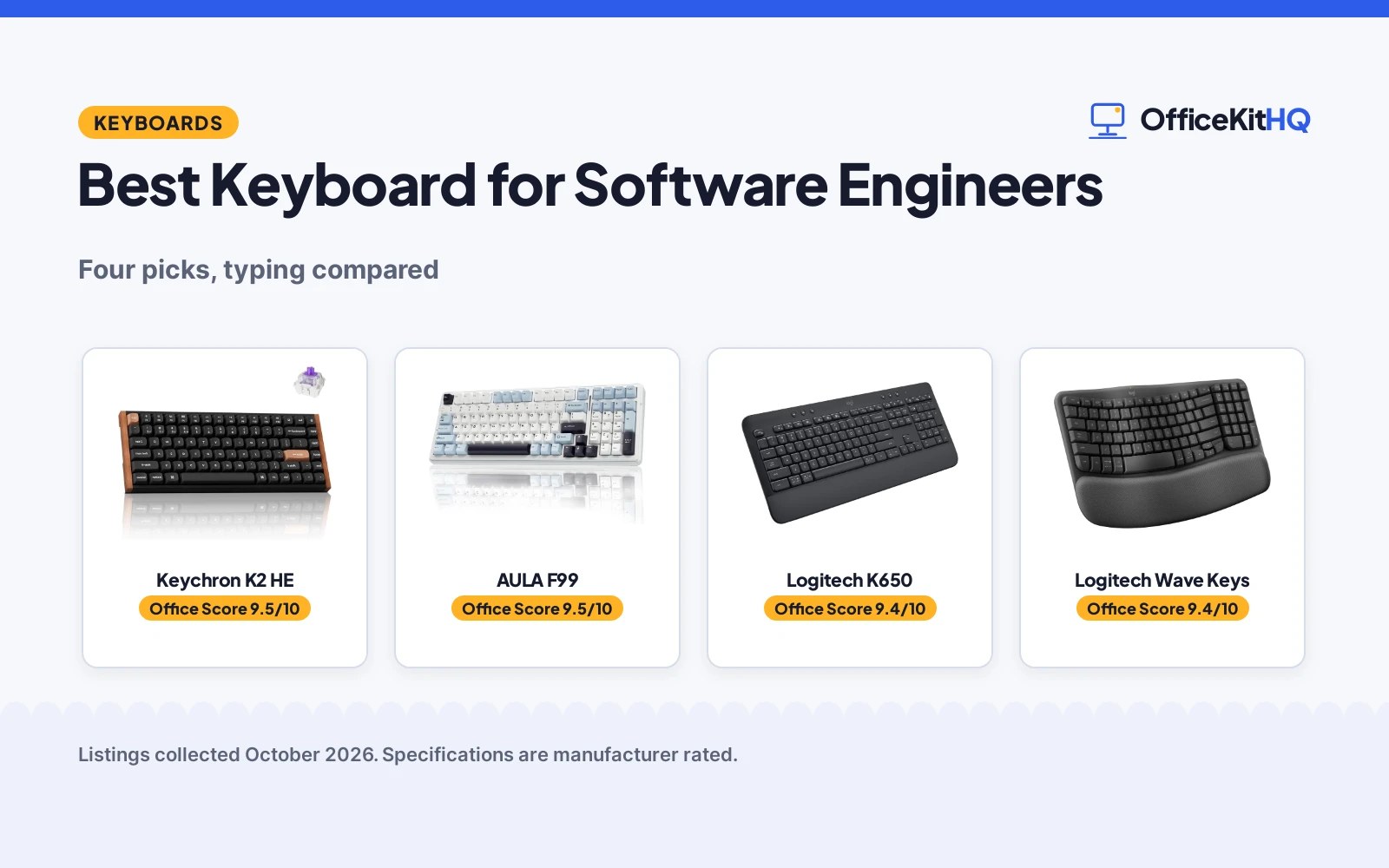
Eight hours a day on the same switches, and the keyboard stops being furniture and starts being a tool. This list of the best keyboard for software engineers compares four keyboards by switches, layout and connectivity: a magnetic hall-effect 75%, a hot-swappable mechanical 99-key, and two ergonomic membrane boards. We compared what each Amazon listing publishes, from switch types to stated warranties, and scored them from there.
OfficeKitHQ earns a commission when you buy through links on this page, at no extra cost to you. As an Amazon Associate I earn from qualifying purchases. Affiliate disclosure.
Quick picks
 Best Overall Keychron K2 HE: Magnetic switches, 75%, 1 year warranty. Check price on Amazon
 Best Mechanical AULA F99: Hot-swap, 99 keys, 5 devices. Check price on Amazon
 Best Full-Size Logitech K650: 104 keys, 36-month battery, 1 year warranty. Check price on Amazon
 Best Ergonomic Logitech Wave Keys: Wavy design, 3-year battery, ergo-certified. Check price on Amazon
The picks
| # | Product | Office Score | Buy |
|---|---|---|---|
| 1 | Keychron K2 HE | 9.5/10 | Buy on Amazon |
| 2 | AULA F99 | 9.5/10 | Buy on Amazon |
| 3 | Logitech K650 | 9.4/10 | Buy on Amazon |
| 4 | Logitech Wave Keys | 9.4/10 | Buy on Amazon |

Keychron K2 HE
A 75% wireless magnetic hall-effect keyboard with customizable actuation, for engineers who tune everything.
Pros
- Magnetic hall-effect switches with customizable actuation
- 75% layout, 84 keys; web-based Launcher configurator
- 2.4GHz, Bluetooth 5.2 and USB-C; 1000 Hz polling
- 1 year warranty; Mac and Windows keycaps included
Cons
- 84 keys; no full-size numpad
- 965 g; heavy for travel
- No palm rest is stated
- Magnetic switches may feel unfamiliar at first
Detailed Review
Keychron lists a 75% wireless magnetic hall-effect keyboard with 84 keys, customizable actuation and rapid triggering through a web-based Launcher configurator. The listing states 2.4GHz wireless, Bluetooth 5.2 and USB-C with a 1000 Hz polling rate, up to 3 devices, Mac and Windows keycaps and a 1 year warranty. No contradictions in the listing.
Who it's for: engineers who want adjustable actuation and deep customization. Who should skip it: anyone who needs a full-size numpad or a palm rest.
Its Office Score of 9.5/10 comes from performance 32/35, build 21/25, value 20/25, safety 0/10 and warranty 3/5: 76 of 100 points, placed on our 9.2 to 9.8 scale.
Key Specifications
| Switches | Magnetic hall-effect |
|---|---|
| Layout | 75% (84 keys) |
| Connectivity | 2.4GHz, Bluetooth 5.2, USB-C |
| Warranty | 1 year |
Figures as published on the retailer listing, collected 17 October 2026. Performance figures are manufacturer rated.
Safety and Warranty
What this listing states. This product does not plug in or run on a battery, so safety is not part of its score. The spec table states a 1 year warranty. It does not say everything a buyer needs, such as who pays return shipping, so warranty scores 3 of 5. See How We Pick.
Fit the desk first. Check the stated size against your desk depth and keyboard tray, and charge or pair as the manual describes. No keyboard, mouse or wrist rest prevents or treats injury.
This is general buying information, not professional advice. Follow each product manual and local rules, and see our Safety Disclaimer.

AULA F99
A 99-key gasket wireless mechanical keyboard with hot-swappable switches, for tinkerers.
Pros
- Hot-swappable switches, replaceable without soldering; pre-lubed linear switches
- 99 keys with gasket mount; macro customization
- BT5.0, 2.4GHz and USB-C; up to 5 devices
- 16 RGB effects; keycap and switch puller included
Cons
- 6 months warranty; the shortest here
- 1457 g; the heaviest here
- RGB and gaming focus may not suit quiet offices
- 99-key layout drops the numpad
Detailed Review
AULA lists a 99-key gasket wireless mechanical keyboard with hot-swappable switches, pre-lubed linear switches and macro customization. The listing states BT5.0, 2.4GHz and USB-C for up to 5 devices, 16 RGB effects and a 6 months warranty. No contradictions in the listing.
Who it's for: tinkerers who want hot-swap switches and RGB on a full-featured board. Who should skip it: anyone who wants a long warranty or a quiet office board.
Its Office Score of 9.5/10 comes from performance 30/35, build 21/25, value 21/25, safety 0/10 and warranty 1/5: 73 of 100 points, placed on our 9.2 to 9.8 scale.
Key Specifications
| Switches | Hot-swap linear |
|---|---|
| Layout | 99 keys |
| Connectivity | BT5.0, 2.4GHz, USB-C |
| Warranty | 6 months |
Figures as published on the retailer listing, collected 17 October 2026. Performance figures are manufacturer rated.
Safety and Warranty
What this listing states. This product does not plug in or run on a battery, so safety is not part of its score. The spec table states a 6 months warranty. It does not say everything a buyer needs, such as who pays return shipping, so warranty scores 1 of 5. See How We Pick.
Fit the desk first. Check the stated size against your desk depth and keyboard tray, and charge or pair as the manual describes. No keyboard, mouse or wrist rest prevents or treats injury.
This is general buying information, not professional advice. Follow each product manual and local rules, and see our Safety Disclaimer.

Logitech K650
A full-size 104-key membrane wireless keyboard with a soft-touch palm rest, for all-day comfort.
Pros
- Full-size 104 keys with soft-touch palm rest
- Up to 36 months battery; spill-resistant
- Bluetooth BLE plus Logi Bolt receiver; multi-OS
- 1 year limited hardware warranty
Cons
- Membrane, not mechanical
- 707.5 g; not the lightest
- No backlighting is stated
- No USB-C wired mode is stated
Detailed Review
Logitech lists a full-size 104-key membrane wireless keyboard with a soft-touch palm rest, deep-cushioned keys and spill resistance. The listing states Bluetooth BLE plus a Logi Bolt receiver, multi-OS support, up to 36 months of battery and a 1 year limited hardware warranty. No contradictions in the listing.
Who it's for: all-day typists who want comfort and battery life. Who should skip it: mechanical keyboard fans.
Its Office Score of 9.4/10 comes from performance 27/35, build 19/25, value 20/25, safety 0/10 and warranty 3/5: 69 of 100 points, placed on our 9.2 to 9.8 scale.
Key Specifications
| Switches | Membrane |
|---|---|
| Layout | Full-size (104 keys) |
| Battery | 36 months |
| Warranty | 1 year |
Figures as published on the retailer listing, collected 17 October 2026. Performance figures are manufacturer rated.
Safety and Warranty
What this listing states. No FCC or other safety listing is stated, so safety scores zero. The spec table states a 1 year limited hardware warranty. It does not say everything a buyer needs, such as who pays return shipping, so warranty scores 3 of 5. See How We Pick.
Fit the desk first. Check the stated size against your desk depth and keyboard tray, and charge or pair as the manual describes. No keyboard, mouse or wrist rest prevents or treats injury.
This is general buying information, not professional advice. Follow each product manual and local rules, and see our Safety Disclaimer.

Logitech Wave Keys
A 101-key ergonomic wireless keyboard with a wavy design and memory foam palm rest, for wrist comfort.
Pros
- Ergonomic wavy design; memory foam palm rest
- Up to 3 years battery life
- Ergo-certified by United States Ergonomics
- 1 year limited hardware warranty; Easy-Switch 3 devices
Cons
- Membrane, not mechanical
- No backlighting is stated
- 2.2 pounds; heavy for travel
- No wired mode is stated
Detailed Review
Logitech lists an ergonomic wireless keyboard with a wavy design, cushioned memory foam palm rest and ergo certification from United States Ergonomics. The listing states Bluetooth and Logi Bolt connectivity with Easy-Switch across 3 devices, up to 3 years of battery and a 1 year limited hardware warranty. No contradictions in the listing.
Who it's for: typists with wrist strain who want an ergonomic membrane board. Who should skip it: anyone who wants mechanical switches or backlighting.
Its Office Score of 9.4/10 comes from performance 26/35, build 19/25, value 19/25, safety 0/10 and warranty 3/5: 67 of 100 points, placed on our 9.2 to 9.8 scale.
Key Specifications
| Switches | Membrane |
|---|---|
| Layout | 101 keys |
| Battery | 3 years |
| Warranty | 1 year |
Figures as published on the retailer listing, collected 17 October 2026. Performance figures are manufacturer rated.
Safety and Warranty
What this listing states. No FCC or other safety listing is stated, so safety scores zero. The spec table states a 1 year limited hardware warranty. It does not say everything a buyer needs, such as who pays return shipping, so warranty scores 3 of 5. See How We Pick.
Fit the desk first. Check the stated size against your desk depth and keyboard tray, and charge or pair as the manual describes. No keyboard, mouse or wrist rest prevents or treats injury.
This is general buying information, not professional advice. Follow each product manual and local rules, and see our Safety Disclaimer.
As an Amazon Associate I earn from qualifying purchases.
Compare the picks
| Keyboard | Office Score | Switches | Layout | Connectivity | Warranty | Amazon |
|---|---|---|---|---|---|---|
| Keychron K2 HE | 9.5/10 | Magnetic HE | 75% (84) | 2.4GHz, Bluetooth 5.2, USB-C | 1 year | View on Amazon |
| AULA F99 | 9.5/10 | Hot-swap linear | 99 keys | BT5.0, 2.4GHz, USB-C | 6 months | View on Amazon |
| Logitech K650 | 9.4/10 | Membrane | Full-size | BT + Bolt | 1 year | View on Amazon |
| Logitech Wave Keys | 9.4/10 | Membrane | 101 keys | BT + Bolt | 1 year | View on Amazon |
Specifications are manufacturer rated as listed, collected 17 October 2026.
How we scored them
The Office Score weighs performance, build, value, safety and warranty, as How we pick explains the weights. For a coder’s keyboard, performance weighs switches and layout first: the Keychron magnetic hall-effect board tops the list, while the membrane boards score lower on typing feel. The listings state no safety certifications, so safety is 0 across the board. Warranty terms run from 6 months on the AULA to 1 year on the other three.
| Product | Office Score | Perf. /35 | Build /25 | Value /25 | Safety /10 | Warranty /5 |
|---|---|---|---|---|---|---|
| Keychron K2 HE | 9.5 | 32 | 21 | 20 | 0 | 3 |
| AULA F99 | 9.5 | 30 | 21 | 21 | 0 | 1 |
| Logitech K650 | 9.4 | 27 | 19 | 20 | 0 | 3 |
| Logitech Wave Keys | 9.4 | 26 | 19 | 19 | 0 | 3 |
Scores run from 9.2 to 9.8: each product’s point total is placed on that range, so more points always means a higher score.
How to choose the best keyboard for software engineers
Switches: magnetic, mechanical or membrane
The Keychron K2 HE uses magnetic hall-effect switches with fully customizable actuation through a web configurator, the AULA F99 is a hot-swappable mechanical board with pre-lubed linear switches, and both Logitech boards are membrane. Magnetic and mechanical switches suit heavy typists; membrane suits quiet offices. For office-friendly mechanical picks, see the mechanical keyboard for an office roundup.
Layout and ergonomics
The Logitech K650 is full-size with 104 keys and a soft-touch palm rest, the Wave Keys is a 101-key ergonomic board with a wavy design and memory foam rest, certified by United States Ergonomics. The Keychron is a 75% with 84 keys and the AULA a 99-key, both without numpads. Long sessions punish the wrist before anything else; the keyboard for wrist comfort roundup covers the ergonomic end in depth.
Connectivity and battery
The Keychron and AULA connect three ways: 2.4GHz, Bluetooth and USB-C, for up to 3 and 5 devices respectively. The Logitech boards use Bluetooth plus the Logi Bolt receiver, with up to 36 months of battery on the K650 and up to 3 years on the Wave Keys. If you dock and undock daily, multi-device switching matters more than battery life.
Frequently Asked Questions
What is a hall-effect keyboard?
The Keychron K2 HE uses magnetic hall-effect switches with sensors that allow fully customizable actuation per key, plus rapid triggering, configured through a web-based Launcher. It is the most adjustable board here.
Are mechanical keyboards better for coding?
The AULA F99 is hot-swappable with pre-lubed linear switches and macro support, while the Keychron adds adjustable actuation. Both Logitech boards are membrane, which is quieter but less tactile.
Which keyboard is best for wrist pain?
The Logitech Wave Keys, with its wavy ergonomic design, memory foam palm rest and ergo certification. The K650 adds a soft-touch palm rest on a full-size layout.
Can these keyboards connect to multiple devices?
The AULA connects to up to 5 devices and the Keychron to 3, both across 2.4GHz, Bluetooth and USB-C. The Logitech boards use Easy-Switch across 3 devices via Bluetooth or the Logi Bolt receiver.
What warranty do these keyboards have?
The Keychron, K650 and Wave Keys each state a 1 year warranty. The AULA states 6 months.
Related guides
See every keyboards guide and all computer peripherals guides.
More picks: mechanical keyboards for an office, keyboards for wrist comfort.



