
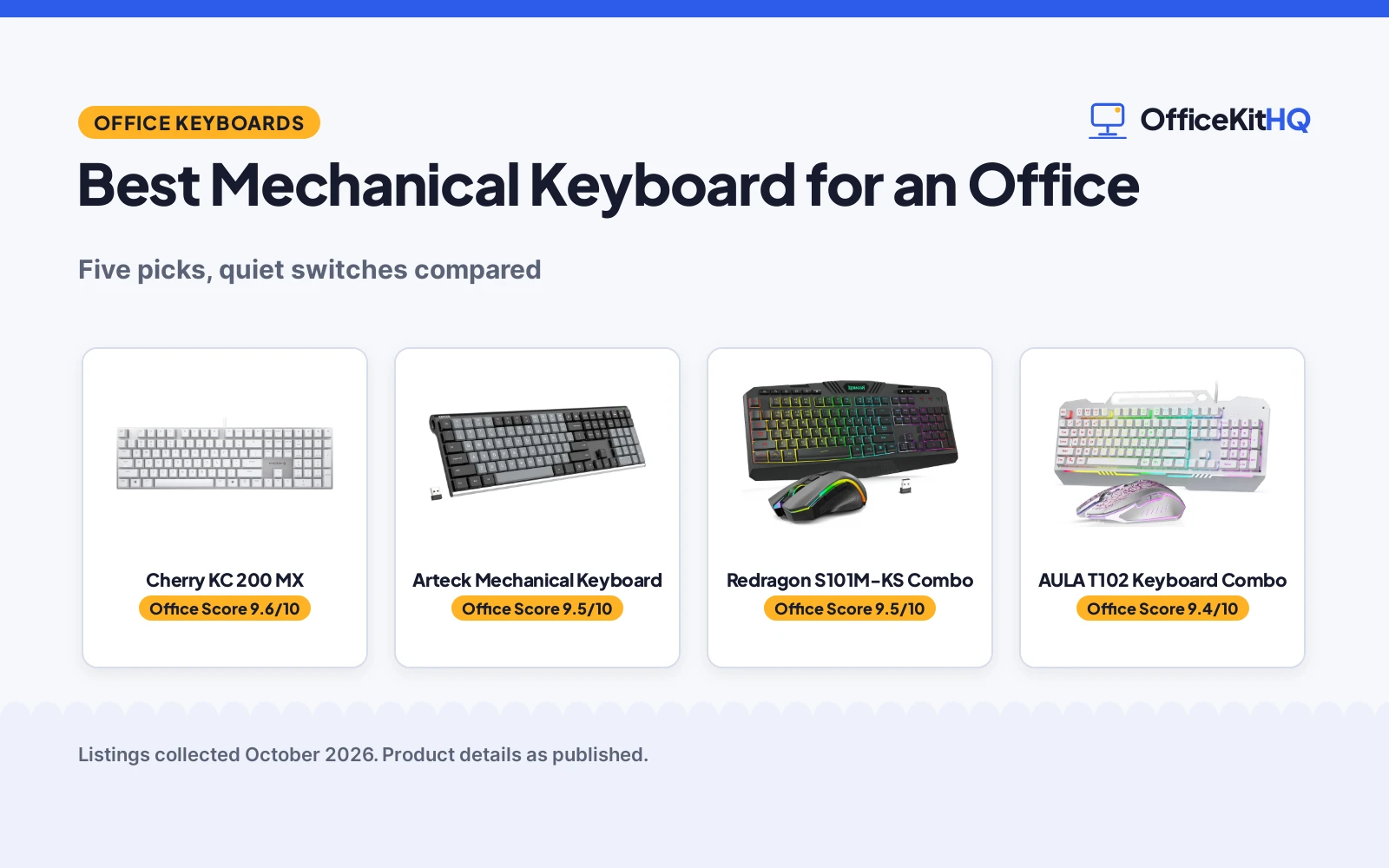
The best mechanical keyboard for an office is quiet, comfortable for all-day typing and free of flashy gaming extras. We compared five keyboards by fit for office use, contents, value and stated warranty, using only what each listing publishes.
OfficeKitHQ earns a commission when you buy through links on this page, at no extra cost to you. As an Amazon Associate I earn from qualifying purchases. Affiliate disclosure.
Quick picks
 Best Overall Cherry KC 200 MX: Silent MX2A Red switches, aluminum, made for office. Check price on Amazon
 Best Wireless Arteck Mechanical Keyboard: Tactile brown switches, 6-month battery, 24-month warranty. Check price on Amazon
 Best Keyboard-Mouse Combo Redragon S101M-KS Combo: Tri-mode wireless, 300-hour battery, 36-month warranty. Check price on Amazon
 Best Wired Combo AULA T102 Keyboard Combo: 104 keys, aluminum panel, mechanical feel. Check price on Amazon
 Best Simple Pick Rii RK100+ Keyboard: 105 keys, rainbow backlight, 17.1 inches wide. Check price on Amazon
The picks
| # | Product | Office Score | Buy |
|---|---|---|---|
| 1 | Cherry KC 200 MX | 9.6/10 | Buy on Amazon |
| 2 | Arteck Mechanical Keyboard | 9.5/10 | Buy on Amazon |
| 3 | Redragon S101M-KS Combo | 9.5/10 | Buy on Amazon |
| 4 | AULA T102 Keyboard Combo | 9.4/10 | Buy on Amazon |
| 5 | Rii RK100+ Keyboard | 9.2/10 | Buy on Amazon |

Cherry KC 200 MX
For the quiet office: a wired mechanical keyboard with MX2A Silent Red switches and an aluminum plate.
Pros
- MX2A Silent Red switches, smooth and quiet with no click
- More than 50 million actuations per key, per the listing
- Anodized aluminum plate with full N-key rollover
- 16.93 by 4.76 by 1.54 inches at 1.83 pounds
Cons
- 1-year warranty is shorter than the Redragon and Arteck terms
- Wired USB-A only, no wireless option
- White and silver finish shows dirt faster than black
- No RGB backlighting, only white status LEDs
Detailed Review
Cherry lists the KC 200 MX as a wired mechanical office keyboard with MX2A Silent Red switches, rated for more than 50 million actuations per key with linear, click-free switching. It has an anodized aluminum plate, full N-key rollover with anti-ghosting, white status LEDs and 4 quick-access keys, plus fold-out feet and laser-etched keycaps. It measures 16.93 by 4.76 by 1.54 inches, weighs 1.83 pounds, and the spec table lists a 1 Year Warranty.
Who it's for: office typists who want true mechanical switches without the noise. Who should skip it: anyone wanting wireless or RGB, and anyone wanting a longer warranty than 1 year.
Its Office Score of 9.6/10 comes from performance 33/35, build 21/25, value 20/25, safety 0/10 and warranty 3/5: 77 of 100 points, placed on our 9.2 to 9.8 scale.
Key Specifications
| Switches | MX2A Silent Red |
|---|---|
| Keys | 108, full N-key rollover |
| Size | 16.93x4.76x1.54 in, 1.83 lb |
| Connection | Wired USB-A |
Figures as published on the retailer listing, collected 17 October 2026. Performance figures are manufacturer rated.
Safety and Warranty
What this listing states. This product does not plug in or run on a battery, so safety is not part of its score. The spec table lists a 1 Year Warranty. It does not say everything a buyer needs, such as who pays return shipping, so warranty scores 3 of 5. See How We Pick.
Fit the desk first. Check the stated size against your desk depth and keyboard tray, and charge or pair as the manual describes. No keyboard, mouse or wrist rest prevents or treats injury.
This is general buying information, not professional advice. Follow each product manual and local rules, and see our Safety Disclaimer.

Arteck Mechanical Keyboard
For wireless typing: a low-profile mechanical keyboard with tactile brown switches and a 6-month battery.
Pros
- Tactile brown switches for quieter mechanical typing
- Stainless steel back with low-profile keys
- 6-month battery life on a single charge, per the listing
- 24-month warranty with nano receiver storage
Cons
- 2.4G wireless only, no Bluetooth
- Single-color backlighting, not RGB
- 110 keys with no stated N-key rollover
- Low-profile keys may not suit typists who like tall keys
Detailed Review
Arteck lists a 2.4G wireless mechanical keyboard with tactile brown switches, a stainless steel back and low-profile keys in a full-size layout. The rechargeable battery lasts 6 months on a single charge based on 2 hours of use per day, and the package includes a nano USB receiver that stores inside the keyboard plus a USB-C charging cable. The bullets mention a 24-month warranty and the spec table lists a 2 year warranty.
Who it's for: office workers who want wireless mechanical typing with quiet switches. Who should skip it: anyone wanting Bluetooth or RGB, and clicky-switch fans.
Its Office Score of 9.5/10 comes from performance 32/35, build 20/25, value 19/25, safety 0/10 and warranty 3/5: 74 of 100 points, placed on our 9.2 to 9.8 scale.
Key Specifications
| Switches | Tactile brown, low profile |
|---|---|
| Keys | 110 |
| Battery | 6 months per charge |
| Connection | 2.4G wireless, USB-C charge |
Figures as published on the retailer listing, collected 17 October 2026. Performance figures are manufacturer rated.
Safety and Warranty
What this listing states. No FCC or other safety listing is stated, so safety scores zero. The bullets mention a 24-month warranty; the spec table lists a 2 year warranty. It does not say everything a buyer needs, such as who pays return shipping, so warranty scores 3 of 5. See How We Pick.
Fit the desk first. Check the stated size against your desk depth and keyboard tray, and charge or pair as the manual describes. No keyboard, mouse or wrist rest prevents or treats injury.
This is general buying information, not professional advice. Follow each product manual and local rules, and see our Safety Disclaimer.

Redragon S101M-KS Combo
For a full desk setup: a tri-mode wireless keyboard and mouse combo with a 300-hour battery.
Pros
- Tri-mode wireless: wired, Bluetooth and 2.4G
- Up to 300 hours battery with RGB off, per the listing
- 104 keys with 10 independent multimedia keys
- 36-month warranty with 7-day support, per the bullets
Cons
- A gaming combo, not a dedicated office keyboard
- No switch type is stated
- RGB lighting suits gaming more than office desks
- 1.06 kg with the mouse, heavier than keyboard-only picks
Detailed Review
Redragon lists the S101M-KS as a tri-mode wireless gaming keyboard and mouse combo with RGB backlighting, 8 backlight patterns, 104 keys and 10 independent multimedia keys. The keyboard battery lasts up to 300 hours with RGB off, the mouse offers 5 DPI levels up to 4800, and one 2.4G receiver controls both. The bullets state a 36-month warranty with 7-day technology support.
Who it's for: anyone setting up a desk from scratch who wants keyboard and mouse in one box. Who should skip it: anyone wanting a true mechanical office keyboard, since no switch type is stated.
Its Office Score of 9.5/10 comes from performance 26/35, build 21/25, value 20/25, safety 0/10 and warranty 4/5: 71 of 100 points, placed on our 9.2 to 9.8 scale.
Key Specifications
| Layout | 104 keys, 10 multimedia keys |
|---|---|
| Battery | 300 hours, RGB off |
| Mouse | 4800 DPI, 5 levels |
| Connection | Tri-mode wireless |
Figures as published on the retailer listing, collected 17 October 2026. Performance figures are manufacturer rated.
Safety and Warranty
What this listing states. No FCC or other safety listing is stated, so safety scores zero. The bullets state a 36-month warranty. It does not say everything a buyer needs, such as who pays return shipping, so warranty scores 4 of 5. See How We Pick.
Fit the desk first. Check the stated size against your desk depth and keyboard tray, and charge or pair as the manual describes. No keyboard, mouse or wrist rest prevents or treats injury.
This is general buying information, not professional advice. Follow each product manual and local rules, and see our Safety Disclaimer.

AULA T102 Keyboard Combo
For a wired desk: a 104-key keyboard and mouse combo with an aluminum panel and RGB.
Pros
- 104-key full-size layout with aluminum brushed panel
- 16 RGB lighting effects with 16.8 million colors
- Spill-resistant build, per the listing
- Wired plug and play with no drivers needed
Cons
- Membrane switches with a mechanical feel, not true mechanical
- Wired only, no wireless option
- White keycaps show dirt faster than black
- No battery; needs a USB port at all times
Detailed Review
AULA lists the T102 as a wired keyboard and mouse combo with 104 keys, a membrane switch with mechanical feel, an aluminum alloy brushed panel and 16 RGB lighting effects. The mouse offers 4 DPI settings from 1200 to 7200, the keyboard handles 26 keys pressed at once, and the set weighs 2.2 pounds. The spec table lists a 1 Year Manufacturer warranty.
Who it's for: office desks that want a wired combo with a sturdy panel. Who should skip it: anyone wanting true mechanical switches or wireless.
Its Office Score of 9.4/10 comes from performance 23/35, build 19/25, value 19/25, safety 0/10 and warranty 3/5: 64 of 100 points, placed on our 9.2 to 9.8 scale.
Key Specifications
| Layout | 104 keys, full size |
|---|---|
| Panel | Aluminum brushed |
| Mouse | 1200-7200 DPI, 4 settings |
| Connection | Wired USB-A |
Figures as published on the retailer listing, collected 17 October 2026. Performance figures are manufacturer rated.
Safety and Warranty
What this listing states. This product does not plug in or run on a battery, so safety is not part of its score. The spec table lists a 1 Year Manufacturer warranty. It does not say everything a buyer needs, such as who pays return shipping, so warranty scores 3 of 5. See How We Pick.
Fit the desk first. Check the stated size against your desk depth and keyboard tray, and charge or pair as the manual describes. No keyboard, mouse or wrist rest prevents or treats injury.
This is general buying information, not professional advice. Follow each product manual and local rules, and see our Safety Disclaimer.

Rii RK100+ Keyboard
For basic office typing: a 105-key wired keyboard with rainbow backlighting.
Pros
- 105-key full-size layout
- Rainbow backlight with breathing mode
- 11 multimedia key combinations
- 17.1 by 5.3 by 0.9 inches, a slim desk fit
Cons
- Membrane feel, not a true mechanical keyboard
- No warranty is stated
- No switch type or actuation rating is stated
- Sleeps after 10 idle minutes, which may annoy fast typists
Detailed Review
Rii lists the RK100+ as a wired keyboard with a mechanical feeling, 105 full-size keys, rainbow backlighting with a breathing mode and 11 multimedia key combinations. It measures 17.1 by 5.3 by 0.9 inches, supports a wide range of systems from Windows to Mac OS and Raspberry Pi, and sleeps after 10 idle minutes, waking on any key press. No warranty is stated.
Who it's for: basic office typing on a simple pick. Who should skip it: anyone wanting true mechanical switches, a stated warranty or wireless.
Its Office Score of 9.2/10 comes from performance 22/35, build 16/25, value 18/25, safety 0/10 and warranty 0/5: 56 of 100 points, placed on our 9.2 to 9.8 scale.
Key Specifications
| Layout | 105 keys, full size |
|---|---|
| Backlight | Rainbow, breathing mode |
| Size | 17.1x5.3x0.9 in |
| Sleep | 10 idle minutes |
Figures as published on the retailer listing, collected 17 October 2026. Performance figures are manufacturer rated.
Safety and Warranty
What this listing states. This product does not plug in or run on a battery, so safety is not part of its score. No warranty term, so warranty scores zero. See How We Pick.
Fit the desk first. Check the stated size against your desk depth and keyboard tray, and charge or pair as the manual describes. No keyboard, mouse or wrist rest prevents or treats injury.
This is general buying information, not professional advice. Follow each product manual and local rules, and see our Safety Disclaimer.
As an Amazon Associate I earn from qualifying purchases.
More picks to compare
 Strikonx Aula L99 Wireless Mechanical GamingCheck on Amazon
 GEODMAER G87 Wireless Mechanical KeyboardCheck on Amazon
 KEMOVE K94 Wireless Mechanical KeyboardCheck on Amazon
 Typehaven L98 Wireless Mechanical GamingCheck on Amazon
Compare the picks
| Keyboard | Score | Switches | Keys | Connection | Warranty | Amazon |
|---|---|---|---|---|---|---|
| Cherry KC 200 MX | 9.6/10 | MX2A Silent Red | 108 | Wired USB-A | 1 year | View on Amazon |
| Arteck Mechanical Keyboard | 9.5/10 | Tactile brown | 110 | 2.4G wireless | 24-month | View on Amazon |
| Redragon S101M-KS Combo | 9.5/10 | Not stated | 104 | Tri-mode wireless | 36-month | View on Amazon |
| AULA T102 Keyboard Combo | 9.4/10 | Membrane feel | 104 | Wired USB | 1 year | View on Amazon |
| Rii RK100+ Keyboard | 9.2/10 | Membrane feel | 105 | Wired USB | Not stated | View on Amazon |
Specifications are manufacturer rated as listed, collected 17 October 2026.
How we scored them
The score weighs fit for office use, contents and features, value, certification and stated warranty. None of the five keyboards states a certification. Four state a warranty: 36 months on the Redragon, 24 months on the Arteck, and 1 year on the Cherry and AULA; the Rii states none. How we pick explains the weights.
| Product | Office Score | Perf. /35 | Build /25 | Value /25 | Safety /10 | Warranty /5 |
|---|---|---|---|---|---|---|
| Cherry KC 200 MX | 9.6 | 33 | 21 | 20 | 0 | 3 |
| Arteck Mechanical Keyboard | 9.5 | 32 | 20 | 19 | 0 | 3 |
| Redragon S101M-KS Combo | 9.5 | 26 | 21 | 20 | 0 | 4 |
| AULA T102 Keyboard Combo | 9.4 | 23 | 19 | 19 | 0 | 3 |
| Rii RK100+ Keyboard | 9.2 | 22 | 16 | 18 | 0 | 0 |
Scores run from 9.2 to 9.8: each product’s point total is placed on that range, so more points always means a higher score.
How to choose the best mechanical keyboard for an office
Pick quiet switches
The Cherry uses MX2A Silent Red switches and the Arteck uses tactile brown switches, both quieter choices for shared spaces than clicky switches. The Redragon, AULA and Rii do not state a switch type; the AULA and Rii describe a mechanical feel rather than true mechanical switches.
Wired or wireless
The Arteck runs on 2.4G wireless with a 6-month battery; the Redragon runs tri-mode wireless (wired, Bluetooth and 2.4G) with up to 300 hours with RGB off. The Cherry, AULA and Rii are wired USB. For more keyboards, browse every keyboard guide.
Combos versus keyboard-only
The Redragon and AULA are keyboard-and-mouse combos; the Cherry, Arteck and Rii are keyboard-only. A combo saves a separate mouse purchase if the desk needs one, while a keyboard-only pick suits a desk that already has a mouse.
Setup Notes
Use the Cherry’s fold-out feet to set a comfortable typing angle, and keep the Arteck’s nano receiver in its storage slot when traveling. The Rii sleeps after 10 idle minutes; any key press wakes it and restores the backlight.
Frequently Asked Questions
Which mechanical keyboard is best for a quiet office?
The Cherry KC 200 MX with MX2A Silent Red switches, or the Arteck with tactile brown switches.
Are the Redragon, AULA and Rii true mechanical keyboards?
The AULA and Rii describe a mechanical feel; only the Cherry and Arteck state true mechanical switches.
Which keyboards are wireless?
The Arteck on 2.4G wireless and the Redragon on tri-mode wireless; the rest are wired USB.
Which has the longest stated warranty?
The Redragon at 36 months, then the Arteck at 24 months.
Related guides
See every computer peripheral guide.
More picks: mechanical keyboards for big hands, mechanical keyboards for longevity and mechanical keyboards for long nails.



