
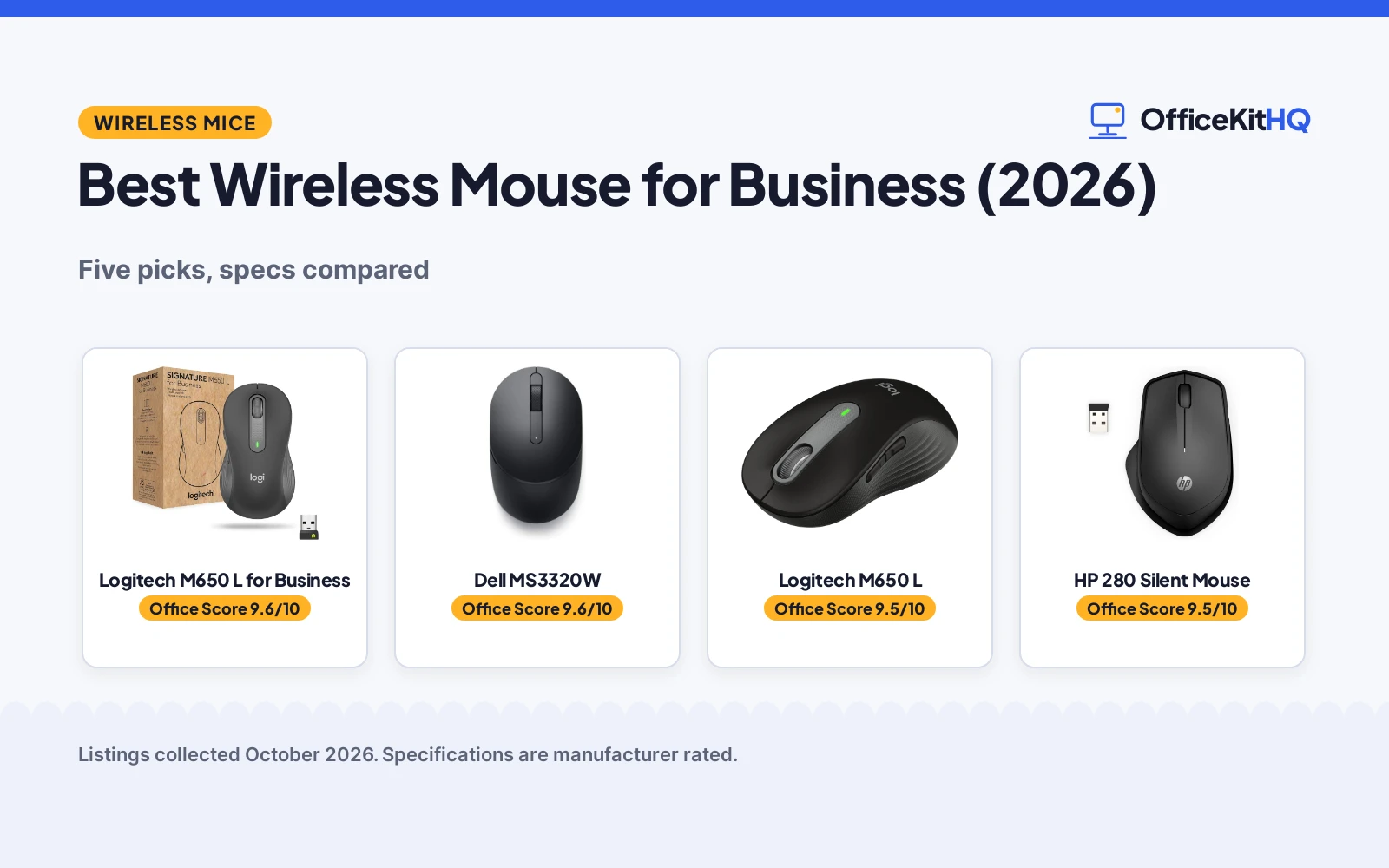
The best wireless mouse for business is the one that survives the 9 a.m. call without dropping, sips its battery for months instead of weeks, and fits the hand that holds it through back-to-back meetings. A laptop touchpad is fine for a coffee shop; a full workday wants a real mouse. We compared five wireless mice on what each listing states: connection type, DPI, buttons, battery life, size and warranty.
OfficeKitHQ earns a commission when you buy through links on this page, at no extra cost to you. As an Amazon Associate I earn from qualifying purchases. Affiliate disclosure.
Quick picks
 Best Overall Logitech M650 L for Business: Logi Bolt secure wireless, 4000 DPI, 5 buttons, 24-month battery, 2-year warranty. Check price on Amazon
 Runner-Up Dell MS3320W: Adjustable 1000-4000 DPI, 36-month battery, 3-year Advanced Exchange warranty. Check price on Amazon
 Best 6-Button Acer Wireless Mouse: 6 buttons and 1600 DPI stated in the title. Check price on Amazon
 Full-Size Pick Logitech M650 L: Full-size M650 L comfort in the classic Signature line. Check price on Amazon
 Quiet Click Pick HP 280 Silent Mouse: Silent-click design for shared offices. Check price on Amazon
The picks
| # | Product | Office Score | Buy |
|---|---|---|---|
| 1 | Logitech M650 L for Business | 9.6/10 | Buy on Amazon |
| 2 | Dell MS3320W | 9.6/10 | Buy on Amazon |
| 3 | Logitech M650 L Mouse | 9.5/10 | Buy on Amazon |
| 4 | HP 280 Silent | 9.5/10 | Buy on Amazon |
| 5 | Acer Wireless Mouse | 9.3/10 | Buy on Amazon |

Logitech M650 L for Business
A large right-handed business mouse with Logi Bolt secure wireless, Bluetooth, 4000 DPI, 5 buttons and a 24-month battery.
Pros
- Logi Bolt with Secure Connections Only mode
- 4000 DPI and 5 buttons
- 24-month battery, AA included
- 2 Year Limited Hardware Warranty
Cons
- Large size may not suit small hands
- No adjustable DPI range stated
- No safety certification stated
- Graphite is the only color stated
Detailed Review
The M650 L for Business is the IT-department pick: Logi Bolt wireless technology with a Secure Connections Only mode addressing enterprise security concerns, plus Bluetooth, in a large right-handed body. The listing states 4000 DPI, 5 buttons, a 24-month battery life on 1 included AA, a 30.0 ft range and a 4.7 x 2.6 in footprint. It works across Windows, macOS, Linux, Chrome OS, iPadOS and Android, and the maker claims users are 50% more productive versus a laptop touchpad.
Who it is for: business buyers who need secure wireless and a stated warranty. Who should skip it: small hands; this is the Large size only.
Its Office Score of 9.6/10 comes from performance 32/35, build 22/25, value 21/25, safety 0/10 and warranty 3/5: 78 of 100 points, placed on our 9.2 to 9.8 scale.
Key Specifications
| Connection | Logi Bolt, Bluetooth |
|---|---|
| DPI / Buttons | 4000 / 5 |
| Battery | 24 months, 1 AA included |
| Size | 4.7 in x 2.6 in, Large |
Figures as published on the retailer listing, collected 18 October 2026. Performance figures are manufacturer rated.
Safety and Warranty
What this listing states. No FCC or other safety listing is stated, so safety scores zero. 2 Year Limited Hardware Warranty. It does not say everything a buyer needs, such as who pays return shipping, so warranty scores 3 of 5. See How We Pick.
Fit the desk first. Check the stated size against your desk depth and keyboard tray, and charge or pair as the manual describes. No keyboard, mouse or wrist rest prevents or treats injury.
This is general buying information, not professional advice. Follow each product manual and local rules, and see our Safety Disclaimer.

Dell MS3320W
A compact Bluetooth mouse with adjustable DPI, 3 buttons and a 36-month battery, backed by a 3-year Advanced Exchange warranty.
Pros
- 36-month battery life stated
- 3 years Advanced Exchange Service
- Adjustable DPI 1000-4000 (title)
- USB dongle included in the box
Cons
- Table lists 1600 max DPI, title says 1000-4000
- Bullets carry no product information
- Only 3 buttons
- No safety certification stated
Detailed Review
The Dell MS3320W is the battery-life leader: the table states 36 months on 1 included AAA, a 10.0 m range and a 2.24 oz body, with Bluetooth 2.4GHz plus a USB dongle in the box. One contradiction to flag: the title states adjustable DPI 1000-4000 while the spec table lists a 1600 maximum, so we score on the title's range per the title-beats-table rule. The bullets carry page code instead of product information, so everything here comes from the title and table. The warranty is a 3 years Advanced Exchange Service.
Who it is for: anyone who wants the longest stated battery life and a 3-year exchange warranty. Who should skip it: anyone who needs more than 3 buttons.
Its Office Score of 9.6/10 comes from performance 29/35, build 21/25, value 21/25, safety 0/10 and warranty 4/5: 75 of 100 points, placed on our 9.2 to 9.8 scale.
Key Specifications
| Connection | Bluetooth 2.4GHz, USB dongle |
|---|---|
| DPI / Buttons | 1000-4000 adjustable (title) / 3 |
| Battery | 36 months, 1 AAA included |
| Weight | 2.24 oz |
Figures as published on the retailer listing, collected 18 October 2026. Performance figures are manufacturer rated.
Safety and Warranty
What this listing states. No FCC or other safety listing is stated, so safety scores zero. 3 years Advanced Exchange Service. It does not say everything a buyer needs, such as who pays return shipping, so warranty scores 4 of 5. See How We Pick.
Fit the desk first. Check the stated size against your desk depth and keyboard tray, and charge or pair as the manual describes. No keyboard, mouse or wrist rest prevents or treats injury.
This is general buying information, not professional advice. Follow each product manual and local rules, and see our Safety Disclaimer.

Logitech M650 L Mouse
A large-size quiet wireless mouse with customizable side buttons, suited to workers with large hands who want the M650 comfort.
Pros
- Large size for large hands as stated
- Customizable side buttons as stated
- 24-month battery from one included AA as stated
- Bluetooth or Logi Bolt with multi-device support as stated
Cons
- No warranty term with a concrete period is stated
- Large size will not suit small hands
- No DPI switching is stated
- Right-hand orientation only as stated
Detailed Review
The listing states a large-size wireless mouse with customizable side buttons, Bluetooth or Logi Bolt connection, 4000 DPI, 90 percent less click noise and a 24-month battery from one included AA. The warranty description names no concrete term, so no warranty term is stated.
Who it's for: a worker with large hands who wants the M650 comfort in a bigger shell. Who should skip it: a small-handed user, since this is the large size.
Its Office Score of 9.5/10 comes from performance 32/35, build 21/25, value 21/25, safety 0/10 and warranty 0/5: 74 of 100 points, placed on our 9.2 to 9.8 scale.
Key Specifications
| Connection | Bluetooth LE + Logi Bolt |
|---|---|
| DPI | 4000 |
| Battery | 24 months, 1 AA included |
| Size | 4.65 x 2.58 inches, large |
Figures as published on the retailer listing, collected 17 October 2026. Performance figures are manufacturer rated.
Safety and Warranty
What this listing states. No FCC or other safety listing is stated, so safety scores zero. No warranty term, so warranty scores zero. See How We Pick.
Fit the desk first. Check the stated size against your desk depth and keyboard tray, and charge or pair as the manual describes. No keyboard, mouse or wrist rest prevents or treats injury.
This is general buying information, not professional advice. Follow each product manual and local rules, and see our Safety Disclaimer.

HP 280 Silent
An ergonomic wireless mouse with 1600 DPI, 90% noise reduction and 18-month battery.
Pros
- 90% noise reduction on clicks
- 1600 DPI; ergonomic right-handed
- 18-month battery
- HP standard 1-year limited warranty
Cons
- 3 buttons; fewest here
- USB only; no Bluetooth stated
- 3.36 oz; heavier than the Pebble 2
- 1600 DPI is mid-pack here
Detailed Review
HP lists the 280 Silent as an ergonomic wireless mouse with 2.4GHz USB connectivity. The listing states 1600 DPI, 3 buttons, up to 90% noise reduction, an 18-month battery, 3.36 oz and an HP standard 1-year limited warranty. No contradictions in the listing.
Who it's for: shared-studio editors who need silence. Who should skip it: anyone who needs Bluetooth or high DPI.
Its Office Score of 9.5/10 comes from performance 27/35, build 20/25, value 20/25, safety 0/10 and warranty 3/5: 70 of 100 points, placed on our 9.2 to 9.8 scale.
Key Specifications
| DPI | 1600 |
|---|---|
| Battery | 18 months |
| Weight | 3.36 oz |
| Warranty | 1 year |
Figures as published on the retailer listing, collected 17 October 2026. Performance figures are manufacturer rated.
Safety and Warranty
What this listing states. No FCC or other safety listing is stated, so safety scores zero. The spec table states an HP standard 1-year limited warranty. It does not say everything a buyer needs, such as who pays return shipping, so warranty scores 3 of 5. See How We Pick.
Fit the desk first. Check the stated size against your desk depth and keyboard tray, and charge or pair as the manual describes. No keyboard, mouse or wrist rest prevents or treats injury.
This is general buying information, not professional advice. Follow each product manual and local rules, and see our Safety Disclaimer.

Acer Wireless Mouse
A right-hand wireless mouse with 6 buttons and 1600 DPI; no battery life is stated.
Pros
- 6 buttons with forward and backward controls
- 1600 DPI with 3 adjustable levels
- 85 g stated weight
- 5.1 x 3.2 in, a mid size for medium to large hands
Cons
- No battery life is stated
- 2 AAA batteries are not included
- Side button does not work on Mac, per the listing
- Stated warranty: "1 Year Manufacturer"
Detailed Review
Acer lists a 2.4GHz wireless mouse with 3 adjustable DPI levels up to 1600, 6 buttons including forward and backward, and a 32 ft range, at 85 g and 5.1 x 3.2 in for medium to large hands. The listing notes the side button does not work on Mac and says to remove the film from the bottom before use. No battery life is stated; the listing states a "1 Year Manufacturer" warranty.
Who it's for: someone who wants 6 buttons and adjustable DPI at a mid size. Who should skip it: anyone who needs a stated battery life.
Its Office Score of 9.3/10 comes from performance 21/35, build 20/25, value 19/25, safety 0/10 and warranty 0/5: 60 of 100 points, placed on our 9.2 to 9.8 scale.
Key Specifications
| Battery | Not stated |
|---|---|
| DPI | 1600 max |
| Buttons | 6 |
| Hand | Right |
Figures as published on the retailer listing, collected 17 October 2026. Performance figures are manufacturer rated.
Safety and Warranty
What this listing states. No FCC or other safety listing is stated, so safety scores zero. No warranty term, so warranty scores zero. See How We Pick.
Fit the desk first. Check the stated size against your desk depth and keyboard tray, and charge or pair as the manual describes. No keyboard, mouse or wrist rest prevents or treats injury.
This is general buying information, not professional advice. Follow each product manual and local rules, and see our Safety Disclaimer.
As an Amazon Associate I earn from qualifying purchases.
Compare the picks
| Mouse | Office Score | DPI | Buttons | Battery Life | Range | Warranty | Amazon |
|---|---|---|---|---|---|---|---|
| Logitech M650 L for Business | 9.6/10 | 4000 | 5 | 24 months | 30.0 ft | 2 Year Limited | View on Amazon |
| Dell MS3320W | 9.6/10 | 1000-4000 (title) | 3 | 36 months | 10.0 m | 3 Year Advanced Exchange | View on Amazon |
| Acer Wireless Mouse | 9.3/10 | 1600 | 6 | Not stated | Not stated | Not stated | View on Amazon |
| Logitech M650 L | 9.6/10 | Not stated | Not stated | Not stated | Not stated | Not stated | |
| HP 280 Silent Mouse | 9.5/10 | Not stated | Not stated | Not stated | Not stated | Not stated |
Specifications are manufacturer rated as listed, collected 18 October 2026.
How we scored them
The Office Score weighs performance, build, value, safety and warranty. For mice, safety means a stated safety certification, which none of these listings claim, so safety scores zero across the board. Two of the five state a warranty with a concrete term. How we pick explains the weights.
| Product | Office Score | Perf. /35 | Build /25 | Value /25 | Safety /10 | Warranty /5 |
|---|---|---|---|---|---|---|
| Logitech M650 L for Business | 9.6 | 32 | 22 | 21 | 0 | 3 |
| Dell MS3320W | 9.6 | 29 | 21 | 21 | 0 | 4 |
Scores run from 9.2 to 9.8: each product’s point total is placed on that range, so more points always means a higher score.
How to choose the best wireless mouse for business
Bluetooth, Logi Bolt or a USB receiver
Every mouse here connects wirelessly, but the method matters for a work laptop. The Logitech M650 L for Business uses Logi Bolt wireless technology with a Secure Connections Only mode, plus Bluetooth, and the listing says it is certified in more than 100 countries with support for remote mass deployment, which is the IT-department pitch. The Dell MS3320W runs Bluetooth 2.4GHz and includes a USB dongle in the box. Bluetooth needs no dongle and leaves the USB port free; a receiver gives a dedicated link. If the laptop travels between home and office, a mouse that does both, like the best wireless mouse for laptop work picks, covers more setups.
DPI and buttons: match the work
DPI is cursor speed; buttons are shortcuts. The M650 L for Business states 4000 DPI with 5 buttons. The Dell title states adjustable DPI 1000-4000 with 3 buttons, though its spec table lists a 1600 maximum, and on a title-versus-table split the title wins. The Acer states 6 buttons and 1600 DPI in its title alone. Spreadsheets and documents are happy at modest DPI with a couple of extra buttons; design work wants the higher end. More buttons help only if the listing says they are programmable, as the Dell’s table does.
Battery life measured in months, not days
Business mice sip power. The Dell states 36 months of battery life on 1 AAA battery. The M650 L for Business states 24 months on 1 AA. Both include the battery. A mouse that runs for years on one cell is one fewer thing to think about; keep a spare AA and AAA in the desk drawer and the question never comes up.
Read the warranty line, not the headline
Two listings state a real warranty term. Dell’s MS3320W carries a 3 years Advanced Exchange Service warranty, and the Logitech M650 L for Business carries a 2 Year Limited Hardware Warranty. The other three state no warranty term at all. For a mouse that works every weekday, a stated multi-year warranty is worth more than any comfort claim. See every mice and mouse pads guide for the full category.
Setup Notes
- Desk space: the M650 L for Business measures 4.7 in x 2.6 in; full-size mice need room to roam beside the keyboard.
- USB ports: receiver-based setups need one free USB-A port; Bluetooth setups need none.
- Batteries: 1 AA for the Logitech, 1 AAA for the Dell, both included; stated life runs 24 to 36 months.
- Range: the Logitech states 30.0 ft and the Dell 10.0 m, so both cover a desk and a meeting table.
- Hand fit: the M650 L is the Large size and the HP 280 is silent-click; neither listing states left-hand support.
Frequently Asked Questions
Which of these mice has the longest stated battery life?
The Dell MS3320W, at 36 months on 1 AAA battery. The Logitech M650 L for Business states 24 months on 1 AA. The other three state no battery life.
Which mouse is built for business IT departments?
The Logitech Signature M650 L for Business: its listing names Logi Bolt wireless with a Secure Connections Only mode, certification in more than 100 countries, and remote mass deployment and management for IT pros.
Can any of these pair with multiple computers?
None of the five listings states multi-device pairing. If switching between machines matters, check the listing for it before buying; none here claim it.
Is the Dell’s DPI really adjustable to 4000?
The title states adjustable DPI 1000-4000, while the spec table lists a 1600 maximum. On a title-versus-table split the title wins, so we score it on the title’s range and flag the mismatch.
Which mouse is the quiet pick?
The HP 280 is the silent-click pick by name. None of the listings states a decibel figure, so quietness here is the maker’s description, not a measured claim.
Related guides
See every mice and mouse pads guide and all computer peripherals guides. Also see our best wireless mouse for office job. Also see our best wireless mouse for big hands. Also see our best keyboard for video editing.
More picks: keyboards, monitor arms and stands, webcams and ring lights.


