
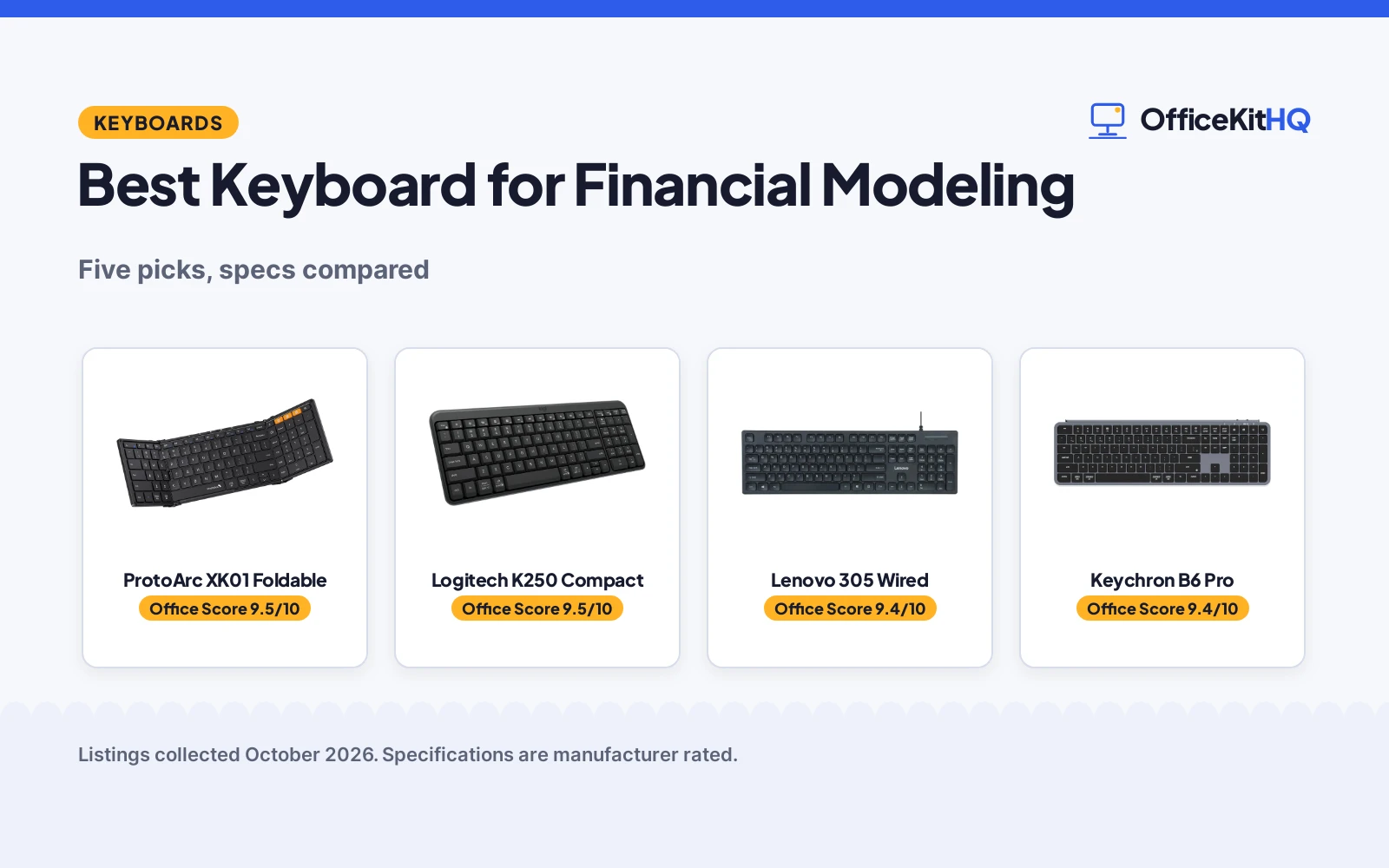
The model balances at 3 a.m. and the only key missing is the minus sign on the number pad, because the laptop keyboard never had one. The best keyboard for financial modeling puts a full number pad under your right hand with quiet keys for late-night work. We compared five keyboards with number pads by layout, connectivity, battery, build and warranty term, using only what each listing publishes. Number pads matter because modeling means thousands of digit entries a day, and reaching for the top row slows every formula. A full-size board with a dedicated pad keeps the right hand in one place.
OfficeKitHQ earns a commission when you buy through links on this page, at no extra cost to you. As an Amazon Associate I earn from qualifying purchases. Affiliate disclosure.
Quick picks
 Best Overall ProtoArc XK01 Foldable: Foldable full-size, 105 keys, 2-year warranty Check price on Amazon
 Best Compact Logitech K250 Compact: Compact with numpad, spill-resistant, 12-month battery Check price on Amazon
 Best Wired Lenovo 305 Wired: Full-size USB-C wired, numpad, 1-year warranty Check price on Amazon
 Most Customizable Keychron B6 Pro: Tri-mode, ZMK remapping, 1200-hour battery Check price on Amazon
 Best for Mac Apple Magic Keyboard: Numpad for spreadsheets, rechargeable, Bluetooth Check price on Amazon
The picks
| # | Product | Office Score | Buy |
|---|---|---|---|
| 1 | ProtoArc XK01 Foldable | 9.5/10 | Buy on Amazon |
| 2 | Logitech K250 Compact | 9.5/10 | Buy on Amazon |
| 3 | Lenovo 305 Wired | 9.4/10 | Buy on Amazon |
| 4 | Keychron B6 Pro | 9.4/10 | Buy on Amazon |
| 5 | Apple Magic Keyboard | 9.4/10 | Buy on Amazon |

ProtoArc XK01 Foldable
A foldable full-size keyboard with 105 keys, a number pad and Bluetooth 5.1 switching between 3 devices.
Pros
- True full-size layout with number pad
- Folds to 8.46 by 4.68 by 0.78 in
- Bluetooth 5.1 with 3-device switching
- 2-year warranty is stated
Cons
- Folding design adds moving parts
- 297 g before cable and manual
- Scissor switches, not mechanical
Detailed Review
ProtoArc lists the XK01 as a true full-size foldable keyboard with 105 keys, a number pad, function row and navigation keys, folding to 8.46 by 4.68 by 0.78 in for travel. Bluetooth 5.1 switches between 3 devices, and USB-C charging feeds an auto-sleep standby of up to 150 days. One contradiction: the spec table lists the switch type as Clicky while the bullets describe quiet scissor switches. We trust the bullets. The listing states a 2-year warranty.
Who it's for: modelers who work across laptop, tablet and phone and need a numpad on the road. Who should skip it: anyone who wants a fixed desk keyboard that never folds. The aluminum hinges are stated as rated for 10,000+ folds.
Its Office Score of 9.5/10 comes from performance 29/35, build 20/25, value 20/25, safety 0/10 and warranty 3/5: 72 of 100 points, placed on our 9.2 to 9.8 scale.
Key Specifications
| Keys | 105 |
|---|---|
| Connectivity | Bluetooth 5.1 |
| Battery | 150-day standby |
| Warranty | 2 years |
Figures as published on the retailer listing, collected 17 October 2026. Performance figures are manufacturer rated.
Safety and Warranty
What this listing states. No FCC or other safety listing is stated, so safety scores zero. 2-year warranty. It does not say everything a buyer needs, such as who pays return shipping, so warranty scores 3 of 5. See How We Pick.
Fit the desk first. Check the stated size against your desk depth and keyboard tray, and charge or pair as the manual describes. No keyboard, mouse or wrist rest prevents or treats injury.
This is general buying information, not professional advice. Follow each product manual and local rules, and see our Safety Disclaimer.

Logitech K250 Compact
A compact Bluetooth keyboard with a full number pad, deep-profile keys and a spill-resistant design.
Pros
- Compact layout with full number pad
- Deep-profile keys with tilt legs
- Spill-resistant design
- 12 months on 2 included AAA batteries
Cons
- 99 keys, fewest stated here
- Bluetooth only, no USB receiver
- No backlighting stated
Detailed Review
Logitech lists the K250 as a compact Bluetooth keyboard with a full number pad, deep-profile keys and a spill-resistant design, in graphite. It connects over Bluetooth only with no USB receiver, runs 12 months on 2 included AAA batteries, and uses a minimum of 64% recycled plastic in its parts. One contradiction: the spec table lists 99 keys against the full-size description. We trust the spec table's 99 keys. The listing states a 1-year limited hardware warranty.
Who it's for: someone who wants a compact desk keyboard with a numpad and spill resistance. Who should skip it: anyone who needs a USB receiver instead of Bluetooth. Note the 99-key count if you rely on a full function row.
Its Office Score of 9.5/10 comes from performance 27/35, build 20/25, value 21/25, safety 0/10 and warranty 3/5: 71 of 100 points, placed on our 9.2 to 9.8 scale.
Key Specifications
| Keys | 99 |
|---|---|
| Connectivity | Bluetooth |
| Battery | 12 months |
| Warranty | 1-year limited hardware |
Figures as published on the retailer listing, collected 17 October 2026. Performance figures are manufacturer rated.
Safety and Warranty
What this listing states. No FCC or other safety listing is stated, so safety scores zero. 1-year limited hardware warranty. It does not say everything a buyer needs, such as who pays return shipping, so warranty scores 3 of 5. See How We Pick.
Fit the desk first. Check the stated size against your desk depth and keyboard tray, and charge or pair as the manual describes. No keyboard, mouse or wrist rest prevents or treats injury.
This is general buying information, not professional advice. Follow each product manual and local rules, and see our Safety Disclaimer.

Lenovo 305 Wired
A full-size wired USB-C keyboard with a numeric keypad, 104 keys and dedicated function and AI keys.
Pros
- Full-size layout with numeric keypad
- USB-C wired, no batteries to manage
- Dedicated function and AI keys
- 1-year manufacturer warranty
Cons
- Wired only, no wireless option
- 0.75 kg, heaviest here
- No battery or backlighting stated
Detailed Review
Lenovo lists the 305 as a full-size wired keyboard with a numeric keypad, 104 keys and USB-C connectivity, in a slim black design. It includes dedicated function keys and AI keys with multimedia controls, and the low-profile keys suit minimalist workspaces. The listing states a 1-year manufacturer warranty.
Who it's for: someone who wants a wired keyboard with no batteries to manage. Who should skip it: anyone who needs wireless connectivity.
Its Office Score of 9.4/10 comes from performance 26/35, build 19/25, value 20/25, safety 0/10 and warranty 3/5: 68 of 100 points, placed on our 9.2 to 9.8 scale.
Key Specifications
| Keys | 104 |
|---|---|
| Connectivity | USB-C wired |
| Power | USB powered |
| Warranty | 1-year manufacturer |
Figures as published on the retailer listing, collected 17 October 2026. Performance figures are manufacturer rated.
Safety and Warranty
What this listing states. This product does not plug in or run on a battery, so safety is not part of its score. 1-year manufacturer warranty. It does not say everything a buyer needs, such as who pays return shipping, so warranty scores 3 of 5. See How We Pick.
Fit the desk first. Check the stated size against your desk depth and keyboard tray, and charge or pair as the manual describes. No keyboard, mouse or wrist rest prevents or treats injury.
This is general buying information, not professional advice. Follow each product manual and local rules, and see our Safety Disclaimer.

Keychron B6 Pro
An ultra-slim full-size wireless keyboard with a numeric keypad, tri-mode connectivity and ZMK remapping.
Pros
- 2.4 GHz, Bluetooth 5.2 and USB-C wired
- ZMK remapping via web app
- Up to 1200 hours of battery life
- 1000 Hz polling on 2.4 GHz
Cons
- No warranty term is stated
- 109 vs 104 keys across spec fields
- No spill resistance stated
Detailed Review
Keychron lists the B6 Pro as an ultra-slim full-size wireless keyboard with a numeric keypad, tactile scissor switches and RGB backlighting, in space gray. It connects over 2.4 GHz, Bluetooth 5.2 or USB-C wired, with ZMK remapping through the Keychron Launcher web app and up to 1200 hours of battery life. One contradiction: the spec table lists 109 keys in one field and 104 in another. We use 104. No warranty term is stated.
Who it's for: someone who wants to remap keys and macros for modeling shortcuts. Who should skip it: anyone who wants a warranty term in writing.
Its Office Score of 9.4/10 comes from performance 32/35, build 21/25, value 21/25, safety 0/10 and warranty 0/5: 74 of 100 points, placed on our 9.2 to 9.8 scale.
Key Specifications
| Keys | 104 |
|---|---|
| Connectivity | 2.4GHz / BT 5.2 / USB-C |
| Battery | Up to 1200 hours |
| Warranty | Not stated |
Figures as published on the retailer listing, collected 17 October 2026. Performance figures are manufacturer rated.
Safety and Warranty
What this listing states. No FCC or other safety listing is stated, so safety scores zero. No warranty term, so warranty scores zero. See How We Pick.
Fit the desk first. Check the stated size against your desk depth and keyboard tray, and charge or pair as the manual describes. No keyboard, mouse or wrist rest prevents or treats injury.
This is general buying information, not professional advice. Follow each product manual and local rules, and see our Safety Disclaimer.

Apple Magic Keyboard
A wireless Bluetooth keyboard with a numeric keypad that the listing calls ideal for spreadsheets and finance.
Pros
- Numeric keypad for spreadsheets and finance
- Rechargeable internal battery
- About a month between charges
- Pairs with Mac, iPad or iPhone
Cons
- No warranty term is stated
- White only in this listing
- 1 lb before cable
Detailed Review
Apple lists the Magic Keyboard with Numeric Keypad as a wireless Bluetooth keyboard with a rechargeable internal battery, in white. The listing calls the numeric keypad ideal for spreadsheets and finance applications, and battery life is stated at about a month or more between charges. One contradiction: the bullets say it comes with a Lightning to USB cable while the spec table lists the port type as USB-C. We trust the bullets. No warranty term is stated.
Who it's for: Mac users who want the native Apple layout with a numpad. Who should skip it: anyone who wants a stated warranty or Windows-first key legends.
Its Office Score of 9.4/10 comes from performance 28/35, build 21/25, value 18/25, safety 0/10 and warranty 0/5: 67 of 100 points, placed on our 9.2 to 9.8 scale.
Key Specifications
| Size | 16.48 by 4.52 in |
|---|---|
| Connectivity | Bluetooth |
| Battery | About a month |
| Warranty | Not stated |
Figures as published on the retailer listing, collected 17 October 2026. Performance figures are manufacturer rated.
Safety and Warranty
What this listing states. No FCC or other safety listing is stated, so safety scores zero. No warranty term, so warranty scores zero. See How We Pick.
Fit the desk first. Check the stated size against your desk depth and keyboard tray, and charge or pair as the manual describes. No keyboard, mouse or wrist rest prevents or treats injury.
This is general buying information, not professional advice. Follow each product manual and local rules, and see our Safety Disclaimer.
As an Amazon Associate I earn from qualifying purchases.
More picks to compare
 Amazon Basics Wired QWERTY KeyboardCheck on Amazon
 Logitech Wave Keys Ergonomic WirelessCheck on Amazon
 HP 230 Wireless KeyboardCheck on Amazon
 Logitech MK540 Full Size AdvancedCheck on Amazon
 TvvTvvT Silent Wired Keyboard USB SchoolCheck on Amazon
Compare the picks
| Keyboard | Office Score | Keys | Numpad | Connectivity | Battery | Warranty | Amazon |
|---|---|---|---|---|---|---|---|
| ProtoArc XK01 Foldable | 9.5/10 | 105 | Yes | Bluetooth 5.1 | 150-day standby | 2 years | View on Amazon |
| Logitech K250 Compact | 9.5/10 | 99 | Yes | Bluetooth | 12 months | 1 year | View on Amazon |
| Lenovo 305 Wired | 9.4/10 | 104 | Yes | USB-C wired | USB powered | 1 year | View on Amazon |
| Keychron B6 Pro | 9.4/10 | 104 | Yes | 2.4GHz / BT 5.2 / USB-C | 1200 hours | Not stated | View on Amazon |
| Apple Magic Keyboard | 9.4/10 | Not stated | Yes | Bluetooth | About a month | Not stated | View on Amazon |
Specifications are manufacturer rated as listed, collected 17 October 2026. Three of the five state a warranty term.
How we scored them
The Office Score weighs performance (full-size layout with number pad, connectivity and key feel), build, value, safety and warranty. For keyboards, safety would mean a stated safety certification, and none of the five listings names one, so no safety points were given. Three listings state a warranty term: 2 years on the ProtoArc, and 1 year on the Logitech K250 and Lenovo 305. How we pick explains the weights.
| Product | Office Score | Perf. /35 | Build /25 | Value /25 | Safety /10 | Warranty /5 |
|---|---|---|---|---|---|---|
| ProtoArc XK01 Foldable | 9.5 | 29 | 20 | 20 | 0 | 3 |
| Logitech K250 Compact | 9.5 | 27 | 20 | 21 | 0 | 3 |
| Lenovo 305 Wired | 9.4 | 26 | 19 | 20 | 0 | 3 |
| Keychron B6 Pro | 9.4 | 32 | 21 | 21 | 0 | 0 |
| Apple Magic Keyboard | 9.4 | 28 | 21 | 18 | 0 | 0 |
Scores run from 9.2 to 9.8: each product’s point total is placed on that range, so more points always means a higher score.
Performance here means the layout and key feel a modeler touches all day: every pick has a number pad, and we weighed connectivity, switch description and extra keys like the Lenovo AI keys or the Keychron macros. Build covers the stated materials and switch type; value weighs the feature set against the category.
How to choose the best keyboard for financial modeling
Number pad first
All five picks include a number pad, which is the non-negotiable feature for modeling. Key counts run from 99 to 105. The Apple listing explicitly calls its numeric keypad ideal for spreadsheets and finance applications. If you also want a clicky feel, see our mechanical keyboard with numpad guide.
Wired, Bluetooth or tri-mode
The Lenovo 305 is wired over USB-C with no batteries to manage. The Logitech K250 is Bluetooth only with no USB receiver. The ProtoArc uses Bluetooth 5.1 with 3-device switching, the Apple uses Bluetooth, and the Keychron B6 Pro offers 2.4 GHz, Bluetooth 5.2 and USB-C wired in one board.
Battery and portability
The ProtoArc folds to 8.46 by 4.68 by 0.78 in, weighs 297 g and stands by for up to 150 days, making it the travel pick. The K250 runs 12 months on 2 included AAA batteries. The Apple recharges over about a month between charges, and the Keychron states up to 1200 hours. The Lenovo draws power over USB-C.
Key feel and noise
The ProtoArc and Keychron use scissor switches, with the ProtoArc described as quiet for shared rooms. The K250 uses deep-profile membrane-style keys, the Lenovo uses low-profile keys, and the Apple uses its own low-profile mechanism. None of the five states a noise rating in decibels, so pick by the stated switch description and your tolerance for key travel.
Setup Notes
- Pair the ProtoArc with up to 3 devices and switch with one button between laptop, tablet and phone.
- The K250 has no USB receiver; make sure your machine has Bluetooth before buying.
- Remap the Keychron B6 Pro through the Keychron Launcher web app with a cable connected.
- The Apple pairs with Mac, iPad or iPhone; check OS requirements in the listing.
- Three listings state a warranty term (1 or 2 years); the Keychron and Apple state none.
- Charge the ProtoArc over USB-C before travel; its 150-day standby only helps if the battery starts full.
- Wipe keys with a dry cloth; only the K250 states a spill-resistant design.
- Try the number pad in your spreadsheet app on day one; check that the minus, plus and Enter keys register as expected.
Frequently Asked Questions
Which keyboards have a number pad?
All five. The Apple listing explicitly calls its numeric keypad ideal for spreadsheets and finance applications.
Which keyboard is best for travel?
The ProtoArc XK01 folds to 8.46 by 4.68 by 0.78 in and weighs 297 g.
Which keyboard lets me remap keys?
The Keychron B6 Pro, with ZMK remapping through the Keychron Launcher web app.
Which keyboard has the longest battery life?
The Keychron states up to 1200 hours, roughly 8 months at 5 hours of daily use. The K250 states 12 months on 2 AAA batteries, and the ProtoArc states up to 150 days of standby.
Related guides
See every keyboards guide and all monitor mounts, keyboards and mice guides.



