
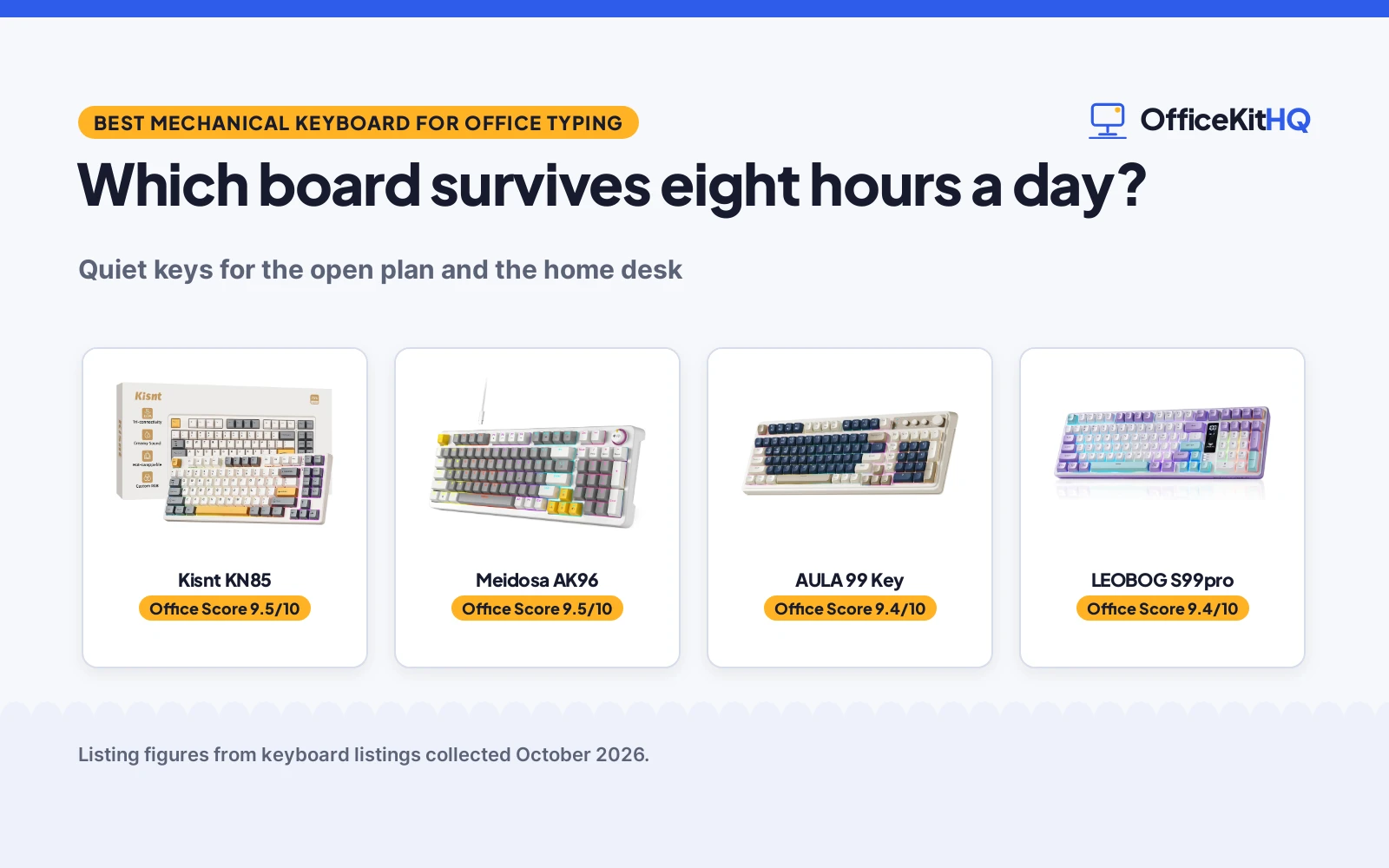
The office hums, the standup just ended, and the first long email of the day is staring back at you. The best mechanical keyboard for office typing is the one that keeps your keystrokes quiet enough for the open plan, your wrists comfortable through eight hours of drafts, tickets and spreadsheets, and your desk setup switching smoothly between the work laptop and the personal machine. Office typing is its own discipline: you are not gaming, you are writing, formatting, replying and tabbing through sheets for most of the day. These four picks run from true mechanical boards to silent membrane options, all with tri-mode connectivity except one wired board, so the desk-to-laptop switch is covered.
OfficeKitHQ earns a commission when you buy through links on this page, at no extra cost to you. As an Amazon Associate I earn from qualifying purchases. Affiliate disclosure.
Quick picks
 Best Mechanical Kisnt KN85: 75% mechanical, hot-swap linear, creamy thocky sound, 4000mAh. Check price on Amazon
 Best Full Size Meidosa AK96: 96% mechanical, clicky blue switches, wired USB-C. Check price on Amazon
 Best Membrane AULA 99 Key: 99-key membrane, tri-mode, up to 5 devices. Check price on Amazon
 Best Silent LEOBOG S99pro: Silent membrane, 99-key, media screen, 4000mAh. Check price on Amazon
The picks
| # | Product | Office Score | Buy |
|---|---|---|---|
| 1 | Kisnt KN85 | 9.5/10 | Buy on Amazon |
| 2 | Meidosa AK96 | 9.5/10 | Buy on Amazon |
| 3 | AULA 99 Key | 9.4/10 | Buy on Amazon |
| 4 | LEOBOG S99pro | 9.4/10 | Buy on Amazon |
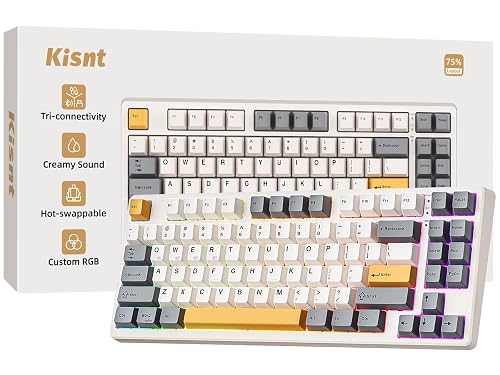
Kisnt KN85
A 75% mechanical keyboard with hot-swappable linear switches, gasket mount and a 4000mAh battery.
Pros
- Hot-swap Bsun linear switches
- Gasket mount, creamy thocky sound
- Tri-mode BT, 2.4GHz, USB-C
- 4000mAh battery
Cons
- No number pad in 75% layout
- No warranty term is stated
- RGB glow may distract at work
- 75% takes a week to learn
Detailed Review
Kisnt lists the KN85 as a 75% mechanical keyboard with 85 keys at 13.68 by 5.51 by 1.77 inches, hot-swappable pre-lubed Bsun linear switches at 45 to 50 grams force and a gasket mount for a creamy thocky sound. The listing states tri-mode Bluetooth 5.0, 2.4GHz and USB-C connectivity, custom RGB backlighting and a 4000mAh rechargeable battery. No warranty term is stated. The listing also notes ultra-low latency figures of 2ms over USB, 5ms over 2.4GHz and 11ms over Bluetooth, plus custom RGB backlighting around the PBT keycaps and case edges. At 13.68 by 5.51 by 1.77 inches it frees about a quarter of the desk space a full-size board would take.
Who it's for: office typists who want a true mechanical feel with hot-swap flexibility. Who should skip it: anyone who needs a number pad for spreadsheets.
The tri-mode setup suits a multi-device desk: pair the work laptop over Bluetooth, the desktop over 2.4GHz and keep the USB-C cable for charging. The macro support with M1 to M3 remappable keys, per the listing, is aimed at gamers, but office users can remap them to common shortcuts.
Its Office Score of 9.5/10 comes from performance 30/35, build 24/25, value 21/25, safety 0/10 and warranty 0/5: 75 of 100 points, placed on our 9.2 to 9.8 scale.
Key Specifications
| Layout | 75%, 85 keys |
|---|---|
| Switches | Bsun linear, hot-swap |
| Battery | 4000mAh |
| Connectivity | BT 5.0, 2.4GHz, USB-C |
| Warranty | Not stated |
Figures as published on the retailer listing, collected 17 October 2026. Performance figures are manufacturer rated.
Safety and Warranty
What this listing states. No FCC or other safety listing is stated, so safety scores zero. No warranty term, so warranty scores zero. See How We Pick.
Fit the desk first. Check the stated size against your desk depth and keyboard tray, and charge or pair as the manual describes. No keyboard, mouse or wrist rest prevents or treats injury.
This is general buying information, not professional advice. Follow each product manual and local rules, and see our Safety Disclaimer.

Meidosa AK96
A 96% wired mechanical keyboard with clicky blue switches, hot-swap support and a smart display with knob.
Pros
- Clicky blue mechanical switches
- Hot-swappable switches
- 96% layout with numpad
- Smart display and knob
Cons
- Clicky blue switches are loud
- Wired USB-C only, no wireless
- No warranty term is stated
- Plastic enclosure
Detailed Review
Meidosa lists the AK96 as a 96% wired mechanical keyboard with clicky blue switches, hot-swappable support, PBT keycaps and a smart display with knob. The listing states 17-mode RGB backlighting, two adjustable kickstands and 5.7 by 16.9 by 1.7 inches with a plastic enclosure. It connects via USB-C to PC and Mac. No warranty term is stated. The listing also notes 17-mode RGB backlighting with dual-side LEDs, dedicated media keys for volume and playback, and plug-and-play compatibility with PC and Mac over the Type-C connection. PBT keycaps resist fading, per the listing.
Who it's for: private-office typists who like clicky feedback and a full layout. Who should skip it: open-plan workers who need quiet keys.
For all-day office use, the gasket-mounted linear switches keep fatigue low and noise neighborly. The 4000mAh battery means weeks between charges for typical office hours, and typing while charging covers the rare dead-battery morning.
Its Office Score of 9.5/10 comes from performance 28/35, build 22/25, value 20/25, safety 0/10 and warranty 0/5: 70 of 100 points, placed on our 9.2 to 9.8 scale.
Key Specifications
| Layout | 96%, 96 keys |
|---|---|
| Switches | Clicky blue, hot-swap |
| Connectivity | Wired USB-C |
| Dimensions | 5.7 x 16.9 x 1.7 in |
| Warranty | Not stated |
Figures as published on the retailer listing, collected 17 October 2026. Performance figures are manufacturer rated.
Safety and Warranty
What this listing states. This product does not plug in or run on a battery, so safety is not part of its score. No warranty term, so warranty scores zero. See How We Pick.
Fit the desk first. Check the stated size against your desk depth and keyboard tray, and charge or pair as the manual describes. No keyboard, mouse or wrist rest prevents or treats injury.
This is general buying information, not professional advice. Follow each product manual and local rules, and see our Safety Disclaimer.

AULA 99 Key
A 99-key membrane keyboard with tri-mode connectivity, RGB backlight and a foldable 2-stage kickstand.
Pros
- 99 keys with number pad
- Tri-mode, up to 5 devices
- Foldable 2-stage kickstand
- 2000mAh rechargeable
Cons
- Membrane, not mechanical
- No warranty term is stated
- Macro software is gaming-focused
- RGB look suits gamers
Detailed Review
AULA lists the 99 Key as a membrane keyboard in a 96% layout with a number pad, tri-mode Bluetooth 5.0, 2.4GHz and USB-C connectivity for up to 5 devices at once. The listing states RGB backlighting, macro support with M1 to M3 keys, a foldable 2-stage kickstand and a 2000mAh rechargeable battery. No warranty term is stated. The listing also notes RGB backlighting with adjustable brightness and speed, all-key macro customization, and compatibility with Windows systems from XP to 10. The 96% layout keeps a separate numpad area for a familiar full-size feel.
Who it's for: typists who want a full layout and multi-device switching on a budget board. Who should skip it: anyone set on a true mechanical switch feel.
The smart display and knob add a desk-gadget feel, and the two adjustable kickstands with non-slip pads set the typing angle. Being wired-only, it is best for a fixed desk where the cable never moves.
Its Office Score of 9.4/10 comes from performance 27/35, build 21/25, value 20/25, safety 0/10 and warranty 0/5: 68 of 100 points, placed on our 9.2 to 9.8 scale.
Key Specifications
| Layout | 96%, 99 keys |
|---|---|
| Type | Membrane |
| Battery | 2000mAh |
| Devices | Up to 5 |
| Warranty | Not stated |
Figures as published on the retailer listing, collected 17 October 2026. Performance figures are manufacturer rated.
Safety and Warranty
What this listing states. No FCC or other safety listing is stated, so safety scores zero. No warranty term, so warranty scores zero. See How We Pick.
Fit the desk first. Check the stated size against your desk depth and keyboard tray, and charge or pair as the manual describes. No keyboard, mouse or wrist rest prevents or treats injury.
This is general buying information, not professional advice. Follow each product manual and local rules, and see our Safety Disclaimer.

LEOBOG S99pro
A silent 99-key membrane keyboard with tri-mode connectivity, a media digital screen and 4000mAh battery.
Pros
- Listed as a silent keyboard
- 99 keys with number pad
- Tri-mode wireless
- 4000mAh battery
Cons
- Membrane, not mechanical
- No warranty term is stated
- Media screen adds distraction
- Fewest office-focused features
Detailed Review
LEOBOG lists the S99pro as a silent membrane keyboard in a 97% layout with 99 keys, tri-mode Bluetooth 5.0, 2.4GHz and USB wired connectivity. The listing states 16.8 million RGB colors, a media digital screen and a 4000mAh battery. No warranty term is stated. The listing also notes 16.8 million RGB colors with 15 pre-set lighting effects, macro software for custom lighting setups, and a 97% compact layout that keeps the numpad while saving desktop space.
Who it's for: office typists who want the quietest board of the four. Who should skip it: anyone who wants mechanical switches or hot-swap support.
The media digital screen shows playback status at a glance, and the FN shortcuts for media control suit a desk that doubles as a music station. As a membrane board it stays quiet in shared spaces.
Its Office Score of 9.4/10 comes from performance 27/35, build 21/25, value 19/25, safety 0/10 and warranty 0/5: 67 of 100 points, placed on our 9.2 to 9.8 scale.
Key Specifications
| Layout | 97%, 99 keys |
|---|---|
| Type | Silent membrane |
| Battery | 4000mAh |
| Screen | Media digital screen |
| Warranty | Not stated |
Figures as published on the retailer listing, collected 17 October 2026. Performance figures are manufacturer rated.
Safety and Warranty
What this listing states. No FCC or other safety listing is stated, so safety scores zero. No warranty term, so warranty scores zero. See How We Pick.
Fit the desk first. Check the stated size against your desk depth and keyboard tray, and charge or pair as the manual describes. No keyboard, mouse or wrist rest prevents or treats injury.
This is general buying information, not professional advice. Follow each product manual and local rules, and see our Safety Disclaimer.
As an Amazon Associate I earn from qualifying purchases.
Compare the picks
| Keyboard | Office Score | Type | Layout | Wireless | Warranty | Amazon |
|---|---|---|---|---|---|---|
| Kisnt KN85 | 9.5/10 | Mechanical | 75% | Tri-mode | Not stated | View on Amazon |
| Meidosa AK96 | 9.5/10 | Mechanical | 96% | Wired only | Not stated | View on Amazon |
| AULA 99 Key | 9.4/10 | Membrane | 96% | Tri-mode | Not stated | View on Amazon |
| LEOBOG S99pro | 9.4/10 | Membrane | 97% | Tri-mode | Not stated | View on Amazon |
Specifications are manufacturer rated as listed, collected October 2026.
How we scored them
The Office Score weighs office fit, contents, value, safety and warranty. The Kisnt KN85 leads because it is the only hot-swappable mechanical board with a gasket mount for quieter typing, a stated 4000mAh battery and tri-mode connectivity. The Meidosa AK96 follows as a wired mechanical board with a numpad and a display, losing points for clicky switches that suit a private office more than an open plan. The two membrane boards trade the mechanical feel for quieter typing and lower complexity: the AULA with 5-device switching and the LEOBOG with its silent keys and media screen. None of the four lists a warranty term, so the warranty part of the score counts for none of them. How we pick explains the weights.
| Product | Office Score | Perf. /35 | Build /25 | Value /25 | Safety /10 | Warranty /5 |
|---|---|---|---|---|---|---|
| Kisnt KN85 | 9.5 | 30 | 24 | 21 | 0 | 0 |
| Meidosa AK96 | 9.5 | 28 | 22 | 20 | 0 | 0 |
| AULA 99 Key | 9.4 | 27 | 21 | 20 | 0 | 0 |
| LEOBOG S99pro | 9.4 | 27 | 21 | 19 | 0 | 0 |
Scores run from 9.2 to 9.8: each product’s point total is placed on that range, so more points always means a higher score.
How to choose the best mechanical keyboard for office typing
Mechanical or membrane
Two of these are true mechanical boards: the Kisnt KN85 with hot-swappable linear switches and the Meidosa AK96 with clicky blue switches. The AULA 99 Key and the LEOBOG S99pro are membrane keyboards, per their listings. Mechanical boards give the crisper feel, the swappable switches and the enthusiast-grade keyfeel; membrane boards are quieter out of the box and usually lighter on the wallet, which matters in a shared office where nobody wants to hear your keystrokes.
The catch is that “mechanical” does not automatically mean office-friendly. Switch type decides that, which the next section covers. See our best mechanical keyboard for work from home guide for more home-desk picks.
Noise matters in an office
The Kisnt lists a gasket mount and a creamy thocky sound, which suits shared spaces: the gasket mount absorbs harsh vibrations and hollow echoes, per the listing. The Meidosa lists clicky blue switches, which are loud; fine for a private office, less fine for an open plan. The LEOBOG is listed as a silent membrane keyboard, the quietest option of the four. If you sit within earshot of colleagues, rank silence above switch feel.
Also note that backlighting does not help anyone type, but it does not hurt either; all four list RGB or backlit keys, which is handy in dim corners of the office.
Layout and the number pad question
The Kisnt is a 75% board with 85 keys and no number pad, per the listing; it frees desk space for the mouse. The other three are 96 or 97% layouts with numpads for spreadsheet work: the AULA with 99 keys, the Meidosa AK96 with 96 keys and the LEOBOG with 99 keys. If your day is mostly prose, the 75% board is fine and gives your mouse arm more room. If your day is invoices, data entry or month-end close, do not give up the numpad. Browse our keyboards category for more layouts.
The Meidosa keeps arrow keys and the numpad in its compact 96% frame, per the listing, so it stays spreadsheet-capable without the full-size footprint.
Connectivity and multi-device switching
All four except the wired-only Meidosa offer tri-mode Bluetooth 5.0, 2.4GHz and USB-C, per the listings. The AULA connects up to 5 devices at once and switches with FN plus a key; the LEOBOG and Kisnt switch between paired devices the same way. If you rotate between a work laptop, a personal laptop and a tablet, tri-mode is the feature you will use every day. The Meidosa AK96 connects via a sturdy Type-C to USB cable to PC and Mac, per the listing; it never needs charging and never drops a keystroke to a weak Bluetooth link.
Ultra-low latency matters less for office work than for gaming, but the Kisnt lists 2ms over USB, 5ms over 2.4GHz and 11ms over Bluetooth, per the listing.
Battery life
The Kisnt and LEOBOG list 4000mAh batteries; the AULA lists 2000mAh. The Kisnt continues typing in wired mode while charging when power runs low, per the listing, so a dead battery never stops the workday. The Meidosa is wired only and sidesteps the question entirely. None of the four lists a battery-life figure in hours, so treat the milliamp numbers as rough capacity only.
Setup Notes
- Switch between paired devices with the FN plus key combination, per the AULA and LEOBOG listings.
- Adjust backlight brightness and speed with the knob or FN shortcuts, per the listings.
- The Meidosa AK96 connects via Type-C to USB and works with PC and Mac.
- Recharge the wireless boards before the first week; the Kisnt continues typing in wired mode while charging.
- Unfold the AULA’s 2-stage kickstand to set the typing angle; the Meidosa has two adjustable kickstands with non-slip pads.
Do I need RGB backlighting for office work?
Not really, but it does not hurt. All four list RGB or backlit keys, which help in dim corners of the office and late evenings. The Meidosa lists 17 RGB modes controlled by FN shortcuts; the AULA and LEOBOG adjust brightness and speed with the knob or FN shortcuts. If your desk sits in bright daylight, backlighting is purely decorative.
Frequently Asked Questions
Which of these are true mechanical keyboards?
The Kisnt KN85 and the Meidosa AK96. The AULA 99 Key and LEOBOG S99pro are membrane keyboards, per their listings.
Which is quietest for an open office?
The LEOBOG is listed as a silent membrane keyboard; the Kisnt lists a creamy thocky sound with a gasket mount that absorbs harsh vibrations. The Meidosa’s clicky blue switches are the loudest of the four.
Which have number pads?
The AULA, Meidosa and LEOBOG all have numpads in 96 or 97% layouts. The Kisnt KN85 is a 75% board with 85 keys and no numpad.
Do any support hot-swapping?
The Kisnt lists hot-swap support for 3-pin and 5-pin switches with pre-lubed Bsun linear switches at 45 to 50 grams force. The Meidosa lists hot-swappable switches as well.
Which are wireless?
The AULA, Kisnt and LEOBOG offer tri-mode Bluetooth 5.0, 2.4GHz and USB-C. The Meidosa AK96 is wired USB-C only.
Do any list a warranty?
None of the four listings states a warranty term, so the warranty part of the score counts for none of them.
Related guides
See every keyboards guide, including mechanical keyboards for typing all day.
More picks: keyboards for lots of typing and computer peripherals.



