
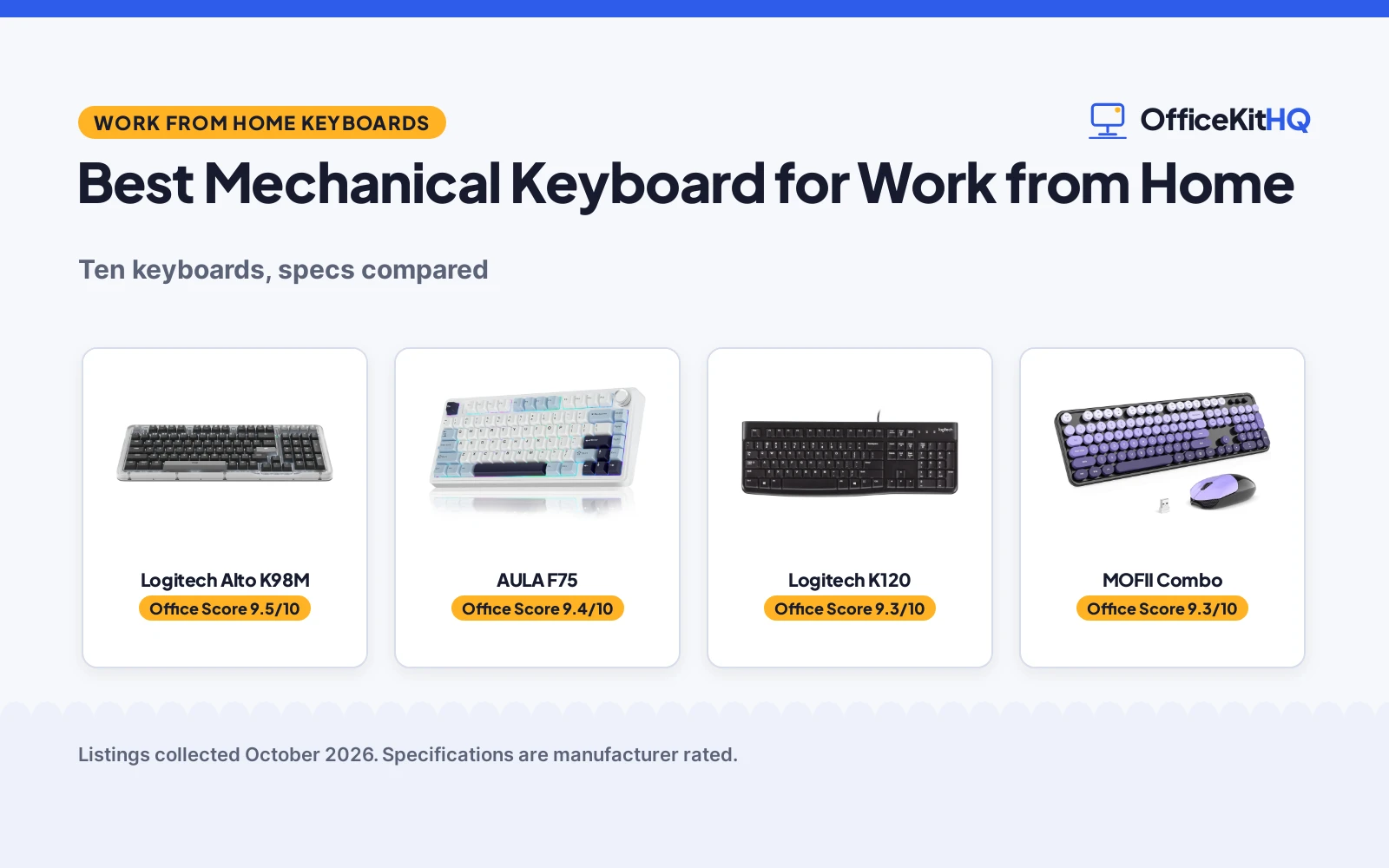
The kitchen table becomes the office at 9 a.m., and the best mechanical keyboard for work from home is the one that types well all day without bothering the household. We compared five keyboards by typing feel, connectivity, battery life and stated warranty, using only what each listing publishes. Two listings here are not mechanical at all, and each review says so plainly.
OfficeKitHQ earns a commission when you buy through links on this page, at no extra cost to you. As an Amazon Associate I earn from qualifying purchases. Affiliate disclosure.
Quick picks
 Best Overall Logitech Alto K98M: Gasket clicky, hot-swap, 12-month battery, 2-year warranty Check price on Amazon
 Best Value Mechanical AULA F75: Tri-mode, hot-swap, 4000mAh, 6-month warranty Check price on Amazon
 Best Basic Wired Logitech K120: Full-size, spill-resistant, UL/cUL, 2-year warranty Check price on Amazon
 Best Combo MOFII Combo: Keyboard and mouse, 2.4GHz, 18-month battery, 12-month warranty Check price on Amazon
 Best Retro Atelus Retro: Full-size retro typewriter, clicky, 12-month warranty Check price on Amazon
The picks
| # | Product | Office Score | Buy |
|---|---|---|---|
| 1 | Logitech Alto K98M | 9.5/10 | Buy on Amazon |
| 2 | AULA F75 | 9.4/10 | Buy on Amazon |
| 3 | Logitech K120 | 9.3/10 | Buy on Amazon |
| 4 | MOFII Combo | 9.3/10 | Buy on Amazon |
| 5 | Atelus Retro | 9.3/10 | Buy on Amazon |

Logitech Alto K98M
A 98-key gasket mechanical keyboard with hot-swap clicky switches, 12-month battery and 2-year warranty.
Pros
- Hot-swap Marble clicky switches
- Gasket mount absorbs vibration
- Up to 12 months wireless, USB-C charging
- Stated 2 Years Limited Hardware Warranty
Cons
- Clicky switches are loud for shared spaces
- 1100 g is heavy to move around
- White backlight only, no RGB
Detailed Review
Logitech lists the Alto Keys K98M as a 98-key compact 1800-style mechanical keyboard with hot-swappable Marble clicky switches, a gasket mount and white backlighting. The listing states Bluetooth and Logi Bolt connectivity, up to 12 months of wireless use, USB-C charging, programmable Action Keys and a stated 2 Years Limited Hardware Warranty. It measures 7.1 by 17 by 1.9 inches and weighs 1100 g.
Who it's for: home workers who want a premium clicky board with a long warranty. Who should skip it: anyone sharing a quiet room.
Its Office Score of 9.5/10 comes from performance 30/35, build 20/25, value 19/25, safety 0/10 and warranty 3/5: 72 of 100 points, placed on our 9.2 to 9.8 scale.
Key Specifications
| Layout | 98-key 1800 |
|---|---|
| Switch | Clicky Marble, hot-swap |
| Battery | 12 months wireless (stated) |
| Warranty | 2 Years Limited Hardware Warranty |
Figures as published on the retailer listing, collected 17 October 2026. Performance figures are manufacturer rated.
Safety and Warranty
What this listing states. No FCC or other safety listing is stated, so safety scores zero. 2 Years Limited Hardware Warranty. It does not say everything a buyer needs, such as who pays return shipping, so warranty scores 3 of 5. See How We Pick.
Fit the desk first. Check the stated size against your desk depth and keyboard tray, and charge or pair as the manual describes. No keyboard, mouse or wrist rest prevents or treats injury.
This is general buying information, not professional advice. Follow each product manual and local rules, and see our Safety Disclaimer.

AULA F75
A 75 percent tri-mode mechanical keyboard with hot-swap switches, 4000mAh battery and knob.
Pros
- Tri-mode BT5.0, 2.4GHz and USB-C for five devices
- Hot-swap with pre-lubed Reaper switches
- Multi-function knob for volume and lighting
- 4000mAh battery with 16.8M RGB
Cons
- Only a 6 Months stated warranty
- 81-key figure against 80 in spec table
- Plastic enclosure with no metal frame
Detailed Review
AULA lists the F75 as a 75 percent mechanical keyboard with tri-mode BT5.0, 2.4GHz and USB-C connectivity for up to five devices, hot-swappable pre-lubed Reaper switches and a multi-function knob. The listing states five layers of silencer filling, 16.8 million RGB colors, full-key macro programming and a 4000mAh battery. The bullets list 81 keys against 80 in the spec table. The warranty is a stated 6 Months.
Who it's for: typists who want a compact wireless mechanical board with a knob. Who should skip it: anyone who wants a longer stated warranty.
Its Office Score of 9.4/10 comes from performance 29/35, build 19/25, value 18/25, safety 0/10 and warranty 2/5: 68 of 100 points, placed on our 9.2 to 9.8 scale.
Key Specifications
| Layout | 75%, 81 keys (bullets) |
|---|---|
| Switch | Pre-lubed linear, hot-swap |
| Battery | 4000mAh (stated) |
| Warranty | 6 Months |
Figures as published on the retailer listing, collected 17 October 2026. Performance figures are manufacturer rated.
Safety and Warranty
What this listing states. No FCC or other safety listing is stated, so safety scores zero. 6 Months. It does not say everything a buyer needs, such as who pays return shipping, so warranty scores 2 of 5. See How We Pick.
Fit the desk first. Check the stated size against your desk depth and keyboard tray, and charge or pair as the manual describes. No keyboard, mouse or wrist rest prevents or treats injury.
This is general buying information, not professional advice. Follow each product manual and local rules, and see our Safety Disclaimer.

Logitech K120
A full-size wired membrane keyboard with spill resistance, recycled plastic and 2-year warranty.
Pros
- Full-size 104-key layout with number pad
- Spill-resistant with adjustable tilt legs
- 51% certified post-consumer recycled plastic
- Stated 2 years warranty with UL/cUL, FCC certs
Cons
- Membrane board, not mechanical
- No backlight or media keys
- Plastic enclosure throughout
Detailed Review
Logitech lists the K120 as a full-size wired keyboard with 104 keys, a spill-resistant design, deep-profile keys and adjustable tilt legs. The listing states 51 percent certified post-consumer recycled plastic, certifications including UL/cUL and FCC, and a stated 2 years warranty. It measures 17.7 by 6.1 by 0.9 inches and weighs 16 ounces. This is a membrane board, not a mechanical one.
Who it's for: home workers who want a dependable basic wired board with a 2-year warranty. Who should skip it: anyone shopping for mechanical switches.
Its Office Score of 9.3/10 comes from performance 22/35, build 15/25, value 15/25, safety 3/10 and warranty 3/5: 58 of 100 points, placed on our 9.2 to 9.8 scale.
Key Specifications
| Layout | Full-size, 104 keys |
|---|---|
| Switch | Membrane |
| Certs | UL/cUL, FCC (stated) |
| Warranty | 2 years |
Figures as published on the retailer listing, collected 17 October 2026. Performance figures are manufacturer rated.
Safety and Warranty
What this listing states. UL/cUL, FCC, so safety scores 3 of 10. 2 years. It does not say everything a buyer needs, such as who pays return shipping, so warranty scores 3 of 5. See How We Pick.
Fit the desk first. Check the stated size against your desk depth and keyboard tray, and charge or pair as the manual describes. No keyboard, mouse or wrist rest prevents or treats injury.
This is general buying information, not professional advice. Follow each product manual and local rules, and see our Safety Disclaimer.

MOFII Combo
A wireless keyboard and mouse combo with 2.4GHz connection and 18-month battery figures.
Pros
- Keyboard and mouse in one box
- 2.4GHz wireless up to 10 meters
- Up to 18 months battery with auto-sleep
- Retro round keycaps in color options
Cons
- Membrane board, not mechanical
- Listing claims wrist-strain reduction
- 1 AA battery per device to replace
Detailed Review
MOFII lists a wireless keyboard and mouse combo with a full-size 104-key board, 2.4GHz plug-and-play wireless up to 10 meters and retro round keycaps. The listing states auto-sleep after 8 to 10 minutes, up to 18 months of battery on 1 AA per device, and a 12-month warranty with a 30-day money-back guarantee. The warranty description also lists 1 year manufacture. This is a membrane combo, not mechanical.
Who it's for: home workers who want keyboard and mouse together wirelessly. Who should skip it: anyone shopping for mechanical switches.
Its Office Score of 9.3/10 comes from performance 24/35, build 18/25, value 16/25, safety 0/10 and warranty 3/5: 61 of 100 points, placed on our 9.2 to 9.8 scale.
Key Specifications
| Layout | Full-size, 104 keys |
|---|---|
| Combo | Keyboard and mouse |
| Battery | 18 months (stated) |
| Warranty | 1 year manufacture |
Figures as published on the retailer listing, collected 17 October 2026. Performance figures are manufacturer rated.
Safety and Warranty
What this listing states. No FCC or other safety listing is stated, so safety scores zero. 1 year manufacture. It does not say everything a buyer needs, such as who pays return shipping, so warranty scores 3 of 5. See How We Pick.
Fit the desk first. Check the stated size against your desk depth and keyboard tray, and charge or pair as the manual describes. No keyboard, mouse or wrist rest prevents or treats injury.
This is general buying information, not professional advice. Follow each product manual and local rules, and see our Safety Disclaimer.

Atelus Retro
A full-size wired retro typewriter keyboard with clicky switches and round keycaps.
Pros
- Full-size 104-key layout with number pad
- Retro round keycaps in fun colors
- Wired USB with no batteries or pairing
- Stated 12 Months warranty
Cons
- Clicky switches are loud for shared spaces
- Wired only with no wireless option
- Retro styling will not suit every desk
Detailed Review
Atelus lists a full-size wired keyboard with 104 keys, retro round keycaps and clicky switches in a typewriter style. The listing states USB plug-and-play, compatibility with Windows and Linux, and a stated 12 Months warranty. No dimensions or weight are stated.
Who it's for: typists who want retro styling with a full-size layout. Who should skip it: anyone sharing a quiet room or needing wireless.
Its Office Score of 9.3/10 comes from performance 26/35, build 16/25, value 15/25, safety 0/10 and warranty 3/5: 60 of 100 points, placed on our 9.2 to 9.8 scale.
Key Specifications
| Layout | Full-size, 104 keys |
|---|---|
| Switch | Clicky |
| Connection | USB wired |
| Warranty | 12 Months |
Figures as published on the retailer listing, collected 17 October 2026. Performance figures are manufacturer rated.
Safety and Warranty
What this listing states. This product does not plug in or run on a battery, so safety is not part of its score. 12 Months. It does not say everything a buyer needs, such as who pays return shipping, so warranty scores 3 of 5. See How We Pick.
Fit the desk first. Check the stated size against your desk depth and keyboard tray, and charge or pair as the manual describes. No keyboard, mouse or wrist rest prevents or treats injury.
This is general buying information, not professional advice. Follow each product manual and local rules, and see our Safety Disclaimer.
As an Amazon Associate I earn from qualifying purchases.
More picks to compare
 RK ROYAL KLUDGE S98 Wireless MechanicalCheck on Amazon
 Redragon K668 108-Key Hot-Swap Wired RGBCheck on Amazon
 Kisnt KN85 Wireless Mechanical KeyboardCheck on Amazon
 Newmen GM325Pro Mechanical KeyboardCheck on Amazon
 Cherry KC 200 MX Wired Mechanical OfficeCheck on Amazon
Compare the picks
| Keyboard | Office Score | Layout | Switches | Amazon |
|---|---|---|---|---|
| Logitech Alto K98M | 9.5/10 | 98-key 1800 with numpad | Clicky Marble, hot-swap | View on Amazon |
| AULA F75 | 9.4/10 | 75%, 81 keys | Pre-lubed linear, hot-swap | View on Amazon |
| Logitech K120 | 9.3/10 | Full-size, 104 keys | Membrane | View on Amazon |
| MOFII Combo | 9.3/10 | Full-size 104 keys + mouse | Membrane | View on Amazon |
| Atelus Retro | 9.3/10 | Full-size, 104 keys | Clicky | View on Amazon |
Specifications are manufacturer rated as listed, collected 17 October 2026.
How we scored them
The Office Score weighs performance, build, value, safety and warranty. For home offices, performance means typing feel and connectivity for long days; safety means stated safety-relevant features, which only the Logitech K120’s stated certifications address. Warranties run from 6 months to 2 years across the five. How we pick explains the weights.
| Product | Office Score | Perf. /35 | Build /25 | Value /25 | Safety /10 | Warranty /5 |
|---|---|---|---|---|---|---|
| Logitech Alto K98M | 9.5 | 30 | 20 | 19 | 0 | 3 |
| AULA F75 | 9.4 | 29 | 19 | 18 | 0 | 2 |
| Logitech K120 | 9.3 | 22 | 15 | 15 | 3 | 3 |
| MOFII Combo | 9.3 | 24 | 18 | 16 | 0 | 3 |
| Atelus Retro | 9.3 | 26 | 16 | 15 | 0 | 3 |
Scores run from 9.2 to 9.8: each product’s point total is placed on that range, so more points always means a higher score.
How to choose the best mechanical keyboard for work from home
Mechanical or not
Three of the five are mechanical: the Logitech Alto K98M with hot-swap clicky switches, the AULA F75 with pre-lubed linear switches, and the Atelus with clicky switches. The Logitech K120 and the MOFII combo are membrane boards, despite appearing in this roundup. If switch type is the reason you are shopping, shortlist the mechanical three. If you just want a dependable typing board, the K120’s spill resistance and 2-year warranty deserve a look. See the full keyboards category for more types.
Wireless freedom versus wired reliability
The Alto K98M lists up to 12 months of wireless use over Bluetooth or Logi Bolt with USB-C recharging. The AULA F75 offers tri-mode Bluetooth, 2.4GHz and wired connections with a 4000mAh battery. The MOFII combo runs 2.4GHz with up to 18 months on AA batteries. The K120 and Atelus are wired and never need charging. Wireless suits shared desks and laptop setups; wired suits a fixed desk where the cable never moves. Multi-device pairing is the tiebreaker for hybrid workers: the AULA F75 connects up to five devices at once, so one keyboard can serve a work laptop and a personal machine without re-pairing.
Noise for shared spaces
Clicky switches are the loudest here: the Alto K98M and Atelus will carry through a home. The AULA F75 uses pre-lubed linear switches with five layers of filling silencer. The K120 and MOFII are membrane boards with no mechanical switch click at all. Gasket mounts on the Alto K98M absorb vibration, and the AULA’s advanced structure softens the feel. For a quiet house, pick the linear or membrane options over clicky. Hot-swap sockets add future-proofing: the Alto K98M and AULA F75 let you change switches without soldering, so a board that starts too loud can be quieted later with a switch swap.
| Keyboard | Switch | Layout | Connectivity |
|---|---|---|---|
| Logitech Alto K98M | Clicky Marble, hot-swap | 98-key 1800 | Bluetooth, Logi Bolt, USB-C |
| AULA F75 | Pre-lubed linear, hot-swap | 75%, 81 keys | BT5.0, 2.4GHz, USB-C |
| Logitech K120 | Membrane | Full-size, 104 keys | USB wired |
| MOFII Combo | Membrane | Full-size 104 keys + mouse | 2.4GHz wireless |
| Atelus Retro | Clicky | Full-size, 104 keys | USB wired |
Setup Notes
- Measure desk depth against the listed footprint; the K120 runs 17.7 inches long.
- Wireless boards need charging or batteries: the K98M lists 12 months, the MOFII 18 months on AAs.
- The AULA F75’s 4000mAh battery recharges over USB-C; charge it before the first long day.
- Keep nano receivers in the mouse or keyboard storage slot so they do not get lost.
Frequently Asked Questions
Are all of these keyboards mechanical?
No. The Logitech K120 and MOFII combo are membrane boards. The Alto K98M, AULA F75 and Atelus use mechanical or clicky switches, and the Alto K98M and AULA F75 offer hot-swappable sockets.
Which is quietest for a shared home?
The membrane Logitech K120 and MOFII combo have no switch click, and the AULA F75’s pre-lubed linear switches come with five silencer layers. The clicky Alto K98M and Atelus are the loudest here.
Which keyboards are wireless?
The Alto K98M, AULA F75 and MOFII combo are wireless. The K120 and Atelus are wired.
What warranties are stated?
The Alto K98M and Logitech K120 state 2-year terms. The MOFII and Atelus state 1-year or 12-month terms. The AULA F75 states 6 Months.
Do any have number pads?
The K120, MOFII and Atelus are full-size with pads. The Alto K98M keeps a compact pad in its 1800 layout. The AULA F75 has no pad.
Related guides
See every Monitor Mounts, Keyboards and Mice guide and all Office Guides.
More picks: keyboards, mice and mouse pads and desk mats and pads.



